
Simplified is difficult to review as a normal AI writing tool because it is no longer just a writer. It combines Riley AI, writing, Brand Brain, social media publishing, image and video tools, creator workflows, automations and project boards inside one platform. I tested several of those systems with real tasks — and the results were much more mixed than the feature list suggests.
Simplified is more convincing as an integrated content workspace than as a collection of individually best-in-class AI tools. I like the way Brand Brain, Riley, social publishing, writing and other tools can work around the same content workflow. For creators and small teams, having fewer handoffs between separate apps can be genuinely useful.
But my hands-on tests also found problems I would not ignore. Two Instant Blog generations contained headings with missing paragraphs. Riley hit HTTP 403 errors during web research. Riley could not automatically see an article already open in the editor during one writing test. And the two Simplified automation templates I ran both ended with null outputs.
So my answer to “Is Simplified worth it?” depends heavily on what you want. If you want one broad workspace for creating and publishing different kinds of content, it is interesting. If you mainly want the most reliable long-form AI writer or automation engine, my test results give me more reason to be cautious.
What is Simplified?
Simplified is an all-in-one AI content and marketing platform. Instead of focusing on only one job, it puts many different content tools inside the same account.
During my testing, I found areas for AI writing, social media, image creation, video, product content, audio, design workflows, Riley, Brand Brain, automation templates and project boards.
That is both the main attraction and the main challenge of Simplified. There is a lot here.

The broader Explore area makes the scope even clearer. Simplified is trying to cover several parts of modern content production rather than compete only as an AI writer.

How I tested Simplified for this review
I did not want to rebuild this review around a feature checklist or company claims. Instead, I created separate hands-on tests around the areas where I had enough evidence to judge the result.
The strongest tests now have their own detailed reviews. This main page acts as the hub: it shows what happened, what I think it means, and where you can see the full screenshots and workflow.
Simplified AI Writer
I generated two different Instant Blog articles. Both contained section headings without the expected paragraph content. Page Settings showed only 161 words in the first test and 165 words in the second.
See my full Simplified AI Writer test →Simplified Riley
Riley could break a LinkedIn request into multiple tasks and still create three post drafts after an Etsy research fetch failed. But I also found 403 errors and a context limitation when Riley could not see an open article in the editor.
See my full Simplified Riley test →Simplified Social Media
I followed a social workflow from an Etsy/AI prompt through Riley, three LinkedIn drafts and the final workbench. The strongest part was the connection between generation and Save Draft, Schedule, Queue and Publish.
See my full Simplified Social Media test →Simplified Brand Brain
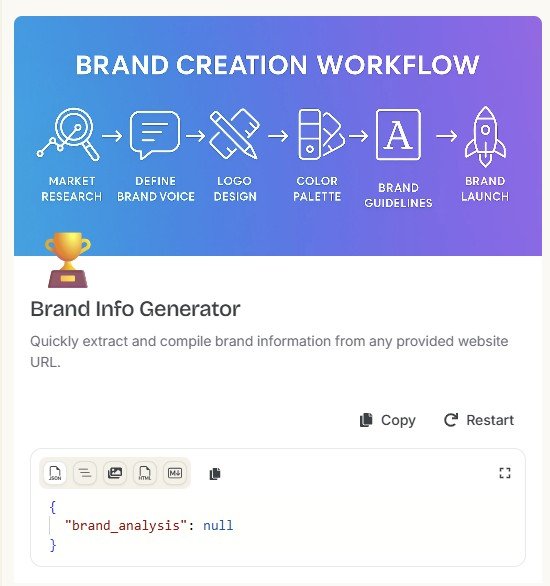
I used AIContent-Tools.com as the real brand. A Web Fetch step returned HTTP 403, but Simplified still created a detailed Brand Brain. A separate Brand Info Generator later returned brand_analysis: null.
See my full Simplified Brand Brain test →Simplified Automations
I ran two templates instead of reviewing the automation gallery. AI Tools Evaluator returned null. Brand Info Generator returned brand_analysis: null.
See my full Simplified Automations test →Images, video, workflows & boards
I explored the interfaces and available workflows for images, product photos, videos, ads and AI-generated project boards. I do not treat these as deep quality tests because I do not yet have the same level of output evidence.
1. Simplified AI Writer: my biggest disappointment
Simplified has a substantial writing area with tools for blogs, articles, essays, summaries and other content.
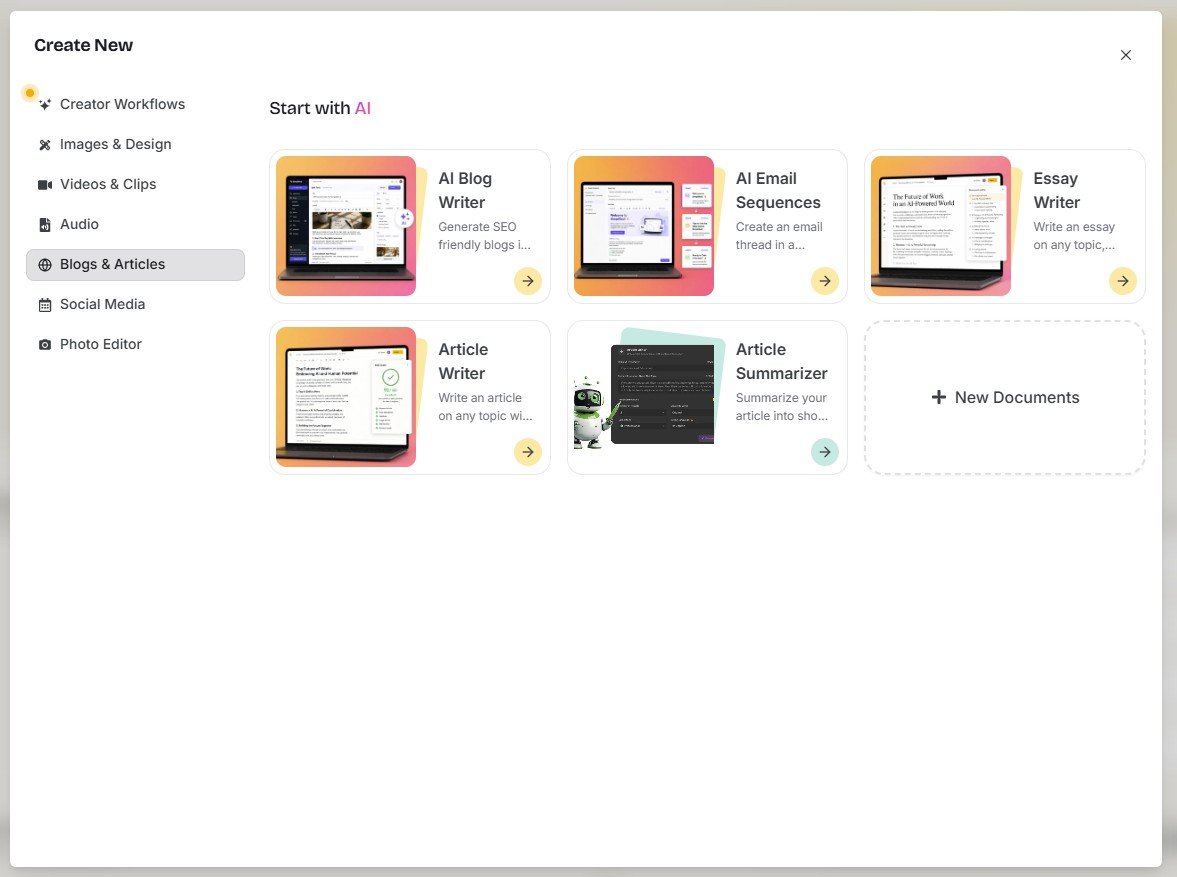
On paper, the writing workflow is quite good. You can use Brandbook context and choose options such as language, tone and creativity. Simplified also separates a faster Instant Blog workflow from a more involved Agentic Workflow Blog.
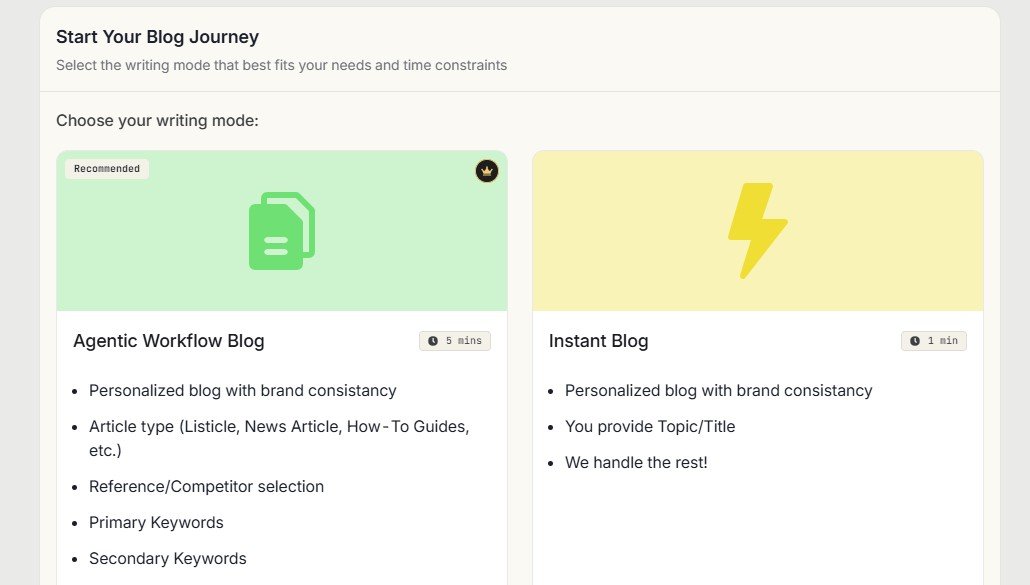
I tested Instant Blog twice
The first test used the topic: “7 Ways to Improve Etsy Product Descriptions With AI.”
The generated article initially looked normal. It had a title, introduction, headings, formatting and an image. But scrolling through the document showed that several sections contained headings with no body paragraphs.
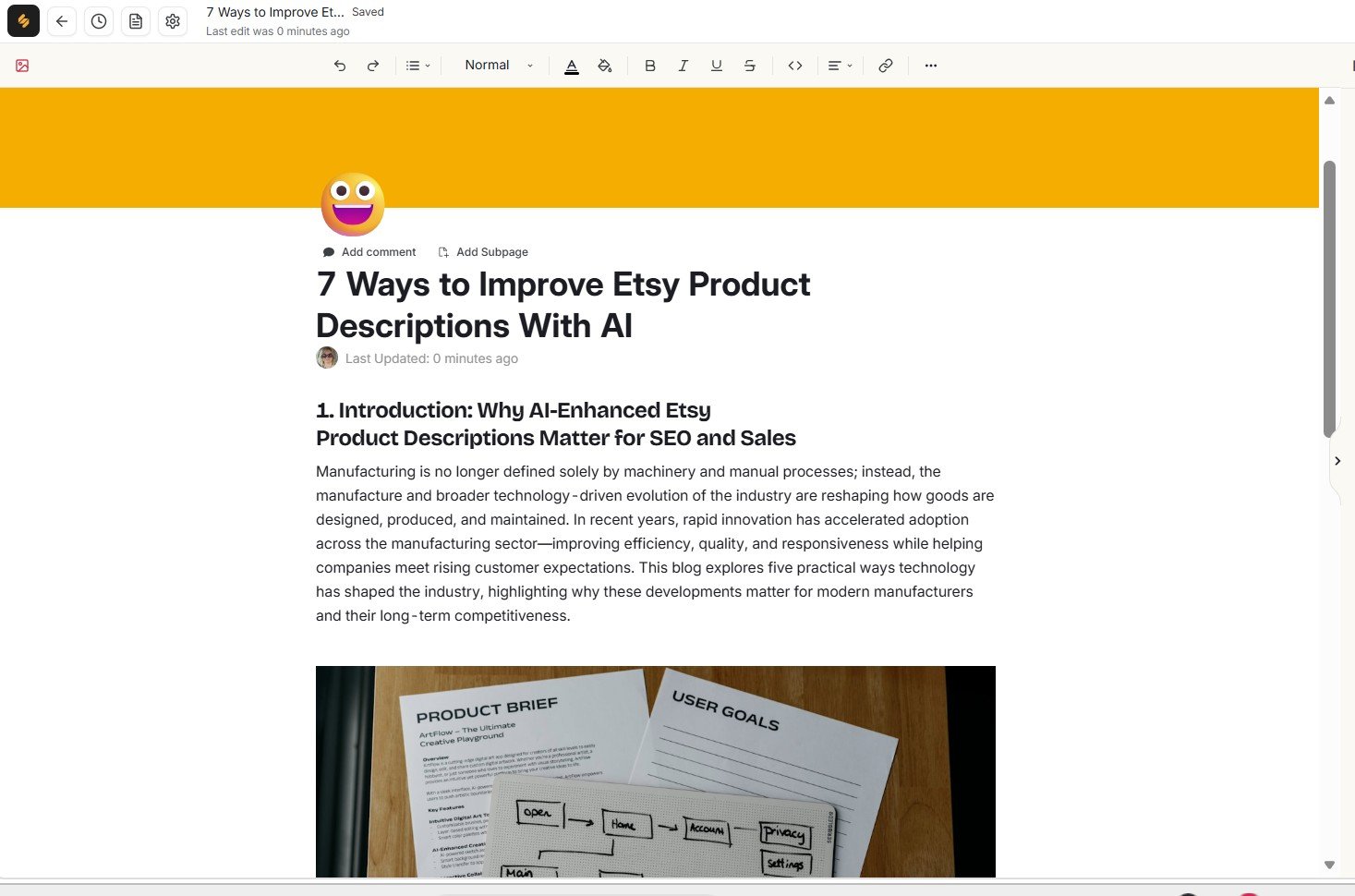
Page Settings showed only 161 words. I also found content in the Etsy article that discussed manufacturing, which did not fit the requested topic.
I then generated a second blog article rather than assuming the first result was a random failure.
The same core issue appeared again: headings were present, but body paragraphs were missing. The second document contained only 165 words.
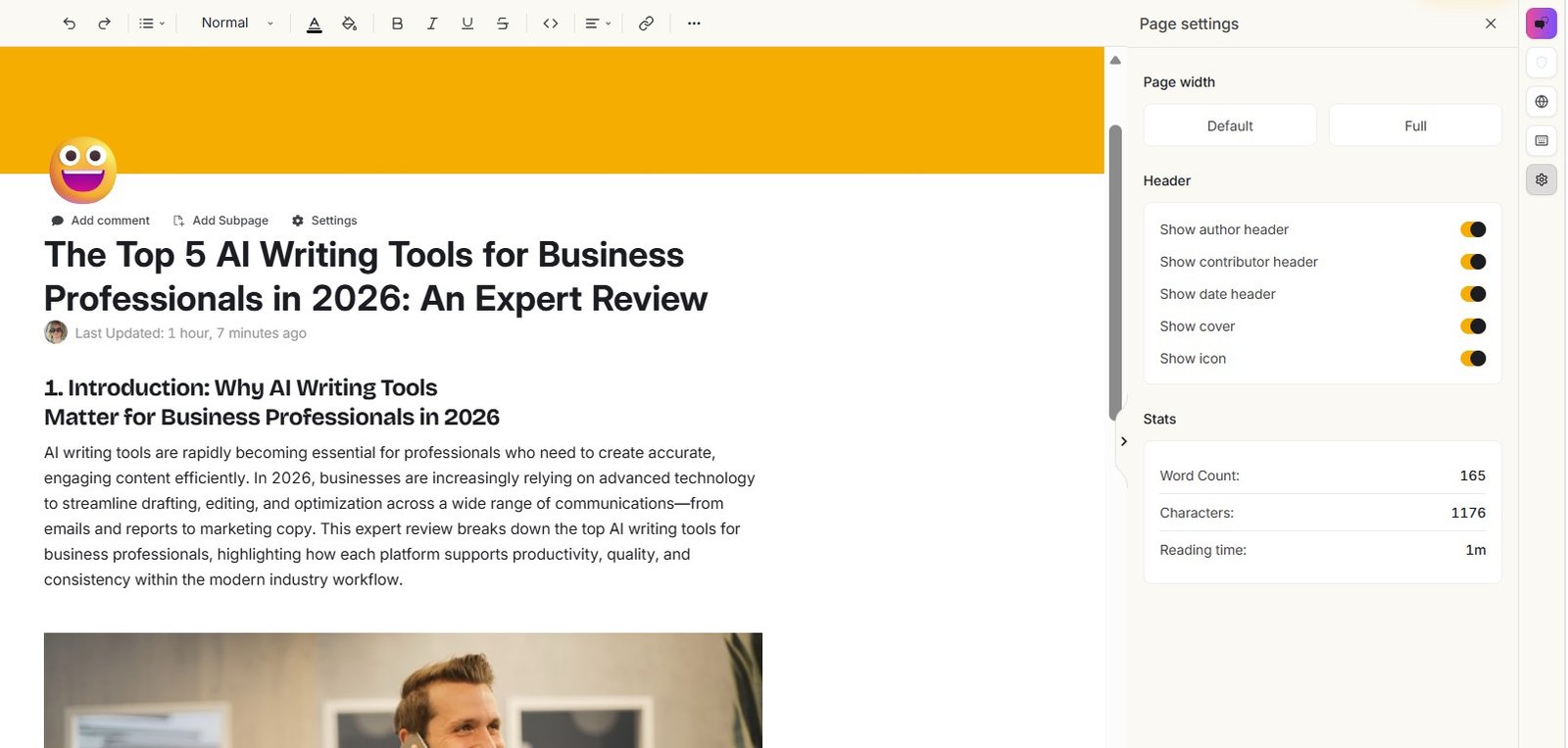
I would not use Simplified Instant Blog as a one-click publish-ready article generator based on these tests. The repeated missing-section problem matters more to me than how polished the interface looks. I would treat its output as a draft that needs a full completeness and relevance check.
I document both generations, the word counts, relevance problem and my attempt to repair the article with Riley in the full Simplified AI Writer review.
2. Riley: the most interesting part of Simplified
Riley is presented as an AI teammate rather than only an AI writer. That positioning makes sense when it is working across larger tasks.
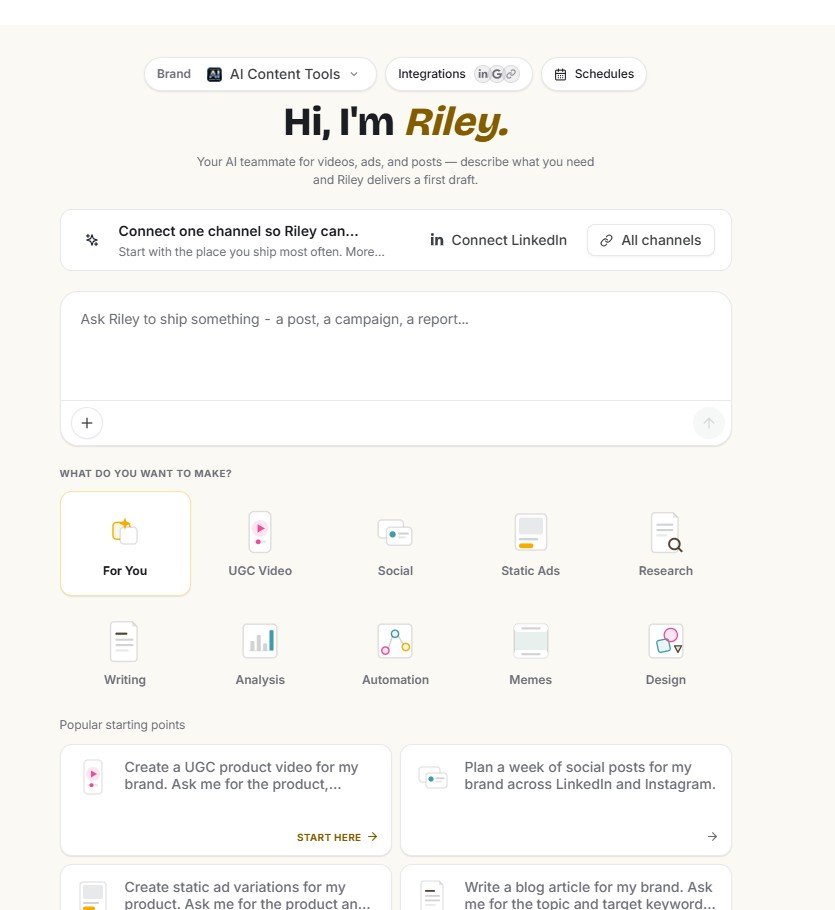
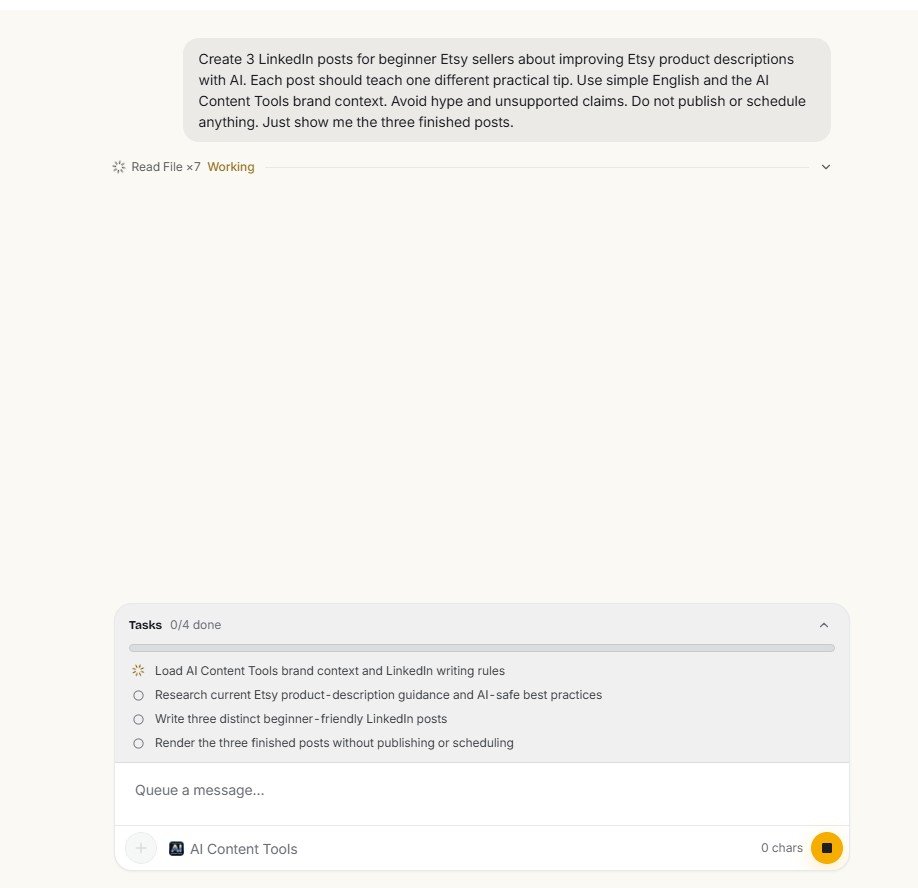
The strongest Riley example from my testing was a LinkedIn workflow. I asked it to create three posts for beginner Etsy sellers about improving product descriptions with AI.
Riley broke that request into tasks instead of immediately returning one block of text.
Then the web research failed
Riley tried to fetch an Etsy Seller Handbook page. That Web Fetch step returned HTTP 403 Forbidden.
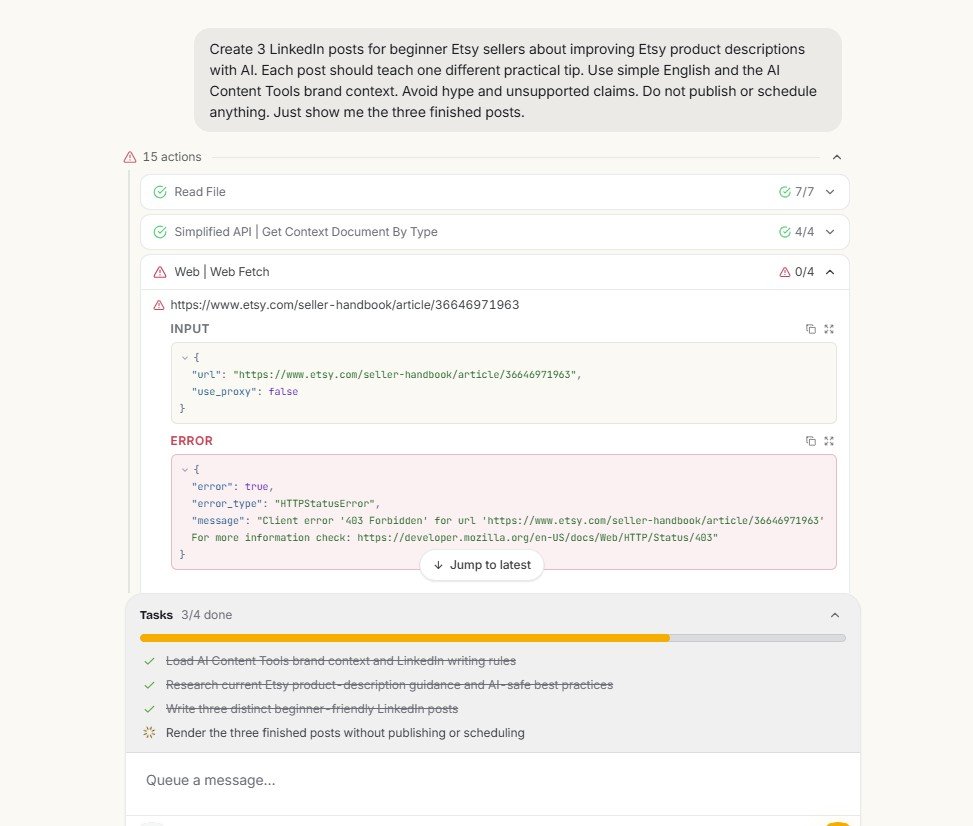
Importantly, Riley continued anyway and generated three different LinkedIn drafts.
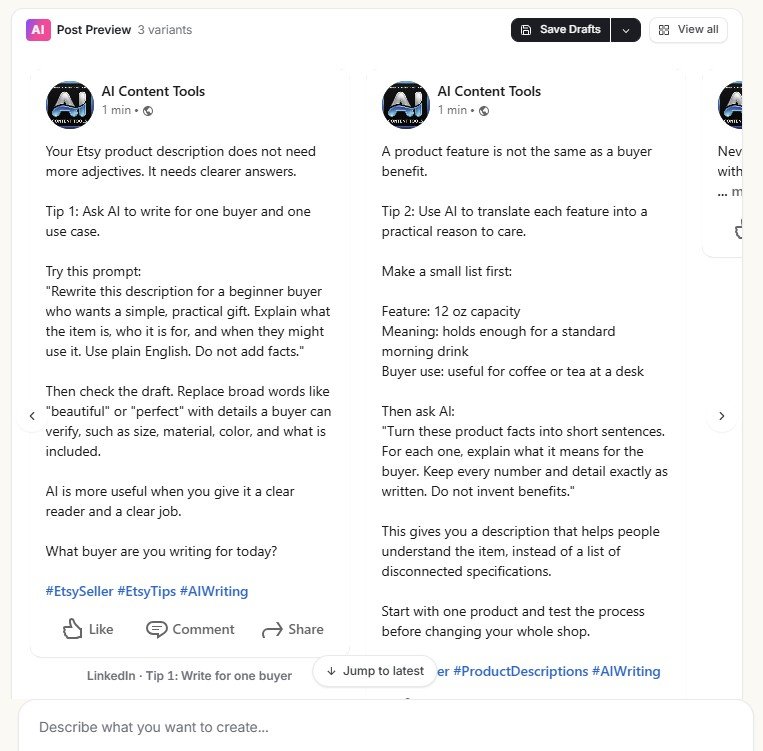
I actually like that one failed task did not destroy the whole workflow. But a polished output can make it easy to forget that the research failed. I would always check Riley’s task history before treating a result as research-backed.
I also found a context limitation
During my AI Writer test, I asked Riley to complete missing sections in an article that was already open in Simplified Docs.
Riley told me it could not see the article contents in the editor and asked me to paste the text manually.
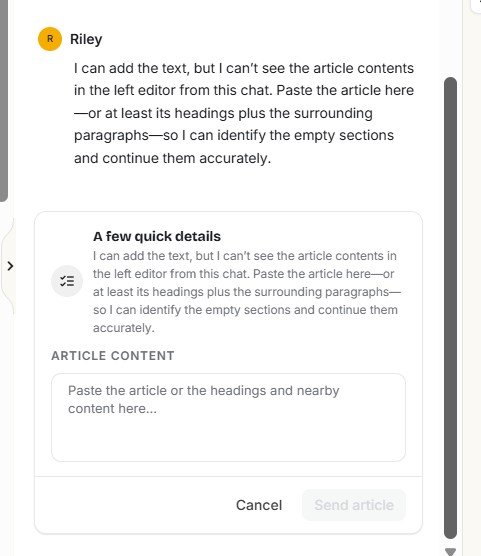
My full Riley tests cover website fetching, brand context, writing, social content and integrations: read the Simplified Riley review.
3. Social Media: where the all-in-one idea works best
The social media side was the area where Simplified’s broad product design made the most practical sense to me.
A normal chatbot can write a LinkedIn caption. That is no longer unusual. Simplified’s stronger argument is everything around the caption.
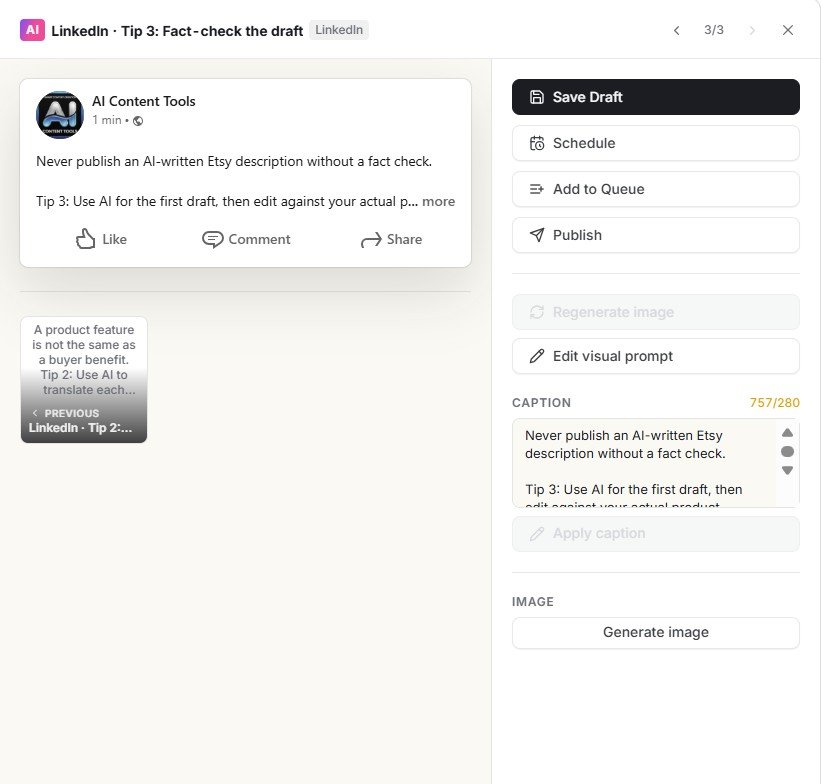
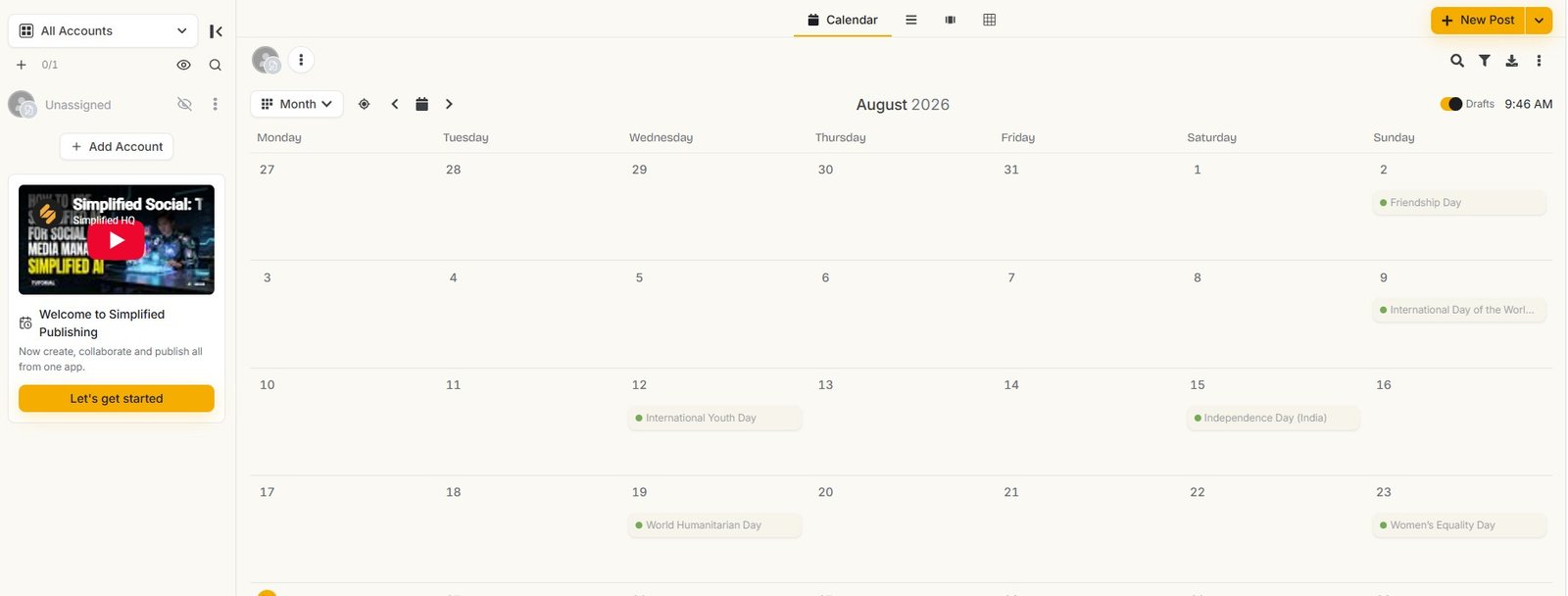
The post workbench included options for Save Draft, Schedule, Queue and Publish. Simplified also provides a publishing calendar.
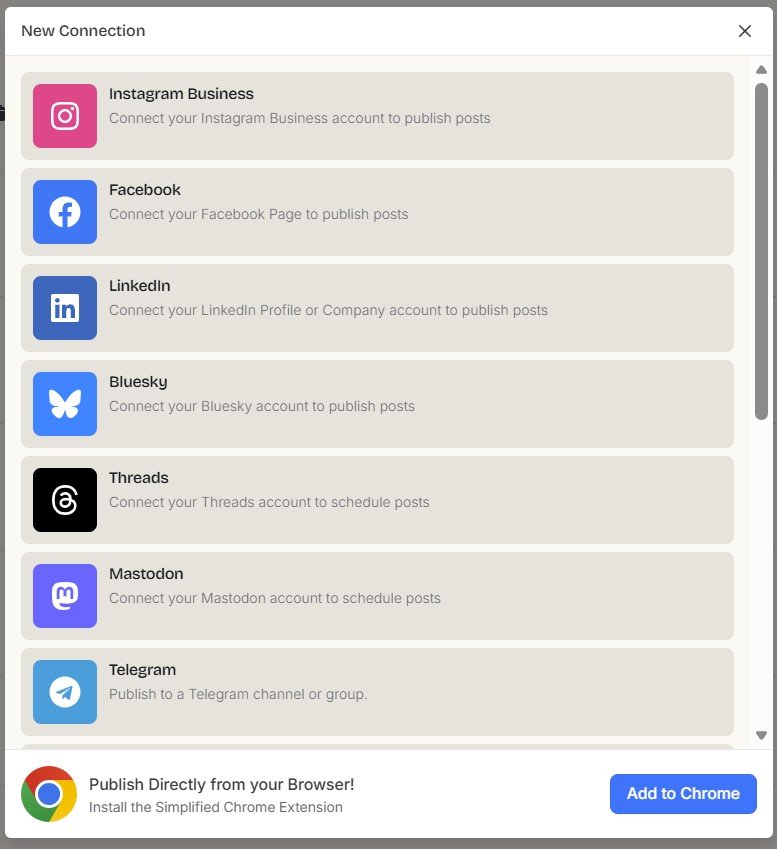
I also checked the social connection area. The interface showed options including Instagram, Facebook, LinkedIn, Bluesky, Threads, Mastodon and Telegram.
There is an analytics limitation to know about
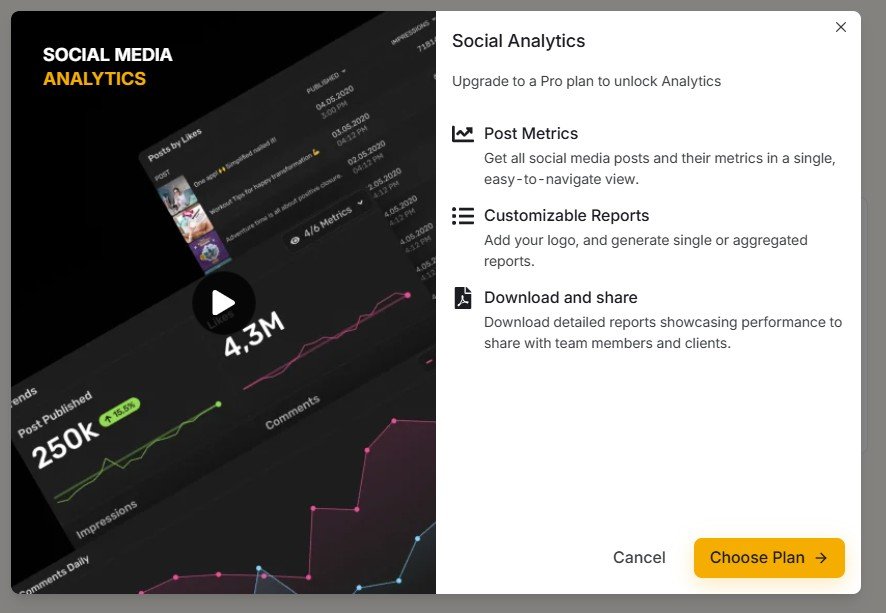
In the account I tested, Social Analytics displayed a Pro upgrade screen. Features shown there included Post Metrics and customizable reports.
This is one of the strongest reasons I see to use Simplified. If you regularly create and schedule social content, having generation, editing, queues and a calendar inside the same platform can remove real workflow friction. If you only need an occasional caption, however, Simplified may be more system than you need.
See the complete prompt-to-publishing test in my Simplified Social Media review.
4. Brand Brain: useful idea, but verify what the AI learned
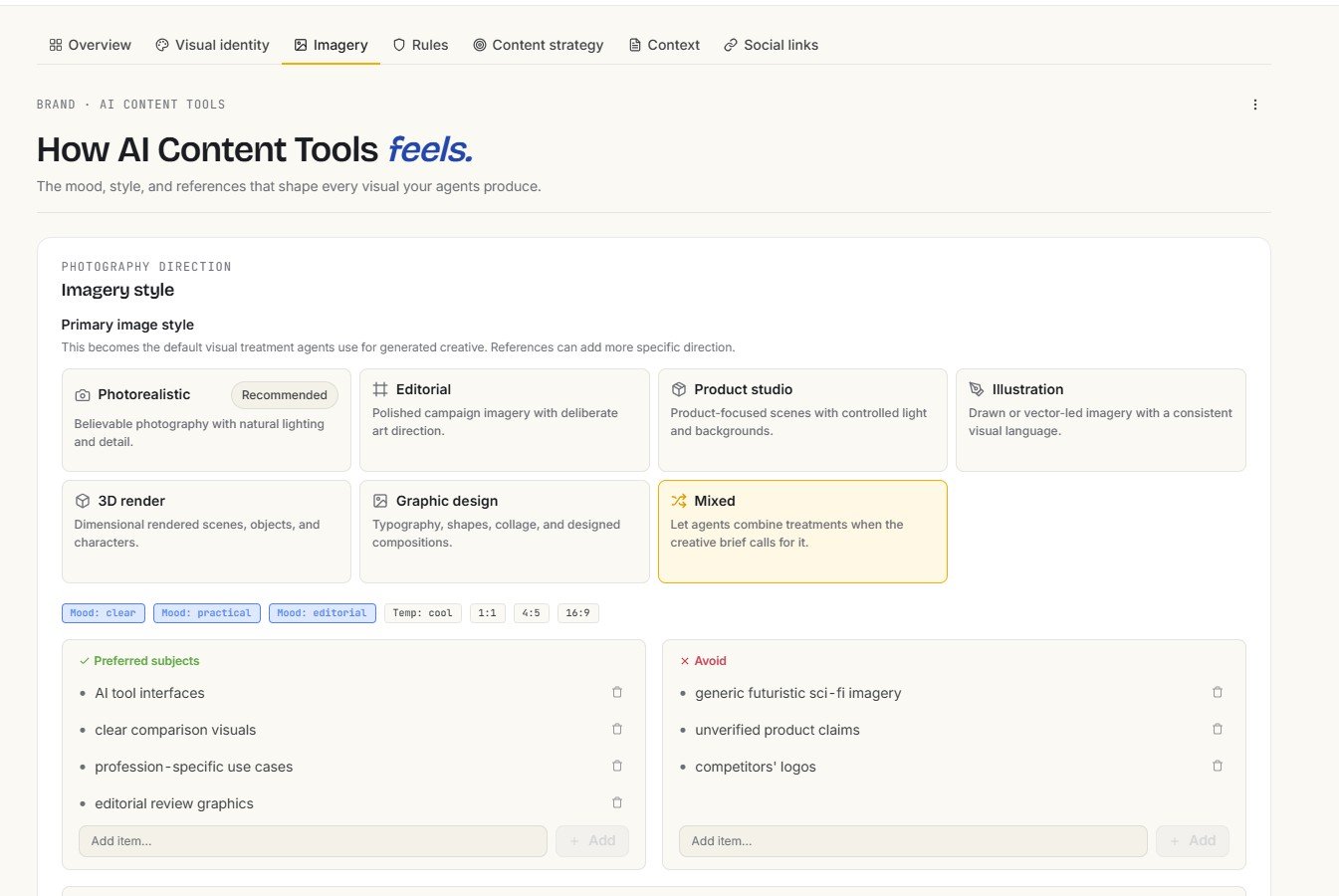
Brand Brain is Simplified’s reusable brand-context system. Instead of explaining the same audience, voice, visual direction and rules in every prompt, you can keep those details attached to the brand.

I like that Simplified does not limit brand context to writing tone. Its imagery settings include visual styles, moods, preferred subjects and things to avoid.
My website test made me cautious
I used AIContent-Tools.com as a real test site. A Web Fetch step returned HTTP 403, yet Simplified continued and created a populated Brand Brain.
Later, I ran the separate Brand Info Generator automation with the same website. That result was: brand_analysis: null.
I would use Brand Brain as an editable knowledge base, not an automatic authority on my company. Let Simplified create a starting point, then manually check the audience, business facts, voice, rules and visual preferences before those details influence future AI outputs.
See the full website experiment in my Simplified Brand Brain review.
5. Simplified Automations: two real tests, two null outputs
The automation gallery initially looked promising because it makes multi-step AI workflows accessible through templates.
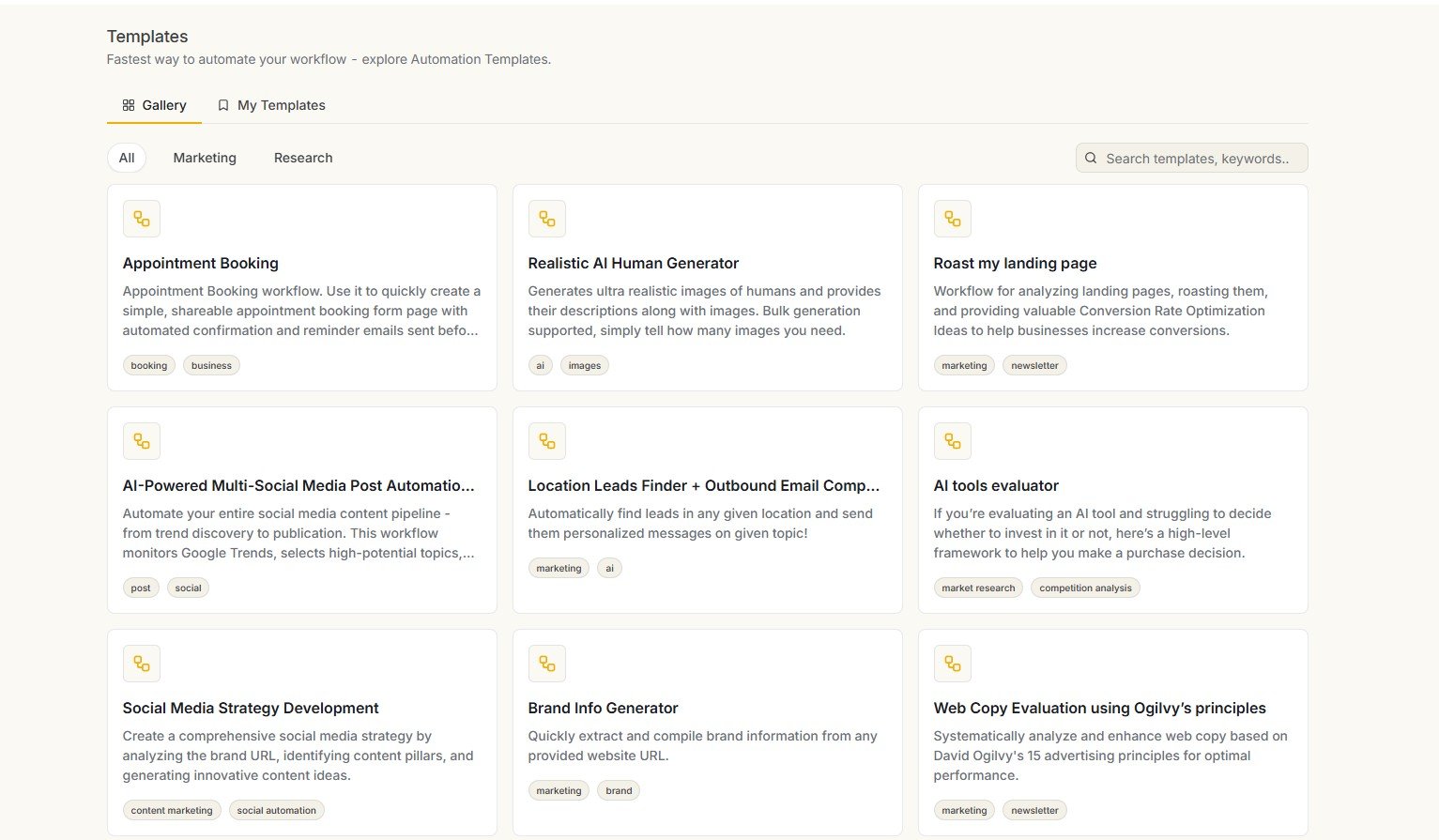
But automation is a feature where I care much more about the final output than the gallery. So I ran two templates.
AI Tools Evaluator
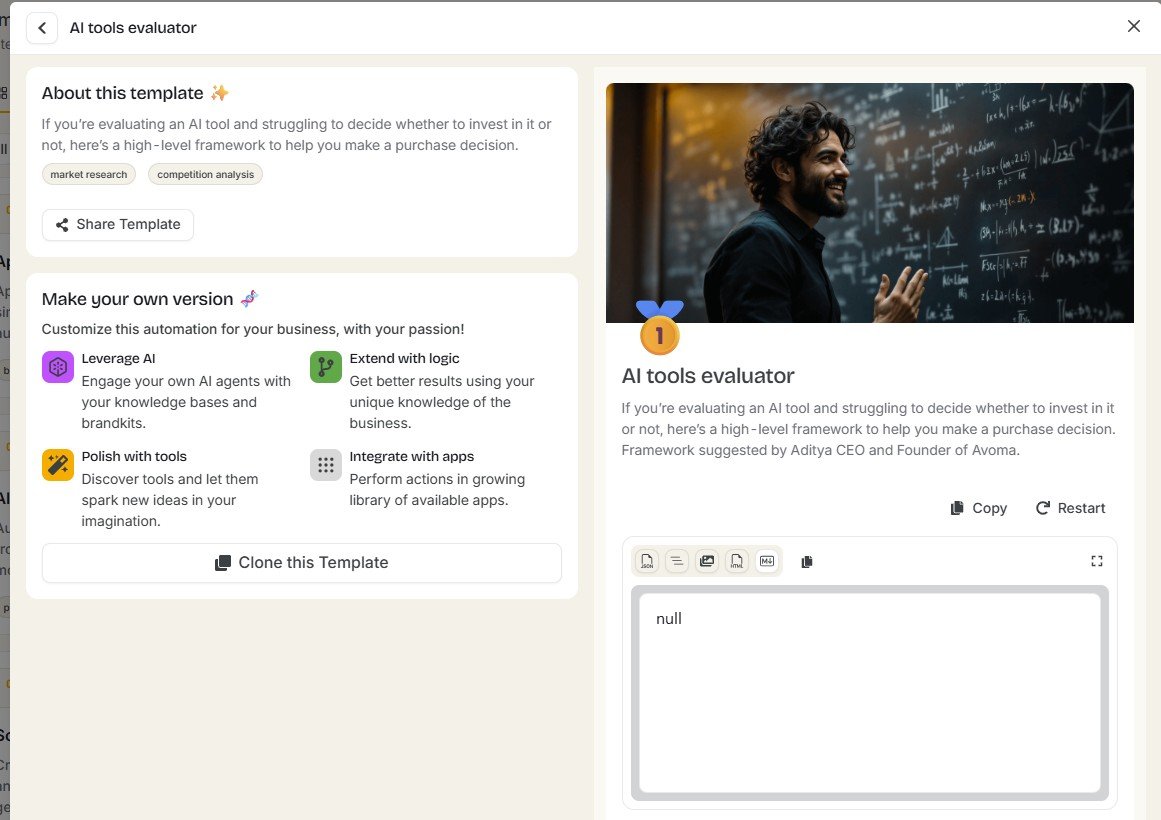
The first workflow was designed to evaluate whether an AI tool was worth using for a particular task. Instead of an evaluation, my result was simply: null.
Brand Info Generator
The second automation used AIContent-Tools.com. It appeared to execute, but the final output showed: brand_analysis: null.
I cannot claim every Simplified automation fails because I tested only two. But I can say that 2 out of 2 workflows I personally ran failed to deliver the expected useful output. I would test any automation several times before depending on it for important work.
The full workflow screenshots are in my Simplified Automations review.
What else is inside Simplified?
The five areas above are where I have the strongest evidence. Simplified also includes many other tools that I explored but have not yet benchmarked deeply enough to give them the same test-based verdict.
AI Image Generator
The image interface includes model selection, aspect ratio controls and a normal text prompt workflow.
Creator Workflows
There are templates for product photos, flat lays, studio shots, recoloring, relighting and other visual jobs.
Product Videos
Simplified shows workflows such as Hero Spin, Orbit, Turntable, Push In and Vertical Reveal.
AI Video Generator
The video generator includes model, format, duration, resolution and audio controls.
AI Prompts
The prompt library includes categories for blogging, products, brands, marketing and video content.
Boards
Simplified can also create project boards with AI and organize generated tasks into project stages.


A screenshot proving that a feature exists is not the same as a real quality test. I have explored Simplified’s image, video and Creator Workflow interfaces, but I would rather run proper input → result experiments before telling you that those tools are excellent or poor.
Simplified Boards are an interesting extra
One feature I did experiment with lightly was Boards. Simplified offered three starting methods: create from a template, create with AI, or start from scratch.

I used AI to generate a project plan. Simplified produced a board organized into stages such as discovery, design and development/launch preparation.

Individual tasks also had fields for descriptions, attachments, subtasks, checklists, dependencies and custom fields.

I would not choose Simplified only for project management based on this small experiment. But Boards reinforce the broader product direction: Simplified wants to become a workspace around content and marketing work, not only a collection of generators.
Is Simplified easy to use?
This is more complicated than simply saying “yes.”
Individual screens are generally understandable. During onboarding, Simplified asks about the user’s role, content starting points and business context. That helps personalize the first setup.

The difficulty comes from breadth.
You have Riley, Explore, Creator Workflows, writing, social publishing, Brand Brain, automations, Boards, images, video and many smaller tools. That can feel exciting if you want one broad workspace. It can feel unnecessary if you came only to write an article or create one social caption.
What I like about Simplified
Strengths
- Very broad set of content tools in one account
- Riley can coordinate multi-step content workflows
- Brand Brain creates reusable brand context
- Social content can move from AI generation to scheduling and publishing
- Publishing calendar is useful for ongoing social work
- Writing workflow includes Brandbook, tone, language and creativity controls
- Docs includes useful SEO title and meta description settings
- Creator Workflows make advanced visual tasks easier to discover
- Boards add lightweight AI project organization
- The platform is more connected than using many isolated AI generators
Weaknesses I actually found
- Two Instant Blog tests produced missing paragraph sections
- Those documents contained only 161 and 165 words
- One blog test also drifted into irrelevant manufacturing content
- Riley Web Fetch returned HTTP 403 in multiple tests
- Riley could not automatically read an open editor article in my test
- Both automation templates I ran returned null outputs
- Brand analysis behaved inconsistently across different Simplified workflows
- Social Analytics required a Pro upgrade in the account I tested
- The huge number of tools can be unnecessary for users with one simple need
My practical Simplified scorecard
I do not want to give Simplified one fake-precise number like 8.3/10. The platform is too uneven for that to be useful.
I would judge the major areas separately:
Simplified covers far more than writing.
Two Instant Blog generations repeated the same missing-section problem.
Useful task workflows, but research and context limitations appeared.
Creation, editing and publishing fit together well.
Brand Brain is valuable if you verify the generated information.
Both templates I ran finished without usable results.
I explored the tools but need more output tests before scoring quality.
More compelling when you need several Simplified modules together.
Who should consider Simplified?
- Content creators who produce several types of content, not only blog articles
- Small businesses that want writing, social content and brand context in one place
- Social media managers who value generation plus scheduling and a calendar
- Freelancers who move between writing, visual content and social work
- Small marketing teams trying to reduce the number of separate content tools they use
- People who like experimenting with AI workflows and are willing to check the outputs
Who should probably skip Simplified?
- Bloggers whose main priority is reliable long-form generation
- Users who need dependable automation without testing and troubleshooting
- People who want only one small AI feature and do not need an all-in-one workspace
- Anyone expecting an autonomous AI agent to research and publish without supervision
- Users who prefer specialized best-in-class tools for each individual part of their workflow
Is Simplified actually “all-in-one”?
In terms of feature coverage, yes — more than most AI writing tools I test.
You can move through several different jobs without leaving the platform:
But “all-in-one” should not be confused with “best at everything.”
My tests are a good example. I found the social workflow much more convincing than Instant Blog. Riley was more interesting than the automation templates. Brand Brain was useful, but needed verification.
That unevenness is normal for large platforms. The question is whether the combination of tools you personally need is strong enough to justify using one broader system.
Simplified vs. using separate AI tools
| Need | Simplified approach | Separate tools approach |
|---|---|---|
| AI writing | Built into the same workspace | Use a dedicated writer or chatbot |
| Brand context | Brand Brain | Custom instructions, prompt libraries or brand docs |
| Social generation | Built in | Chatbot or dedicated social AI |
| Scheduling | Built into social workflow | Dedicated scheduler |
| Images | AI generator + workflows | Dedicated image tool |
| Video | Built-in video tools | Dedicated video generator/editor |
| Automation | Template-based Automations + Riley | Dedicated automation platform or agent tool |
| Main advantage | Less switching between tools | Potentially stronger specialist tools |
Is Simplified good for beginners?
I think it can be, with one important qualification.
The individual workflows are generally approachable. There are templates, starting points and guided interfaces. You do not need to understand APIs or advanced automation systems to begin creating content.
But beginners also face a different risk: a polished interface can make AI output feel more reliable than it is.
My Instant Blog test is a good example. The article looked structured until I checked the missing paragraphs and word count.
So the best beginner habit is not learning every Simplified feature. It is learning to check what the AI actually produced.
Is Simplified good for blogging?
I would separate blog workflow from blog generation quality.
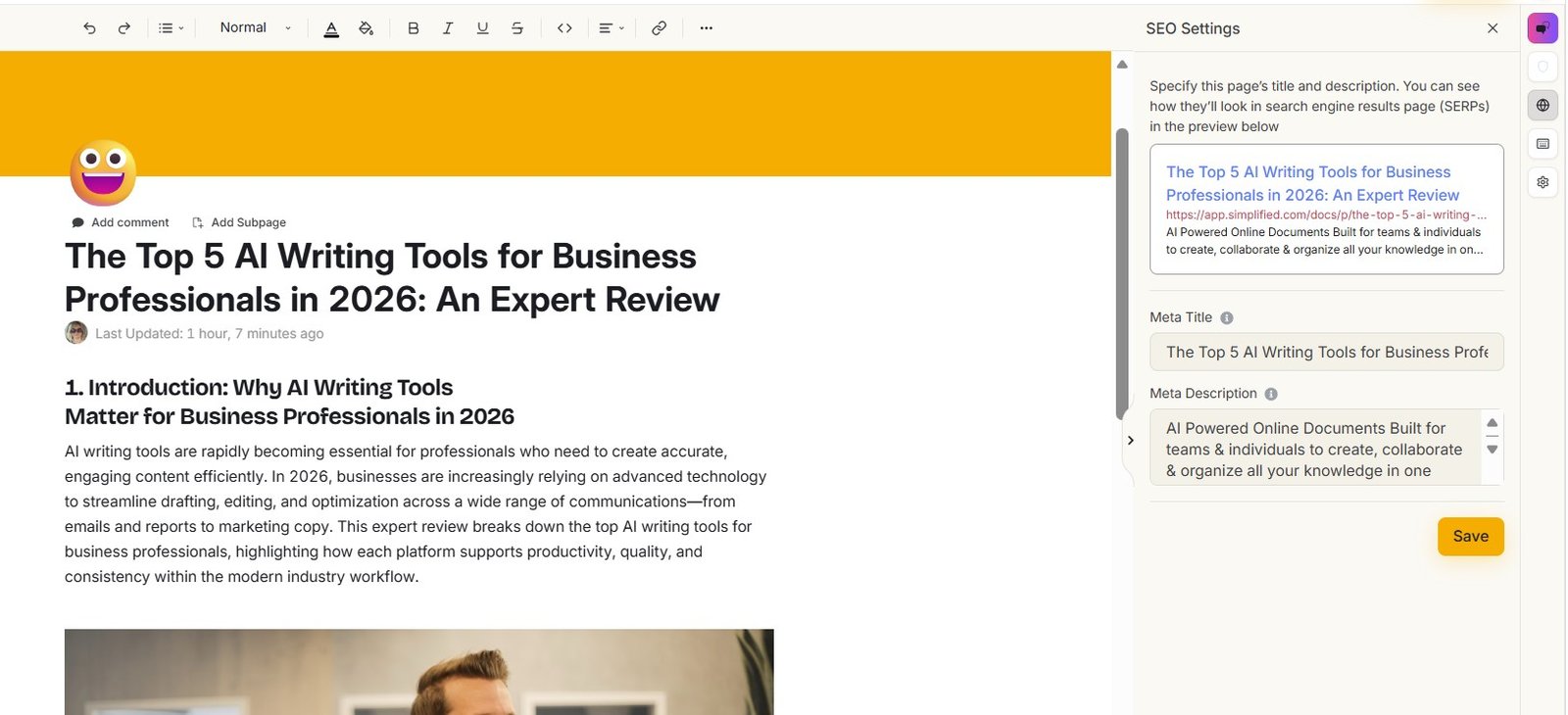
The workflow has useful pieces: Brandbook selection, tone controls, language settings, a Docs editor and SEO title/description fields.
But the two Instant Blog outputs I generated were not reliable enough for me to recommend the feature as a hands-off blogging solution.
If blogging is your main reason for buying Simplified, read the AI Writer test before deciding.
Is Simplified good for social media?
Of the areas I tested deeply, this is one of the easier yes answers.
Not because the AI captions are magically better than everything else, but because the content can continue into editing, scheduling, queueing and publishing.
That is a real workflow benefit for someone who creates social content regularly.
Is Simplified good for AI automation?
I would currently be cautious.
Riley showed some useful agent-like behavior in my tests. But the dedicated automation templates performed much worse: both templates I ran ended without a usable result.
I would experiment with Automations, but I would not depend on a workflow until it has passed several real tests with my own inputs.
What I would test before paying mainly for one Simplified feature
Because Simplified is so broad, the best buying decision is not based on the total number of tools.
Pick the two or three workflows you would actually use every week. Then test those.
| If your main need is… | What I would test first | My current view |
|---|---|---|
| Blogging | Generate 2–3 full articles and inspect every section | Caution after my Instant Blog tests |
| Social media | Create posts, connect a real account and test scheduling | One of Simplified’s stronger use cases |
| Brand consistency | Generate Brand Brain, then manually check every important field | Useful if maintained carefully |
| Riley | Give it a multi-step task involving your own content | Promising but needs supervision |
| Automations | Run the same template several times before depending on it | Weak result in my 2-template test |
| Images or video | Run a real input/output project, not just explore templates | I need more evidence before giving a strong verdict |
Start with the feature you would actually use every week
I would not try to evaluate every Simplified tool at once. Pick a real blog, social post, brand or content task and see how the current version performs with your own inputs. AI products change quickly, so your results may also differ from mine.
Try SimplifiedAffiliate disclosure: this is an affiliate link. If you sign up through it, AIContent-Tools may earn a commission at no extra cost to you. This does not affect my test results, including the failed and incomplete outputs described in this review.
My final Simplified verdict
Simplified is genuinely all-in-one — but its strongest argument is the workflow, not that every AI feature is excellent.
After testing Simplified more deeply, I think the old question “Is it an AI writing tool, design tool or social media tool?” is no longer very useful.
It is a broad AI content workspace. Riley, Brand Brain, writing, social publishing, images, video, workflows and Boards increasingly sit around the same idea: keep more of the content process inside one platform.
I can see real value in that. My social media test is the clearest example. AI-generated content could continue into a workbench with draft, scheduling, queue and publishing controls. Brand Brain can provide shared context. Riley can coordinate multi-step tasks.
But my tests also stopped me from giving Simplified an easy blanket recommendation.
Two Instant Blog generations were incomplete. They contained only 161 and 165 words despite showing multiple planned sections. One also drifted into unrelated content.
Riley’s web research hit HTTP 403 errors. It could still produce useful social drafts, but the result needed supervision because a failed research step did not stop generation.
Riley could not automatically see an open article in my editor test. It asked me to paste the text manually.
Both Simplified automation templates I tested returned null outputs. That makes me cautious about relying on Automations for important recurring work until a workflow proves itself.
So I would not choose Simplified because it has the longest feature list. I would choose it if the combination of tools you personally need works well enough to replace several separate steps in your workflow.
My overall verdict: Simplified is most compelling for creators, freelancers, small businesses and social-focused teams that want one connected content workspace. It is less convincing if your main priority is a highly reliable long-form writer or hands-off AI automation. Test the specific workflows you need — not just the impressive list of features.
Read my detailed Simplified tests
Simplified AI Writer Review
See both incomplete Instant Blog results, the 161/165-word counts, relevance issue and Riley repair attempt.
Read AI Writer Review →Simplified Riley Review
See Riley’s task planning, 403 research errors, LinkedIn output, document-context limitation and integrations.
Read Riley Review →Simplified Social Media Review
Follow my real test from prompt and Riley generation through LinkedIn drafts, scheduling, publishing and calendar tools.
Read Social Media Review →Simplified Brand Brain Review
See what Simplified created from AIContent-Tools.com, the 403 fetch problem, imagery settings and separate null brand analysis.
Read Brand Brain Review →Simplified Automations Review
See why the AI Tools Evaluator and Brand Info Generator both failed to give me a useful final output.
Read Automations Review →Frequently asked questions
What is Simplified?
Simplified is an all-in-one AI content platform with tools for writing, Riley AI workflows, Brand Brain, social media publishing, images, video, creator workflows, automations and other content tasks.
Is Simplified good for AI writing?
The writing workflow includes useful controls and a proper Docs environment, but my two Instant Blog tests both produced incomplete documents with missing body paragraphs. I would treat generated long-form content as a draft that needs careful checking.
Is Simplified good for social media?
This was one of the stronger areas in my testing. Simplified combines AI post creation with an editing workbench, Save Draft, Schedule, Queue and Publish options, plus a publishing calendar.
What is Simplified Riley?
Riley is Simplified’s AI teammate. In my tests it could break larger requests into several tasks, use brand context and create social content. I also found failed web-fetch steps and a limitation around seeing an open document in the editor.
Does Simplified have a Brand Brain?
Yes. Brand Brain stores reusable information such as brand context, visual identity, imagery preferences and rules. I recommend manually verifying generated brand information before using it across future AI tasks.
Do Simplified Automations work?
I tested two automation templates. AI Tools Evaluator returned null, and Brand Info Generator returned brand_analysis: null. I cannot generalize that result to every template, but I would test any automation carefully before relying on it.
Is Simplified good for beginners?
Individual tools are generally approachable and Simplified provides templates and guided starting points. The bigger challenge for beginners is the number of available features. I also recommend checking AI outputs carefully rather than assuming a polished interface means the result is complete.
Can Simplified replace several AI tools?
Potentially. Its biggest advantage is combining several content jobs in one platform. Whether it replaces your existing tools depends on which features matter most to you and whether those specific workflows perform well enough.
Who should use Simplified?
I think Simplified fits creators, freelancers, small businesses and marketing teams that regularly work across several content types, especially when social creation and publishing are important.
Who should skip Simplified?
I would look elsewhere if your main requirement is highly reliable one-click long-form blog generation, dependable hands-off automation, or one small specialist AI feature without the rest of the platform.
Is Simplified worth it in 2026?
It can be if you benefit from several parts of the platform together. I would not judge the value from the total number of features. Test the two or three workflows you would actually use regularly and decide based on those results.
Testing note: This review was rebuilt around my hands-on Simplified testing in August 2026. I separate features I tested with real inputs and outputs from tools I only explored in the interface. AI behavior, plan limits, integrations and product features can change over time.