
I tested Rytr Free, paid for Unlimited, and kept using it. Here is what I actually think.
Rytr surprised me for a simple reason: it is pleasant to use.
I did not spend much time looking for buttons or wondering what I was supposed to do next. Documents are easy to create, writing use cases are easy to find, Chat is there when I do not want a template, and the editor lets me bring AI into text I have already started writing.
There are not hundreds of features. In this case, I think that helps.
The bigger question came later: is the text actually good enough?
To answer that, I tested Facebook posts, LinkedIn content, a cover letter, creative writing, Magic Command, Chat, Brand Voice, and AI insertion inside my own draft. I started on Free and later upgraded to Unlimited.
Rytr review: my result after testing it
Rytr is not the most advanced AI writing platform I have tested, but it is one of the easiest to live with.
I would use it for first drafts, social posts, short marketing content, rewriting, brainstorming, Chat, and small AI-assisted edits inside my own writing.
I would not trust it to produce every important piece of content without checking facts, claims, tone, and unnecessary wording.
Beginners
Freelancers
Bloggers
Small businesses
Creators needing quick drafts
Skip or compare alternatives if: you want a large research, SEO, or creative canvas workspace.
What it was actually like to use Rytr
Ease of use became one of Rytr’s biggest strengths during my test.
The main navigation is simple: Documents, Write, Chat, and History. I could create new folders and documents without learning a complicated system.
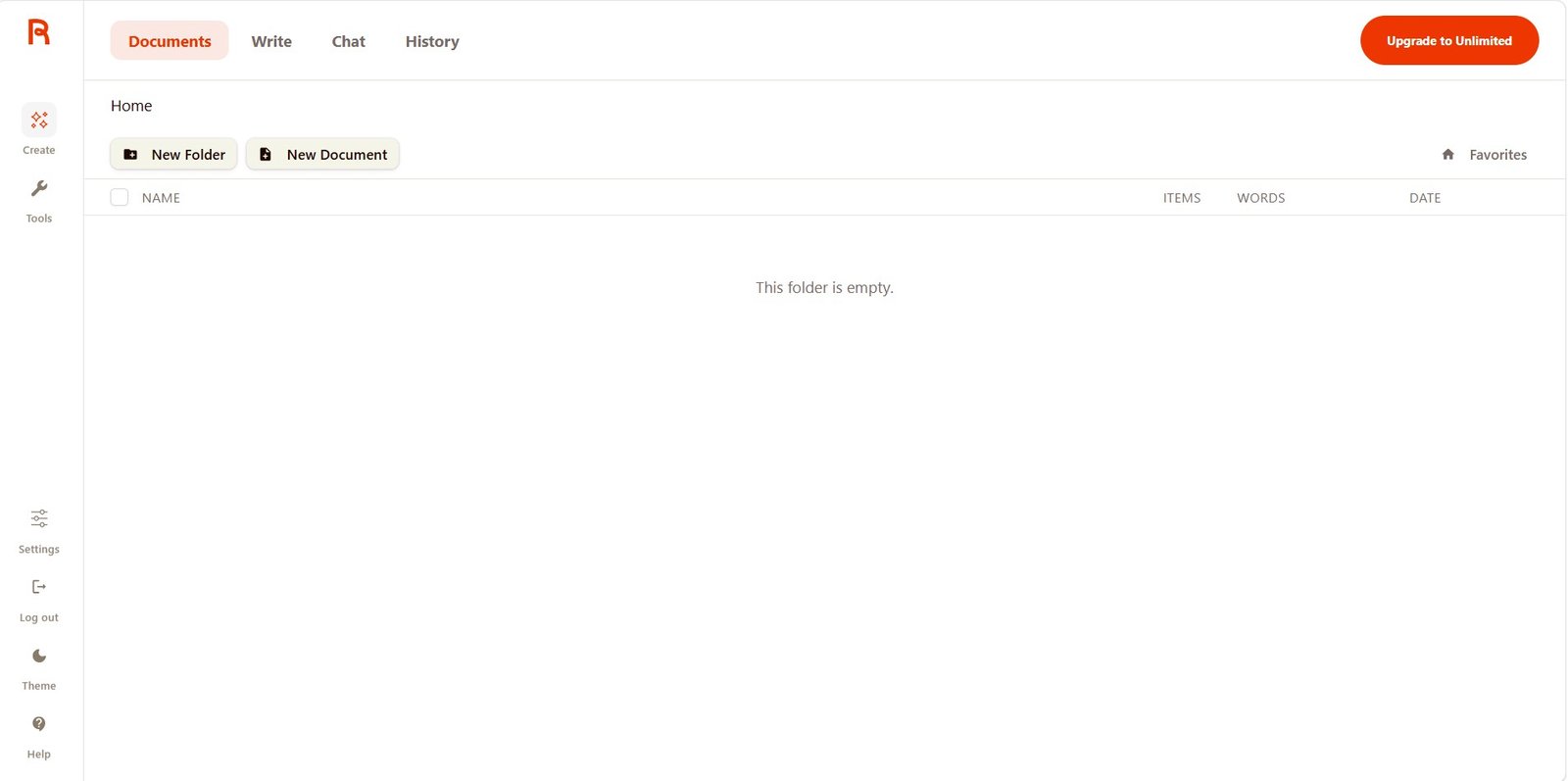
This sounds basic, but it matters. Some AI platforms give you so many dashboards, workflows, templates, agents, projects, and settings that you spend too much time learning the tool.
Rytr is the opposite.
The Write area is simple too
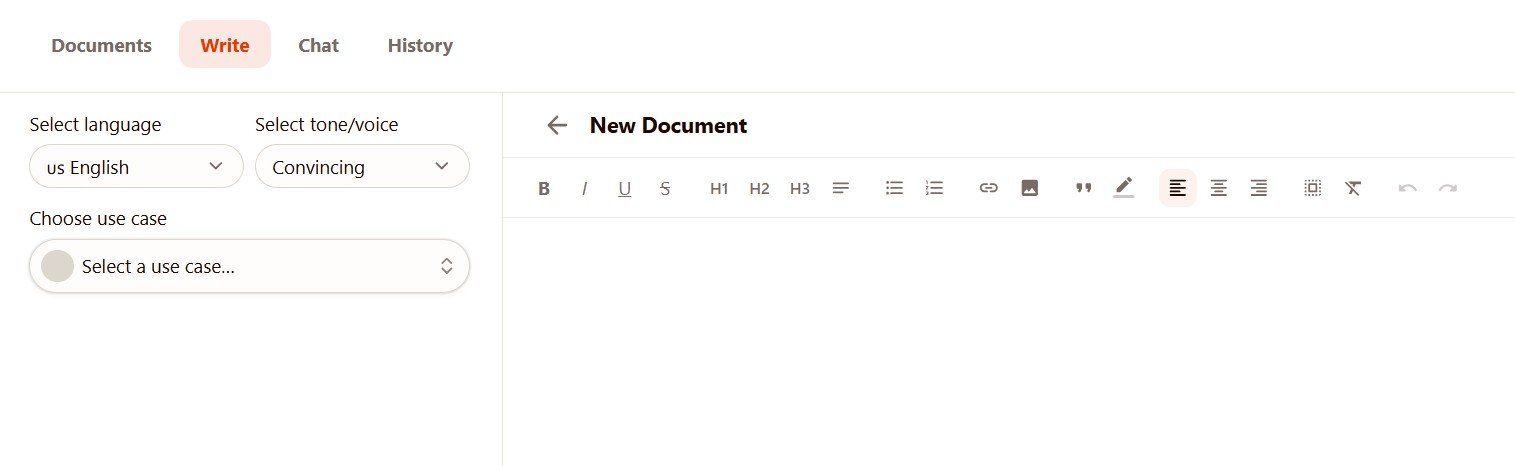
You choose a language, tone or voice, and a use case. Then you give Rytr the information that the selected template asks for.
Rytr gives you many ready-made writing use cases
You do not have to create every prompt from scratch.
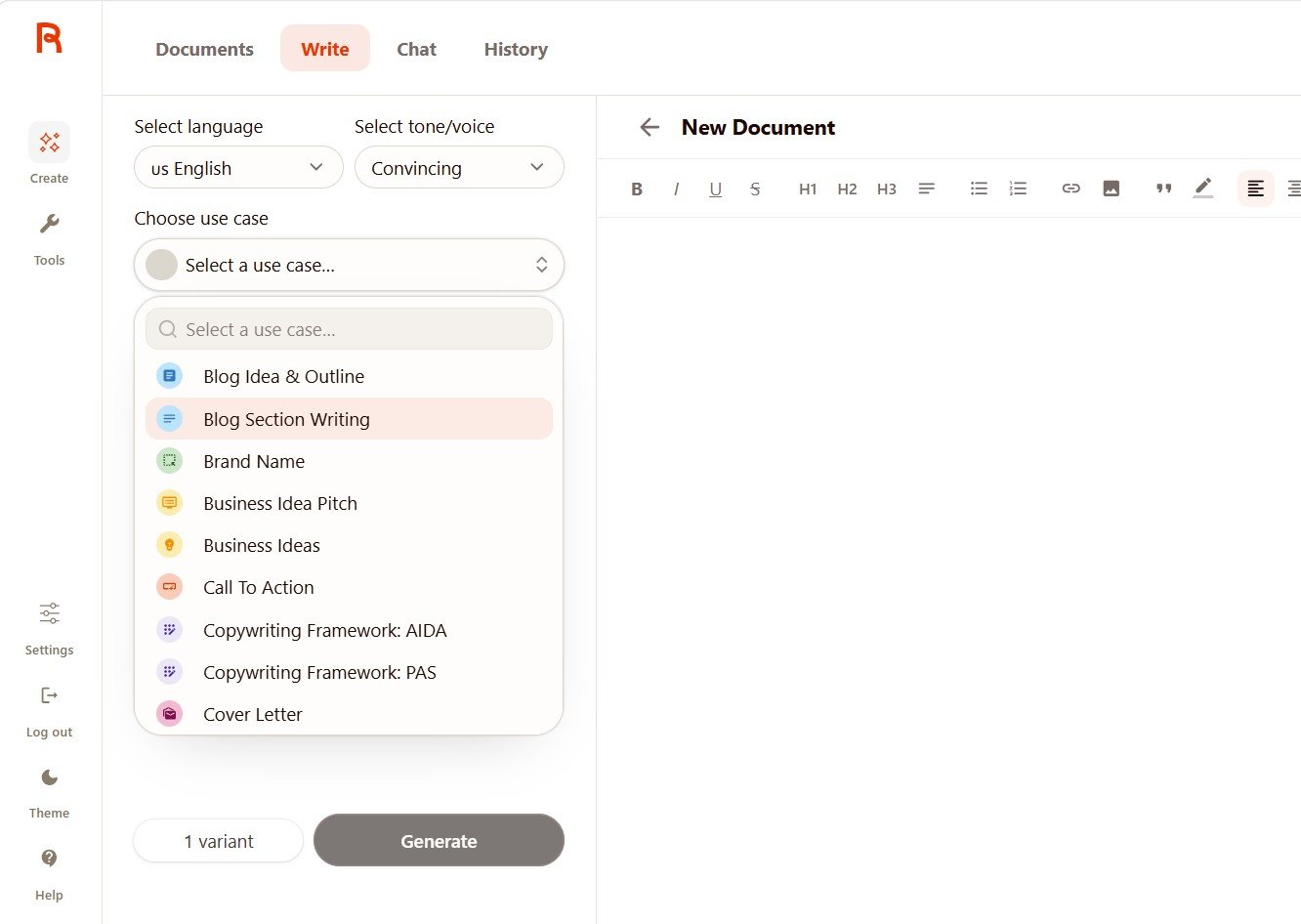
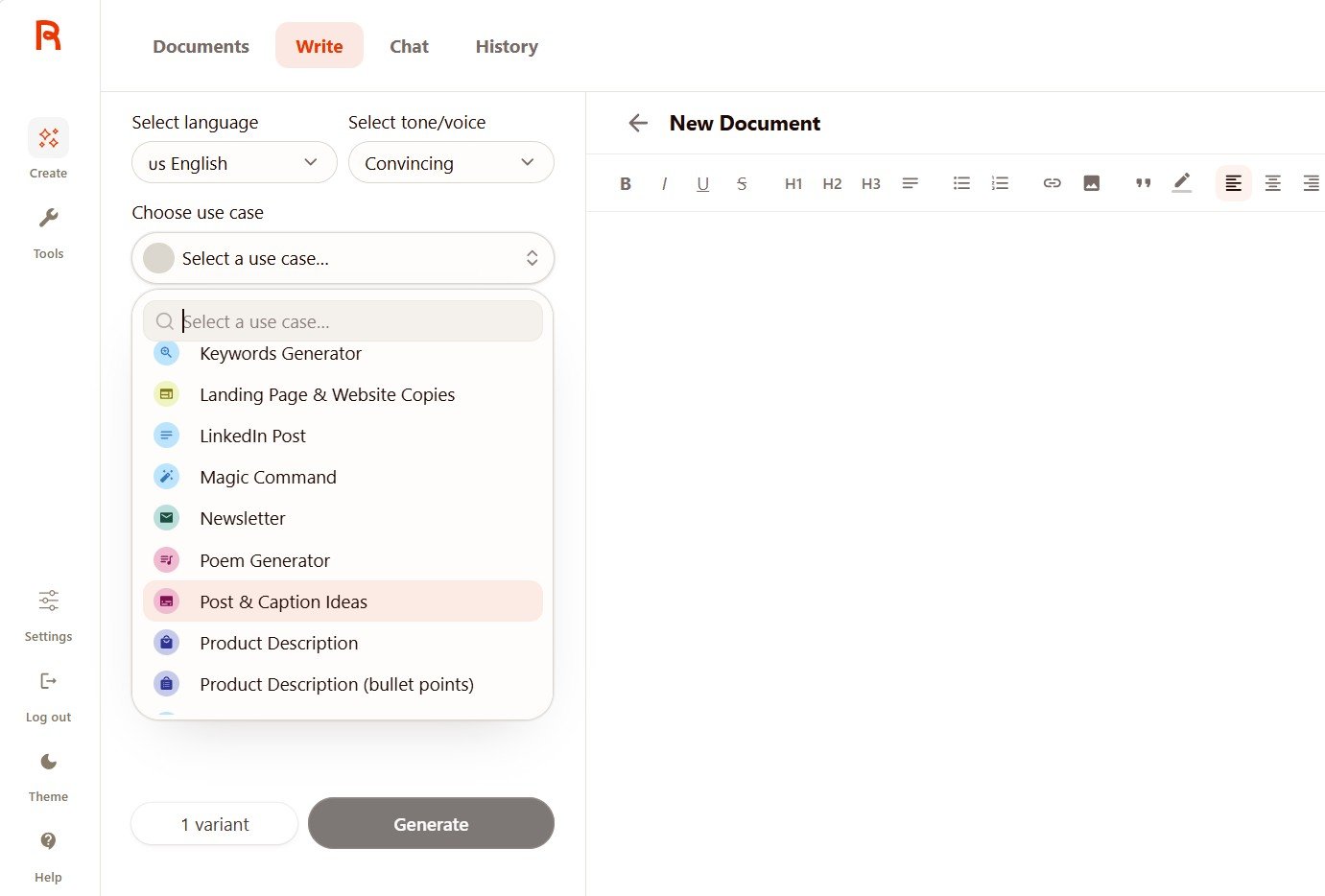
I liked this approach for beginners because you can start without knowing much about prompt writing.
The weakness is that some use cases give you only a few fields. When the task is personal or fact-sensitive, those missing details can become a problem.
How good is Rytr’s writing?
I tested very different content types instead of one easy prompt.
My full writing-quality test included Facebook content, LinkedIn content, a cover letter, poetry, and Magic Command.
The overall pattern was clear: Rytr usually understood the assignment. The biggest problems appeared in the details.
Good for quick drafts
It understood the product and call to action, but some versions sounded too promotional.
Useful structure
The better result turned one idea into a practical checklist, but some business claims were too confident.
Fact-check required
One output invented years of experience that I had never provided.
Better than expected
The longer result developed the scene well, although some poetic language felt forced.
One of my favorites
It handled several formatting and content instructions surprisingly well.
Draft, then edit
I would use Rytr to get moving quickly, not as an automatic publish button.
The tone control really changed the writing
I generated the same handmade candle post using different tones.
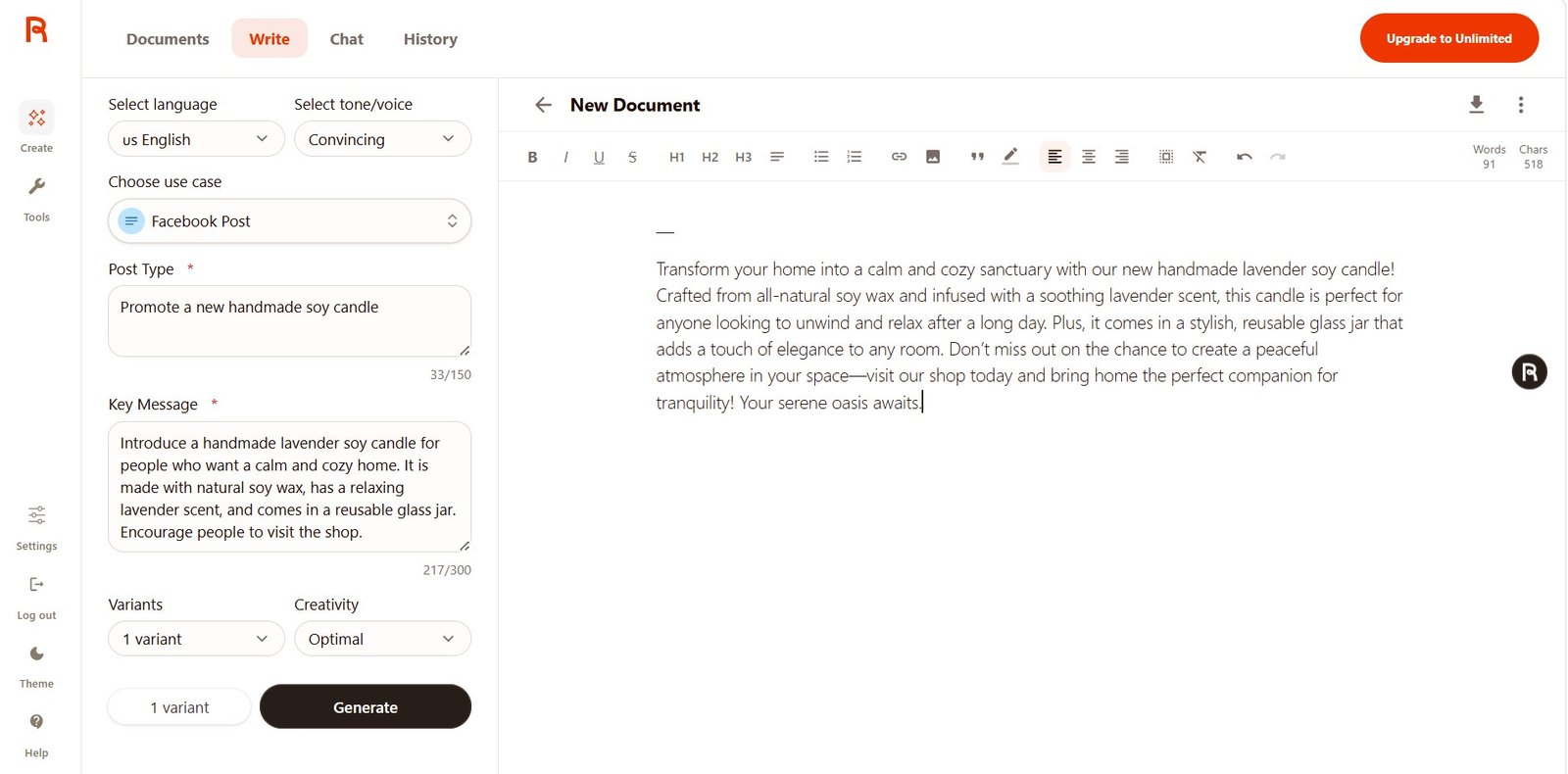
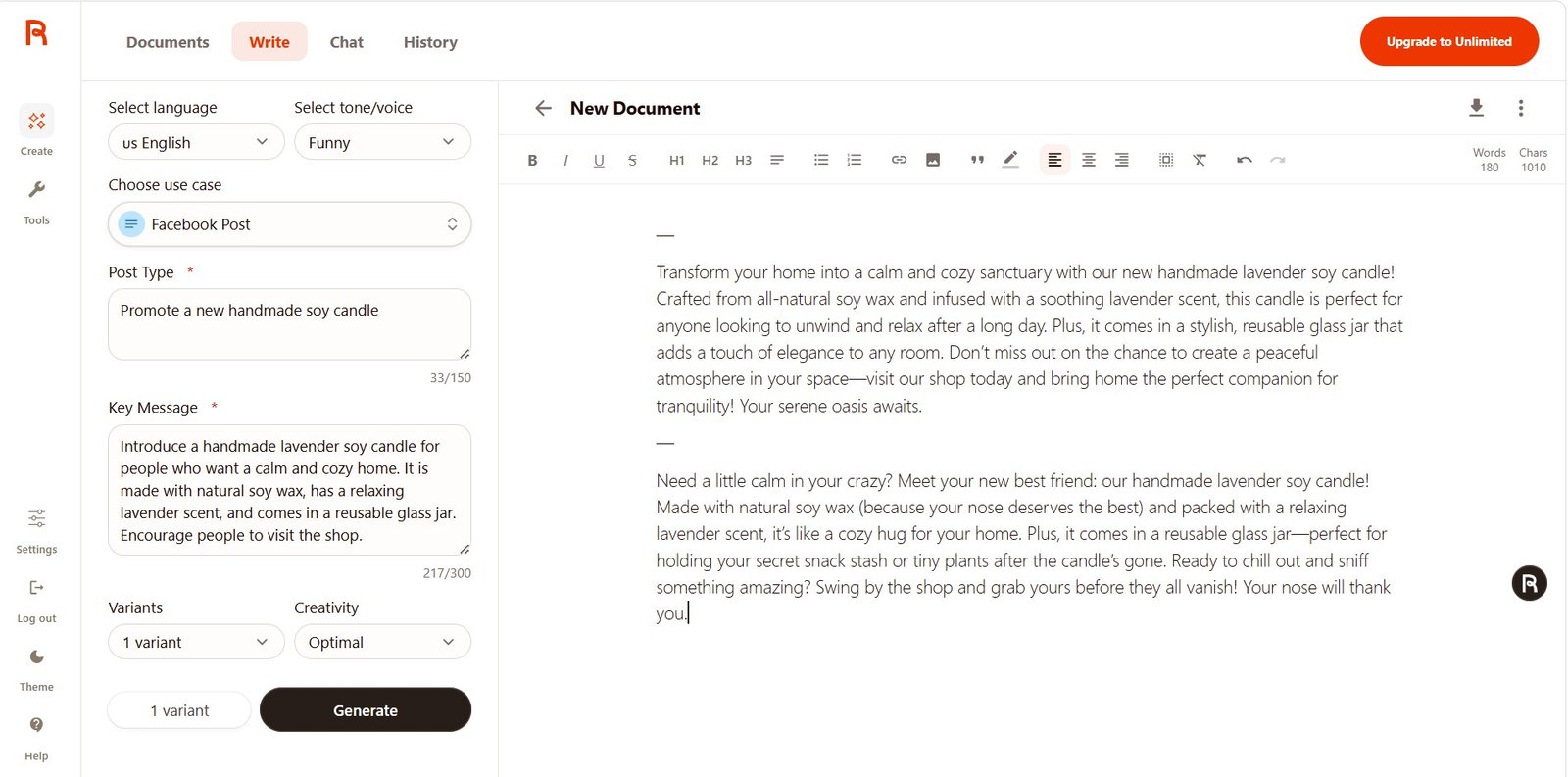
The Cover Letter test showed why human review still matters
I gave Rytr a job role and a list of skills. I did not give it six years of experience.
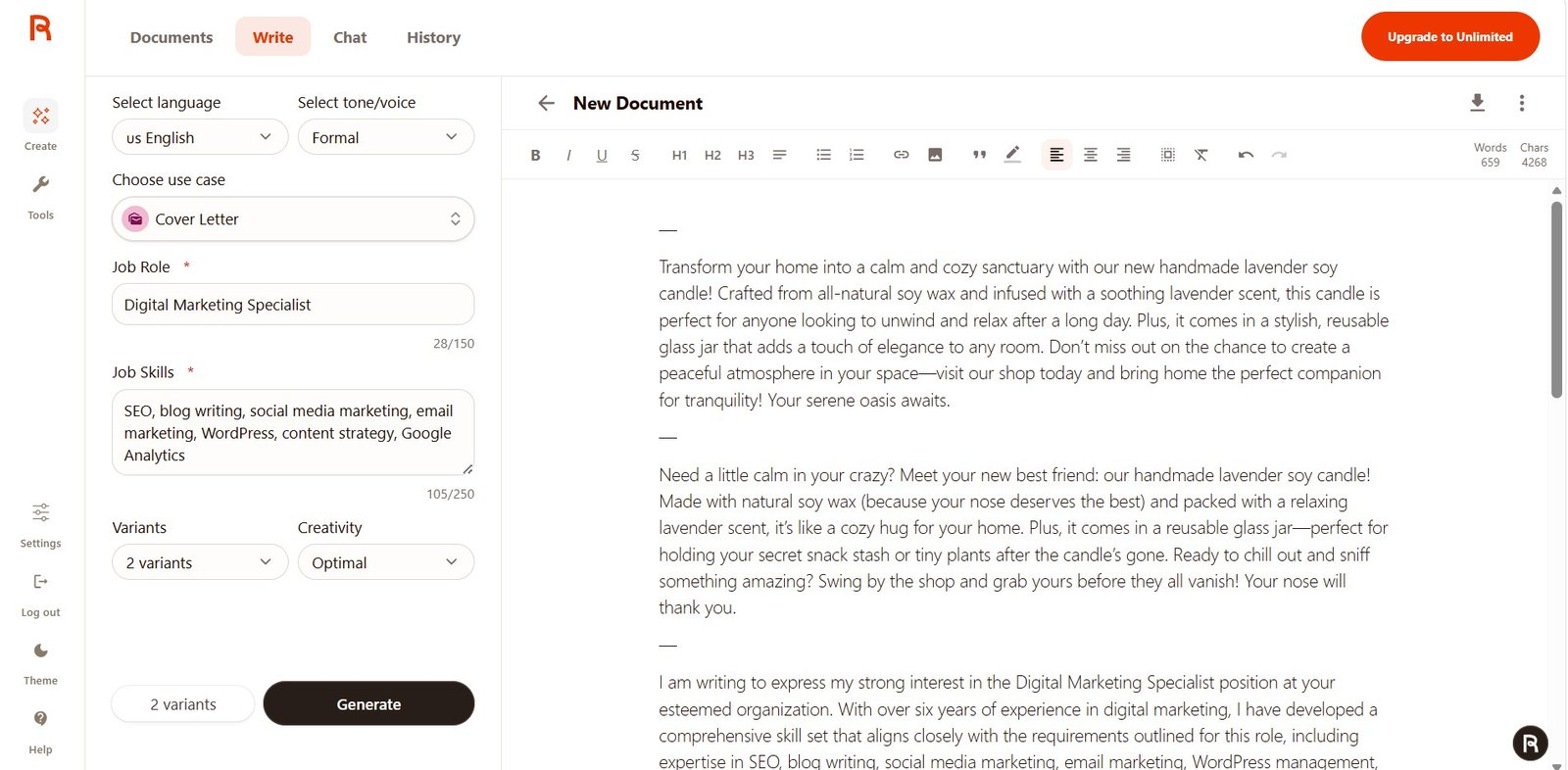
This is a much more important weakness than a sentence sounding slightly generic.
A professional-looking AI-generated letter can make invented details easy to miss.
When I repeated the test after upgrading, the result handled some unknown information better and used placeholders for missing numbers.
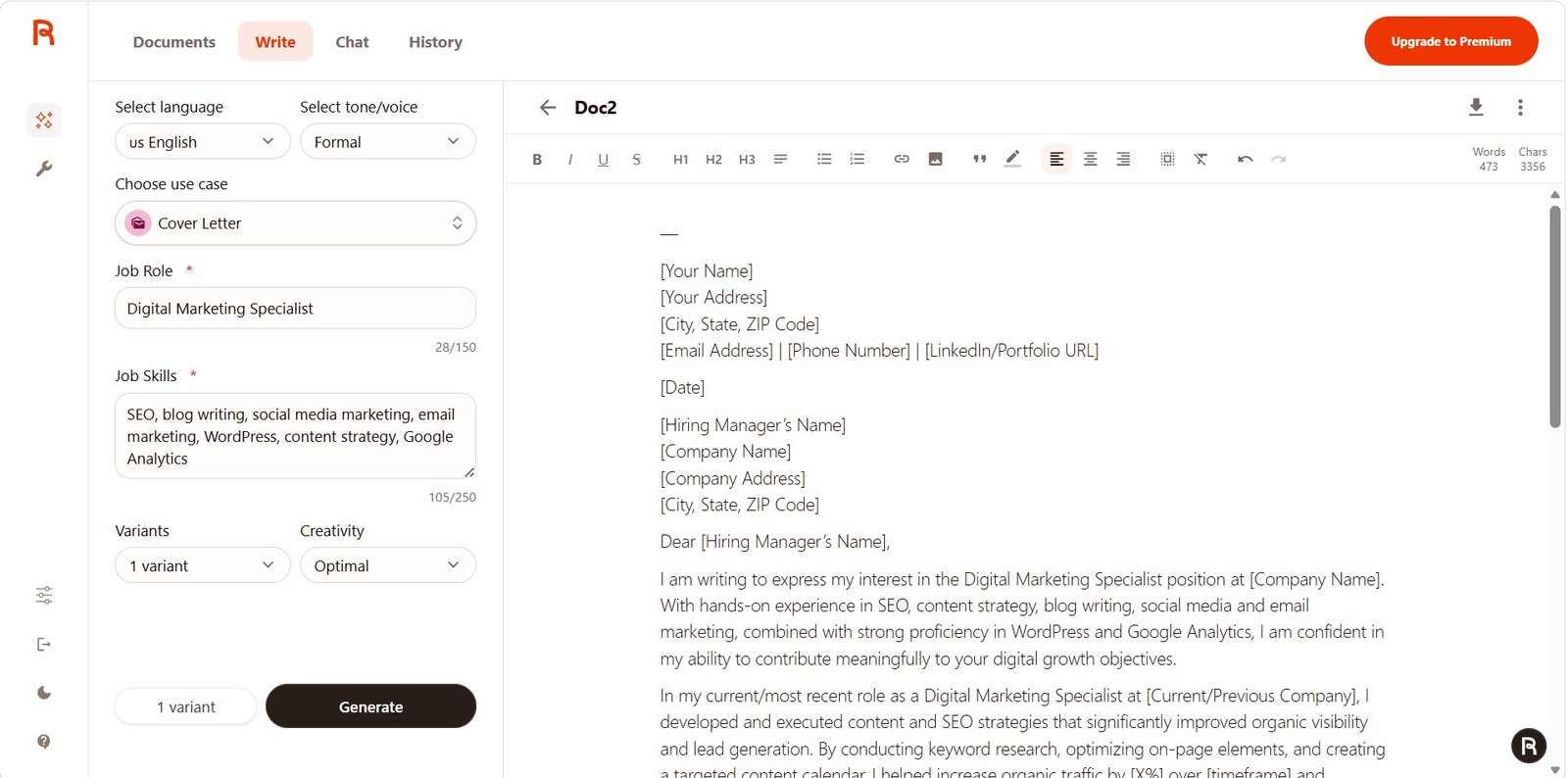
Rytr Free vs Unlimited: I tested both
I started with Rytr Free and later upgraded to Unlimited.
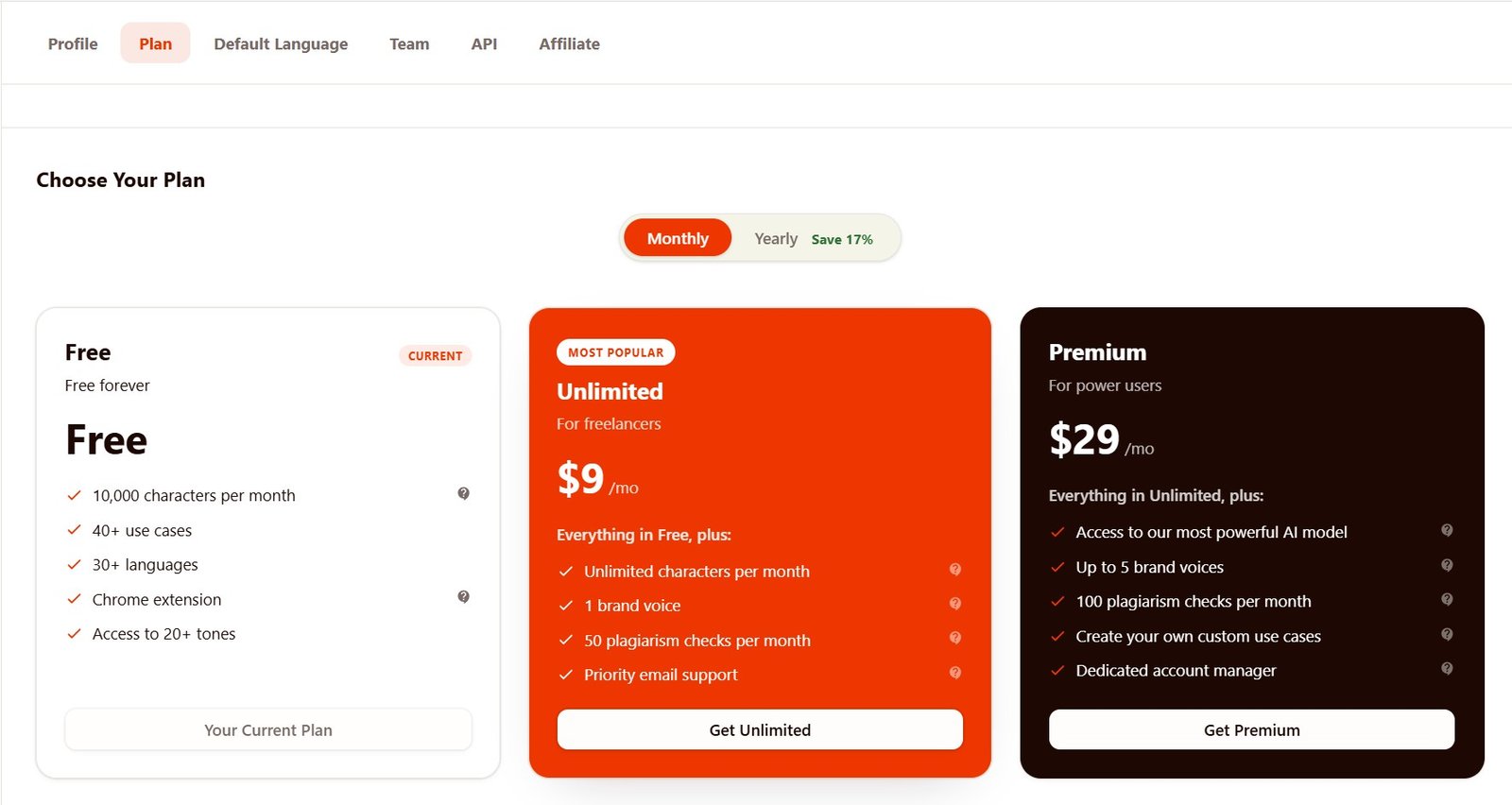
Free was enough to learn Rytr
I could use the basic editor, create documents, try writing use cases, change tones, access History, and open Chat.
Unlimited made regular use easier
The larger generation allowance removed the main usage restriction and gave me access to features such as one custom Brand Voice.
Some of my Unlimited outputs were better than the Free versions. For example, the paid LinkedIn post was more concrete and the paid poem was much more developed.
But I would be careful with that conclusion. AI generations vary. A better second output does not automatically prove that paying caused the improvement.
Brand Voice: useful, but Unlimited gives only one
MyVoice was one of the paid features I specifically wanted to test.
On Free, Rytr let me open the Voices area but blocked creation of my own voice.
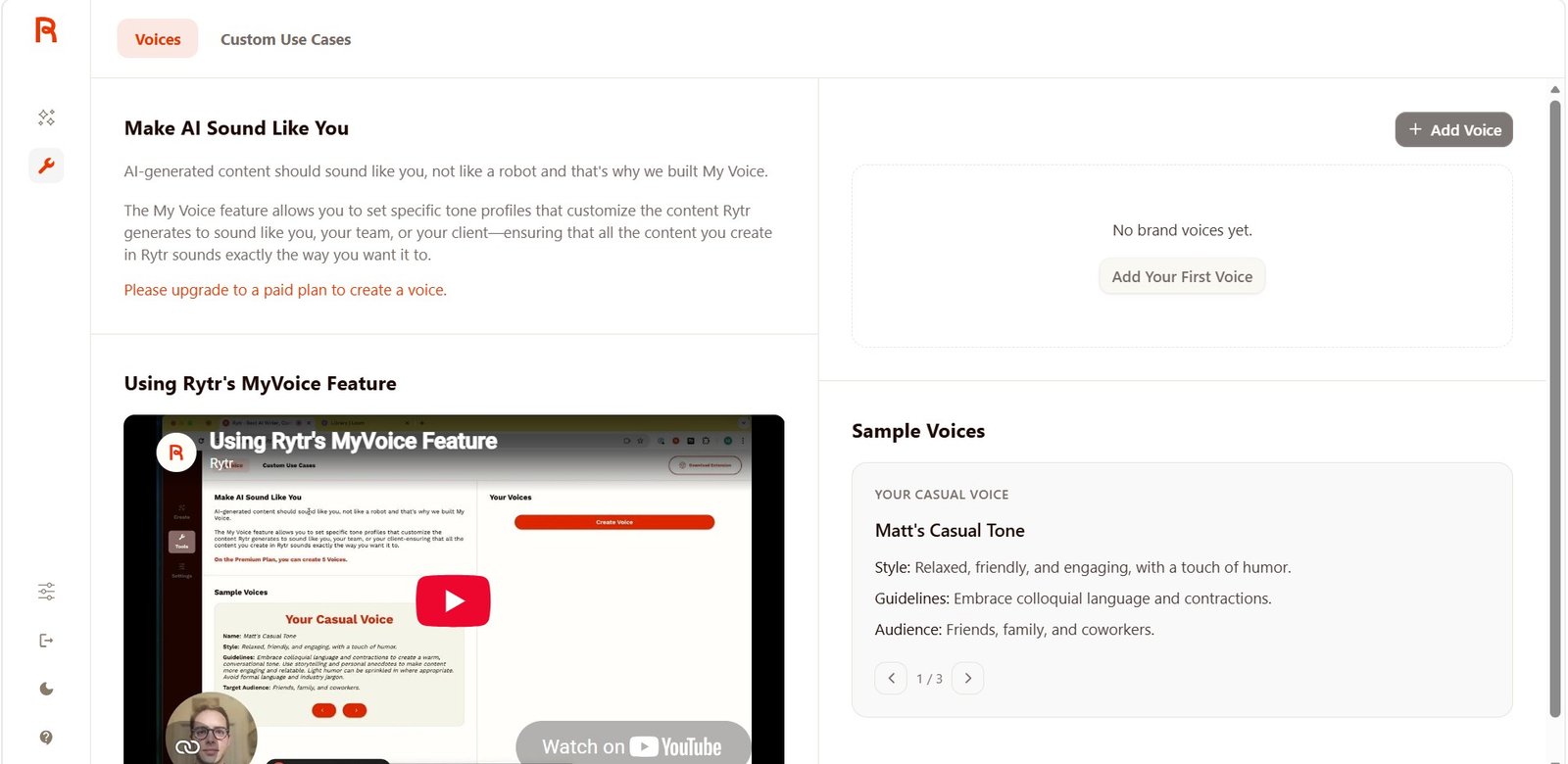
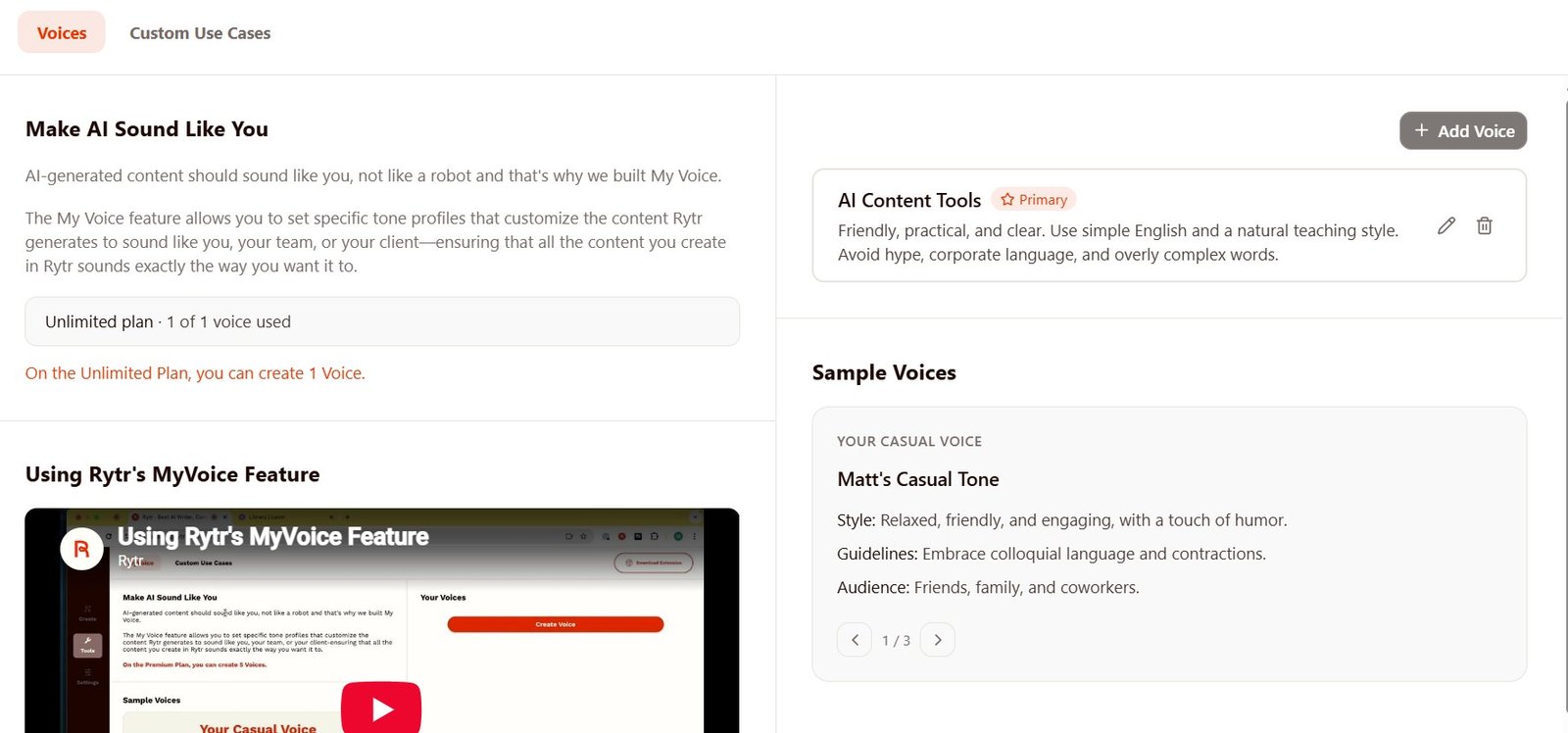
After upgrading, I created an AI Content Tools voice.
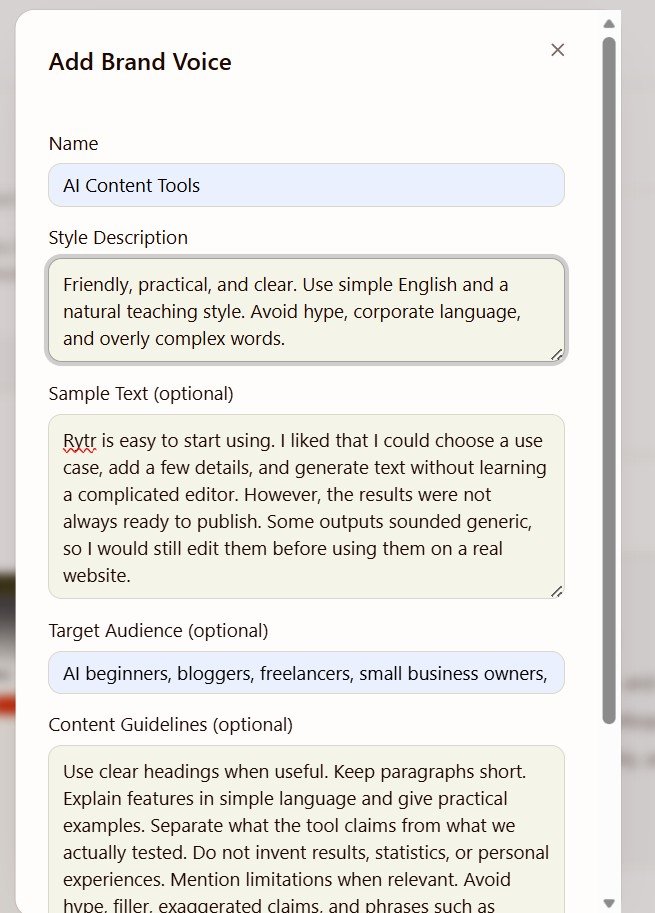
The main Style Description field had a 200-character limit, which felt too short at first. Fortunately, the additional Sample Text, Target Audience, and Content Guidelines fields gave me more control.
Rytr also has Chat — and the context test went well
This was one of the features that made Rytr feel less limited than a collection of writing templates.
I gave Chat a real scenario:
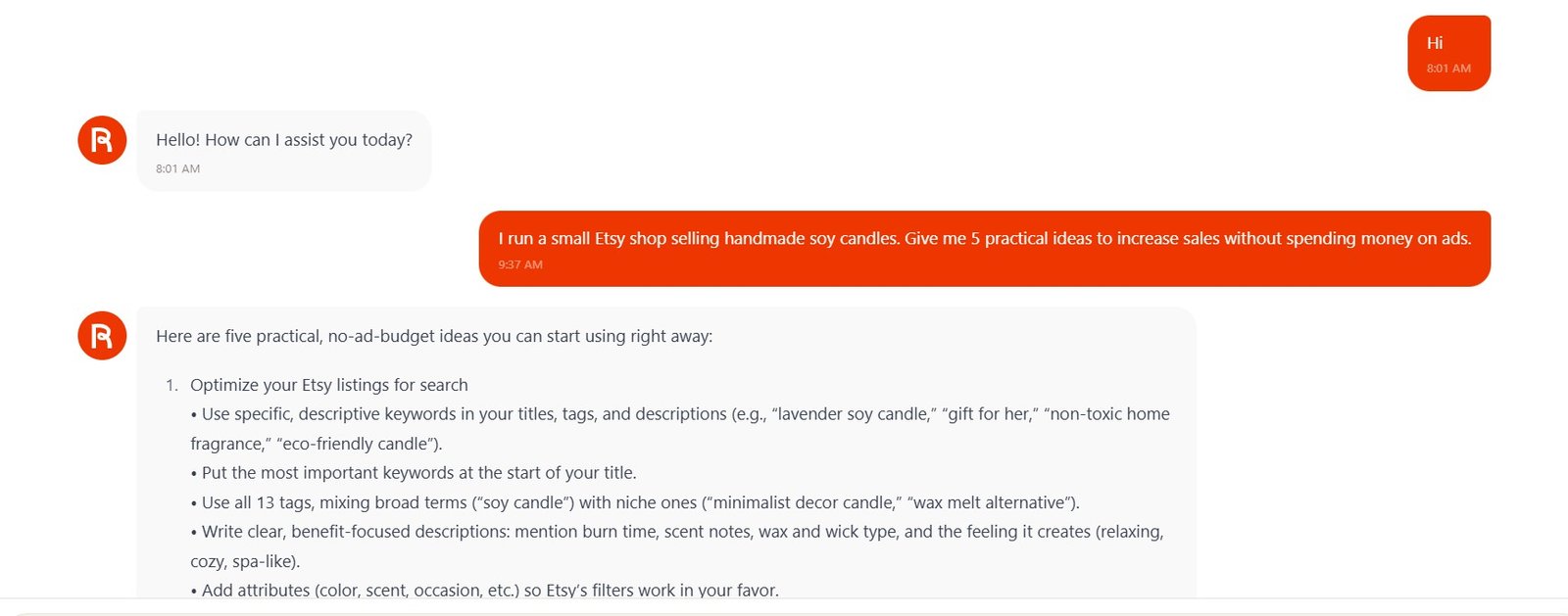
Then I asked:
“Which two ideas would you try first and why?”
I did not remind it about Etsy or candles.
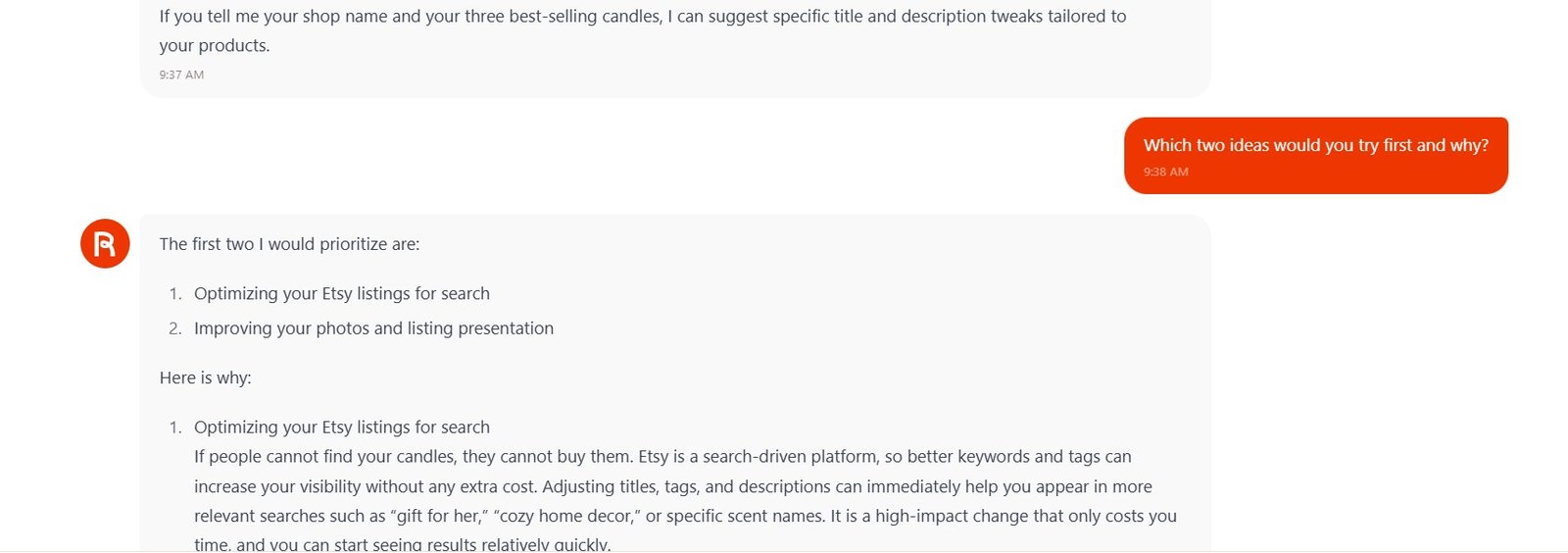
I continued further. Rytr created a seven-day plan, remembered what it had assigned for Day 3, wrote content based on that day, and then shortened its own previous answer when I asked.
The editor may be my favorite way to use Rytr
I do not always want AI to write the entire article.
For one test, I wrote the main text myself and asked Rytr to add only one missing paragraph.
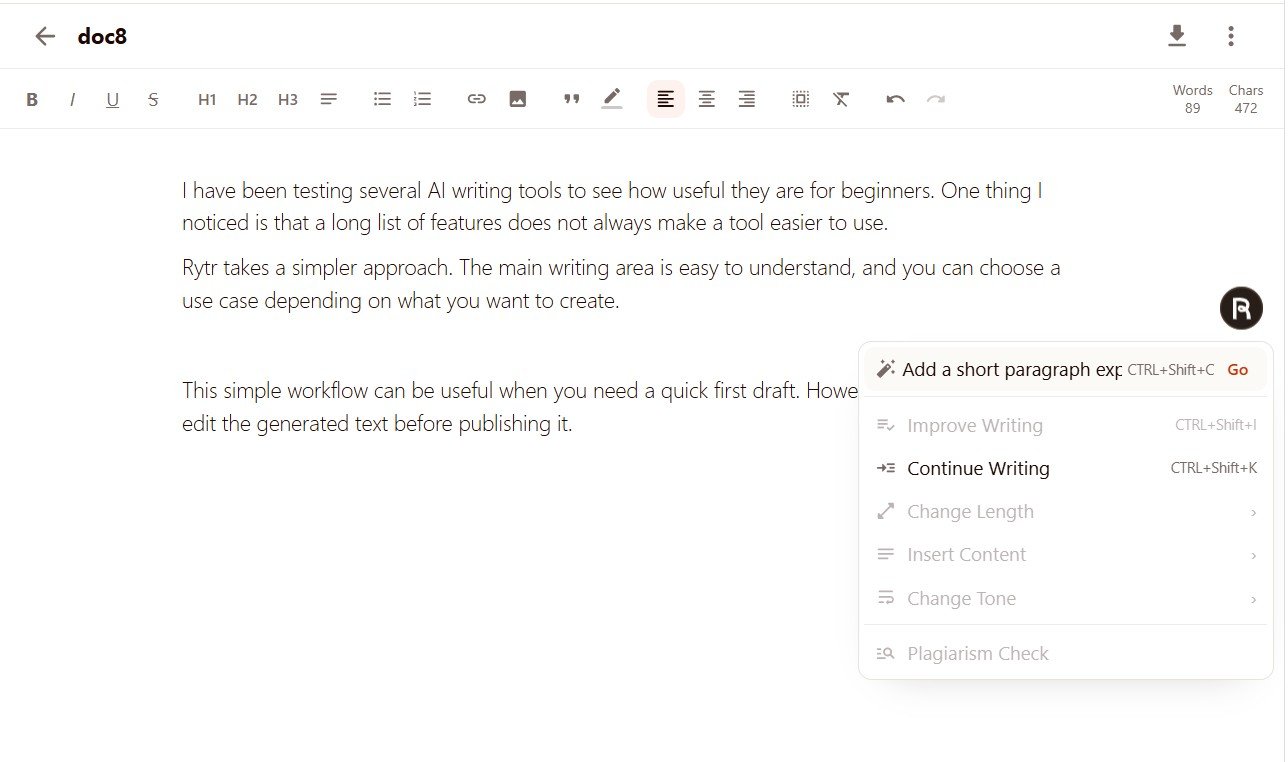
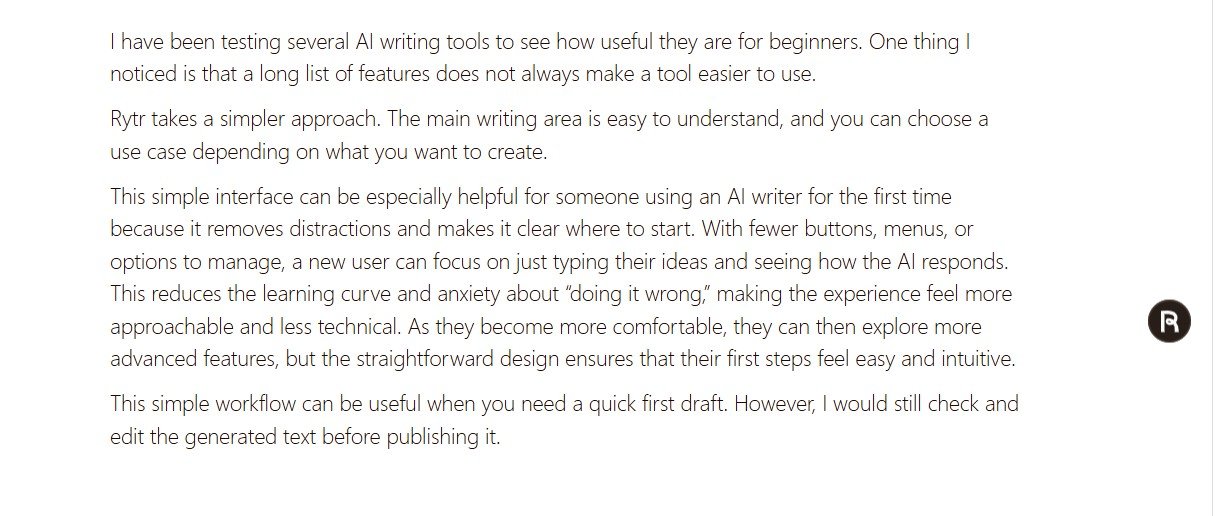
Technically, I really liked this.
The problem was the generated paragraph. It was much longer and more generic than the text around it. I could visually see where my writing stopped and AI writing started.
One Rytr editor behavior confused me at first
During the Free tests, I generated several different pieces of content in the same document.
It took me a few generations to realize that each new result was being added lower in the same document while the old results stayed above it.
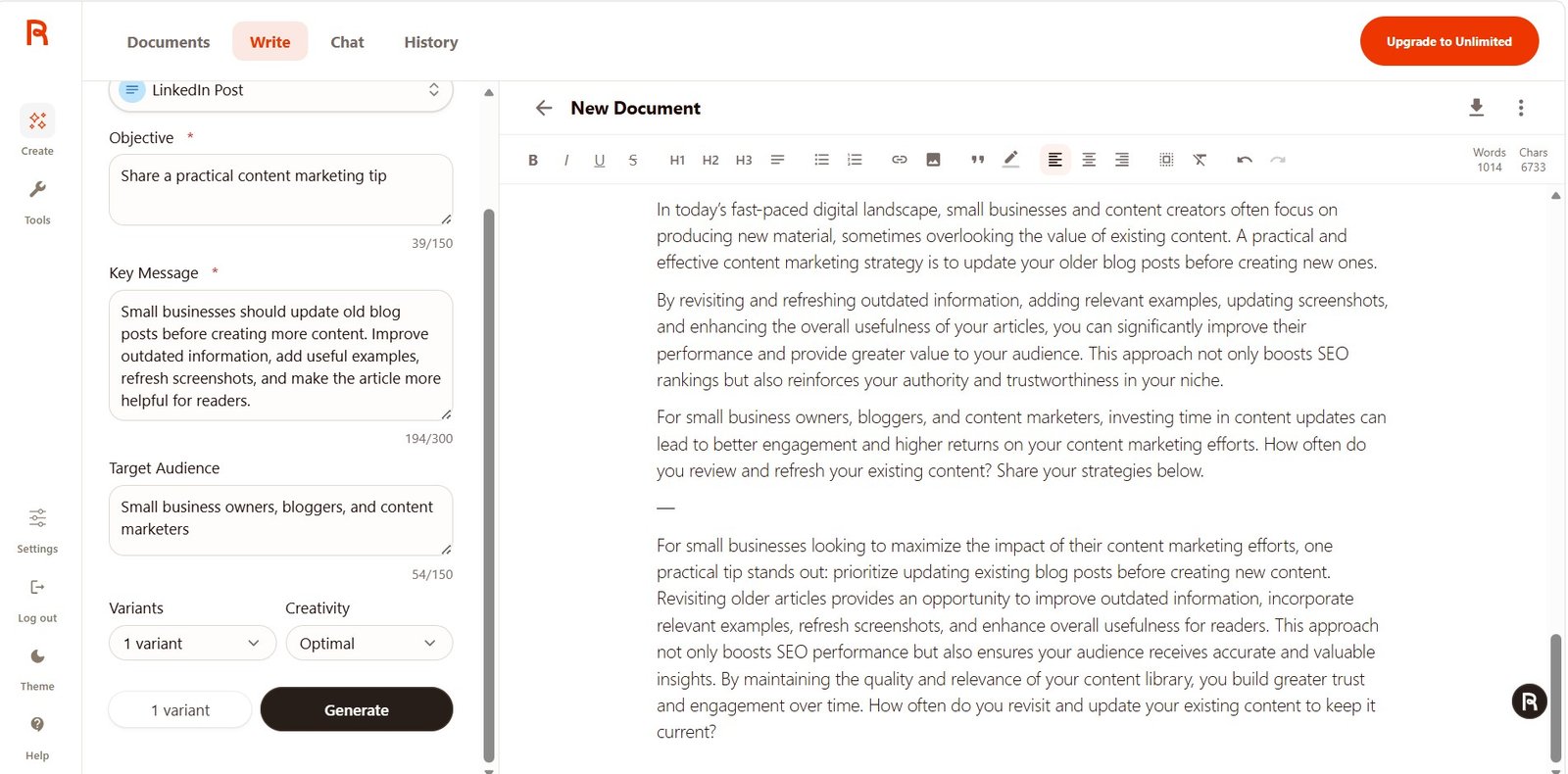
This is not necessarily bad. Keeping earlier versions can be useful.
But a beginner may not notice it immediately.
History is simple but genuinely useful
Rytr saves previous generations and lets you return to the prompt and output.
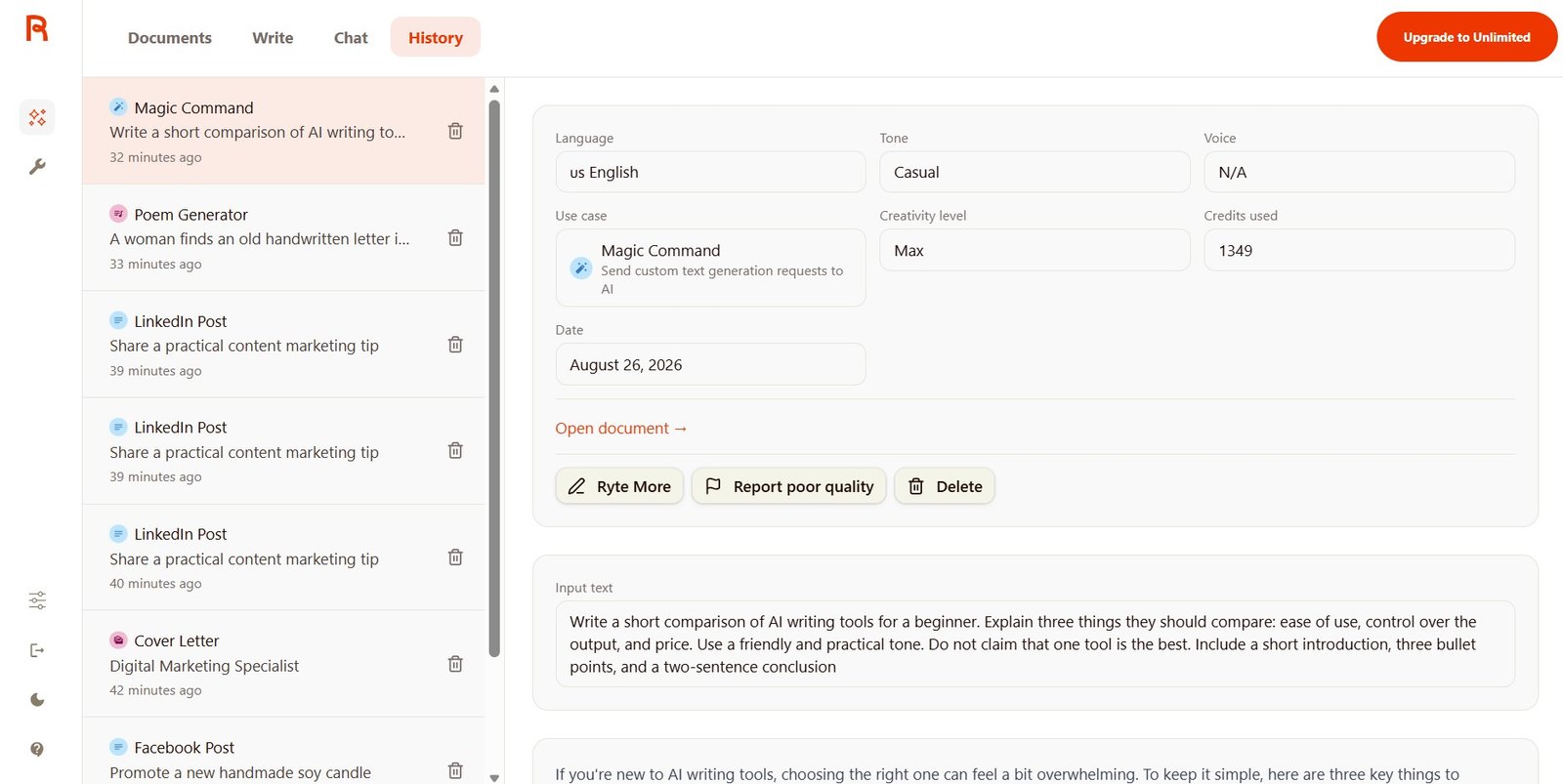
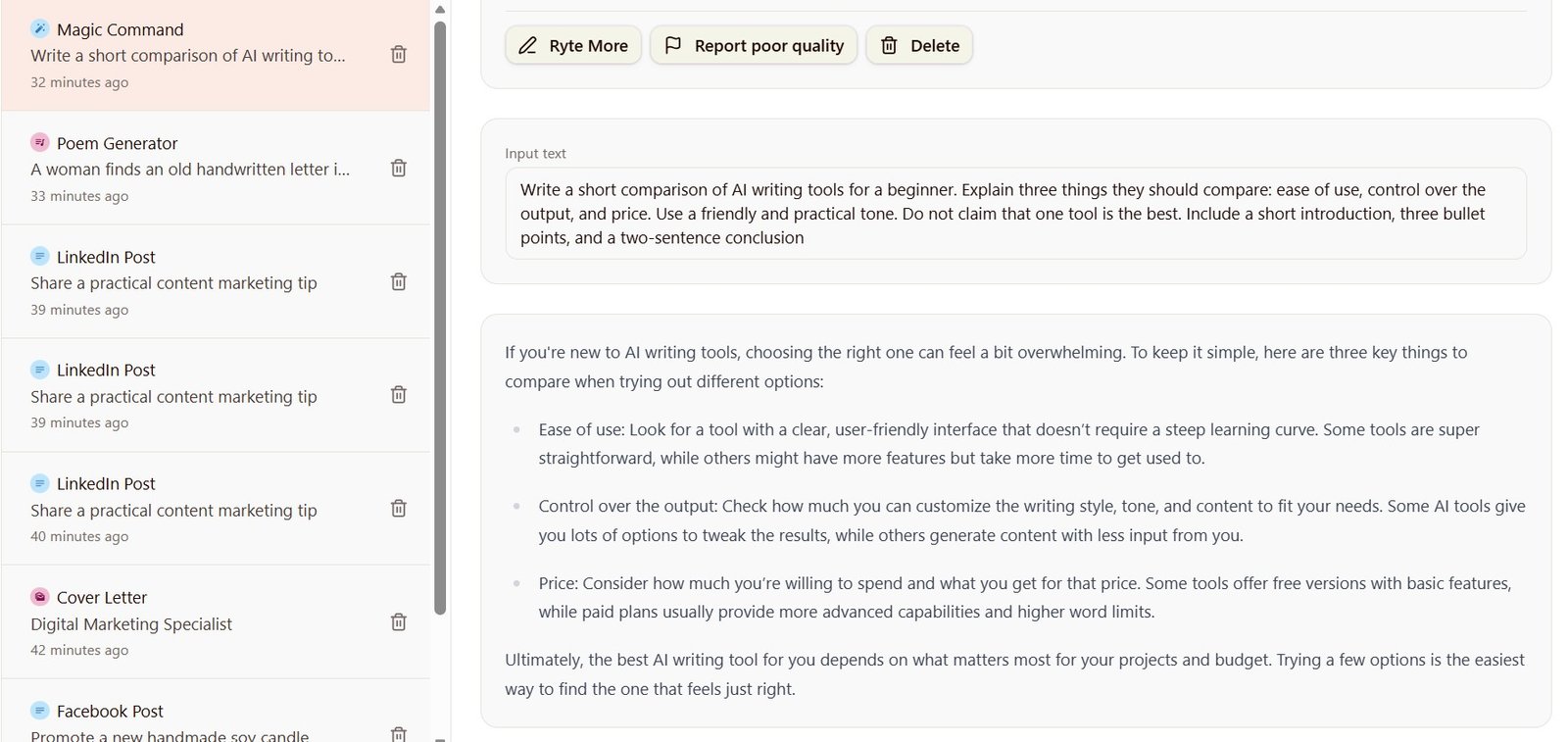
What happened in my earlier Rytr writing tests?
The older version of this review included separate tests for blog writing, SEO structure, product descriptions, Facebook content, and rewriting.
I do not want to throw those findings away because they still support the broader pattern I saw in the newer tests.
Good structure, generic language
The blog output was readable and logically structured, but phrases such as “today’s fast-paced digital world” made the AI origin easy to notice.
Basic structure was solid
Rytr understood the general structure of a commercial comparison, but it was not a replacement for real keyword research or SERP analysis.
Persuasive but over-polished
The sales copy was strong on promotion but weaker on evidence, differentiation, and concrete proof.
Natural enough after editing
The Facebook result had a suitable social format but still sounded slightly polished and promotional.
One of the stronger uses
Rytr simplified complicated wording while keeping the original meaning. This remains a good practical use case.
The same weakness remained
Across both old and new tests, Rytr was usually structurally competent but benefited from human examples, facts, and a more personal voice.
What Rytr is still missing for me
Rytr’s simplicity is one of its strongest features, so I would not want it to become another overloaded AI platform.
But there is one feature I kept missing: a more flexible canvas-style workspace.
Rytr has a useful editor. You can write manually, generate content, insert AI text, rewrite, change tone, and work with documents.
But the workspace still feels like a document editor rather than a larger creative environment.
If you want a much larger AI content workflow, compare Rytr with tools such as Jasper, Frase, or Scalenut.
Rytr pros and cons after my tests
What I liked
✓ Very easy navigation
✓ Simple Documents and folders
✓ Good for beginners
✓ Useful ready-made writing cases
✓ Tone changes were clearly visible
✓ Magic Command gives more control
✓ Chat remembered context well in my test
✓ Brand Voice adds more style control
✓ AI can help inside an existing document
✓ History keeps previous prompts and outputs
✓ Free plan is useful for testing the workflow
What I did not like
✕ Some output still sounds generic
✕ AI can over-explain simple ideas
✕ Cover Letter made unsupported assumptions
✕ Claims still need fact-checking
✕ Brand Voice Style Description is limited
✕ Unlimited gave me only one custom voice
✕ Some features still require Premium
✕ Chat can be too verbose
✕ Long-form/research workflow is limited
✕ No flexible canvas-style workspace
My Rytr scores
| Category | Score | Why |
|---|---|---|
| Ease of use | 4.8/5 | One of Rytr’s biggest strengths. I rarely had to search for a feature. |
| Interface & workflow | 4.7/5 | Simple and comfortable, although I would like a more flexible workspace. |
| Short-form writing | 4.2/5 | Good for social posts, marketing drafts, and quick content after editing. |
| Natural writing | 3.7/5 | Still uses generic phrases and can over-explain. |
| Chat | 4.3/5 | Context handling was strong in my multi-step test, but answers were often long. |
| Brand Voice | 4.1/5 | Useful extra control, with some setup and plan limitations. |
| Editor | 4.4/5 | I liked the human + AI workflow, even though style matching was not perfect. |
| Value | 4.7/5 | Free is useful for testing, and Unlimited makes sense for regular users who like the workflow. |
| Overall | 4.3/5 | Very easy to use and good value, but not a publish-without-editing AI writer. |
See all of my Rytr tests
I separated the biggest experiments into focused articles so you can see the screenshots, prompts, and results without making this main review enormous.
Rytr alternatives: when I would choose something else
For a larger AI workspace
If you want a more advanced content environment, brand workflows, and a broader workspace, read my Jasper Review.
For SEO content
If SERP research, briefs, and SEO optimization matter more than simplicity, see my Frase Review.
For a larger SEO platform
If you want more SEO and content planning features, compare it with my Scalenut Review.
For writing + design + social
If you want more than writing inside one platform, see my Simplified Review.
Rytr FAQ
Is Rytr good for beginners?
Yes. Ease of use was one of the strongest parts of my test. Documents, Write, Chat, History, use cases, and tones were easy to understand without much learning time.
Is Rytr content ready to publish?
Sometimes it is close, especially for short content. But I would still edit the output. My tests found generic wording, overly confident claims, unnecessary length, and even unsupported experience assumptions in a cover letter.
Is Rytr good for blog writing?
It can help with ideas, outlines, rewriting, short sections, and first drafts. I would not choose it as my only platform for research-heavy or advanced SEO articles.
Does Rytr have Chat?
Yes. I tested Chat with a multi-step Etsy conversation. It remembered earlier ideas, followed several constraints, and edited a previous response without requiring me to paste the text again.
Does Rytr have Brand Voice?
Yes on the paid plan I tested. Unlimited allowed me to create one custom voice using a style description, sample text, target audience, and content guidelines.
Is Rytr Free worth trying?
Yes. I would start there. Free gave me enough access to understand whether I liked Rytr’s writing workflow before paying.
Is Rytr Unlimited worth paying for?
It makes sense if you already like Rytr and use it regularly. I would upgrade for the larger generation allowance and paid features such as Brand Voice, not because I expect every paid output to be automatically better.
Who should skip Rytr?
I would compare other tools if you need advanced SEO research, a large collaborative content system, many separate Brand Voices, or a flexible canvas-style workspace.
Final verdict: is Rytr worth it in 2026?
Rytr is not a waste of money.
In fact, the low-friction workflow is probably its biggest advantage.
I enjoyed using it because I did not feel buried under features. I could create a document, choose a writing task, change the tone, move into Chat, create a Brand Voice, or ask AI to help inside my own draft without much friction.
But the interface is better than the writing in some tests.
Rytr usually understood what I wanted. The harder question was how much of the answer I wanted to keep.
Some generated text was generic. Some was too long. The Cover Letter test showed that professional-looking AI text can still contain assumptions that were never supplied by the user.
That is why I would describe Rytr as a writing assistant, not an automatic writer.
For beginners, bloggers, freelancers, creators, and small businesses that want something simple and affordable, I think Rytr is a strong option.
If you want a much larger SEO platform, deep research workflow, or a flexible creative canvas, it may feel too limited.
My recommendation: start with Rytr Free. If you enjoy the workflow and begin hitting the limits, then Unlimited becomes a much easier decision.
Affiliate disclosure: I may earn a commission if you purchase Rytr through my link, at no extra cost to you. My ratings and conclusions are based on my own Rytr Free and Unlimited tests.