
I tested Rytr’s writing quality, not just its feature list
Rytr was pleasant to use from the start. The interface is simple, there are not too many options, and I usually knew what to click next.
That made me like the workflow. But it did not answer the most important question: is Rytr actually a good writer?
To find out, I used it for very different tasks. I generated Facebook posts, a LinkedIn post, a cover letter, a poem, and a structured comparison with Magic Command. I also tested some of the same tasks before and after moving from the Free plan to Unlimited.
What I tested in Rytr
I wanted different writing jobs, not five versions of the same marketing prompt. This made it easier to see where Rytr was strong and where the text started to feel more artificial.
Facebook Post
I promoted a handmade lavender soy candle and then changed only the tone from Convincing to Funny.
Cover Letter
I gave Rytr a job title and a list of skills, but no years of experience or real achievements.
LinkedIn Post
I asked for a practical content marketing tip for small business owners, bloggers, and marketers.
Poem Generator
I used a more emotional creative-writing prompt about an old letter found inside a second-hand book.
Magic Command
I gave several formatting and writing instructions in one prompt to see how well Rytr followed them.
Free vs Unlimited
I repeated several tasks after upgrading. I compare the results below, but I do not assume every difference was caused by the plan itself.
Rytr starts with simple writing use cases
Before looking at the results, it helps to understand how Rytr works. In the Write area, you choose a use case instead of building everything from a blank prompt.
The menu includes options for blog sections, cover letters, LinkedIn posts, newsletters, product descriptions, poetry, marketing frameworks, and more.
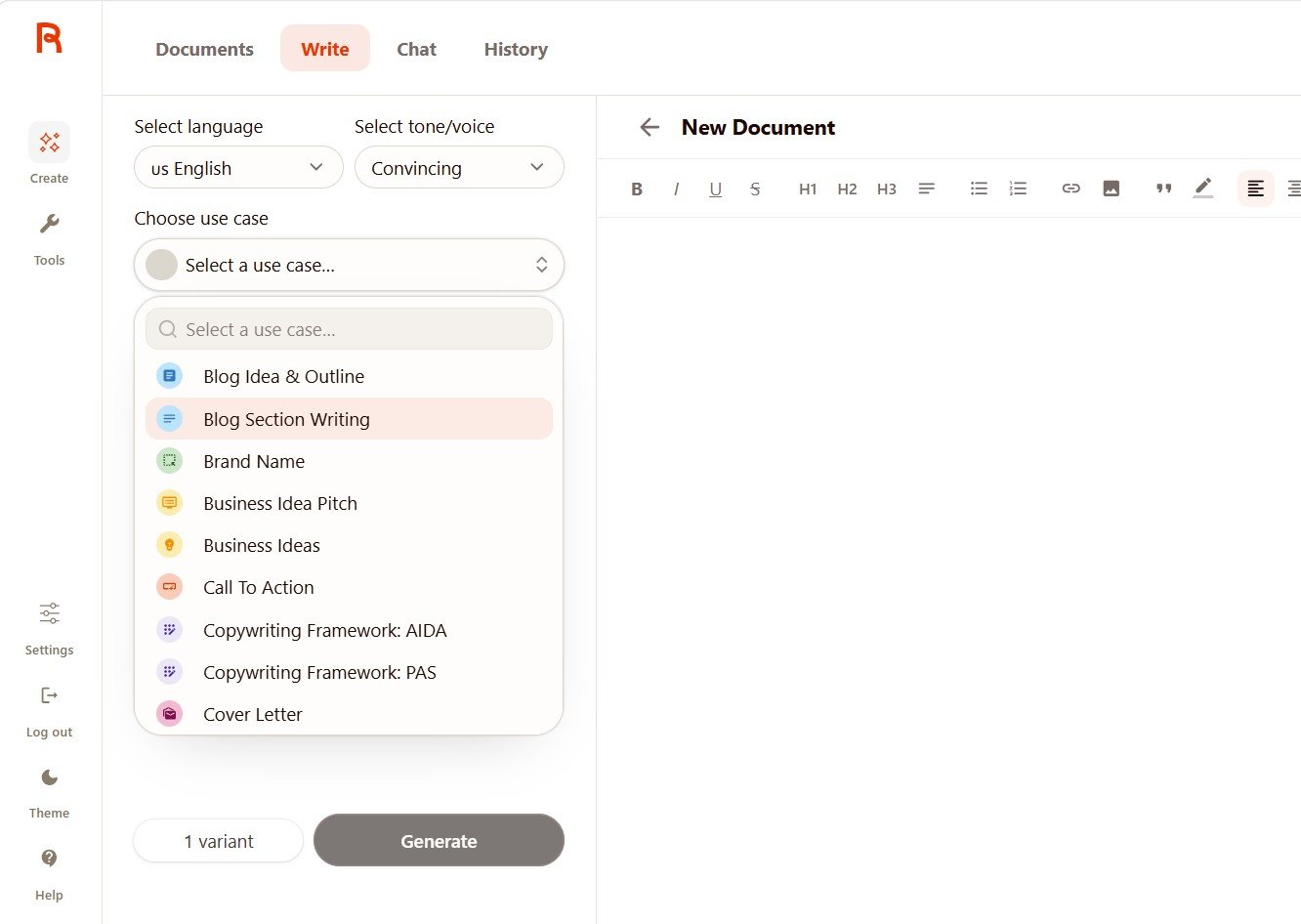
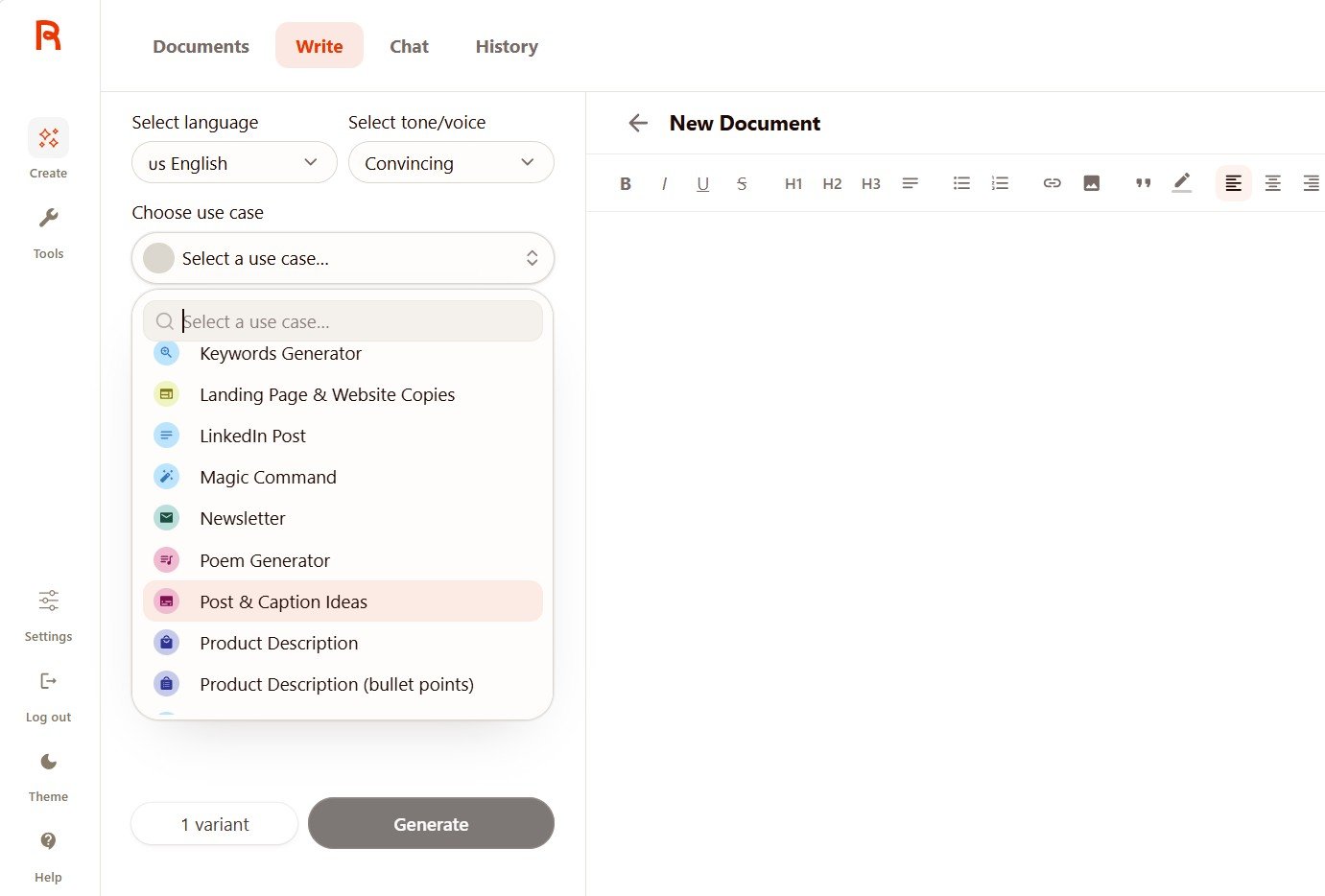
I liked this setup because it is easy for a beginner. You do not need to know prompt engineering before you can create something.
The downside is that some use cases give you only a few input fields. That becomes important in the Cover Letter test later.
Test 1: Facebook Post
Can Rytr create usable short-form marketing copy?
Post type: Promote a new handmade soy candle
Key message: Introduce a handmade lavender soy candle for people who want a calm and cozy home. It is made with natural soy wax, has a relaxing lavender scent, and comes in a reusable glass jar. Encourage people to visit the shop.
Free result: clear, but quite marketing-heavy
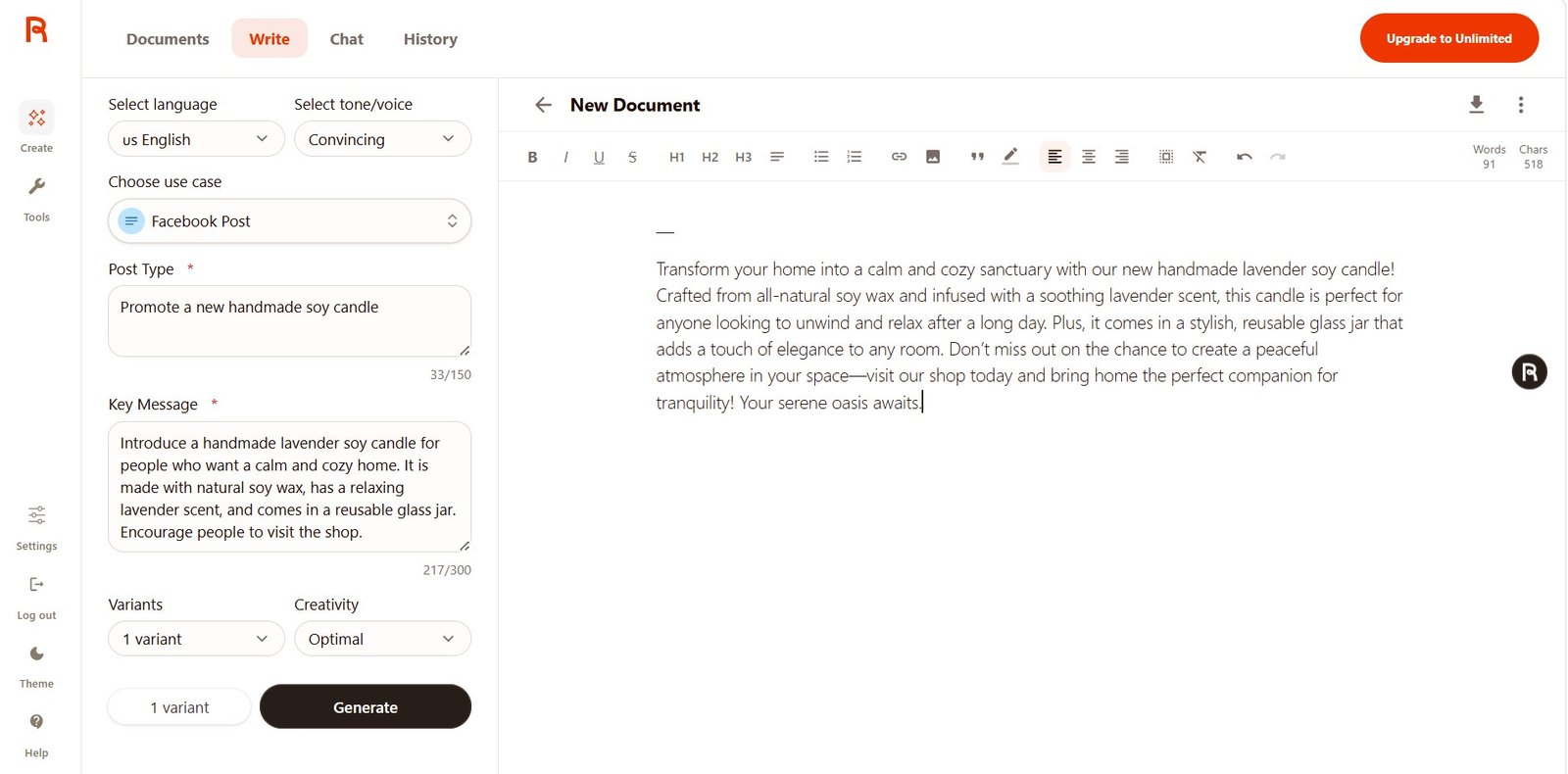
Rytr included the main product details correctly: soy wax, lavender scent, reusable glass jar, a cozy mood, and a call to visit the shop.
The problem was the style. Phrases such as “calm and cozy sanctuary” and “serene oasis” made the post feel more like standard AI marketing copy than something a small handmade brand would naturally write.
Does changing Rytr’s tone really change the text?
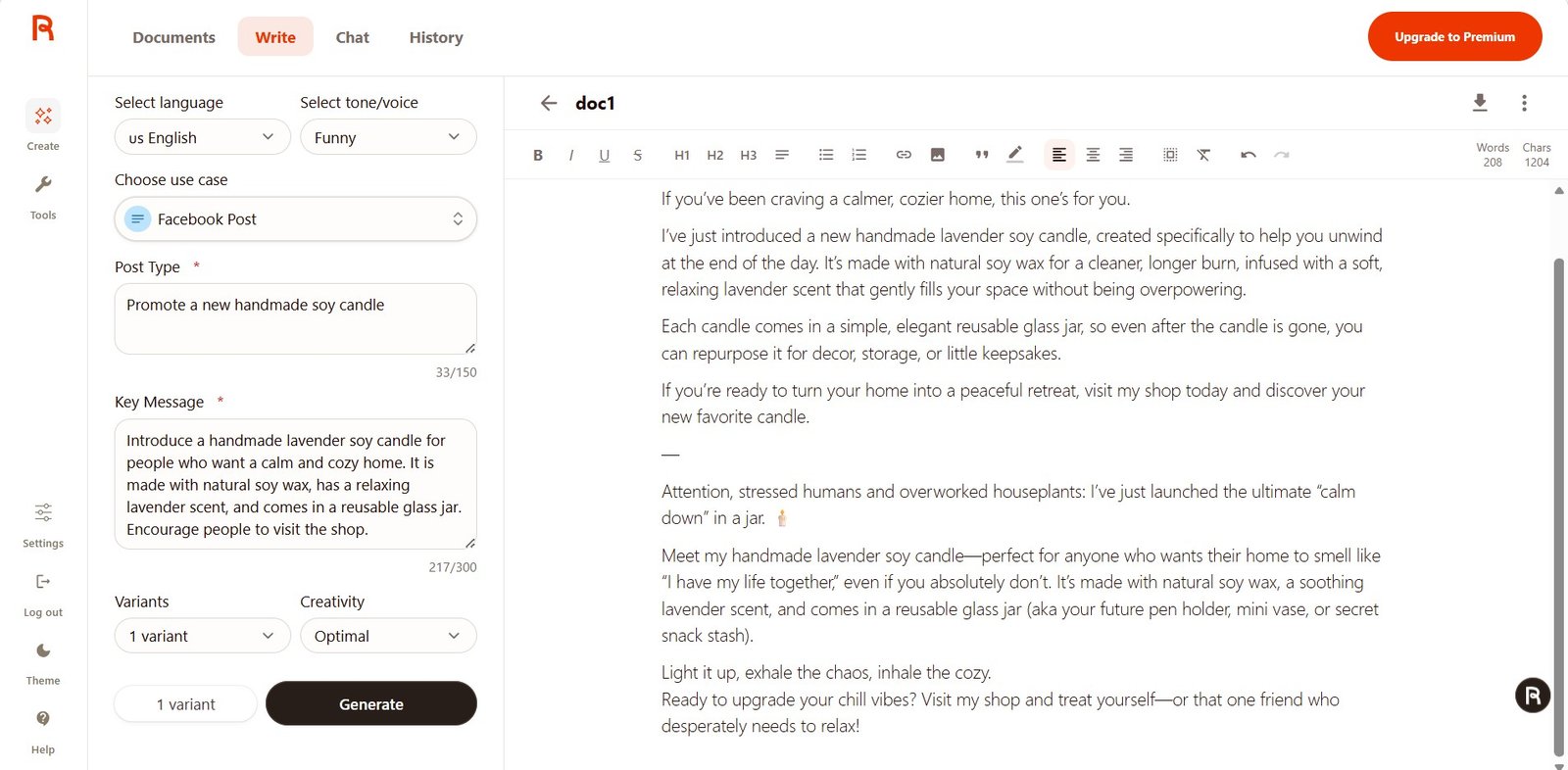
I kept the same product and changed the tone to Funny.
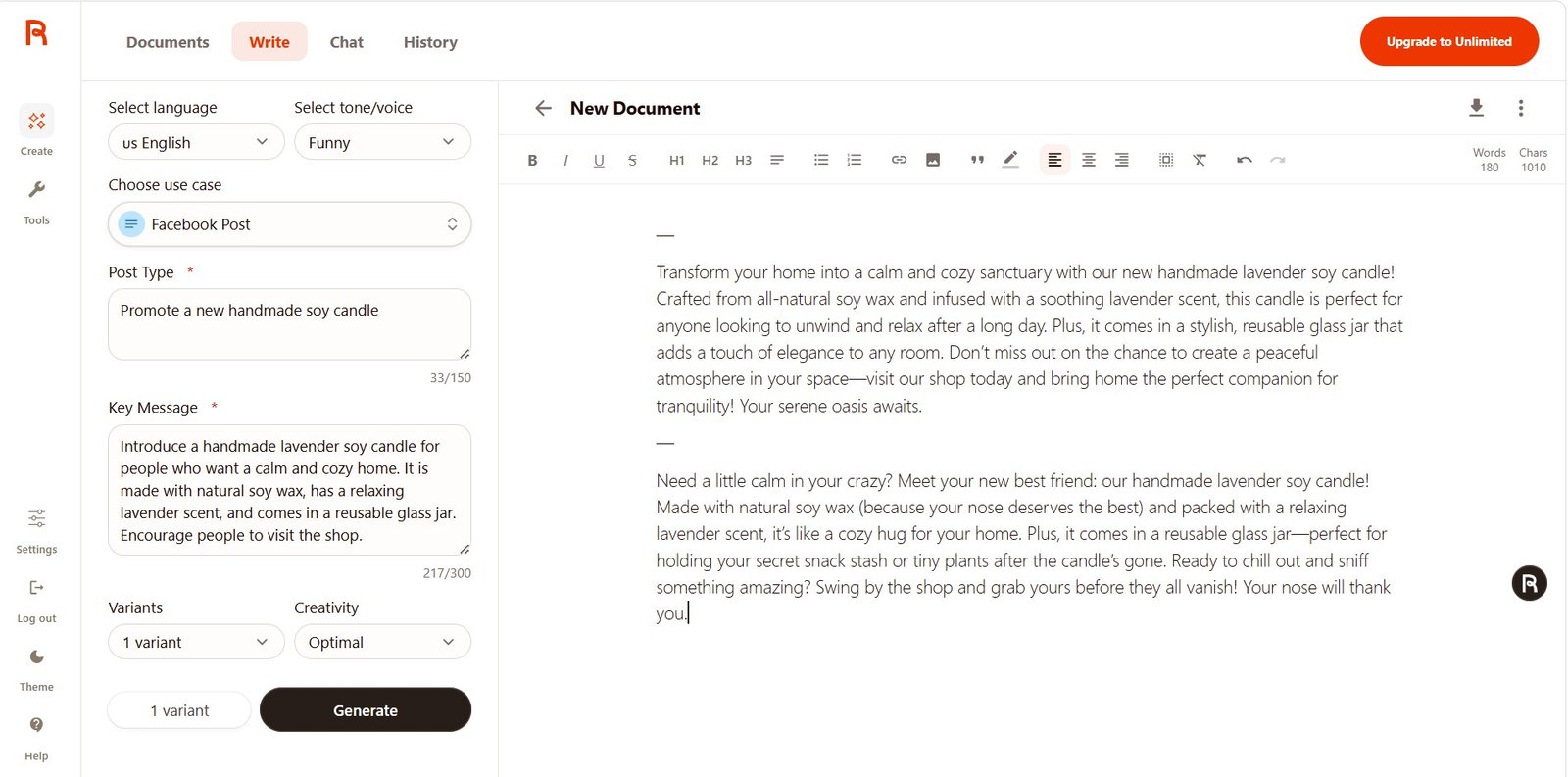
This was one of the clearest findings in the whole test. Rytr did not simply replace a few words. The Funny version used jokes about the reader’s nose, a cozy hug for the home, and even reusing the glass jar for snacks or small plants.
I would not use all of those jokes for a calm premium candle brand, but the experiment showed that Rytr’s tone control can make a real difference.
The same Facebook task on Unlimited
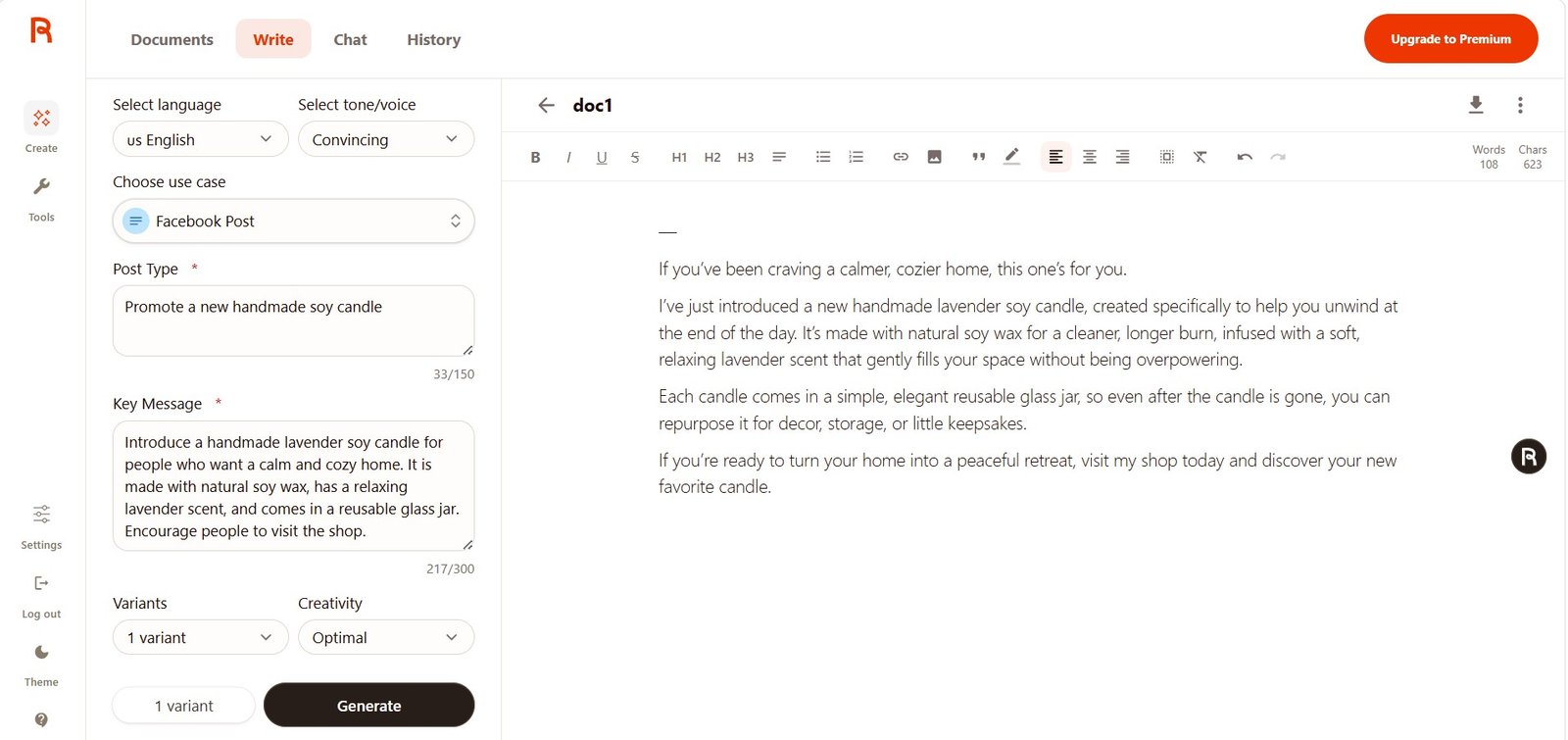
This time I received a calmer opening:
“If you’ve been craving a calmer, cozier home, this one’s for you.”
I preferred this version. It felt less exaggerated than the Free result and moved through the product details more naturally.
However, this is still one generation versus another. I cannot say that Unlimited will always produce better Facebook posts based only on this comparison.
Test 2: Cover Letter
This test found one of the biggest problems.
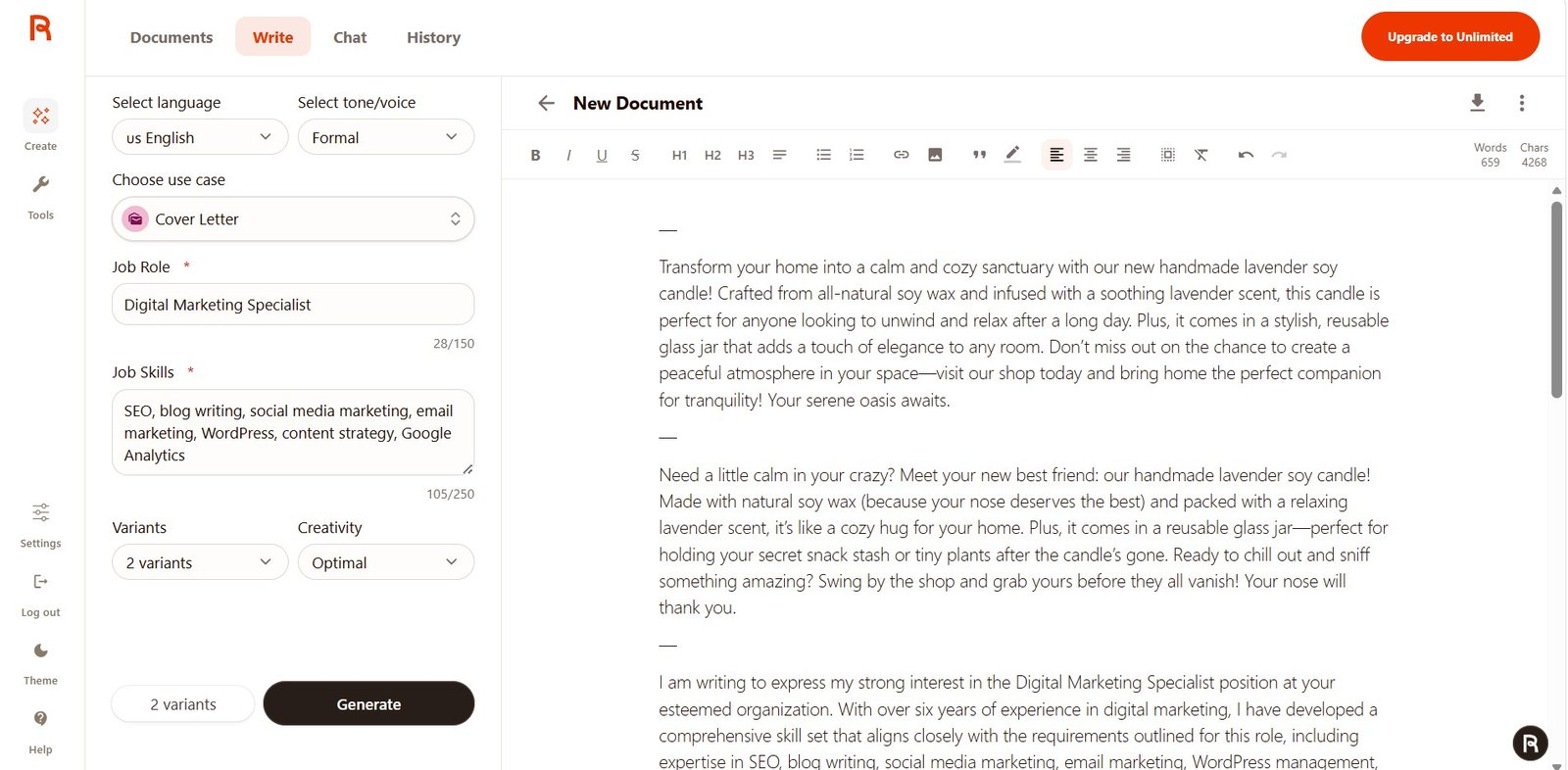
Job role: Digital Marketing Specialist
Skills: SEO, blog writing, social media marketing, email marketing, WordPress, content strategy, Google Analytics
I intentionally did not give Rytr the candidate’s years of experience, previous employer, achievements, traffic growth, conversion results, or other career facts.
Free test: Rytr invented experience
The output included:
“With over six years of experience in digital marketing…”
That information did not come from my input.
Unlimited result: better placeholders, but still assumptions
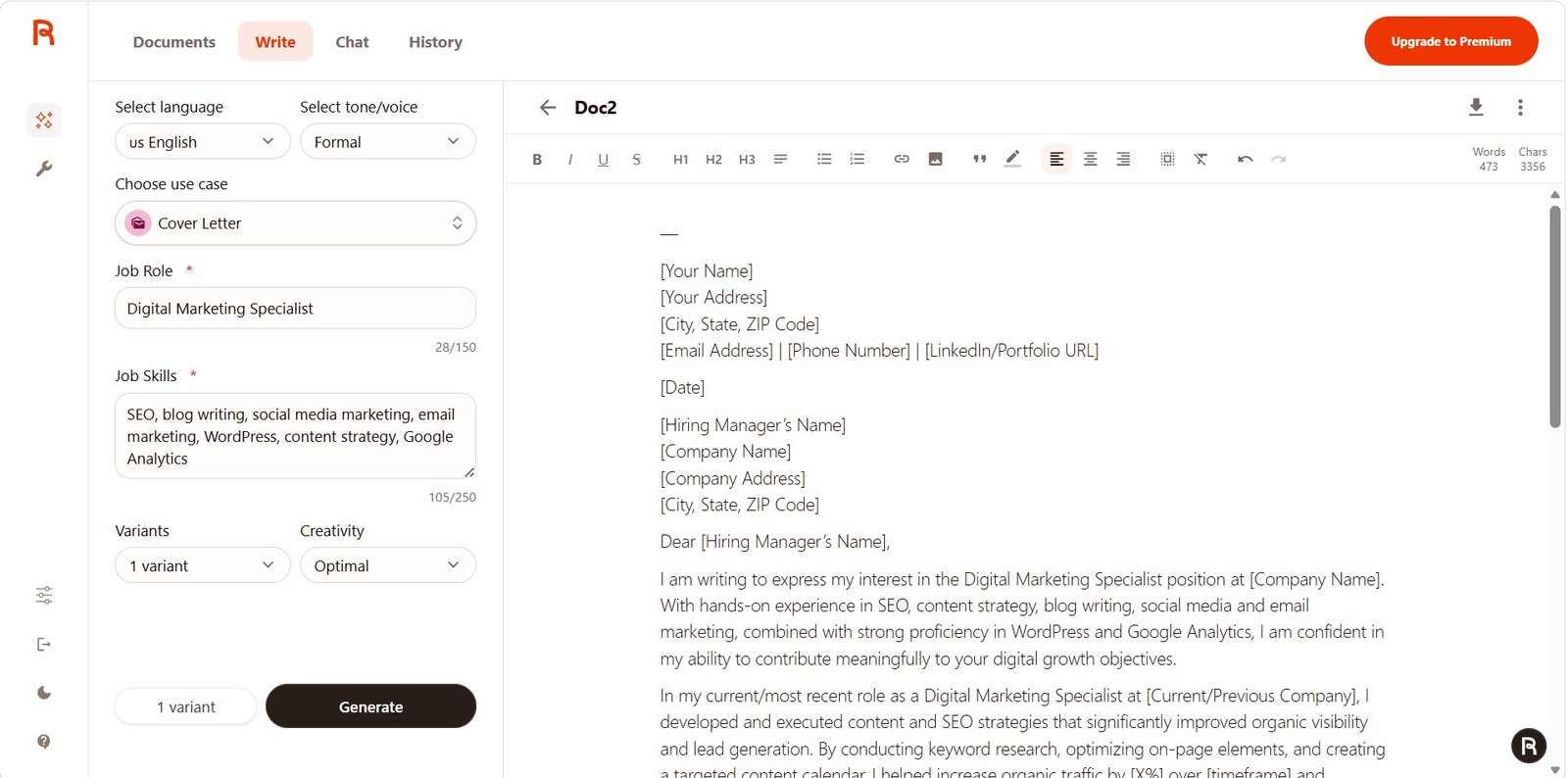
The paid result handled missing information more carefully. Instead of inventing exact traffic or conversion numbers, it used placeholders such as [X%] and [timeframe].
That is much safer.
But it still turned my list of skills into assumed work experience. For example, it wrote about the candidate’s current or previous role and described SEO strategies and campaigns as if they had actually happened.
Knowing SEO is not the same as having completed a specific SEO project.
Free result
Added a specific claim about more than six years of experience that was not in my input.
Unlimited result
Used placeholders for some unknown facts, but still made assumptions about the candidate’s work history.
Test 3: LinkedIn Post
Can Rytr turn a practical idea into useful professional content?
Objective: Share a practical content marketing tip
Key message: Small businesses should update old blog posts before creating more content. Improve outdated information, add useful examples, refresh screenshots, and make the article more helpful for readers.
Target audience: Small business owners, bloggers, and content marketers
Free result
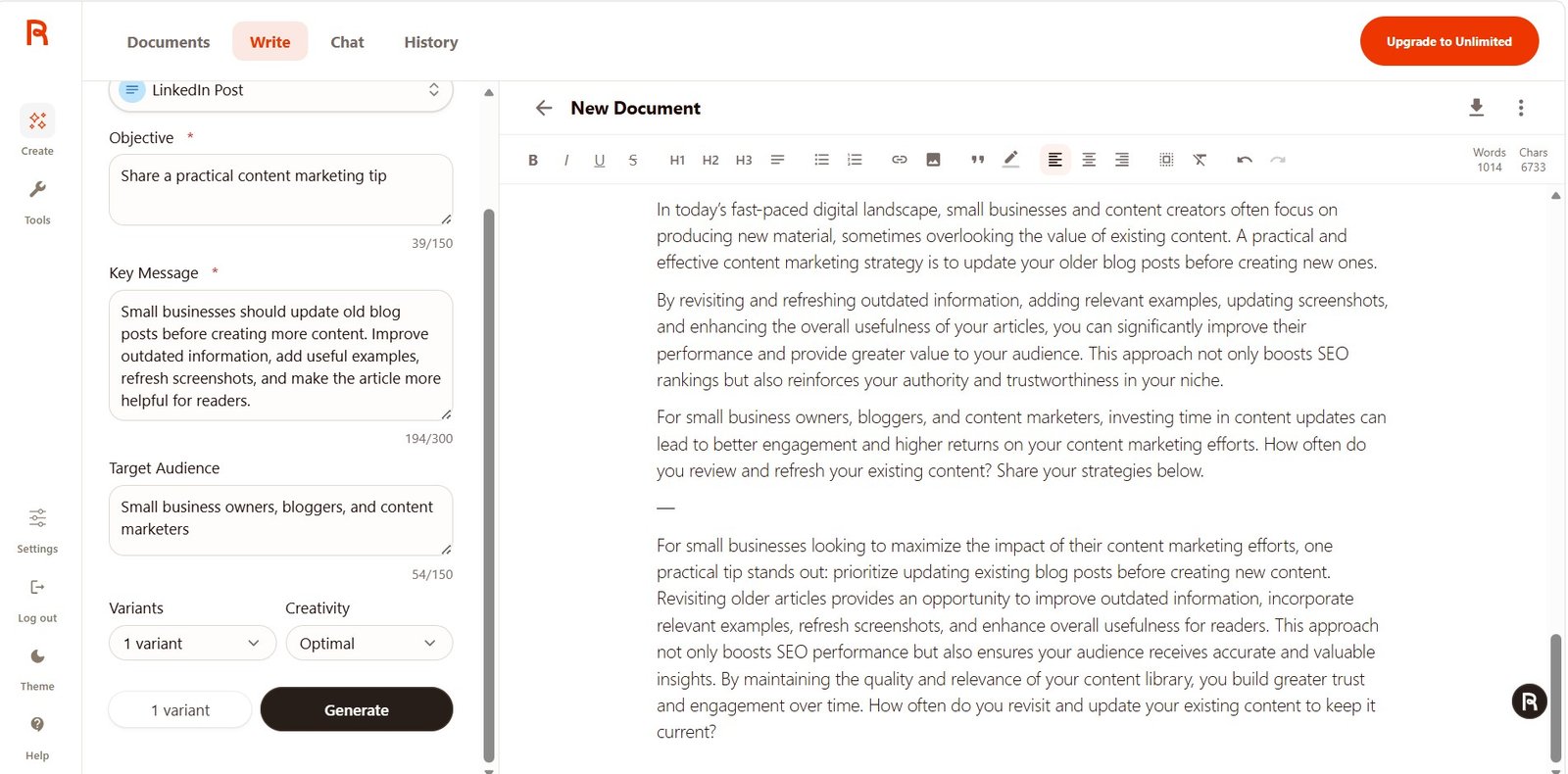
The post stayed on topic and added a reasonable CTA at the end. But phrases such as “today’s fast-paced digital landscape” and “maximize the impact” sounded more generic than I wanted.
It also suggested that updating content boosts SEO rankings. Updating old content can help, but I would not present a ranking improvement as an automatic result.
Unlimited result
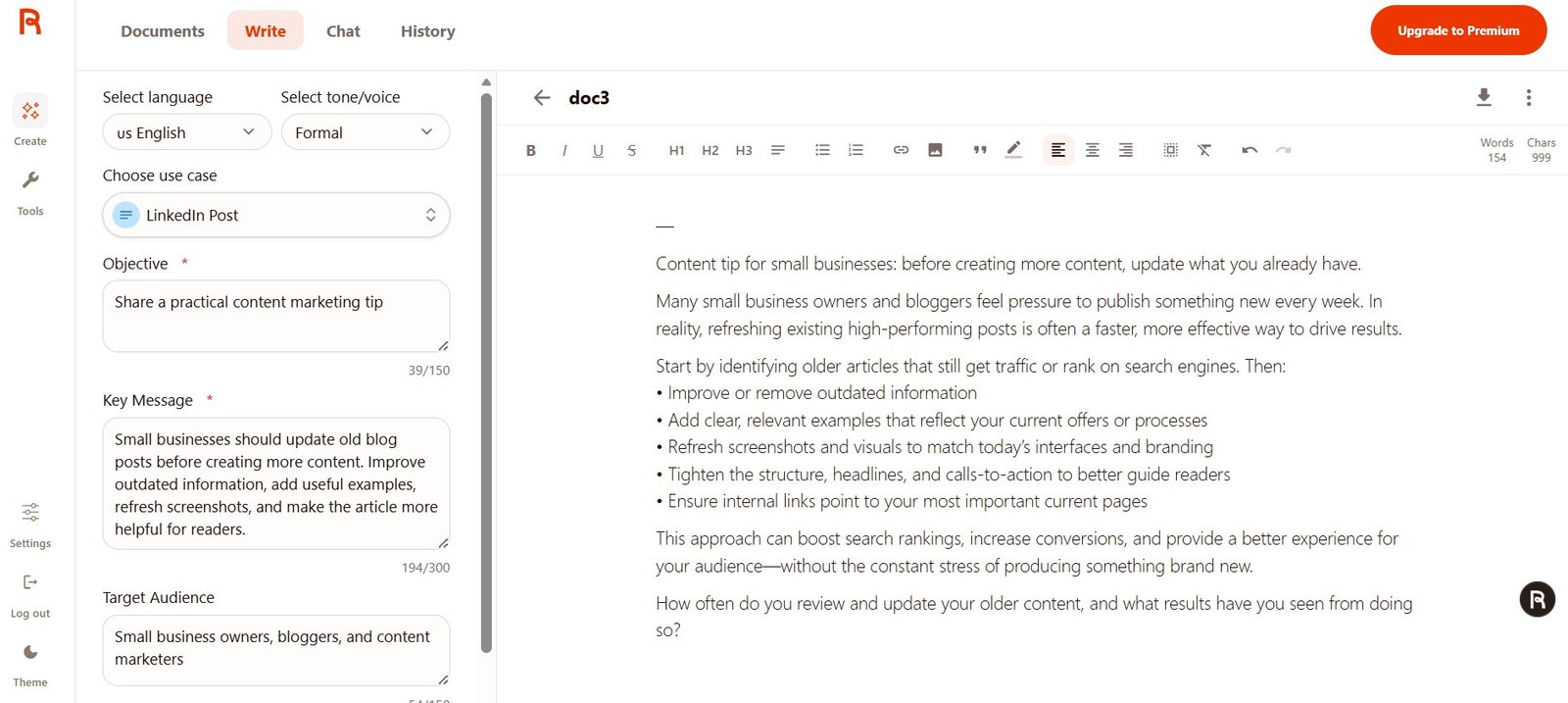
I liked the second version more. It used a simple opening:
“Content tip for small businesses: before creating more content, update what you already have.”
It then suggested actions such as removing outdated information, adding examples, refreshing screenshots, improving CTAs, and checking internal links.
That is much closer to the type of LinkedIn post I would actually use.
Test 4: Poem Generator
I could not resist testing something completely different.
A woman finds an old handwritten letter inside a second-hand book. The letter was never sent. Write a short poem about lost time, unfinished words, and the strange feeling of discovering someone else’s memory.
Free result: short and predictable
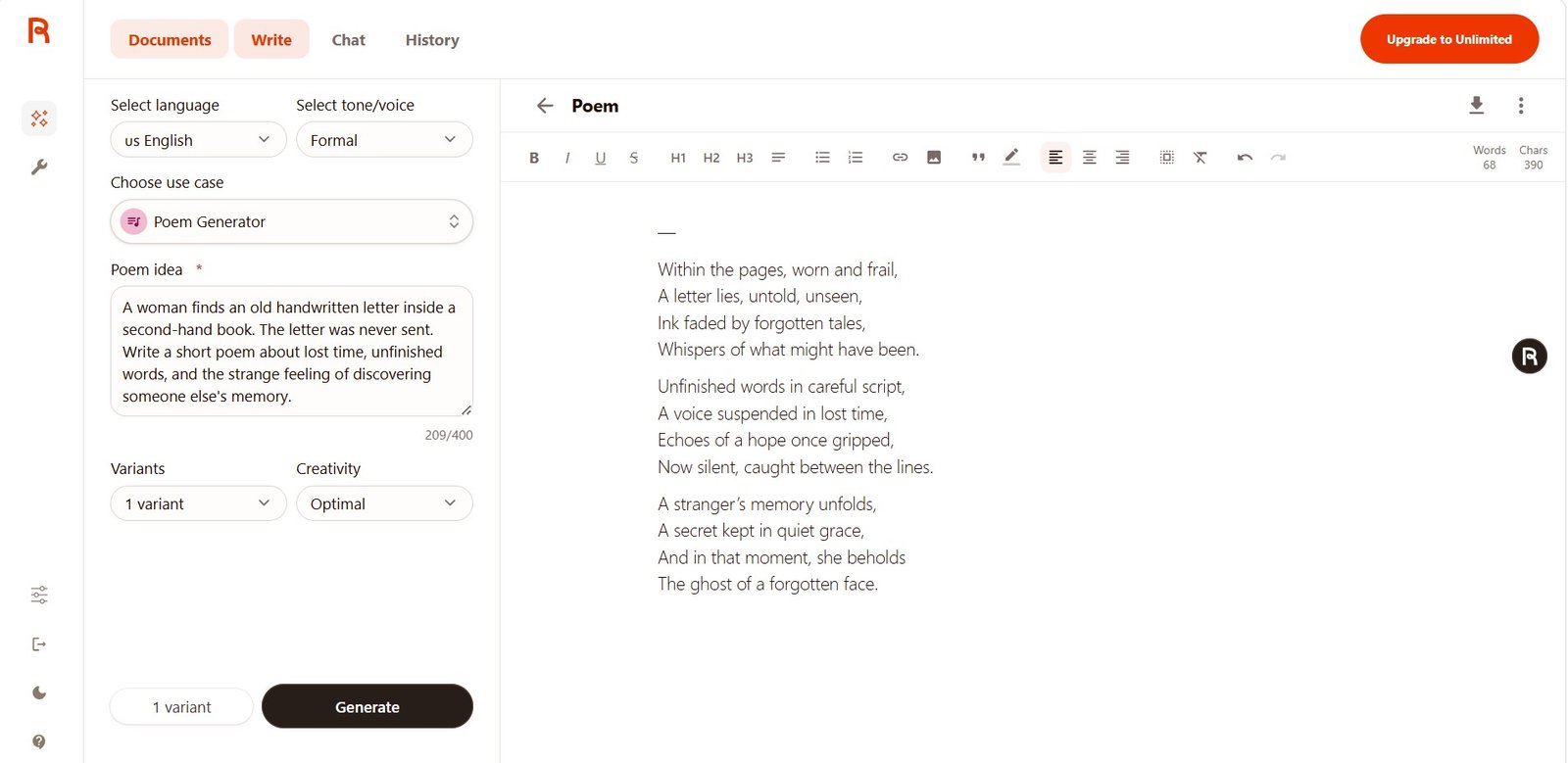
The poem included the main ideas from the prompt, but it also used predictable poetic words such as whispers, echoes, and references to ghosts and memory.
It was not bad. It just felt familiar.
Unlimited result: much more developed
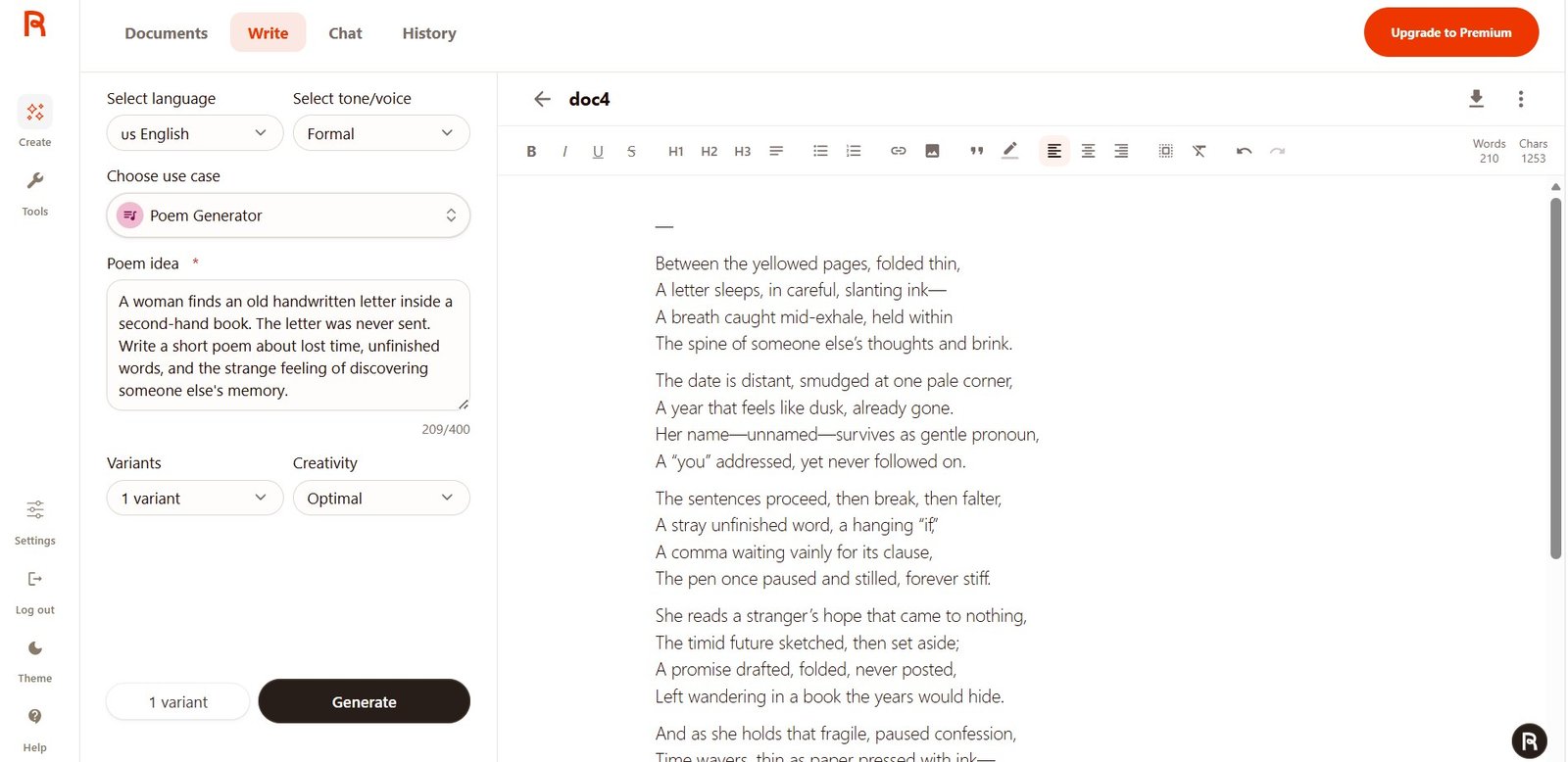
The second poem was one of the most surprising results of my test.
It added details such as yellowed pages, slanting ink, an unfinished “if”, and even:
“A comma waiting vainly for its clause.”
That is much more specific than simply repeating ideas about memories and lost time.
Some lines still felt forced. For example, a phrase like “someone else’s thoughts and brink” sounded as if the wording was chosen more for poetic effect than for clear meaning.
Test 5: Magic Command
This was my instruction-following test.
Write a short comparison of AI writing tools for a beginner. Explain three things they should compare: ease of use, control over the output, and price. Use a friendly and practical tone. Do not claim that one tool is the best. Include a short introduction, three bullet points, and a two-sentence conclusion.
This prompt included several instructions at the same time. I wanted to see whether Rytr would forget part of the requested structure.
Free Magic Command result
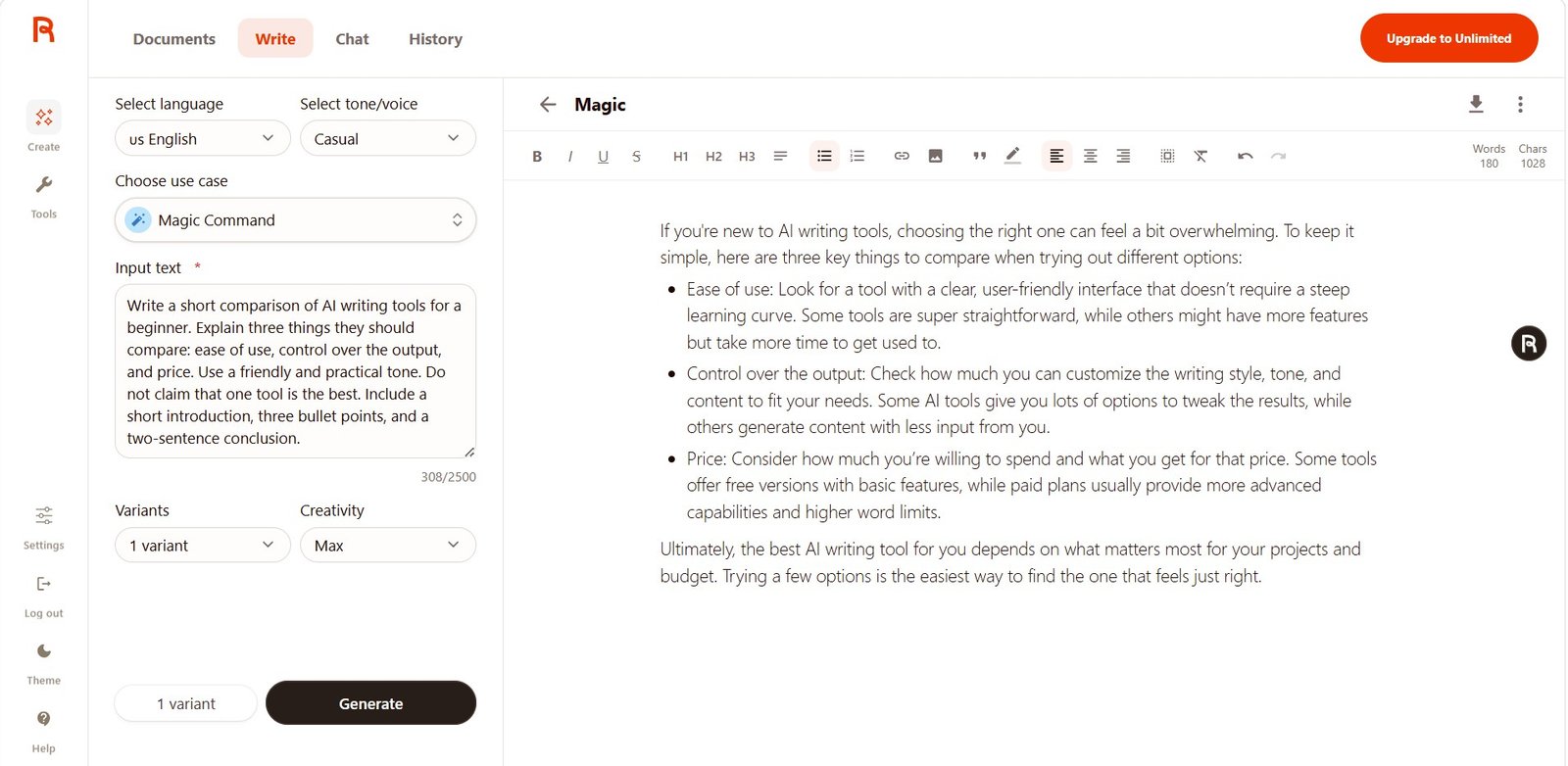
The answer included the introduction, the three requested comparison points, bullets, and a conclusion. It also avoided claiming that one AI tool was automatically best.
This was one of the strongest Free results.
Unlimited Magic Command result
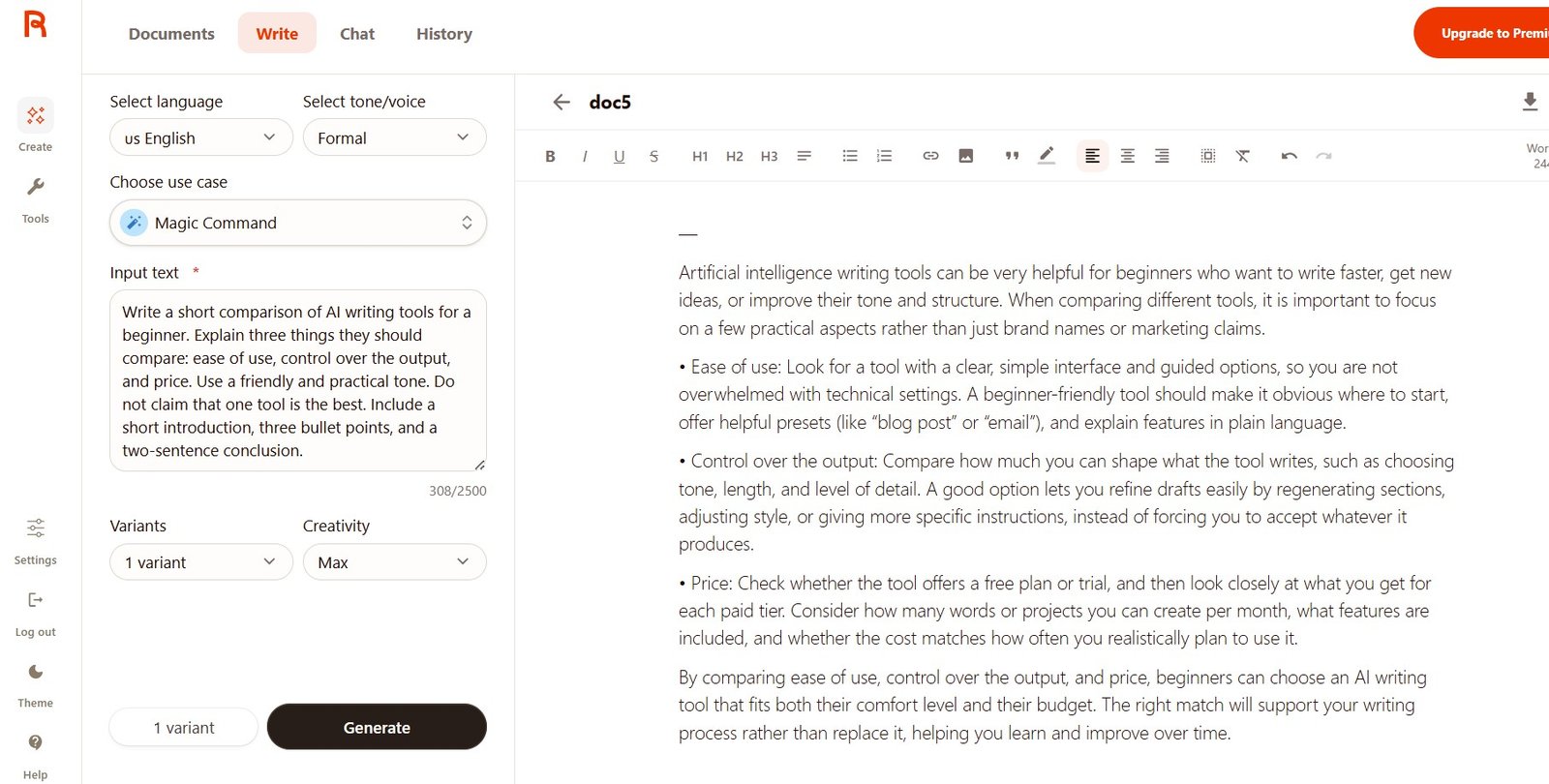
The second result gave more specific examples of what a beginner could compare: presets, tone controls, level of detail, regeneration options, monthly limits, and included features.
There was another interesting detail. My prompt asked for a friendly and practical tone, but the Rytr tone selector was set to Formal. The output leaned more formal than friendly.
This suggests that the tone setting can influence the result even when the prompt contains its own style instruction.
Rytr also keeps the prompt and output in History
One feature I appreciated during testing was History. It made it much easier to go back and see what I had generated.
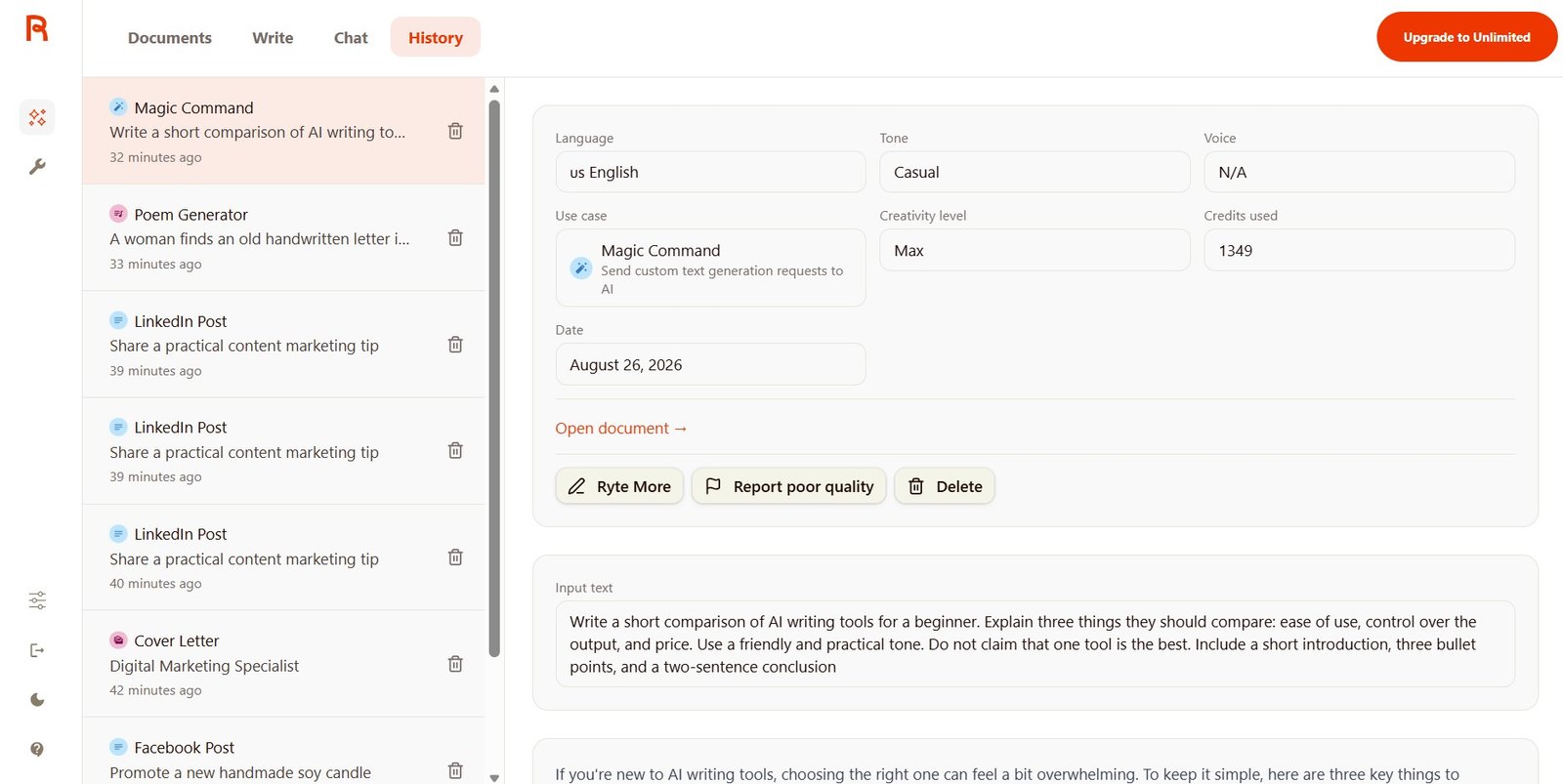
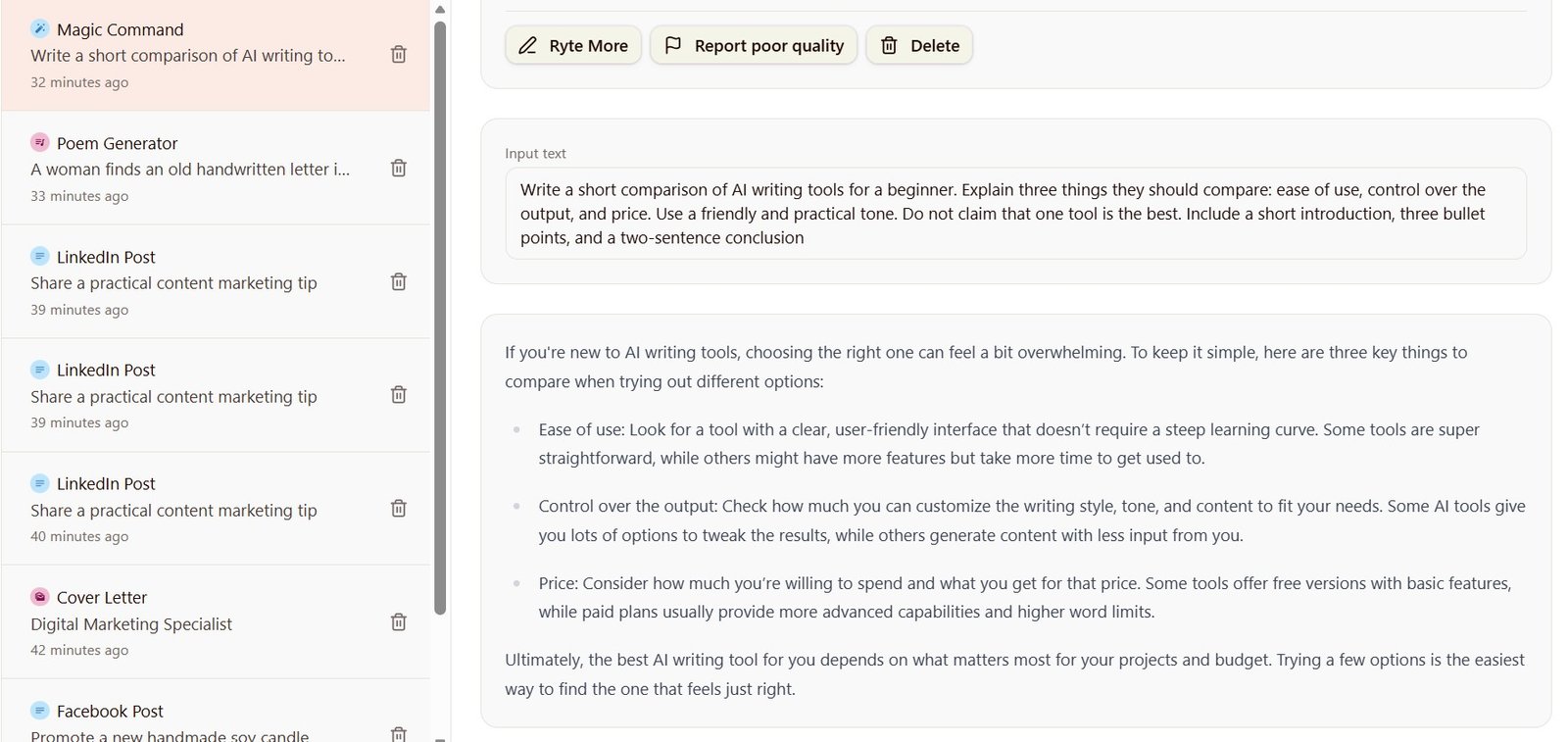
This sounds like a small feature, but it is useful when you test several prompts or want to compare earlier versions.
My Rytr writing test results
| Test | What worked | Main problem | My verdict |
|---|---|---|---|
| Facebook Post | Good product understanding and strong tone changes. | Some versions sounded too promotional or too playful. | Good for fast social drafts |
| Cover Letter | Good structure and useful placeholders in the later result. | Rytr made assumptions about work experience that I did not provide. | Useful, but fact-check carefully |
| LinkedIn Post | Clear structure and useful practical points. | Some generic business language and overly confident claims. | Good after light editing |
| Poem | Stayed on theme and developed the scene well. | Some predictable or forced poetic language. | Better than I expected |
| Magic Command | Followed multiple structural instructions well. | Selected tone can compete with tone instructions inside the prompt. | One of Rytr’s best writing options |
So, is Rytr’s writing actually good?
After these tests, I would describe Rytr as a good draft writer, not an automatic publisher.
Rytr is good at…
Starting a piece of content quickly.
Following simple structure instructions.
Changing the tone of short-form copy.
Turning a few product details into marketing text.
Creating social posts, basic professional content, and quick drafts.
Rytr still struggles with…
Keeping every sentence natural and original.
Avoiding generic marketing language.
Knowing when an assumed detail is actually a fact.
Avoiding overly confident claims.
Producing text I would always publish without editing.
Who is Rytr’s AI writer best for?
I think Rytr makes the most sense for people who want a lightweight writing assistant rather than a large content production system.
Beginners
The use-case system makes it easy to start without learning complicated prompting.
Freelancers
Useful for quick drafts, social content, client copy ideas, short sections, and rewrites.
Small businesses
Useful when you need short marketing content but do not want a complicated AI platform.
Bloggers
I would use it for ideas and small sections, but not as my only system for a full research-heavy article.
Long-form power users
If you want a large creative workspace and advanced long-form workflows, Rytr may feel too simple.
Anyone using factual content
Check names, numbers, experience claims, statistics, SEO claims, and other facts before publishing.
More useful AI writing guides
Rytr is only one option. These guides can help you decide where it fits in a larger writing workflow.
My verdict after testing Rytr’s writing
Rytr is better as a fast writing assistant than as a replacement for a writer.
I liked using it. The interface did not get in my way, the use cases were easy to understand, and the tone control produced noticeably different versions in my social media test.
Magic Command was also stronger than I expected. It followed a multi-part instruction and gave me more control than the simpler templates.
The weakest result was the cover letter test. Rytr created professional-looking content, but it also made assumptions about experience that I had never provided. That is exactly why I would never copy an AI-generated cover letter without checking every claim.
The LinkedIn and Facebook results were useful, but I would remove some generic phrases. The poem was surprisingly detailed, although a few lines still felt forced.
So the answer to the main question is simple: yes, Rytr can write useful text. No, I would not treat every result as publish-ready.
If you want a simple AI writer for fast drafts, Rytr is easy to recommend as a tool to test. If you expect it to replace careful writing, fact-checking, and editing, my tests show that it is not there yet.