Best AI Tools by Profession in 2026: Simple Picks for Real Work
AI tools are everywhere now, but the hard part is not finding “an AI tool.” The hard part is choosing the right tool for your actual work.
A blogger does not need the same workflow as an Etsy seller. A teacher does not use AI the same way as a real estate agent. A freelancer needs speed, but a small business owner may need help with marketing, emails, and website content.
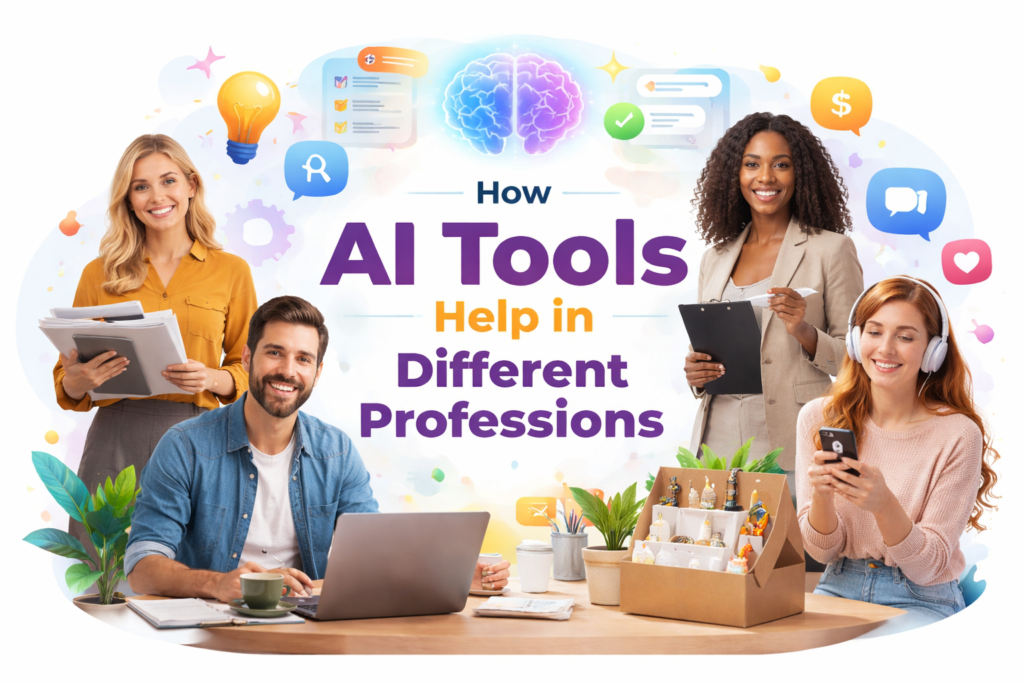
This guide is my main hub for AI tools by profession. I made it simple so you can quickly find your job, understand what AI can help with, and jump into the deeper guide that matches your work.
My quick answer
The best AI tool depends on what you do every day. Most people do not need twenty tools. They need one or two tools that help with writing, planning, ideas, SEO, social posts, product descriptions, or client work.
Use AI for article ideas, outlines, SEO drafts, and content updates.
Best AI writing tools →Use AI for titles, descriptions, tags, audits, translations, and listing ideas.
AI tools for Etsy sellers →Use AI for captions, hooks, post ideas, and repurposing content.
Instagram captions with AI →Use AI for proposals, client content, research, outlines, and faster drafts.
Start with AI content →Use AI for website text, emails, ads, product pages, and marketing content.
Facebook ads with AI →Use AI for outlines, study notes, grammar help, and organizing ideas.
AI humanizer for students →Why I rebuilt this pillar
I do not want this page to be only a generic list of jobs. I want it to work like a real map of the website.
From here, Google and readers should clearly understand the whole cluster: AI tools for writing, Etsy, blogging, social media, students, freelancers, small business, and practical “how to use AI” guides.
How to choose AI tools by profession
Before choosing a tool, do not start with the tool name. Start with the work you repeat every week.
- If you write often: choose AI writing, editing, and SEO tools.
- If you sell online: choose tools for product descriptions, titles, tags, and translations.
- If you post on social media: choose tools for hooks, captions, repurposing, and scheduling ideas.
- If you teach or study: choose tools for outlines, worksheets, notes, and clear explanations.
- If you run a business: choose tools for website copy, emails, ads, and customer communication.
Best AI tools by profession: quick table
| Profession | Best AI use | Recommended starting point | Useful guide |
|---|---|---|---|
| Bloggers | Ideas, outlines, SEO articles, updates | AI writing + SEO tools | Best AI Writing Tools |
| Etsy sellers | Listings, tags, descriptions, audits | Etsy AI Lab + listing tools | AI Tools for Etsy Sellers |
| Social media managers | Captions, hooks, content plans, repurposing | Social content workflow | Turn 1 Content Into 10 Posts |
| Small business owners | Ads, website text, emails, product copy | Marketing AI tools | Facebook Ads with AI |
| Freelancers | Client drafts, proposals, content ideas | Writing + productivity tools | Plan Content with AI |
| Students | Outlines, notes, editing, explanations | Writing assistant + grammar tool | Write Essays with AI |
| Real estate agents | Property descriptions, listings, marketing posts | Copywriting + social tools | Instagram Captions with AI |
AI tools for each profession
1. Bloggers and content creators
Best for SEO contentBloggers can use AI for keyword ideas, article outlines, first drafts, title variations, meta descriptions, FAQs, and content updates.
But I would not publish raw AI text. The best workflow is: use AI for speed, then add your own examples, screenshots, opinions, and editing.
Blog ideas, outlines, SEO drafts, internal link ideas, summaries, and updates.
Use AI to create structure, but make the final article sound like a real person.
2. Etsy sellers
Best for product listingsEtsy sellers can use AI for product titles, descriptions, tags, listing audits, translation, niche ideas, and competitor research.
This is one of the strongest use cases for AI because Etsy sellers repeat the same writing tasks again and again. AI can make the process faster and more organized.
Listing titles, descriptions, tags, SEO audits, translations, and product ideas.
Use AI to create a strong draft, then adjust it for your real product and buyer.
3. Social media managers
Best for posts and hooksSocial media managers need ideas all the time. AI can help create hooks, captions, LinkedIn posts, Instagram captions, Facebook ads, Pinterest pin descriptions, and content calendars.
Hooks, captions, content calendars, post variations, and repurposing.
Do not post generic AI captions. Add real emotion, simple examples, and a clear CTA.
4. Small business owners
Best for marketingSmall business owners often do everything alone: website text, emails, ads, social posts, product descriptions, customer replies, and content planning.
AI can help create first drafts faster, especially when you do not have a marketing team.
Website copy, ads, email drafts, product copy, social posts, and content ideas.
Use AI for speed, but keep your brand voice and real business details in the final version.
5. Freelancers
Best for productivityFreelancers can use AI to move faster with client work. It can help with proposals, outlines, project ideas, blog drafts, emails, and research summaries.
The biggest benefit is not “replacing” your work. The benefit is reducing blank-page time and creating a better first draft.
6. Students
Best for learning supportStudents can use AI to organize ideas, build outlines, simplify difficult topics, improve grammar, and check if writing is clear.
I do not recommend using AI to cheat. The best use is learning support: planning, explaining, improving, and editing.
7. Real estate agents
Best for descriptions and postsReal estate agents can use AI for property descriptions, neighborhood summaries, open house posts, listing captions, emails, and follow-up messages.
This is useful because real estate marketing needs clear, attractive descriptions written quickly.
New AI workspace for Etsy sellers
If you sell on Etsy, you can also test my Etsy AI Lab. It helps generate listings, run SEO audits, improve descriptions, translate products, and manage your Etsy workflow in one place.
Helpful AI workflow guides
If you are not sure where to start, begin with a workflow guide. These are practical posts that show how to use AI step by step.
A simple system for beginners who need ideas and structure.
Read guide →Useful for bloggers, creators, and social media managers.
Read guide →Good for small business owners and marketers.
Read guide →Useful for freelancers, founders, and professionals.
Read guide →Helpful for bloggers, Etsy sellers, and content creators.
Read guide →Good for social media managers and small brands.
Read guide →My honest advice before you choose a tool
Do not start by asking, “What is the best AI tool?” Start by asking, “What task takes too much of my time?”
If writing takes too long, start with an AI writing tool. If product listings are the problem, start with an Etsy listing workflow. If social media is the problem, start with captions, hooks, and repurposing.
AI works best when it solves one real problem in your daily work. You do not need every tool. You need the right tool for the task you repeat the most.
Related main guides
My main guide for AI writers, SEO tools, and content platforms.
Read guide →For people who want AI text to sound more natural and less robotic.
Read guide →A beginner-friendly explanation of AI writing and how it works.
Read guide →FAQ – Best AI tools by profession
❓ What are AI tools used for in 2026?
AI tools are used for writing, content creation, marketing, lesson planning, idea generation, productivity, editing, SEO, and automation of repeated tasks.
❓ Who can benefit from AI tools?
Bloggers, Etsy sellers, freelancers, teachers, students, real estate agents, social media managers, small business owners, and marketers can all benefit from AI tools.
❓ Do I need technical skills to use AI tools?
No. Most modern AI tools are designed for normal users. You do not need coding skills to use AI writing, marketing, or content tools.
❓ Can AI tools help with SEO?
Yes. AI tools can help with outlines, topic ideas, keyword organization, meta descriptions, FAQs, and article structure. But human editing is still important.
❓ What is the best AI tool for beginners?
For beginners, I would start with simple writing and planning tools. You can begin with my Best AI Writing Tools guide or the What Is AI Writing guide.
❓ Can AI replace human creativity?
No. AI can help with drafts, ideas, and structure, but your experience, opinion, examples, and final decisions still matter.
❓ How do I choose the best AI tool for my profession?
Start with your most repeated task. Then choose a tool that helps with that task first. Do not buy a large tool only because it has many features.
Ready to work smarter in 2026?
The best AI tool is not always the most famous tool. It is the tool that helps you do your real work faster and better.
Start with your profession, choose one workflow, test one tool, and improve from there.
Start with AI Writing Tools →