
I tested Rytr Free, upgraded to Unlimited, then repeated the same writing tasks
Most Free vs Paid comparisons simply copy a pricing table. I wanted to know what actually changes when you use Rytr.
So I started on the Free plan, tested the interface and several writing use cases, then upgraded to Unlimited and repeated key tasks with the same or very similar inputs.
I also tested features that were locked on Free, including a custom Brand Voice.
How I tested Rytr Free vs Unlimited
I did not create two completely different tests. I wanted some direct comparisons, so I repeated several writing tasks after upgrading.
Facebook Post
Same handmade lavender soy candle idea, including Convincing and Funny tone tests.
Cover Letter
Same Digital Marketing Specialist role and skills, with no real experience data added.
LinkedIn Post
Same content marketing idea about updating old blog posts before creating more content.
Poem Generator
Same creative prompt about an old unsent letter found inside a second-hand book.
Magic Command
Structured beginner comparison with multiple instructions in one prompt.
Brand Voice
I created an AI Content Tools custom voice after upgrading to Unlimited.
Rytr Free vs Unlimited: what the plans showed during my test
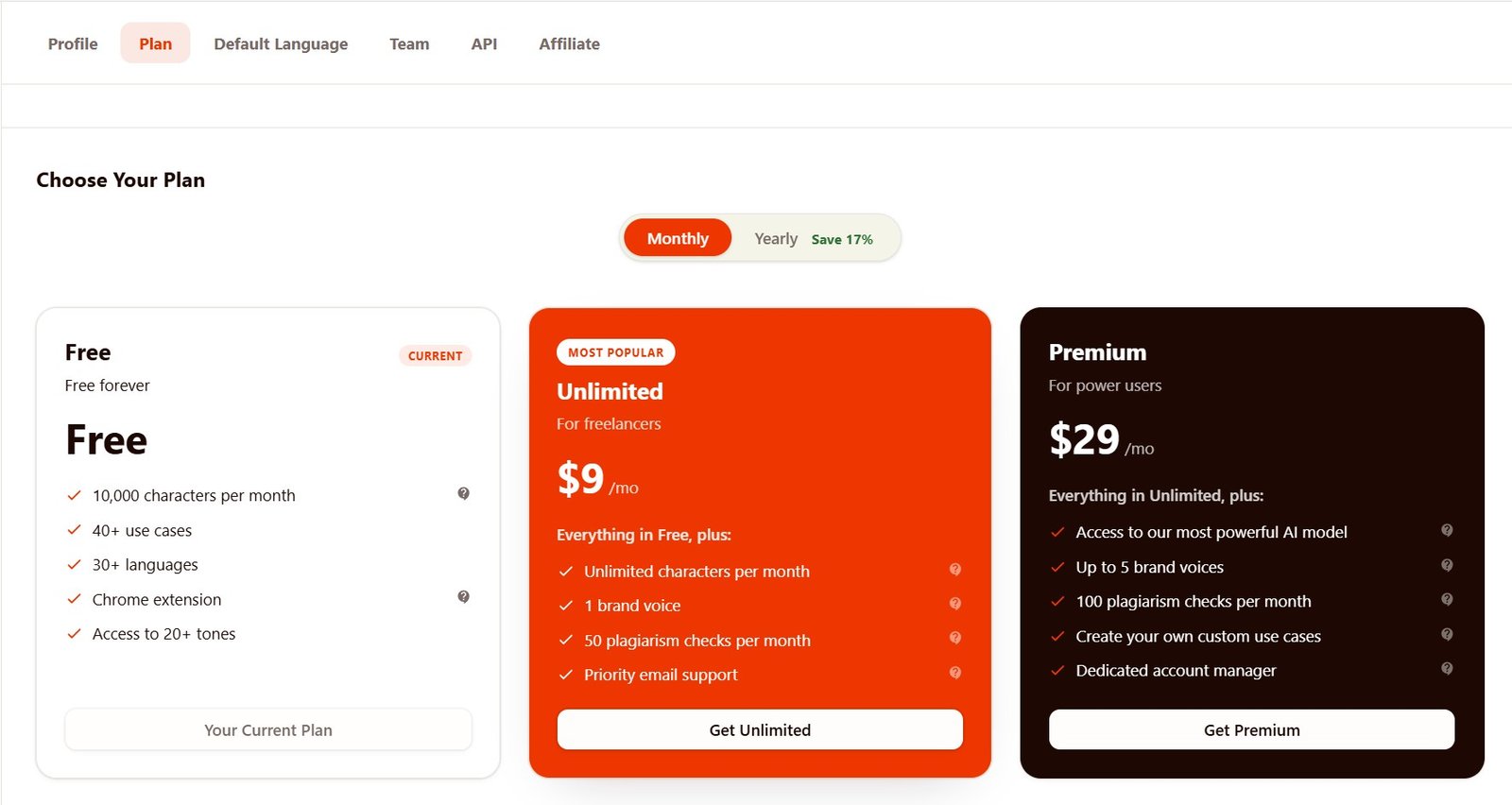
Good for trying Rytr
The screen showed a monthly character allowance, 40+ use cases, multiple languages, tones, and access to the basic writing experience.
Better for regular use
The screen showed unlimited characters, 1 Brand Voice, plagiarism checks, and additional paid-plan features.
What Rytr Free felt like
I liked the Free plan more than I expected from a usability point of view.
Navigation was simple. Creating folders and documents was easy, and the main areas—Documents, Write, Chat, and History—were easy to understand.
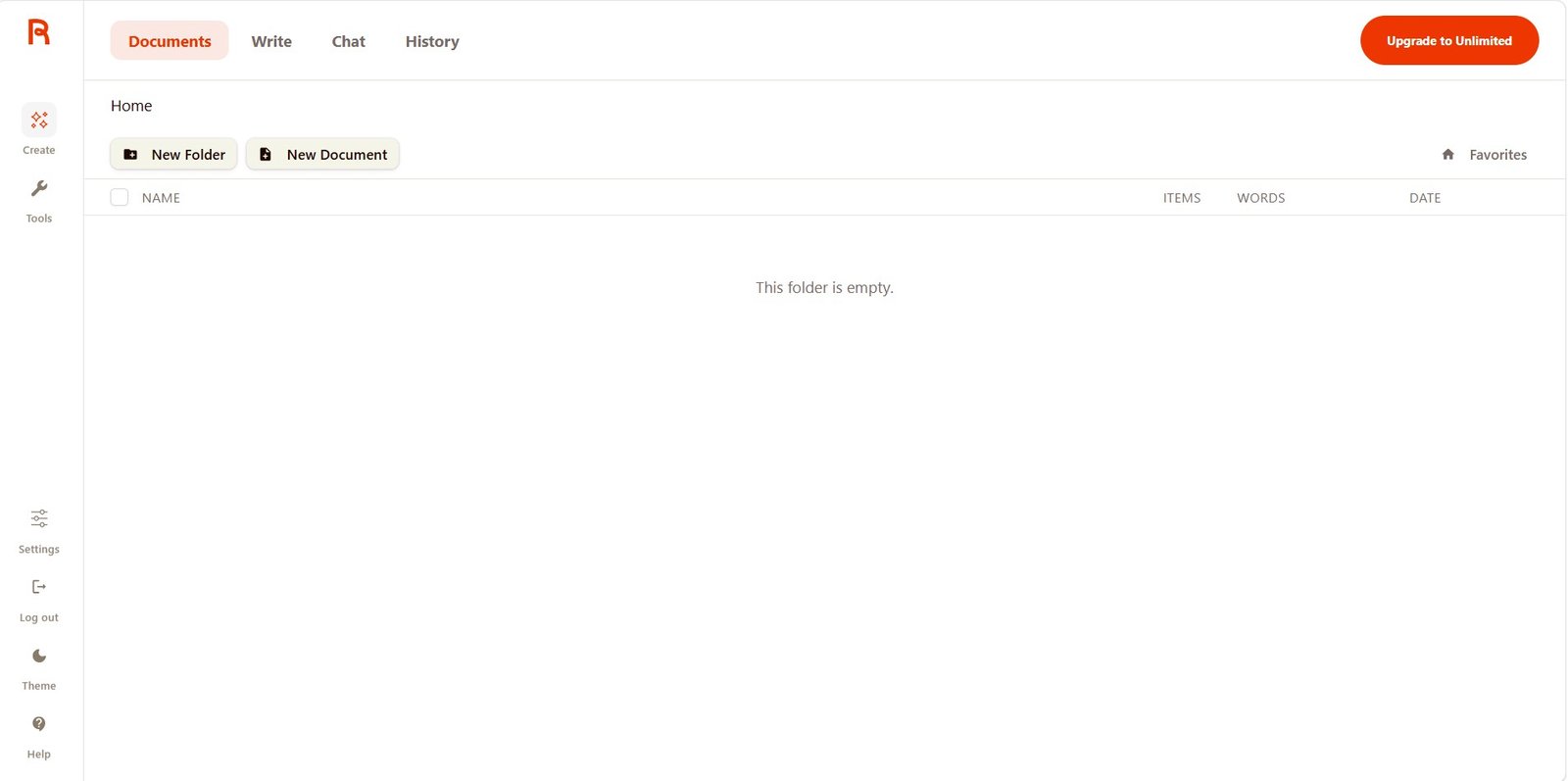
This is important because the Free plan does not feel like a completely different product. You can understand how Rytr works before paying.
What I could not do on Rytr Free
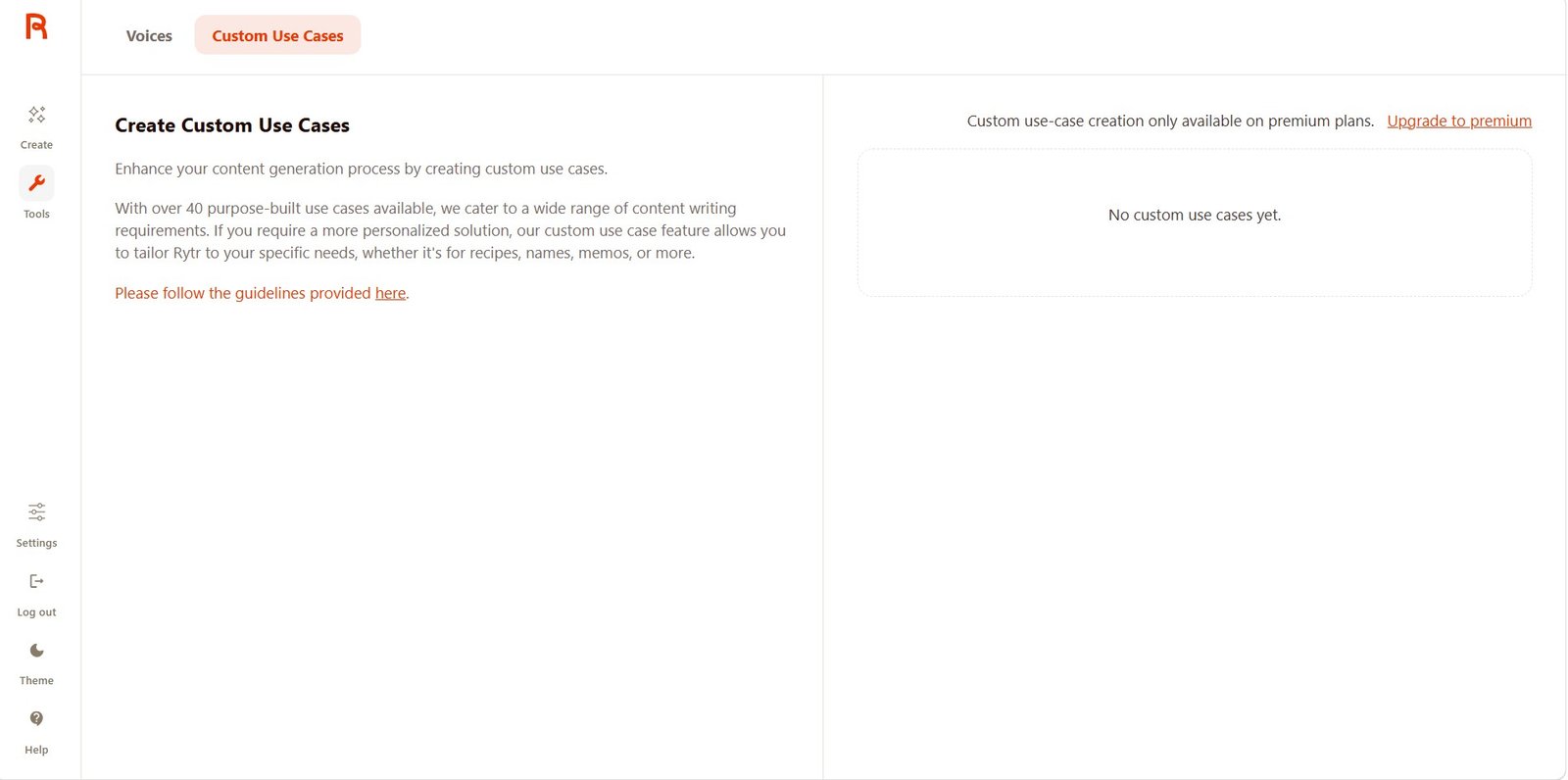
The limitations became clearer when I moved beyond basic writing.
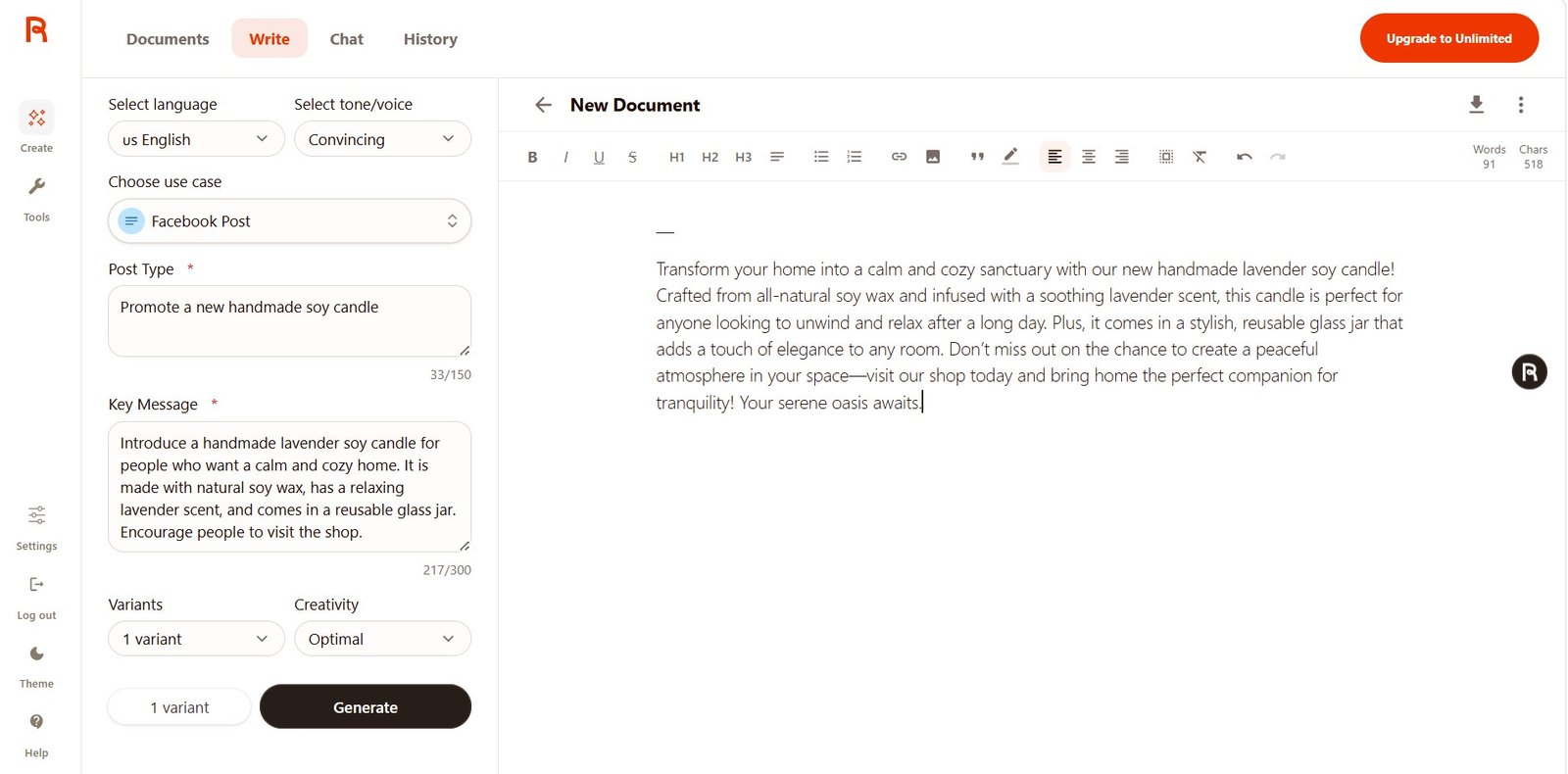
Test 1: Facebook Post — Free vs Unlimited
Same handmade candle task.
Free
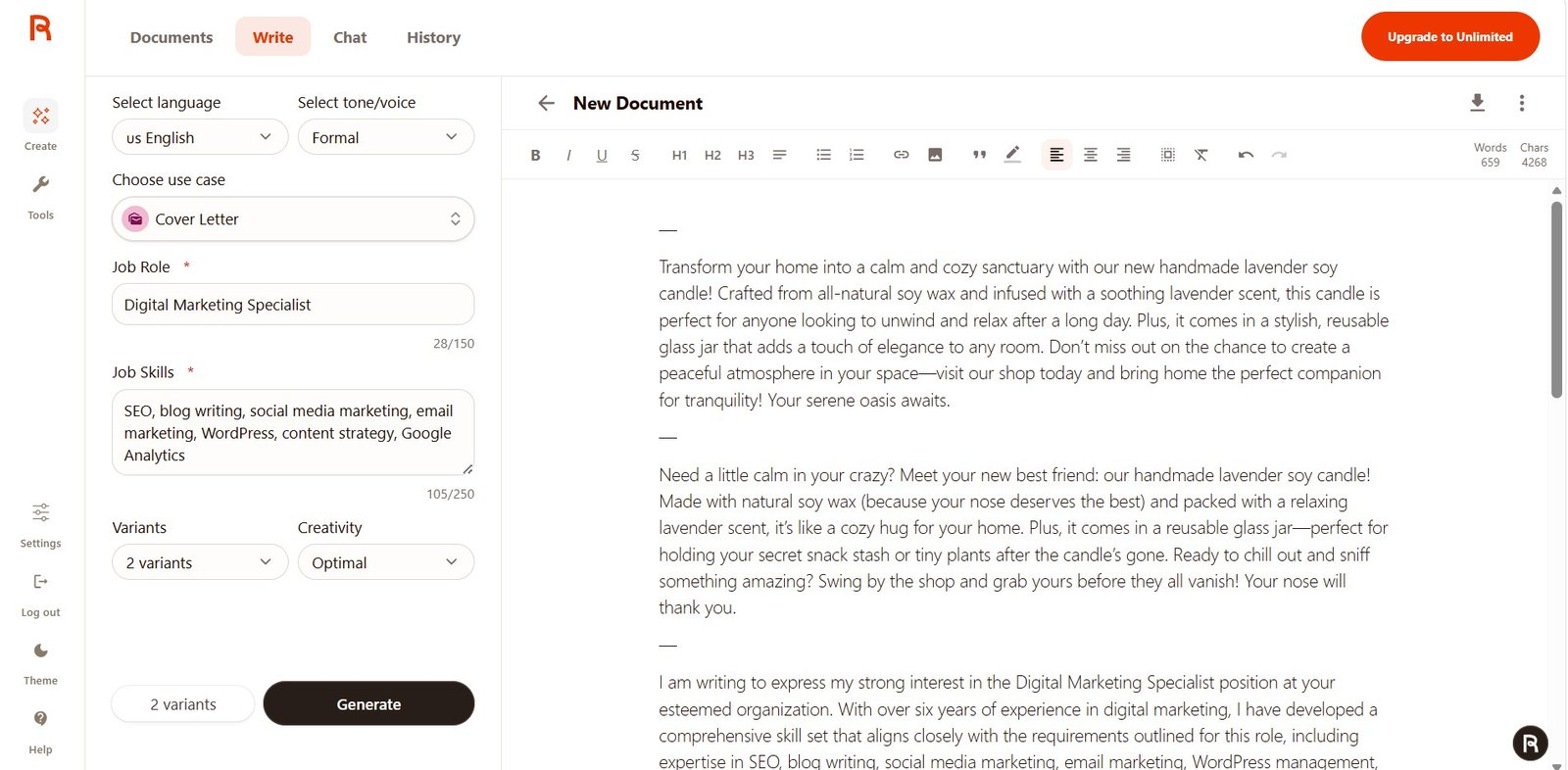
The result included all important product details, but it leaned heavily into phrases such as “calm and cozy sanctuary” and “serene oasis.”
Unlimited
The later version opened more naturally with “If you’ve been craving a calmer, cozier home, this one’s for you.”
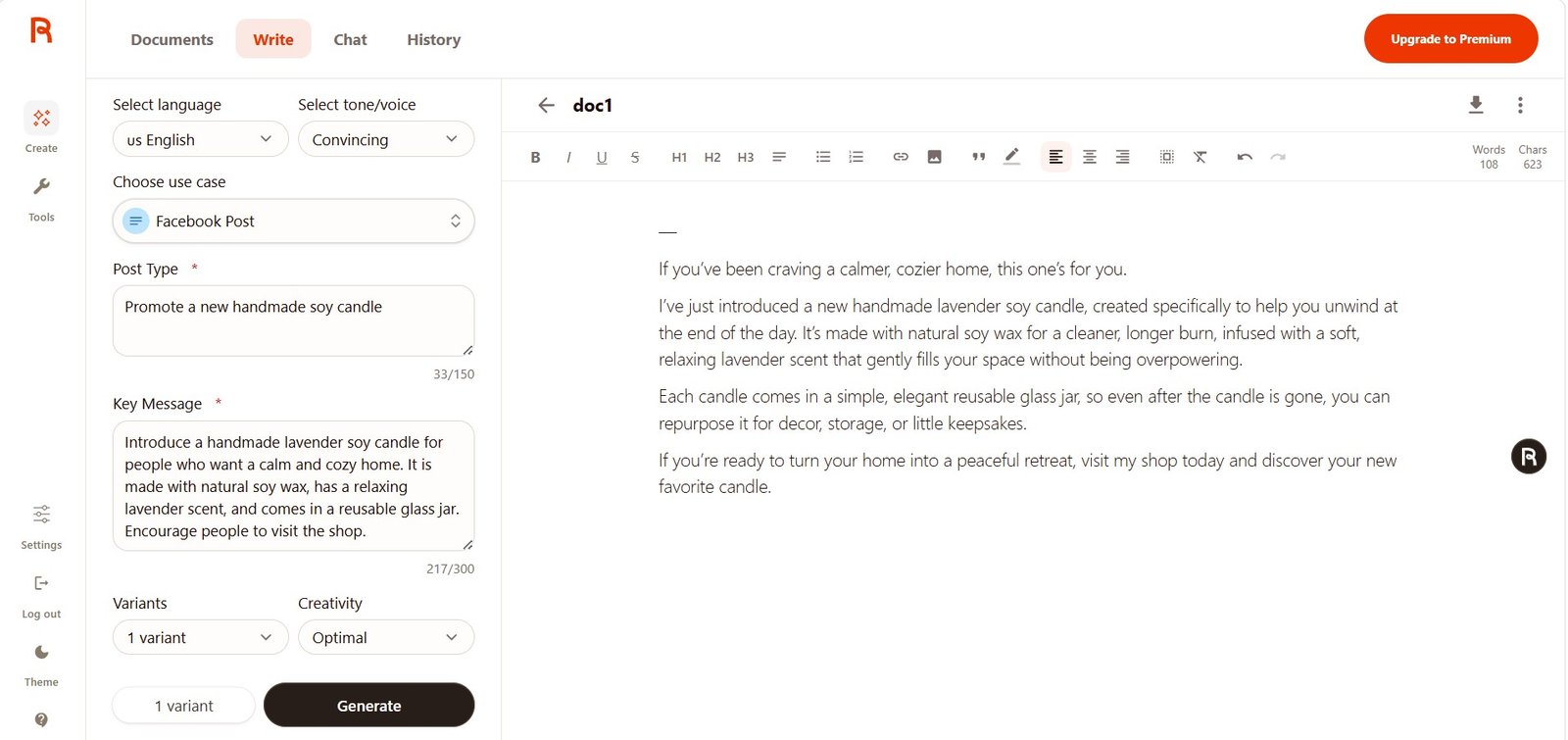
I preferred the Unlimited generation because it was calmer and less obviously “marketing AI.”
But I would not buy Unlimited only because of this result. AI can produce a different version every time you click Generate.
Test 2: Tone control worked on both plans
Convincing vs Funny.
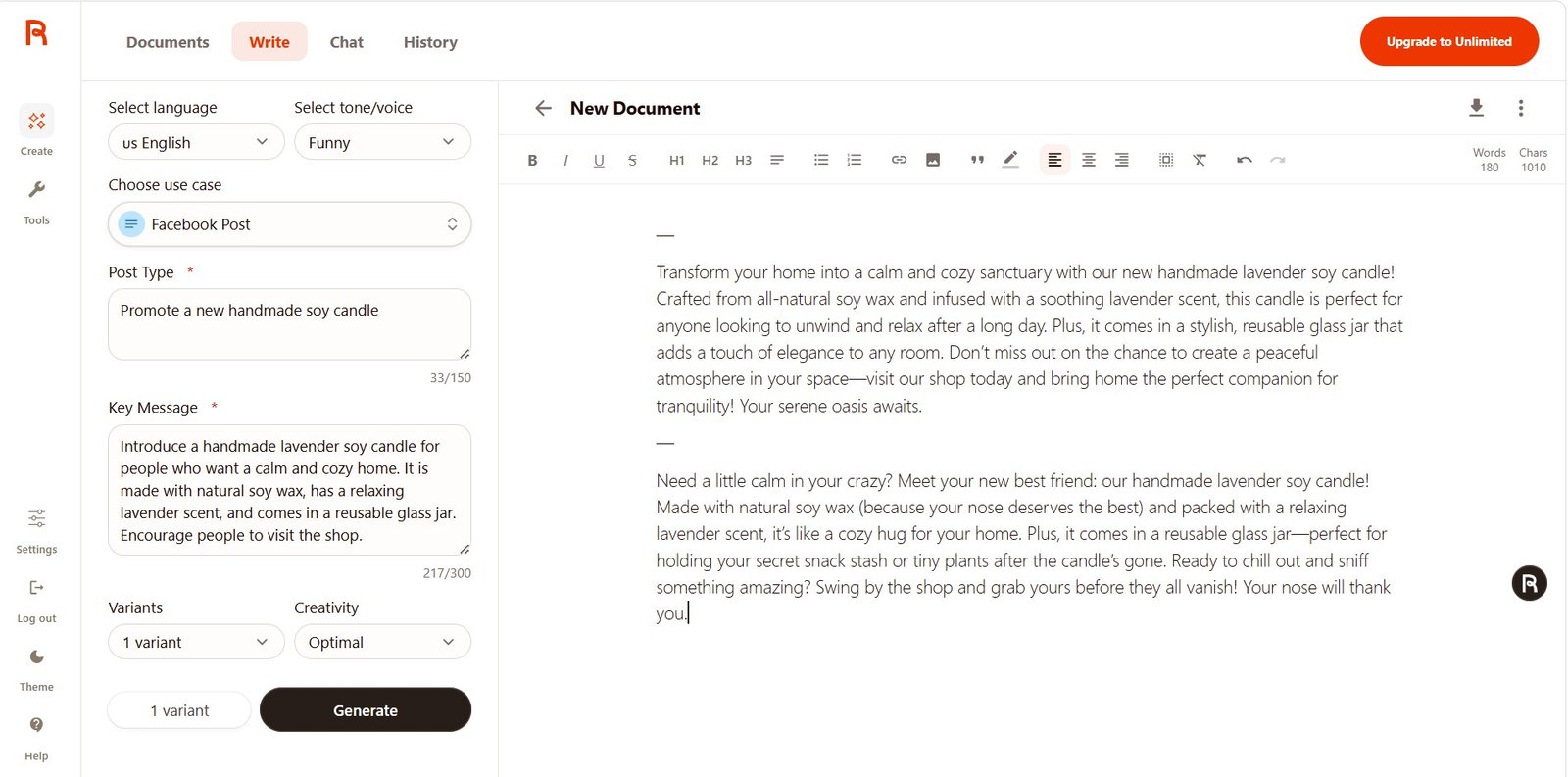
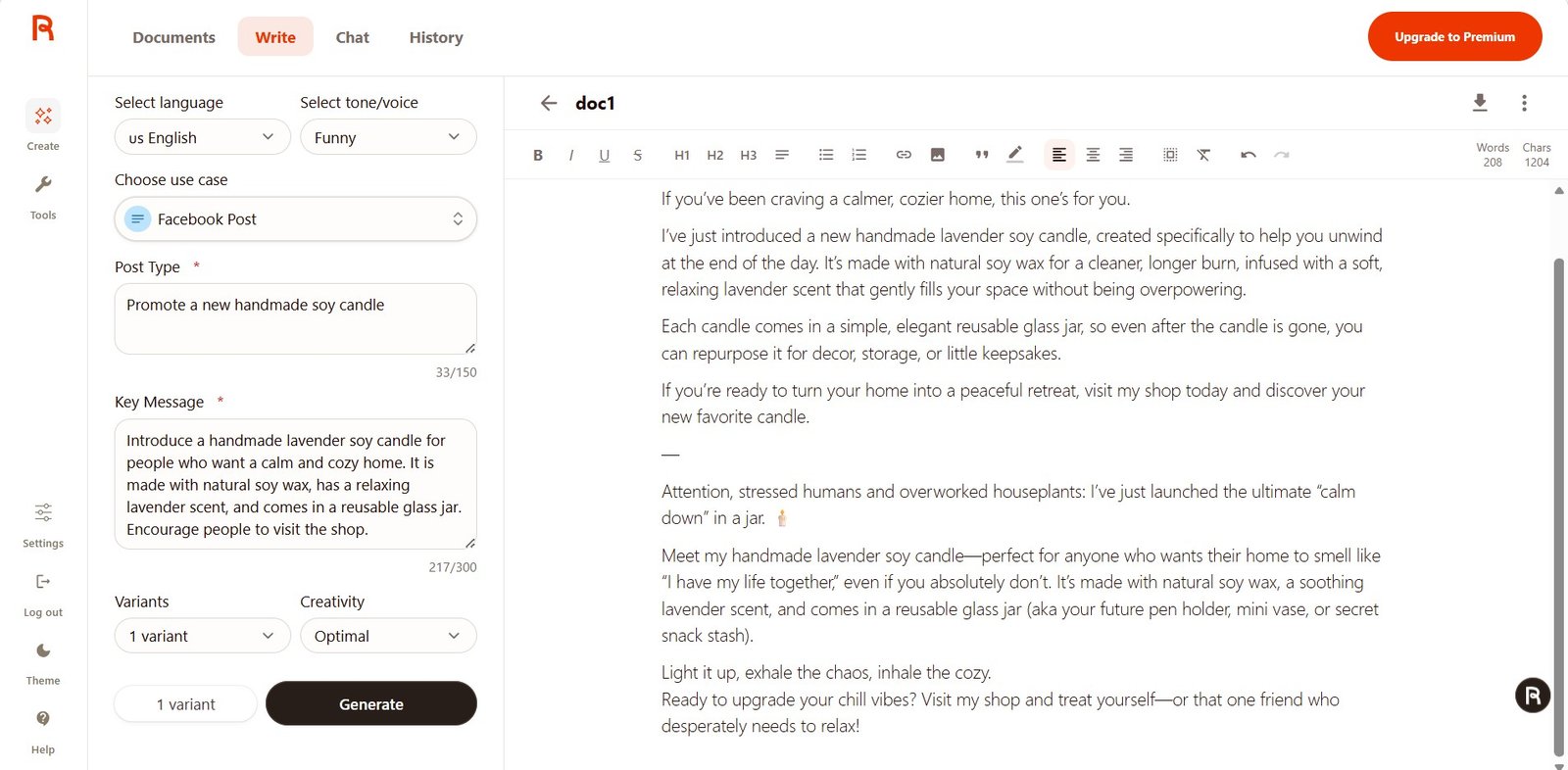
Both plans showed that Rytr’s tone selector is not just cosmetic. The Funny versions included much stronger personality and jokes than the Convincing versions.
Test 3: Cover Letter — the most important quality comparison
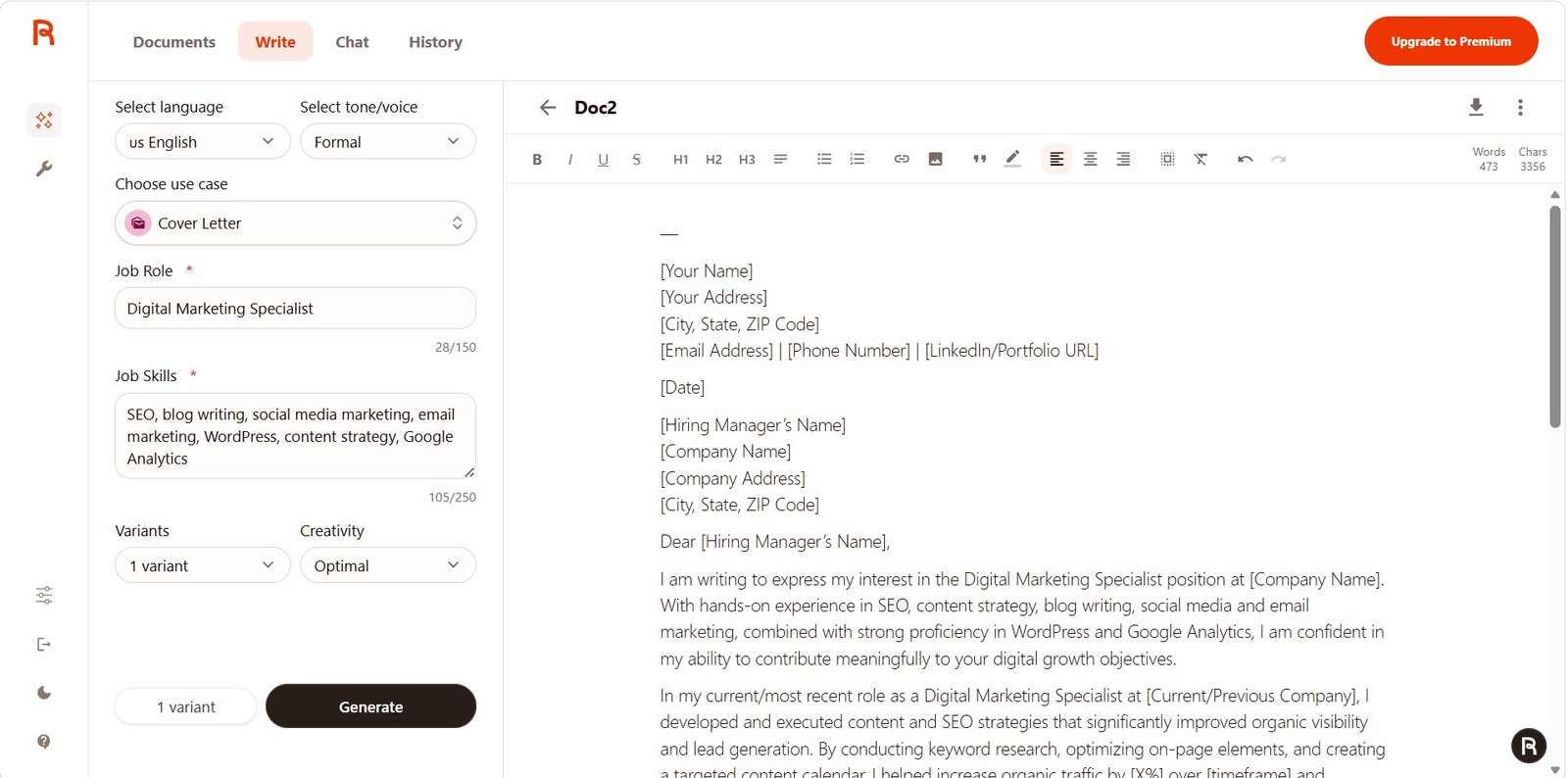
Same role, same skills, no real work history supplied.
Free problem
Rytr added a specific experience claim that was not in my input.
Unlimited improvement
The later result used placeholders such as [X%] and [timeframe] for missing measurable results.
The Unlimited output was safer in this generation, but it was not perfect. It still turned a list of skills into assumed professional experience.
Test 4: LinkedIn Post
Updating old blog posts before creating more content.
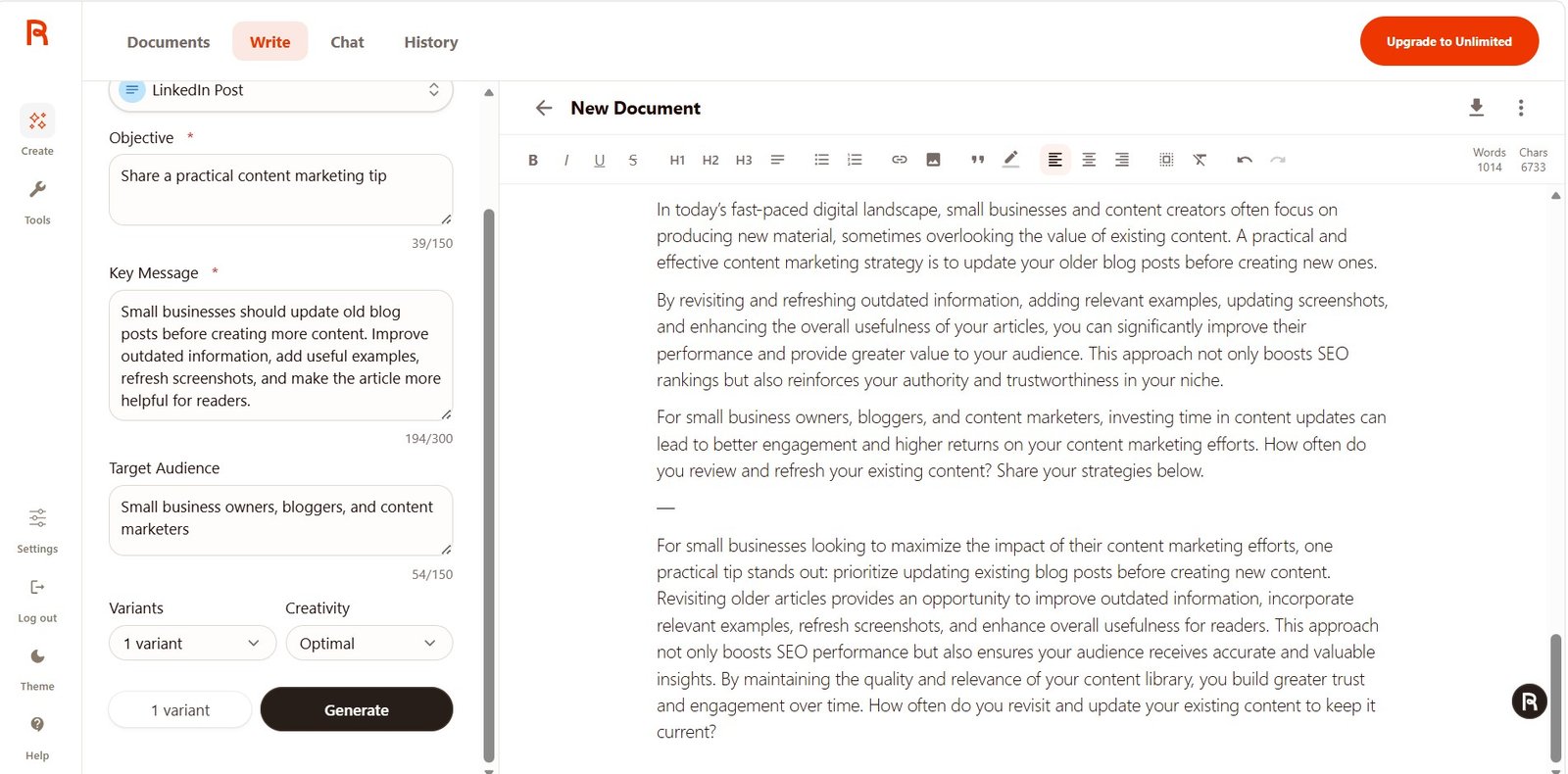
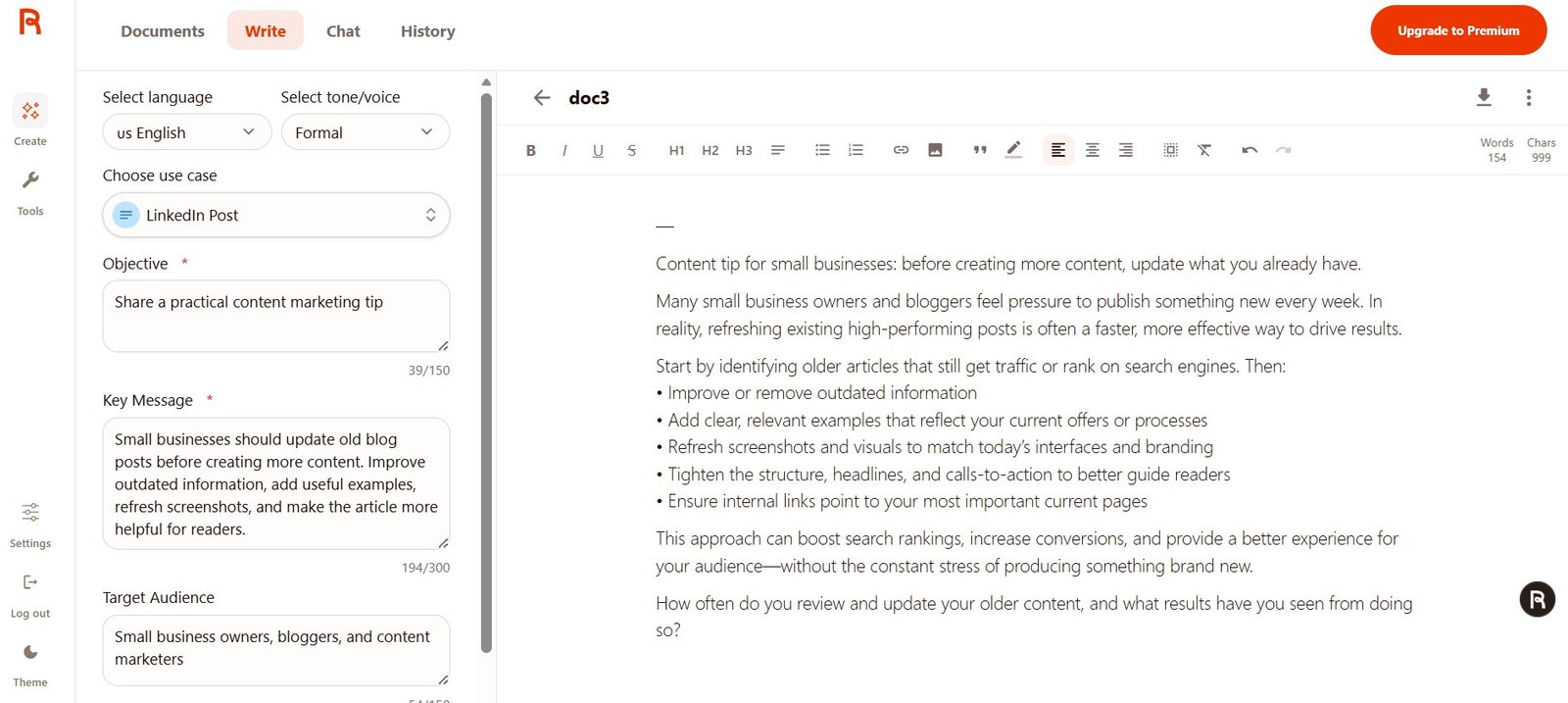
I preferred the later result because it mentioned specific actions such as refreshing screenshots, checking internal links, and improving CTAs.
Both versions still needed careful wording around SEO and conversion claims.
Test 5: Poem Generator
The same creative prompt produced very different lengths.
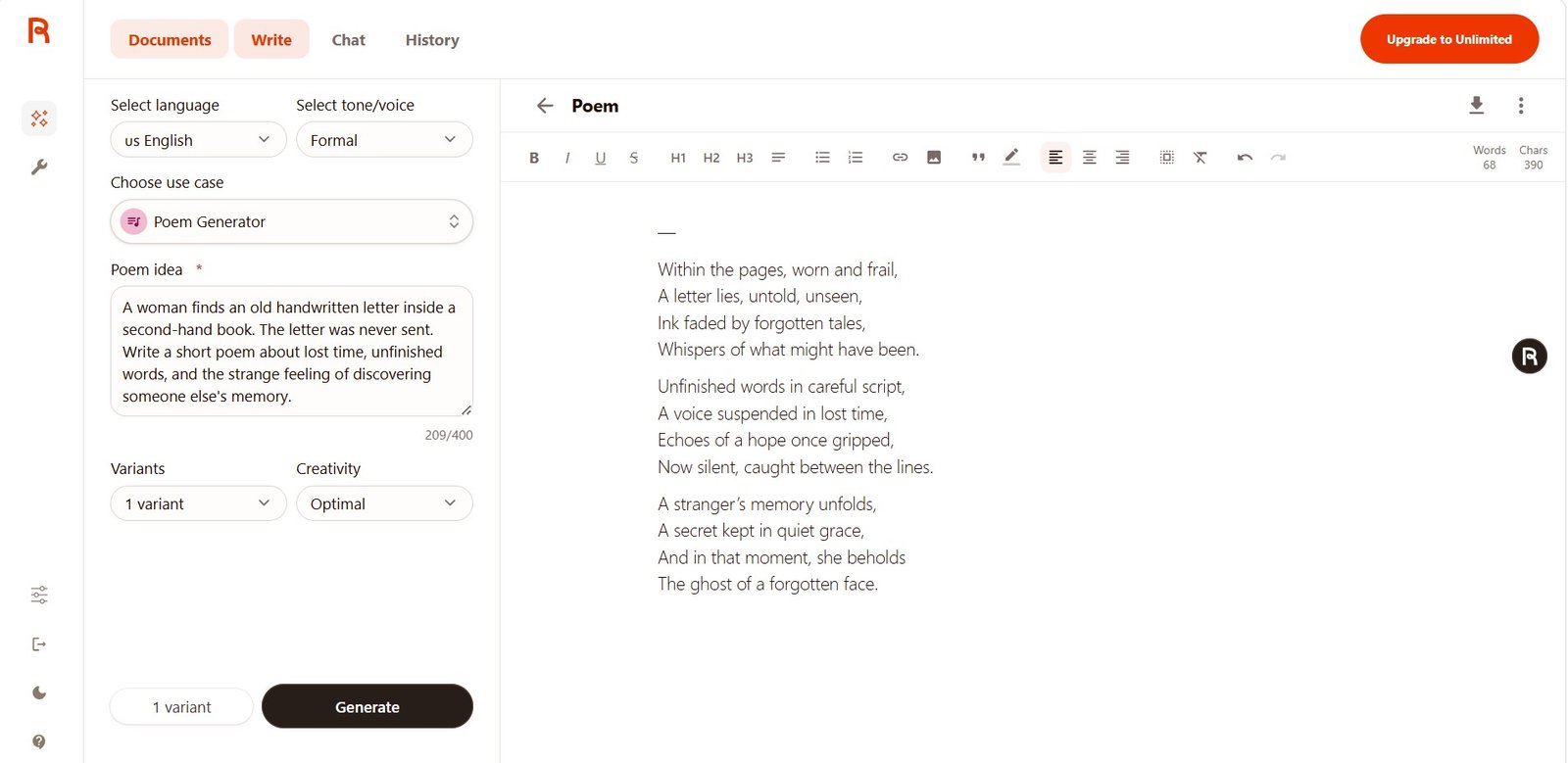
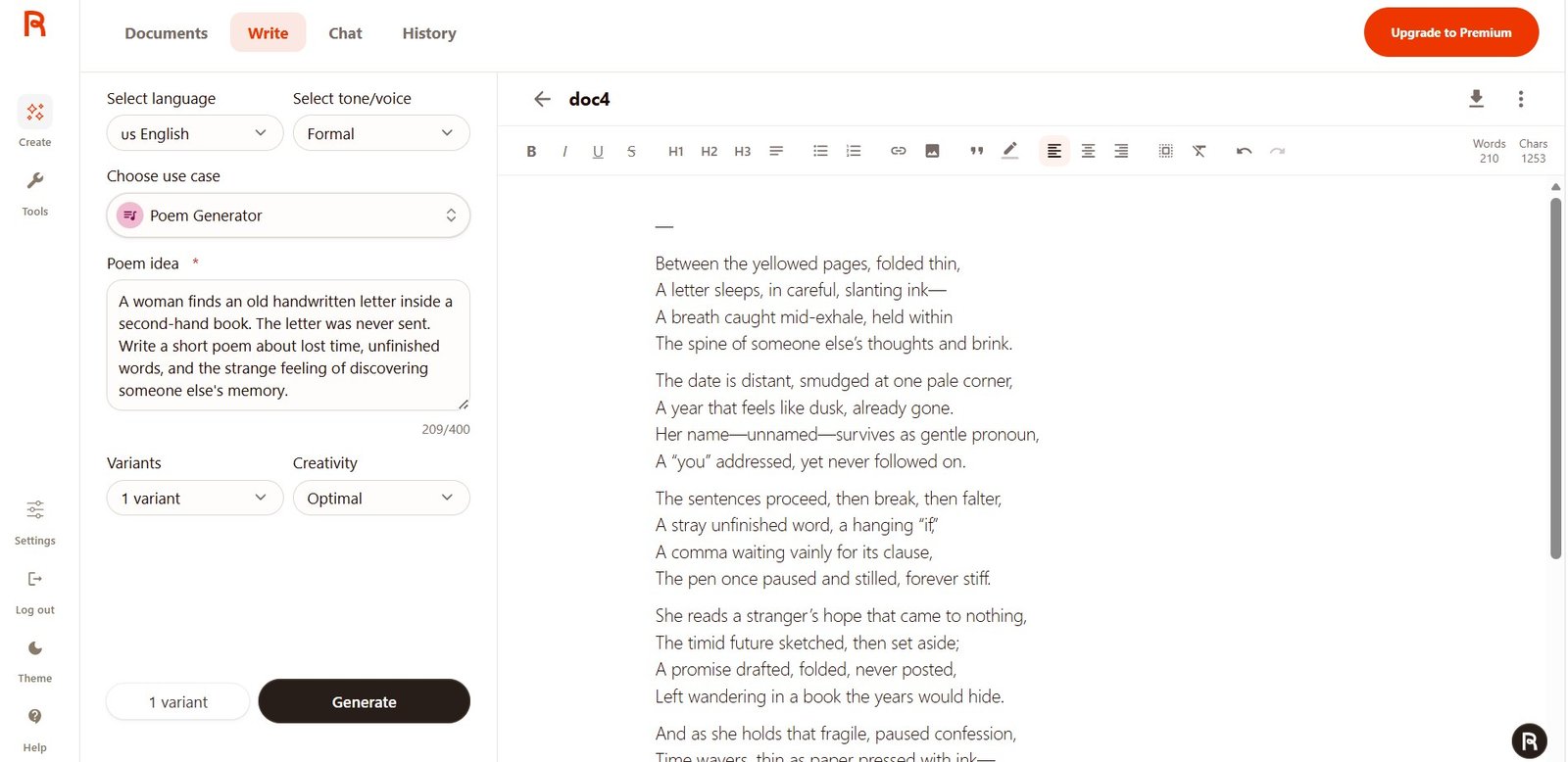
The second result was much more developed. It added details such as yellowed pages, slanting ink, unfinished punctuation, and a stronger narrative arc.
Again, I would describe this as what happened in my two generations, not proof that Unlimited always produces longer or more creative poetry.
Test 6: Magic Command
One of the strongest tools on both plans.
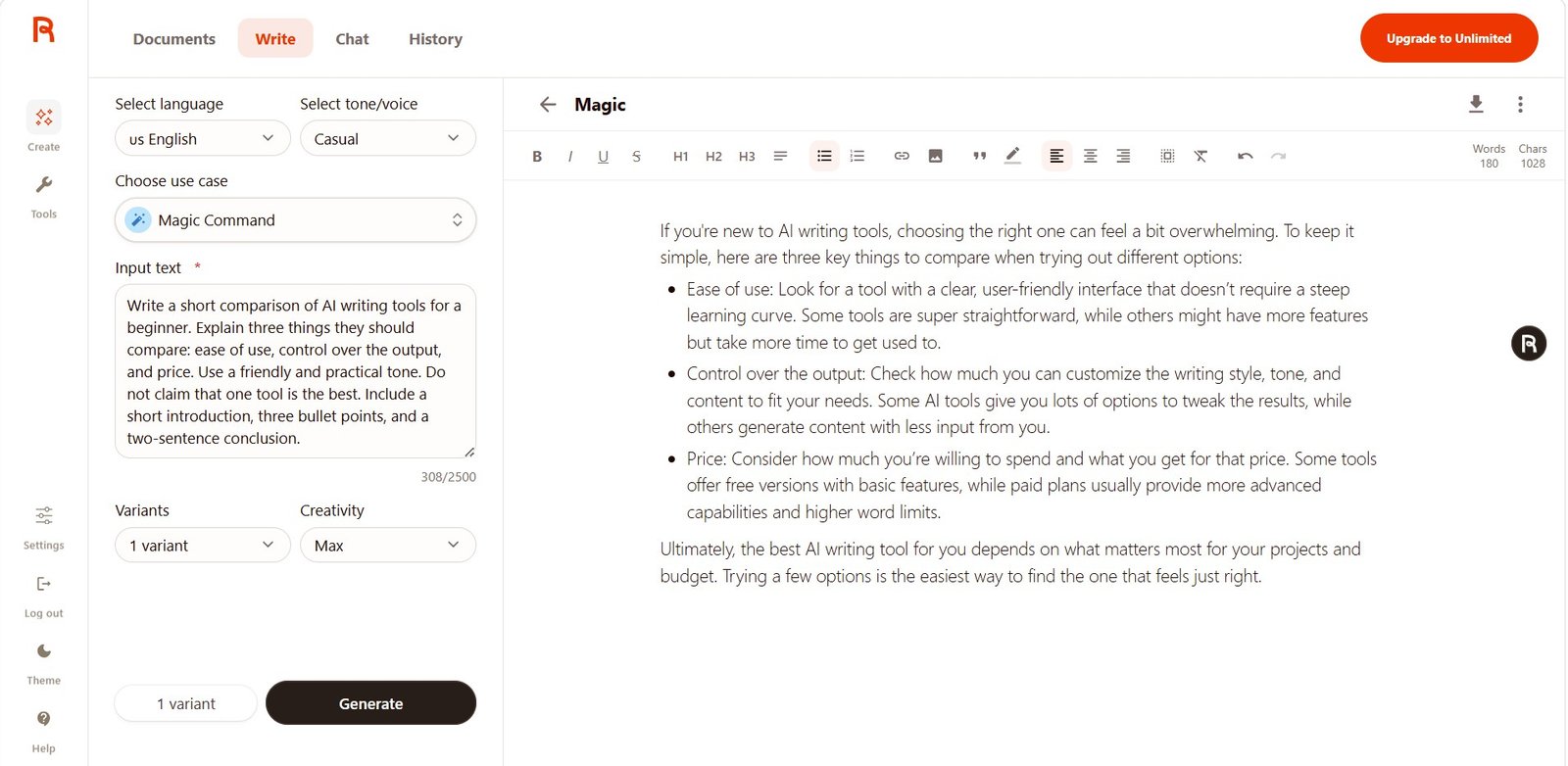
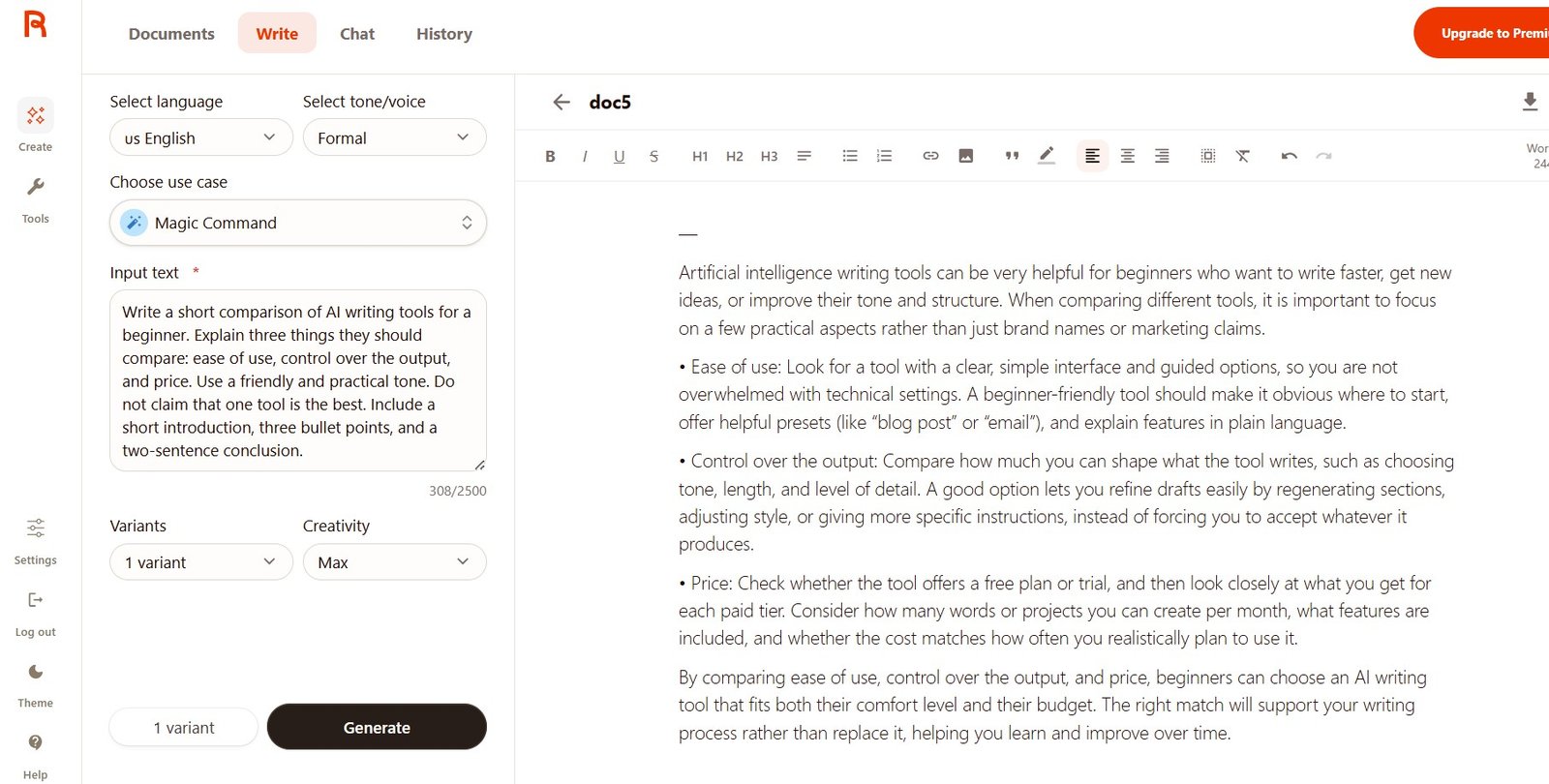
This is important because the Free version was already strong.
The biggest practical upgrade for me: Brand Voice
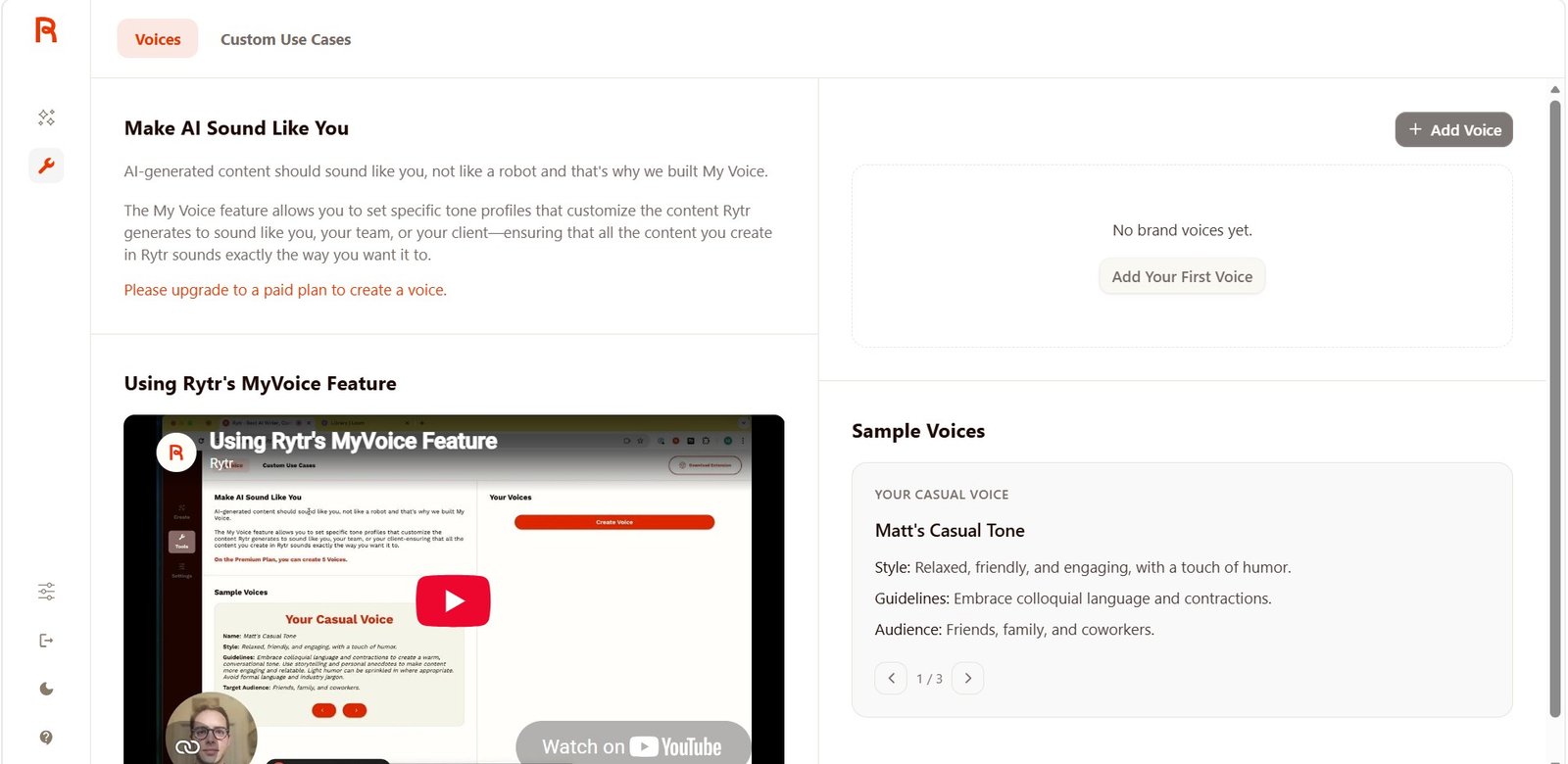
This was a clear difference between Free and Unlimited during my test.
On Free, MyVoice was visible but locked. After upgrading, I could create my own AI Content Tools voice.
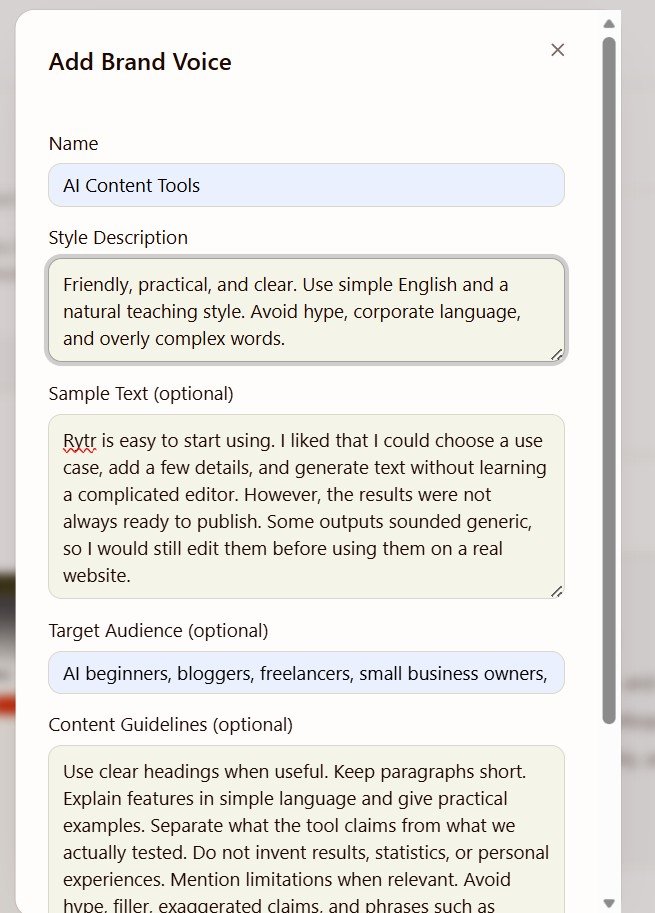
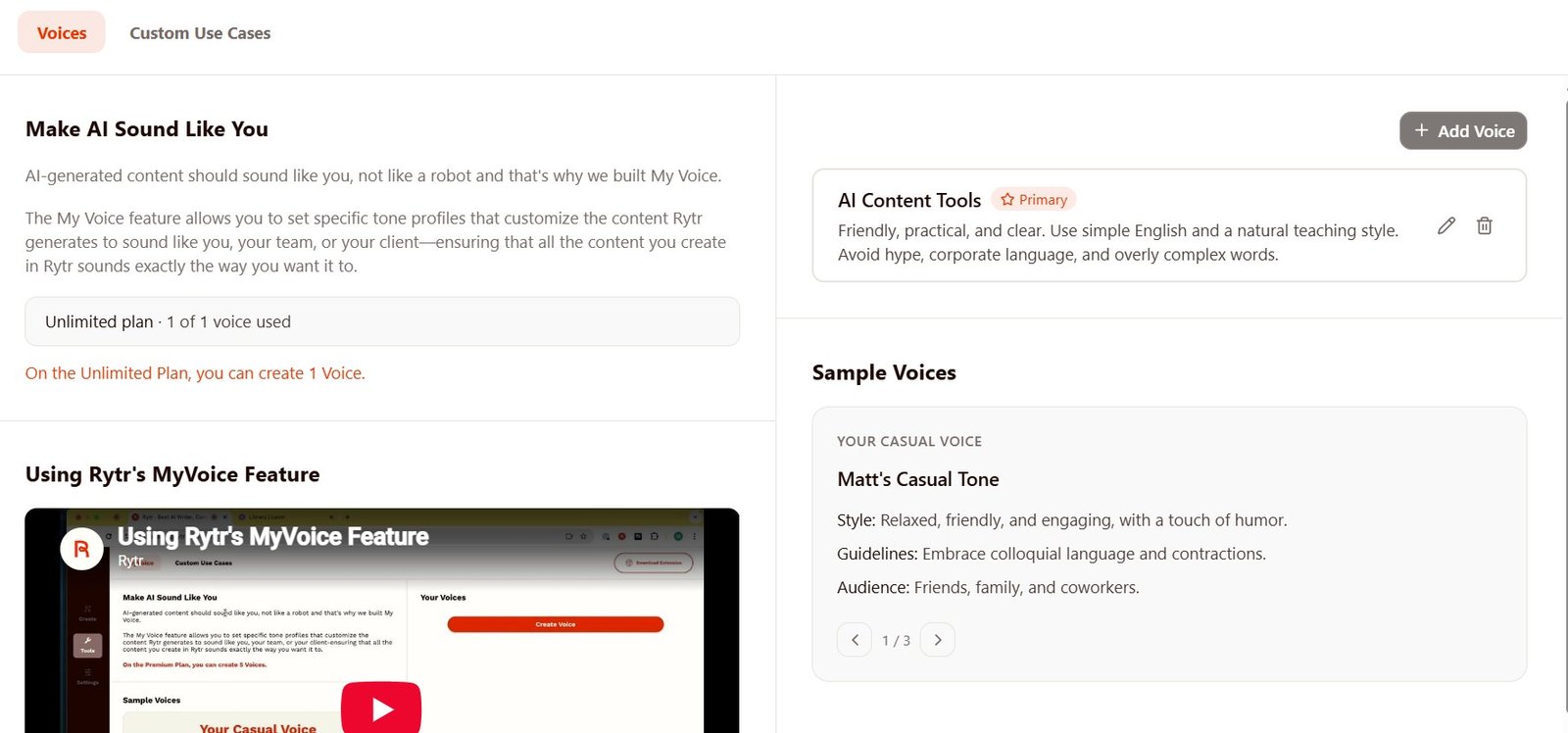
For one blog or small business, that may be enough. For a freelancer working with many client voices, it is more restrictive.
What about Rytr Chat?
I could access the Chat interface while on Free, but I did not run my full controlled conversation test until Unlimited.
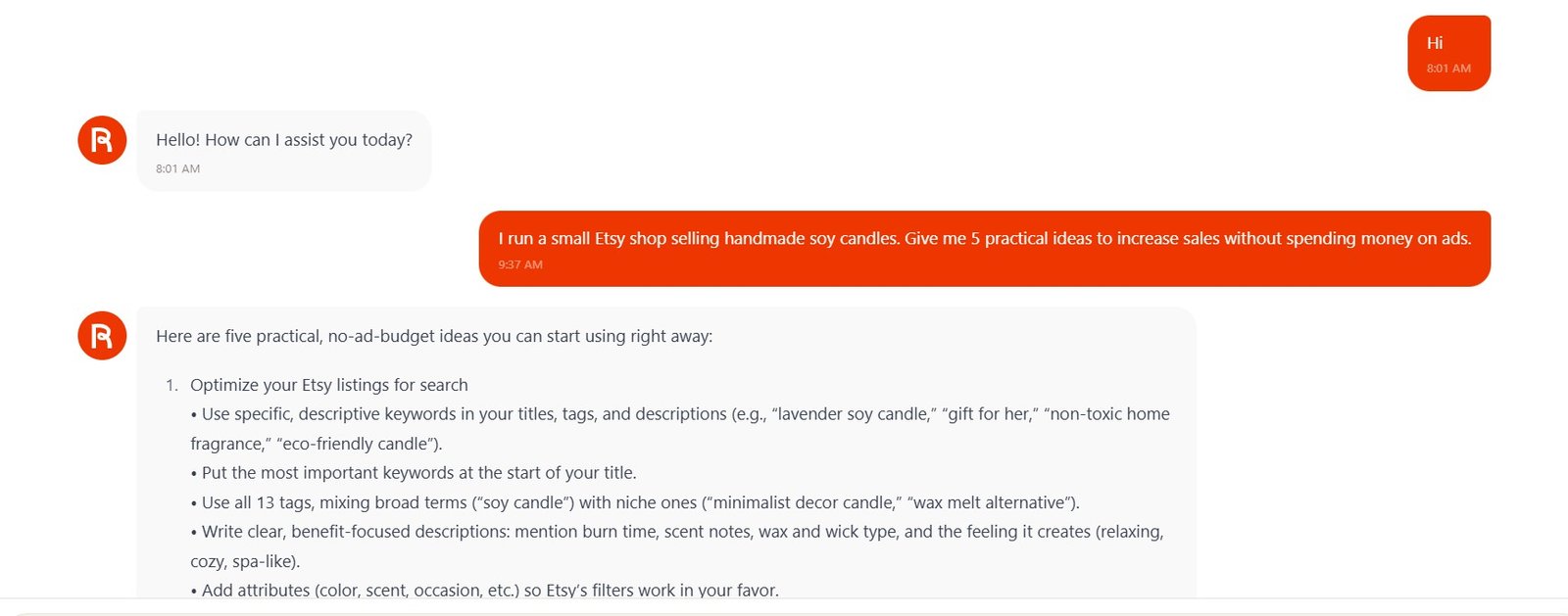
Rytr remembered earlier ideas, created a 7-day plan, remembered what it had assigned for Day 3, and edited its own previous answer without making me paste it again.
Because I did not run the same full conversation on Free, I do not treat this as a Free vs Unlimited quality comparison.
Free already gave me useful History
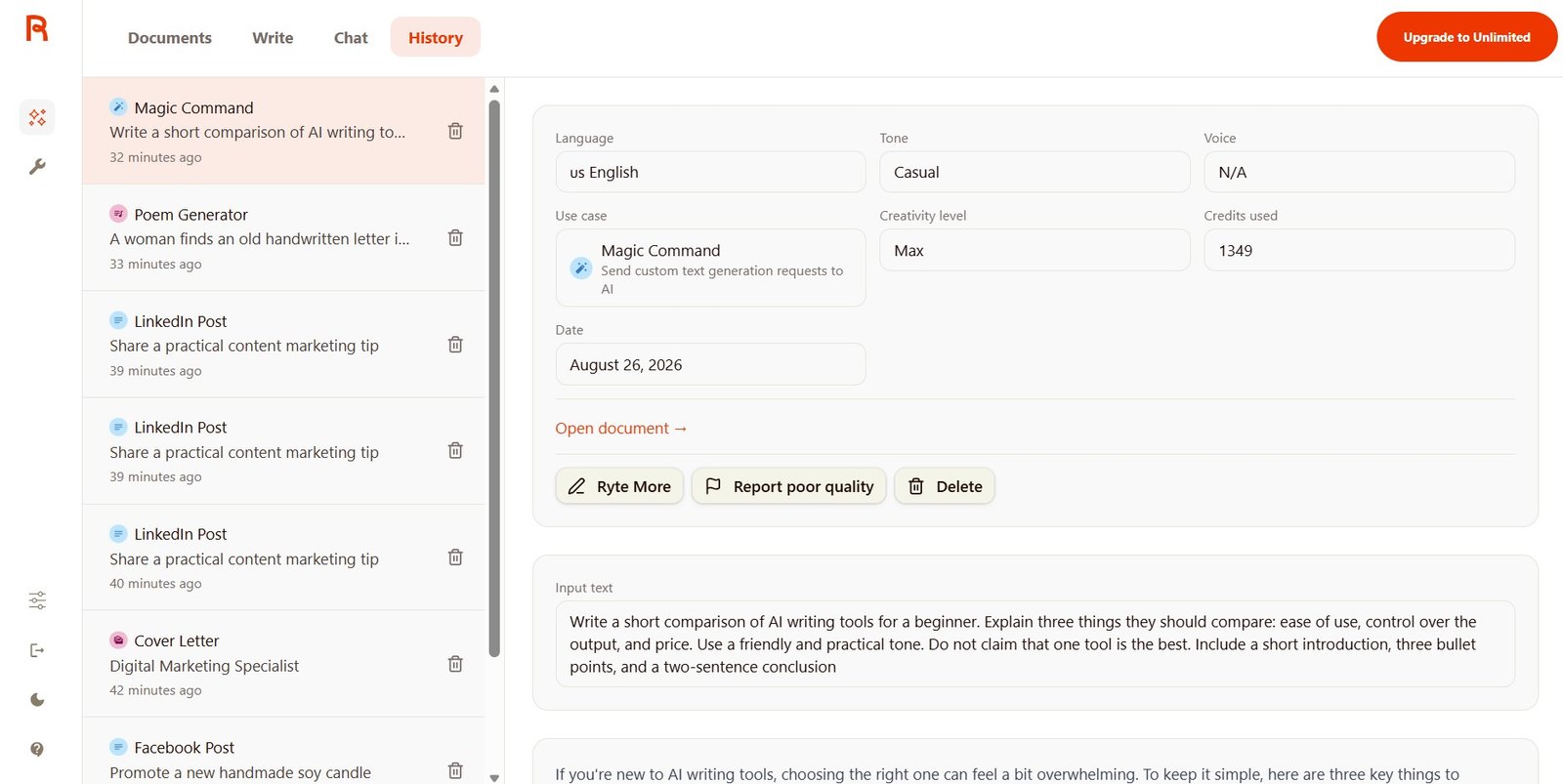
This is another reason I would not describe Free as a useless demo. It already includes enough of the real workflow to understand whether you like working in Rytr.
Rytr Free vs Unlimited: my practical comparison
| Feature / Test | Free | Unlimited | Does it matter? |
|---|---|---|---|
| Basic Write experience | Yes | Yes | You can learn Rytr properly on Free. |
| Documents & folders | Yes | Yes | No need to pay just for the basic workspace. |
| Built-in use cases | Many available | Many available | Free already gives a good sample of how Rytr works. |
| Tone controls | Yes | Yes | Funny vs Convincing worked clearly on both. |
| Monthly generation | Limited | Unlimited characters during my test | This is one of the biggest reasons to upgrade if you use Rytr regularly. |
| Custom Brand Voice | No | 1 voice | Useful for repeated writing for one brand. |
| Plagiarism checks | More limited / not the paid allowance shown | Paid-plan allowance shown in pricing | Relevant if you use Rytr for regular content work. |
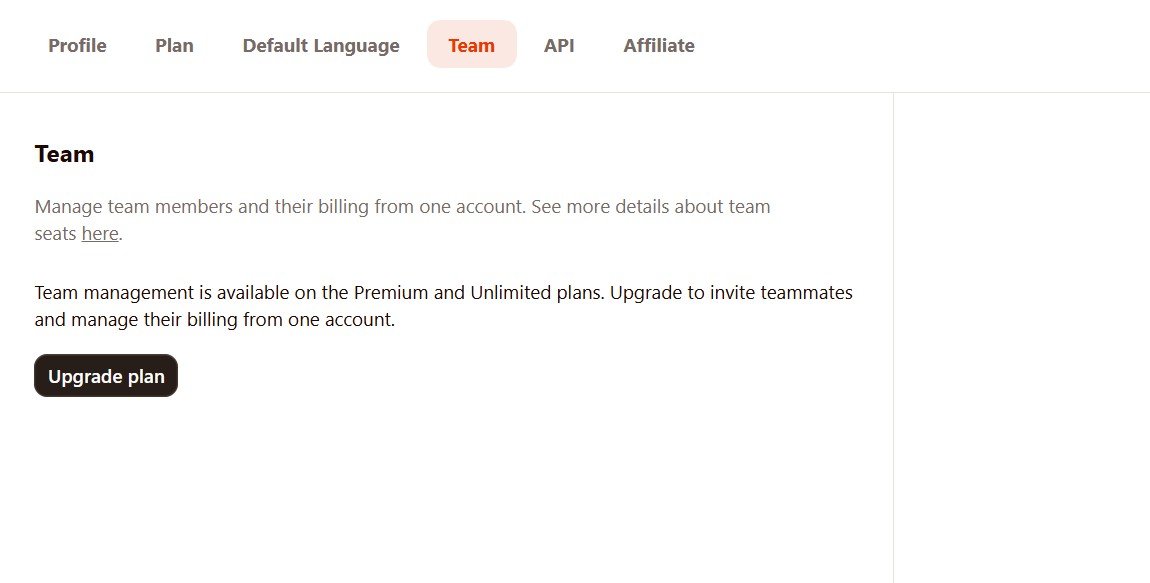
| Team Management | Locked | Available as a paid-plan feature | More relevant for teams than solo users. |
| Custom Use Cases | No | Still not included in Unlimited during my test | This required Premium, so do not upgrade to Unlimited expecting every feature. |
| Writing quality | Mixed but useful | Mixed but useful | Some paid generations were better in my test, but human editing was still needed. |
Who should stay on Rytr Free?
You are still testing Rytr
The Free plan is enough to see whether you like the interface, use cases, tone selector, documents, and general workflow.
You generate occasionally
If you only need a few short drafts from time to time, paying may not add much value.
You do not need Brand Voice
If generic tone settings are enough, MyVoice is not a reason to upgrade.
You mainly want to learn
Beginners can understand how Rytr works without immediately paying.
You still edit everything heavily
If Rytr is only an occasional brainstorming tool, the paid allowance may be unnecessary.
You need Premium features
If your real target is Custom Use Cases or a larger Brand Voice setup, Unlimited may not solve the problem anyway.
Who should upgrade to Unlimited?
You use Rytr every week
The character limit becomes much more important once Rytr moves from “testing” to a regular writing tool.
You want one custom Brand Voice
This was one of the clearest practical differences in my own workflow.
You create many short drafts
Social posts, email copy, product text, rewrites, and small content sections can quickly add up.
You like Rytr’s simple interface
If you already know that Rytr fits the way you work, Unlimited removes one of the biggest restrictions.
You want paid-plan tools
Brand Voice, plagiarism allowances, and team-related features can make the paid plan more useful.
You do not want a complex platform
Unlimited keeps the same simple Rytr workflow rather than turning it into a much more complicated system.
Does Rytr Unlimited write better text than Free?
This is the question I would be most careful with.
In several of my repeated tests, I preferred the Unlimited output.
The paid Facebook result was calmer. The paid LinkedIn post was more practical. The paid poem was much more developed. The paid cover letter handled some missing information better.
But these are individual generations.
Was Unlimited worth it for my test?
For me, yes—mainly because I wanted to test Rytr properly without worrying about the Free allowance and because I wanted access to Brand Voice.
But I would not tell every beginner to pay immediately.
Free first
Create several real pieces of content. Try the tones. Use Magic Command. Open Documents and Chat. See whether you actually enjoy working in Rytr.
Unlimited second
Upgrade when the monthly limit becomes a real problem or when you know you will use paid features such as Brand Voice.
More of my Rytr tests
My verdict: Rytr Free or Unlimited?
I would start with Free.
Rytr Free already lets you understand the product. You can create documents, choose use cases, change tones, try Magic Command, use History, and see whether the simple interface fits your workflow.
That is enough to answer the first question: do I actually like using Rytr?
If the answer is yes and you start using it regularly, Unlimited makes much more sense. The bigger generation allowance removes a major restriction, and the paid plan also gave me access to a custom Brand Voice and other extra features.
What I would not do is upgrade only because you expect paid text to become magically perfect.
Some of my Unlimited outputs were clearly better than the Free versions, but I still found generic language, assumptions, and claims that needed checking.
Free is the better trial. Unlimited is the better working plan.
Affiliate disclosure: I may earn a commission if you purchase Rytr through my link, at no extra cost to you. My comparison is based on my own Free and Unlimited tests.