
I tested Rytr Chat with a real conversation, not one question
Rytr is known mainly as an AI writer with ready-made templates. But it also has a normal Chat area where you can ask questions without choosing a writing use case first.
I did not want to test it with “write me a paragraph” or a simple question that almost any chatbot can answer.
Instead, I created a small business scenario and continued the same conversation through several steps. I wanted to see whether Rytr could remember earlier answers, follow new instructions, and edit its own content without making me explain everything again.
What I wanted to test
A useful Chat should do more than answer the first prompt. It should understand what “those ideas”, “Day 3”, or “make it shorter” mean without requiring the full context again.
Practical advice
Could Rytr give useful ideas for a small Etsy candle shop without paid ads?
Context memory
Would it understand “Which two ideas?” without me repeating the original question?
Multiple constraints
Could it create a 7-day plan using only the two selected ideas and keep each day around 30 minutes?
Earlier details
Would it remember what it had planned for Day 3 when I asked for a Facebook post?
Editing
Could it shorten its previous response and remove emojis without seeing the original prompt again?
Real workflow
I wanted the conversation to feel closer to how a small business owner might actually use an AI assistant.
Rytr Chat is separate from the normal Write templates
The main Rytr navigation includes Documents, Write, Chat, and History. The Chat area is much simpler than the normal Write screen because you do not have to choose a specific use case such as Facebook Post or Cover Letter.
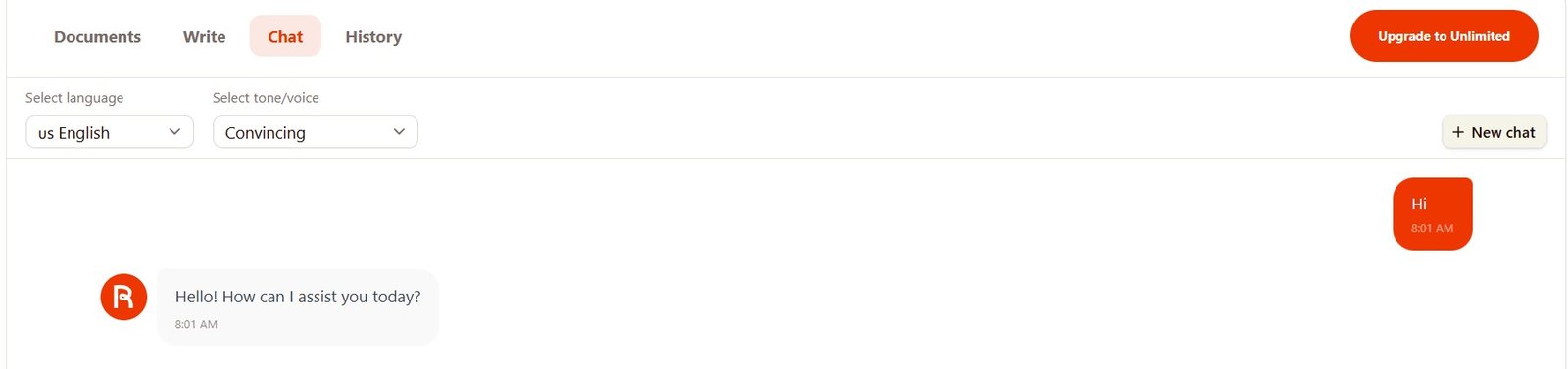
Test 1: Give me 5 practical Etsy sales ideas
First I wanted to see whether the advice would be useful or generic.
I run a small Etsy shop selling handmade soy candles. Give me 5 practical ideas to increase sales without spending money on ads.
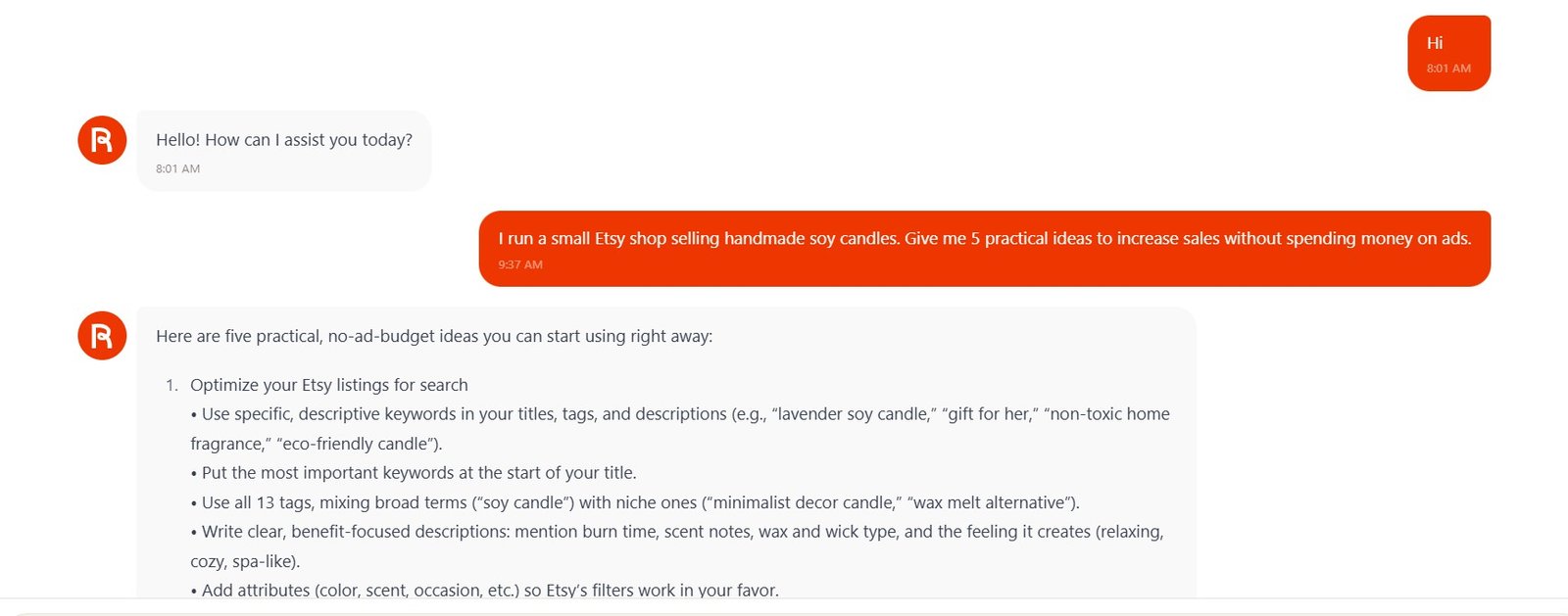
What Rytr suggested
Rytr gave me five main ideas:
Improve Etsy search
Titles, tags, descriptions, keywords, and listing attributes.
Improve product photos
Better hero shots, lifestyle photos, close-ups, and scale photos.
Repeat buyers
Thank-you notes, reviews, repeat purchase incentives, and complementary products.
Organic social media
Behind-the-scenes content, scent stories, customer photos, and community engagement.
Gift-friendly listings
Gift sets, gift messages, occasions, packaging, and shop positioning.
Was the first answer useful?
Mostly, yes.
Rytr did not just say “improve SEO” and stop there. For search optimization, it mentioned titles, tags, descriptions, product details, and Etsy attributes. For photography, it suggested hero images, lifestyle shots, close-ups, and size comparison photos.
These are actionable ideas for a beginner.
Test 2: Does Rytr remember its own ideas?
I deliberately did not repeat anything about Etsy or candles.
Which two ideas would you try first and why?
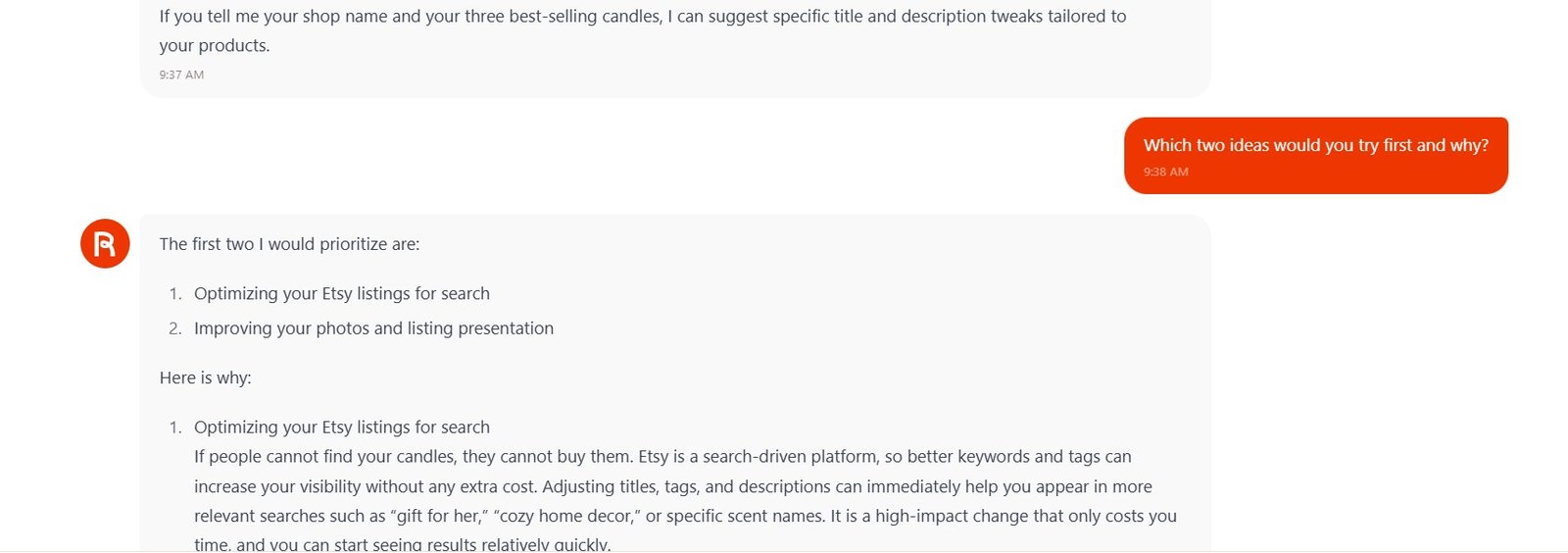
Rytr selected:
1. Optimizing Etsy listings for search
2. Improving photos and listing presentation
More importantly, it explained why those two should come first.
The logic was simple: search optimization can help people find the products, and better photos can help turn those views into clicks and purchases.
Test 3: Can it follow several constraints at once?
Now I turned the two selected ideas into a small action plan.
Create a simple 7-day action plan using only those two ideas. I have 30 minutes per day.
This prompt contained three important limits:
7 days
Rytr created Day 1 through Day 7.
Only two strategies
The plan stayed focused on Etsy search optimization and product photos.
30 minutes per day
Each day was presented as an approximately 30-minute task.
Earlier context
I did not have to tell Rytr what “those two ideas” were.
What the plan included
| Day | Rytr’s task | My observation |
|---|---|---|
| Day 1 | Audit listings and collect keyword ideas. | Logical starting point. |
| Day 2 | Rewrite one important listing. | Good way to keep the task manageable. |
| Day 3 | Plan improved product photos. | This became important in the next context-memory test. |
| Day 4 | Take and upload the new photos. | Natural continuation of Day 3. |
| Day 5 | Optimize two more listings. | Possibly ambitious for a beginner in only 30 minutes. |
| Day 6 | Improve photos for those listings. | Still follows the two original strategies. |
| Day 7 | Final consistency check. | A sensible closing step. |
Test 4: Does it remember what happened on Day 3?
This was my favorite context test.
Write the Facebook post I should publish on Day 3.
I did not tell Rytr what Day 3 was.
Earlier in the conversation, Rytr had assigned Day 3 to planning improved product photos.
The Facebook post it created was about exactly that: working behind the scenes on new photos for the candle shop.
Write the Facebook post I should publish on Day 3.
Rytr’s idea: a behind-the-scenes post explaining that the shop is planning new candle photos, including hero shots, lifestyle images, and close-ups.
It also invited existing customers to comment with their favorite scent and where they use the candle.
This is more useful than simply remembering that the conversation was about Etsy. It shows that Rytr could refer back to a specific detail from a much longer previous answer.
Test 5: Can Rytr edit its previous answer?
The last prompt was intentionally very short.
Make it half as long and remove all emojis.
I did not paste the Facebook post again.
Rytr understood that “it” meant its immediately previous answer.
Today I am working behind the scenes on my candle shop, planning new photos so my handmade soy candles are easier to find and more beautiful to browse.
If you already own one of my candles, I would truly appreciate your help: comment with your favorite scent and where you like to burn it. Your feedback will help me style the new photos to better match how you actually use them.
The new version was much shorter, kept the same message, and did not require me to repeat the original task.
How good was Rytr Chat overall?
The strongest part of my test was not the first answer. It was the way Rytr handled the conversation after that answer.
| What I tested | Result | My observation |
|---|---|---|
| Initial advice | Good | Practical and specific, but too long. |
| Simple follow-up memory | Pass | Understood “which two ideas” without repeated context. |
| Multiple instructions | Pass | Kept 7 days, two strategies, and 30-minute daily limits. |
| Longer context | Pass | Remembered what it had planned for Day 3. |
| Edit previous answer | Pass | Shortened its own post without needing it pasted again. |
| Conciseness | Mixed | Several answers were much more detailed than I requested. |
Rytr Chat vs Rytr Write: which one did I prefer?
They solve slightly different problems.
You know exactly what you need
Facebook Post, LinkedIn Post, Cover Letter, Product Description, Poem, and other structured tasks are faster with a ready-made use case.
You are still thinking
Chat is better for brainstorming, asking follow-up questions, making plans, and developing an idea through several steps.
You want more control
Magic Command works well when you want a specific output structure but do not need a long conversation.
For me, this is one reason Rytr feels more useful than a collection of isolated templates. If I do not want to choose a use case, I can move to Chat and explain the problem normally.
What I liked and what I would improve
Follow-up memory worked
I did not need to repeat the Etsy scenario in every message.
It remembered specific details
The Day 3 test was stronger than simply remembering the topic of the conversation.
Good instruction following
The 7-day plan respected several constraints at the same time.
Easy editing
I could ask for a shorter version without copying the previous response.
Too much detail
Rytr often gave me more information than I asked for. Sometimes this is useful, but short answers would make Chat feel faster.
Generic advice still appears
Some recommendations were useful but not especially original. Chat can help with execution, but it does not automatically create a unique business strategy.
Check business claims
I would verify claims about SEO speed, rankings, conversion improvements, or platform best practices before acting on them.
Who could actually use Rytr Chat?
Small business owners
Useful for turning a general problem into a simple action plan or list of ideas.
Etsy sellers
Useful for brainstorming listings, product presentation, content ideas, and simple marketing workflows.
Bloggers
Good for discussing article ideas, narrowing priorities, or planning what to improve next.
Beginners
You can ask normal questions instead of learning the structure of every writing template.
People wanting deep research
I would not treat a normal Rytr Chat answer as researched evidence. Important claims still need verification.
People wanting very short answers
You may need to tell Rytr to be concise because it can expand a simple request quite heavily.
More of my Rytr tests
I tested Chat as only one part of Rytr. I also checked its writing quality, custom Brand Voice, tones, and different writing use cases.
My Rytr Chat verdict
Rytr Chat was better than I expected because it did not behave like a collection of disconnected prompts.
It remembered that I had an Etsy candle shop, understood which earlier ideas I was referring to, created a plan around those ideas, remembered its own Day 3 task, and then edited its previous Facebook post without making me paste it again.
That makes Chat useful when the task changes as you think. You can start with a broad question, choose an idea, turn it into a plan, and then ask Rytr to create something from that plan.
The main weakness was verbosity. Some answers were much longer than I needed. The advice was also practical rather than especially original, so I would use Rytr as a thinking and execution assistant, not as a replacement for real business knowledge.
My final take: Rytr Chat is not the main reason I would buy Rytr, but I am glad it is there. It makes the tool feel less restricted than a normal template-based AI writer and gives you an easy place to work through an idea before generating the final content.