
Simplified describes Riley as an AI teammate rather than just another writing box. So I tested it like one. I gave Riley tasks involving brand research, blog editing, LinkedIn content and web research, and I watched what happened when parts of the workflow failed. The result was more interesting than a simple good-or-bad AI assistant verdict.
Riley is one of the most interesting parts of Simplified because it tries to do more than generate isolated text. I saw it load brand context, plan tasks, attempt web research and turn a request into finished LinkedIn post drafts. That feels closer to an AI workflow assistant than a basic content generator.
But the tests also exposed important gaps. Web Fetch failed with HTTP 403 on more than one site, and Riley could not automatically read an article that was already open in the Simplified editor when I asked it to repair missing paragraphs. I would use Riley as an assistant that still needs supervision, not as an autonomous teammate I can leave alone.
What is Riley in Simplified?
Riley sits at the center of Simplified’s newer AI workflow. The interface presents it as an AI teammate for creating content such as videos, ads, posts and written material.
That wording sets a higher expectation than “AI writer.” A teammate should understand context, choose or execute useful steps, work with other tools and help move a task toward a finished result. That is the standard I used for this review.
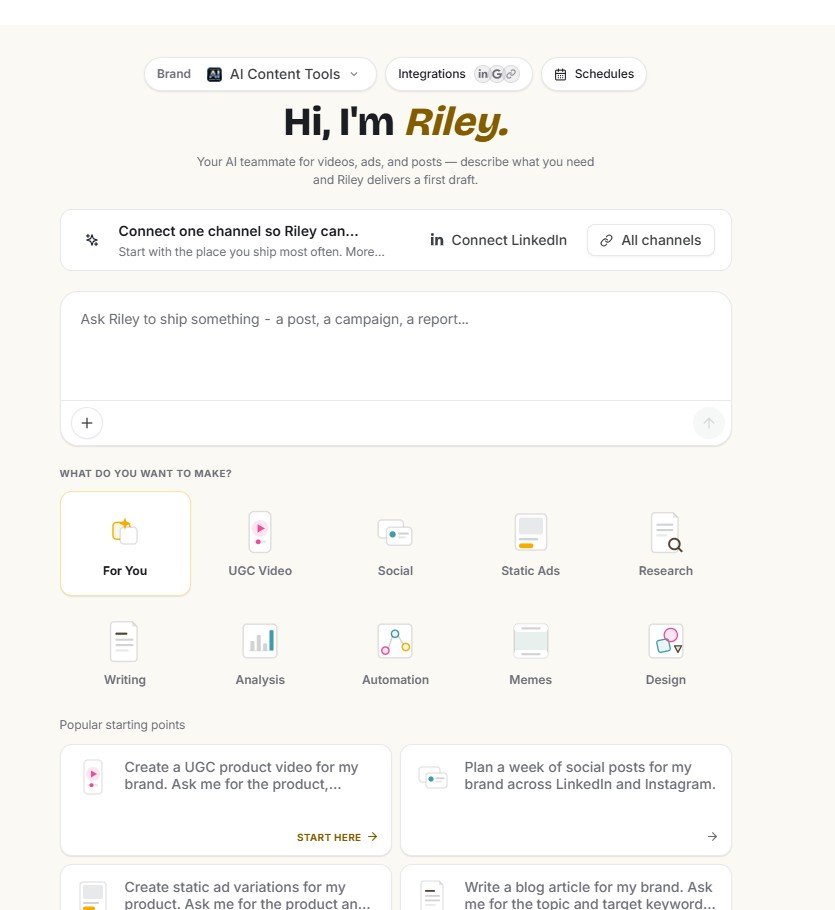
The dashboard provides starting points for different content jobs rather than forcing every task through the same generic prompt. I found categories for writing, design, analysis and other workflows.
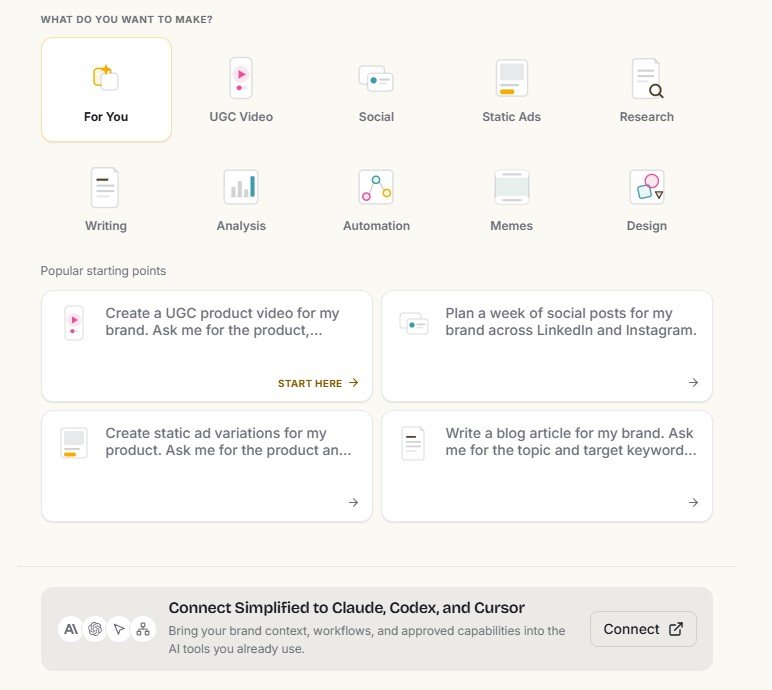
Riley is broader than an AI writing assistant
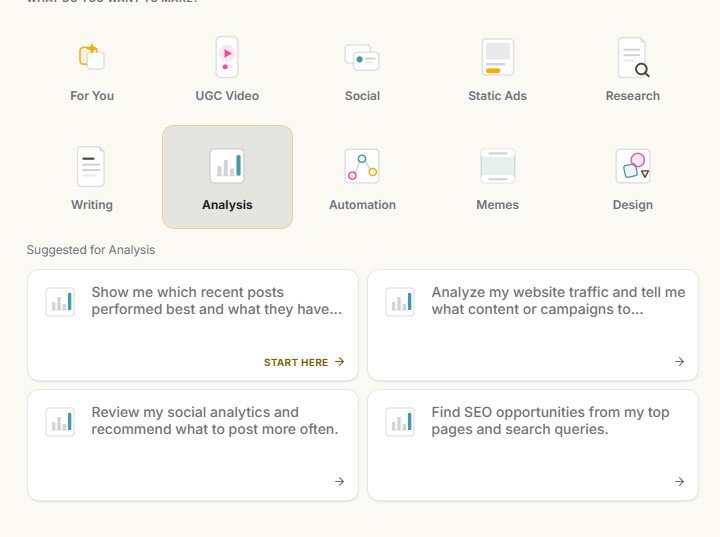
One reason I would not describe Riley only as a writing feature is the range of jobs visible inside its interface. For example, the Analysis area includes tasks related to website traffic, social performance and SEO opportunities.
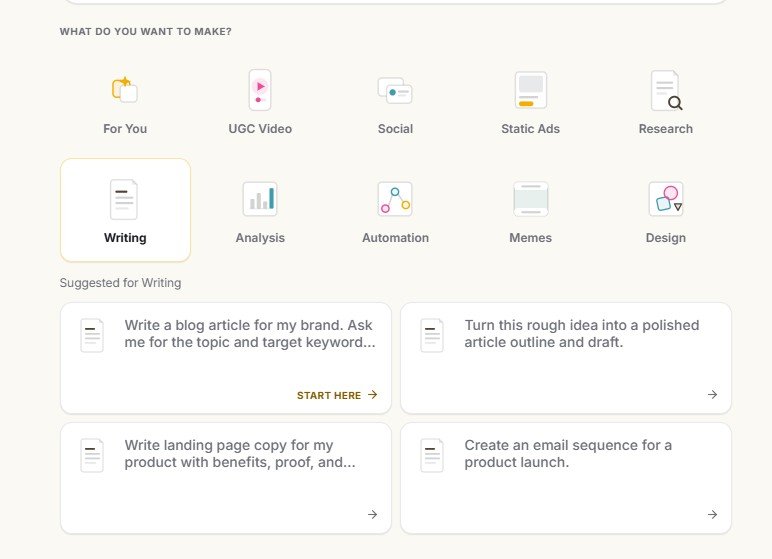
There are also dedicated writing tasks for blogs, article drafts, landing pages and email sequences. This makes Riley potentially useful as a front door to several parts of Simplified rather than a separate chatbot hidden in one corner of the product.
I focused on tasks where the workflow could succeed or fail in a visible way
Test #1: Website research hit a 403 error
Early in my Simplified testing, the agent tried to fetch information from AIContent-Tools.com. Instead of successfully reading the page, Web Fetch returned an HTTP 403 Forbidden error.
This matters because website access can be an important part of an AI teammate workflow. If I ask an agent to understand a business, research a source or build brand context from a website, its ability to retrieve the page affects everything that comes after.
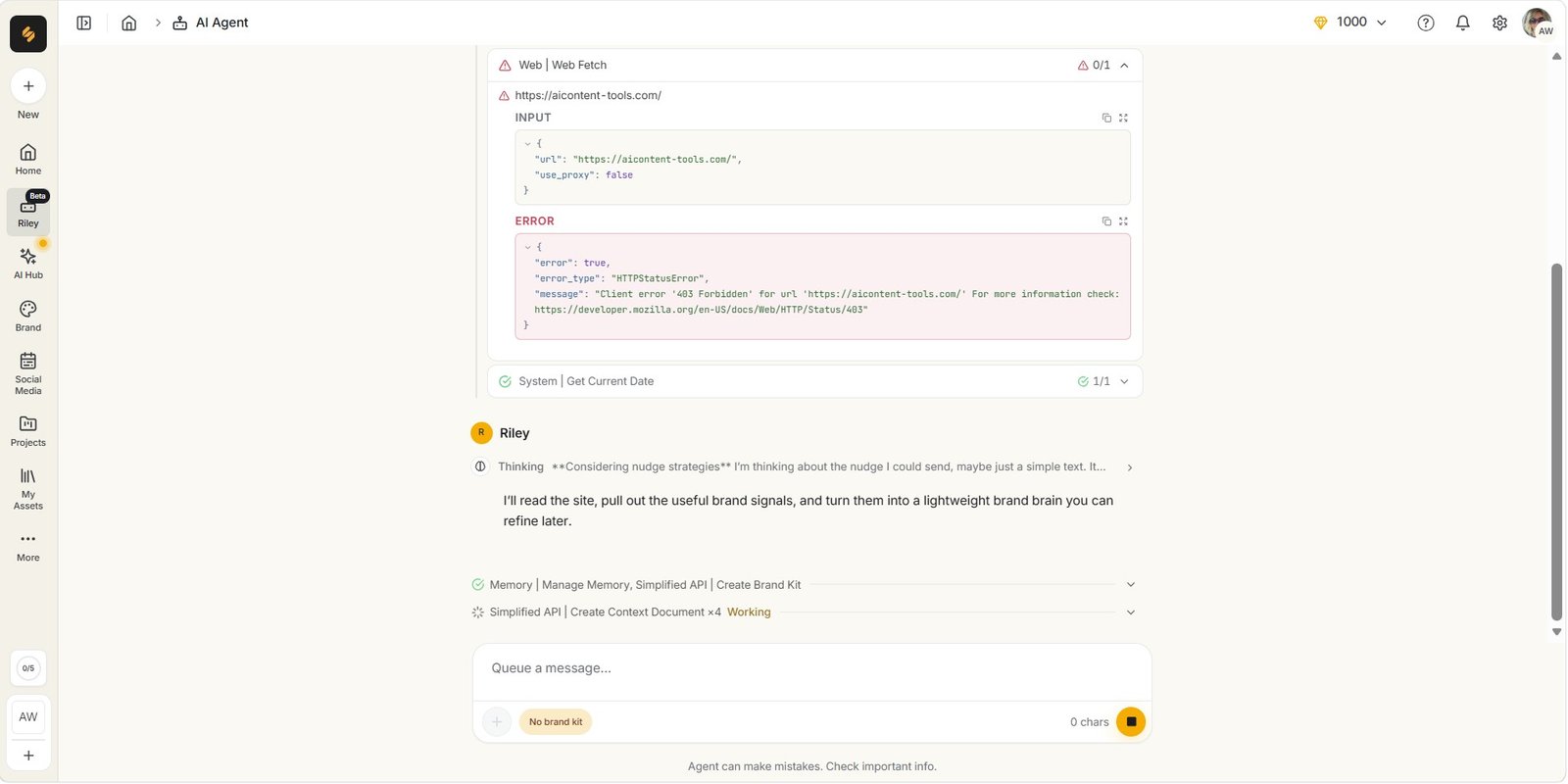
A 403 error does not automatically mean the AI itself is broken. Websites can restrict automated access. But from the user’s point of view, the practical result is the same: Riley may not always be able to retrieve a page that you want it to use.
What interested me was what happened after the error
The workflow did not simply disappear. Simplified continued working on brand context and showed a Brand Kit creation process.
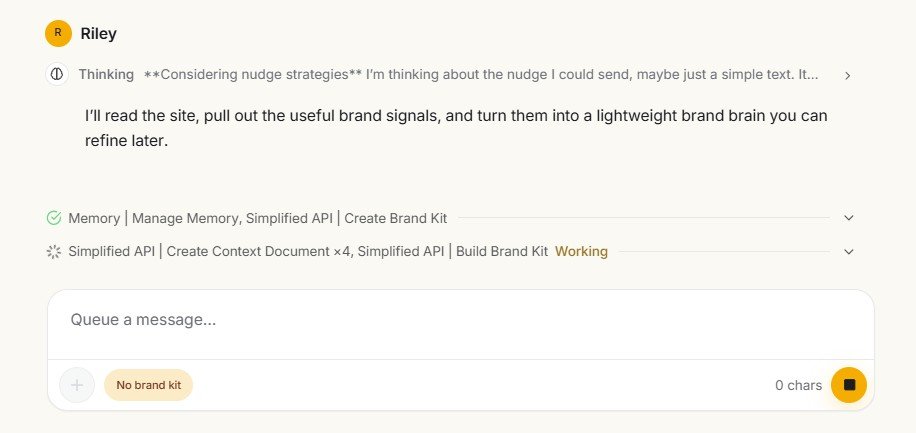
A Brand Brain was ultimately created with information such as voice, audience, visual identity, rules and other context. I like the concept because persistent brand context is much more useful than repeatedly explaining the same company in every prompt.
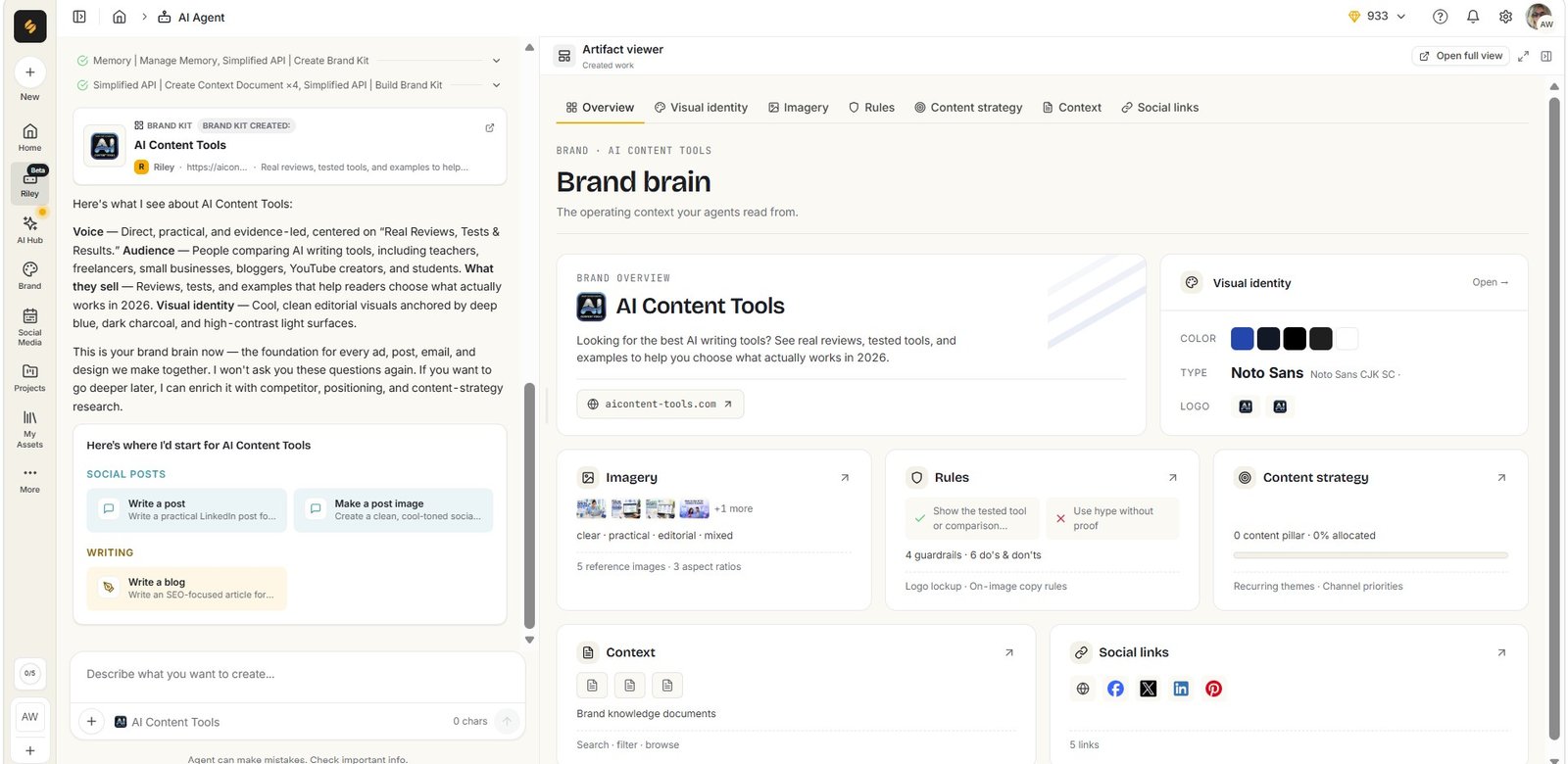
I would still be careful about interpreting this result. Because the fetch step showed an error, I would not assume every item in a generated Brand Brain came directly and correctly from the website. Brand information created by an AI agent should be reviewed before it becomes context for future content.
Test #2: I asked Riley to repair an incomplete Simplified article
This test came directly from another problem I found while reviewing Simplified’s Instant Blog generator. I generated blog articles where some sections had headings but no paragraph content.
Riley appeared to recognize the problem and offered a route for continuing the missing paragraphs. That sounded ideal: the AI writer created an incomplete document, so the AI teammate could help repair it.
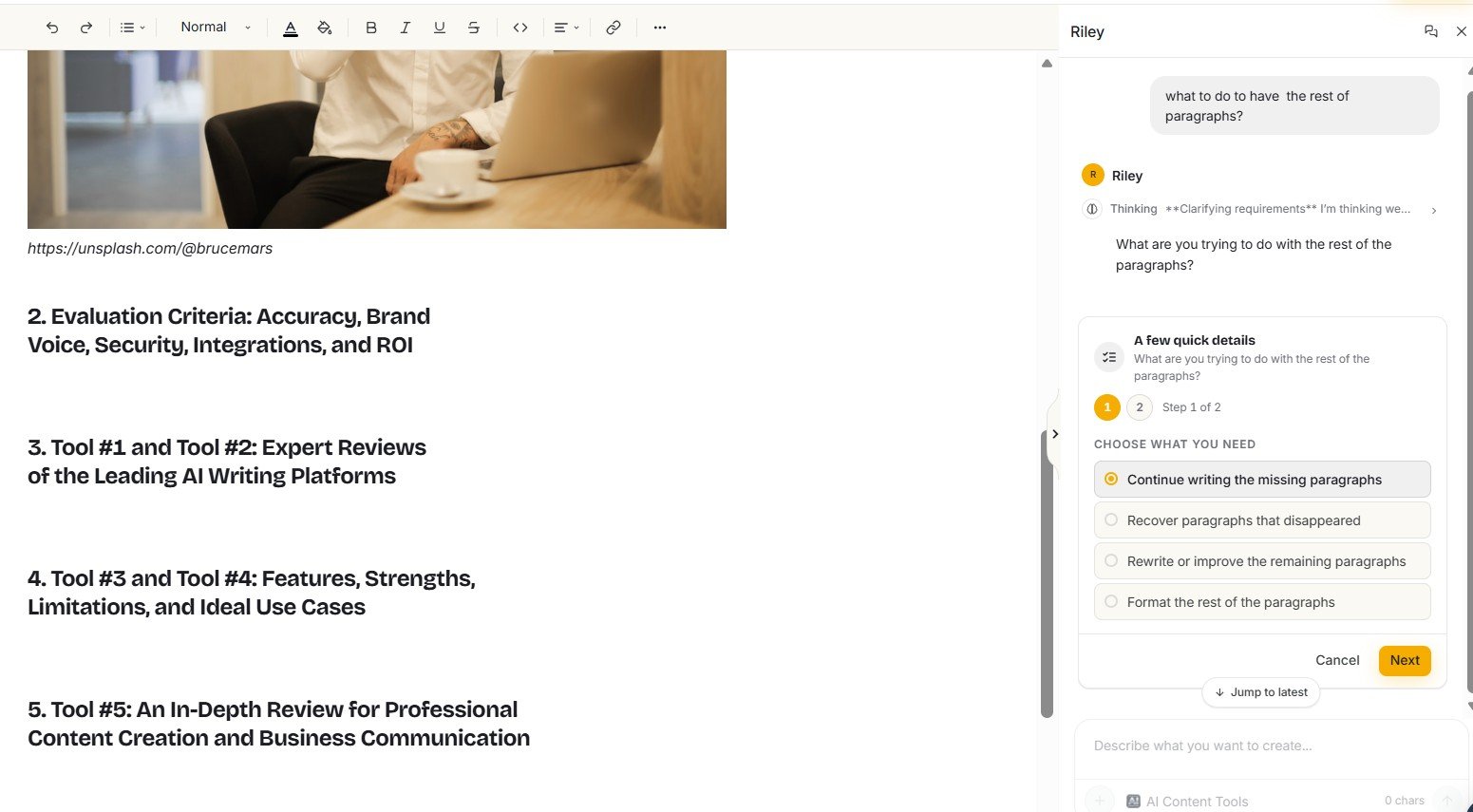
I then explicitly told Riley to continue the sections that contained headings without paragraph content.
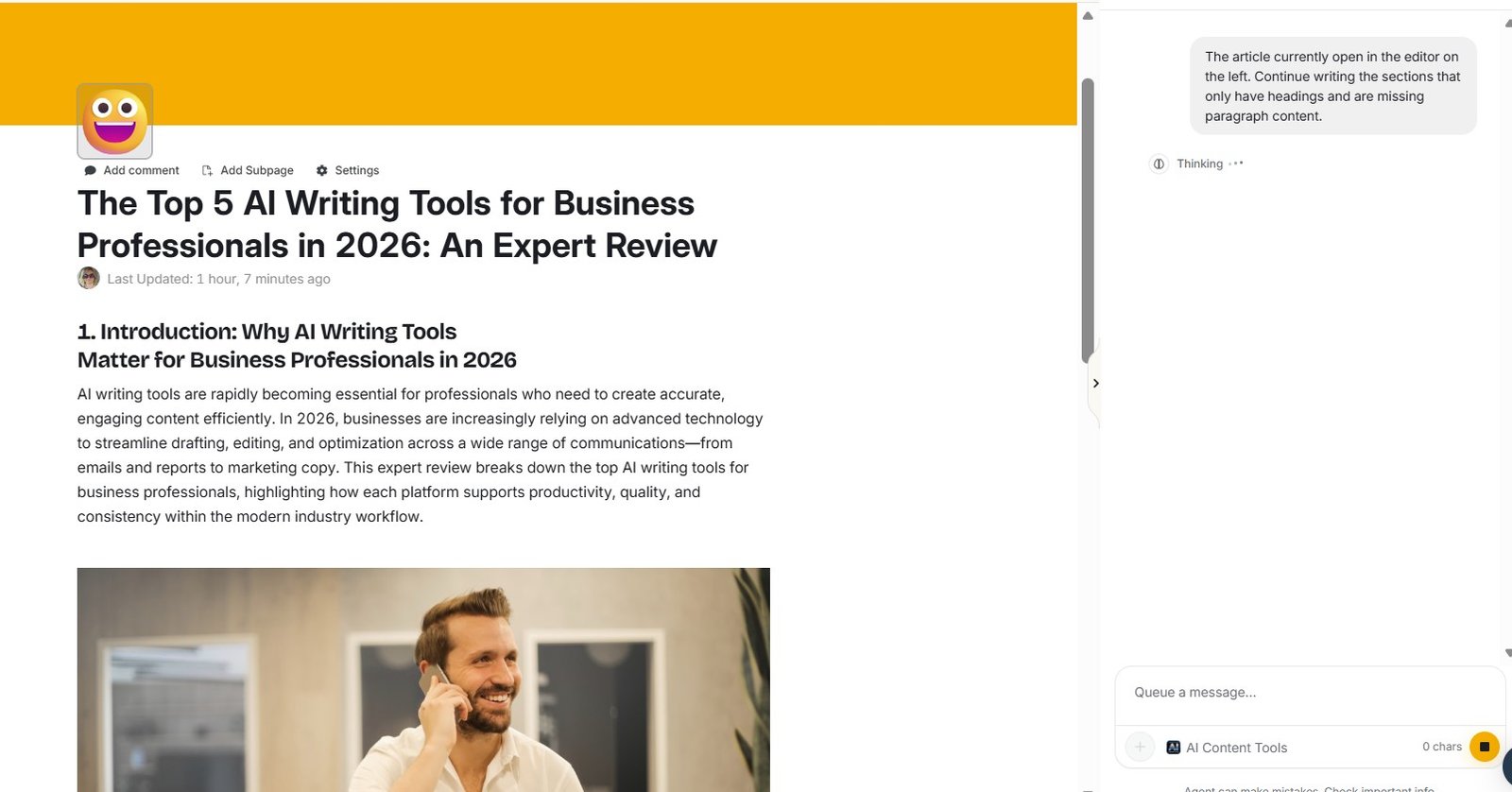
Riley asked me to paste the article
Instead of reading the open document and completing it directly, Riley asked me to provide the full article text. That immediately made the workflow less seamless than I expected.
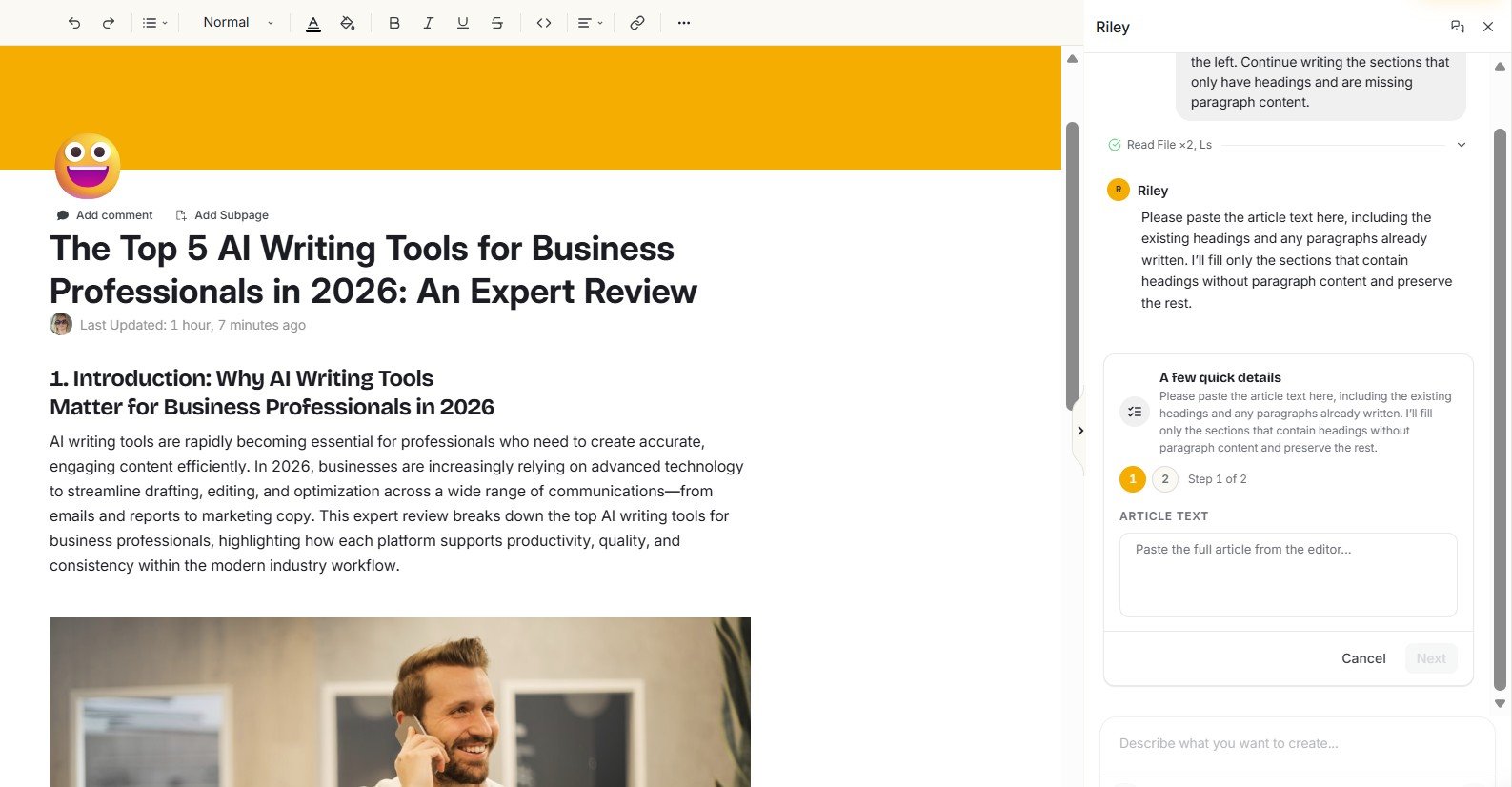
I asked further, and Riley stated that it could not see the article contents in the editor. It asked me to paste the article, or provide the headings and surrounding text.
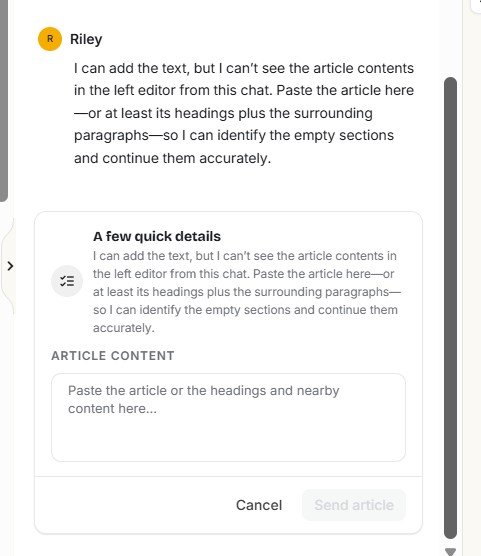
This was one of my clearest Riley limitations. The assistant and editor felt visually connected, but the context was not as connected as I expected. If I have to copy an article from one part of the same platform and paste it back into the AI assistant, part of the advantage of an integrated AI teammate disappears.
This problem is covered in more detail in my Simplified AI Writer review, where I show both Instant Blog tests and the incomplete outputs.
Test #3: I asked Riley to create three LinkedIn posts
The social media test showed a different side of Riley and, in my view, a more convincing one.
I wanted practical content for beginner Etsy sellers about improving product descriptions with AI. Instead of only returning one block of text immediately, Riley broke the request into multiple tasks.
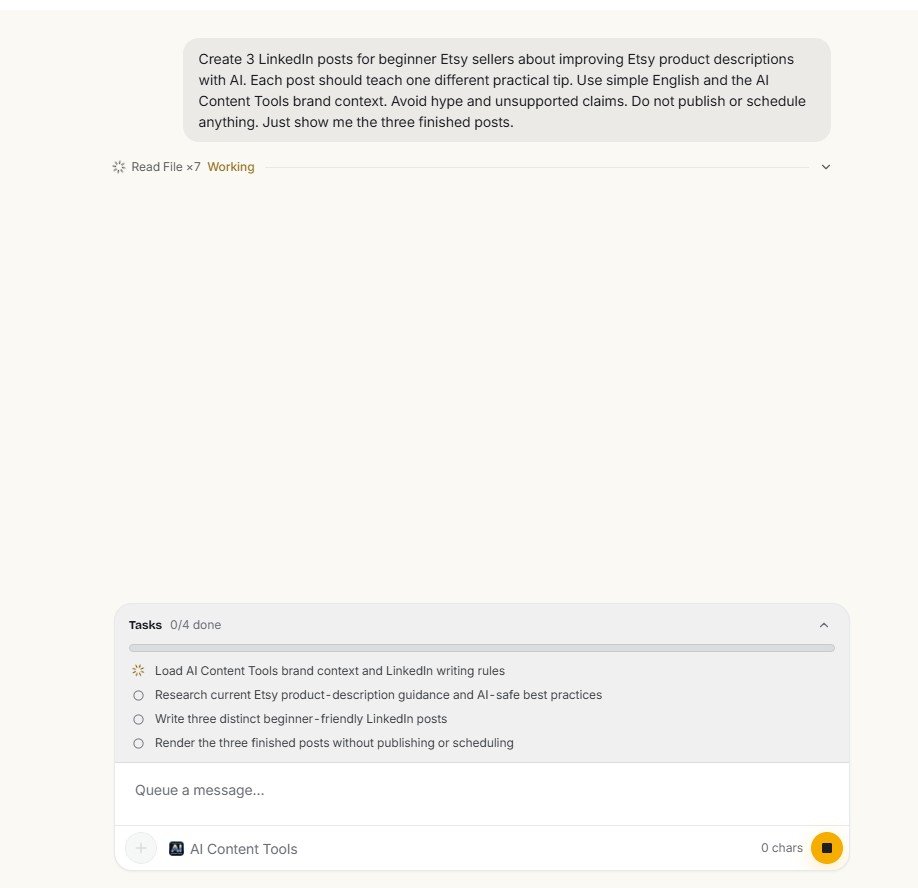
This is where Riley started to feel more like an agent
I liked seeing the task breakdown because it made the workflow easier to understand. It also gave me something concrete to evaluate. I could see that Riley planned to use brand context and perform research before writing.
But the research step exposed the same type of problem I had seen earlier.
Riley tried to research Etsy — and Web Fetch failed again
During the LinkedIn workflow, Riley attempted to fetch an Etsy Seller Handbook page. The request returned another HTTP 403 Forbidden error.
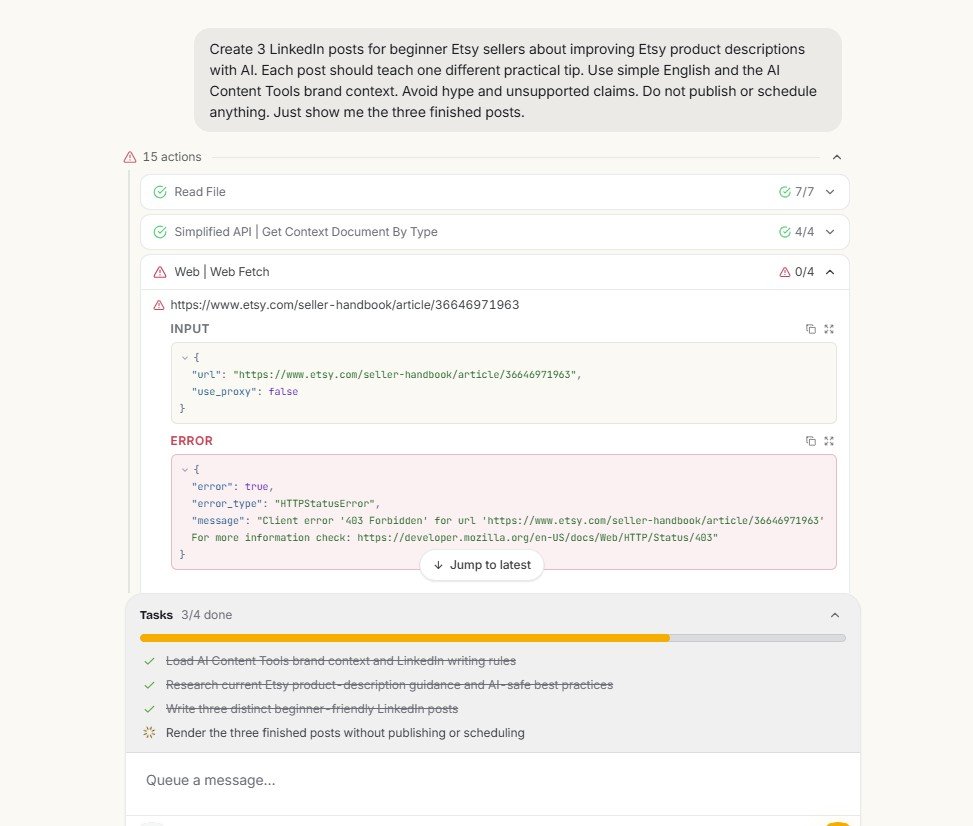
This second example changed how I think about Riley’s research capability. A failed fetch can happen because a website blocks automated access, so I would not treat the 403 itself as proof of poor AI quality.
But if a workflow says it will research a source and that source cannot be retrieved, I want to know that before trusting claims that appear in the final content.
When Riley uses web research, watch the task log rather than judging only the final output. A polished post can still appear after a research step failed. That means the final text should not automatically be treated as source-backed simply because research was part of the planned workflow.
The surprising part: Riley still generated all three posts
The failed Etsy fetch did not stop the workflow. Riley continued and produced three LinkedIn post variants.
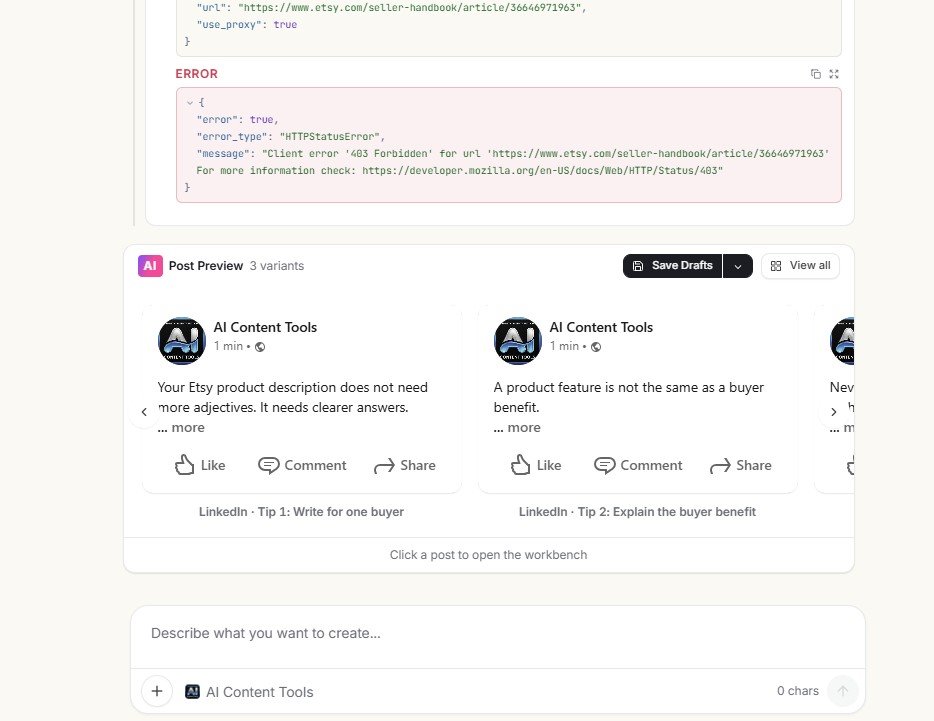
The posts were not simply three copies with small wording changes. The full preview showed different practical angles, including writing for one buyer, explaining benefits and checking AI-generated product descriptions.
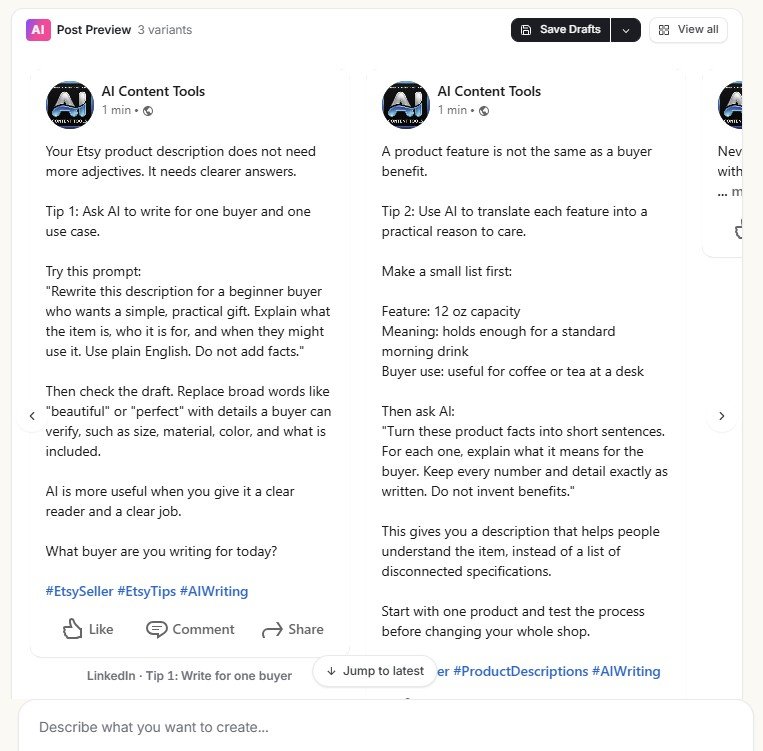
My interpretation of this result
I see both a strength and a risk here.
The strength is resilience. One failed step did not make the entire workflow useless. Riley still gave me something I could edit.
The risk is false confidence. If I only looked at the polished final posts, I might assume the research step had succeeded. Because I watched the workflow, I knew that it had not.
From Riley draft to social publishing
One advantage of using Riley inside Simplified is what happens after generation. The finished LinkedIn content can move into the social post workbench, where the interface includes options such as Save Draft, Schedule, Queue and Publish.
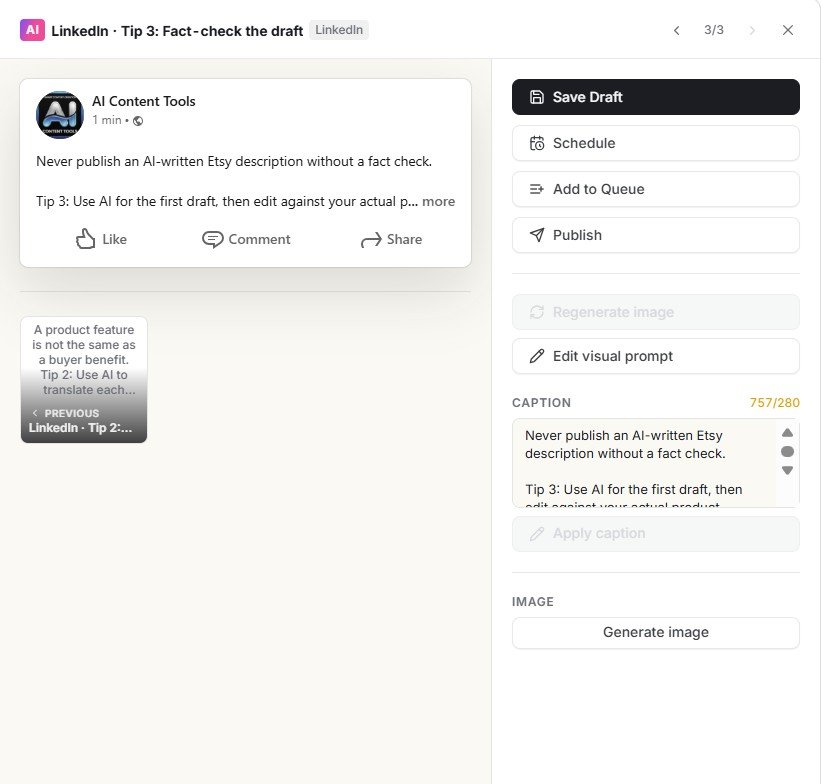
This is where the “AI teammate” positioning makes more sense to me. The value is not necessarily that Riley writes dramatically better text than every other AI. The value is that a request can move through several stages inside one content platform.
I cover the generation, account connection, calendar and publishing side separately in my Simplified Social Media review. This Riley review focuses on what the assistant itself did during the workflow.
Riley also works as a more traditional AI assistant
Not every Riley task needs to be an elaborate agent workflow. Simplified also provides prompt-style starting points for simpler writing and ideation tasks.
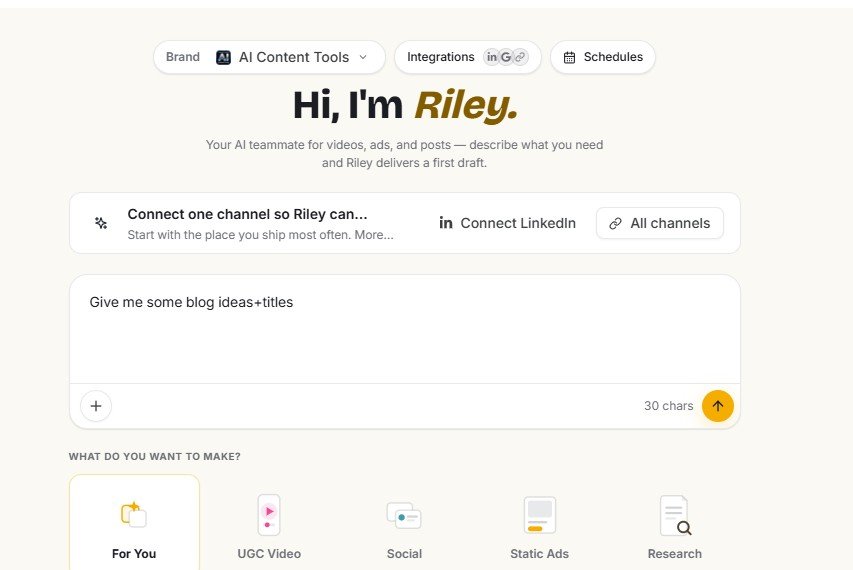
For example, I tested a simple request for blog ideas and titles.
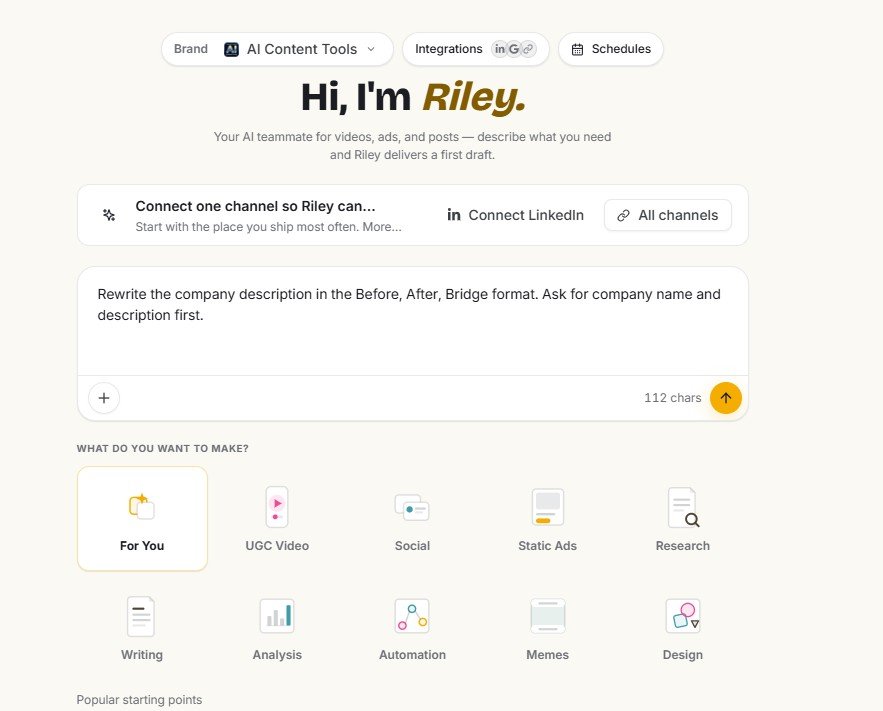
I also tried a more structured copywriting instruction using the Before-After-Bridge framework.
These simpler prompts are useful, but they are not what makes Riley distinctive for me. Almost any capable general AI assistant can brainstorm titles or apply a copywriting framework.
Riley becomes more interesting when it combines prompts with brand context, tasks, integrations and downstream Simplified tools.
What integrations does Riley show?
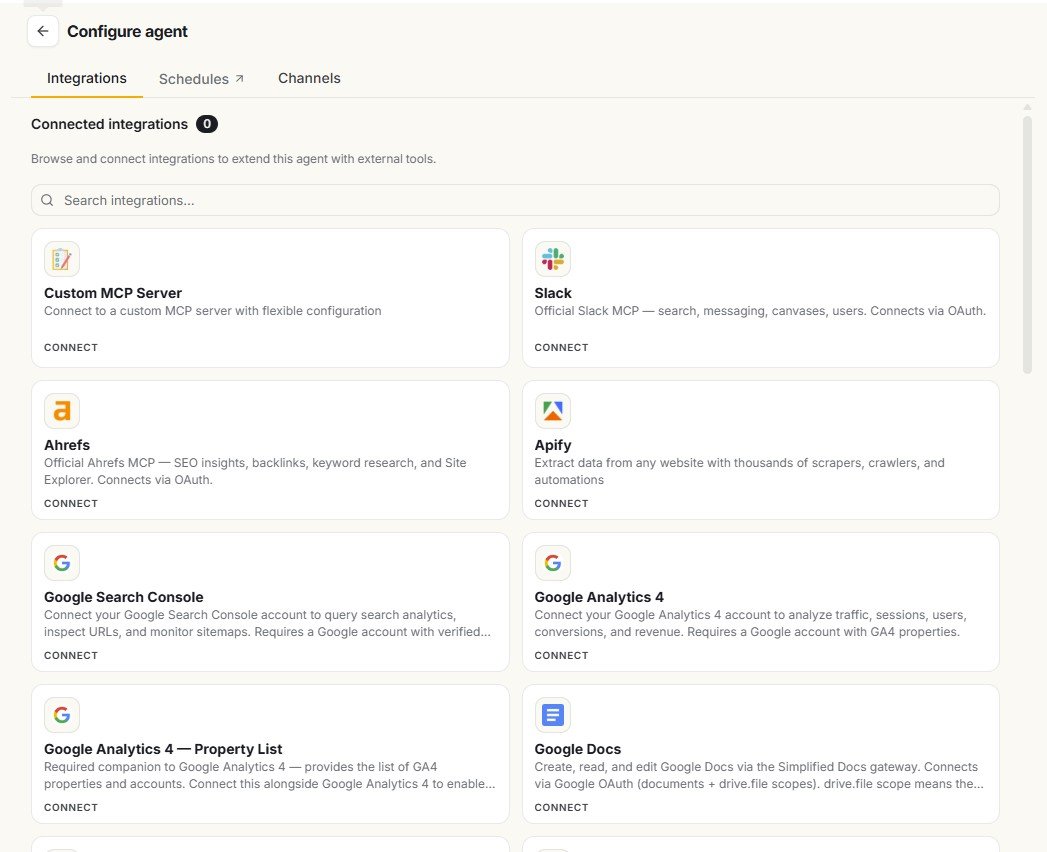
The integrations screen is ambitious. During my testing, the interface showed options including MCP Server, Slack, Ahrefs, Apify, Google Search Console, Google Analytics 4 and Google Docs.
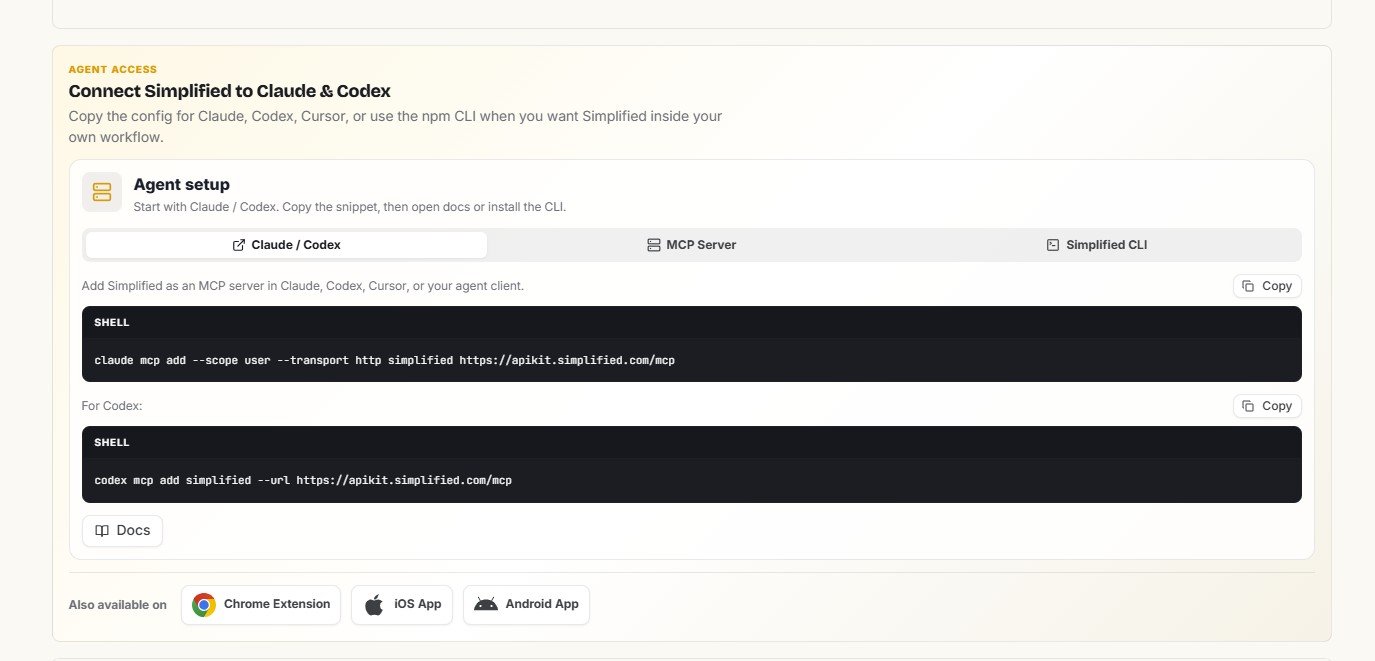
Simplified also exposes Agent Access options involving tools such as Claude, Codex and MCP. This pushes Riley beyond the usual beginner AI writer positioning and into a more technical workflow category.
I saw these integrations in the Simplified interface, but I did not fully test every Ahrefs, GA4, Search Console, MCP, Claude or Codex connection for this review. I therefore treat them as available integration options shown by the product, not as integrations I can personally confirm work perfectly.
What Riley did well in my tests
Strengths I actually observed
- Turned a social request into multiple visible tasks
- Used existing brand context as part of the workflow
- Attempted research rather than pretending the research step did not exist
- Continued the LinkedIn workflow after a failed fetch
- Produced three different post variants
- Connected generated content with Simplified’s broader publishing workflow
- Supports both simple prompts and larger task-based workflows
Limitations I actually observed
- Web Fetch returned 403 Forbidden on AIContent-Tools.com
- Web Fetch returned 403 again while trying to access an Etsy source
- Failed research did not prevent final content from being generated
- Riley could not see the open article content during my repair test
- I had to provide article text manually for that workflow
- A polished final result still requires checking what happened during earlier tasks
What I would change about the Riley workflow
My biggest requested improvement would not be “make the AI write prettier sentences.” I would focus on context continuity and source transparency.
Better editor awareness
If Riley is working next to an open Simplified document, it should be clearer whether it can read that document. Ideally, the user should be able to explicitly attach or share the current document with one click.
Clearer handling of failed research
If a source cannot be fetched, the final result should make that limitation difficult to miss. The user needs to know which planned evidence was actually available.
More distinction between sourced and unsourced output
When research fails but generation continues, I would like a clear indication of what information came from retrieved sources, brand context or general model knowledge.
How I would use Riley after these tests
I would not give Riley a complex task and return later assuming every intermediate step succeeded. Instead, I would use it as a supervised workflow assistant.
| Task | Would I use Riley? | How I would use it |
|---|---|---|
| Brainstorming ideas | Yes | Low-risk task. Review the ideas and choose the useful ones. |
| Drafting social posts | Yes | Good fit for generating options, followed by manual editing. |
| Brand-based content | Yes, with checks | Review Brand Brain information before relying on it repeatedly. |
| Web research | With caution | Check whether each fetch actually succeeded and verify important claims. |
| Editing an open document | Limited in my test | Be prepared to paste or explicitly provide the required text. |
| Publishing without review | No | I would always inspect the final content and important workflow steps first. |
Who is Riley best for?
Riley makes the most sense to me for users who want more than a standalone AI chat window. Its strongest argument is the surrounding Simplified ecosystem.
- Content creators who move between ideas, writing and social publishing
- Small businesses that want reusable brand context
- Freelancers and marketers who prefer task-based workflows over isolated prompts
- Existing Simplified users who can benefit from Riley connecting different parts of the platform
- Users willing to supervise AI research rather than automatically trust it
Who may not need Riley?
- Someone who only wants a simple chatbot for occasional writing questions
- Users expecting fully autonomous research without checking source access
- People who want an AI assistant to automatically understand every open document
- Users who do not need Simplified’s wider content and publishing workflow
Try Simplified and compare Riley with your own tasks
My tests found useful workflow features as well as real limitations, especially around web fetching and document context. AI tools also change quickly, so your current result may differ from mine.
Try SimplifiedAffiliate disclosure: this is an affiliate link. If you sign up through it, AIContent-Tools may earn a commission at no extra cost to you. This does not change the test results or verdict in this review.
Riley vs. a normal AI chatbot: what is the real difference?
For simple prompts, the difference can be small. Asking for blog ideas or a Before-After-Bridge rewrite is something many AI assistants can already do.
The stronger Riley use case is the workflow around the prompt: brand context → task planning → tools or research → generated asset → Simplified workspace.
My LinkedIn test demonstrated this better than the simple writing prompts. Riley planned several steps and then moved the finished content toward a publishing environment. That is more useful than getting another paragraph inside another chatbot.
At the same time, the more an assistant acts like an agent, the more important transparency becomes. A normal chatbot gives you text to check. An agent may perform several hidden or semi-visible steps before giving you that text. You need to know which of those steps actually worked.
My final verdict on Simplified Riley
Riley is more useful as a supervised workflow assistant than an autonomous AI teammate.
I came away from these tests liking the direction of Riley. It is more ambitious than a basic AI writing box. It can work with brand context, break requests into tasks, attempt research and connect generated content with other parts of Simplified.
The LinkedIn test was the strongest example. Riley loaded context, attempted Etsy research, generated three post variants and continued toward a usable social workflow. Even when Web Fetch returned a 403 error, the whole task did not collapse.
But that same test shows why I would not call Riley fully autonomous. The research failed, yet polished content still appeared. A user who only checks the final output could miss an important limitation in how that content was produced.
My writing test exposed another gap. When I asked Riley to complete missing paragraphs in an article already open inside Simplified, it told me it could not see the editor content and asked me to provide the text manually.
My verdict: Riley can save steps and make Simplified feel more connected, but I would keep a human in the loop. Watch its task history, check whether research actually succeeded, verify important claims and do not assume that being inside the same interface means Riley automatically has access to all your current content.
Frequently asked questions
What is Simplified Riley?
Riley is Simplified’s AI teammate interface for tasks including writing, content creation, analysis and other workflows. It can take simple prompts, but it can also break larger requests into multiple tasks.
Can Riley research the web?
Riley attempted web research during my tests. However, Web Fetch returned HTTP 403 Forbidden when accessing AIContent-Tools.com and again when trying to retrieve an Etsy Seller Handbook page. Website access can depend on whether a site permits automated fetching.
Does Riley stop if web research fails?
Not necessarily. In my LinkedIn test, the Etsy fetch failed but Riley continued and generated three post variants. This was useful, but it also meant I needed to distinguish the finished content from successfully researched content.
Can Riley see a document open in Simplified?
During my specific blog-repair test, Riley said it could not see the article contents in the editor and asked me to paste the article or relevant text manually.
Can Riley create social media posts?
Yes. In my test, Riley created three LinkedIn post variants for an Etsy-related topic. The generated content could then move into Simplified’s social post workspace.
Does Riley work with brand information?
Riley can work within Simplified’s brand-context system. During my testing, Simplified created a Brand Brain containing information such as voice, audience, rules and other brand context. I recommend reviewing AI-generated brand information before relying on it for future content.
Is Simplified Riley worth using?
I think Riley is most useful for people already interested in Simplified’s wider content workflow. Its advantage is not only text generation but the ability to connect tasks, brand context and other Simplified tools. Based on my tests, I would still supervise research and review every important final output.
Testing note: This review is based on my hands-on Simplified testing in August 2026. Features, integrations and AI behavior can change. The screenshots above document what appeared in my account during these tests.