
Simplified has a gallery of ready-made AI automations for marketing, research and other business tasks. Instead of judging the feature from the template list, I ran two actual workflows: AI Tools Evaluator and Brand Info Generator. Both appeared to execute, but neither gave me a useful final analysis. One returned null, and the other returned brand_analysis: null.
Simplified Automations looked much more impressive in the template gallery than they did in my actual tests. I like the idea of choosing a ready-made workflow, filling in a few fields and letting the system complete a larger AI task. That could be genuinely useful for people who do not want to build automations from scratch.
But in the two templates I tested, the final result was the problem. The AI Tools Evaluator returned only null. The Brand Info Generator ran on my real website and then returned brand_analysis: null. Based on these tests, I would experiment with Simplified Automations before building an important workflow around them.
What are Simplified Automations?
Simplified includes a gallery of automation templates designed to turn common tasks into multi-step AI workflows.
The idea is attractive. Instead of manually prompting an AI, copying information between tools and repeating the same sequence each time, you can start with a template designed around a specific result.
The gallery I explored included workflows for AI, marketing, research and other business tasks. Examples visible in the interface included Appointment Booking, AI Human Generator, AI Tools Evaluator and Brand Info Generator.
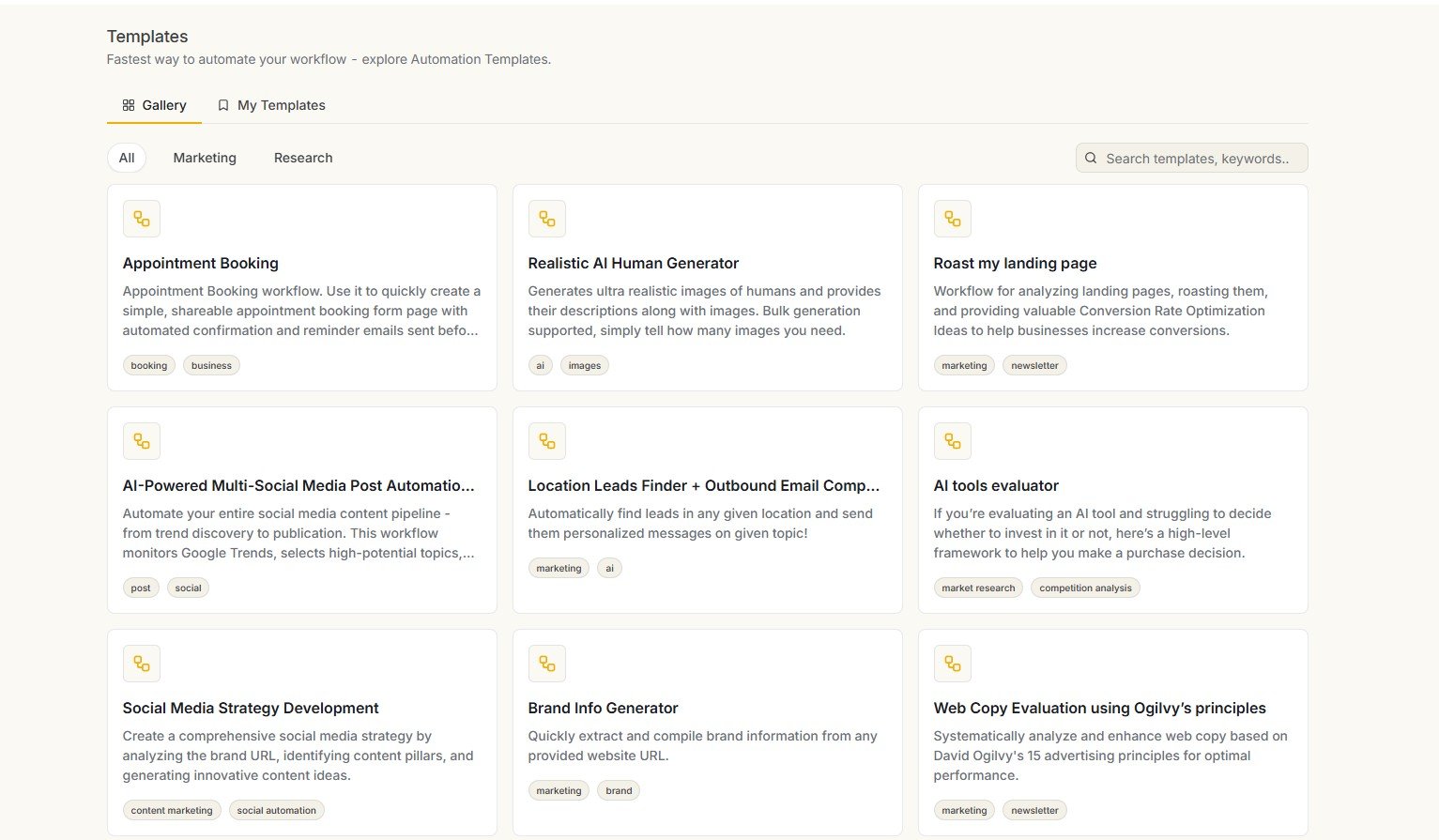
Why I tested the automations instead of reviewing the template gallery
Automation features are especially easy to overrate from screenshots. A template name can sound useful without telling you whether the workflow actually completes successfully or gives you a useful result.
So I chose two templates where I already understood the expected output.
Two different workflows, two easy-to-check outcomes
Test #1: Simplified AI Tools Evaluator
The first automation I chose was AI Tools Evaluator. This template immediately caught my attention because evaluating AI tools is something I already do regularly.
The template was designed around a simple and useful idea: provide the AI tool and explain what you want to use it for, then let the workflow help decide whether the tool is worth investing in.
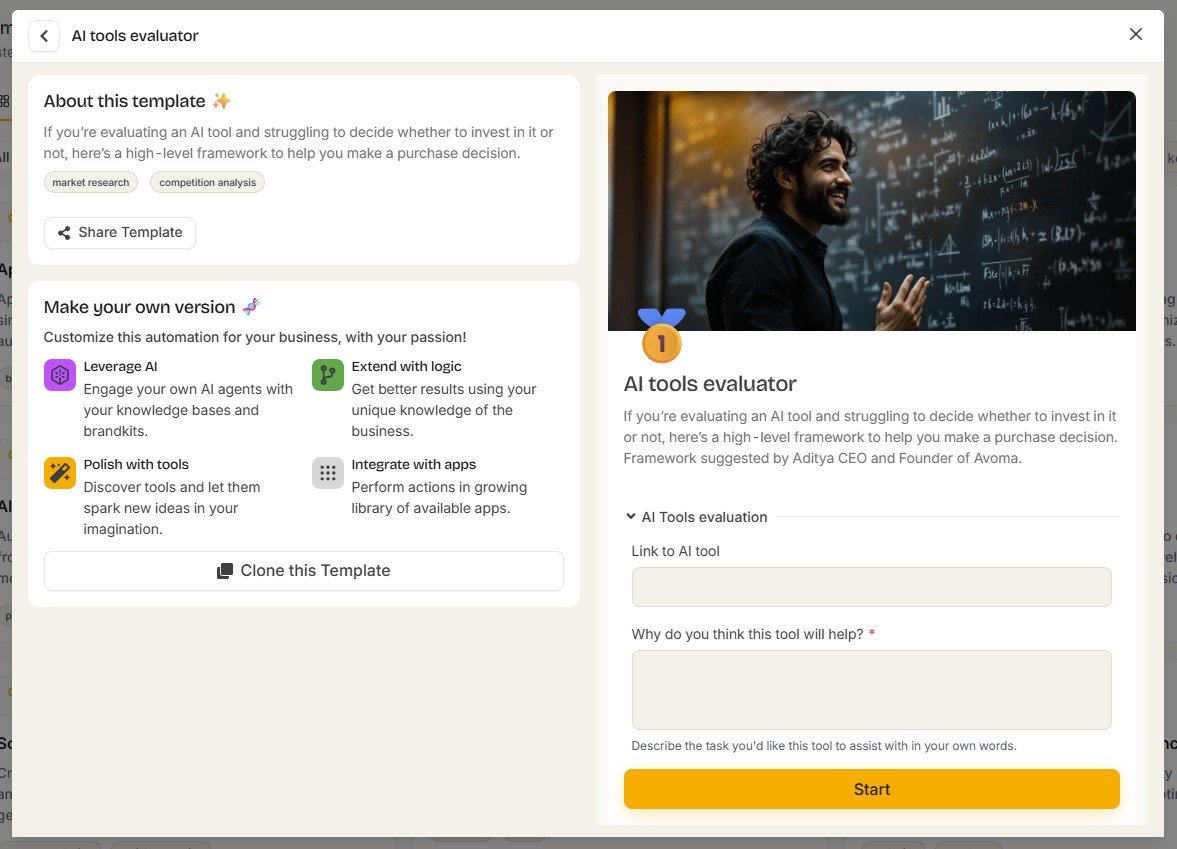
The concept is genuinely useful
I can see the value of this type of template for beginners. A user may know about an AI tool but not know how to judge whether it fits a real business task.
A useful automation could potentially research the tool, compare its features with the requested job, identify limitations and then return a practical recommendation.
That would be much more helpful than another generic list of AI tools.
But the final result was simply “null”
After running the workflow, I did not receive an evaluation. The result shown by Simplified was only: null.
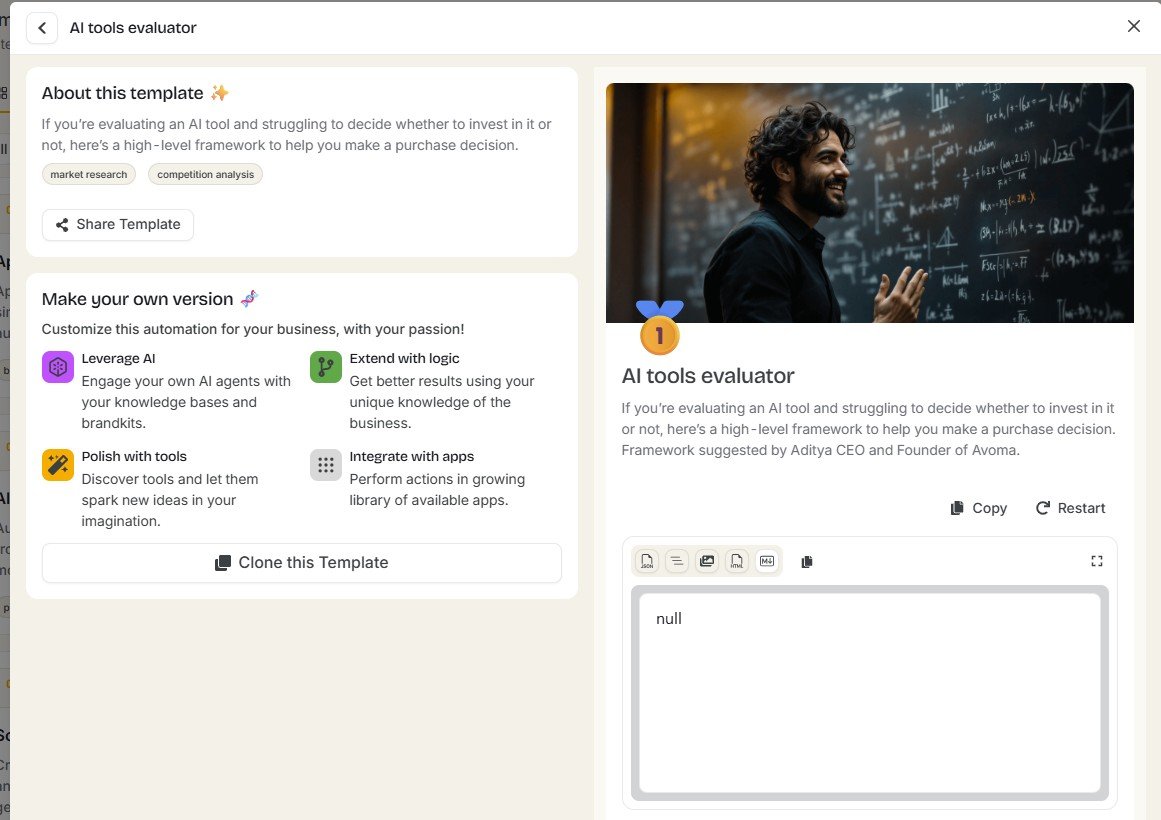
This was not a weak answer. It was effectively no answer. I could not evaluate the usefulness of the recommendation because the workflow never produced one.
This distinction matters. AI output can be mediocre, overly generic or inaccurate. Those are quality problems.
A null result is a different kind of problem: the automation did not deliver the core output I launched it to create.
I did not stop after one failed automation
One failed workflow is not enough for me to conclude that an entire automation system is unreliable. It could have been a temporary error, a problem with that particular template, or something about the supplied input.
So I chose a second template with a very different purpose.
Test #2: Brand Info Generator
The second automation was the Brand Info Generator.
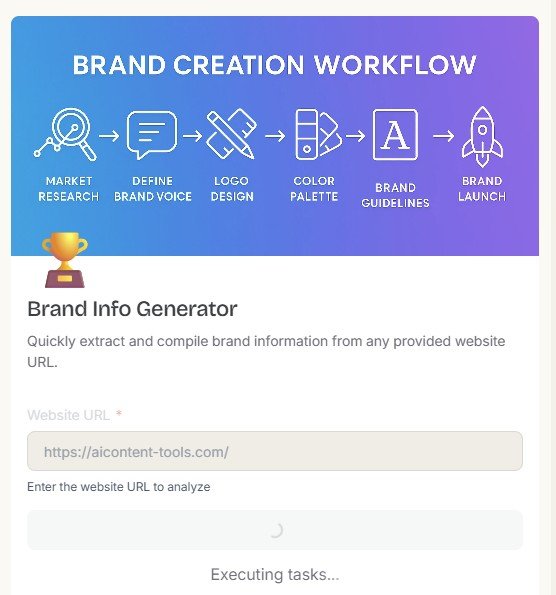
This was a particularly good test because I could give it a website I know extremely well: AIContent-Tools.com.
That means I could easily recognize whether the resulting brand analysis described the real site or invented information.
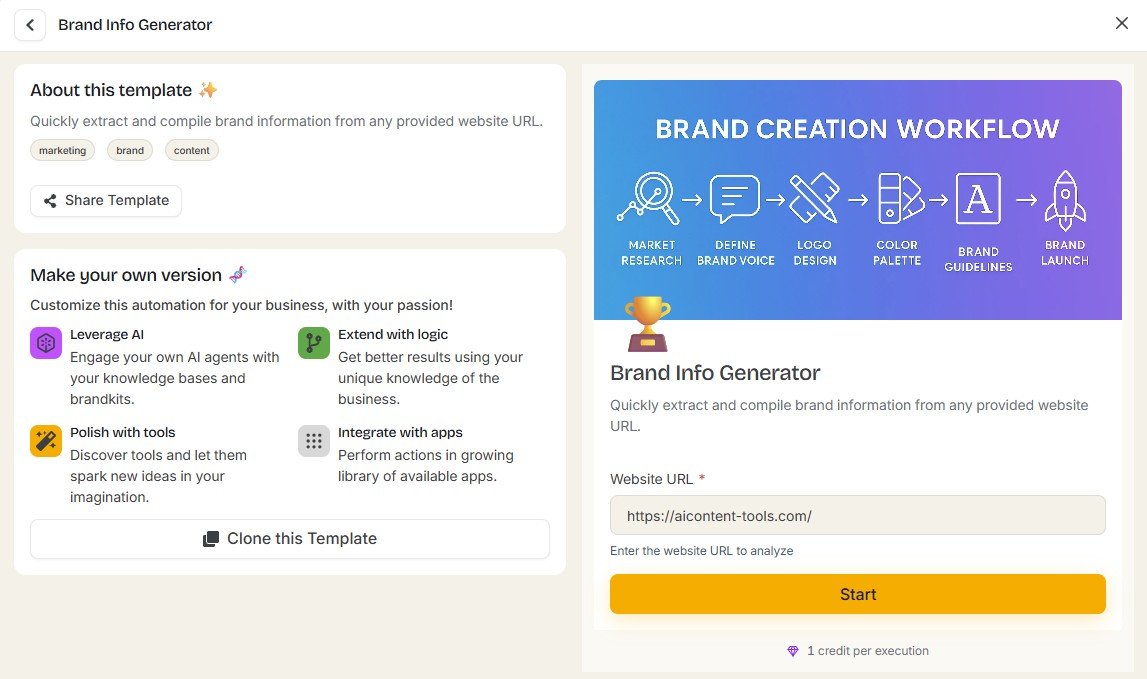
This time I could see the workflow executing
After starting the automation, Simplified displayed an “Executing tasks…” status.
At this stage, the workflow looked normal. There was no obvious indication from the progress screen that the final brand analysis would be missing.
The second automation also returned no useful analysis
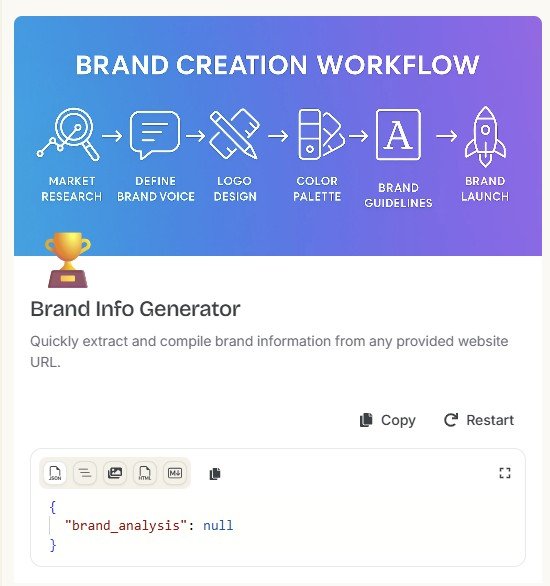
When the run finished, the result showed: brand_analysis: null.
AI Tools Evaluator did not return the evaluation I expected.
Brand Info Generator finished with brand_analysis: null.
Two null results change the verdict
If only one automation had failed, I would be much more cautious about drawing a wider conclusion.
But I tested two different templates designed for two different purposes, and neither delivered the core result I expected.
That does not prove every Simplified automation is broken. I did not test every template in the gallery.
It does mean that the success rate in my small real-world test was 0 out of 2 useful outputs.
Why a null output is especially bad for automation
A failed AI response is frustrating in any tool, but I think it matters even more in automation.
The purpose of an automation is to remove manual work. You should be able to provide the required input, launch the workflow and receive a predictable result.
If the user has to:
- notice that the workflow returned nothing useful,
- work out whether the problem came from the input or template,
- run the task again,
- or recreate the work manually,
then the automation can actually add friction instead of removing it.
Could the failures have been temporary?
Yes. That is possible.
I do not have enough evidence to identify the exact technical reason behind either null result. I also cannot tell from these screenshots whether rerunning each workflow later would produce a different answer.
That is why I would not write: “Simplified Automations never work.”
The evidence supports a narrower statement: both automations I ran during this test failed to provide the expected usable output.
This is a two-workflow test, not a benchmark of every automation Simplified offers. Other templates may behave differently. AI products also change quickly, so the same workflows may return different results after an update.
The Brand Info Generator result is even more interesting because of my Brand Brain test
I had already used AIContent-Tools.com elsewhere inside Simplified.
During my Brand Brain testing, a website-fetch step returned an HTTP 403 error, but Simplified still created a populated Brand Brain with brand context.
The Brand Info Generator was different. With the same website, its final result was simply brand_analysis: null.
That inconsistency is useful evidence because it shows that different Simplified workflows can behave differently even when they are working with the same brand.
I explore that in detail in my Simplified Brand Brain review .
What I liked about the automation concept
The failed outputs do not mean there is nothing interesting here. I actually like several parts of the product concept.
What looks promising
- Ready-made templates reduce setup for beginners
- The gallery covers different business and AI use cases
- Users can start from a task rather than designing a workflow from zero
- Templates can make advanced AI workflows easier to discover
- Input fields make the expected setup relatively clear
- The workflow concept fits Simplified’s wider agent-based direction
What failed in my tests
- AI Tools Evaluator returned only null
- Brand Info Generator returned brand_analysis: null
- Neither test produced a useful final deliverable
- The progress state did not guarantee a successful result
- A failed automation can create more work instead of saving time
- I would not rely on an important recurring workflow without testing it first
What I would test before relying on a Simplified automation
After these results, I would not build a business process around a template immediately. I would first run it several times with low-risk inputs.
Run the template manually first
Do not assume that a published template is already reliable for your specific task.
Use an input where you know the correct answer
I used my own website for the Brand Info Generator because I could immediately judge whether the result made sense.
Repeat the workflow
One successful run is not enough if you plan to depend on the automation regularly. Check whether the result is consistent.
Check failure behavior
What happens if a website cannot be fetched, a field is missing or an AI step fails? A good automation should fail clearly rather than quietly producing an unusable result.
Only automate important work after the template proves itself
Automate low-risk tasks first. I would not immediately depend on an untested template for client deliverables, publishing or business decisions.
What I tested vs. what I only explored
| Feature | What I did | Status |
|---|---|---|
| Automation gallery | Browsed the available template library | Explored |
| AI Tools Evaluator | Opened and ran the workflow | Tested |
| AI Tools Evaluator output | Inspected the final result | Result: null |
| Brand Info Generator | Entered AIContent-Tools.com and ran the automation | Tested |
| Brand Info Generator execution | Observed the workflow executing | Tested |
| Brand Info Generator output | Inspected the final response | Result: null |
| Every automation template | Did not run every template in the gallery | Not tested |
Who might like Simplified Automations?
I can still see a target audience for this feature if the workflows become reliable enough for their tasks.
- Beginners who want ready-made workflows instead of building automations from scratch
- Small businesses looking to automate repeatable AI tasks
- Marketers who want template-based research or content workflows
- Existing Simplified users who already keep their work inside the same platform
- Experimenters who are comfortable testing templates before relying on them
Who should be cautious?
- Users expecting every template to work immediately
- Anyone automating business-critical work without checking the output
- People who need predictable structured data from every run
- Users who do not want to troubleshoot failed AI workflows
- Anyone assuming “Executing tasks…” means a useful result is guaranteed
Simplified Automations vs. using Riley directly
Simplified also has Riley, its broader AI teammate. The two ideas overlap, but I see them differently.
Riley is more flexible. You can describe a task and let the assistant break it into steps.
Automations are more structured. You select a predefined workflow and fill in the expected inputs.
| Need | Riley | Automations |
|---|---|---|
| Open-ended request | Better fit | Depends on available template |
| Predefined workflow | Possible | Main purpose |
| Beginner-friendly starting point | Prompt or task based | Template based |
| Visible task execution | Available in workflows I tested | Available during automation execution |
| Reliability in my tests | Mixed, but Riley produced usable content in some tests | Both tested templates returned null outputs |
If you want to see how Riley behaved with website research, article editing and LinkedIn content, read my Simplified Riley review .
Would I use Simplified Automations today?
I would use them for experimentation, not dependency.
I would browse the gallery, choose a workflow that solves a real problem, run it with low-risk data and check whether it consistently gives me a useful result.
If a template worked several times, then I would consider including it in a regular workflow.
What I would not do after these tests is assume that a professionally named template such as “AI Tools Evaluator” or “Brand Info Generator” automatically means the underlying workflow is ready for reliable production use.
Try Simplified Automations with a task where you know the expected result
That is how I would evaluate the feature. Start with a low-risk workflow, inspect every result and only depend on it after it works consistently. Simplified may also update these templates, so your current result could differ from mine.
Try SimplifiedAffiliate disclosure: this is an affiliate link. If you sign up through it, AIContent-Tools may earn a commission at no extra cost to you. This does not change the test results or verdict in this review.
My final verdict on Simplified Automations
Good automation ideas. My two real tests did not deliver usable results.
Simplified Automations has an appealing concept. The template gallery makes advanced AI workflows look accessible even if you have never built an automation yourself. Instead of starting with nodes, APIs or complicated logic, you can choose a task and provide a few inputs.
But automation should be judged by the output, not the template name.
I ran the AI Tools Evaluator and received only null. I then ran a completely different template, Brand Info Generator, using my own AIContent-Tools.com website. That workflow appeared to execute but finished with brand_analysis: null.
Two failed runs are not enough to prove that every Simplified automation fails. They are enough to make me cautious. In the workflows I personally tested, 2 out of 2 failed to provide the expected useful result.
I therefore see Simplified Automations as an experimental feature that may have real potential, but I would validate a template several times before trusting it with regular business work.
My verdict: explore the gallery, test the templates, but do not confuse an available automation with a reliable automation. The feature becomes valuable only when it consistently completes the job it is supposed to automate.
Frequently asked questions
What are Simplified Automations?
Simplified Automations are template-based AI workflows for different tasks. The gallery I explored included workflows related to AI, marketing, research and other business uses.
Does Simplified have ready-made automation templates?
Yes. I found a template gallery with workflows including AI Tools Evaluator, Brand Info Generator, Appointment Booking and other tasks. I did not personally run every available template.
Did the AI Tools Evaluator work in your test?
No. I ran the AI Tools Evaluator, but the final result displayed only “null” instead of a useful evaluation.
Did the Brand Info Generator work?
Not in my test. I entered AIContent-Tools.com, watched the workflow enter an “Executing tasks…” state, and the final output showed “brand_analysis: null”.
Does that mean all Simplified automations are broken?
No. I only tested two templates, so I cannot make that claim. What I can say is that both workflows I personally tested failed to return the useful output I expected.
Should I trust Simplified Automations for important work?
I would test a template several times first. Start with low-risk inputs, check how it behaves when something fails, and only use it for important recurring work after the results are consistent.
Are Simplified Automations better than Riley?
They serve slightly different purposes. Riley is more flexible and can handle open-ended requests, while Automations provide predefined task templates. In my testing, Riley produced usable outputs in some workflows, while both automation templates covered in this review returned null results.
Is Simplified Automations worth trying?
I think the template gallery is worth exploring if you already use Simplified, but based on my tests I would treat the feature as something to validate rather than something to trust automatically.
Testing note: This review is based on my hands-on Simplified testing in August 2026. I tested two automation templates. AI workflows and product features can change, so the same templates may behave differently after future updates.