I have already written many articles about creating content with AI. I have tested writing tools, compared different platforms, explained prompts, and explored more advanced ChatGPT features.
However, I noticed something interesting. My simplest articles still receive the most attention. Many readers do not need another complicated strategy. They first need to understand what happens after they open an AI tool for the first time.
For this reason, I decided to return to the absolute beginning. Maybe there is still someone who would like to read a simple, honest explanation. Maybe that person is you.
Artificial intelligence has changed very quickly. Only a few years ago, most people connected AI with science fiction, robots, or advanced computer laboratories. Today, people use AI to write emails, prepare lessons, create social media posts, solve programming problems, plan trips, improve resumes, and understand difficult topics.
According to the 2026 Stanford AI Index, generative AI reached a very large part of the global population in only a few years. Microsoft also reported that three out of four knowledge workers in its international survey were already using AI at work.
The exact number depends on how researchers define an “AI user.” Some studies count anyone who tried an AI tool once. Other studies only count active or regular users. That is why different reports may show different numbers. The important message is simple: AI is no longer a small technology used only by experts.
Estimated population adoption of generative AI reported in the Stanford AI Index 2026.
Knowledge workers who said they used AI at work in Microsoft’s international Work Trend Index study.
Organizations reporting some use of AI in the Stanford AI Index 2025 business data.
What Are People Doing With AI?
People use AI for both professional and personal tasks. Some use it every day. Others only open it when they need help with a difficult email, document, or question.
| AI task | Simple example | Who may use it? |
|---|---|---|
| Writing | Emails, blog posts, reports, descriptions, and summaries | Business owners, bloggers, employees, and freelancers |
| Learning | Explaining a difficult idea in simple words | Students, parents, teachers, and adult learners |
| Brainstorming | Generating ideas for content, products, or projects | Creators, marketers, Etsy sellers, and entrepreneurs |
| Programming | Explaining code, finding bugs, or creating a small function | Developers and people learning to code |
| Career support | Improving a resume, cover letter, or LinkedIn profile | Job seekers and career changers |
| Planning | Creating a schedule, checklist, lesson, or content plan | Almost anyone |
| Translation | Translating and simplifying text | International users, students, and businesses |
| Social media | Writing Facebook, LinkedIn, Pinterest, or Instagram content | Creators, brands, and social media managers |
AI can help with almost all text-based work. However, opening an AI tool does not automatically mean that you will receive a perfect answer. Before writing your first prompt, there are several important things you should understand.
You Open an AI Tool. What Happens Next?
You may open ChatGPT, Claude, Gemini, Copilot, Writesonic, Jasper, or another AI assistant. You see a text box. It looks simple.
You type a question, click a button, and receive an answer.
This simple process can make AI look like a search engine. However, an AI assistant does not work in exactly the same way as Google. It generates a response based on patterns, instructions, context, available tools, and the model that is currently active.
That is why two AI tools can receive the same question and produce very different results.
One AI may write three short sentences. Another may create a long scientific explanation. A third may add an example, a comparison, and a small experiment.
None of these answers must be wrong. They are simply different.
1. Not All AI Is the Same
The first thing every beginner should know is that AI is not one single product.
We often say “AI” as if it were one machine. In reality, there are many companies, tools, models, versions, and systems.
Think about cars. Every car can take you from one place to another, but cars are not identical. One may be small and economical. Another may be fast. Another may be designed for large families or difficult roads.
AI models are similar. Different models may be designed for different jobs.
Fast models
They answer quickly and are useful for short, simple, everyday tasks. However, they may provide less detail.
Reasoning models
They may spend more time analyzing difficult questions, comparing options, or solving multi-step problems.
Writing-focused tools
They often include templates for blog posts, product descriptions, advertisements, or social media content.
Specialized tools
They may focus on SEO, resumes, research, coding, images, education, or one particular profession.
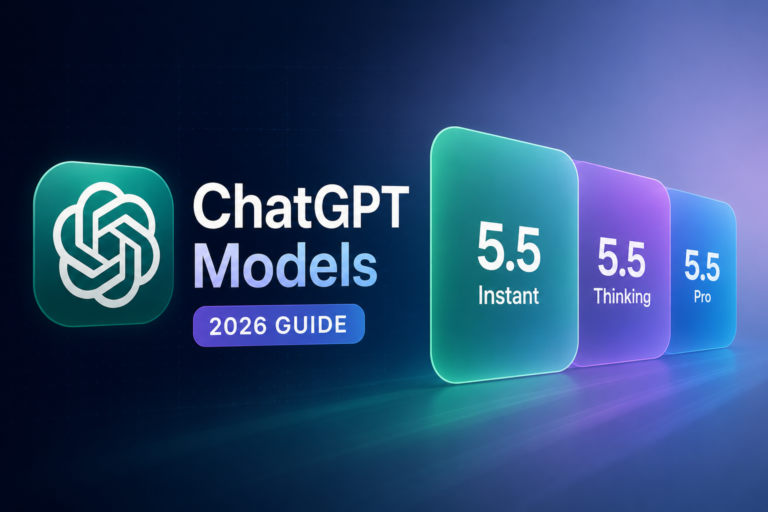
Even ChatGPT itself can offer access to different models. A fast model and a more advanced reasoning model may answer the same prompt differently.
You can learn more about this in my ChatGPT Models Explained guide . It shows why choosing a model may influence the response before you even begin writing your prompt.
Beginner lesson
Do not judge all artificial intelligence after testing one question in one tool.
A disappointing answer may mean that you used the wrong model, the wrong tool, an unclear prompt, or not enough context.
2. The Same Question Can Produce Different Answers
Beginners often expect AI to behave like a calculator.
When you enter “2 + 2,” you expect the same answer every time. AI-generated language is different. The system selects words based on patterns and probabilities. There can be many reasonable ways to answer the same question.
For example, imagine that you write:
One response may begin with a question. Another may include a statistic. Another may tell a short story. Another may immediately list the benefits of eating breakfast.
The response may also change when you repeat the prompt in a new conversation. This does not always mean the tool is unreliable. Language allows many possible correct answers.
Why can the response change?
| Factor | How it may change the answer |
|---|---|
| AI model | A stronger or more specialized model may provide more detail. |
| Conversation history | Earlier messages tell the AI what you are discussing. |
| Memory | The tool may remember your preferences or past information. |
| Custom instructions | The system may already know your preferred style or goals. |
| Uploaded files | The answer may use information from your document or image. |
| Web access | A browsing tool may use current information from the internet. |
| Randomness | The model may select a different wording or structure. |
This is also why a prompt copied from another person may not give you exactly the same result. Their conversation, settings, files, plan, memory, and selected model may be different.
For more help with writing clear instructions, see Prompts That Actually Work .
3. Your Subscription Plan Can Matter
Many AI services offer a free plan and one or more paid plans. The names and exact features change, but the basic structure is often similar.
| Plan type | What you may receive | Possible limitation |
|---|---|---|
| Free plan | Basic access and enough features for simple testing | Lower limits or limited access to advanced models |
| Individual paid plan | More models, tools, uploads, or higher usage limits | Limits may still apply during heavy use |
| Professional or business plan | Higher limits, collaboration, administration, or business features | Higher monthly cost |
| API access | AI can be connected to a website, application, or automated workflow | You usually pay according to usage |
A paid plan does not guarantee that every answer will be perfect. A clear prompt sent to a basic model can be better than a confusing prompt sent to an advanced model.
However, the plan can affect which models and tools you can use. It may also affect message limits, file limits, response length, speed, image generation, research tools, memory, projects, and other features.
Before paying for several tools, it is useful to compare what you really need. My AI content tool price comparison explains how costs and features can differ.
You can also see how much AI content can really cost when you use a tool regularly.
4. The Application and the AI Model Are Not the Same Thing
This difference can be confusing at first.
The application is the website or program you open. The model is the technology that generates the answer inside that application.
A simple comparison
Imagine a restaurant.
- The application is the restaurant.
- The interface is the menu and the table.
- The AI model is the chef preparing your order.
- Your prompt is the order you give.
- The generated answer is the meal you receive.
A restaurant may change chefs. It may also offer a simple menu, a premium menu, or different meals at different prices.
In the same way, an AI platform may change its models or allow users to select between several models.
A specialized writing platform may also add templates, an SEO editor, brand voice settings, saved documents, or content planning tools around an AI model.
This is why tools such as Writesonic, Jasper, Frase, Rytr, Simplified, and Scalenut can feel different even when they all generate written content.
To see how several platforms compare, visit my guide to the best AI writing tools .
5. “Write a Long Article” Does Not Always Produce a Long Article
This is one of the most common beginner frustrations.
You write:
The AI produces 900 words and stops.
You may think that you did something wrong. In many cases, you did not. AI systems have output limits. A model can only produce a certain amount of content in one response.
The practical limit may depend on:
- the selected model,
- the application you are using,
- your subscription plan,
- the size of your conversation,
- the amount of information already included in the prompt,
- temporary usage restrictions,
- the way the platform is designed.
Some specialized writing tools create long articles in sections. They may first produce an outline and then generate each section separately. Other tools try to create the entire article in one response.
You can see different approaches in my Writesonic tutorial , Jasper beginner tutorial , and Frase tutorial .
What should you do when AI stops too early?
Do not ask the AI to create a very long article in one uncontrolled step. Divide the work into smaller parts.
Ask for an outline
Request the introduction, main sections, examples, conclusion, and FAQ before generating the article.
Review the structure
Remove repeated sections and add any important topic the AI missed.
Generate one section at a time
Tell the AI the approximate length, purpose, and examples needed in each section.
Combine the sections
Ask the AI to check transitions, repeated ideas, tone, and consistency.
Edit the final text
Add your experience, verify facts, improve examples, and remove generic sentences.
First, create a detailed outline for a beginner-friendly article about content marketing. Include an introduction, eight main sections, practical examples, common mistakes, a conclusion, and ten FAQ questions. Do not write the full article yet.
This method gives you more control and often creates a better final article.
6. Context Can Matter as Much as the Prompt
A prompt is the instruction you type now. Context is all the information that helps the AI understand that instruction.
Context may include:
- your earlier messages,
- the current conversation,
- uploaded documents,
- saved memory,
- custom instructions,
- project files,
- examples you provided,
- information collected from the web.
Imagine that you type:
This prompt only makes sense when the AI can see the text you want to change. Without context, it does not know what “it” means.
Context also explains why long conversations sometimes become less accurate. The system must process more and more information. Older details may become less important, unavailable, or harder to follow.
ChatGPT includes several features that help organize context. You can learn more in my guides to ChatGPT Memory and ChatGPT Projects .
Context changes the answer
The words in your latest prompt are not always the only information the AI receives.
Conversation history, memory, files, tools, and instructions may influence the response before the model begins writing.
7. Clear Prompts Usually Work Better Than Complicated Prompts
Many beginners believe that a good prompt must be very long. They add unnecessary instructions, repeat the same point, and describe every possible detail.
More words do not always create a better result.
A useful prompt normally explains:
- what you want,
- who the content is for,
- what format you need,
- what tone to use,
- what important information to include,
- what to avoid.
Write something about AI.
Explain generative AI to a complete beginner. Use simple English and short paragraphs. Include three everyday examples, one warning about incorrect information, and a short conclusion. Write approximately 700 words.
The second prompt is not extremely long. It is simply clear.
You do not need to learn special secret commands. Start by describing the result as if you were speaking to a human assistant.
8. Your First Answer Is a Starting Point
AI is conversational. This is one of its biggest advantages.
You do not need to include every instruction in your first message. You can read the answer and continue the conversation.
Useful follow-up instructions
- Explain this in simpler language.
- Give me a real example.
- Make the introduction more interesting.
- Remove repeated information.
- Add a comparison table.
- Write shorter paragraphs.
- Make the tone warmer and friendlier.
- Show me which claims should be checked.
- Turn this article into five social media posts.
- Ask me what information is missing.
Experienced AI users rarely accept the first answer without checking it. They treat the response as a draft. Then they improve it with follow-up questions.
This process is explained in more detail in my Beginner’s Guide to Writing With AI Without Losing Your Voice .
9. AI Can Sound Confident and Still Be Wrong
AI creates sentences that sound natural. This can make the answer feel trustworthy, even when some information is incorrect.
An AI model may:
- invent a fact,
- confuse two people,
- use an old price,
- describe a feature that changed,
- create a source that does not exist,
- misunderstand a complicated question,
- make an incorrect calculation.
These incorrect but confident responses are often called AI hallucinations.
AI hallucinations do not mean that AI is useless. They mean that you must use it correctly. Treat AI as an assistant, not as a perfect source of truth.
My article Can You Trust AI Answers? explains why these mistakes happen and how to reduce them.
10. AI May Not Know What Happened Today
Some AI tools can search the web. Others answer only from information available in their model or from files you provide.
Even when browsing is available, the tool may not automatically use it for every question.
This matters when you ask about:
- today’s news,
- current prices,
- recent product features,
- sports results,
- laws and regulations,
- travel schedules,
- software updates,
- current company leaders,
- new research.
Search the web for current information before answering. Use reliable sources, include the publication dates, and clearly separate confirmed facts from your conclusions.
You can read more about this problem in Does AI Always Know Today’s Data? .
11. AI Writing Often Sounds Generic at First
A basic prompt often creates a basic response.
The text may use common phrases, predictable introductions, balanced paragraphs, and general advice. It may be grammatically correct but still feel empty.
This happens because the AI does not automatically know your real experience, opinion, readers, examples, or personality.
To improve the text, give the AI something real to work with:
- your own story,
- a personal example,
- a product you tested,
- a mistake you made,
- a result you achieved,
- a strong opinion,
- details about your audience.
Write a blog post about using AI.
Write a beginner-friendly blog post about using AI. Begin with my experience: I have written many advanced articles, but my basic guides continue to receive the most attention. Explain what this taught me about new AI users. Use a warm, honest, teaching tone.
The second version contains something the AI could not know by itself. That personal detail gives the article a reason to exist.
You may also read Why Does AI Text Often Sound the Same? and my practical guide to humanizing AI text manually .
12. You Still Need to Edit AI Content
AI can create a useful first draft very quickly. However, publishing the first output without reading it is risky.
Before publishing, check:
Facts
Are the names, dates, numbers, features, and examples correct?
Repetition
Does the article repeat the same idea using different words?
Voice
Does the text sound like you and fit your normal writing style?
Usefulness
Does the reader learn something practical and specific?
Structure
Are the headings, paragraphs, examples, and tables easy to follow?
Original value
Did you add experience or information that is not in every other article?
AI should help you communicate your knowledge. It should not remove your knowledge from the article.
This is especially important when creating content for search engines. Useful AI-assisted content should still answer a real question, provide clear information, and help the reader complete a task.
13. Choose the Tool for the Task
There is no single best AI tool for every person and every job.
A student, an Etsy seller, a programmer, a teacher, and a social media manager may need completely different features.
| Your goal | Feature that may matter | Useful starting guide |
|---|---|---|
| Write blog content | Long-form editor, outlines, SEO support, brand voice | AI tools for bloggers |
| Create social posts | Platform formats, tone options, hooks, repurposing | AI writing tools for social media |
| Improve an Etsy listing | Titles, descriptions, tags, keywords, listing audits | AI tools for Etsy sellers |
| Create a resume | ATS formatting, job matching, bullet improvement | Best AI resume builders |
| Prepare lessons | Worksheets, explanations, quizzes, lesson plans | AI tools for teachers |
| Run a small business | Marketing, emails, planning, customer support | AI tools for small business |
Before buying a subscription, test the tool with your own real task. A beautiful list of features does not tell you whether the platform will fit your workflow.
A Simple First AI Session
You now understand the most important basics. Let us turn them into a simple first exercise.
Choose one small task
Do not begin with a complete book or complicated business system. Start with an email, outline, explanation, or short post.
Explain the audience
Tell the AI who will read the content and what that person already knows.
Describe the result
Ask for the format, approximate length, tone, and important points.
Read the response carefully
Look for useful parts, missing information, generic language, and possible mistakes.
Ask a follow-up question
Request one clear improvement instead of starting again immediately.
Add your knowledge
Include a real detail, example, result, or opinion that comes from you.
Example first prompt
This prompt gives the AI a goal, audience, situation, important facts, tone, and length.
The Most Important Beginner Lessons
Remember these points
- AI tools and AI models are not all the same.
- The same prompt can produce different correct answers.
- Your subscription plan may change your available models and limits.
- A request for a long article does not remove output limits.
- Context can influence the response as much as the latest prompt.
- Clear prompts usually work better than vague or unnecessarily long prompts.
- The first response should normally be treated as a draft.
- AI can sound confident while providing incorrect information.
- Current information should be verified with reliable sources.
- Your experience and editing make AI content more useful and original.
You do not need to understand every technical detail before using AI. You do not need to know how to program. You also do not need to memorize hundreds of prompt formulas.
Start with one clear task. Explain what you need. Read the result. Ask another question. Check the facts. Add your own knowledge.
This simple process is more valuable than collecting hundreds of prompts that you do not understand.
Continue learning
These beginner-friendly guides can help you take the next step:
Frequently Asked Questions
What should I do first after opening an AI tool?
Begin with one small and clear task. Explain what you want, who the answer is for, and what format you need. For example, ask AI to explain a topic, improve a short email, or create an outline.
Why do two AI tools give different answers?
They may use different models, instructions, data, tools, safety systems, and response settings. Different answers do not automatically mean that one answer is wrong.
Can the same AI give me a different answer later?
Yes. Generative AI can select different words, examples, and structures. The conversation history, selected model, memory, and other context may also change the response.
Does a paid plan always give better answers?
Not always. A paid plan may provide stronger models, more tools, or higher limits, but prompt quality still matters. A clear prompt on a free plan can be more useful than an unclear prompt on an expensive plan.
Why does AI stop before finishing a long article?
AI models and applications have output limits. The practical limit may depend on the model, platform, plan, conversation size, and temporary usage restrictions. Creating the article section by section is usually more reliable.
Should I use one very long prompt?
Not necessarily. A prompt should contain enough information to make the task clear, but extra words do not guarantee a better result. You can begin with a clear instruction and add more detail through follow-up questions.
What is context in an AI conversation?
Context is the information that helps AI understand your request. It may include earlier messages, uploaded files, memory, custom instructions, examples, project documents, and web research.
Can I trust information generated by AI?
You can use AI as a helpful assistant, but you should not trust every statement automatically. Verify important names, dates, numbers, sources, prices, health information, legal information, and financial claims.
Does AI always have access to the internet?
No. Some tools can browse the web, while others cannot. A tool with web access may also decide not to browse unless you request current information or activate the correct feature.
Why does AI writing sometimes sound generic?
AI does not automatically know your personal experience, examples, opinions, or audience. Add real details and edit the final result to make it more specific and useful.
Do I need to learn programming to use AI?
No. Most AI assistants use normal language. You can describe your task in the same way you would explain it to a human assistant.
Which AI tool is best for a beginner?
The best tool depends on your goal. A general assistant is useful for questions, learning, and everyday writing. A specialized tool may be better for SEO articles, Etsy listings, resumes, or social media content. Begin with a free version and test it using a real task.
Final Thoughts
Opening an AI tool is easy. Understanding why it produces a particular answer takes a little more time.
Different models have different strengths. Plans include different features and limits. Context changes responses. Long content may need to be generated in sections. AI can also make mistakes.
Once you understand these basic ideas, AI becomes less mysterious and much more useful.
Start small, stay curious, and do not be afraid to ask another question. That is how almost every good AI conversation begins.