Jasper has changed a lot. It is no longer just an AI writing tool where you type a short prompt and wait for a paragraph. The current Jasper experience is built around AI Agents, Jasper IQ, Brand Voice, Canvas, reusable marketing context, content workflows and tools for SEO, AEO and GEO.
That makes Jasper more powerful, but it can also make the platform feel confusing when you open it for the first time. In this tutorial, I will show you the workflow I used during my own testing, from the home dashboard to a finished article, content optimization and repurposing.
This guide uses real screenshots from my Jasper tests on AIContent-Tools.com. I did not create a perfect demo just for the tutorial. I used normal prompts, reviewed the generated results, found weak points and tested the tools that Jasper gives you to improve them.
- What Is Jasper?
- Jasper Dashboard Overview
- How Jasper AI Agents Work
- How to Create Your First Blog Post
- How to Improve Jasper Content
- How to Set Up Jasper Brand Voice
- How to Create Product Descriptions
- How to Create Social Media Content
- How to Repurpose One Piece of Content
- How to Use Jasper for SEO, AEO and GEO
- How to Get Better Results From Jasper
- Jasper Pros and Cons
- Who Should Use Jasper?
- FAQ
- Final Verdict
What Is Jasper AI?
Jasper is an AI platform focused on marketing and content creation. You can use it to create blog posts, landing pages, product descriptions, social media content, emails, campaign assets and other types of marketing copy.
The biggest difference between Jasper and a basic AI chat is the workflow around the generated content. Jasper can use saved information about your brand, audience and style, recommend specialized Agents for the task, create longer content inside Canvas and then help you reuse that content for other channels.
 Jasper home dashboard with AI chat, Jasper IQ, workspace tools and featured Agents.
If you want a general evaluation before following the tutorial, read my Jasper Review. You can also compare Jasper with other platforms in Best AI Writing Tools in 2026 and Writesonic vs Jasper.
Step 1: Understand the Jasper Dashboard
When you first open Jasper, do not try to learn every section at the same time. The interface contains many tools, but beginners can start with a small group of features.
 The main navigation areas you should understand first.
Home
This is your starting point. You can enter a request, see recent work and access featured tools and Agents.
Agent Library
This is where Jasper groups task-specific AI workflows. There are Agents for different types of marketing and content work.
Jasper IQ
This stores reusable context, including Brand Voice, audience information and knowledge that Jasper can use while generating content.
Canvas
This is the workspace where longer content can be generated, reviewed, edited and expanded.
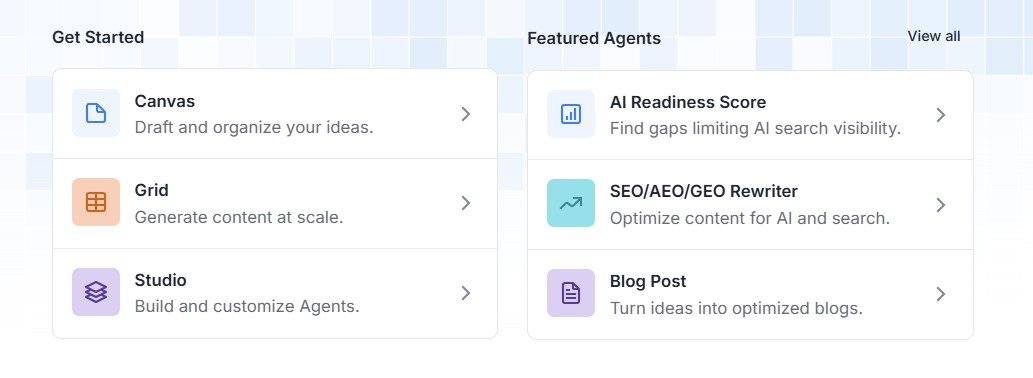 The Jasper dashboard also gives quick access to tools such as Canvas and AI-focused marketing workflows.
Step 2: Learn How Jasper AI Agents Work
AI Agents are one of the most important parts of the current Jasper experience. Instead of using only one general chat for everything, Jasper gives you specialized workflows built around specific marketing tasks.
 Jasper’s Agent Library contains task-specific content and marketing workflows.
During my testing, I found Agents for blog creation, social media, product content, landing pages, content planning, advertising, lifecycle marketing, PR and communications, AI visibility and other tasks.
You do not always have to know which Agent to choose. Jasper can analyze your request and recommend relevant workflows.
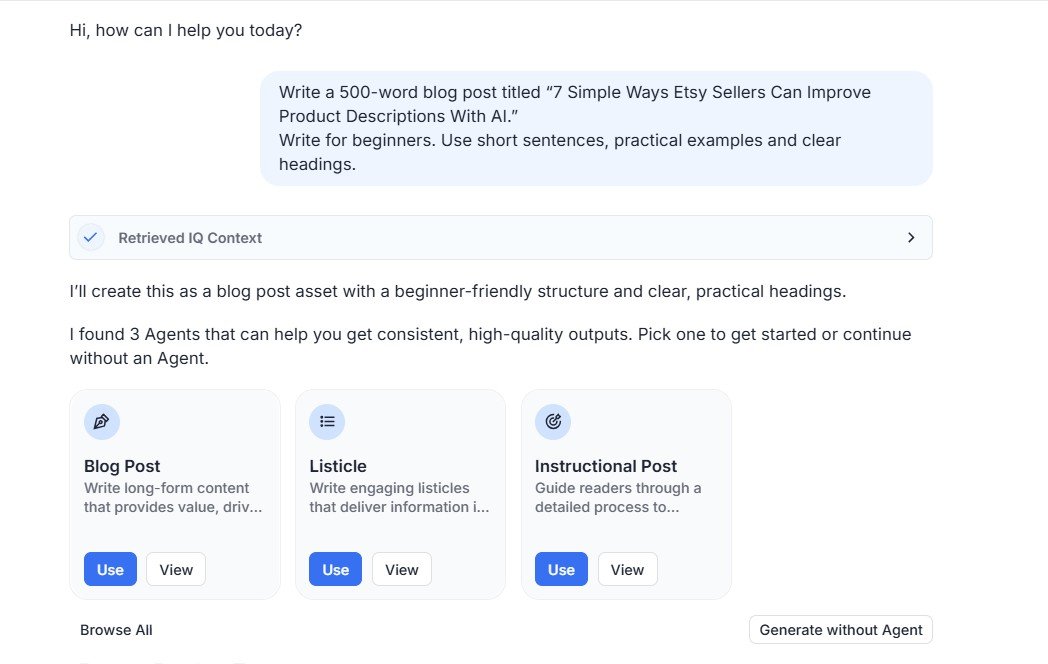 Jasper recommended Blog Post, Listicle and Instructional Post Agents after analyzing my request.
This makes the platform easier to use because you can start with the task rather than the tool name.
For a more detailed look at this part of the platform, see my Jasper AI Agents Review.
Step 3: Create Your First Blog Post With Jasper
For my main tutorial test, I asked Jasper to create a blog article about improving Etsy product descriptions with AI. I saved the whole workflow, including the original prompt, Jasper IQ context retrieval, Agent recommendations, outline, generation and editing.
Start With a Clear Prompt
I started with a specific request rather than a vague prompt such as “write an article.”
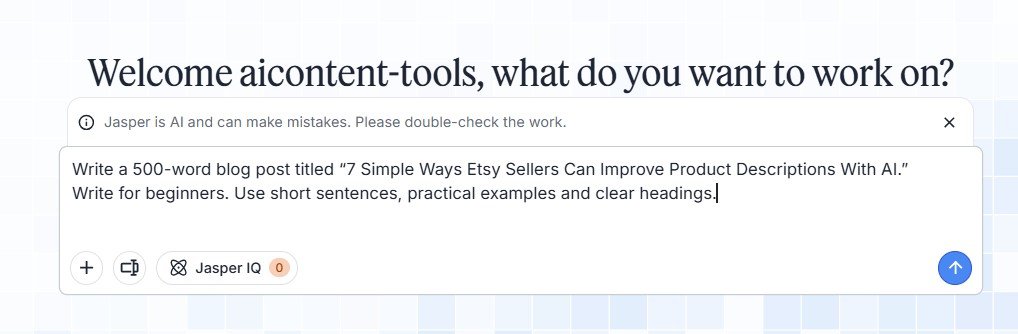 The original blog post prompt used during my Jasper test.
A useful Jasper prompt should explain what you want to create, who the content is for and what the final result should achieve. When possible, include:
- the content type,
- the topic,
- the target audience,
- the desired length,
- the goal,
- the tone,
- and any rules you do not want Jasper to ignore.
Jasper Retrieves Context
Before creating the final content, Jasper can retrieve reusable context from Jasper IQ. This may include Brand Voice, audiences and knowledge sources.
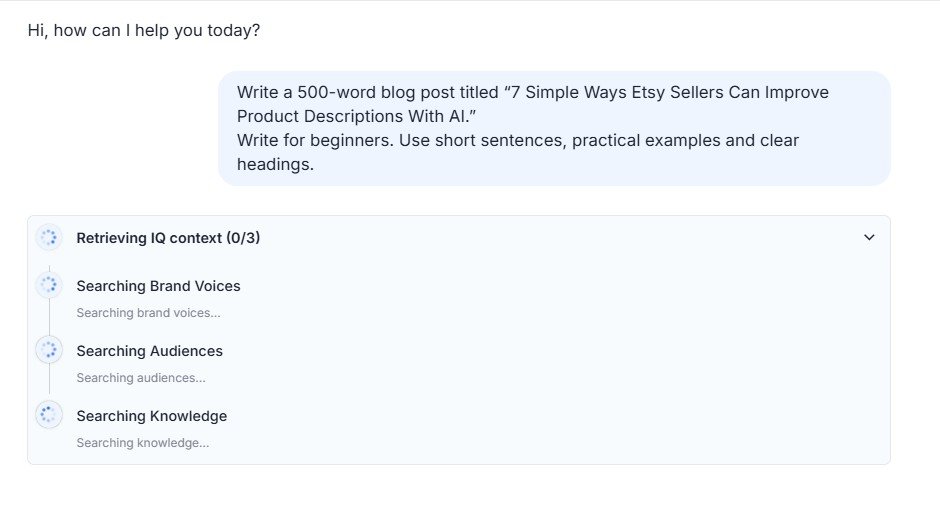 Jasper IQ retrieving context before generating the article.
This matters because a generic AI model only has the information in the current prompt and its general knowledge. Jasper can also use information that you have intentionally saved for repeated marketing work.
Choose the Blog Post Agent
After analyzing my request, Jasper recommended several content Agents. For this task, the Blog Post workflow was the logical choice.
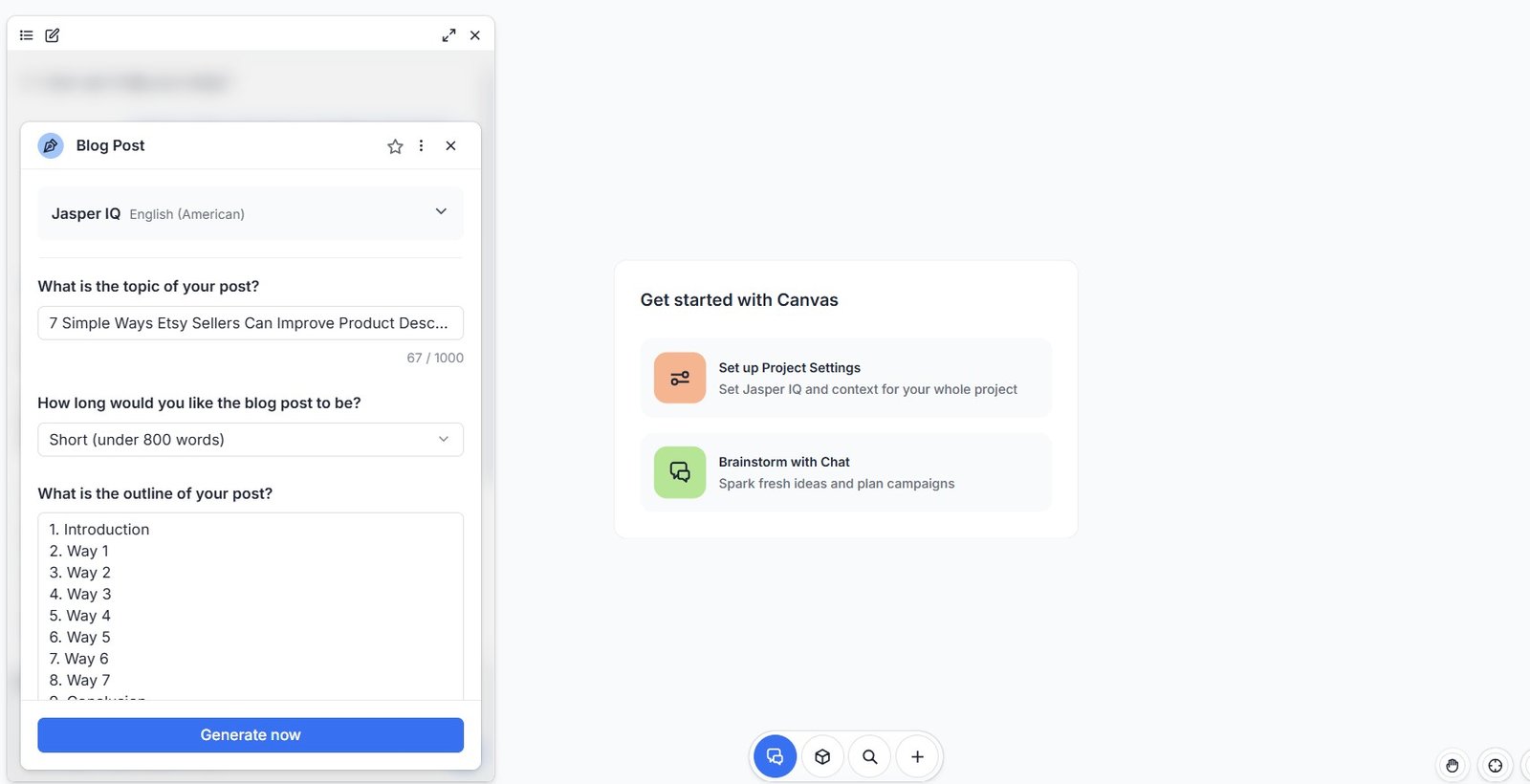 The Blog Post Agent configuration screen.
This step gives you another chance to check the topic and generation settings before Jasper creates the article.
Review the Outline
Jasper can generate the article structure before writing the entire draft. This is one of the most useful moments to make changes.
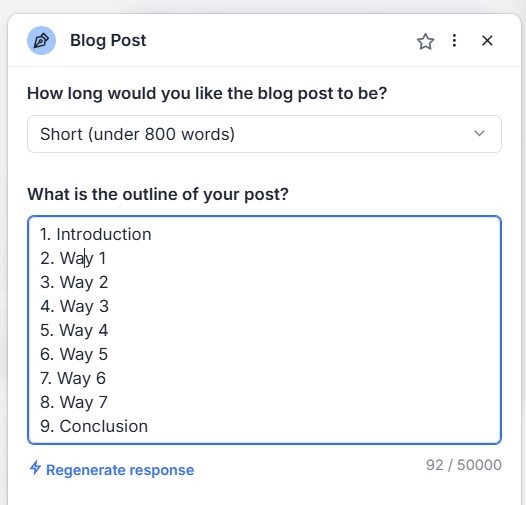 The outline Jasper created for my Etsy article test.
Before generating the full article, check whether the outline:
- answers the main reader question,
- includes the most important subtopics,
- avoids repeated sections,
- matches the search intent,
- and leaves room for your own experience or examples.
AI can create a logical structure, but that does not mean the structure is automatically the best one for your audience.
Adjust Additional Content Settings
Jasper’s blog workflow can include additional instructions and optimization settings before generation.
 Additional Jasper settings for content instructions, AI visibility and image generation.
This is useful when you want the content to follow a specific structure instead of leaving every decision to the AI.
Generate the Full Article
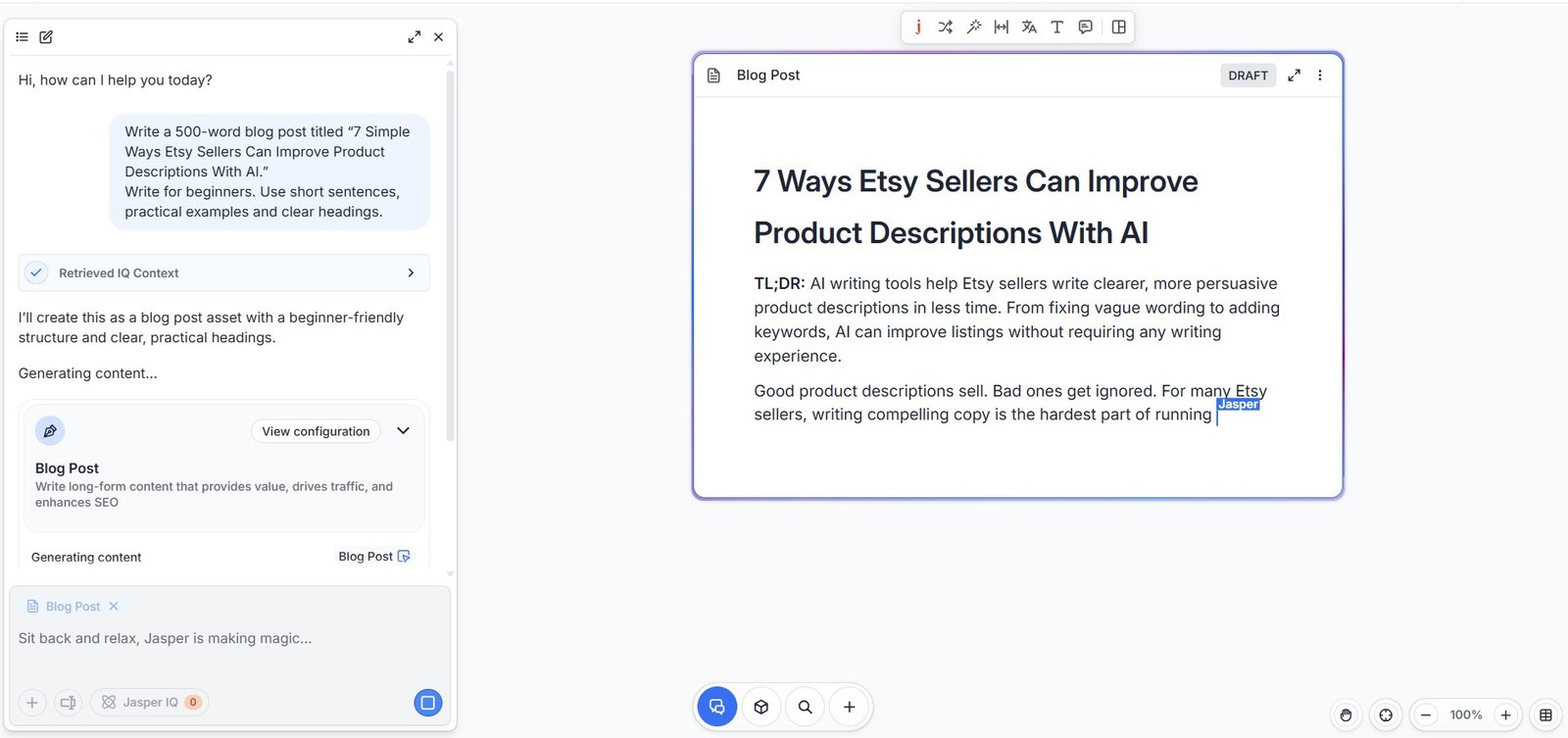 Jasper generating the article inside Canvas.
At this point Jasper combines your prompt, Agent configuration, available context and outline to create the first draft.
I recommend treating the result as a first draft, not as something that should immediately be published.
Step 4: Improve and Edit Jasper Content
One benefit of working inside Jasper is that the process does not stop after the first draft. You can continue editing the content inside the workspace.
Use Inline Improve Writing
If one paragraph sounds weak, select the text and use the available editing tools instead of regenerating the entire article.
 Jasper’s inline Improve Writing option.
This is useful when the information is correct but the wording is repetitive, awkward or too generic.
Fix AI-Sounding Marketing Language
During testing, I found a weak marketing-style statement in Jasper’s generated content. This is important because many AI articles fail not because every sentence is wrong, but because too much of the text sounds vague and interchangeable.
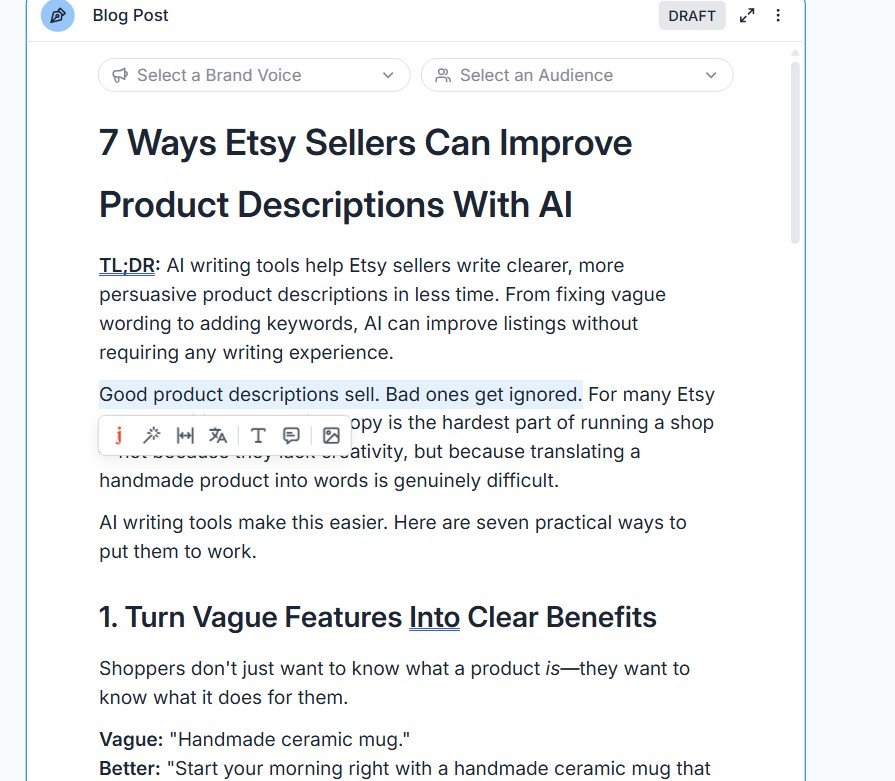 A generic marketing claim I identified during manual review.
I then asked Jasper to rewrite the paragraph in a more natural way.
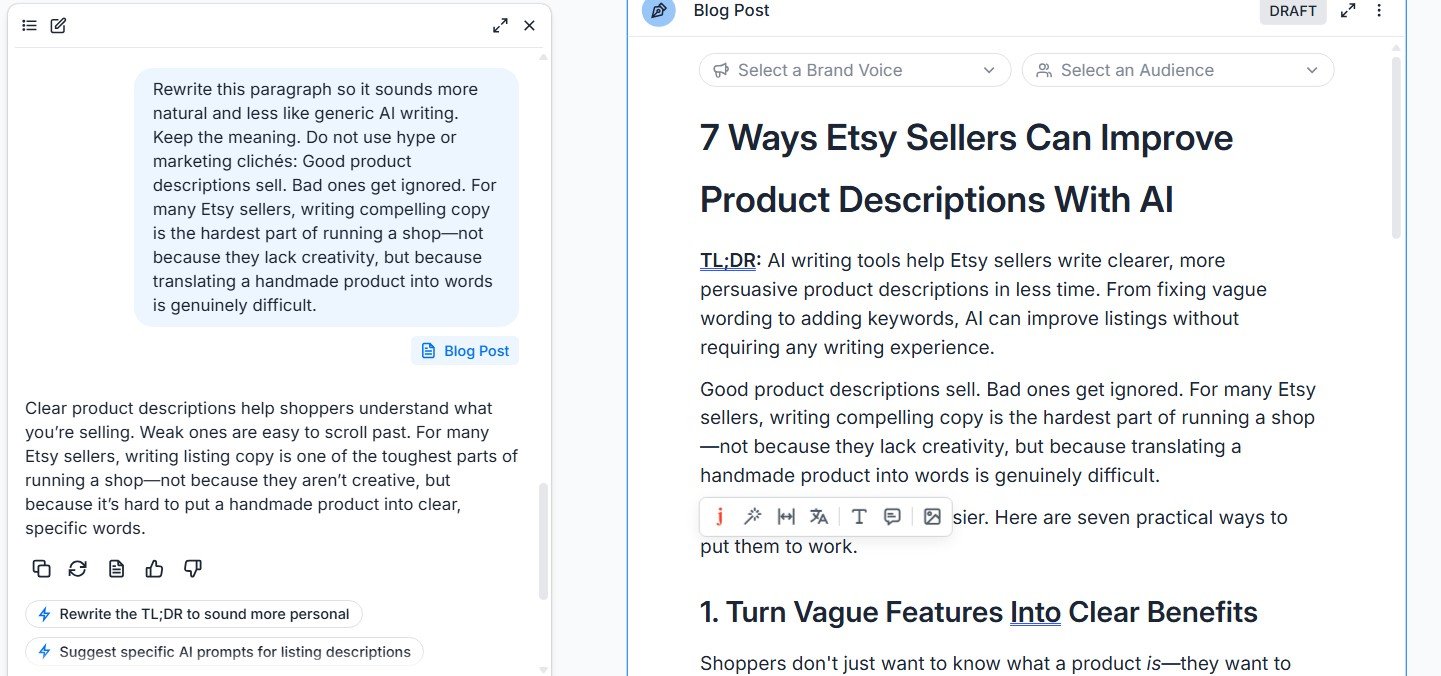 Rewriting a weak paragraph instead of accepting the first output.
This is the workflow I recommend: generate, inspect, identify the weak part and improve that specific part.
Create SEO Metadata
Jasper can also generate supporting SEO elements such as a meta title and meta description.
 Meta title and meta description generated during the article workflow.
Always check these manually. The title still needs to match your real article, and the meta description should make sense for a search user rather than simply summarize the page.
Create an Image From the Content
Jasper also gives you image-related options from inside the editor.
 Creating an image from selected content inside Jasper.
I also tested Jasper generating a blog header image from the article context.
 Jasper generating a header image from the article context.
Continue After the Article Is Finished
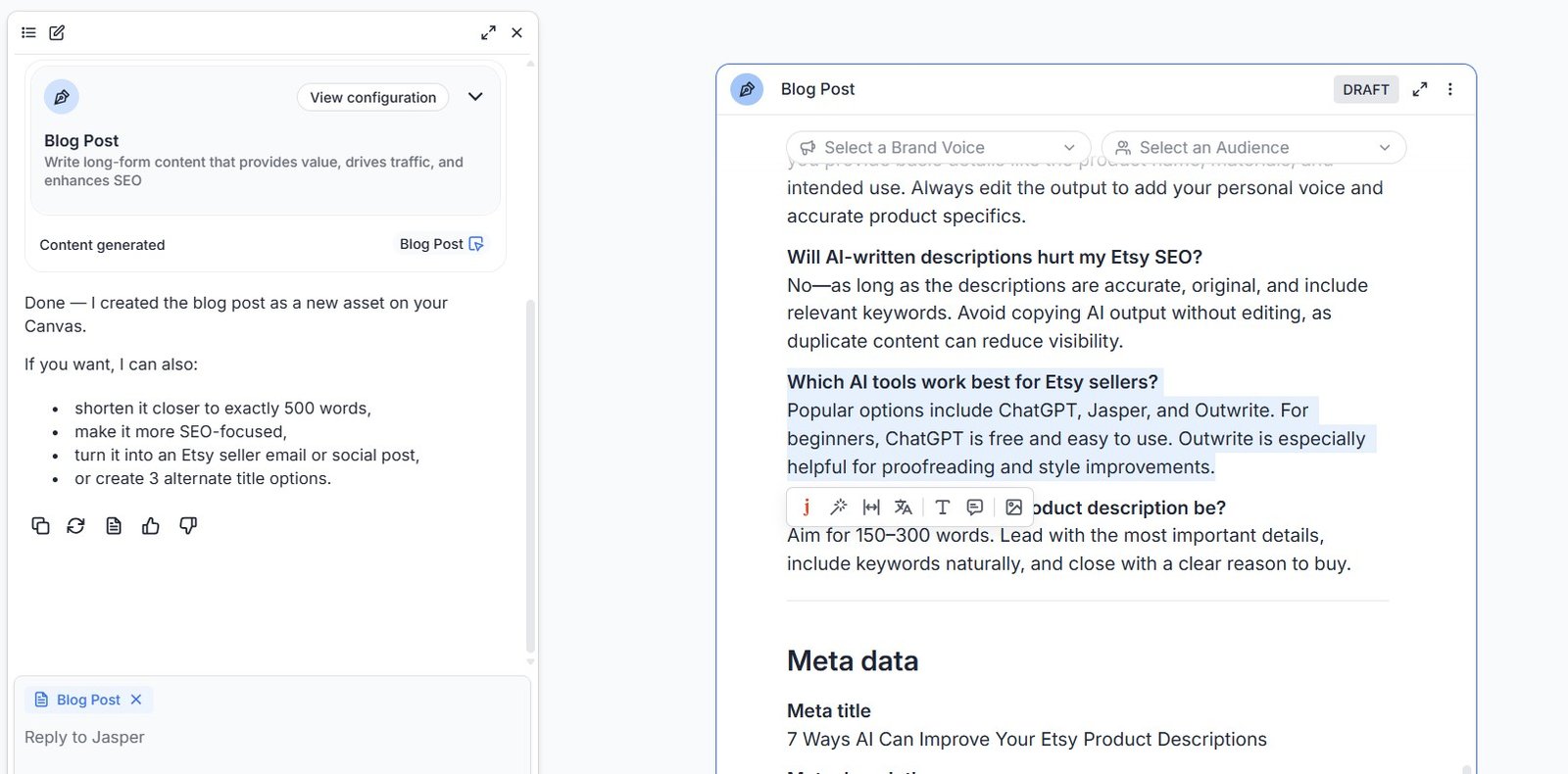 Jasper suggests follow-up actions after the main article is complete.
This is where Jasper begins to feel different from a basic one-prompt writer. The article can become the starting point for more content instead of the end of the workflow.
Step 5: Set Up Jasper Brand Voice
If you plan to use Jasper repeatedly, Brand Voice is one of the most useful features to configure.
Without Brand Voice, you may repeat instructions such as “use short sentences,” “avoid difficult words,” “keep the tone friendly” or “do not use exaggerated marketing language” in every prompt.
With Brand Voice, you can give Jasper real examples and create reusable style context.
Create a Brand Voice Profile
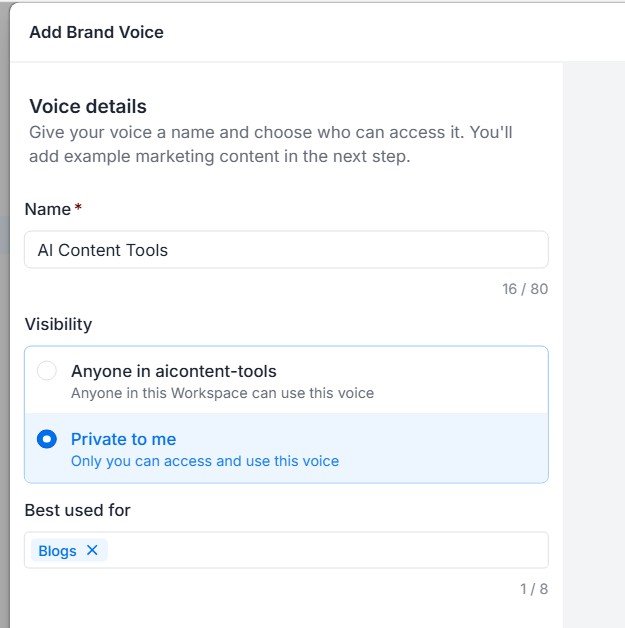 Creating a custom Brand Voice profile in Jasper.
Train Jasper With Real Content
For my test, I used existing AIContent-Tools.com URLs as writing samples.
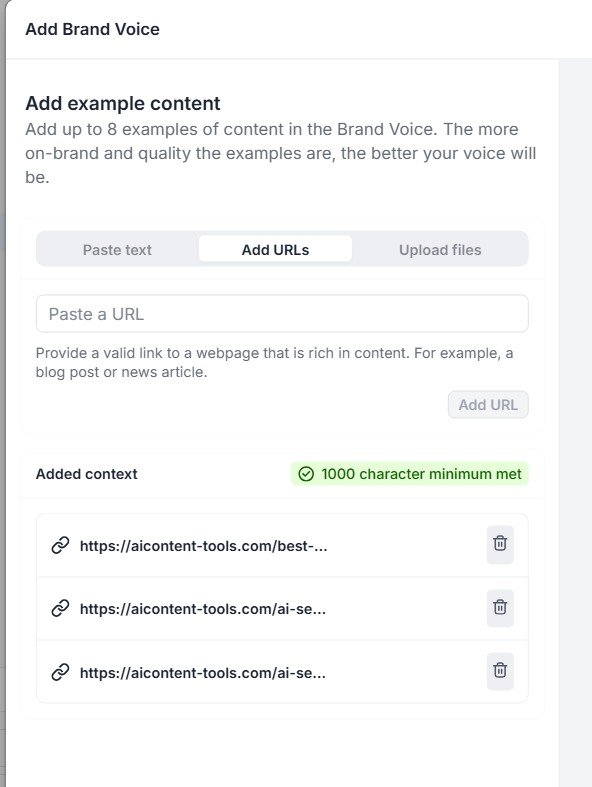 Training the Brand Voice with existing website content.
Jasper then analyzed the samples and created a custom style profile.
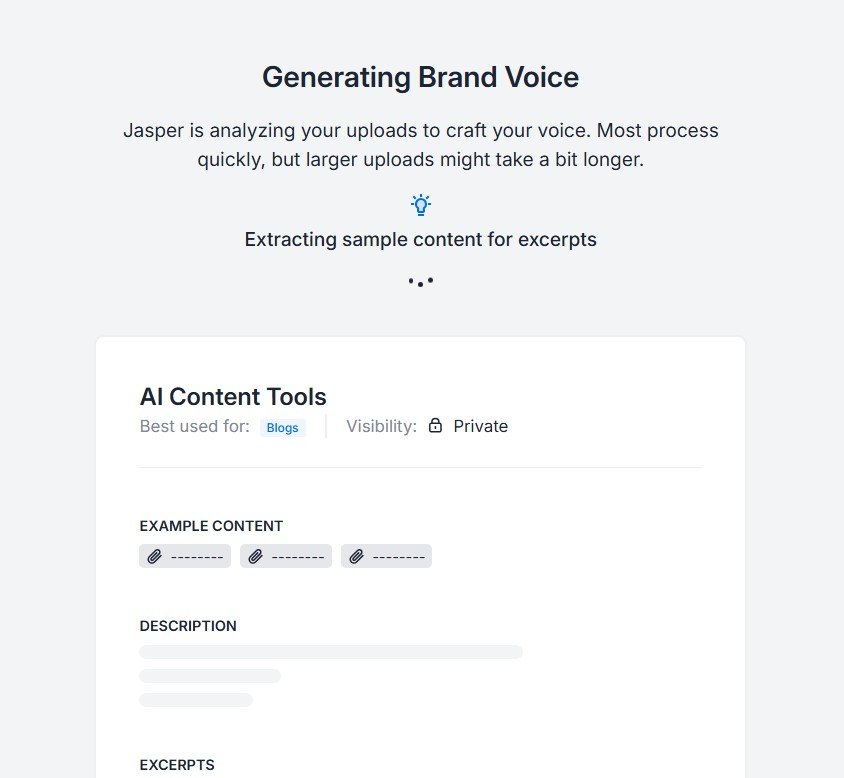 Jasper analyzing the submitted content samples.
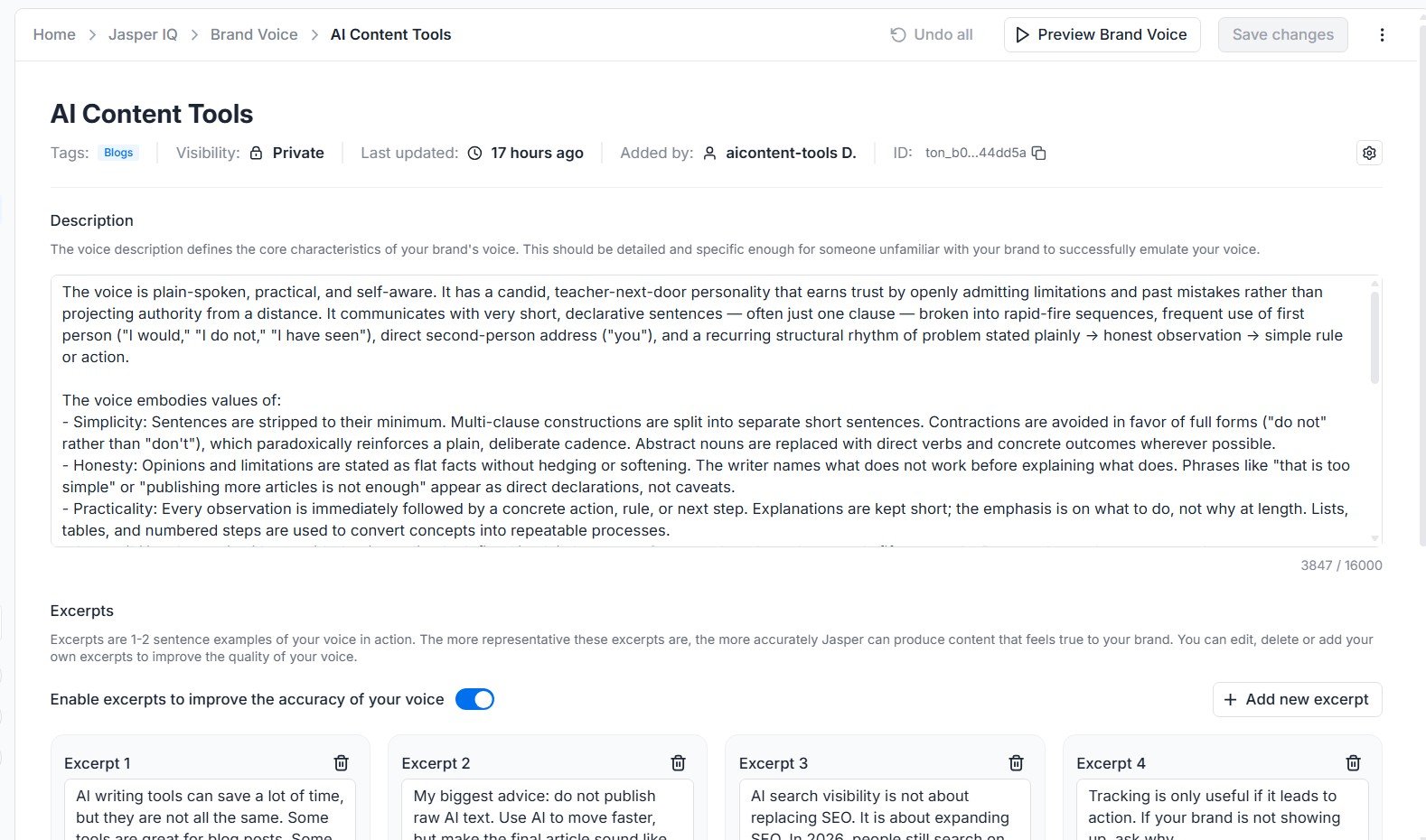 The completed Brand Voice profile and Jasper’s style analysis.
Once the profile is ready, you can select it when generating new content.
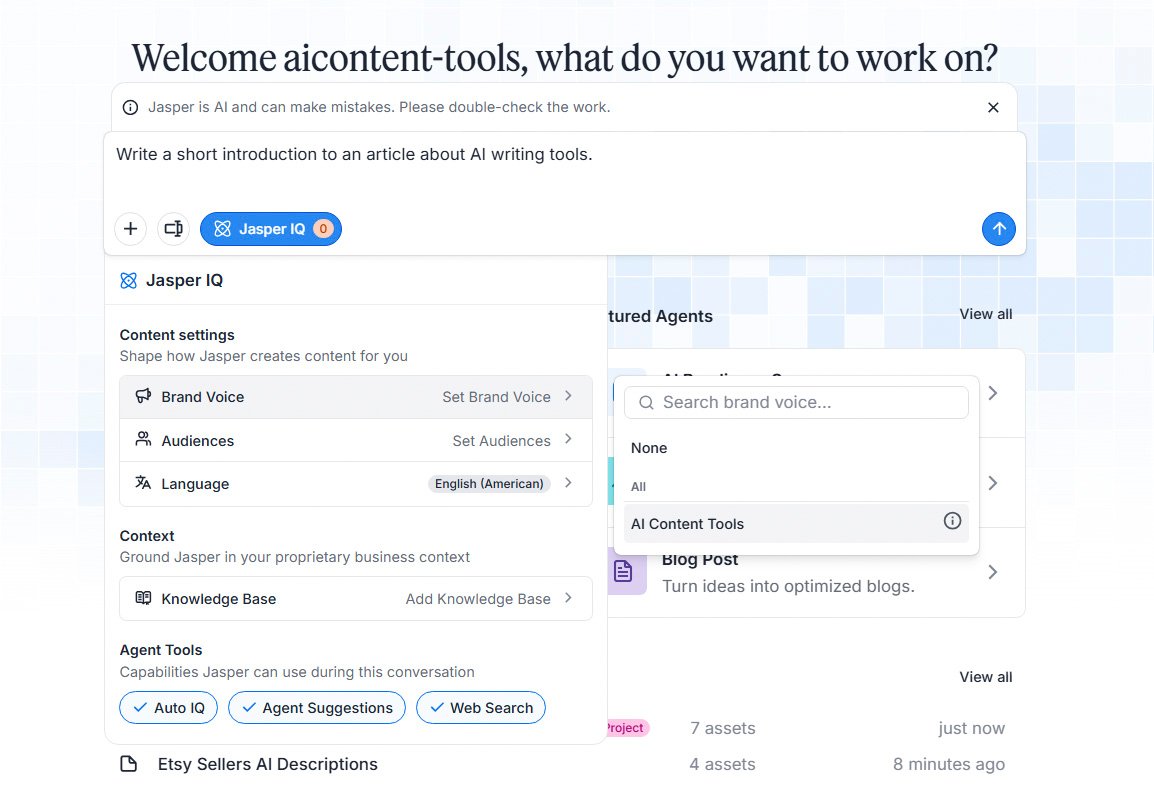 Selecting the AIContent-Tools.com Brand Voice inside Jasper IQ.
I tested this separately by comparing content created with and without my custom voice. You can see the full experiment in my Jasper Brand Voice Review.
Step 6: Create Product Descriptions With Jasper
Jasper is not limited to long-form blog posts. Product copy is another workflow where specialized Agents can help.
When I entered an ecommerce-related request, Jasper recommended product-focused Agents.
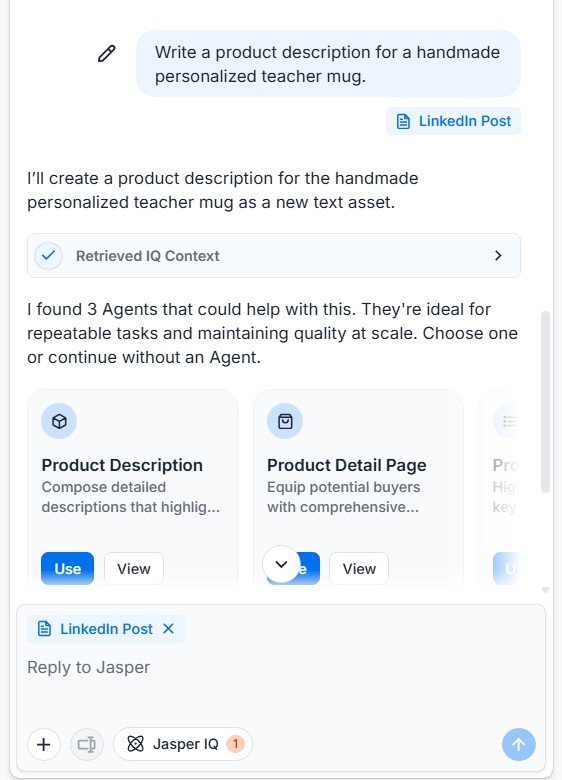 Jasper recognized the ecommerce task and recommended relevant Agents.
Enter Real Product Information
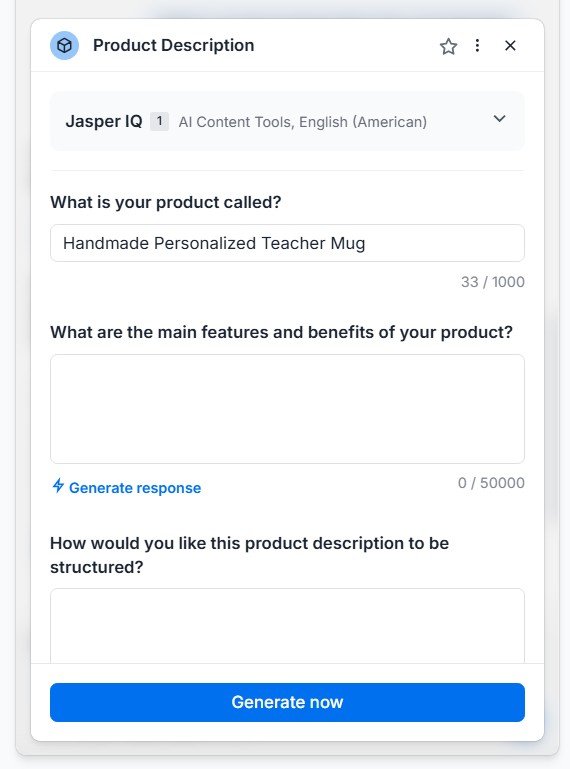 The Product Description generator configuration screen.
Give Jasper as much verified product information as you can. Useful details include:
- product name,
- materials,
- important features,
- real benefits,
- target customer,
- use cases,
- brand style,
- and words or claims you want to avoid.
The less real information you provide, the more likely AI is to fill the space with generic marketing language.
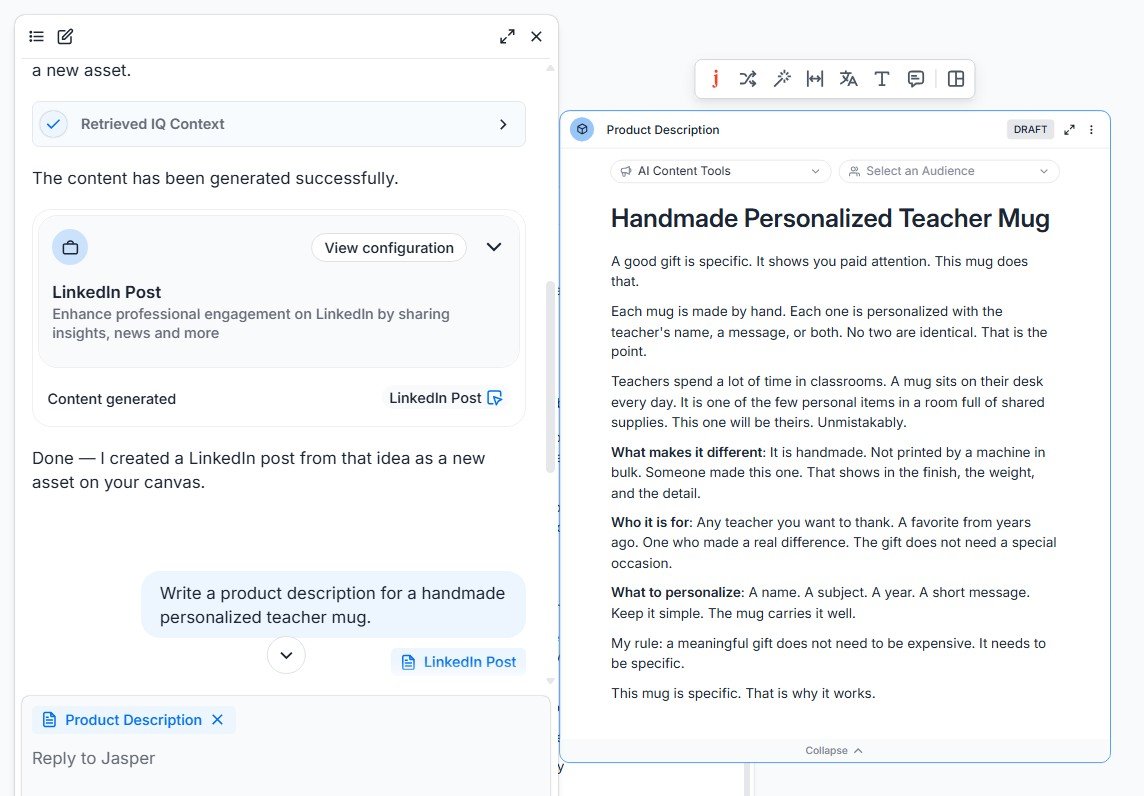 A product description generated with custom Brand Voice context.
I also tested Jasper against my own Etsy-focused workflow. You can see that comparison in Jasper vs Etsy AI Lab and read the dedicated Jasper Product Description Generator Review.
Step 7: Create Social Media Content
Once you already have an article or campaign idea, you do not need to start from zero for every social platform.
Jasper includes social media workflows and Agents for different channels.
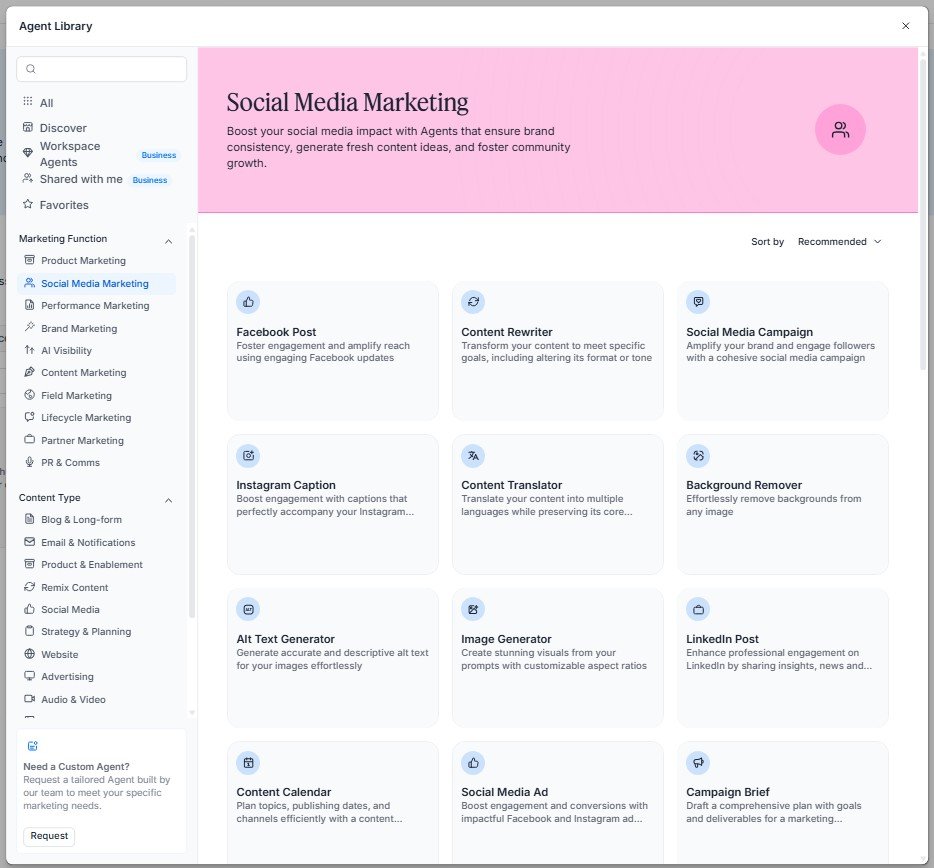 Social media marketing Agents inside Jasper.
Create a Facebook Post
In another test, Jasper recommended Facebook and social media Agents based on the task.
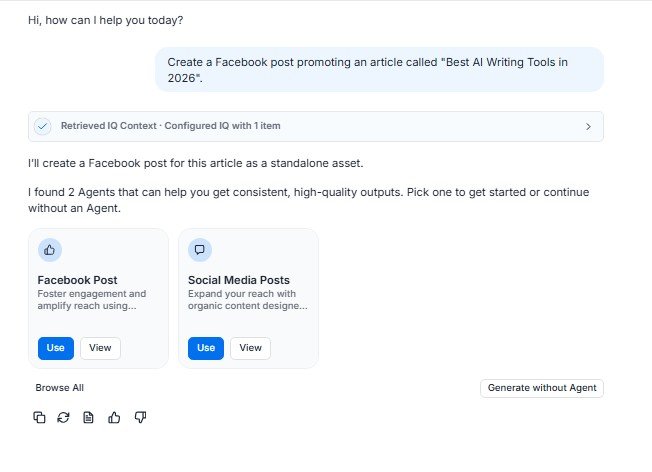 Jasper recommending social media Agents.
The Facebook Post Agent asks for information such as the key message, CTA, links, hashtags and preferred caption length.
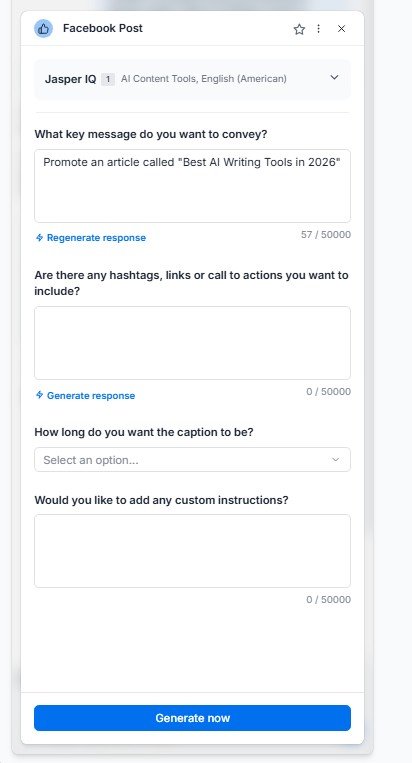 Facebook Post Agent input form.
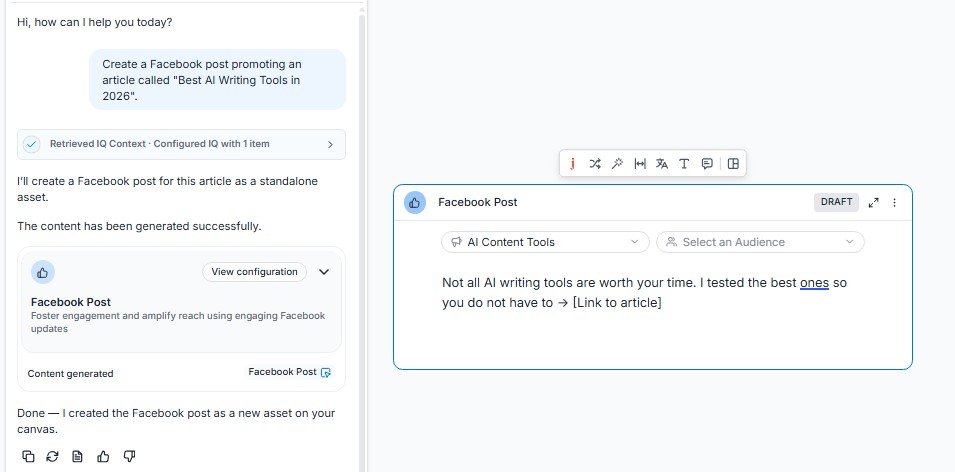 The Facebook post generated from my article content.
You can see a deeper test in my Jasper Social Media Post Generator Review.
Step 8: Turn One Piece of Content Into Multiple Formats
Content repurposing is one of the strongest reasons to use a structured marketing platform instead of creating every asset separately.
I tested whether Jasper could take one source idea and turn it into multiple channel-specific outputs.
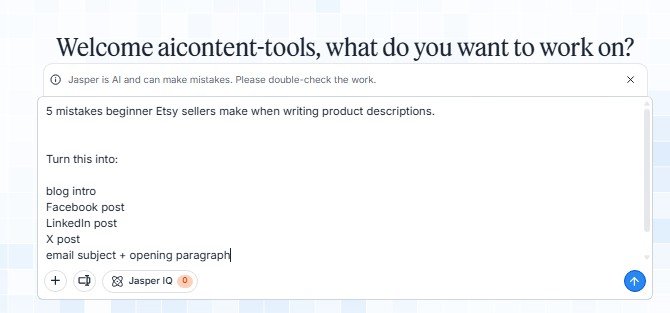 Jasper suggesting Agents for content repurposing.
The same source content can become social posts, emails and other formats.
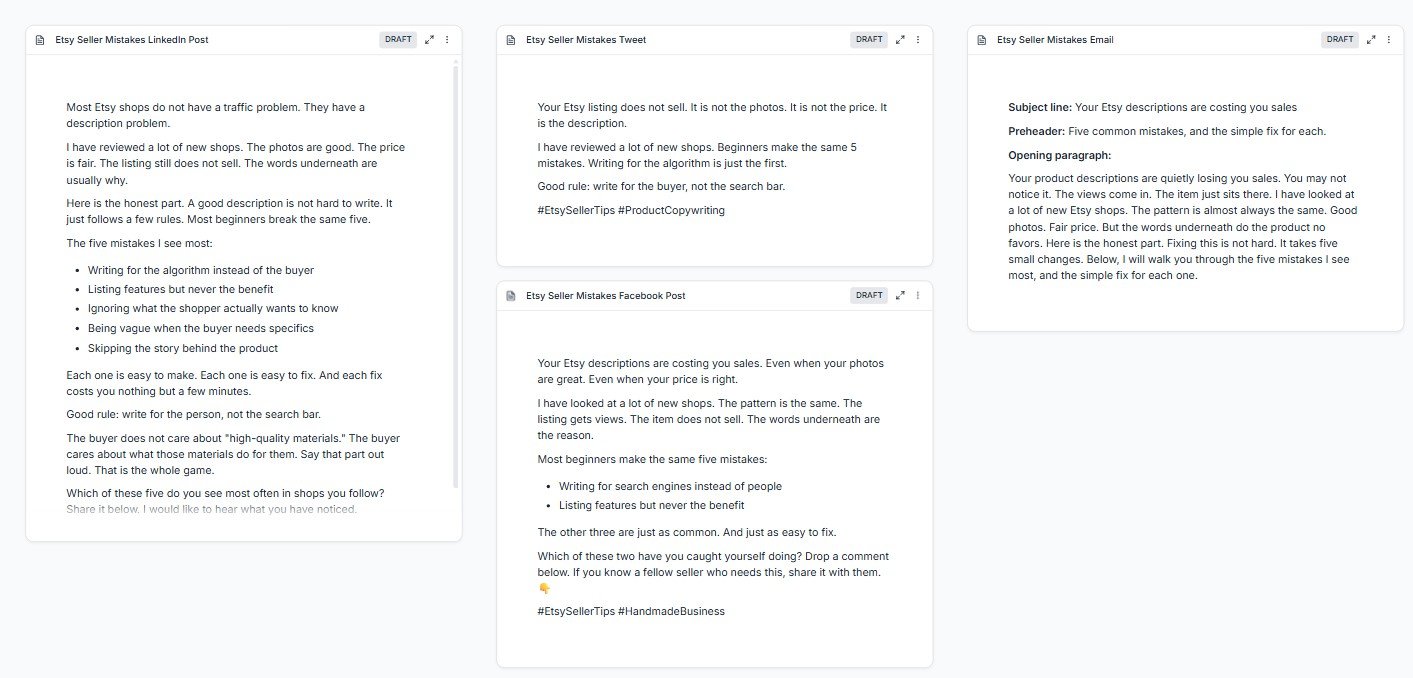 Multiple marketing outputs generated from one source.
This can save time, but do not assume the same message should be copied unchanged everywhere. A LinkedIn post, Facebook post and email have different readers and different expectations.
Step 9: Use Jasper for SEO, AEO and GEO
One of Jasper’s newer areas is AI visibility. This includes workflows connected with traditional SEO, Answer Engine Optimization (AEO) and Generative Engine Optimization (GEO).
In simple terms, the goal is not only to create readable content, but also to structure and improve it so that search engines and AI systems can understand it more easily.
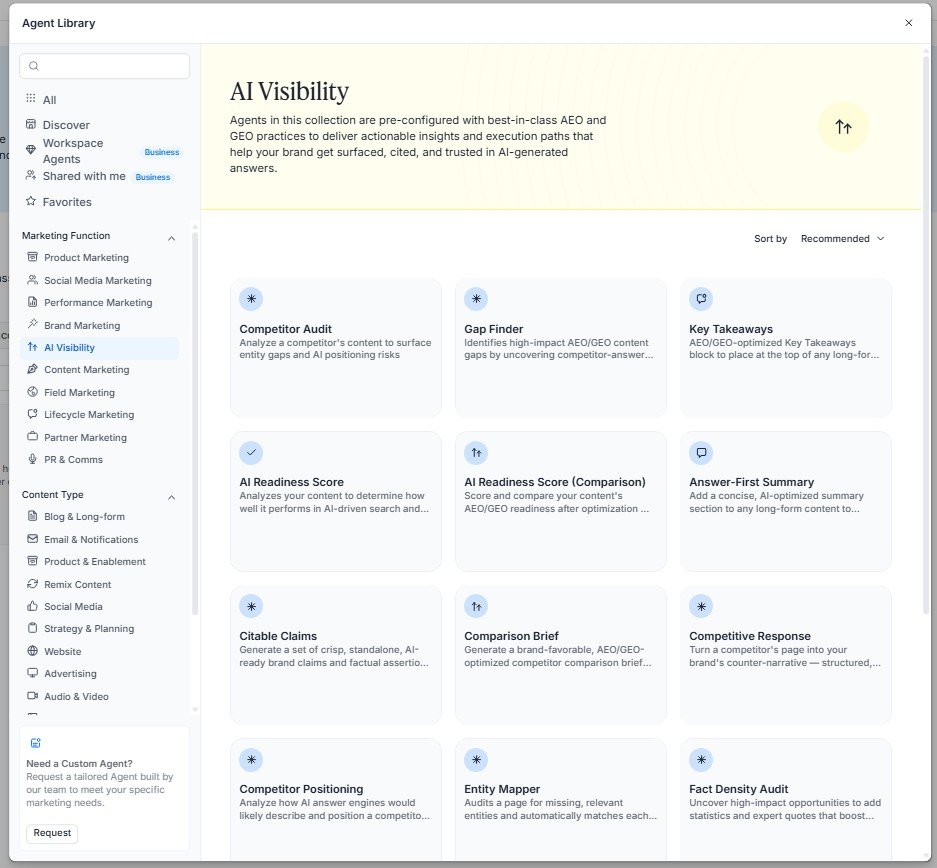 The AI Visibility category inside Jasper’s Agent Library.
Find the SEO/AEO/GEO Rewriter
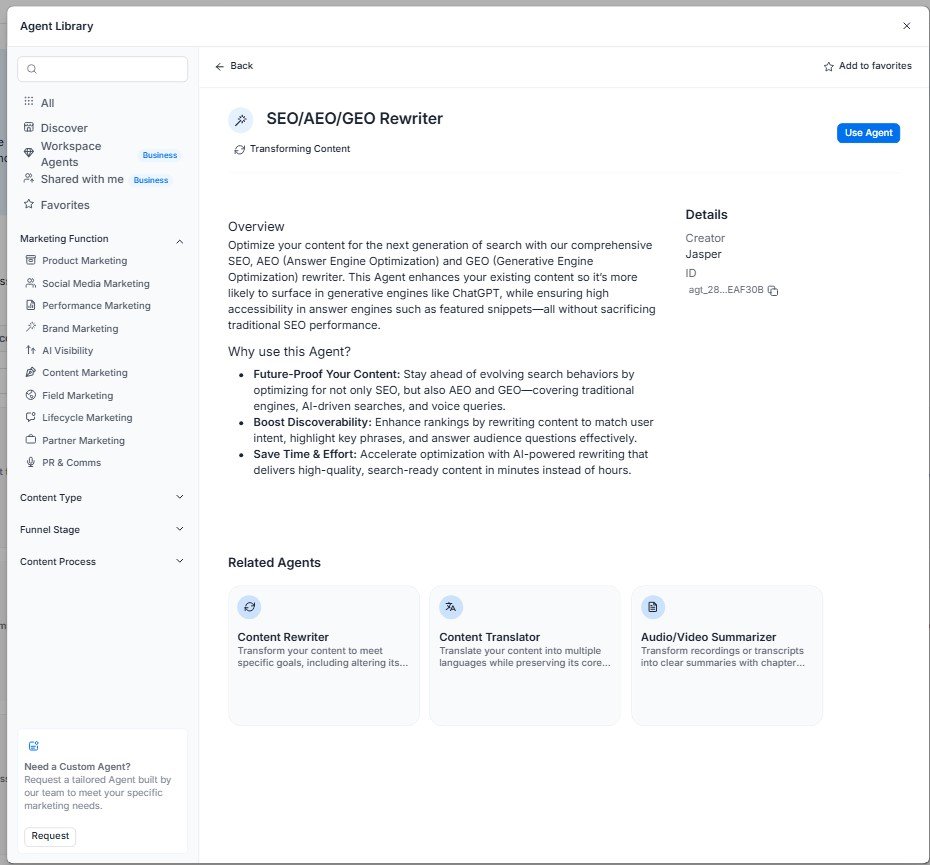 Jasper’s SEO/AEO/GEO Rewriter Agent.
The workflow is designed for existing content. Instead of asking Jasper to write a completely new article, you can provide content that already exists and ask the Agent to improve its structure and optimization.
Add the Article and Keywords
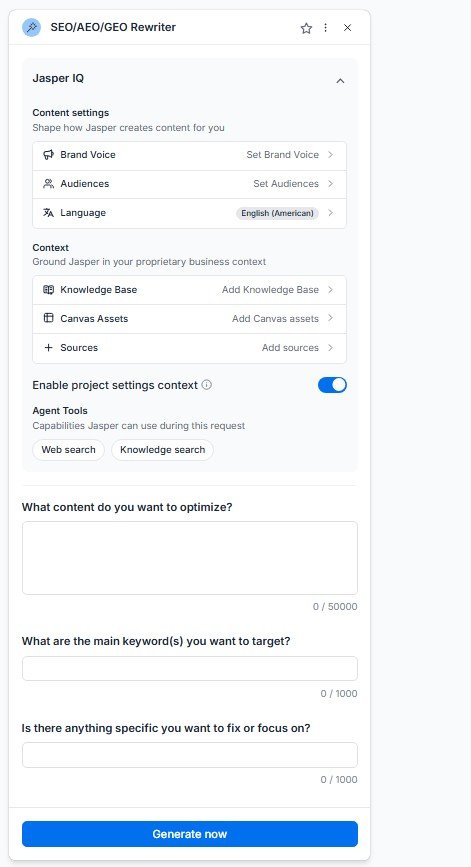 The input form for content, keywords and optimization goals.
Review the Optimized Result
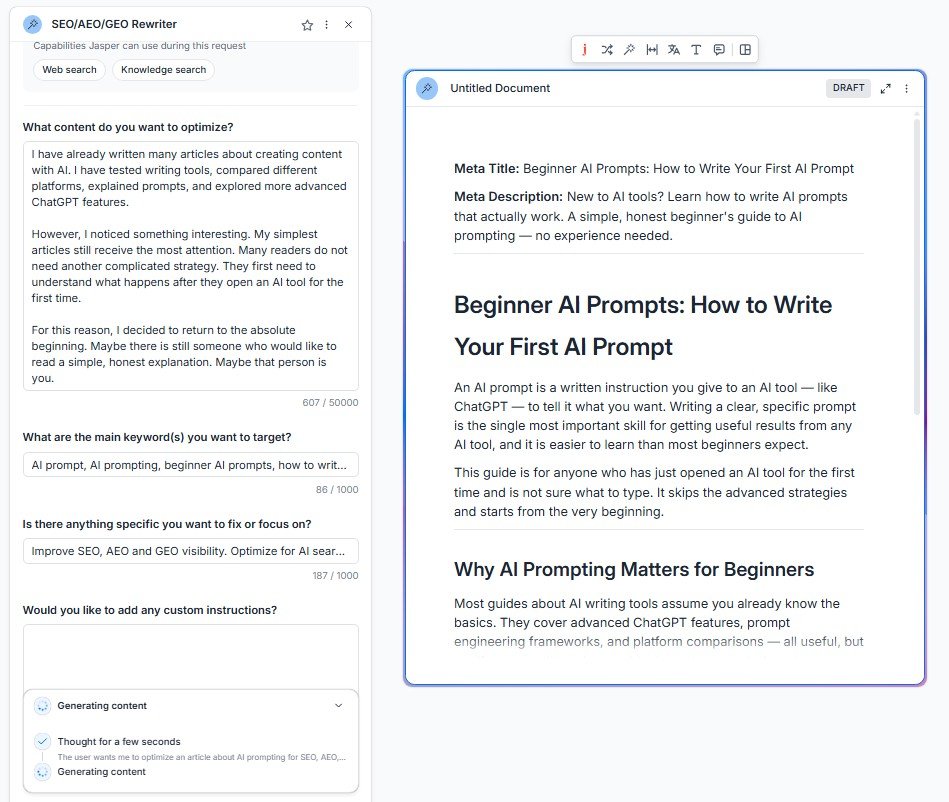 An optimized version created by the SEO/AEO/GEO Rewriter.
Jasper also provided a summary explaining the changes it made.
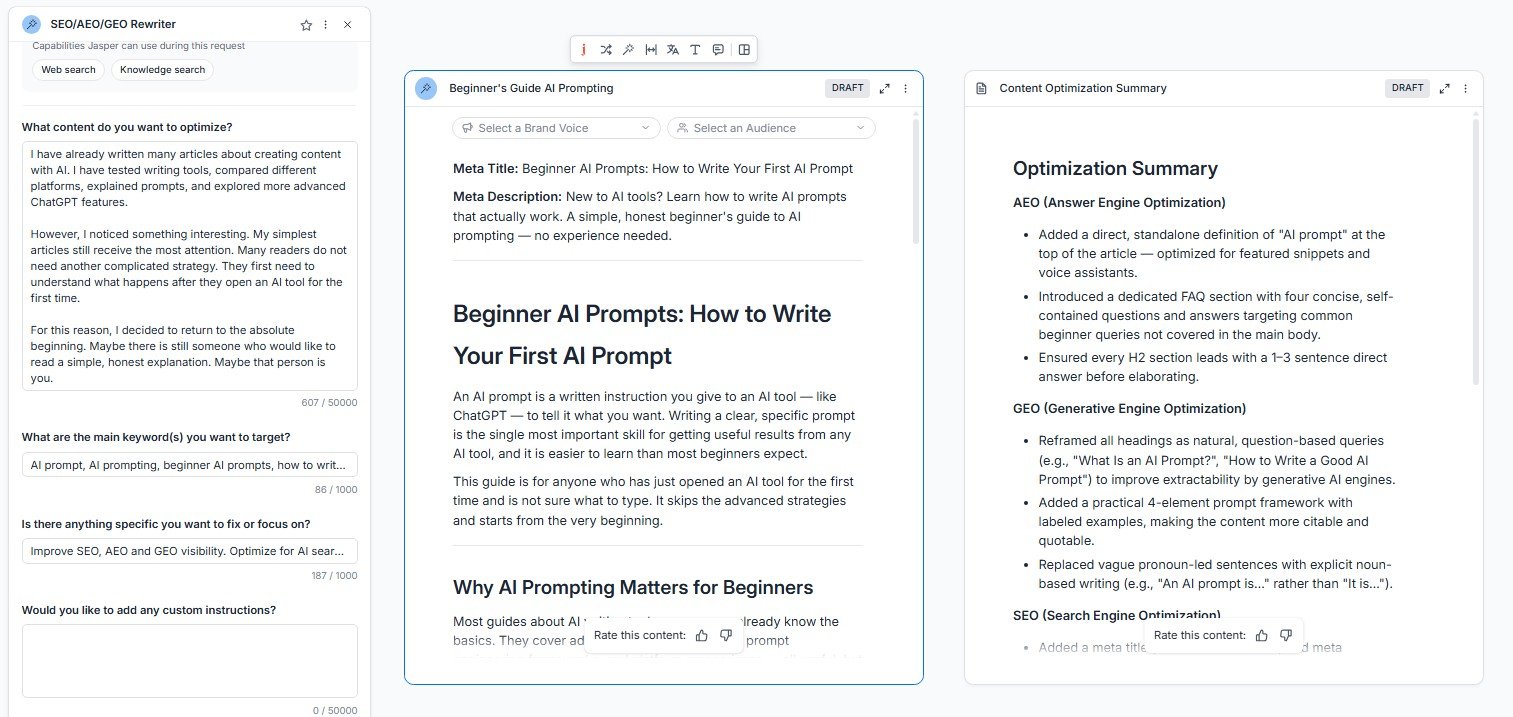 Jasper’s optimization summary showing the types of changes made.
In my test, the workflow included changes such as improved headings, definitions, metadata, FAQ-style content and elements intended to make the content easier to understand and potentially easier for AI systems to cite.
For the full test, read my Jasper SEO, AEO & GEO Rewriter Review.
Step 10: How to Get Better Results From Jasper
Jasper is easier to use when you stop thinking about it as a magic “write” button. Better input and better review usually create better output.
1. Give Jasper Specific Context
A prompt such as “write about AI tools” gives Jasper too much freedom. Explain the reader, purpose, format and important limitations.
2. Use Brand Voice for Repeated Work
If you create content for the same website or company every week, do not explain your style from zero every time. Brand Voice and Jasper IQ are designed to make that context reusable.
3. Choose the Right Agent
A product description and an educational blog post have different goals. Using a task-specific Agent can give Jasper a clearer workflow.
4. Review the Outline Before the Draft
Changing five headings is much easier than fixing a complete 2,000-word article after generation.
5. Check Claims and Current Facts
AI can produce confident language even when the underlying detail needs verification. Prices, product features, dates and current policies should be checked before publishing.
6. Replace Generic Language With Real Details
Examples, screenshots, test results, personal observations and specific data make content more useful than broad claims such as “this revolutionary tool can transform your business.”
7. Repurpose After the Main Content Is Good
Do not turn a weak article into ten weak social posts. Improve the source first, then reuse it.
Jasper Pros and Cons After My Testing
| What I liked | What to watch |
|---|---|
| Large Agent Library for different marketing tasks | The number of tools can feel overwhelming at first |
| Reusable Brand Voice and Jasper IQ context | You still need to review generated content |
| Strong workflow from article to repurposed content | Weak prompts can still produce generic output |
| Useful tools for blogs, product content and social media | Some features are more useful for regular marketers than occasional users |
| Dedicated SEO/AEO/GEO workflows | Optimization does not guarantee rankings or citations |
Who Should Use Jasper?
Based on the workflows I tested, Jasper makes the most sense for people who create marketing content regularly and want more structure than a basic AI chat provides.
Good fit
- bloggers publishing regularly,
- content marketers,
- marketing teams,
- agencies,
- social media managers,
- ecommerce marketers,
- brands that need consistent tone.
Probably too much
- someone who writes one short text occasionally,
- users who only need a simple general AI chat,
- people who do not need reusable brand context,
- users who will not use the marketing workflows or Agents.
If you are still comparing platforms, see Writesonic vs Jasper or my broader Best AI Writing Tools in 2026 comparison.
My Jasper Workflow in One Simple Checklist
- Start with one clear content goal.
- Write a specific prompt.
- Let Jasper recommend or choose the right Agent.
- Add relevant Jasper IQ and Brand Voice context.
- Review the outline before generation.
- Create the first draft.
- Check weak paragraphs and claims.
- Improve the content manually or with inline tools.
- Create metadata and supporting assets.
- Repurpose the finished content into other channels.
- Use SEO/AEO/GEO tools only after the core content is useful.
Frequently Asked Questions About Jasper
Is Jasper good for beginners?
Yes, but the interface can look complicated at first because Jasper includes many workflows and Agents. Beginners should start with one practical task instead of trying to learn every feature at once.
Can Jasper write a complete blog post?
Yes. Jasper can help with the prompt, outline, article generation, editing, metadata and follow-up content. I still recommend manually reviewing the finished article before publishing it.
What is Jasper IQ?
Jasper IQ is the context layer used to store reusable information that can help Jasper generate more relevant content. This can include Brand Voice, audiences and knowledge.
What are Jasper Agents?
Jasper Agents are task-focused AI workflows. They are designed for specific marketing jobs such as blog creation, product descriptions, social content, landing pages and optimization tasks.
Does Jasper have Brand Voice?
Yes. You can create a custom Brand Voice using existing content and writing samples, then reuse that profile when generating new material.
Can Jasper create social media posts?
Yes. Jasper includes social media workflows and Agents for different marketing channels. It can also repurpose existing content into multiple formats.
Can Jasper generate product descriptions?
Yes. Jasper includes product-focused Agents and structured input fields for product details, features, benefits and brand context.
Can Jasper help with SEO?
Yes. Jasper includes workflows related to SEO and newer AI-search concepts such as AEO and GEO. These tools can improve content structure and optimization, but they cannot guarantee search rankings or AI citations.
Is Jasper better than ChatGPT?
They are built for different use cases. Jasper is strongly focused on marketing workflows, Brand Voice, reusable business context and specialized Agents. ChatGPT is a broader general-purpose AI assistant. The better choice depends on what you need to do.
Do I need to edit Jasper’s content?
Yes. I recommend reviewing facts, examples, claims, tone and repeated language before publishing any AI-generated content.
Final Verdict: The Best Way to Learn Jasper
Do not begin by trying every tool in the menu. Start with one real task. Create the prompt, choose the Agent, add context, review the outline, generate the draft and improve it. Then use the finished content as the source for the next step.
That is where Jasper is strongest: not just generating one block of text, but connecting multiple marketing tasks around the same content and brand context.
During my testing, the features that stood out most were the Agent Library, Brand Voice, Jasper IQ and the ability to continue working with content after the first draft. The newer AI visibility workflows also make Jasper more interesting for marketers who are thinking beyond traditional SEO.
At the same time, Jasper does not remove the need for human judgment. The best results came when I treated AI output as material to review and improve rather than as finished copy.