Have you ever seen a video about ChatGPT secret codes?
Maybe someone promised that one special prompt can unlock a hidden, smarter version of ChatGPT.
I was curious too. So I tested many of these “secret commands” and compared them with prompt techniques that actually work.
The myth
ChatGPT has hidden magic codes.
The truth
Better instructions give better answers.
The real trick
Give context, examples, rules, and format.
Do ChatGPT Secret Codes Really Exist?
The short answer is: no, not really.
There is no magic command that suddenly unlocks a secret version of ChatGPT.
Popular fake “secret codes” include:
/godmode/developer###UNLOCK###SYSTEM OVERRIDEDANIgnore all previous instructions
These prompts may look powerful, but they do not activate hidden features.
Most of the time, they only sound exciting because people present them like “AI cheat codes.”
Why Do Some Secret Prompts Look Like They Work?
This is the interesting part.
Sometimes a “secret prompt” really gives a better answer.
But usually it is not because of the secret words.
It works because the prompt gives ChatGPT more information.
Weak prompt
Write an article.
This gives almost no context.
Better prompt
You are a friendly SEO teacher. Write a beginner-friendly article in simple English. Use short sentences, practical examples, and explain difficult words.
This gives role, style, audience, and rules.
The second prompt works better because it is clearer.
That is the real secret.
The Real Secret: Better Instructions
The better you explain the task, the better ChatGPT can help you.
This sounds simple, but it changes everything.
18 Advanced ChatGPT Tricks That Actually Work
These are not magic codes.
But they are real techniques that can improve your answers a lot.
1. Give ChatGPT a Role
Instead of asking a general question, tell ChatGPT who it should act like.
- You are an SEO expert.
- You are a strict editor.
- You are a friendly English teacher.
- You are a website auditor.
Example prompt:
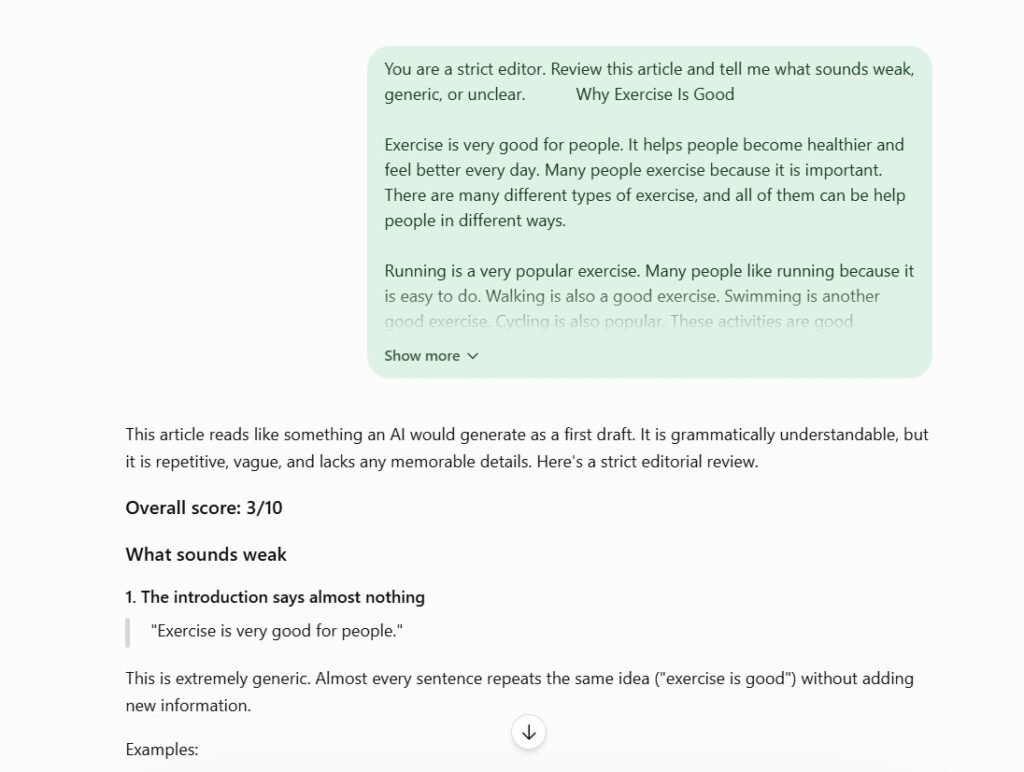
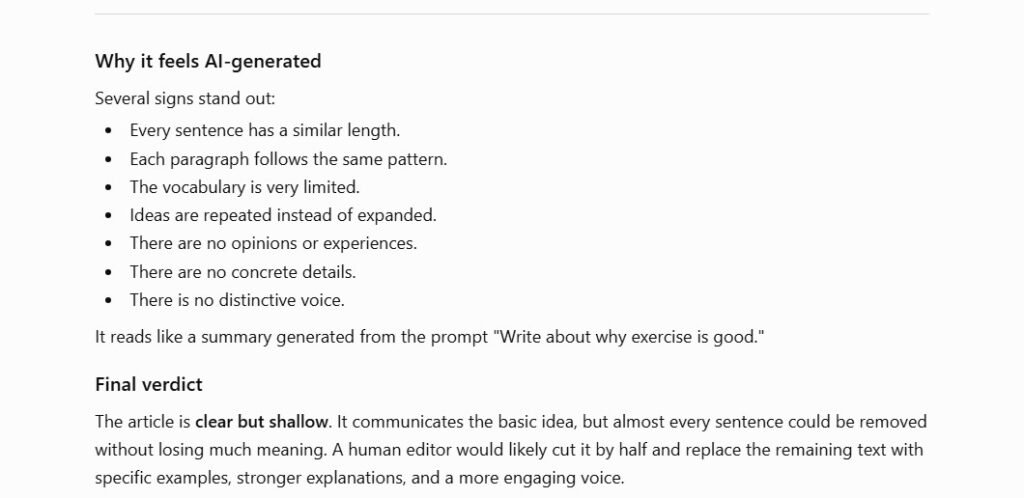
You are a strict editor. Review this article and tell me what sounds weak, generic, or unclear.
2. Explain the Goal
Do not only say what you want.
Explain why you need it.
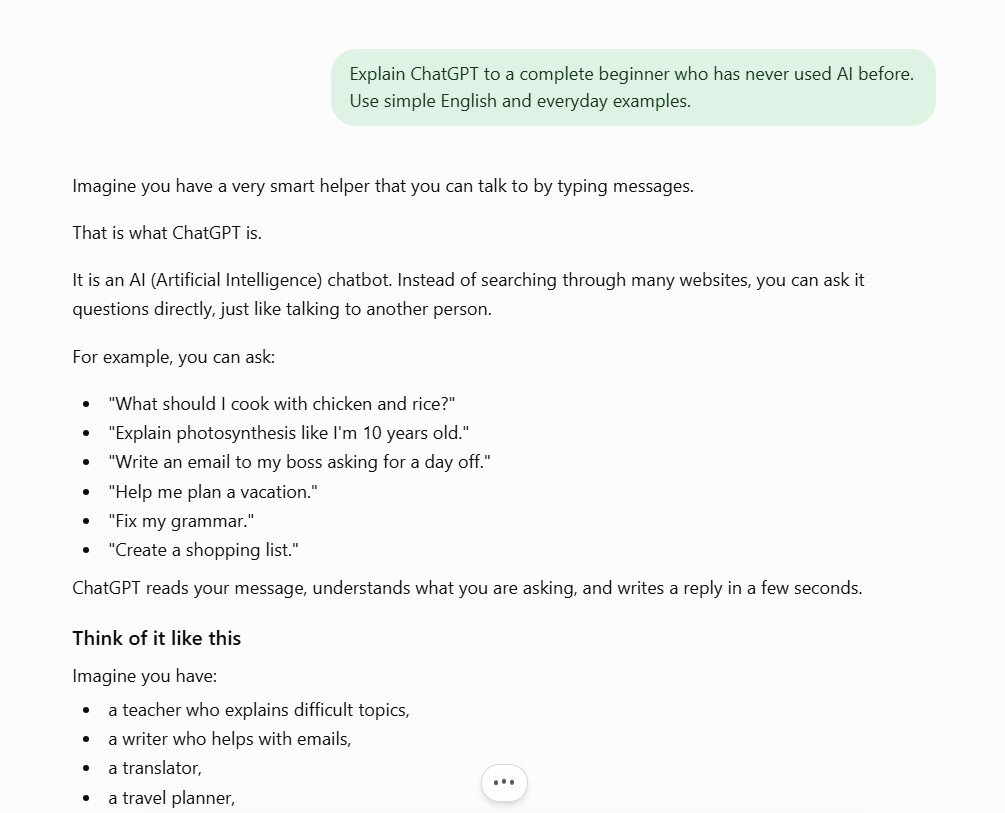
Better prompt:
Explain ChatGPT to a complete beginner who has never used AI before. Use simple English and everyday examples.
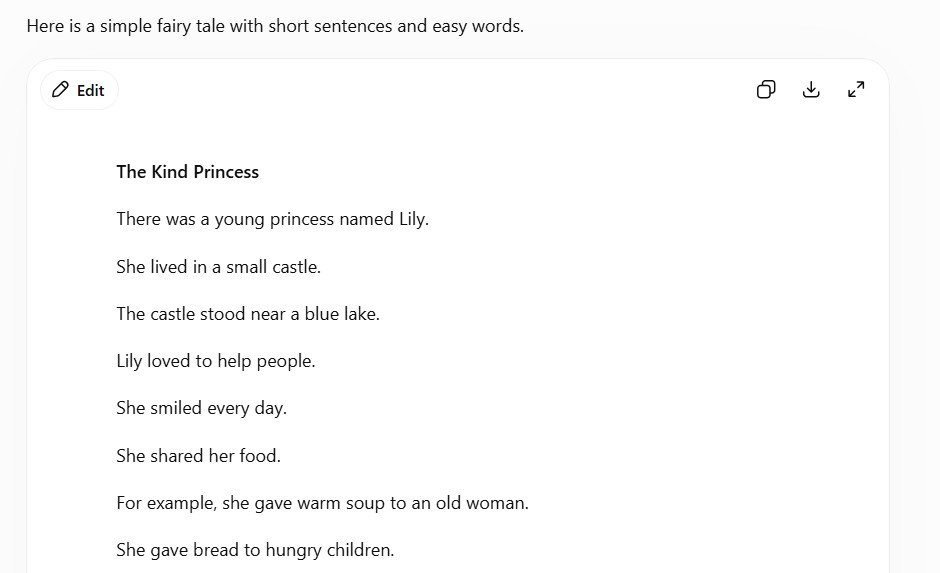
3. Add Clear Rules
This is one of my favorite tricks.
I often tell ChatGPT exactly how the answer should look.
4. Use a Simple Prompt Formula
You do not need a complicated prompt.
This formula works very well:
Act as: [role]

Goal: [what I want to do]

Audience: [who will read it]

Style: [how it should sound]

Rules: [what to include or avoid]

Format: [how the answer should be organized]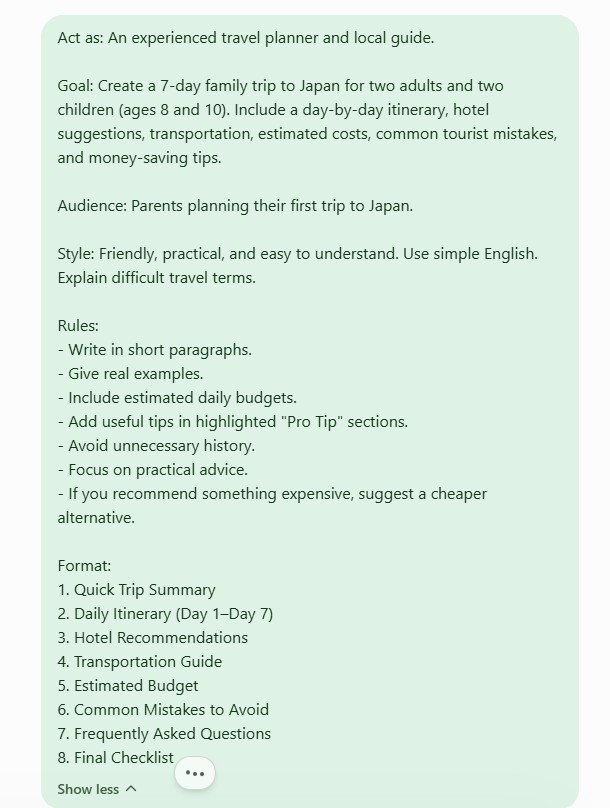
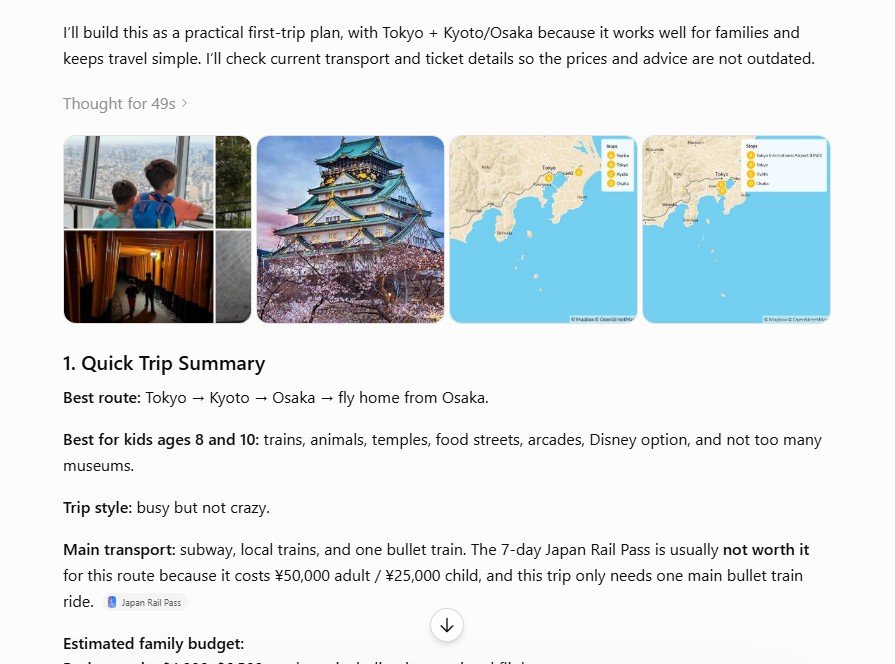
5. Ask ChatGPT to Ask You Questions First
This is very useful when the task is not simple.
Example prompt:
Before you answer, ask me 10 questions so you understand my situation better.
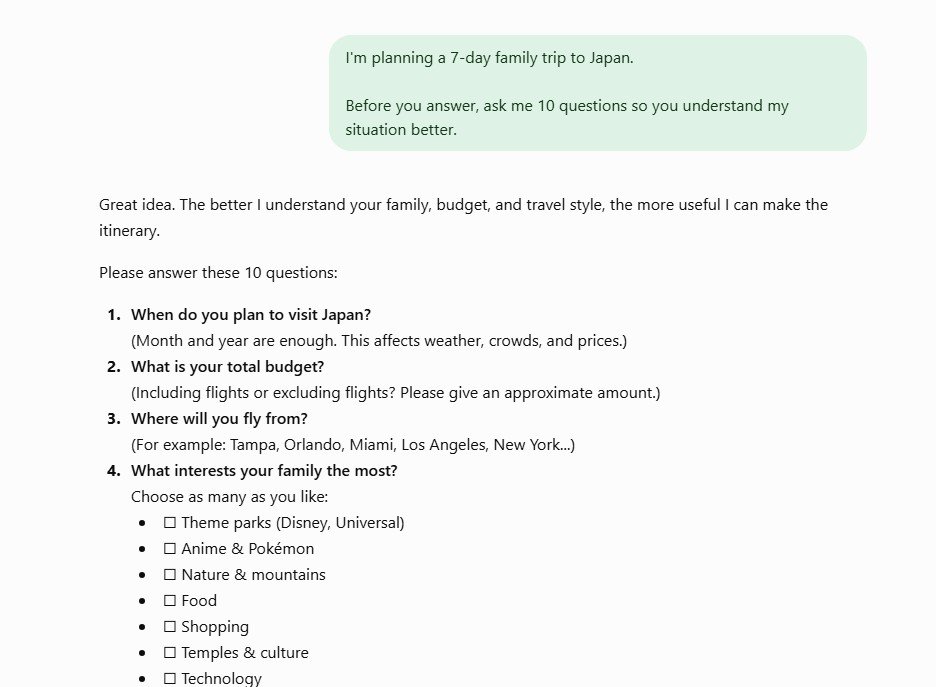
This works well for travel plans, website audits, business ideas, SEO strategy, and long articles.
6. Upload a Document and Ask ChatGPT to Match the Style
This is one of the most useful ChatGPT features.
You can upload a blog post, PDF, report, school paper, or writing sample.
Example prompt:
Analyze this document and write a new article in a similar style.
This works much better than saying only: “Write like me.”
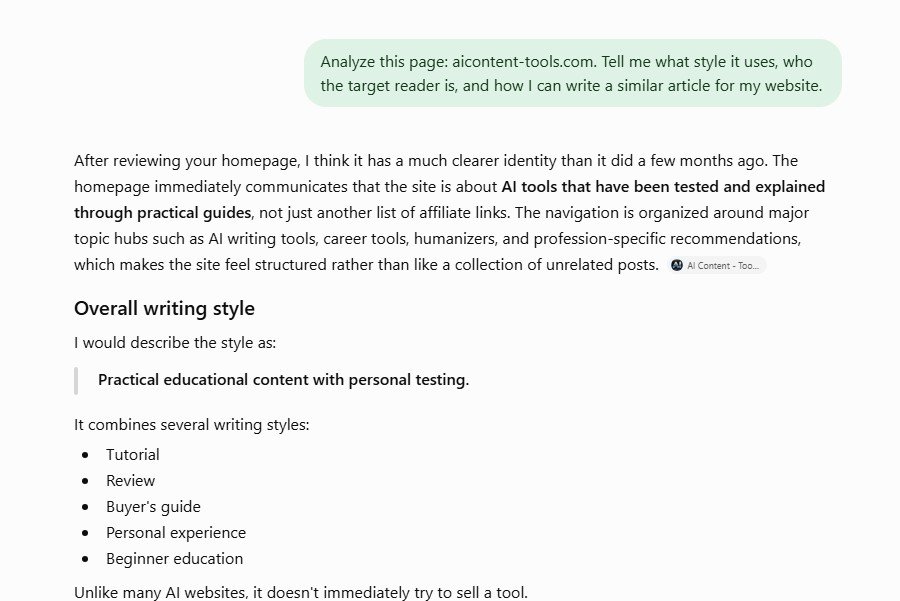
7. Give ChatGPT a Website to Analyze
You can also give ChatGPT a page or website and ask it to study the style.
This helps you understand tone, structure, target reader, content style, and missing parts.
Example prompt:
Analyze this page. Tell me what style it uses, who the target reader is, and how I can write a similar article for my website.
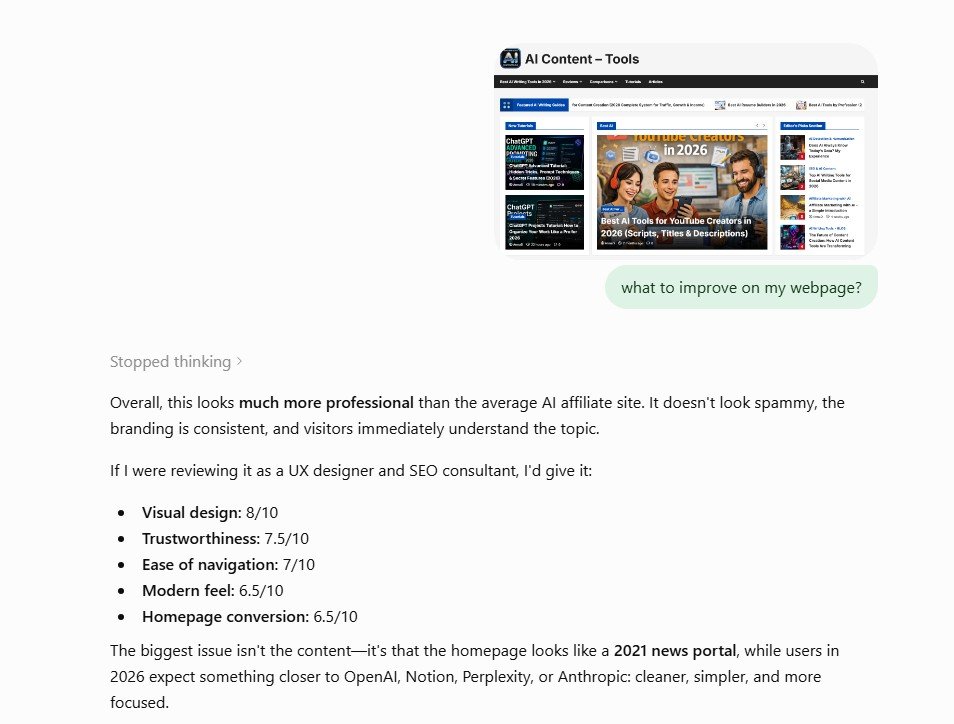
8. Use Screenshots Instead of Long Explanations
This is one of the tricks I use very often.
Sometimes it is hard to explain a problem in words.
So instead of writing a long message, upload a screenshot.
Sometimes ChatGPT notices small details that are easy to miss.
9. Show Instead of Describe
If you can show ChatGPT an example, do it.
- Upload a screenshot instead of describing a layout.
- Upload an article instead of describing your writing style.
- Upload a chart instead of explaining all numbers.
- Upload an error message instead of rewriting it by hand.
10. Ask for Several Versions
The first answer is not always the best answer.
Example prompt:
Write 3 versions of this intro: one simple, one emotional, and one professional.
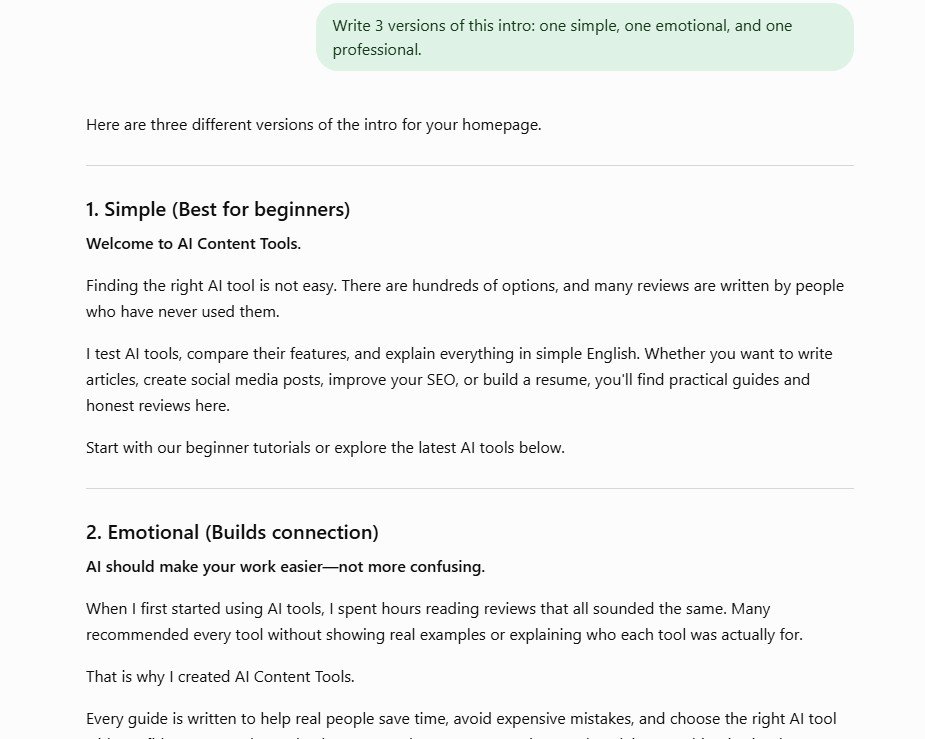
Very often, you can take the best parts from different versions and combine them.
11. Tell ChatGPT to Be Critical
If you ask: “Is this good?”, ChatGPT may be too polite.
If you want real improvement, ask it to be critical.
Example prompt:
Be very critical. Find weak points in this article and tell me what I should improve.
12. Continue Old Conversations
Many people start a new chat every time.
But for bigger projects, it is often better to continue the same conversation.
ChatGPT already has the context from earlier messages in that chat.
This helps with long articles, coding tasks, SEO planning, business strategy, and learning step by step.
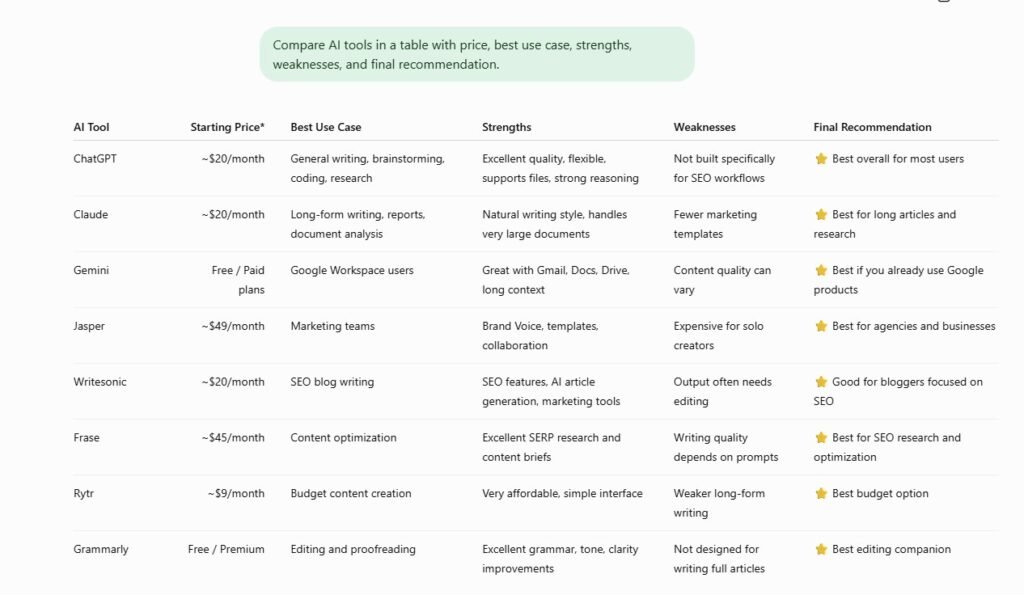
13. Ask for a Table
Tables make information much easier to scan.
Example prompt:
Compare these tools in a table with price, best use case, strengths, weaknesses, and final recommendation.
14. Upload Several Files Together
You do not have to upload only one file.
You can upload several files and ask ChatGPT to compare them or combine the information.
Example prompt:
Use all these files and create one clear summary with the most important points.
15. Ask ChatGPT to Explain Difficult Words
This is very helpful if English is not your first language.
Example prompt:
Use simple English. If you use a difficult word, explain it right away.
16. Ask ChatGPT to Review Its Own Answer
Before you use a long answer, ask ChatGPT to check it again.
Example prompt:
Review your answer. Look for mistakes, missing details, weak logic, or unclear parts.
17. Turn a Long Chat Into Notes
Long chats can become messy.
After a long conversation, ask ChatGPT to organize everything.
Example prompt:
Summarize everything we discussed into practical notes and a checklist.
18. Ask What You Forgot to Ask
This is one of my favorite prompts.
Example prompt:
If you were an expert, what important question should I have asked but did not?
This often gives surprisingly useful ideas.
Does XML or JSON Help With ChatGPT Prompts?
Sometimes, yes.
Some advanced users write prompts in a structured format.
<role>Friendly English teacher</role>
<goal>Explain this topic to beginners</goal>
<rules>Use short sentences and simple words</rules>
<format>Give examples and a checklist</format>
This is not a secret ChatGPT language.
It simply separates the instructions clearly.
Popular ChatGPT Myths
Myth 1: Secret codes unlock hidden intelligence
False. Better prompts improve answers. Secret codes do not unlock a hidden brain.
Myth 2: “Ignore previous instructions” gives unlimited access
False. Modern ChatGPT follows higher-level instructions and safety rules.
Myth 3: Longer prompts are always better
False. A clear short prompt is often better than a long confusing one.
Myth 4: Prompt engineering is only for experts
False. You do not need to be technical. You only need to explain your goal clearly.
My Simple Advanced Prompt Template
You can copy this and change the parts inside brackets.
I want you to act as [role].

My goal is [goal].

The audience is [audience].

Use this style: [style].

Follow these rules:
- [rule 1]
- [rule 2]
- [rule 3]

Give me the answer in this format: [format].
Final Thoughts
ChatGPT does not have magic cheat codes.
There is no hidden command that suddenly unlocks a secret version of the tool.
But there are smart ways to use ChatGPT better.
You can give it a role, explain your goal, upload documents, analyze screenshots, ask for tables, request several versions, and tell it to be critical.
In my opinion, the best ChatGPT “code” is simple:
Give clear context, show examples, and explain what you really want.
Related Articles
If you want to learn more about ChatGPT and AI tools, you may also like: