
Scalenut is mainly known for SEO content and long-form article writing, but it also includes a large collection of smaller AI writing templates inside its Marketing Copywriter.
I tested some of them to see whether Scalenut was equally useful for short-form content.
My experience was mixed.
The templates were easy to use, and Scalenut could quickly generate several versions of a piece of copy. But some of the Facebook variations felt too similar, and the LinkedIn headline test was one of the stranger results from my wider Scalenut testing.
Overall, I liked the Scalenut AI Article Writer more than these smaller marketing templates.
Scalenut Marketing Copywriter is useful for fast ideas and first drafts, but my tests did not convince me that it is one of Scalenut’s strongest features.
The Facebook generator produced usable-looking copy, but several versions were very similar. The LinkedIn headline outputs felt less natural to me. I had a better impression of Scalenut when I used its long-form Article Writer.
What Is Scalenut Marketing Copywriter?
Marketing Copywriter is Scalenut’s collection of smaller AI writing tools.
Instead of creating a full SEO article, you choose a template for a specific type of content and give Scalenut some information to work with.
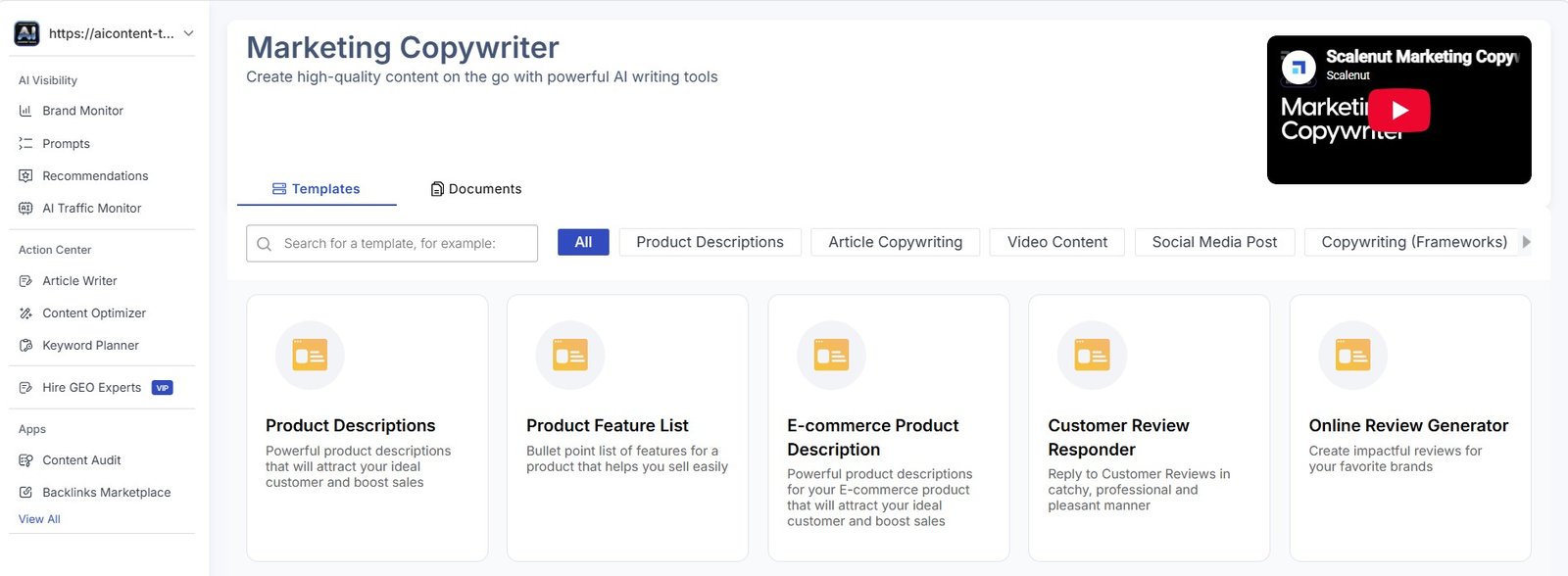
This type of workflow is familiar if you have used other AI copywriting tools.
You do not need to build a long prompt. You choose a template, fill in the fields, and generate results.
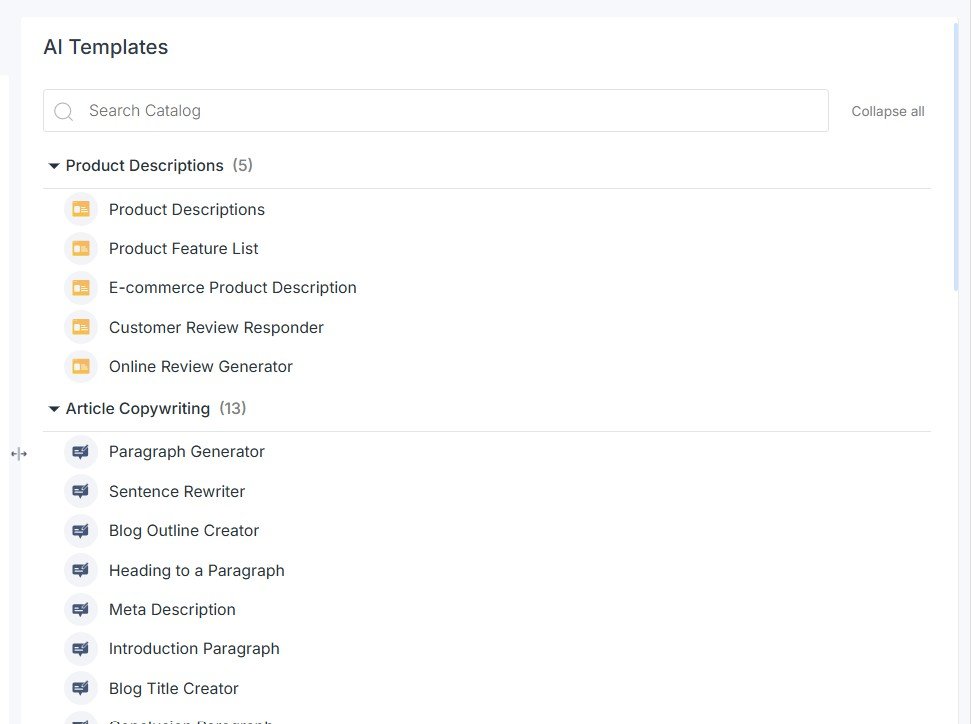
There Are a Lot of AI Templates
Scalenut does not only include social media generators.
The template library also contains tools for product descriptions and article-related writing.
There is another group of templates for video and social media content.
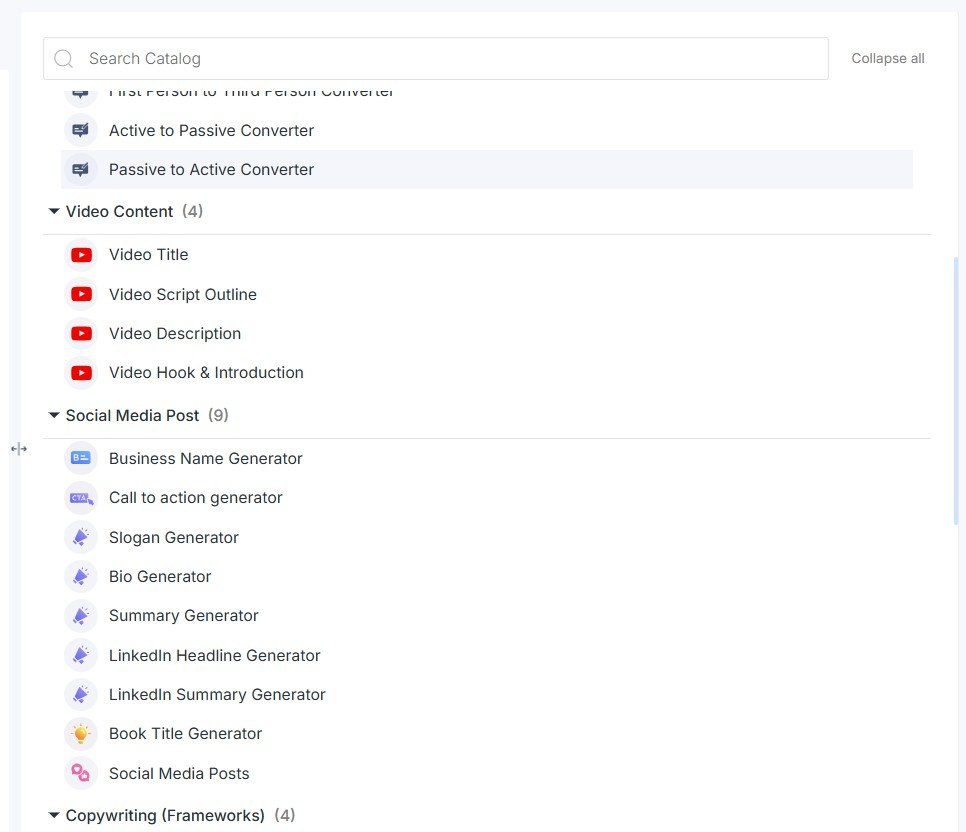
My first impression: there is plenty to choose from, but I do not think the number of templates is the most important question. What matters is whether the output is good enough to save editing time.
What I Tested
I did not test every template in the library. Clicking through dozens of very similar generators would not tell us much.
Instead, I picked several different tasks.
Test #1: Facebook Primary Text
I started with the Facebook Primary Text template.
For the test, I used CozyPrint Studio as a fictional brand so I could give Scalenut a clear product and audience.
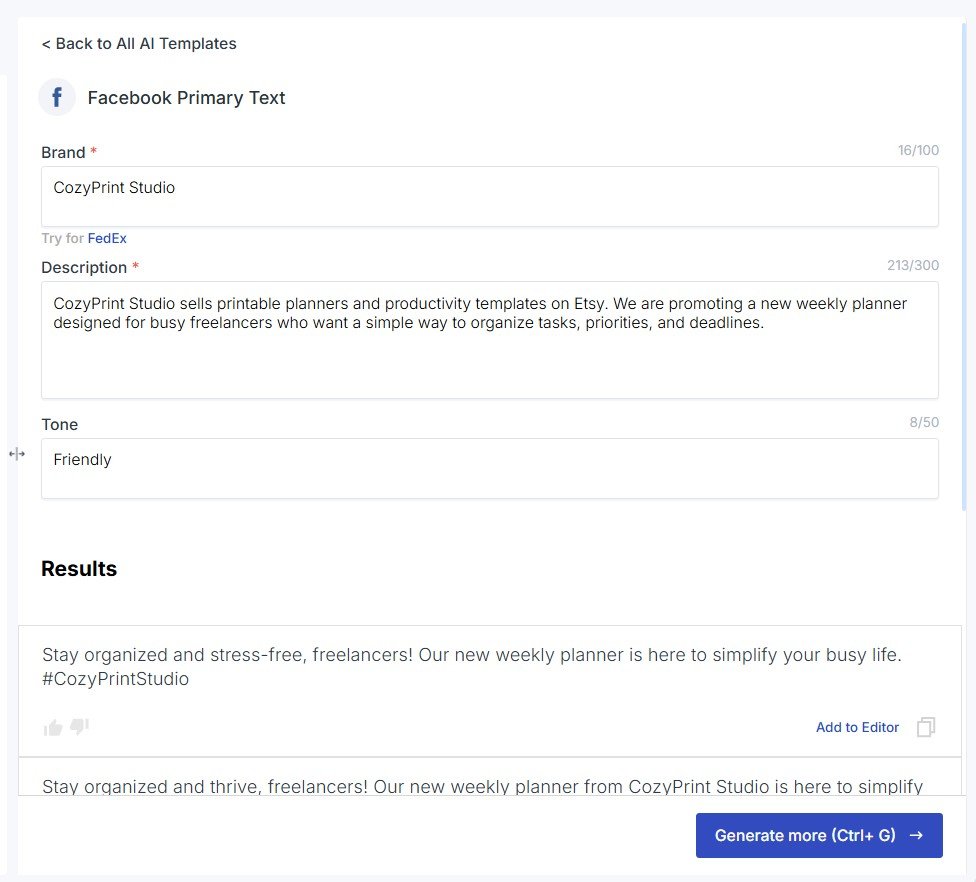
The process itself was easy.
I entered the information, generated the copy, and Scalenut returned a result without needing a long custom prompt.
That is the main benefit of this type of template. Someone who does not enjoy prompt writing can fill in a few fields instead.
The Facebook Variations Were Too Similar
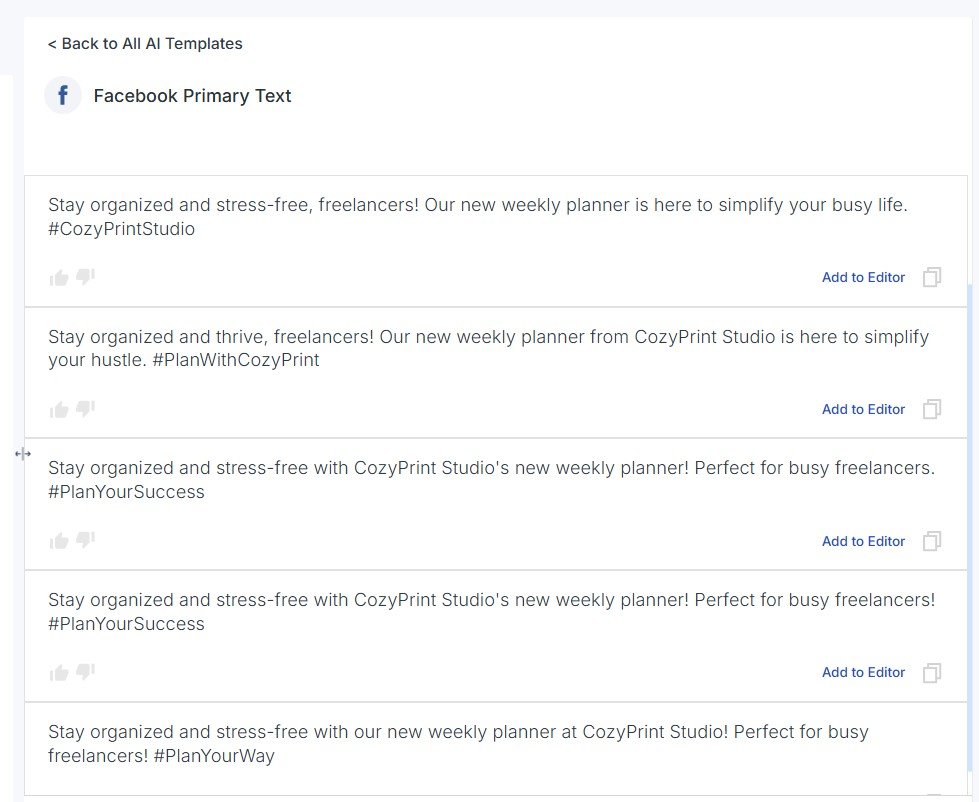
Scalenut generated several Facebook versions from the same input.
This is where I became less impressed.
The outputs were not completely identical, but they felt quite similar. Some of the visible differences came from hashtags and smaller wording changes rather than a genuinely different angle.
My main issue: if a tool gives me several versions, I want the alternatives to help me choose between different ideas. Changing a few words or hashtags is less useful than giving me a different hook, benefit, tone, or structure.
For example, useful variations could take very different approaches:
- a problem-and-solution post;
- a simple product benefit;
- a question-based hook;
- a short story;
- a direct promotional message.
That would give a marketer more to work with than several similar versions of the same idea.
You Can Move Generated Copy Into the Editor
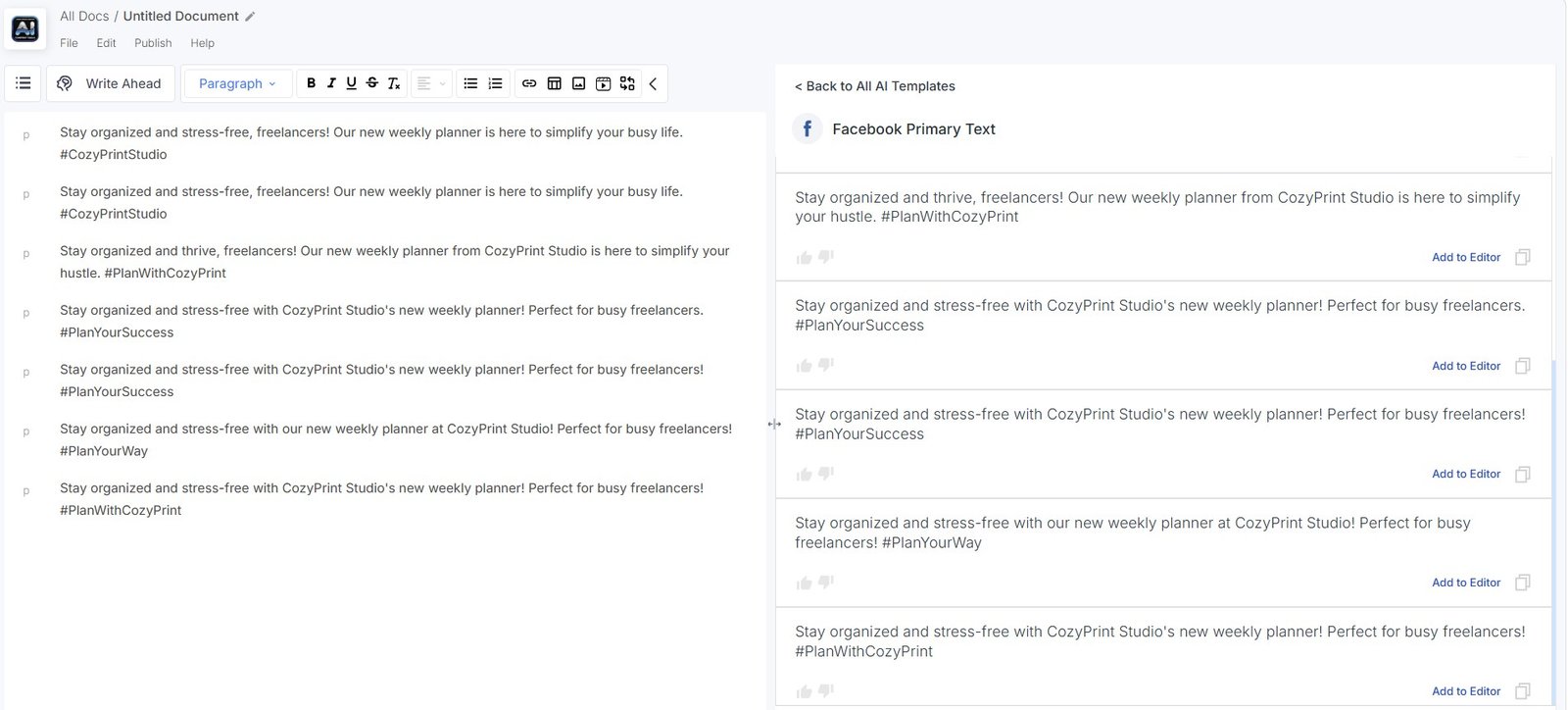
Scalenut also lets you add generated content to its editor.
I liked this part of the workflow.
You can generate a version, move it into the document, and continue editing instead of treating the template output as the final result.
That is probably how I would use Marketing Copywriter in practice: generate first, then rewrite.
Test #2: Answer a Question
Next, I tested a very different template.
I asked Scalenut:
How can I improve my Etsy product descriptions for more sales without keyword stuffing?
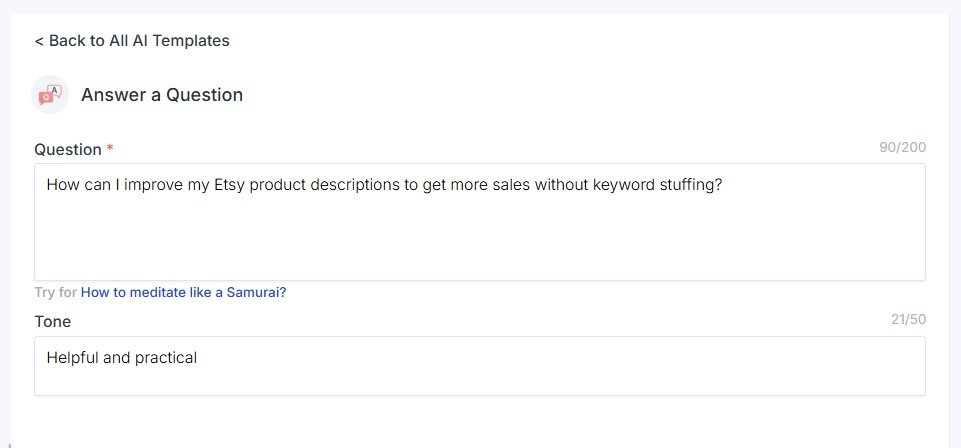
I wanted a helpful answer rather than promotional copy, so this also tested whether Marketing Copywriter could handle a more educational task.
The Answer Was More Useful Than I Expected
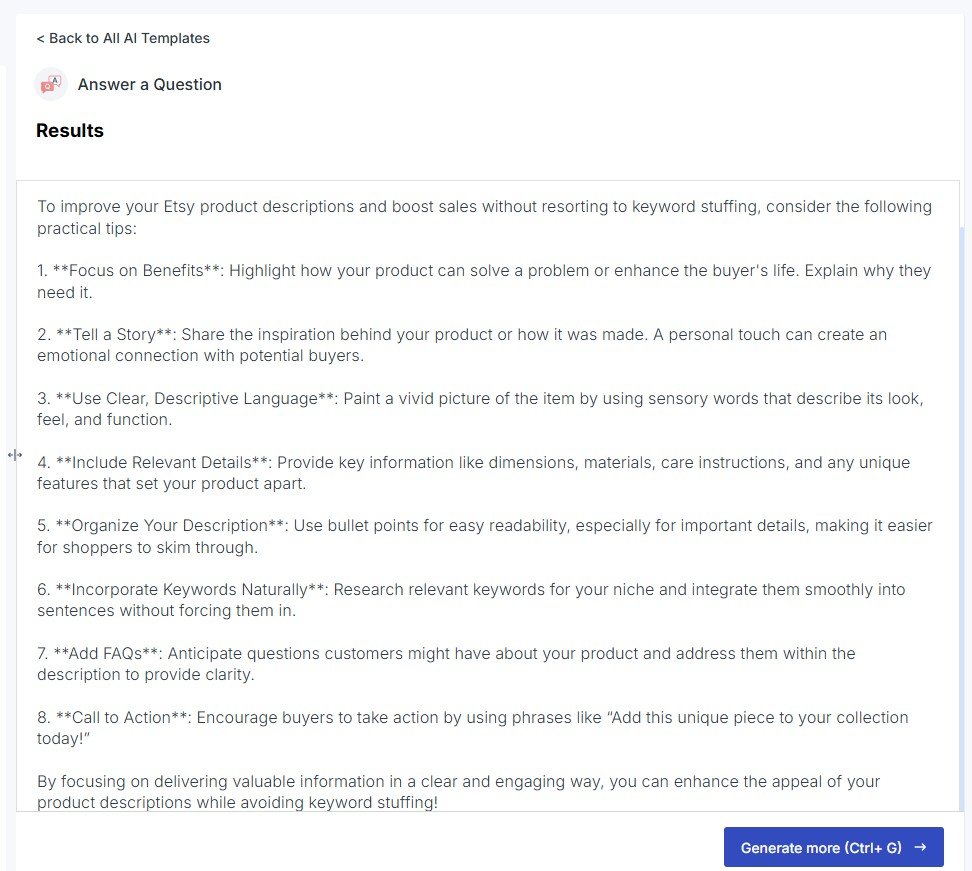
Scalenut returned a structured answer with several practical suggestions.
This result made more sense to me than the Facebook variations.
The answer covered several useful areas, including product benefits, storytelling, details, formatting, keywords, FAQs, and calls to action.
My result: I would still verify any platform-specific advice before publishing it, but the structure gave me a useful starting point and several ideas I could develop further.
This is also a good example of why I do not want to judge the whole Marketing Copywriter from one template.
The Facebook test felt repetitive. The question-answer result was more useful.
Test #3: LinkedIn Headlines
The LinkedIn Text Ads Headline template gave me another type of result.
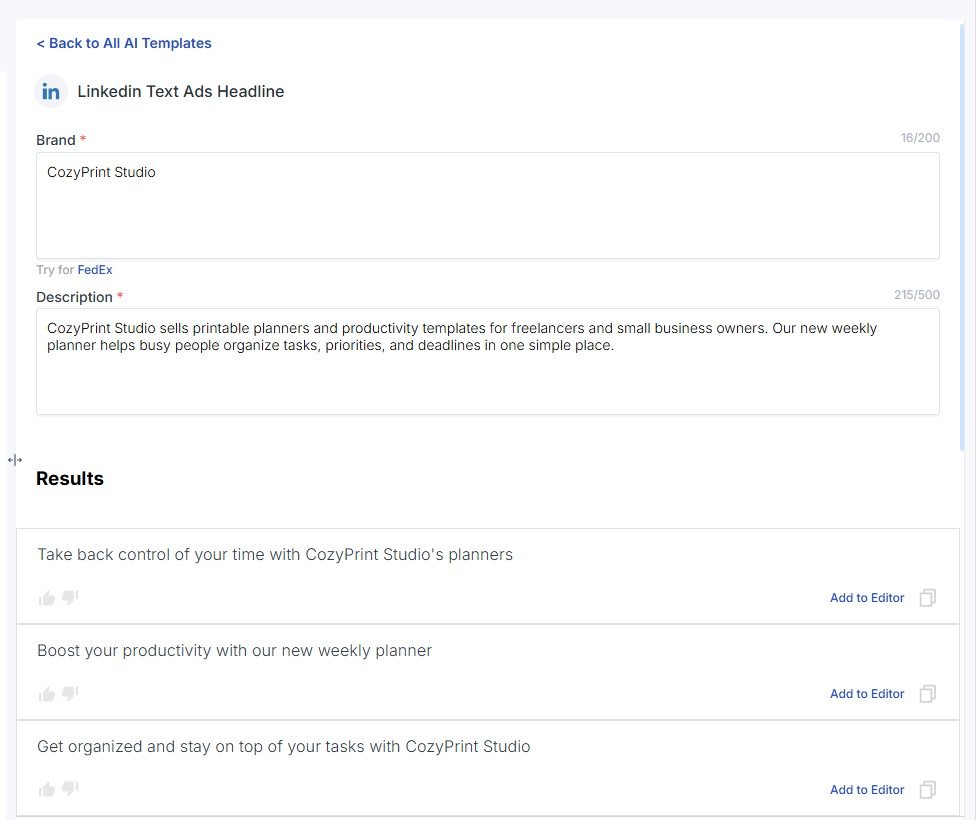
This was one of the outputs that felt strange to me during testing.
The tool generated headlines, so technically the template did its job. But I was less convinced by how natural and useful the options felt.
My reaction: the LinkedIn output did not feel as comfortable or convincing as Scalenut’s long-form writing workflow. I would definitely rewrite the generated headlines before using them in a real campaign.
Why Facebook and LinkedIn Felt Weaker Than the Article Writer
After using several parts of Scalenut, I noticed a clear difference.
The AI Article Writer felt like a full workflow.
It gave me research, competitors, related terms, instructions, titles, outlines, a complete draft, and optimization tools.
Marketing Copywriter felt more like a traditional template library:
choose format → enter information → generate copy → edit.
There is nothing wrong with that, but it does not feel as distinctive.
| AI Article Writer | Marketing Copywriter |
|---|---|
| Designed around full articles | Designed around small pieces of copy |
| Includes SERP and competitor research | Mostly starts from information you enter |
| Builds title and outline before writing | Generates the selected format directly |
| Includes optimization tools | Focuses more on fast output |
| Felt stronger in my testing | Results were more mixed |
Do You Need Templates If You Can Just Use ChatGPT?
This is probably the biggest question for tools like Marketing Copywriter.
A general AI assistant can already write Facebook posts, LinkedIn headlines, product descriptions, CTAs, answers, and summaries.
So why use templates?
The advantage is convenience.
A beginner may prefer filling in labeled fields instead of learning how to write a detailed AI prompt.
Templates can also remind you what information the AI needs.
But the template itself does not guarantee better writing.
The important comparison is not “template versus no template.” It is whether the output saves enough editing time to make the template useful.
If you prefer using prompts directly, our guide to AI writing prompts that actually work explains how to give AI better instructions without depending on a fixed template.
Is Scalenut Good for Social Media Writing?
Based only on these tests, I would say it can help with ideas and first drafts, but I would not choose Scalenut mainly for social media writing.
The Facebook generator worked, but I wanted more variety between the outputs.
The LinkedIn headlines were less convincing to me.
If social media is your main goal, it makes sense to compare Scalenut with tools built more heavily around social content.
You can also see our broader guide to AI writing tools for social media for other options.
One Thing I Would Change: Give Me Real Variations
This was my biggest takeaway from the short-form test.
If I ask for several versions, I do not just want different wording.
I want different creative directions.
For example, instead of:
- Version 1 with one hook;
- Version 2 with almost the same hook;
- Version 3 with different hashtags;
I would rather get:
- one educational version;
- one emotional version;
- one direct sales version;
- one short version;
- one story-based version.
That would make the generator more valuable because I could compare actual approaches instead of small wording changes.
Who Is Scalenut Marketing Copywriter For?
I think these templates make the most sense for:
- beginners who do not want to write prompts from scratch;
- bloggers who occasionally need small pieces of marketing copy;
- small businesses already paying for Scalenut;
- content writers who want quick starting ideas;
- users who create long-form content in Scalenut and want small copy tools in the same platform.
I am less convinced that Marketing Copywriter alone is a reason to choose Scalenut.
If your main work is Facebook posts, LinkedIn content, captions, or ads, I would compare dedicated social writing tools before deciding.
What I Liked and Didn’t Like
What I liked
- There are many templates available.
- The workflow is easy to understand.
- You do not need to write long prompts.
- Generated copy can be moved into the editor.
- The Answer a Question result gave me useful ideas.
- It is convenient if you already use Scalenut for articles.
What I didn’t like
- Facebook variations felt too similar.
- Some differences were small wording or hashtag changes.
- The LinkedIn headlines felt strange to me.
- I would not publish most outputs without editing.
- The template approach feels less special than Scalenut’s Article Writer.
- A general AI chatbot can already do many of the same tasks.
Marketing Copywriter vs Scalenut’s Other Writing Tools
My experience with Scalenut became much clearer after testing several different parts of the platform.
| Scalenut feature | My experience |
|---|---|
| AI Article Writer | The most pleasant writing workflow I tested. More structured and useful for serious long-form content. |
| Detect & Humanize | Simple workflow with a very clear before-and-after result in my test. |
| Brand Monitor | Powerful but much more complex and data-heavy. |
| Marketing Copywriter | Easy to use, but the quality was mixed across the templates I tested. |
This is why my full Scalenut review should not give one simple score to every feature.
The platform contains several very different tools, and I did not have the same experience with all of them.
Should You Use the Output Without Editing?
No.
For promotional copy, I would check:
- whether the hook feels natural;
- whether the text says something specific;
- whether different variations are actually different;
- whether any product claims are correct;
- whether hashtags make sense;
- whether the tone fits the platform;
- whether it sounds like your brand.
This is particularly important with social content because short copy can look polished while still being generic.
My preferred workflow: use the generator for a starting point, choose the strongest idea, and then rewrite it instead of publishing the first output exactly as generated.
My Verdict
Useful for quick drafts, but not the strongest part of Scalenut
Scalenut Marketing Copywriter gives you a large collection of templates and makes short-form generation easy.
I liked the convenience. The Answer a Question test also produced a reasonable structure that I could work with.
My Facebook and LinkedIn tests were less convincing.
The Facebook versions were too similar for my taste, while the LinkedIn headlines felt strange enough that I would rewrite them before using them.
I would see Marketing Copywriter as a useful extra for someone who already uses Scalenut, rather than the main reason to subscribe to the platform.
For me, Scalenut was much stronger when I moved into the structured AI Article Writer workflow.
If short social content is your main priority, I would compare other tools as well.