Scalenut can look complicated when you first open it.
There are tools for SEO research, AI visibility, citations, content optimization, audits, keywords, backlinks, humanization, and more.
For this tutorial, we are going to ignore most of that.
I will show you the easiest place to start: creating one complete SEO article with Scalenut’s AI Article Writer.
I used this exact workflow during my own Scalenut test, where I created a beginner article about Etsy product descriptions.
We will go from one keyword to a complete first draft.
You will choose a keyword, let Scalenut research the topic, add your instructions, review reference articles, choose a title, edit the outline, generate the draft, and then use Scalenut’s optimization tools.
You do not need to understand every Scalenut metric before you start.
The Test Article I’m Using in This Tutorial
I used the same project throughout this tutorial so you can see a real workflow instead of unrelated demo screenshots.
Why I used this test: Etsy advice can easily become generic or include unsupported claims. Giving Scalenut clear instructions helped me see how much control the Article Writer gives us before generation.
Open the AI Article Writer
Start from Scalenut’s Article Writer.
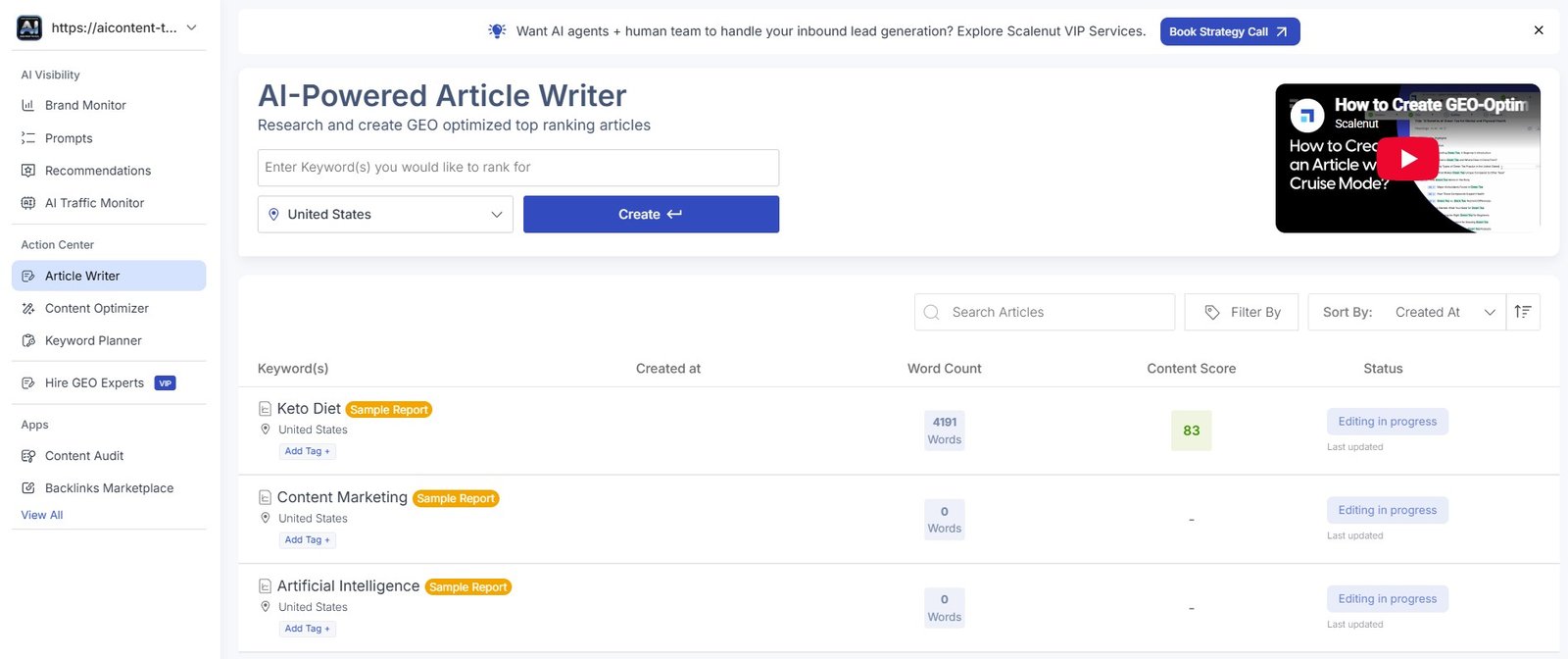
You will see fields for starting a new article and any reports you have already created.
Do not worry about Brand Monitor, Content Audit, backlinks, or the other Scalenut modules yet.
Beginner tip: Scalenut has many features, but learning everything at once makes the platform feel harder than it is. Create one article first.
Enter Your Main Keyword and Location
Scalenut asks for the primary keyword you want to target and the location for its research.
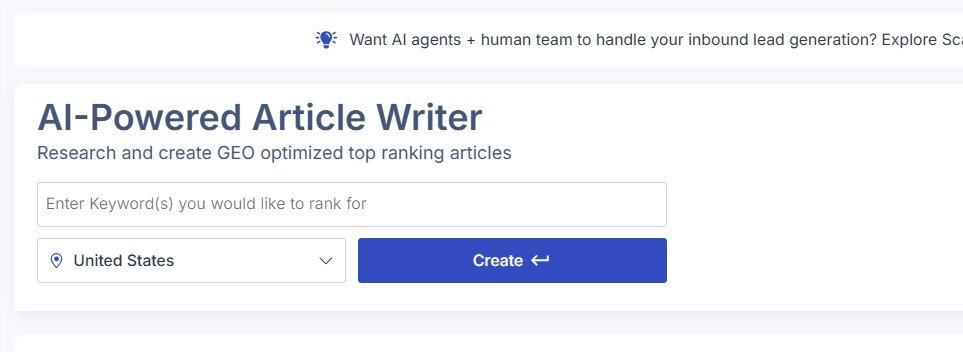
Your keyword should describe the main question or topic of the article.
Try not to enter a huge list of keywords here. Start with the main topic.
Example: if the article is a beginner guide about Etsy descriptions, use the main topic rather than trying to add every related phrase into the starting field.
Let Scalenut Research the Topic
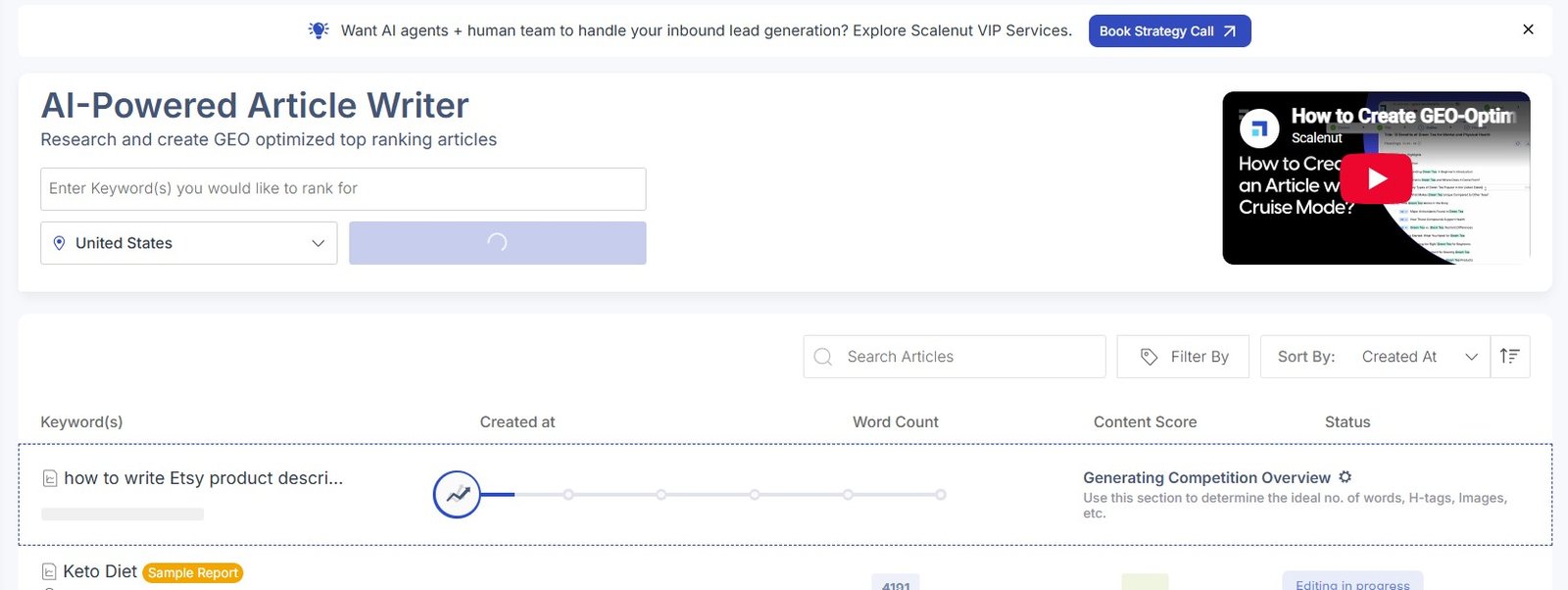
After starting the project, Scalenut does some research before asking you to generate the article.
In my test, it first created a competition overview.
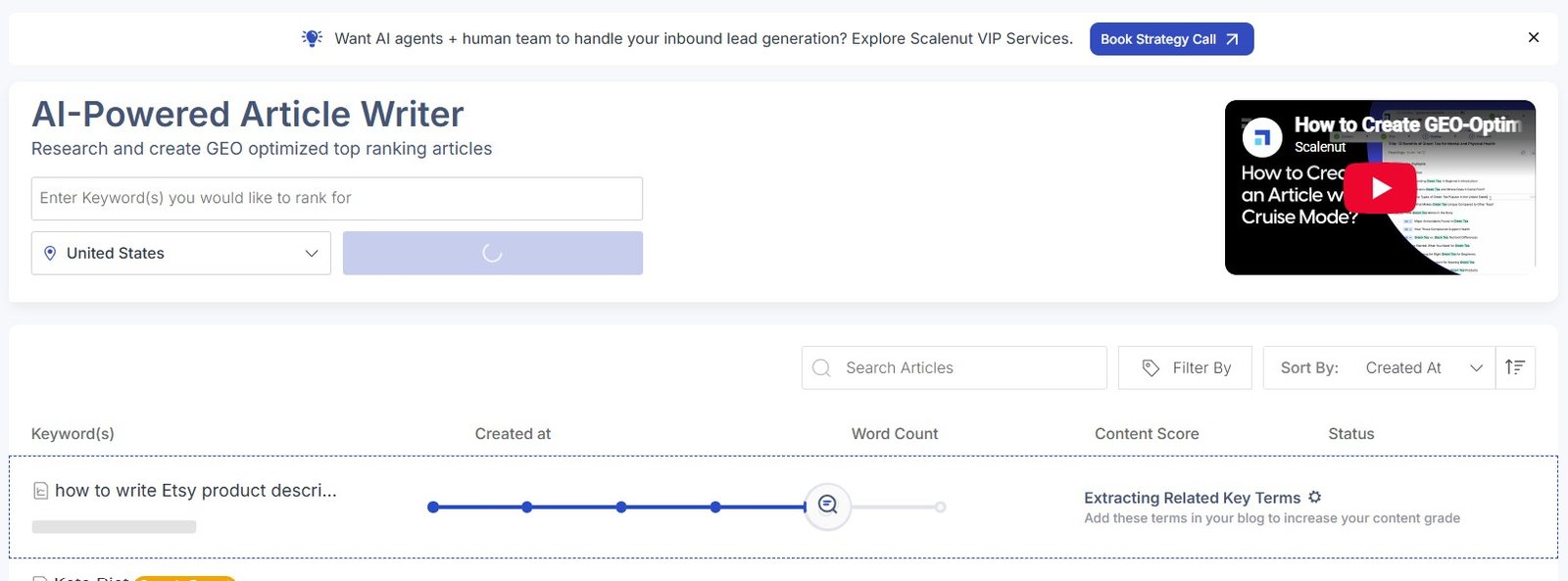
It also extracted related key terms.
This is one reason Scalenut feels different from typing a short prompt into a normal AI chatbot.
There is a research stage before the writing stage.
What to do here: mostly let Scalenut finish the research. You do not need to start copying every related term into your article manually.
Add Context in Cruise Mode
Once the research is ready, Scalenut gives you more control over the article.
Inside Cruise Mode, you can add context and guidelines.
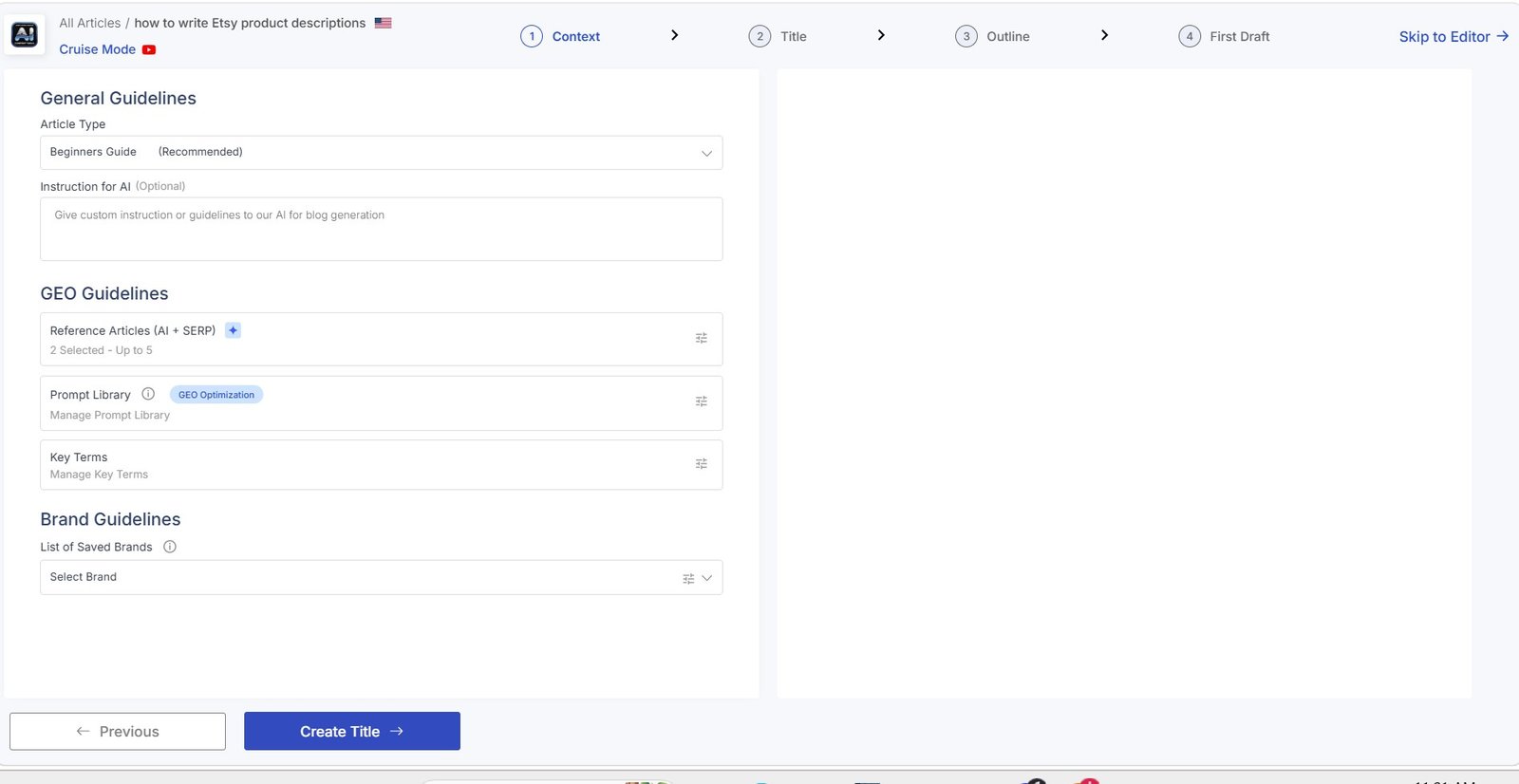
This step is worth using.
The AI knows your keyword, but it does not automatically know:
- who you are writing for;
- how simple the article should be;
- what tone you want;
- which claims you want to avoid;
- whether you want examples;
- what the reader should learn.
Do not write vague instructions like “make it good.” Tell Scalenut who the reader is and what a useful article should actually do.
Review the Related Terms
Scalenut also shows NLP and related key terms discovered during its research.
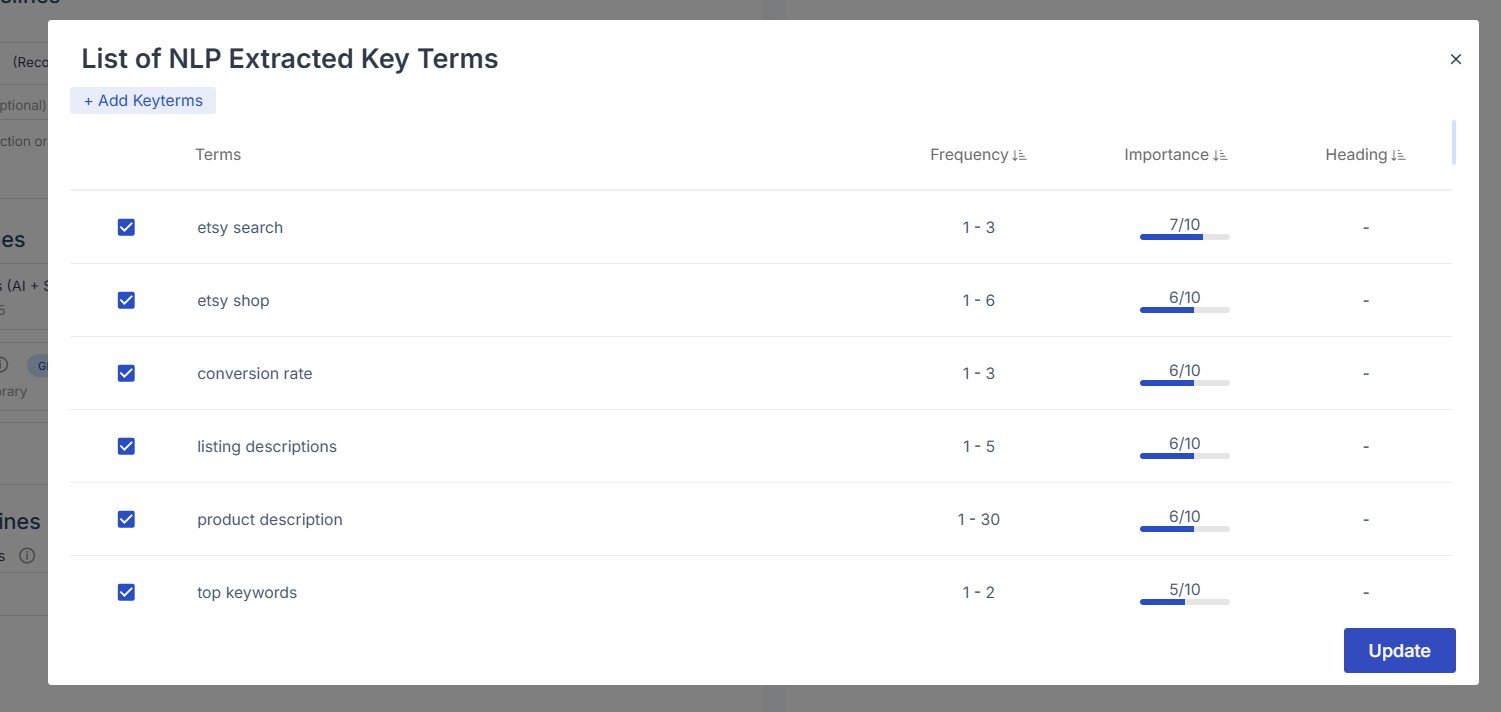
These terms can help you understand which concepts appear around the topic.
But do not force every word into the article.
Think topics, not keyword stuffing. If a related term represents something useful the reader needs to understand, cover it naturally. If it does not help, leave it out.
Add a Brand Kit If You Need One
Scalenut also offers a Brand Kit during the writing setup.
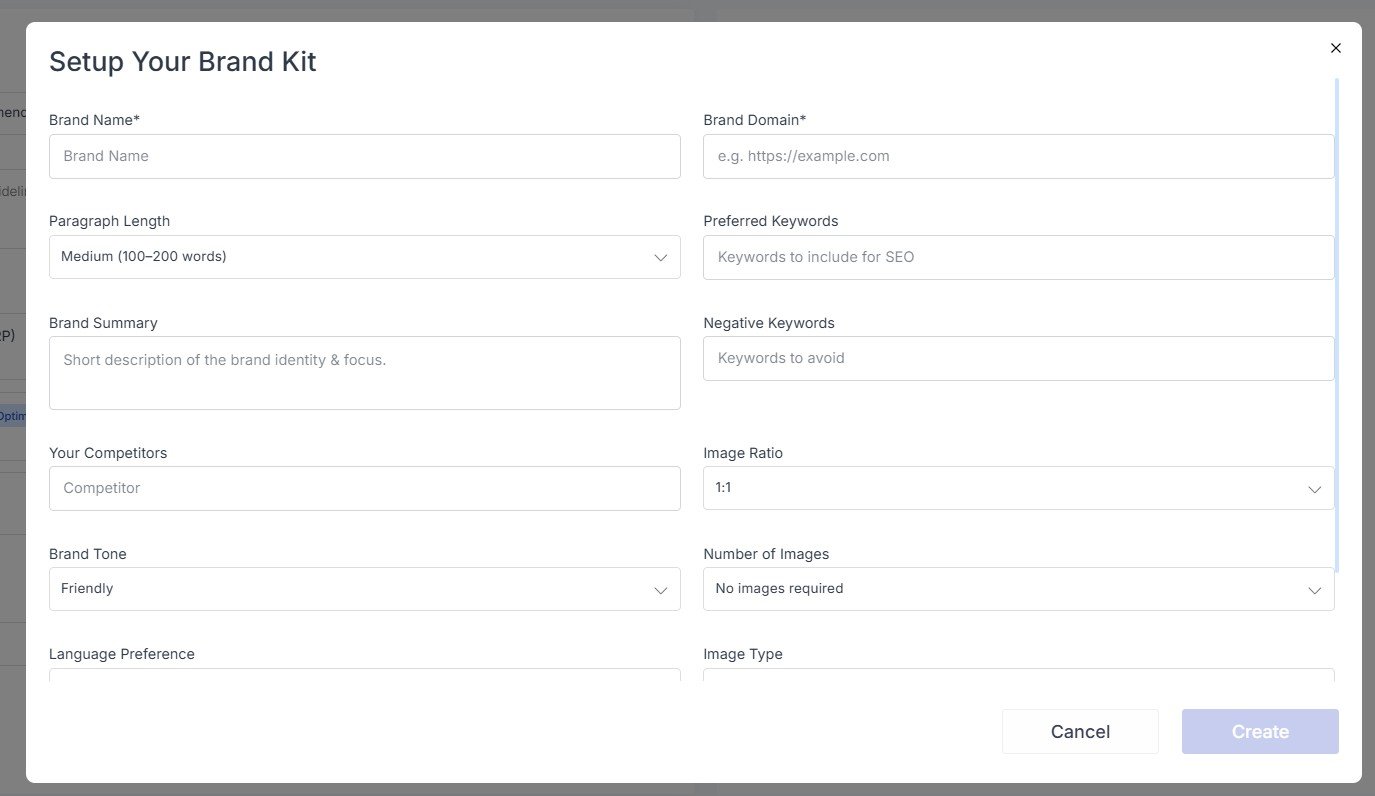
This can be useful if you create content regularly for the same business and want Scalenut to have more brand context.
For a first test article, however, I would focus more on giving clear article instructions.
Choose Reference Articles Carefully
Scalenut can show articles from the search results that may be used as references.
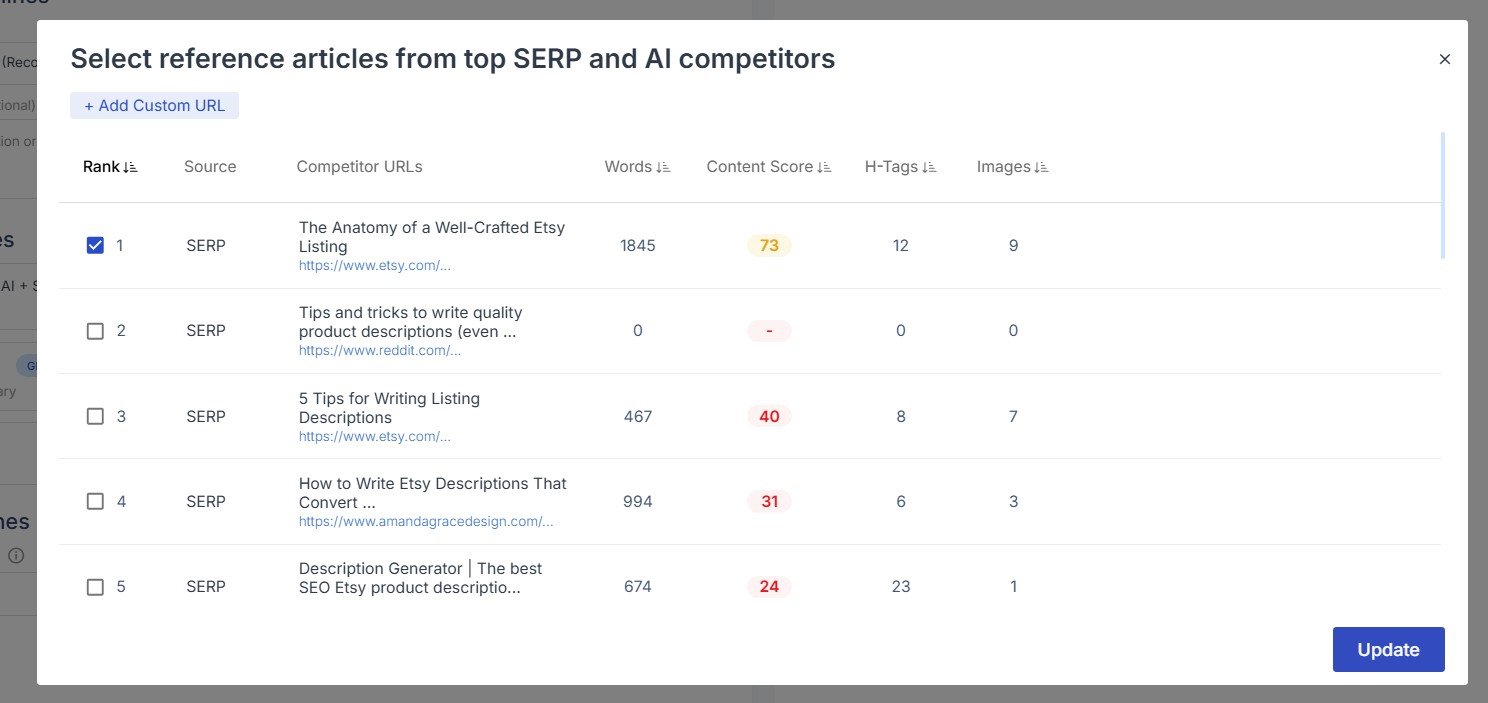
This is useful for understanding what already exists.
But there is also a risk.
If your research, title, outline, and writing all follow competitors too closely, you can end up with another version of the same article.
Use competitors to understand search intent — not to copy them. Look for something you can add that other pages do not have: your own screenshots, examples, test results, data, mistakes, or practical experience.
Give Scalenut Clear Writing Instructions
This was one of the most important steps in my test.
I selected Beginners Guide and added custom instructions.
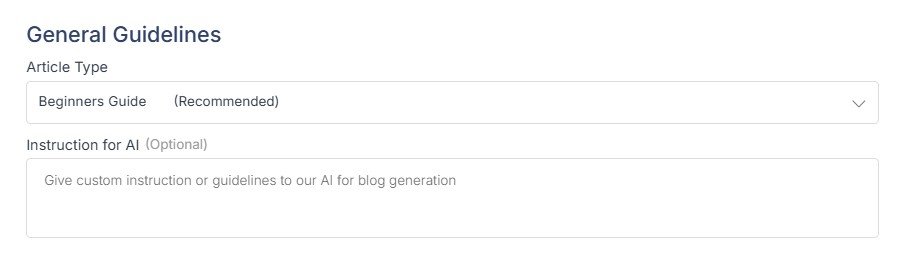
I told Scalenut to use simple English, include practical examples, and avoid invented Etsy rules or statistics.
- Audience: Who is reading?
- Level: Beginner or advanced?
- Tone: Helpful, practical, professional?
- Examples: What type should be included?
- Restrictions: What should the AI avoid?
This gives Scalenut much better direction than the keyword alone.
Choose a Title
Scalenut then suggests several titles for your article.
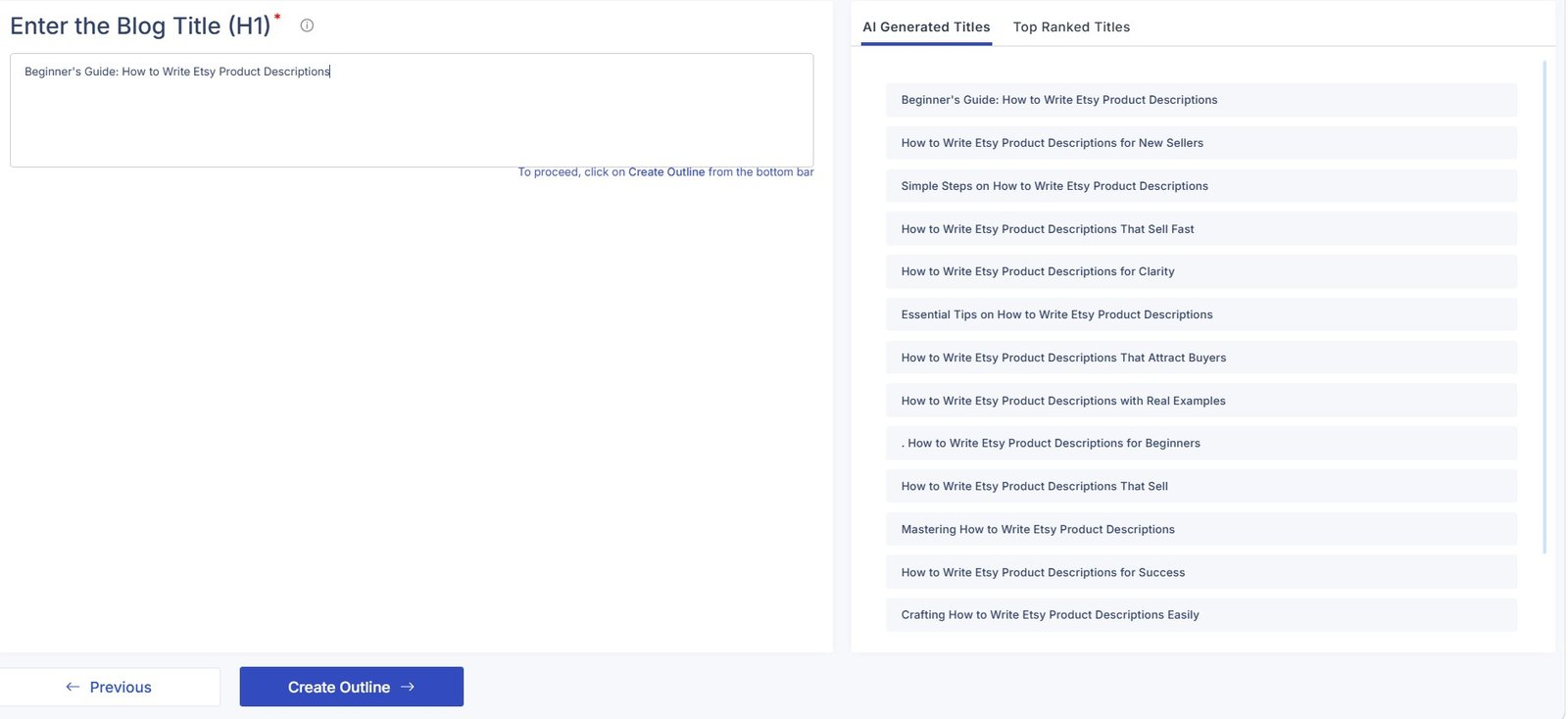
You can also look at titles from top-ranking pages.
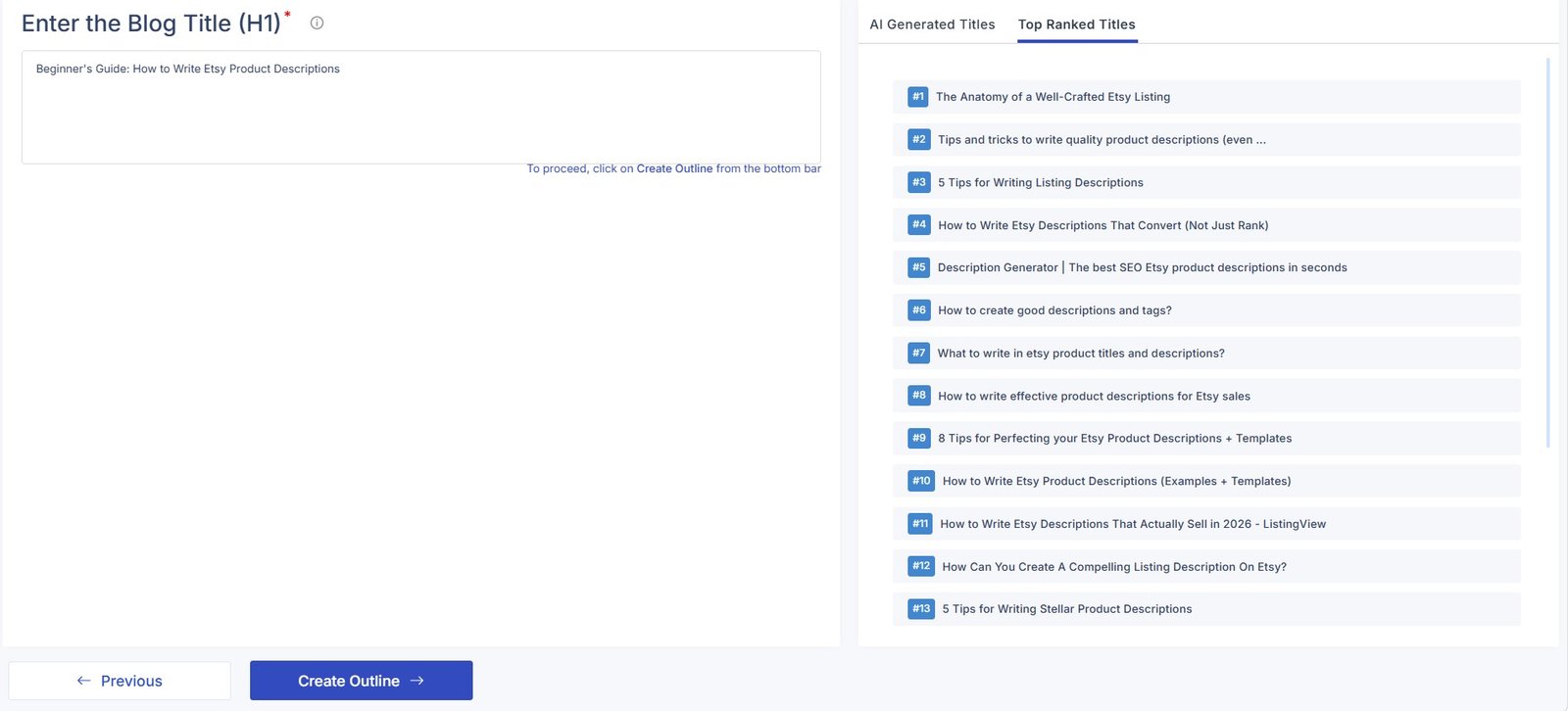
I like having both views.
The AI suggestions give you ideas. The SERP titles show what already exists.
Choose for the reader first. The title should clearly explain what the article offers. Do not choose a title only because it contains more SEO words.
Review the Outline Before You Generate
Next, Scalenut creates the article outline.
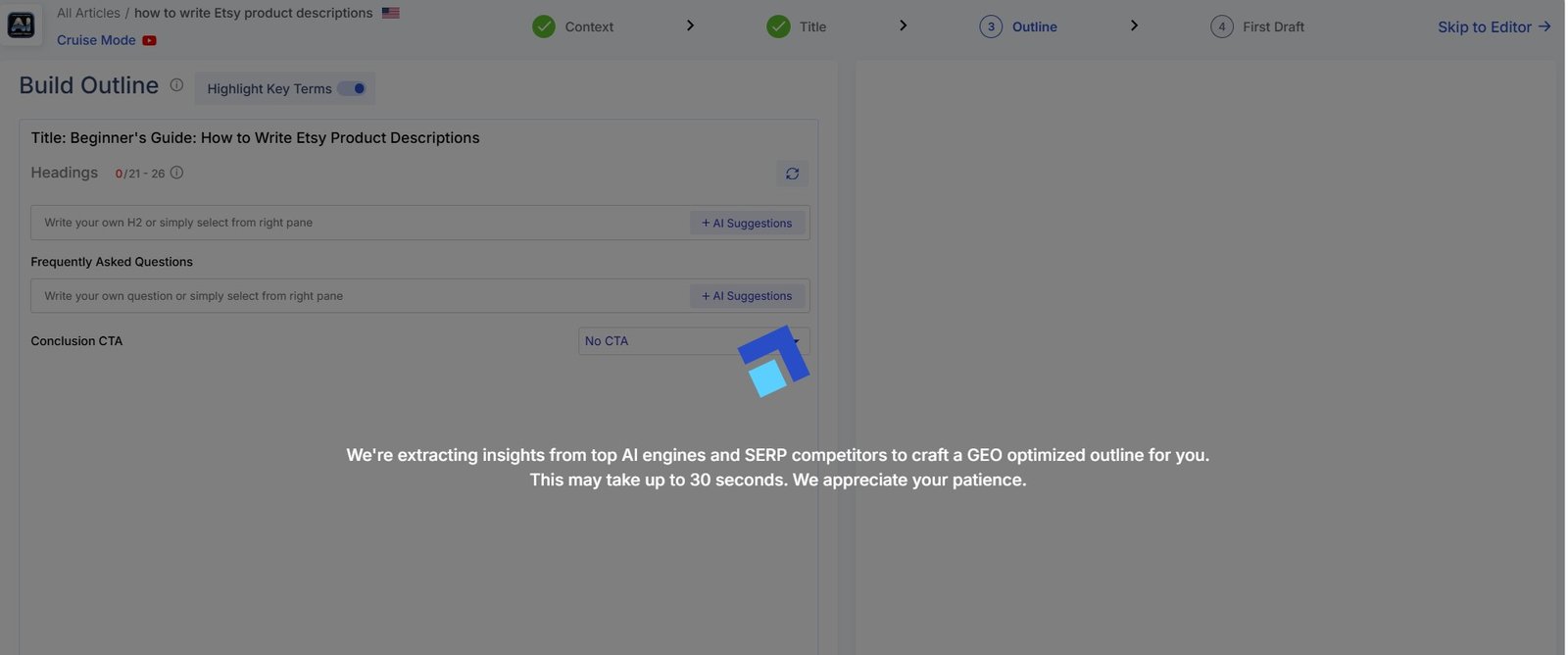
When it is ready, you can compare the suggested outline with structures found on ranking pages.
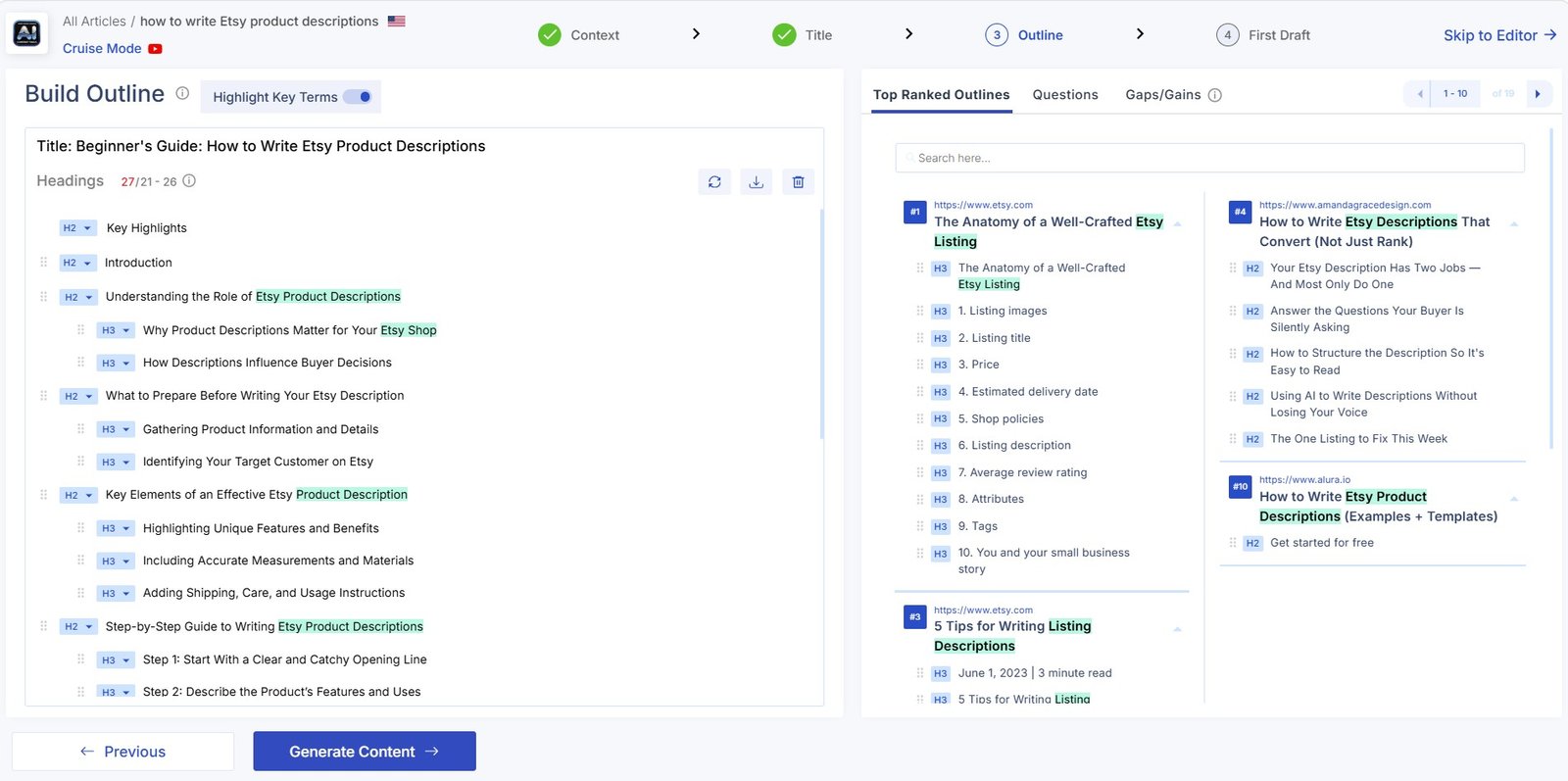
Do not rush through this screen.
The outline controls what the final article will contain.
- Are any sections repeated?
- Is something important missing?
- Does the order make sense for a beginner?
- Are there sections added only for SEO?
- Can you add something original?
- Does every section help the reader?
Generate the First Draft
Once you are happy with the structure, Scalenut can generate the full article.
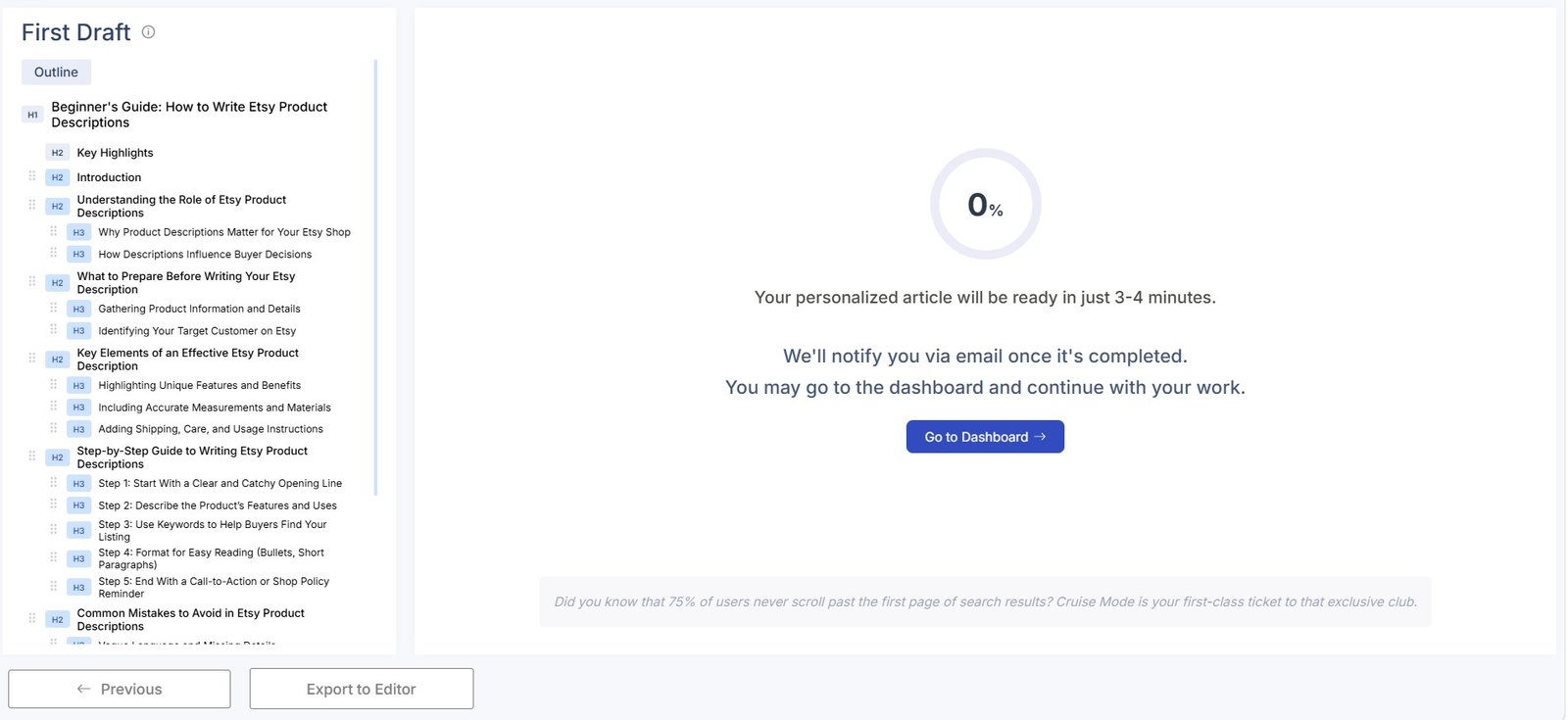
The finished article opens inside Scalenut’s editor.
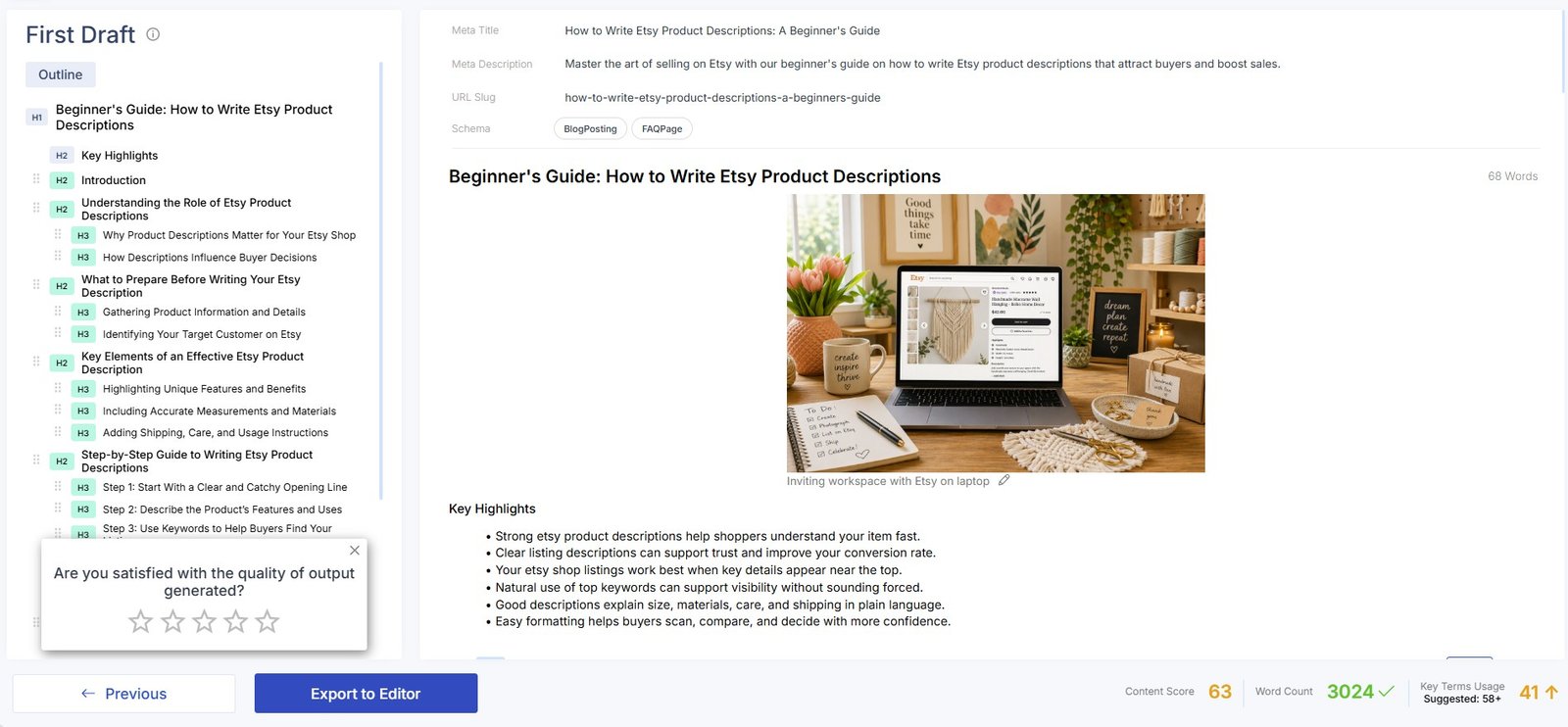
My result: the generated article looked reasonable as a first draft, and I found this part of Scalenut much more pleasant than the more complicated analytics dashboards.
If you want my detailed evaluation of the output rather than the tutorial steps, read my Scalenut AI Writer Review.
Check the Content Score
Scalenut shows a Content Score inside the editor.
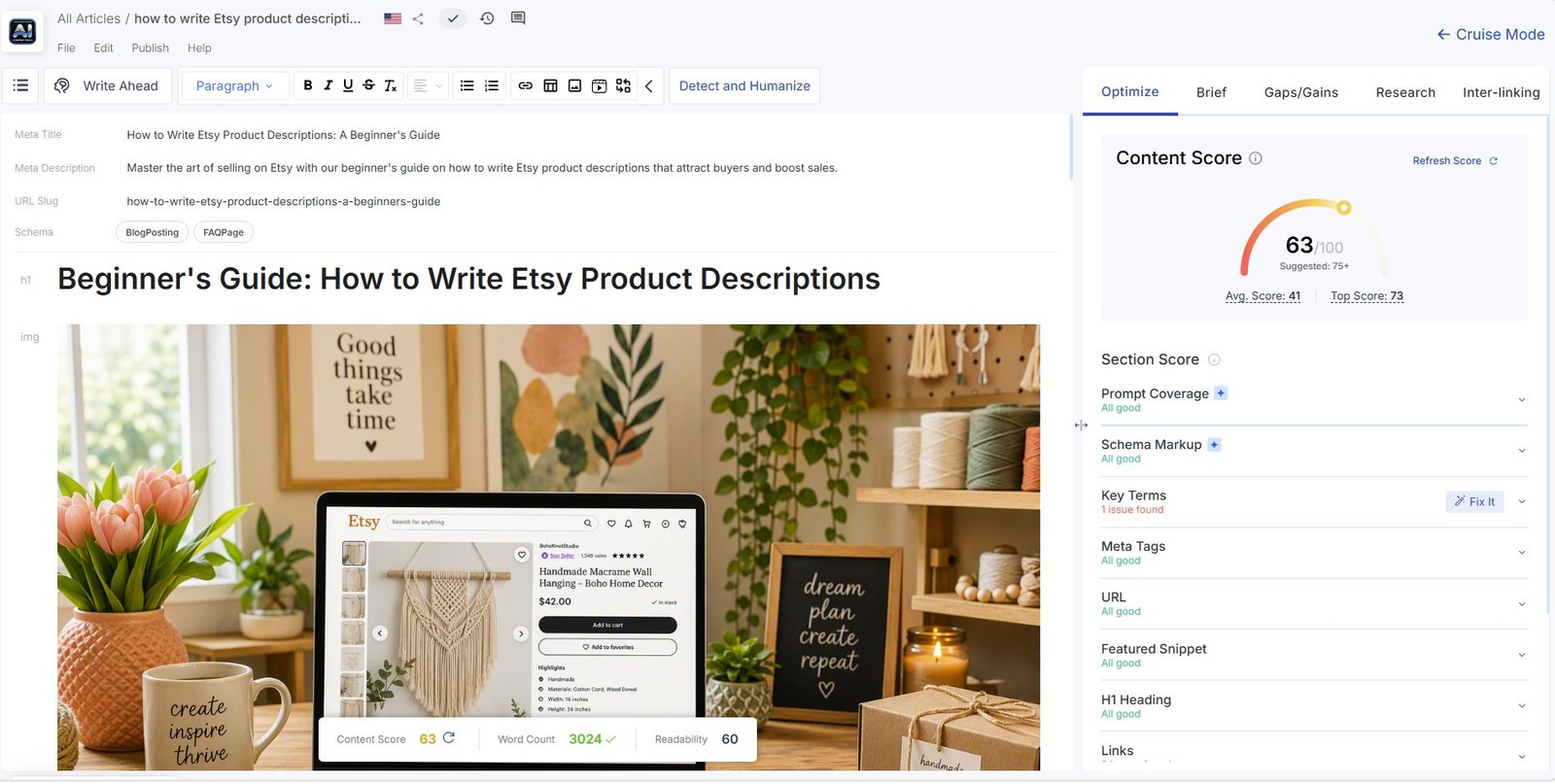
This can help you notice optimization opportunities.
But it should not become the goal of the article.
Do not try to reach the highest score at any cost. Adding unnecessary keywords or extra sections can make an article worse even if the SEO score goes up.
Check Gaps and Gains
Scalenut can also suggest topics that may be missing from your draft.
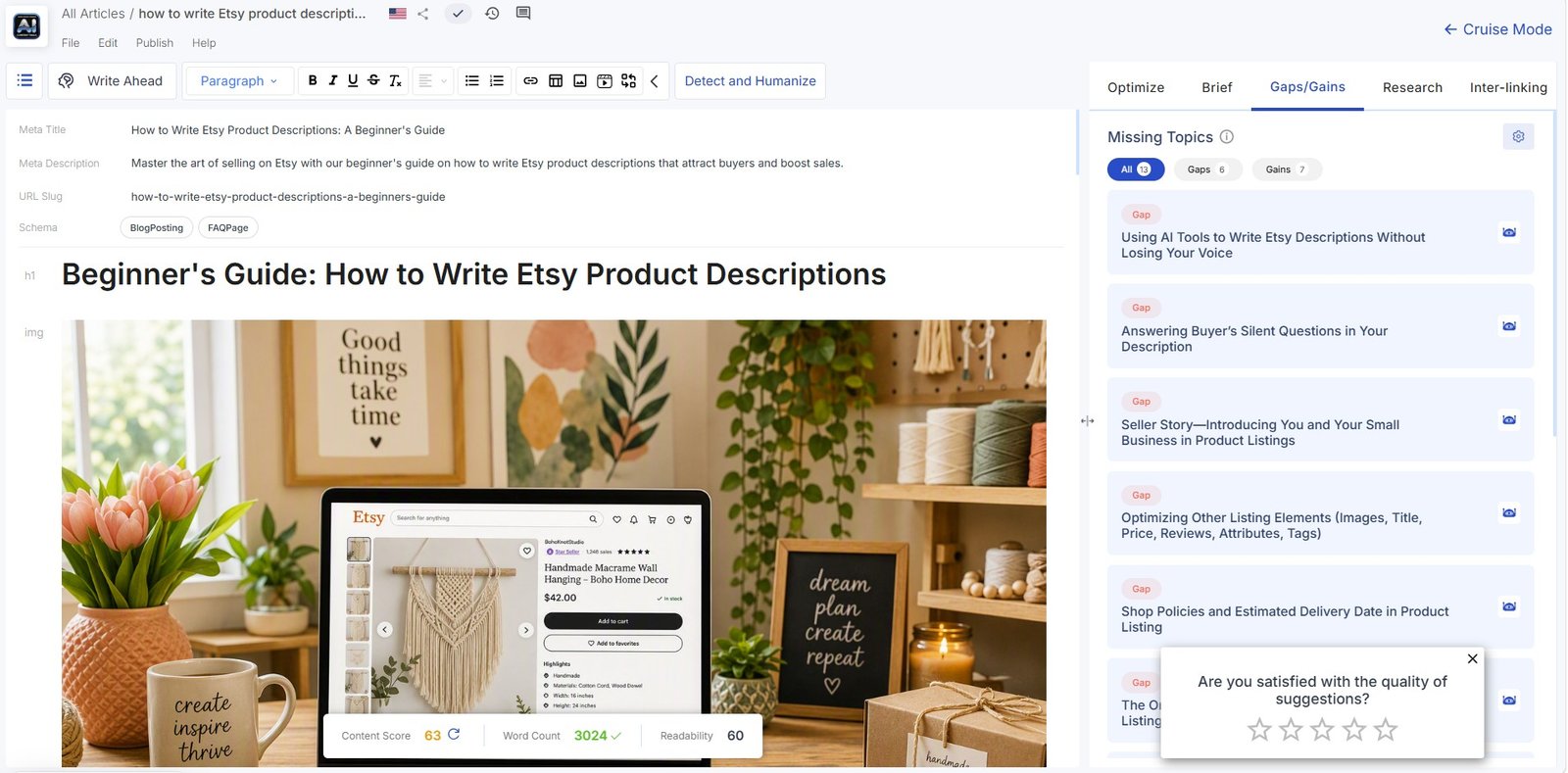
This is useful as a final coverage check.
But every suggestion still needs human judgment.
Ask:
Will this section make the article more useful?
If not, you do not need to add it.
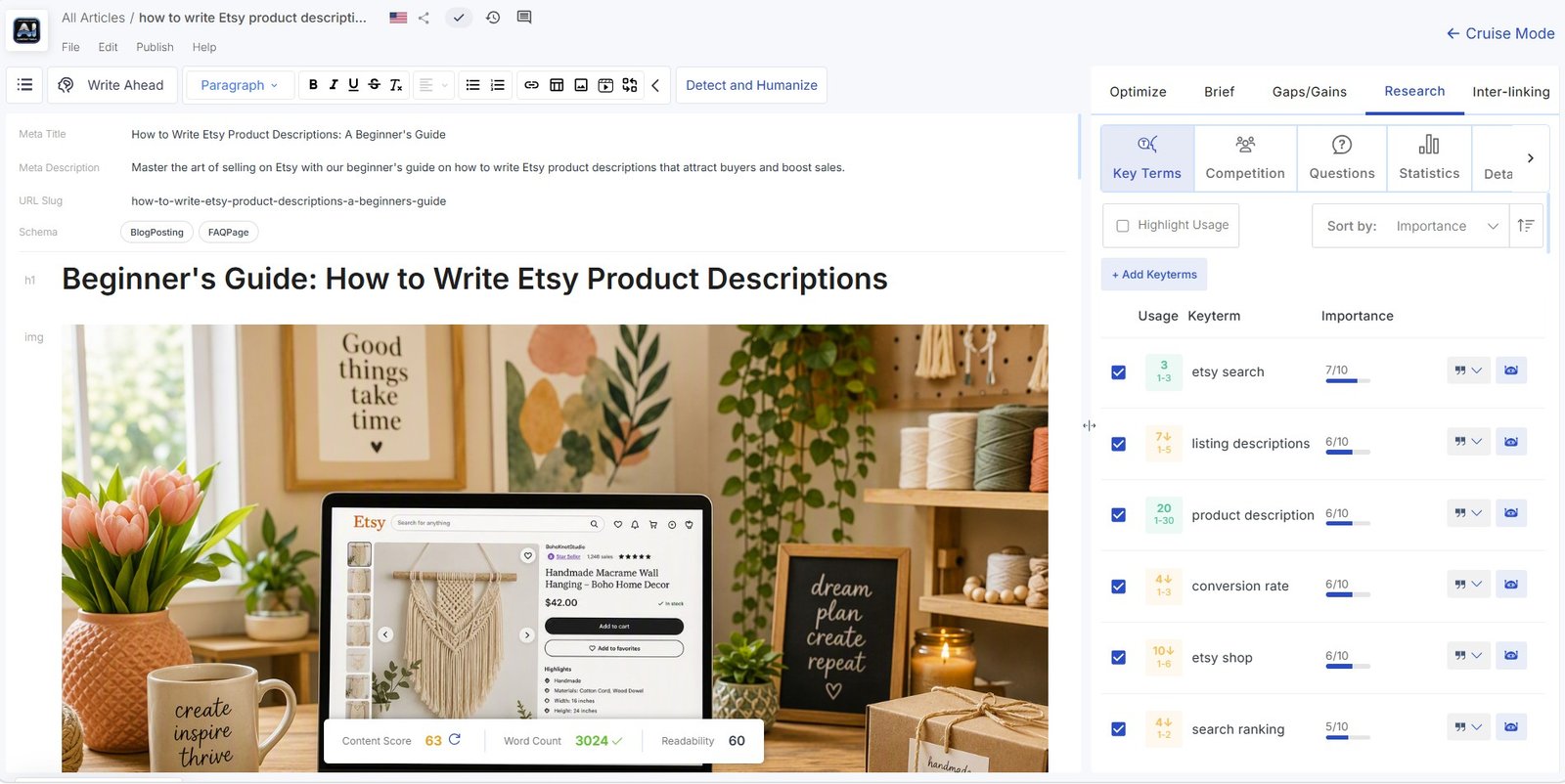
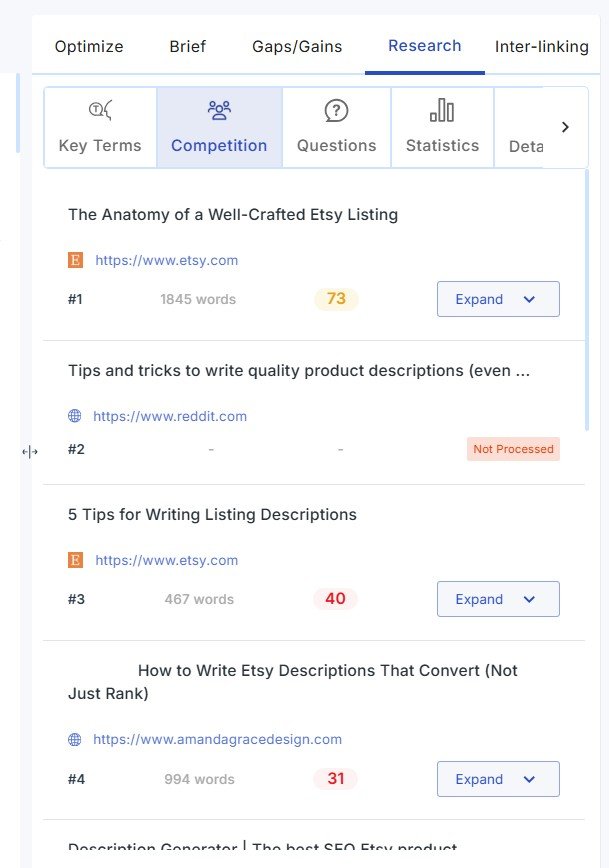
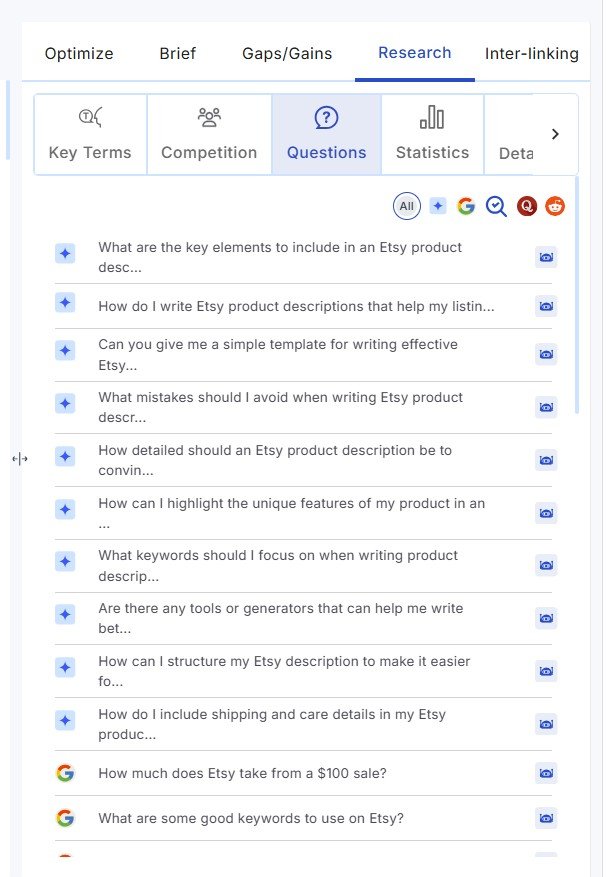
Use the Research Panel While Editing
The editor keeps more research available while you work.
Related terms
Competitors
Questions
Statistics
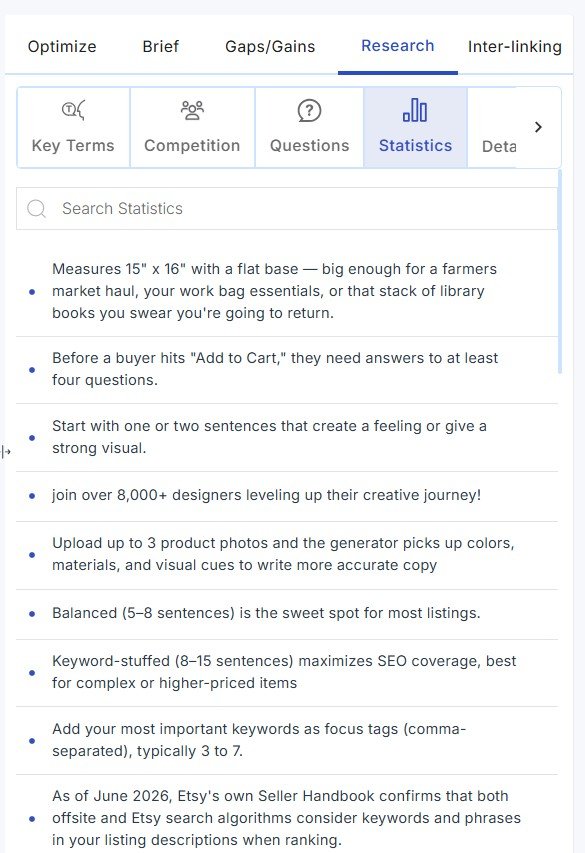
Always verify statistics at the original source. Do not publish a number only because an AI or SEO tool displayed it.
Do a Human Edit Before Publishing
This is the most important step, and Scalenut cannot do all of it for you.
Before publishing the article, I would check:
- Verify factual claims.
- Open original sources for statistics.
- Remove generic AI wording.
- Remove repeated ideas.
- Check whether examples are actually useful.
- Add your own experience where relevant.
- Add original screenshots or test results.
- Make sure the article answers the main search intent.
- Check internal links.
- Read the article like a real beginner, not like an SEO tool.
This is where strong content separates from generic AI content. Scalenut can help with research, structure, drafting, and optimization. It cannot create real first-hand experience for you.
Optional: Check the Draft With Detect & Humanize
Scalenut also includes a separate Detect & Humanize tool.
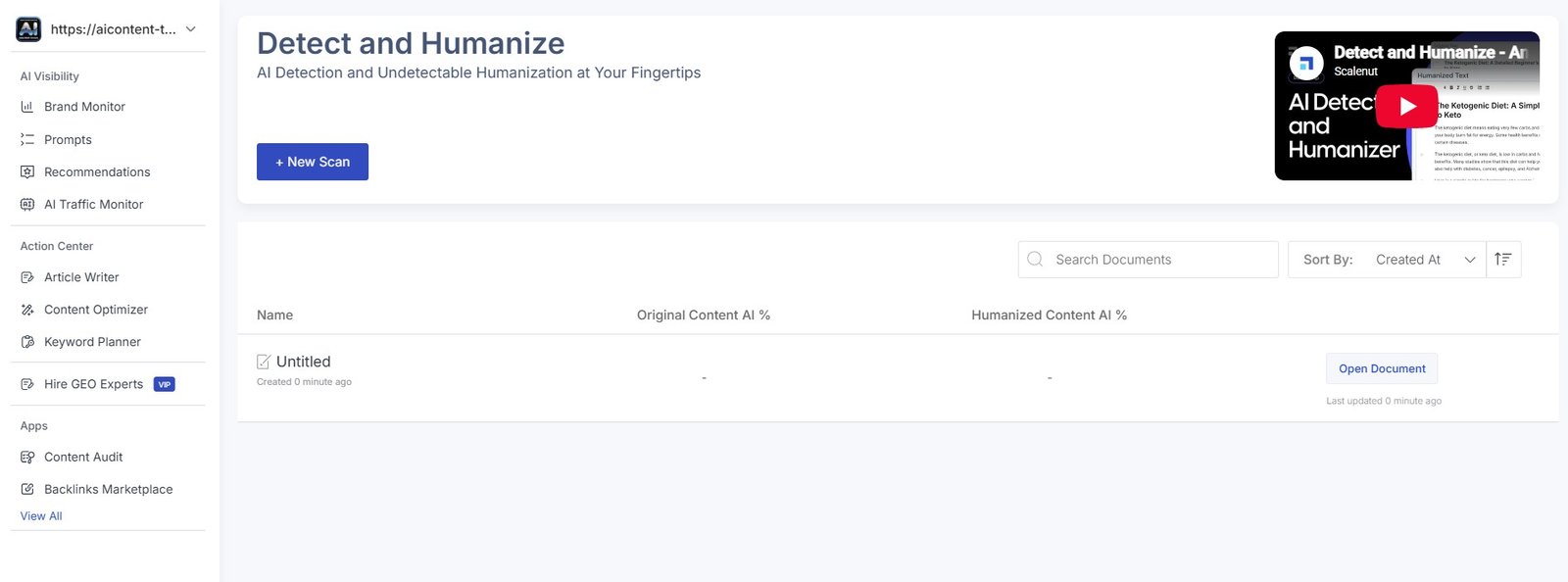
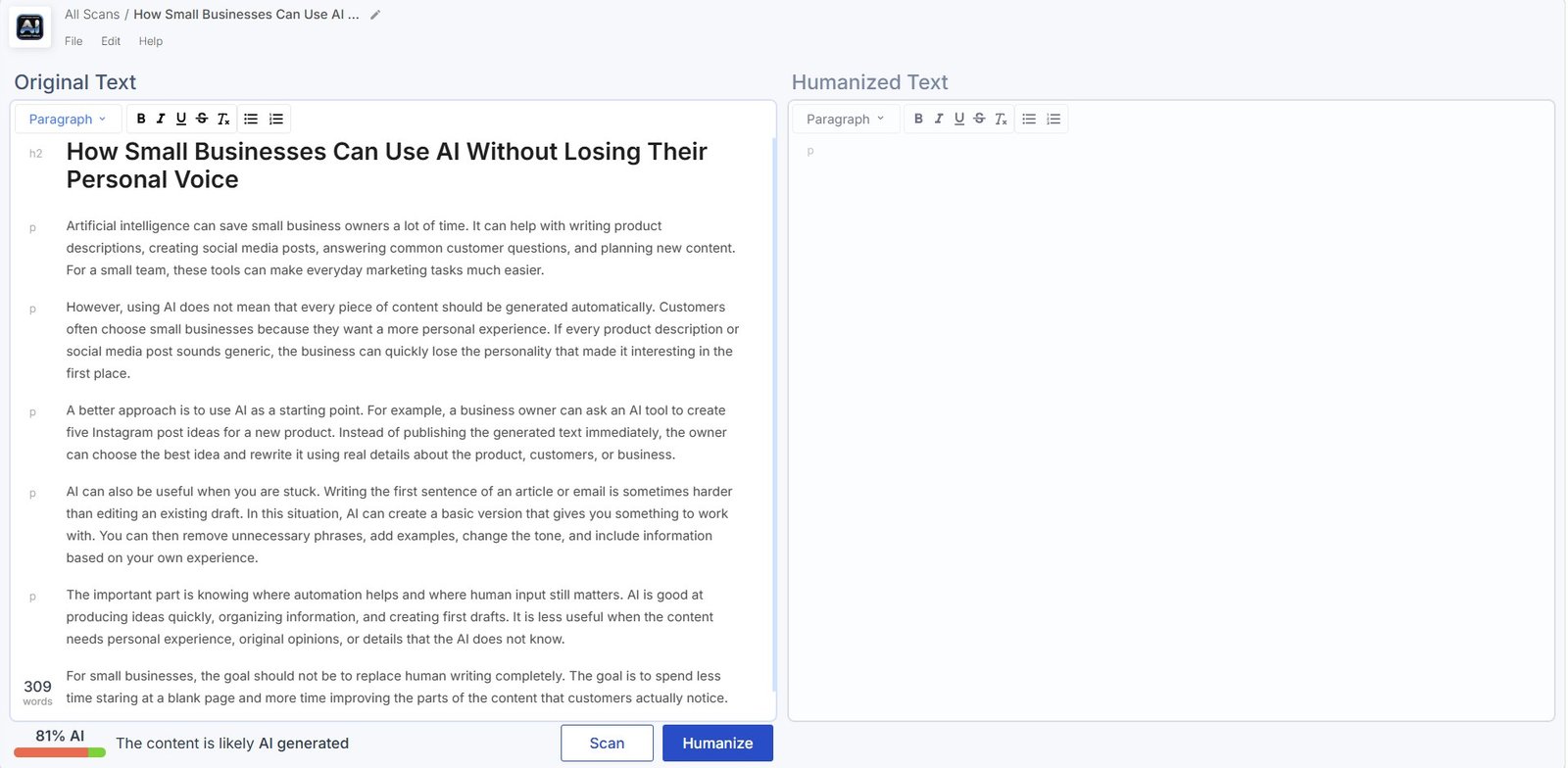
I tested this separately.
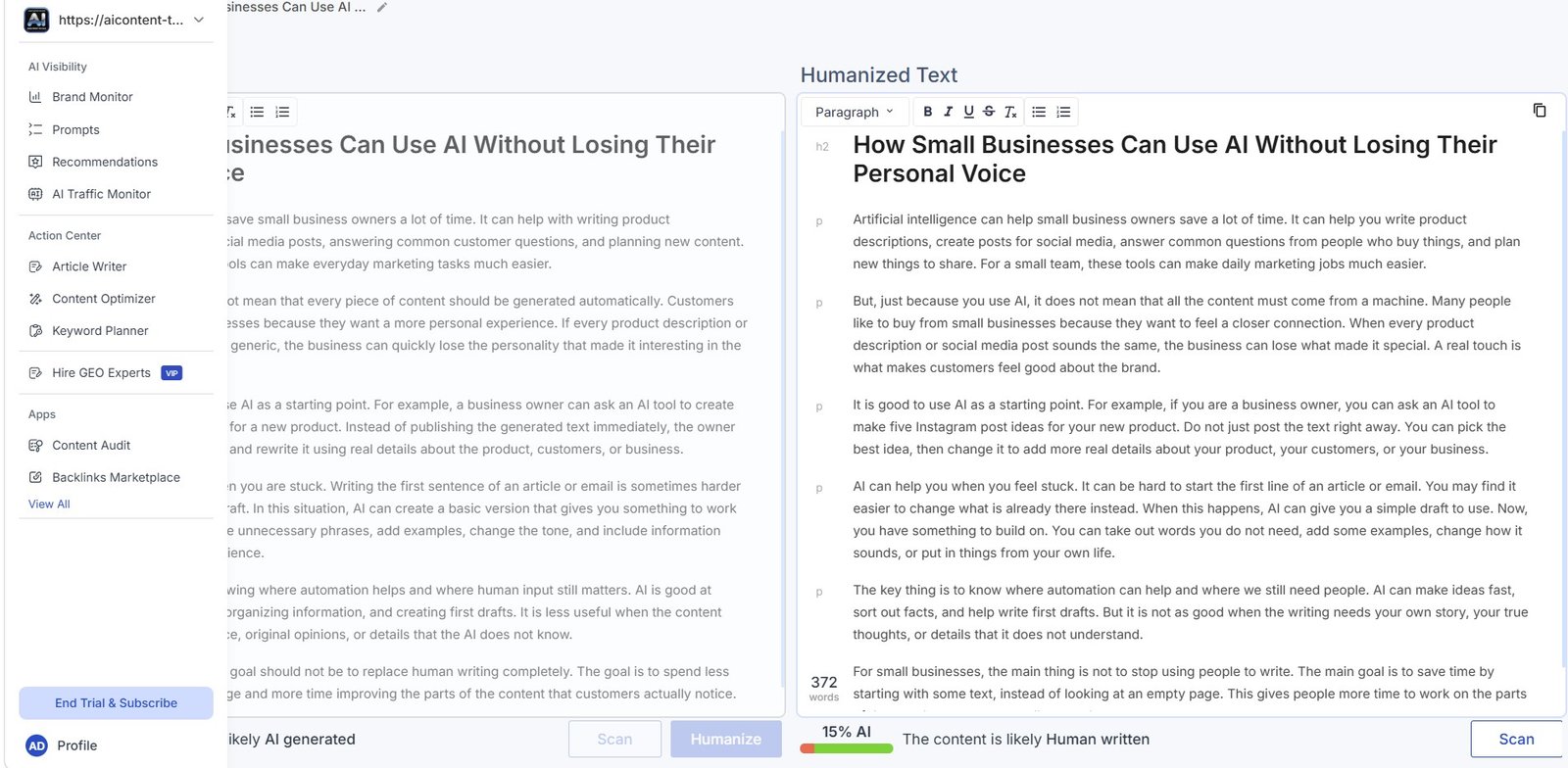
In one controlled test, the original sample received an 81% AI score.
After Scalenut humanized the same text, the new version received 15% AI in Scalenut’s detector.
I would not automatically humanize every article.
Use the feature if the rewrite improves the writing, not simply because you want a lower percentage.
See the complete experiment in my Scalenut AI Humanizer Review.
What You Can Ignore When You’re Just Starting
Scalenut contains many more tools than we used in this tutorial.
For example:
- Brand Monitor;
- AI visibility rankings;
- citation tracking;
- Keyword Planner;
- Content Optimizer;
- Content Audit;
- AI Traffic Monitor;
- Backlinks Marketplace;
- Marketing Copywriter templates.
They may be useful later.
But you do not need to master them before you can create your first article.
| If your goal is… | Start here |
|---|---|
| Create a new SEO article | AI Article Writer |
| Improve an existing article | Content Optimizer |
| Find keyword clusters | Keyword Planner |
| Track your brand in AI answers | Brand Monitor |
| Check or rewrite AI-style text | Detect & Humanize |
| Create Facebook, LinkedIn, or small marketing copy | Marketing Copywriter |
Why I Recommend Starting With the Article Writer
During my wider Scalenut test, I initially felt overloaded by the amount of analysis and statistics in the platform.
The Article Writer was different.
The workflow had a clear order:
keyword → research → instructions → references → title → outline → draft → optimization.
That made Scalenut much easier to understand.
Once you understand this workflow, you can decide whether you actually need the more advanced tools.
Common Scalenut Mistakes to Avoid
| Mistake | Better approach |
|---|---|
| Starting with every Scalenut feature | Learn the Article Writer first. |
| Giving Scalenut only a keyword | Add audience, tone, examples, and restrictions. |
| Accepting the first outline automatically | Edit the structure before generation. |
| Following competitors too closely | Add original evidence and examples. |
| Trying to use every NLP term | Cover useful topics naturally. |
| Chasing a perfect Content Score | Optimize for the reader first. |
| Using statistics without checking them | Open and verify the original source. |
| Publishing the AI draft immediately | Fact-check, edit, and add original value. |
My Simple Scalenut Workflow
If I were creating another article, this is the process I would use
1. Choose one clear target topic.
2. Let Scalenut complete its competitor and keyword research.
3. Add detailed instructions about the audience and writing style.
4. Review reference articles without copying their structure.
5. Choose a clear title.
6. Edit the outline before generation.
7. Generate the first draft.
8. Use Content Score, Gaps/Gains, questions, and competitor research as suggestions.
9. Verify facts and sources.
10. Add real examples, screenshots, tests, or experience before publishing.