You find a job you really want.
You open the job post. You open your resume. Then you remember you still need a cover letter, maybe a LinkedIn update, and maybe even a better message to send with your application.
Suddenly, one job application becomes five tasks.
This is where many people get stuck. Not because they do not care. Because they are tired, busy, and not sure what to write first. I have seen this again and again. Someone has real skills, real experience, and real value, but they lose time trying to “sound professional” instead of actually showing why they fit the job.
That is why ChatGPT can help so much.
Not because it should do everything for you. But because it can help you think faster, write better drafts, and turn a stressful application process into something more clear and manageable.
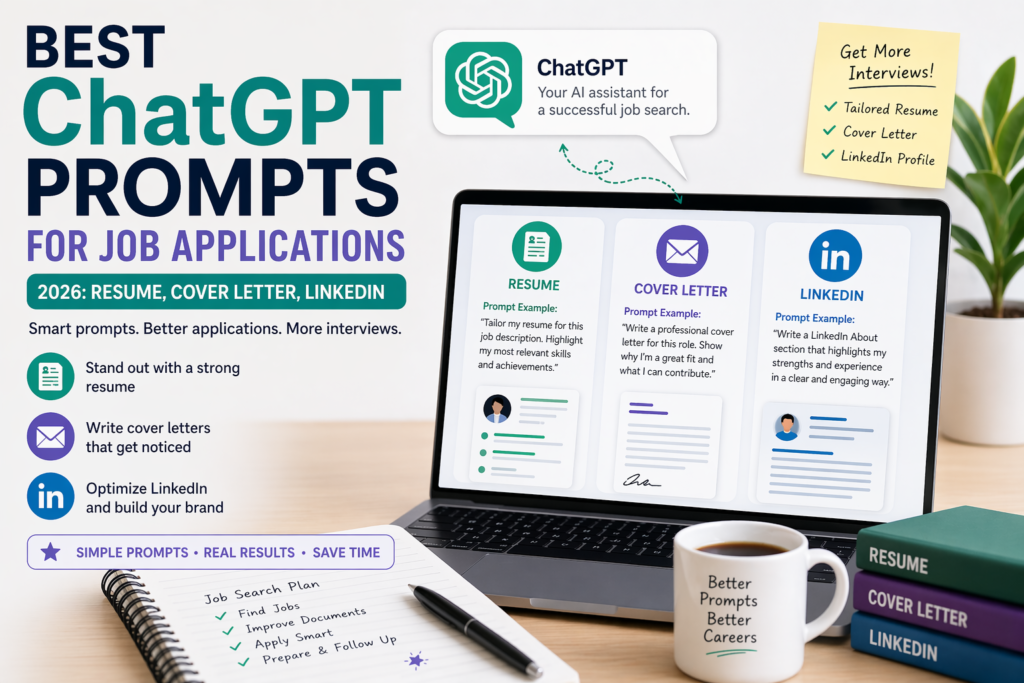
I have tested many AI prompts for career content, resumes, and job search workflows. Some prompts save time and give useful structure. Others create generic text that sounds fake. In this guide, I will show you the prompts that actually help for job applications in 2026, especially for your resume, cover letter, and LinkedIn profile.
If you are building your full job search system, also read Best AI Resume Builders in 2026. It is a good next step after this guide.
Why ChatGPT prompts matter for job applications
A lot of people use ChatGPT in the wrong way.
They type:
“Write me a resume.”
Then they get a very general result.
The problem is not always ChatGPT. The problem is the prompt.
A prompt is the instruction you give AI. A better prompt gives better output. Output means the result you get back.
For job applications, good prompts help you:
write faster,
tailor your resume,
create stronger cover letters,
improve your LinkedIn profile,
and sound more clear without sounding robotic.
The goal is not to let AI replace you.
The goal is to use AI to present your real strengths better.
Before you use ChatGPT for job applications
Before we get into the best prompts, let’s make one thing clear.
ChatGPT works best when you give it:
your real experience,
the real job description,
the type of role you want,
and clear instructions about tone and length.
Bad input usually gives weak results.
Good input gives you something you can actually use.
I also strongly recommend keeping one base resume ready before you start. If you need help with that, my guide on how to use Rezi AI to create a resume can help.
Step 1: Use ChatGPT to understand the job post first
Do not start by asking ChatGPT to write your cover letter or resume right away.
Start with the job description.
This is one of the biggest things that works well. When people skip this step, they often create generic applications. When they start by analyzing the job post, the whole application becomes stronger.
Here is the first prompt:
Prompt:
“Read this job description and explain the main skills, tasks, and keywords the employer cares about most. Group them into: daily tasks, hard skills, soft skills, and results they want.”
This helps you see the job more clearly.
Example
Maybe the job post says:
- manage email campaigns
- work with cross-team partners
- track campaign results
- support brand growth
ChatGPT can help break that into:
- daily tasks: campaign setup, reporting, teamwork
- hard skills: email marketing, analytics, reporting tools
- soft skills: communication, organization, attention to detail
- goals: improve results, support campaigns, keep work on track
Now you know what to focus on in your resume and cover letter.
TIP: Paste the full job description, not only the title. The title alone is usually not enough.
Step 2: Use ChatGPT to tailor your resume
This is where ChatGPT saves a lot of time.
A resume should not be exactly the same for every job. It should change based on what the employer needs.
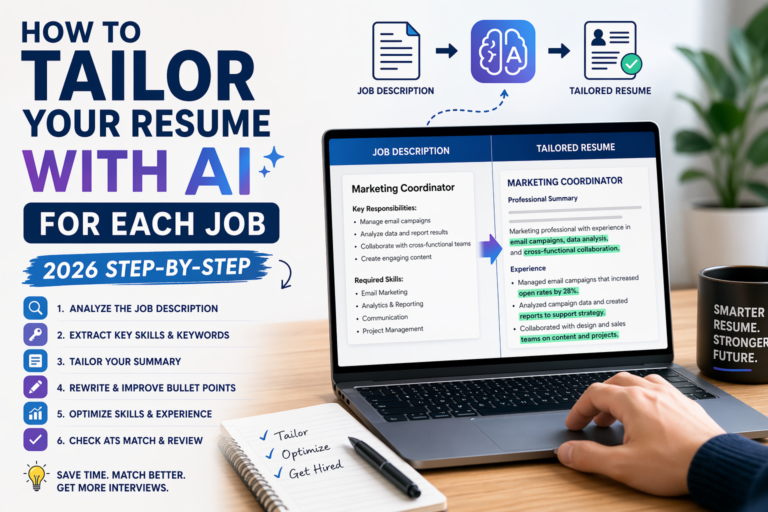
I wrote before about tailoring resumes with AI, and it really matters. Many people send one version everywhere and hope for the best. Usually, that does not work well.
Here is a strong prompt:
Prompt:
“Here is my current resume and here is the job description. Help me tailor my resume for this job. Rewrite my summary, improve my bullet points, and suggest which skills should move higher. Keep everything truthful and simple.”
This prompt is strong because it asks for specific improvements.
Example
Let’s say your current resume says:
“Helped with marketing tasks and reports.”
ChatGPT may improve that to:
“Supported marketing campaigns, helped prepare reports, and worked with team members to keep projects on schedule.”
That already sounds better.
If the job is more focused on email marketing, you can go further:
“Supported email marketing campaigns, tracked campaign results, and helped prepare reports for team review.”
Now the bullet point fits the role better.
What works best here
From my experience, ChatGPT works best when you ask it to improve and tailor, not invent from zero.
If you ask for a full new resume with no details, it often sounds too broad.
If you give your real resume and the job ad, the result is much better.
TIP: Always tell ChatGPT: “Do not invent experience, numbers, or skills.”
Step 3: Use ChatGPT to write a better cover letter
Cover letters are hard for many people.
Not because they are long. Because people do not know how to make them personal without making them awkward.
I have seen two common problems:
people write cover letters that are too formal,
or they write letters that say almost the same thing as the resume.
A good cover letter should do something different. It should connect your experience to the company’s needs in a warm and clear way.
Here is one of the best prompts:
Prompt:
“Write a short, natural cover letter for this job based on my resume and the job description. Keep it specific, friendly, and professional. Show why my background matches the role. Do not use fake excitement or generic lines.”
This helps a lot because generic lines are a big problem.
Bad example
“I am thrilled to apply for this exciting opportunity at your esteemed company.”
This sounds old and empty.
Better example
“I am applying for this role because it matches the kind of work I enjoy most: clear communication, organized support, and helping projects move forward.”
This feels more real.
Mini story
I once tested prompts like “Write a powerful cover letter that will impress any recruiter.” The result looked dramatic, but not believable. It sounded like a movie speech. When I changed the prompt to ask for simple, specific, job-matched writing, the result became much more useful.
TIP: Ask ChatGPT to keep the cover letter under 250 words first. Shorter drafts are easier to fix.
Step 4: Use ChatGPT to write LinkedIn profile sections
Many people forget this part.
They work on the resume, maybe the cover letter, but their LinkedIn still looks old or incomplete.
That can hurt the overall impression.
If a recruiter checks your profile and sees an outdated headline or weak “About” section, it can make your application feel less polished.
Here is a very useful prompt for LinkedIn:
Prompt:
“Based on my resume and target job, write a LinkedIn headline and About section that sound clear, natural, and job-focused. Use simple words and show my strengths without sounding like a sales pitch.”
A sales pitch means writing that tries too hard to sell.
Example headline
Weak:
“Motivated professional seeking opportunities”
Better:
“Marketing Assistant | Email Campaign Support, Reporting, Content Coordination”
This second version says more in fewer words.
Example About section
Weak:
“I am a hard-working person with strong passion and many skills.”
Better:
“I support marketing and content projects with a focus on clear communication, organized work, and useful reporting. I enjoy helping ideas move from planning to action.”
That already sounds more focused.
If you want a full guide for this part, read How to Optimize Your LinkedIn Profile with AI.
TIP: Ask for 3 versions of your LinkedIn headline. Then pick the one that feels most like you.
Step 5: Use ChatGPT to create better bullet points
This is one of the best use cases.
A lot of resumes have bullet points that are too vague.
They say things like:
“Helped customers”
“Worked on projects”
“Supported the team”
These are not wrong, but they are weak.
Here is a strong prompt:
Prompt:
“Rewrite these resume bullet points so they sound more specific and relevant for this job. Use simple language, action words, and real value. Do not exaggerate.”
Example
Before:
“Helped with social media.”
After:
“Helped plan and publish social media content for regular campaigns.”
Before:
“Answered questions from customers.”
After:
“Answered customer questions by email and chat, helping solve common issues quickly.”
That is much clearer.
What to watch out for
Sometimes ChatGPT makes bullet points sound too big.
For example:
“Spearheaded strategic multi-level communication initiatives.”
That sounds impressive, but often too much.
Simple is better.
TIP: After ChatGPT rewrites your bullet points, ask: “Can you make these sound more natural and less corporate?”
Step 6: Use ChatGPT to match your resume to ATS
ATS means Applicant Tracking System. It is software that scans resumes before a person reads them.
This does not mean you should stuff your resume with keywords again and again. It means the important job-related words should appear naturally if they are true for your experience.
Here is the prompt:
Prompt:
“Compare my resume with this job description and show me which important keywords or skills are missing. Only suggest words that fit my real background.”
This helps you see gaps.
Example
If the job post includes:
- CRM
- scheduling
- customer support
- reporting
But your resume only says:
- admin work
- customer help
Then ChatGPT may show you that “CRM,” “scheduling,” and “reporting” should appear more clearly if you really used them.
This is very useful.
TIP: Do not copy all keywords blindly. Only keep the ones you can honestly support.
Step 7: Use ChatGPT to write a custom application message
Sometimes you need more than a resume and cover letter.
You may need:
a short email,
a LinkedIn message,
or a note in the application form.
This small text matters more than many people think.
Here is a useful prompt:
Prompt:
“Write a short application message for this job. Keep it polite, warm, and professional. Mention my interest in the role and one reason I match it well. Keep it under 100 words.”
Example
“Hi, I’m applying for this role because it matches my experience in customer support and organized team work. I attached my resume and would be happy to speak more about how I can help your team.”
Short. Clear. Enough.
TIP: Use short messages for email or LinkedIn. Save longer detail for the cover letter.
Step 8: Use ChatGPT to prepare for follow-up questions
This is a smart extra step.
After sending your application, you may get interview questions or screening questions. Screening questions are early questions before the interview.
You can use ChatGPT to prepare answers in advance.
Here is the prompt:
Prompt:
“Based on this job description and my resume, what questions is a recruiter likely to ask me first? Give me short practice answers in a natural tone.”
This can help a lot with confidence.
Example
Question:
“Why do you want this role?”
Practice answer:
“I want this role because it matches the work I do best: organized support, communication, and helping projects stay on track.”
Simple. Real. Easy to remember.
TIP: Ask for answers in your own tone. Then rewrite them a little so they sound like your voice.
Best ChatGPT prompts for job applications by use
Here is a quick table you can use while applying.
| Job task | Best ChatGPT prompt |
|---|---|
| Understand the job post | “Read this job description and explain the main skills, tasks, and keywords the employer cares about most.” |
| Tailor a resume | “Help me tailor my resume for this job. Rewrite my summary, improve bullet points, and adjust skills. Keep it truthful.” |
| Write a cover letter | “Write a short, natural cover letter for this job based on my resume and the job description.” |
| Improve LinkedIn | “Write a LinkedIn headline and About section based on my resume and target role.” |
| Rewrite bullet points | “Rewrite these bullet points to sound more specific and relevant for this job.” |
| Check ATS match | “Compare my resume with this job description and show missing keywords I can honestly add.” |
| Write application email | “Write a short application message for this role under 100 words.” |
| Prepare for questions | “What first-round recruiter questions may come from this job description, and how can I answer them naturally?” |
Best full prompts you can copy
Here are ready prompts you can copy and use.
Prompt for resume tailoring
“Here is my resume and here is the job description. Help me tailor my resume for this role. Rewrite my summary, improve my bullet points, and suggest which skills should be moved higher. Use simple language. Keep everything honest. Do not invent experience, tools, or numbers.”
Prompt for cover letter
“Write a short cover letter for this job based on my resume and the job description. Make it sound natural, clear, and professional. Avoid generic phrases. Show why I fit the role using real details from my background.”
Prompt for LinkedIn headline and About section
“Based on my resume and target role, write 3 LinkedIn headline options and 1 About section. Keep the tone friendly, confident, and simple. Avoid buzzwords and sales language.”
Buzzwords are popular words people use too much, like “rockstar,” “guru,” or “results-driven.”
Prompt for ATS keyword check
“Compare my resume with this job description. Show me which important keywords or skill phrases are missing, but only include ones that match my real experience.”
Prompt for bullet point improvement
“Rewrite these resume bullet points so they are more specific, relevant, and easy to read. Focus on action and value. Do not make them sound too corporate.”
Prompt for application email
“Write a short email for this job application. Keep it warm, clear, and professional. Mention the role, one reason I fit it, and that my resume is attached.”
A simple workflow that works well
If you want a practical system, this is the one I would use:
First, paste the job description into ChatGPT and ask for the main needs.
Then paste your resume and ask for tailored changes.
Then ask for a short cover letter.
Then ask for a LinkedIn headline and About update.
Then ask for an ATS gap check.
This order works well because each step builds on the last one.
It also saves time.
If you are applying to many jobs, tools like Teal can help you stay organized while ChatGPT helps with the writing side.
You can also explore more career-related AI content in Best AI Tools by Profession in 2026.
Common mistakes when using ChatGPT for job applications
One big mistake is asking for “the perfect resume” or “the best cover letter ever.”
Those prompts usually create generic text.
Another mistake is trusting everything without checking it.
ChatGPT can still:
repeat ideas,
add weak phrases,
sound too formal,
or suggest details that do not match your real experience.
I always recommend reviewing every final draft yourself.
Read it out loud.
Ask:
Does this sound like me?
Is this true?
Would I say this in an interview?
That small check makes a big difference.
Final thoughts
ChatGPT can make job applications much easier in 2026.
It can help you understand job ads, tailor your resume, write better cover letters, improve LinkedIn, and prepare for next steps. But the real power is not in using random prompts. It is in using clear prompts with real information.
That is what gets better results.
The best applications still sound human. They still feel honest. They still show real value.
ChatGPT just helps you get there faster.
If you want to go deeper into career tools, start with Best AI Resume Builders in 2026. And if you want a better resume creation workflow, my Rezi AI guide is a helpful next read.