AI Overviews can steal attention before a user even sees your normal Google result.
That feels scary, especially when you are working on a small website and every click matters.
But keyword research in 2026 is not only about search volume anymore. It is about finding the questions Google wants to answer with AI, and then deciding if your page can offer something better than a short summary.
I learned this while checking SEO topics for my own site. Some keywords looked good in theory. They had decent search intent and seemed useful for my audience. But when I searched them manually, Google already gave a full AI answer at the top.
Other keywords were different. They had questions, comparisons, steps, and follow-up problems. Those were more interesting because the user still needed examples, a template, or a real workflow.
My simple rule: do not only look for keywords. Look for questions where the user still needs more than a quick AI answer.
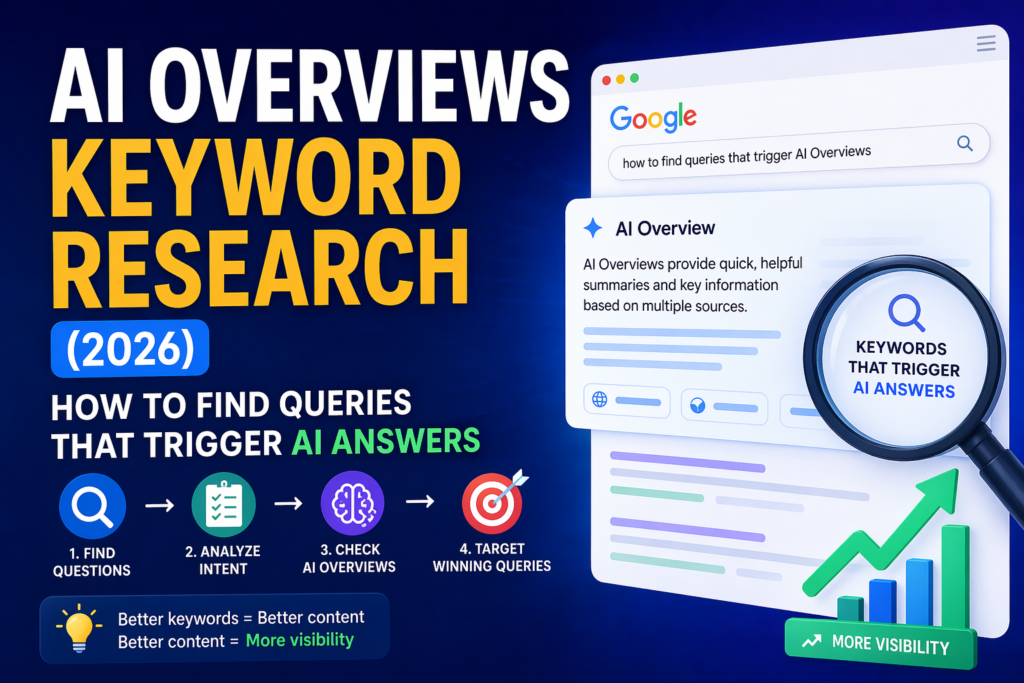
In this guide, I will show you how to find queries that may trigger AI Overviews, how to judge if they are worth targeting, and how to turn them into stronger SEO content.
What Is AI Overviews Keyword Research?
AI Overviews keyword research means finding search queries that may show an AI-generated answer in Google.
A query is the word, phrase, or question someone types into Google.
In old SEO, we often looked at keywords like this:
- AI SEO tools
- keyword research
- Search Console
- blog traffic
In AI Overview SEO, we need to think more like this:
- What keywords trigger AI Overviews?
- How do I track AI Overviews in Search Console?
- Why do impressions go up but clicks stay low?
- How can I get traffic when Google shows AI answers?
AI Overviews usually appear when Google thinks the user needs a quick explanation, summary, comparison, or step-by-step answer.
Simple definition: AI Overviews keyword research is the process of finding questions Google may answer with AI, then choosing the ones where your content can still earn clicks, citations, and trust.
Why This Matters for SEO in 2026
Old SEO was mostly about ranking in organic results.
New SEO has more layers:
- normal organic results
- AI Overview citations
- AI search answers in tools like ChatGPT and Perplexity
- brand mentions
- zero-click searches
This does not mean normal SEO is dead. But it means you need to choose topics more carefully.
You do not want to write 50 articles that target keywords where the user gets the full answer without clicking.
You want keywords where:
- the AI answer may need sources
- the topic has details that need explanation
- the user still needs examples
- the user may want a template or checklist
- your article can add experience
- the topic supports your main content cluster
My view: the best AI Overview keywords are not always the biggest keywords. They are the keywords where the user still needs help after the quick answer.
Normal Keyword vs AI Overview-Style Query
The second column is more useful because it shows real intent. It tells you what the user wants to understand or fix.
Step 1: Start With Question Keywords
The easiest way to find AI Overview keywords is to start with questions.
AI Overviews often appear when people ask:
- how something works
- why something happened
- what the best option is
- how to compare two things
- how to fix a problem
- what steps to follow
For the AI SEO niche, good question keywords can include:
- how to rank in AI Overviews
- why did my Google impressions drop
- how to track AI Overviews in Search Console
- what keywords trigger AI Overviews
- how to get cited in AI answers
- AI Overviews vs organic results
- best tools to track AI search visibility
These are not just keywords. They are problems. And problem-based content is often stronger than broad content.
Step 2: Search the Keyword Manually in Google
Do not trust keyword tools alone.
Before writing an article, search the keyword yourself in Google.
Check what appears at the top:
- AI Overview
- People Also Ask
- featured snippet
- videos
- forums
- comparison tables
- shopping results
- normal blog posts
If you see an AI Overview, write the keyword down. If you do not see one, still keep the keyword if it looks like a question Google may answer soon.
My habit: I like to search the keyword manually before writing. Sometimes a keyword looks easy in a tool, but the real Google page is crowded with AI answers, forums, videos, and ads.
Step 3: Look for Answer-Shaped Keywords
Some keywords are more likely to trigger AI answers because they have a clear answer shape.
These are the main types I would check first.
| Keyword Type | Examples | Why It Can Trigger AI Answers |
|---|---|---|
| Definition | what are AI Overviews | Google can explain it quickly. |
| Step-by-step | how to track AI Overviews | Google can summarize steps. |
| Comparison | AI Overviews vs organic results | Google can compare two ideas. |
| Problem | why clicks dropped but impressions rose | The user needs an explanation and fix. |
| Best tools | best AI Overviews tracking tools | Google can summarize options. |
Tip: if the keyword can be answered with “here are the main steps” or “here are the best options,” it may be an AI Overview target.
Step 4: Use People Also Ask for More Ideas
People Also Ask is one of the best free keyword tools.
Search your main keyword and look at the questions Google shows.
For a topic like AI Overviews SEO, you may see questions such as:
- How do I rank in AI Overviews?
- Can I track AI Overviews in Search Console?
- Do AI Overviews reduce clicks?
- How does Google choose sources for AI Overviews?
- Are AI Overviews bad for SEO?
Each question can become:
- a section inside your article
- a new supporting article
- an FAQ question
- a comparison table
- a checklist
Do not copy these questions blindly. Rewrite them in natural language and answer them better than the short result.
Step 5: Check If the Keyword Needs Real Experience
This is where many AI-written articles fail.
They explain the topic, but they do not show any real experience.
For AI Overviews keyword research, a generic article that says “write helpful content” is not enough.
Ask yourself:
- Can I show a real workflow?
- Can I show a simple keyword sheet?
- Can I explain what I checked manually?
- Can I give examples from Search Console?
- Can I show what I would avoid?
- Can I explain why one keyword is better than another?
Weak advice: Use keyword tools to find keywords.
Stronger advice: Search the keyword manually, mark if an AI Overview appears, check if the user still needs a click, then choose a deeper article angle.
The second version is stronger because it gives a process.
Step 6: Separate Bad Zero-Click Keywords From Good AI Overview Keywords
Not every keyword with an AI Overview is worth targeting.
Some keywords are bad because the user gets the full answer and leaves.
Weak Target
What is CTR?
This can be answered in one short sentence.
Better Target
How to improve CTR in Search Console after AI Overviews appear
This needs examples, steps, and a real workflow.
Target keywords where the user still needs:
- examples
- templates
- tools
- screenshots
- a checklist
- a decision
- a tutorial
- real testing
- personal experience
Simple question: would I click this article after reading a short AI answer? If the answer is no, choose a deeper angle.
Step 7: Find Keywords With Follow-Up Questions
AI search is becoming more conversational.
That means users often ask one question, then another question.
Example first search:
AI Overviews SEO
Natural follow-up questions:
- How do I know if my keyword triggers an AI Overview?
- Can Search Console show AI Overview clicks?
- Should I still target zero-click keywords?
- How do I write content that gets cited?
- How do I track AI search visibility?
These follow-up questions are valuable because they show what the reader still needs after the first answer.
Use them as H2 and H3 sections, or turn them into supporting articles.
Step 8: Build an AI Overview Keyword Sheet
You do not need an expensive tool to start.
Use Google Sheets or a simple spreadsheet.
Add these columns:
| Column | What to Add |
|---|---|
| Keyword | The search query |
| AI Overview appears? | Yes / No / Maybe |
| Intent | Learn, compare, buy, fix, choose |
| Click potential | Low, medium, high |
| Article type | Guide, list, review, comparison, tutorial |
| Your angle | What makes your article better |
| Internal link | Which pillar or article it supports |
This sheet becomes your content map. It helps you avoid random posting and build a real topic cluster.
Example AI Overview Keyword Sheet
| Keyword | AI Overview? | Intent | Click Potential | Article Type |
|---|---|---|---|---|
| how to track AI Overviews | Yes | Learn | High | Tutorial |
| AI search visibility | Maybe | Learn | Medium | Guide |
| AI Overviews vs organic results | Maybe | Compare | Medium | Comparison |
| what is AI Overview | Yes | Learn | Low | Section only |
| how to rank in AI Overviews | Yes | Learn | High | Step-by-step guide |
Step 9: Match Each Keyword to the Right Article Type
Different keywords need different article formats.
If you choose the wrong format, the article may feel weak even if the keyword is good.
| Keyword Type | Best Article Type | Example |
|---|---|---|
| What is | Explainer | What Are AI Overviews? |
| How to | Tutorial | How to Track AI Overviews |
| Best | List post | Best AI Overview Tracking Tools |
| Vs | Comparison | AI Overviews vs Organic Results |
| Why | Problem-solving guide | Why Impressions Dropped in GSC |
This article is a tutorial because the reader wants to do something: find queries that trigger AI answers.
Step 10: Write Sections That AI Can Understand
AI Overviews need clear answers. So your content should be easy to read and easy to extract.
Use:
- short definitions
- clear H2 headings
- tables
- numbered steps
- examples
- FAQ answers
- simple summaries
- specific wording
Weak Heading
Modern SERP Dynamics and Generative Intent
Better Heading
How to Know If a Keyword Triggers an AI Overview
Write like a helpful teacher, not like a research paper. Clear content is easier for readers and AI systems to understand.
Step 11: Add Internal Links to Your AI SEO Cluster
AI Overview keyword research should not stand alone.
It should support a bigger SEO cluster.
If you are building a full AI SEO system, connect this article with guides about AI Overviews tracking, AI search visibility, CTR drops, and how to rank in AI Overviews.
This helps readers move step by step. It also helps Google understand that your site covers the topic deeply.
Step 12: Decide If the Keyword Is Worth Writing
Before you write the article, score the keyword.
Use this checklist:
- Does the keyword trigger an AI Overview?
- Does the user still need more detail?
- Can I add examples or a template?
- Can I link it to my pillar?
- Can I write something better than the current top results?
- Can I explain it in a simple way?
- Can I add real experience?
If you answer yes to most of these, the keyword may be worth writing.
If the keyword is only a simple definition, use it as a section inside a bigger article instead of making it a full post.
Real Example: How I Would Research One Keyword
Let’s use this keyword:
AI Overviews keyword research
First, I would search it manually in Google.
Then I would check:
- Does Google show an AI Overview?
- Are there People Also Ask questions?
- Are the top results clear or too general?
- Can I add a better workflow?
- Can I give a sheet template?
- Can I connect it to my SEO pillar?
If the top results are too broad, I see an opportunity.
My article angle would be:
Not just what AI Overviews are. Here is how to find keywords that trigger them, score them, and turn them into content.
That is stronger than a generic SEO article because it gives the reader a process.
Common Mistakes in AI Overviews Keyword Research
Mistake 1: Only Using Keyword Volume
Search volume is useful, but it is not enough. A keyword can have high volume and low click value.
Mistake 2: Ignoring the Search Results Page
The SERP is the full Google results page. You need to look at it before writing. Do not rely only on tools.
Mistake 3: Targeting Questions That Are Too Simple
Simple questions often get answered without a click. Use them as sections, not always full articles.
Mistake 4: Writing Generic AI Content
If your article sounds like every other article, it will be hard to win. Add examples, your own process, and real observations.
Mistake 5: Forgetting Internal Links
Your article should support your bigger SEO cluster. Lonely articles are weaker than connected articles.
Important: the best content is not only optimized. It is useful, specific, and connected to the rest of your site.
Simple AI Overviews Keyword Research Workflow
Here is the full workflow in one place:
- Pick a topic from your SEO pillar.
- Write 10 question keywords.
- Search each keyword manually in Google.
- Mark if an AI Overview appears.
- Check People Also Ask.
- Score click potential.
- Choose the best article format.
- Add examples, steps, and a table.
- Link to your SEO pillar and related articles.
- Track impressions and clicks in Search Console after publishing.
This workflow is simple, but it helps you avoid random content. It also helps you build a stronger topic cluster.
What I Would Do for a Small Website
If I were building a small website today, I would not chase every keyword with search volume.
I would focus on keywords that match three things:
Problem
The user has a real question or pain.
Depth
The answer needs more than one paragraph.
Experience
I can add examples, workflow, or opinion.
That is a better strategy than publishing many thin articles that only answer basic definitions.
Final Thoughts
AI Overviews keyword research is not about chasing every new Google feature.
It is about understanding what users ask now.
People want fast answers, but they still need clear examples, real steps, tools, templates, and human judgment.
That is where your content can win.
Start with question keywords. Search them manually. Check if AI Overviews appear. Then choose the keywords where your article can add something better than a short summary.
Do not build random articles. Build a system of useful answers that connect together.
FAQ
What are AI Overviews keywords?
AI Overviews keywords are search queries that may show an AI-generated answer in Google. They are often questions, comparisons, step-by-step searches, or problem-based searches.
How do I know if a keyword triggers an AI Overview?
Search the keyword manually in Google. If an AI Overview appears near the top of the results, mark it in your keyword sheet. Also check related questions and the full search page.
Should I target keywords that already show AI Overviews?
Yes, but only when the user still needs more detail. If the AI answer fully solves the problem, clicks may be low. If the topic needs examples, tools, steps, or a template, it can still be a good keyword.
Are AI Overviews bad for SEO?
They can reduce clicks for simple searches, but they can also create visibility if your content is cited. The best strategy is to target topics where your page gives more value than a short AI answer.
What type of content works best for AI Overview keywords?
Step-by-step guides, comparison posts, problem-solving articles, tool lists, templates, and real examples work well because they give more value than a short summary.
Do I need paid tools for AI Overviews keyword research?
No. You can start with Google Search, People Also Ask, manual checking, and a simple spreadsheet. Paid tools can help later, but manual checking is still very important.
How often should I update AI Overview keyword research?
Check your most important keywords once a month. AI search results can change, especially in fast-moving topics like SEO, AI tools, and content marketing.