
Simplified has a surprisingly large set of AI writing tools. But I wanted to answer a much simpler question: can its Instant Blog tool produce an article I would actually want to edit and publish? I generated two different blog posts, checked the finished documents, inspected their word counts, and then asked Simplified’s Riley assistant to fix one of the incomplete results.
I like the idea of Simplified’s writing workspace more than the Instant Blog results I received. Brandbook support, writing settings, the Docs editor, SEO fields and Riley make the workflow feel connected. The problem was more basic: both Instant Blog tests produced documents with section headings but missing paragraph content. The first test also included text that appeared unrelated to the Etsy topic I entered.
That does not prove every Simplified generation will fail in the same way. It does mean that, based on these tests, I would not trust Instant Blog as a one-click publish-ready article generator.
What I tested in Simplified AI Writer
Simplified is not only a blog generator. Its writing area includes tools for blogs, articles, essays, summaries, email sequences and other content tasks. For this review, I focused on the part that is easiest to judge with a real output: long-form blog generation.
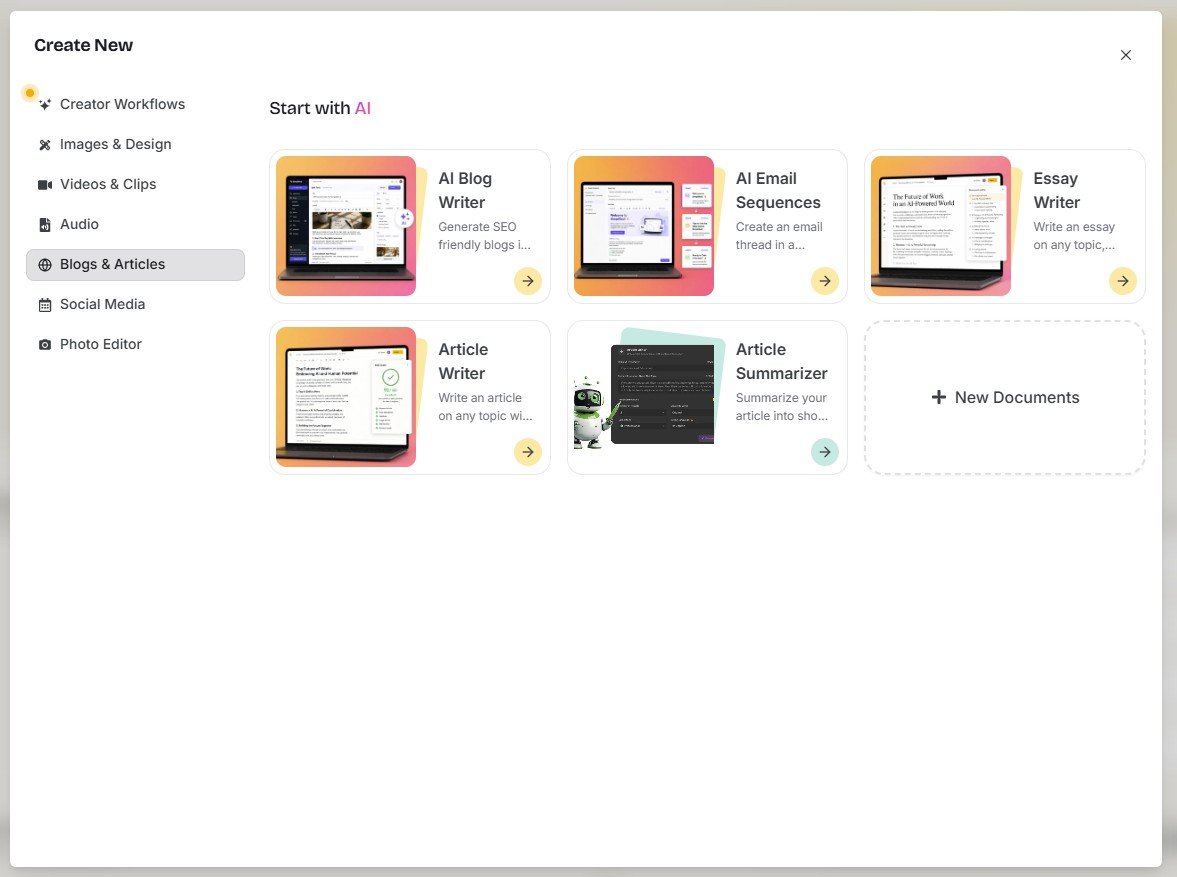
This distinction matters. Generating a headline or rewriting one paragraph is a relatively small AI task. A blog generator has to keep the topic consistent, create a useful structure, fill every section, and produce enough substance for the document to be worth editing.
I used two different topics instead of judging one lucky or unlucky output
Before the test: Simplified gives you more than one way to write a blog
One thing I liked before generating anything was that Simplified does not treat every blog task as exactly the same. The interface shows an Agentic Workflow Blog and an Instant Blog option. That suggests a useful distinction between a more involved workflow and a faster generation path.
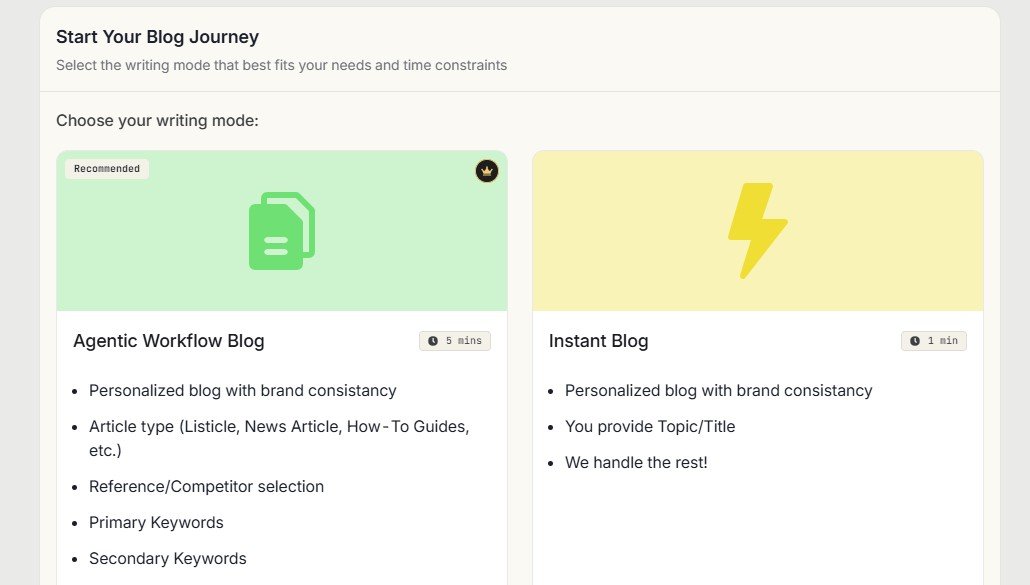
For this review I deliberately tested Instant Blog. It is the mode where the promise of speed matters most. If a fast workflow still needs heavy manual reconstruction afterward, the time saving becomes much less convincing.
There are useful controls before generation
Simplified also lets the user configure details such as the Brandbook, output language, tone and creativity level. I consider that a positive part of the product design. A blog generator is more useful when you can give it context instead of asking a generic model to guess how your brand should sound.
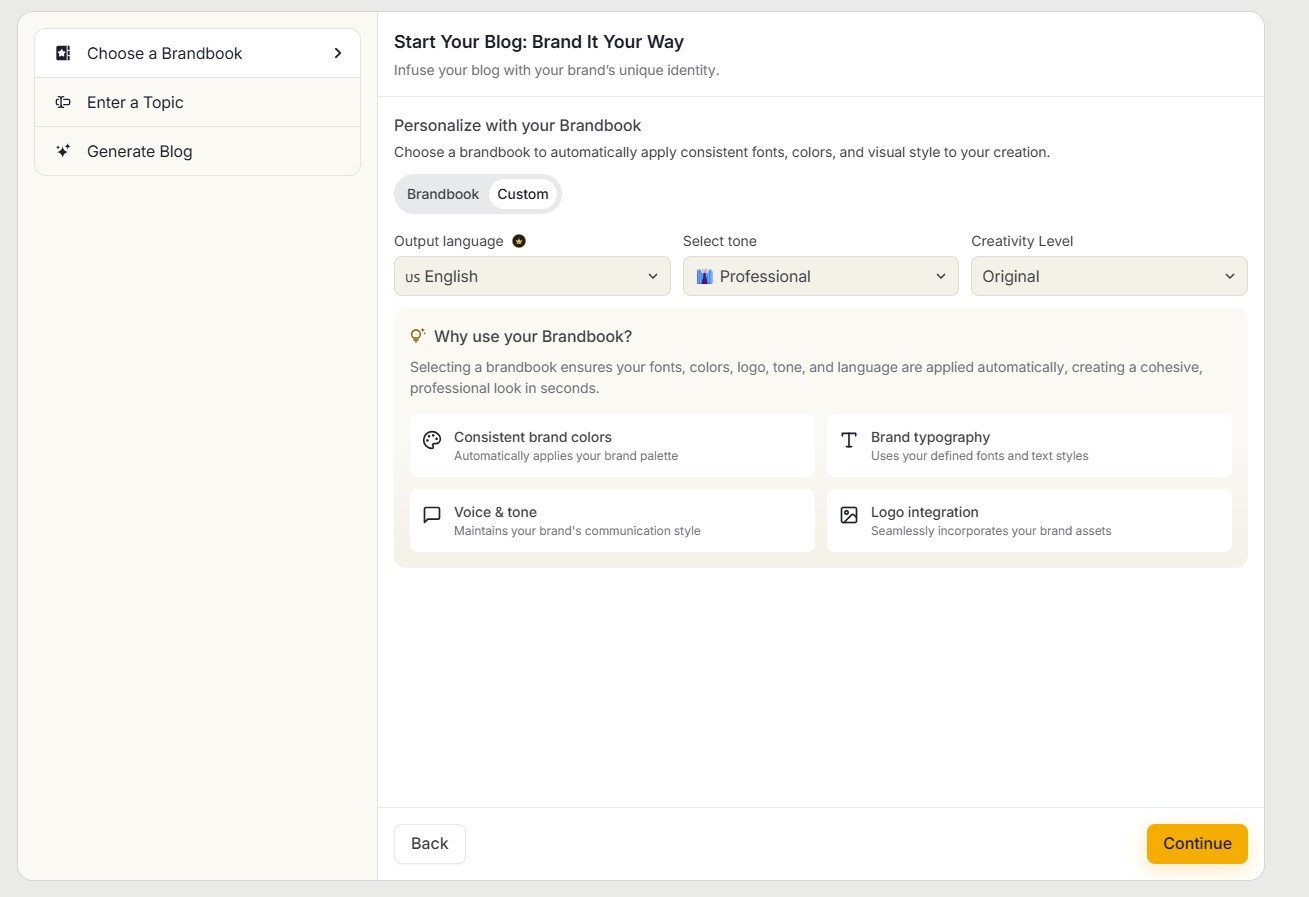
The setup is more thoughtful than a basic “enter topic and generate” box. Brandbook + tone + language + creativity gives the user meaningful control before the AI starts writing. The weakness I found came later, in the generated document itself.
Test #1: I asked Simplified to write an Etsy article
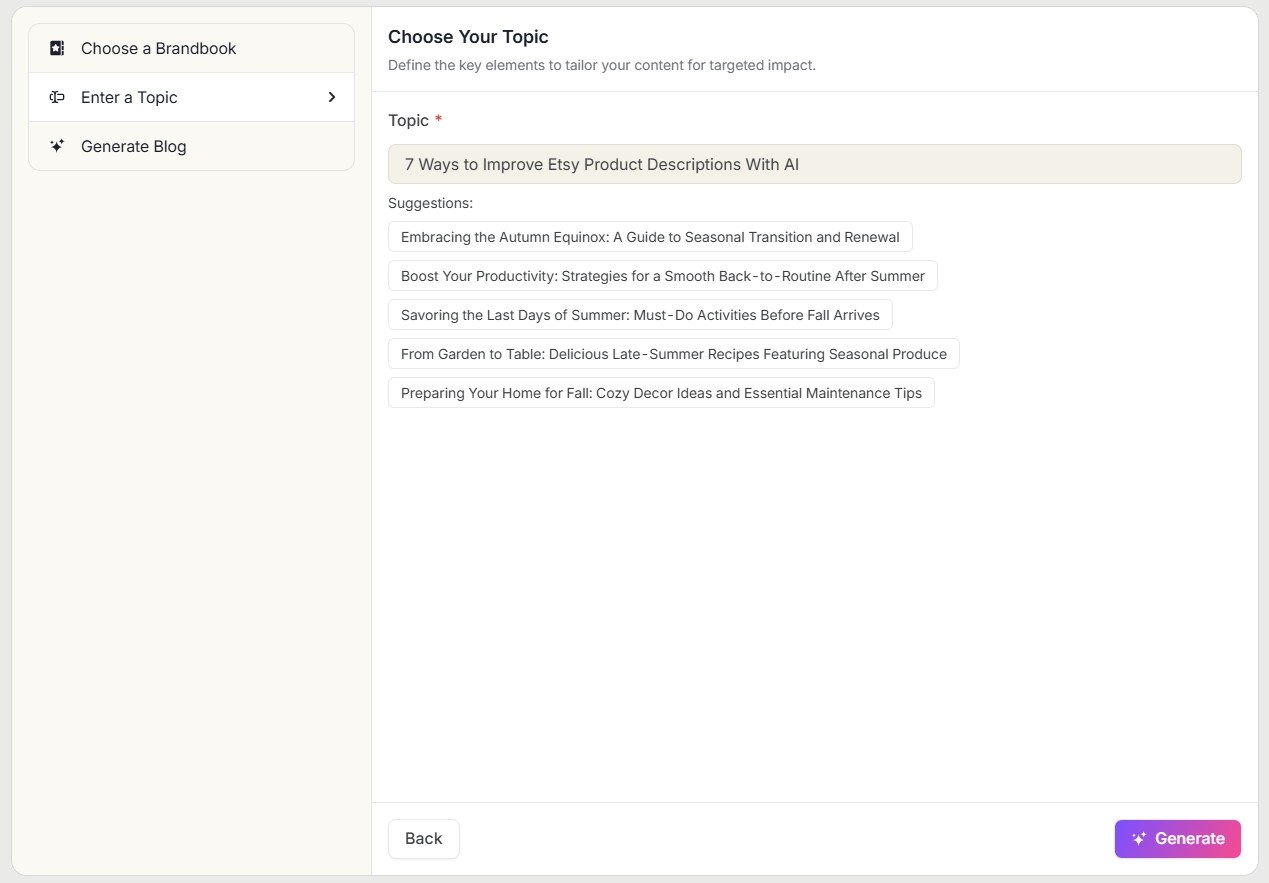
For the first real test, I chose a topic that is easy to evaluate because it has a clear audience and purpose: “7 Ways to Improve Etsy Product Descriptions With AI.”
This is the type of article where I expect the AI to understand that the reader is an Etsy seller, stay focused on product descriptions, and provide seven useful sections with actual advice under each heading. I was not looking for perfect publish-ready prose. I was looking for a usable first draft.
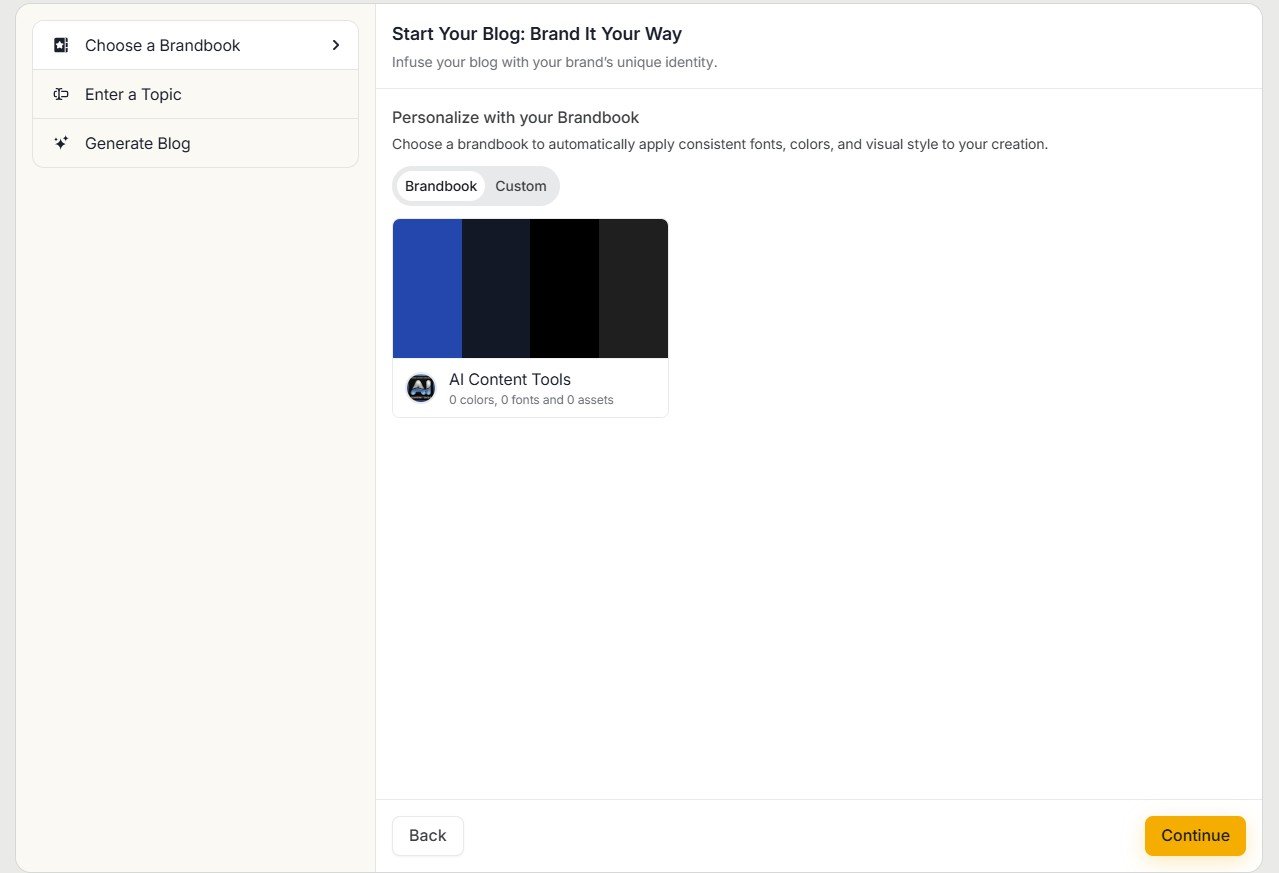
At first, the result looked normal
The generated document opened inside Simplified Docs with a title, an introduction, formatting and an image. At a quick glance, it looked like the workflow had worked.
This is exactly why I do not like judging AI writing tools from the first screen. A document can look finished because it has headings and formatting while still containing very little actual writing.
The main problem: several sections had headings but no paragraphs
Once I moved through the document, the biggest issue became obvious. Several planned sections existed as headings, but the paragraph content underneath them was missing.
For a long-form generator, this is not a small formatting issue. The structure was there, but the article itself was not completed.
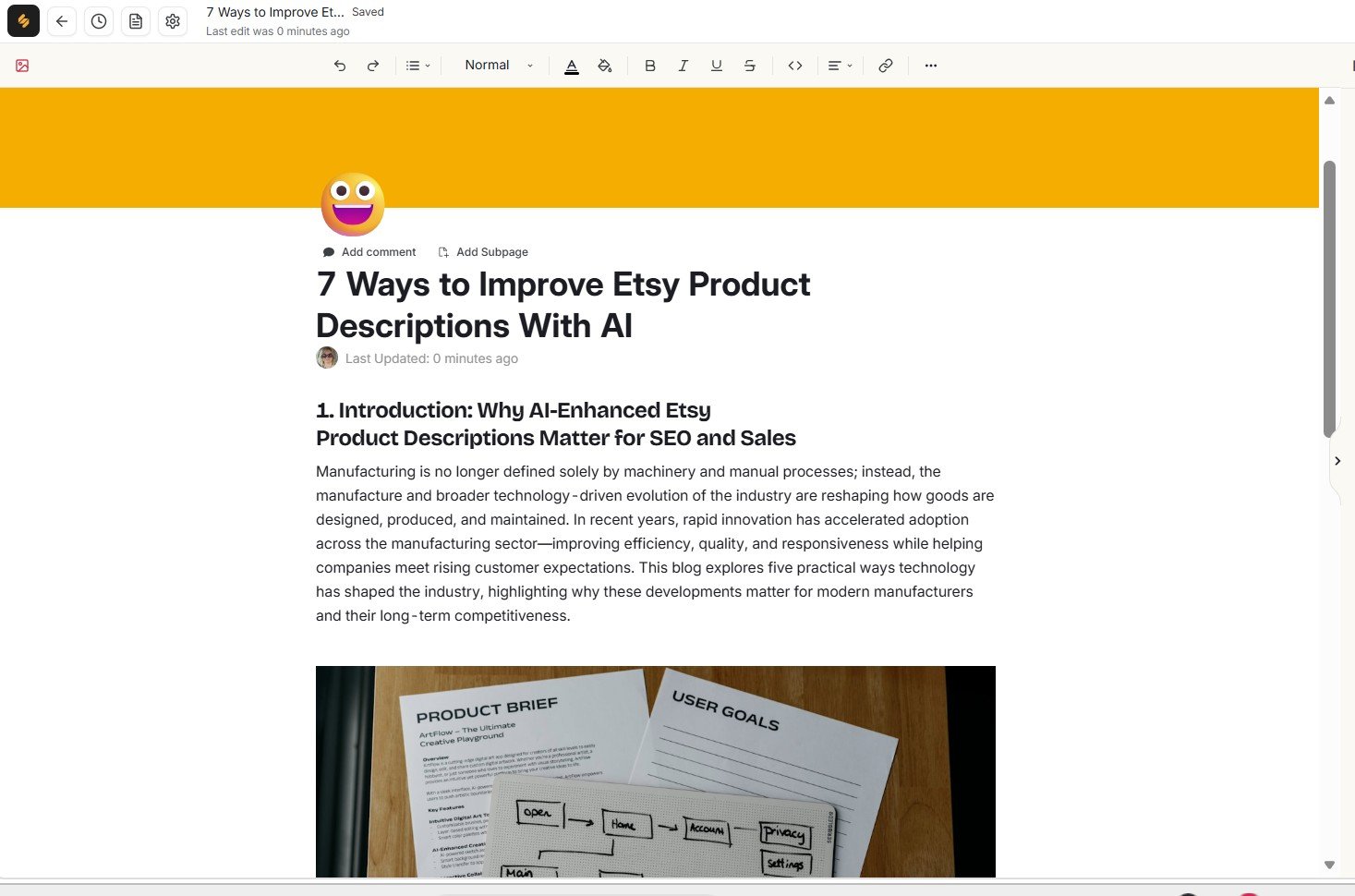
A long-form article generator should not require the user to notice that parts of the article were never written. This is especially important for beginners, because the interface can make an incomplete document look more finished than it really is.
The word count confirmed that this was not a complete article
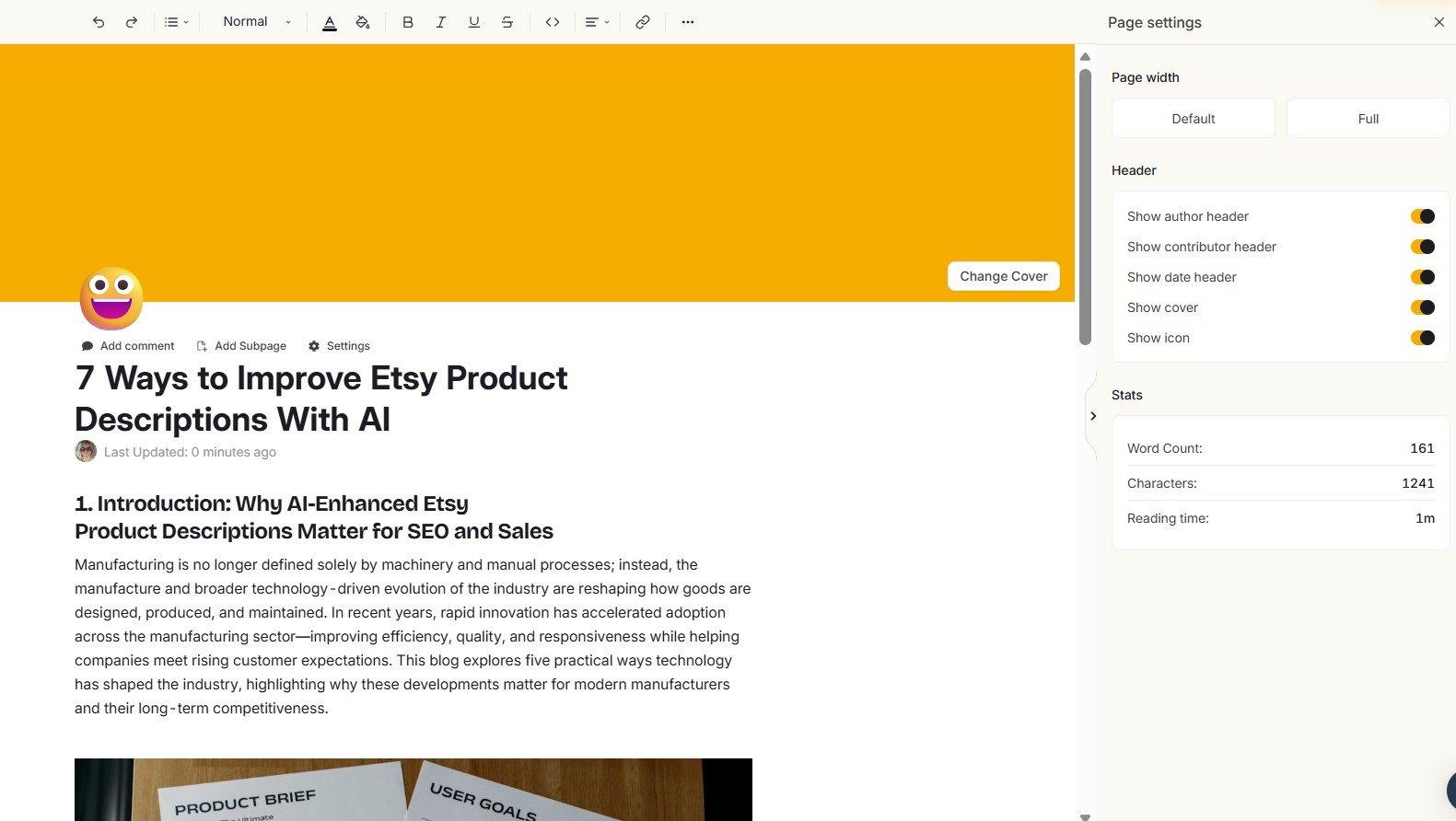
I then opened the page statistics instead of estimating the length by eye. Simplified reported only 161 words and a one-minute reading time.
That number matters because the document had the appearance and structure of a much longer article. The problem was not simply that I personally prefer long content. The planned sections were visibly present, but much of their body content was absent.
That supported what I was already seeing in the editor: this was an incomplete draft, not simply a concise finished article.
The generator created the appearance of a structured article, but the underlying amount of written content was extremely small for the task.
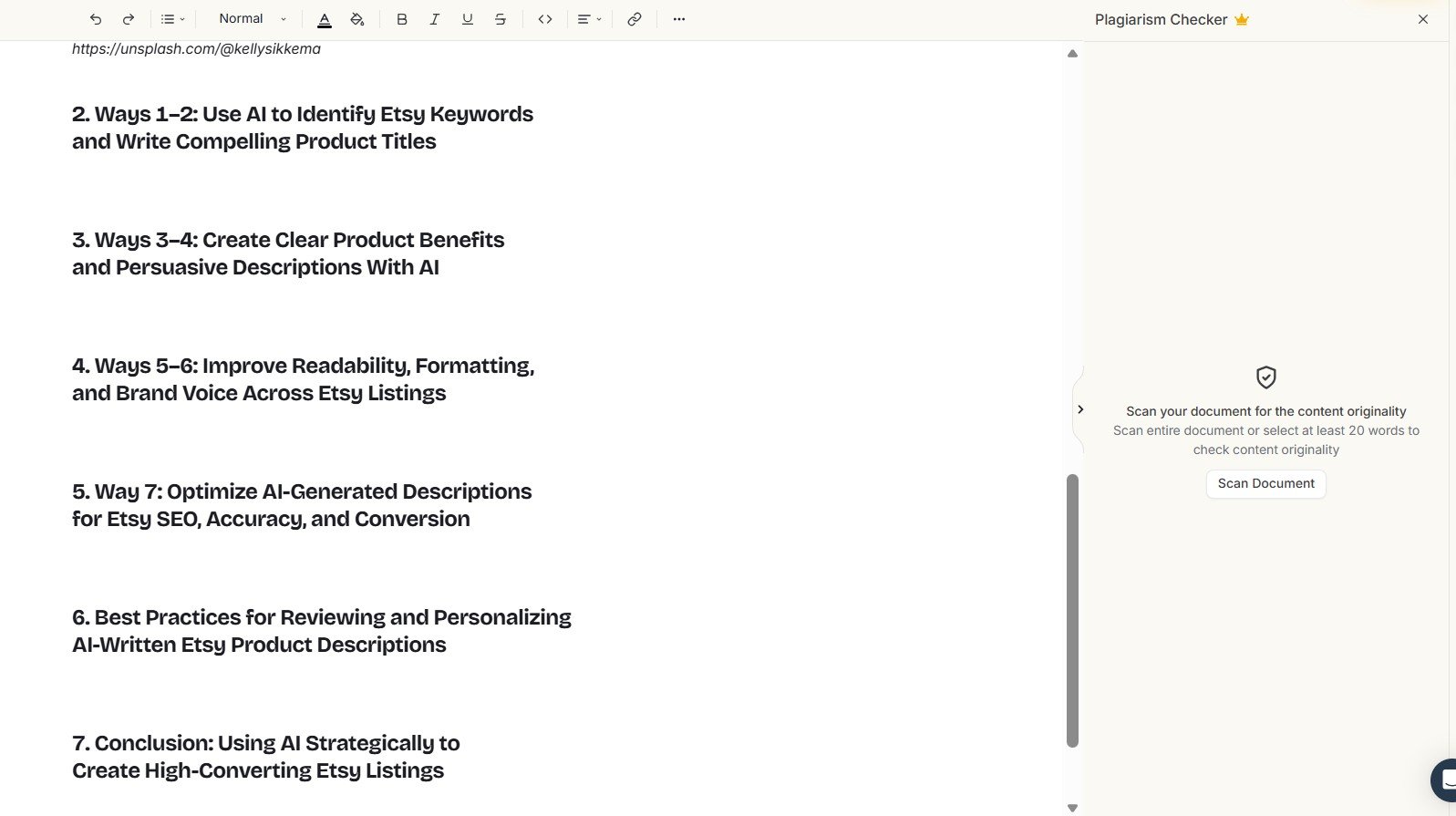
I also found a relevance problem in the first article
Missing paragraphs were not the only concern. In another part of the generated Etsy article, the introduction discussed manufacturing and technology even though the requested topic was about improving Etsy product descriptions with AI.
This was more serious to me than an awkward sentence. AI writing always needs editing, but the basic subject should remain stable. When content drifts into a different business context, the user has to stop and verify what the model is actually writing about.
Was it just one bad generation? I ran a second Instant Blog test
One failed result is useful evidence, but it can also be a random bad generation. So I repeated the test with a different article topic related to AI writing tools.
This is where the result became much more important. The second document again produced a completed opening followed by section headings with missing paragraph content.
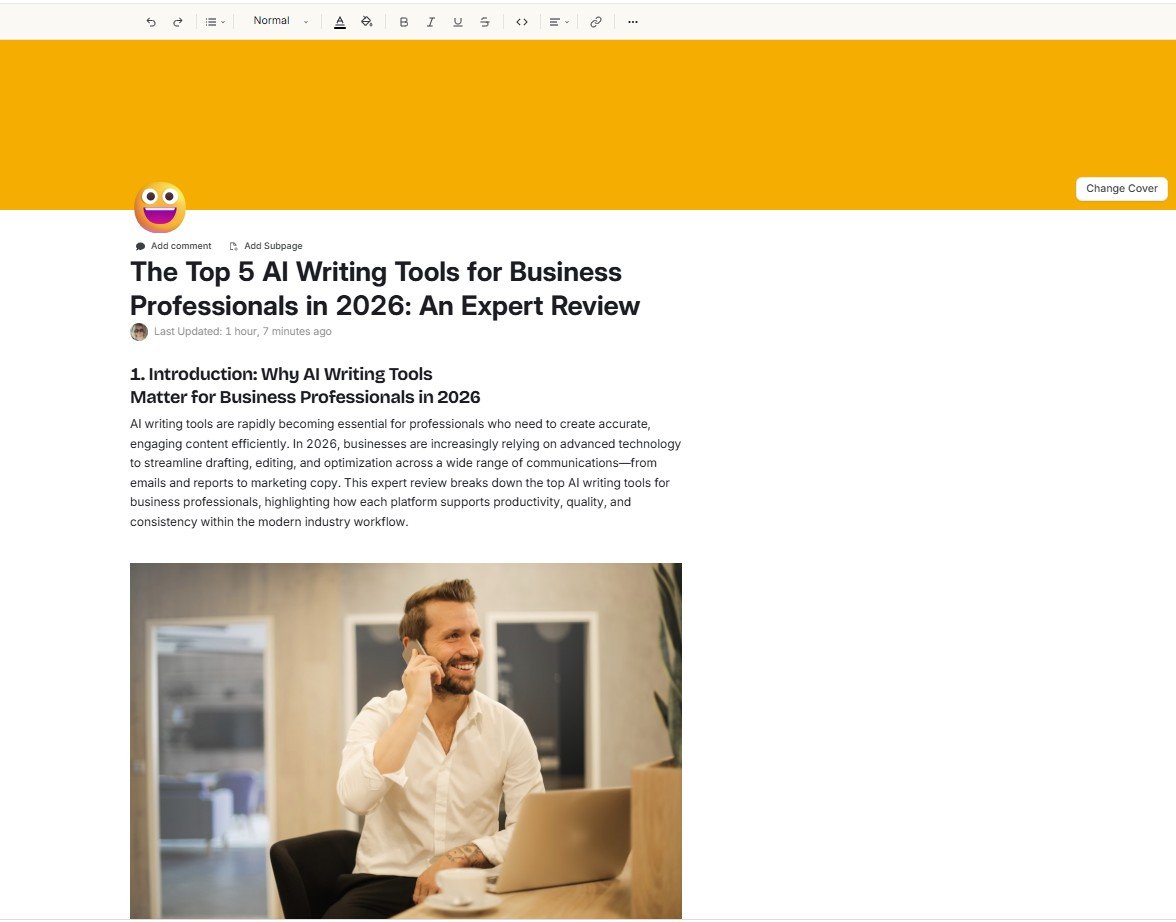
The second article contained 165 words
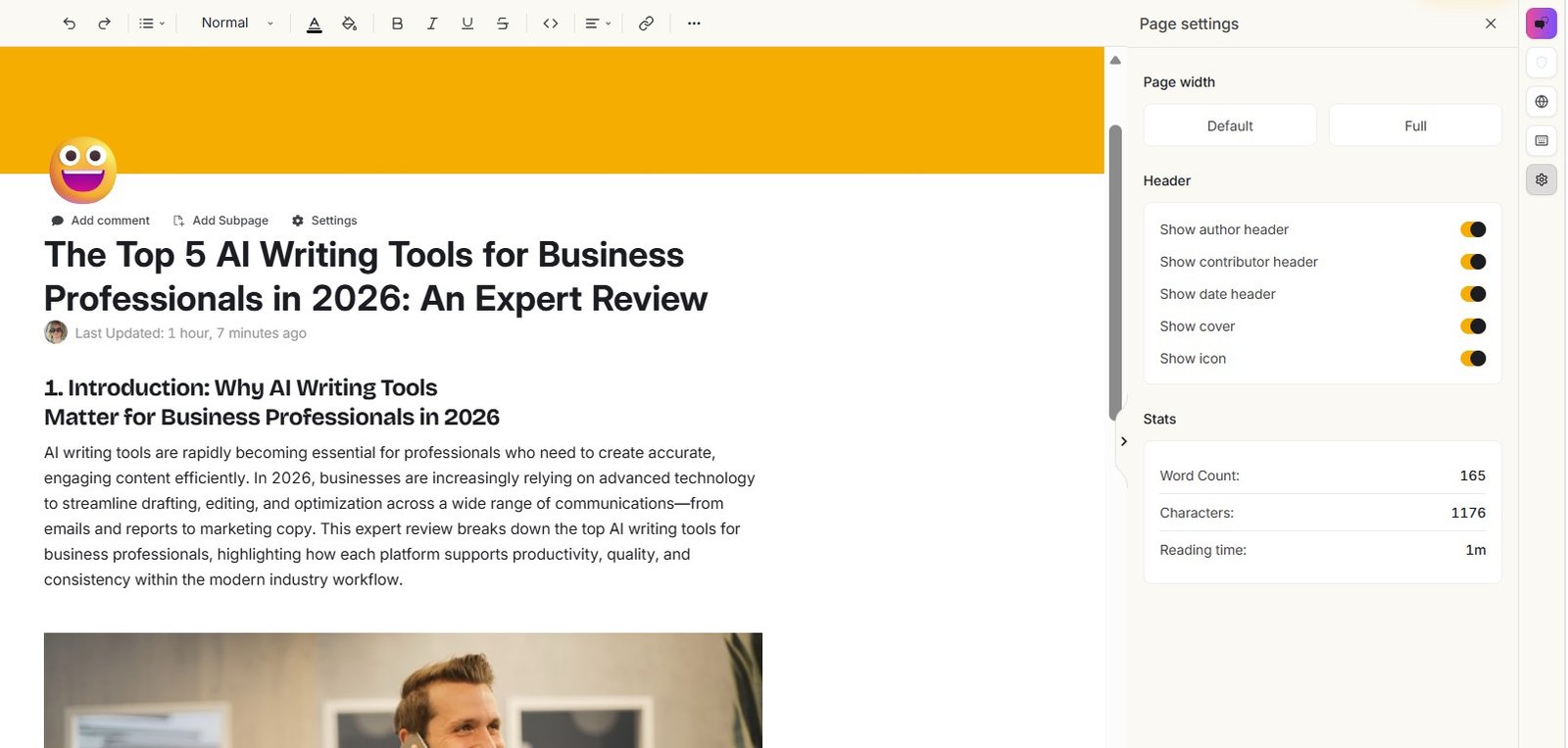
I checked Page Settings again. This time, the generated document contained 165 words. That is only four words more than the first test.
The exact number is less important than the repeat pattern: two different blog generations both produced very short documents while displaying multiple planned sections.
| Check | Test #1 | Test #2 | My interpretation |
|---|---|---|---|
| Generated a document | Yes | Yes | The workflow itself completed. |
| Created headings / structure | Yes | Yes | Both results looked structured. |
| Filled all visible sections | No | No | This was the main repeated failure. |
| Word count | 161 | 165 | Both documents were extremely short for the planned structure. |
| Relevance issue observed | Yes | Not the main issue | The first test included unrelated manufacturing content. |
These are my two tests, not a statistical benchmark of every Simplified account, topic or writing mode. I would not claim that Instant Blog always produces 161–165 word drafts. What I can say is that the same missing-section problem appeared twice when I tested it.
Could Simplified’s Riley assistant fix the incomplete article?
Simplified has an advantage that many standalone writing generators do not have: its AI assistant, Riley, exists inside the broader workspace.
That gave me an obvious next test. Instead of manually rebuilding the incomplete article, I tried asking Riley to continue the sections that had headings but no paragraph content.
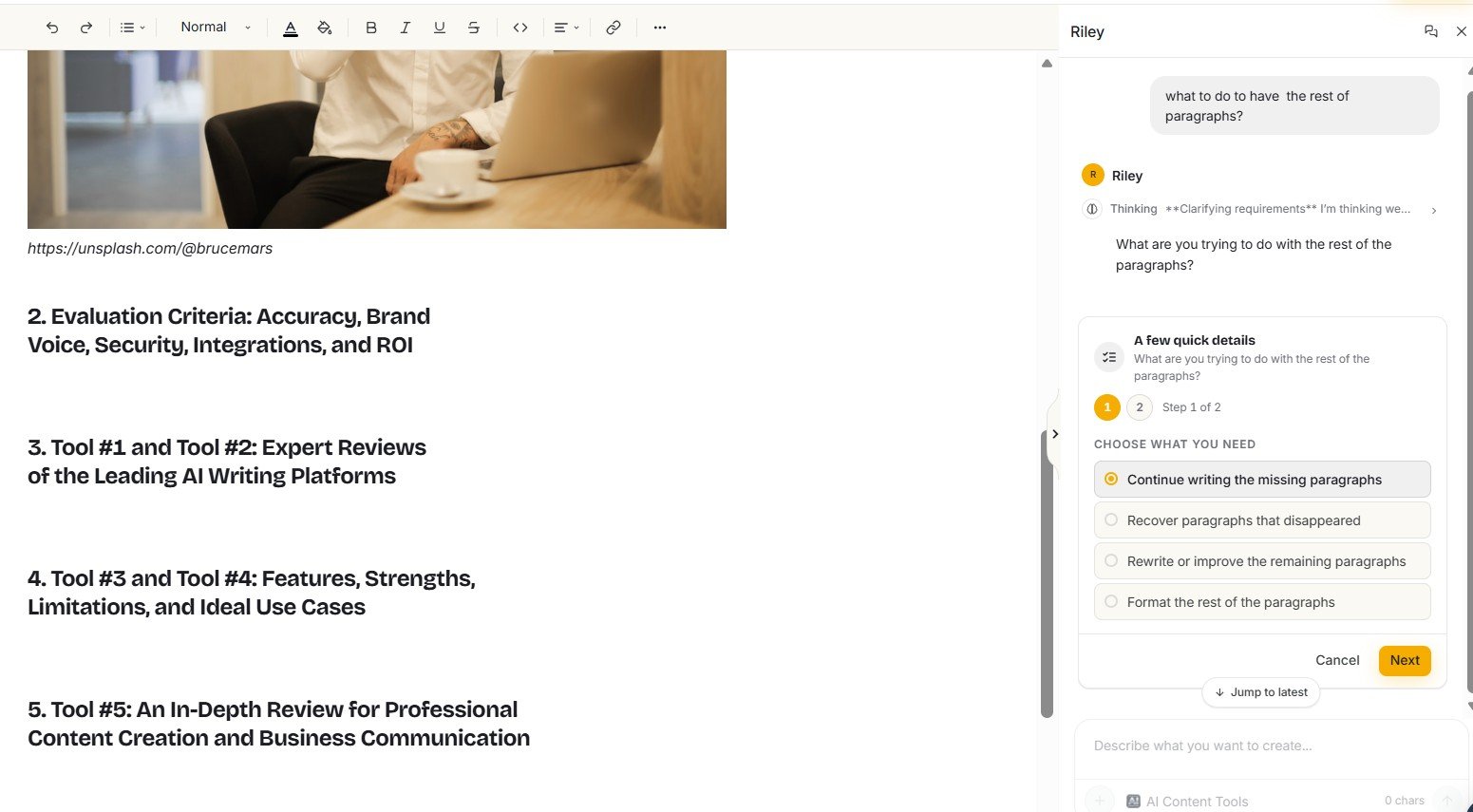
On paper, this is exactly the kind of integrated workflow I want from an AI content platform: one tool generates the article, another assistant helps refine or repair it without forcing me to start over.
So I explicitly asked Riley to continue the sections that only contained headings.
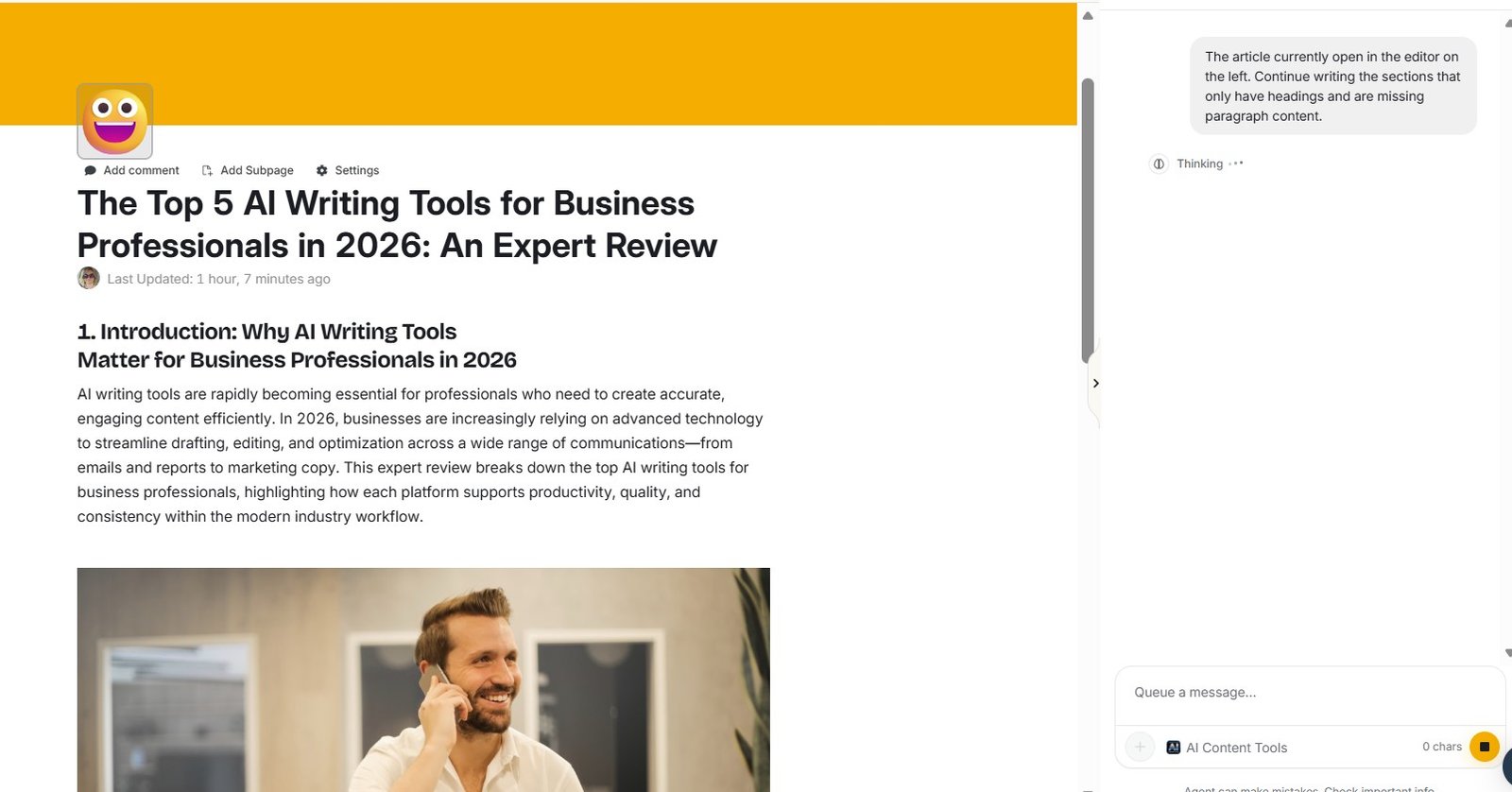
Riley then asked me to paste the article manually
This is where the repair workflow became less smooth than I expected. Instead of simply reading the open article and completing the missing sections, Riley asked for the full article text to be pasted.
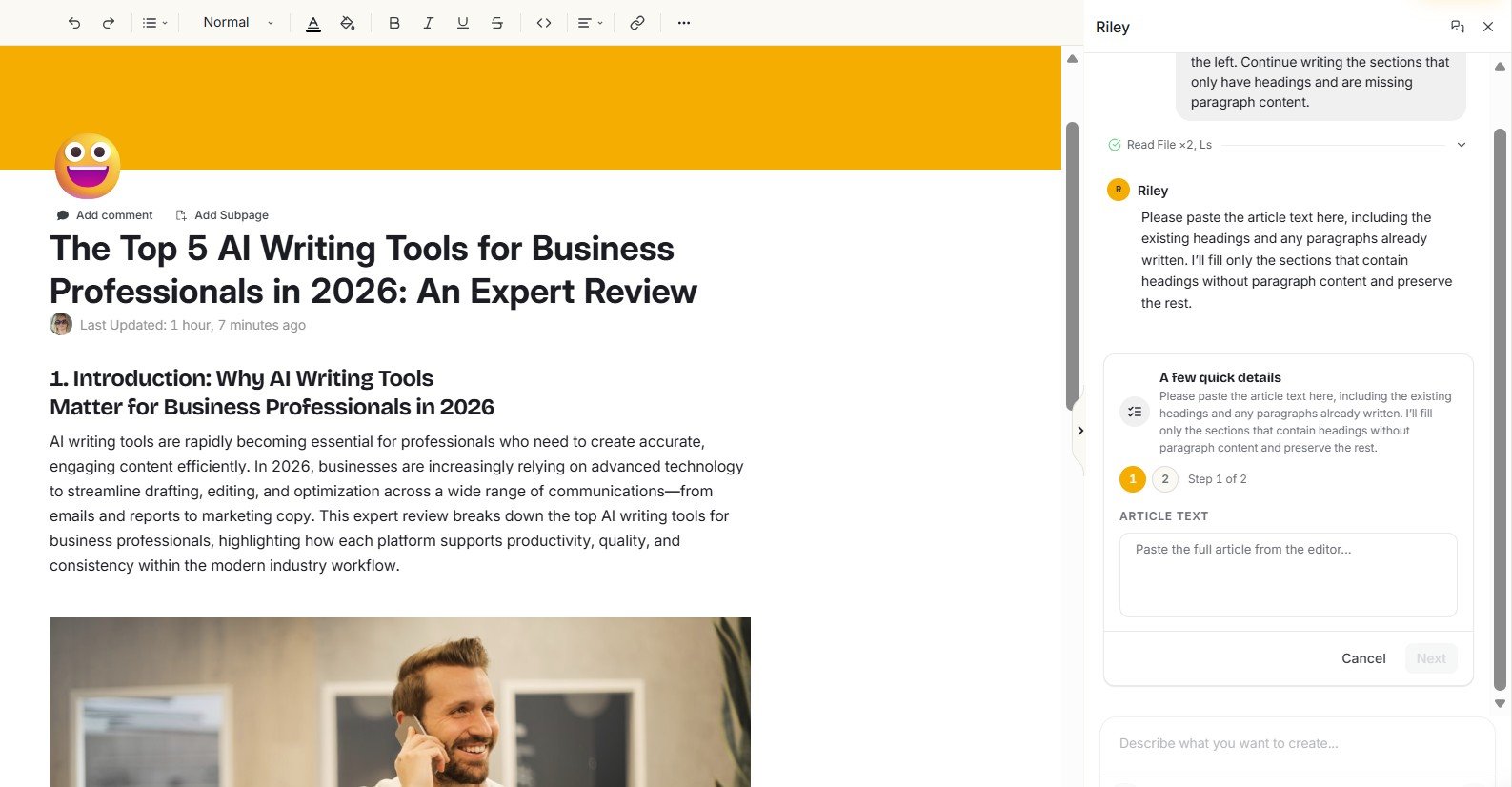
I pushed this test one step further because I wanted to know whether I had misunderstood the workflow. Riley then explicitly said it could not see the article contents in the editor and asked me to paste the article, or at least the relevant headings and surrounding text.
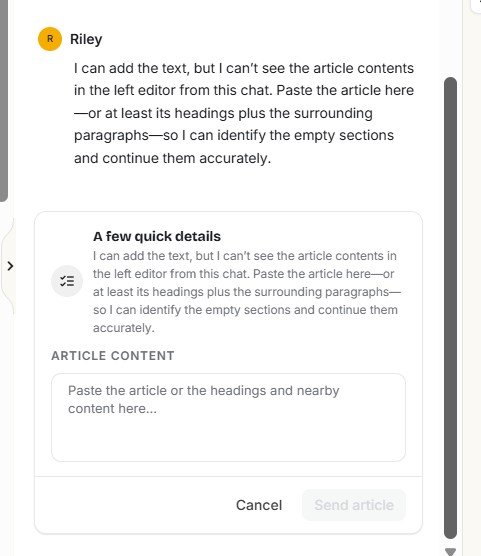
Riley and the Docs editor are presented inside the same broader product experience, so I expected more direct context sharing between them. Having to copy and paste the article back into the assistant adds friction precisely when the AI-generated draft already needs repair.
This does not make Riley useless. It changes how I would use it. I would treat Riley as a separate assistant that can help with text I explicitly provide, rather than assume it automatically understands everything visible in the current editor.
I am testing Riley more broadly in a separate article because its role goes far beyond blog writing. Once that article is live, this is a natural place to link to the full Simplified Riley review.
The editor itself has some genuinely useful features
The failed Instant Blog outputs should not hide the fact that parts of Simplified’s writing workspace are well designed. The generated article lives inside Simplified Docs rather than appearing as a disposable block of AI text.
That creates room for editing and additional page-level controls. One example is the ability to add a nested sub-document or subpage. This could be useful when working with larger content projects or keeping related material organized.
Simplified also includes basic SEO settings
Inside the document settings, I found editable fields for an SEO title and meta description, together with a search-result preview.
For bloggers, freelancers and small teams, keeping these fields in the same writing workspace is convenient. It reduces the number of small steps between drafting and preparing content for a CMS.
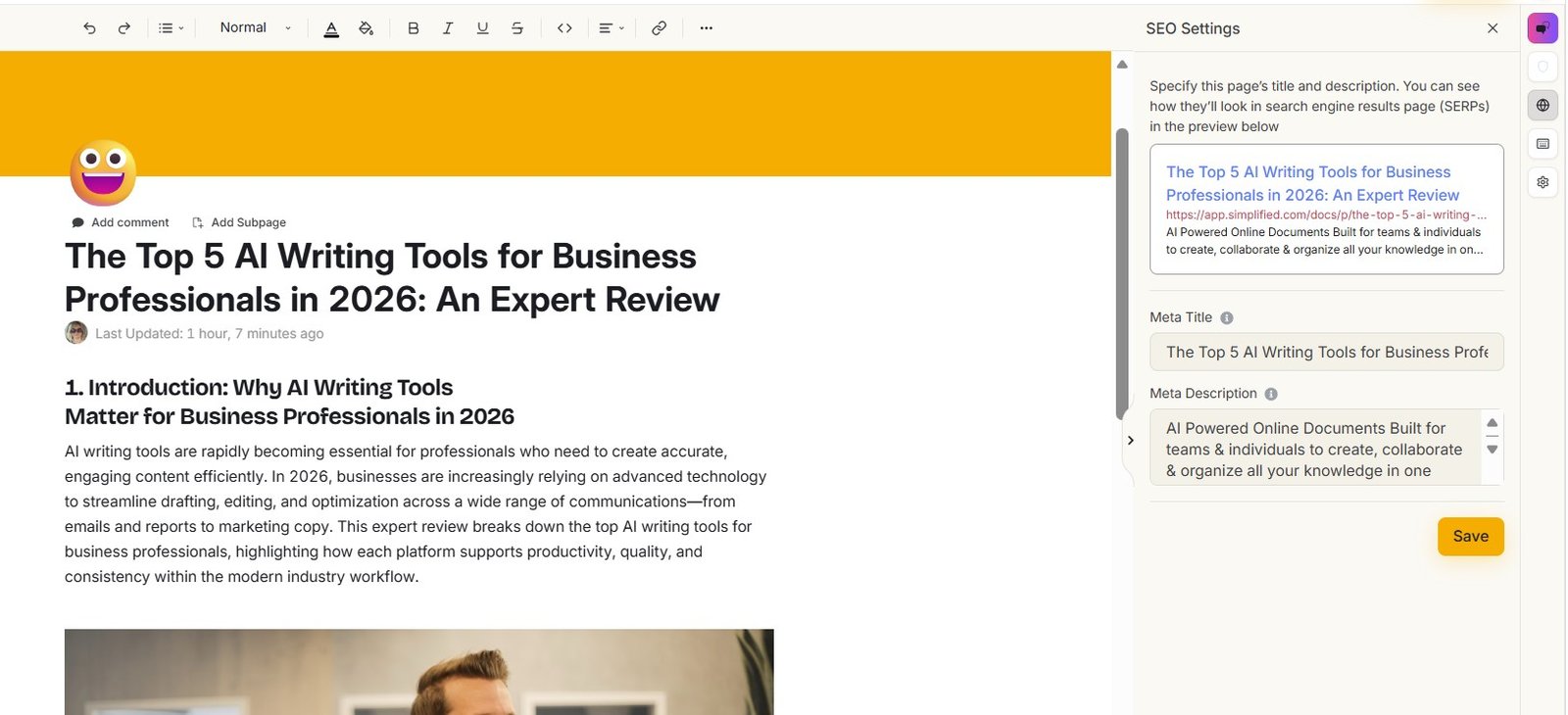
I see these as useful workflow features, not proof that the generated article is SEO-ready. A meta title and description can save time, but they cannot fix missing sections, weak topical coverage, inaccurate information or poor search intent. Content quality still comes first.
What Simplified AI Writer did well in my test
What worked well
- Clear selection of writing and article tools
- Brandbook integration before generation
- Controls for language, tone and creativity
- Generated content opens in a proper Docs workspace
- Built-in SEO title and meta description settings
- Riley gives another route for assisting with writing
What concerned me
- Missing body paragraphs in the first Instant Blog test
- The same missing-paragraph problem appeared in the second test
- First generated document contained only 161 words
- Second generated document contained only 165 words
- The Etsy test included content that appeared unrelated to the requested topic
- Riley could not directly see the open editor content during my repair test
What surprised me most
The biggest surprise was the gap between the quality of the workflow and the reliability of the output.
Simplified has many pieces I would normally want in an AI writing platform: brand context, different writing modes, a document editor, an AI assistant and SEO fields. The product does not feel like a tiny wrapper around one prompt box.
But those extra features matter less if I have to check whether the generator actually wrote the paragraphs under its own headings. That is why I would not score this tool only by counting features.
Would I use Simplified AI Writer for a real blog?
I would use parts of it, but I would change my workflow. I would not generate an Instant Blog, skim the beginning and assume the rest is ready.
If I were using Simplified for an important article, my process would look more like this:
Use Brandbook and writing controls
Give the generator as much useful context as possible before generation instead of relying on generic defaults.
Generate the draft, but treat it as a draft
Do not assume a visually structured document is complete. Scroll through every planned section.
Check the word count and missing sections
A quick document-level check can reveal whether the article actually contains the amount of content its structure suggests.
Check relevance section by section
My Etsy test showed why this matters. The title can be correct while part of the body moves into an unrelated context.
Use Riley selectively for revisions
Riley can still help, but be prepared to provide the exact text or context it needs instead of assuming it can automatically read the open document.
Do the human editorial pass
Verify facts, remove generic wording, improve examples, strengthen the structure and make sure the article genuinely answers the reader’s problem.
Who might still like Simplified AI Writer?
I think Simplified is more interesting for someone who wants a content workspace than for someone searching only for the best possible one-click blog generator.
- Small teams that want writing, brand context and other content tools in one platform
- Freelancers who prefer to generate and edit inside the same workspace
- Content creators who want AI assistance for more than only full articles
- Users who already expect to edit heavily rather than publish the first AI output
Who should be cautious?
- Bloggers expecting a finished long-form article from one click
- Beginners who may not notice incomplete sections because the document still looks structured
- Anyone who wants to publish AI drafts with very little checking
- Users whose main priority is reliable long-form output rather than having many related content features in one platform
Simplified AI Writer vs. using a general AI chatbot
Simplified’s advantage is workflow. A general chatbot can write a blog draft, but Simplified combines brand settings, dedicated writing tools, Docs, SEO fields and Riley inside a larger content platform.
The trade-off is that a dedicated workflow does not automatically guarantee a better final draft. My tests are a good example: the interface gave me more structure around the writing process, but I still had to inspect the actual output carefully.
If you use any AI writer for blogging, it is worth learning how to give the model better instructions rather than relying completely on a one-click generator. Our guide to AI writing prompts that actually work explains the prompt side of that process in more detail.
And if you are building a blog around AI-assisted content rather than only testing one tool, see our beginner guide on how to start a blog with AI .
My final verdict on Simplified AI Writer
Promising workspace. Disappointing Instant Blog reliability in my tests.
Simplified AI Writer has more depth than I expected from a simple AI writing tool. I liked the Brandbook integration, writing controls, Docs environment, SEO settings and the idea of having Riley nearby.
But my main test was not “How many features are available?” It was “Can Instant Blog create a usable full article?”
In my first test, the generated article had several headings without body paragraphs, Page Settings showed only 161 words, and I also found content that did not fit the Etsy topic. I then generated a different article and found the missing-paragraph problem again. That document contained 165 words.
I also tried to repair the incomplete content through Riley. Riley could help only after asking me to provide the article text because it could not see the open editor content during my test.
So I would use Simplified as an assisted content workspace, not as an automatic publish-ready blog machine. The platform has useful ideas around the writing process, but based on my two Instant Blog tests, I would check every generated article carefully before investing time in editing, optimizing or publishing it.
Frequently asked questions
Is Simplified AI Writer good for blog posts?
Simplified has useful blog-writing features, including Brandbook support, tone and creativity controls, a Docs editor and SEO settings. However, both Instant Blog generations in my test contained sections with missing paragraph content. I would therefore treat the result as a draft that needs careful checking.
Does Simplified generate complete articles?
It is designed to generate blog content, but my two Instant Blog tests did not produce complete long-form drafts. The documents showed multiple planned sections, while Page Settings reported only 161 words in one test and 165 words in the other.
Can Simplified use a Brandbook when writing?
Yes. In the writing workflow I tested, Simplified allowed me to select a Brandbook and configure options including language, tone and creativity before generation.
Does Simplified have SEO tools for blog posts?
The Simplified Docs interface I tested included SEO Settings with fields for a meta title and meta description plus a search-result preview. These are useful publishing controls, but they do not replace content editing or SEO research.
Can Riley edit an article that is already open in Simplified?
During my test, Riley said it could not see the article contents in the editor and asked me to paste the article or relevant text manually. I would not assume that Riley automatically has access to everything visible in an open document.
Would I publish Simplified’s Instant Blog output without editing it?
No. Based on my tests, I would check completeness, relevance, facts, examples, structure and wording before publishing. The biggest issue I found was not simply writing style: entire planned sections were missing body content.
Testing note: This review describes the Simplified interface and results I observed during my own tests in August 2026. AI outputs and product features can change over time, and another generation may produce a different result.