
Writesonic promises to solve the dreaded writer’s block with AI – but does it actually deliver quality content or just fast filler?
What Is Writesonic?
Writesonic is an AI-powered content platform (a Software as a Service) for automated writing and SEO. At its core, it uses GPT-based models to produce long-form articles, ad copy, emails, social media posts, product descriptions, and more. Unlike basic chatbots, Writesonic also integrates SEO and site tools: it has keyword research, content optimization, site audits, and even monitors how your brand appears in AI-driven search tools (ChatGPT, Gemini, Google AI, etc.). In other words, it helps content teams “create and refresh content that ranks on Google AND gets cited by AI”.
A key focus is volume and speed. Writesonic’s AI Article Writer can draft a 1,000–5,000 word article in minutes by analyzing web data. It also offers a variety of presets (“templates”) so you can quickly generate headlines, email sequences, ad campaigns, landing page copy, and even press releases without starting from scratch. Many users highlight the wide range of templates and fast output as major advantages.
Over time, Writesonic expanded beyond writing to become an end-to-end “AI content and SEO” suite. Its GEO (Generative Engine Optimization) features let marketers track AI search visibility, such as whether ChatGPT or Google’s AI Overviews mention your brand or content. In sum, Writesonic is best for teams that need high-volume content with built-in SEO support. However, users should note that outputs often require editing to ensure accuracy and brand voice.
Key Features
AI Content Generation
Writesonic’s core is its AI Article Writer (v6.0) and content tools. Enter a topic or keywords, and it will research and generate a full draft (up to 5,000 words) with an outline, subheadings, and keyword integration. This AI writer is very fast: one review noted it can produce 1,500 words in ~20 seconds for a simple prompt. You can customize tone, POV, add calls-to-action, or even auto-generate FAQs within the Sonic Editor. The editor itself is a Google Docs–like interface for editing AI drafts.
Beyond long-form, Writesonic has 80+ templates for other formats, including:
- Blog posts & articles (AI Article Writer, blog outlines)
- Ad copy (Google Ads, Facebook, LinkedIn)
- Product descriptions (eCommerce listing SEO)
- Email subject lines and sequences
- Landing page copy and headlines
- Social media posts and captions
- Press releases, video scripts, and more
These templates let users generate targeted copy with minimal input. For example, the “Landing Page” template prompts for product name and features, then outputs a polished page hero section. A paraphrasing tool can rewrite or summarize any text, keeping tone consistency. Photosonic, Writesonic’s integrated AI image generator, creates custom images from text prompts (for blog images or social graphics).
Chatsonic (AI Chatbot)
Writesonic includes Chatsonic, an advanced chat interface (think “ChatGPT on steroids”). Chatsonic uses GPT-4o (latest OpenAI model) and Claude 3.7 Sonnet, with real-time web access, voice commands, and image understanding. This means it can answer questions with up-to-date facts, analyze your uploaded files (text or images), and even draw or analyze images (via Flux 1.1 and ChatGPT Image). Chatsonic offers multiple “personality” modes (e.g. teacher, marketer, etc.) for creative responses. In practice, Chatsonic is useful for quick content ideation or research queries, especially since it can browse Google. It’s more powerful than basic chatbots, but also more complex (and is offered only on paid plans).
Botsonic (Custom Chatbots)
Botsonic is a no-code chatbot builder. You can train a custom GPT-powered chatbot on your own data (website FAQ, product docs, company info) and deploy it on your site. It uses GPT-4 behind the scenes but presents a simple drag-and-drop interface. Botsonic is aimed at businesses that want AI assistants for customer support or lead capture. For example, a retailer could build a Botsonic agent that answers product questions from site visitors in real time. This complements Writesonic’s writing tools by enabling conversation automation.
SEO and Optimization Tools
Writesonic bundles several SEO features into the same platform. Key tools include:
- Keyword Research: Built-in data from Google Keyword Planner, Ahrefs, and Semrush lets you find relevant keywords without leaving the app.
- Content Optimizer: Analyzes your draft against target keywords and scores it 0–100. You can click “Improve SEO” to have the AI adjust headings, phrasing, and keyword usage for you.
- SEO AI Agent: Chat with an AI advisor to get SEO advice (e.g. related keywords, title/headline suggestions).
- Google Integrations: On Standard and higher plans, you can connect Google Search Console and Analytics to pull site performance metrics.
- Site Audit: Run an automated SEO audit of your website to find technical issues and let the AI suggest fixes. (Basic plans allow a few audits per month; higher tiers increase the quota.)
These tools mean Writesonic can replace or supplement separate SEO software for many users. For example, the content optimizer suggests adding internal links and adjusting meta tags to boost rankings.
Generative Engine Optimization (GEO & AI Visibility)
A unique selling point is Writesonic’s GEO (Generative Engine Optimization) suite. As AI chatbots grow as search channels, Writesonic tracks how often your brand/content appears in AI answers. Features include:
- AI Visibility Tracking: Monitors your presence in ChatGPT, Google’s AI Overviews, Gemini (Google), Claude, Bing AI, Copilot, and more.
- Action Center: Identifies “citation gaps” – queries where competitors are cited by AI but you aren’t. It gives suggestions (e.g. new content ideas) to improve your AI visibility.
- Sentiment & Source Tracking: When your brand is mentioned, the GEO tools note the context (positive/negative) and which site the AI pulled the answer from (useful for outreach).
- AI Search Volume Explorer: Writesonic claims to use a dataset of 120M AI queries to estimate how often certain prompts or topics are asked by users.
In short, GEO tools help connect traditional SEO strategy with this emerging “AI search” world. Note that GEO is only available on higher-tier plans (from Professional/$249 up).
Integrations & Workflow
Writesonic offers workflow integrations to fit into your process:
- WordPress Plugin: Publish articles directly from the Writesonic editor into WordPress with one click.
- Zapier & API: Automate processes by connecting Writesonic to other apps (content goes into your CMS, etc.).
- Collaboration: Team plans allow multiple user seats and shared projects. Enterprise plans add single sign-on (SSO) and dedicated support.
Writesonic Plans and Pricing
Writesonic offers tiered plans to suit different users, from solo bloggers to agencies. Here’s a summary:
| Plan | Monthly (Annual) | AI Articles†/mo | SEO Audits† | Team Seats | GEO (AI prompts)† | Key Features |
|---|---|---|---|---|---|---|
| Free Trial | Free | Limited (trial) | – | – | – | Limited features, no credit card required |
| Lite | $49 (or $39) | 15 | 6 (200 pages) | 1 | – | Basic content tools (no SEO or GEO) |
| Standard | $99 (or $79) | 30 | 15 (750 pages) | 2 | – | Adds content optimization, unlimited AI agents |
| Professional | $249 (or $199) | 100 | 40 (1,200 pages) | 2 | 100 | Unlocks SEO, API, and GEO (track 100 AI prompts) |
| Advanced | $499 (or $399) | 200 | 60 (2,500 pages) | 5 | 200 | More capacity, sentiment analysis, prompt volume |
| Enterprise | Custom pricing | Custom | Custom | Custom | Unlimited | Dedicated manager, SSO, custom solutions |
According to Writesonic’s official pricing page and analysis, the Lite plan is best for solo users who only need occasional writing help, while Professional and above are for teams needing SEO and AI insights. Notably, any plan at or above Professional includes the Generative Engine Optimization (GEO) features.
Writesonic also offers pay-as-you-go credits for short-form content and a yearly discount on subscriptions. On all paid plans (even “unlimited”), Writesonic enforces daily usage limits on some premium features.
Pros & Cons of Writesonic
The net effect is that Writesonic is a versatile, cost-effective AI writing solution for many teams. It shines when you need speed and volume (fast drafts for blogs, e‑commerce, ads) and value its SEO addons. On the other hand, if you need publish-ready copy with minimal editing or if budget is a major concern, Writesonic’s output may fall short of expectations.
Who Should Use Writesonic?
Ideal for: Content marketers, agencies, and e-commerce brands that produce high volumes of varied content. Marketing teams appreciate the unlimited short-copy generation and built-in SEO tools. Agencies will like the multi-seat plans and project management for client accounts. E-commerce sellers can use it to churn out hundreds of product descriptions and track how their products appear in AI shopping results. Larger teams and regulated industries benefit from the higher-tier compliance (SOC2, SSO, HIPAA) features.
Less suitable for: Solo bloggers or small startups on a tight budget, since even basic plans cost more than standalone tools like ChatGPT Plus ($20/mo). Writers who need finished content might be disappointed—Writesonic is a draft generator and generally requires human revision. Also, if factual accuracy is critical (e.g. legal or medical copy), the speed-first AI approach means you’ll need extra fact-checking.
TESTS- Writesonic – AI Writing Tool – Review
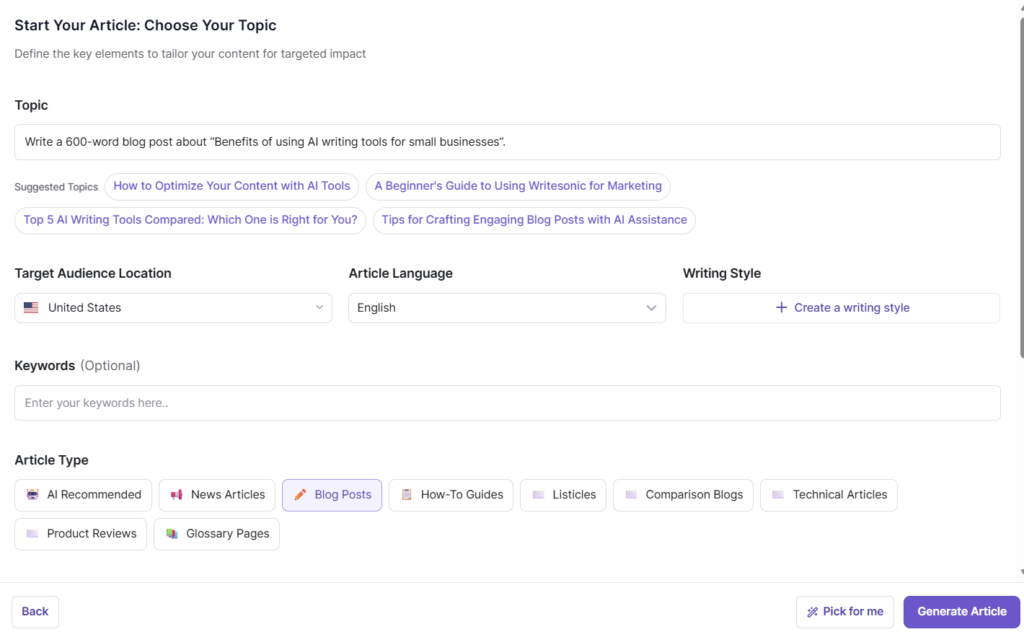
1️⃣ Test: Short blog article
Prompt:
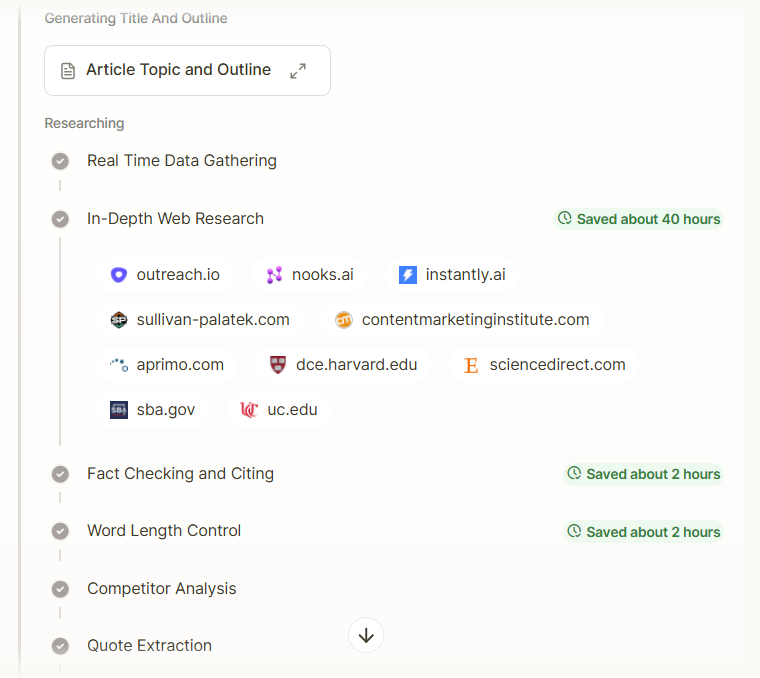
Write a 600-word blog post about “Benefits of using AI writing tools for small businesses”.
Strengths
- The writing is clear, professional, and grammatically correct all the way through.
- The choice of words is suitable for a business or marketing audience.
- Transitions like “Additionally,” “Consequently,” and “Moreover” are employed accurately.
- The sentences are nicely structured and simple to understand.
Minor Issues
- Certain sentences may be a bit lengthy and packed with too much information, making them harder to read.
- Using formal connectors too often can give off a more academic vibe instead of a casual, conversational tone.
Overall: High-quality English with strong clarity and credibility.
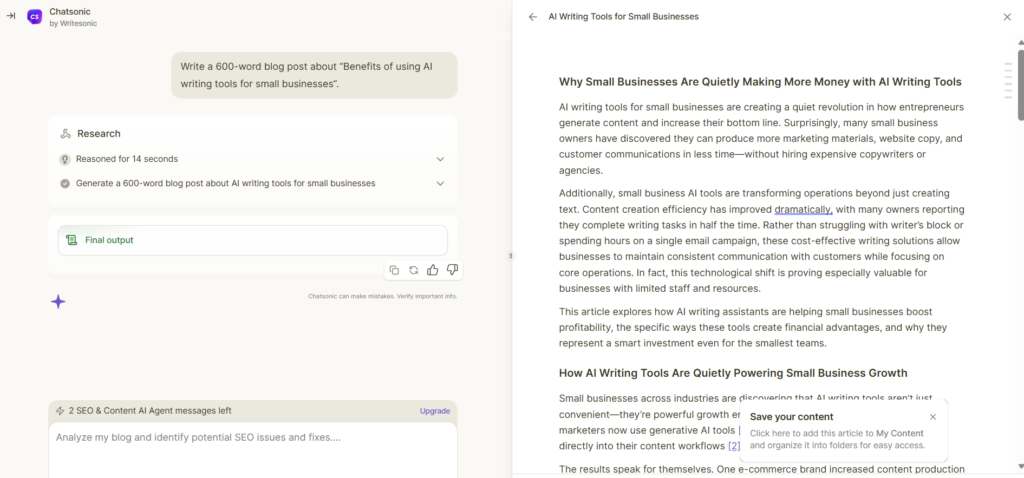
Structural Logic
Strengths
- Logical progression:
- Problem → Opportunity → Proof → Benefits → Investment justification → Conclusion
- Clear section headers that guide the reader.
- The “8 Ways” list is particularly effective and scannable.
- Conclusion neatly summarizes key arguments without introducing new ideas.
Minor Improvements
- The introduction could be shortened slightly to reach the core benefit faster.
- References could be visually separated more clearly from the conclusion (for UX).
Overall: Very strong structure that supports both SEO and reader comprehension.
Does It Sound “Robotic”?
What Feels AI-Generated
- Repeated sentence patterns:
- “These tools allow…”
- “The evidence clearly shows…”
- “What truly makes these tools valuable…”
- Heavy reliance on neutral, safe phrasing.
- Limited emotional language or real-world anecdotes.
What Helps It Sound Human
- Concrete statistics and examples.
- Natural flow between paragraphs.
- No obvious grammar or phrasing errors typical of raw AI output.
How to Improve
- Add:
- A short real-life scenario or quote.
- Occasional contractions (e.g., don’t, can’t).
- One or two opinion-based sentences.
Overall: Not “obviously AI,” but still slightly polished and cautious in tone.
Repetition Level
Observed Repetitions
- Frequent reuse of:
- “AI writing tools”
- “small businesses”
- “these tools”
- “content production”
- Repetitive sentence openings with transition words.
Why It’s Not a Major Issue
- Repetition supports SEO.
- Terms are contextually relevant and not spammy.
| Criterion | Score |
|---|---|
| Language Quality | ⭐⭐⭐⭐☆ (4.5 / 5) |
| Structural Logic | ⭐⭐⭐⭐⭐ (5 / 5) |
| Natural Tone | ⭐⭐⭐⭐☆ (4 / 5) |
| Repetition Control | ⭐⭐⭐⭐☆ (4.4 / 5) |
2️⃣ Test: SEO content
Prompt:
Write an SEO-optimized article outline for the keyword: best AI writing tools.
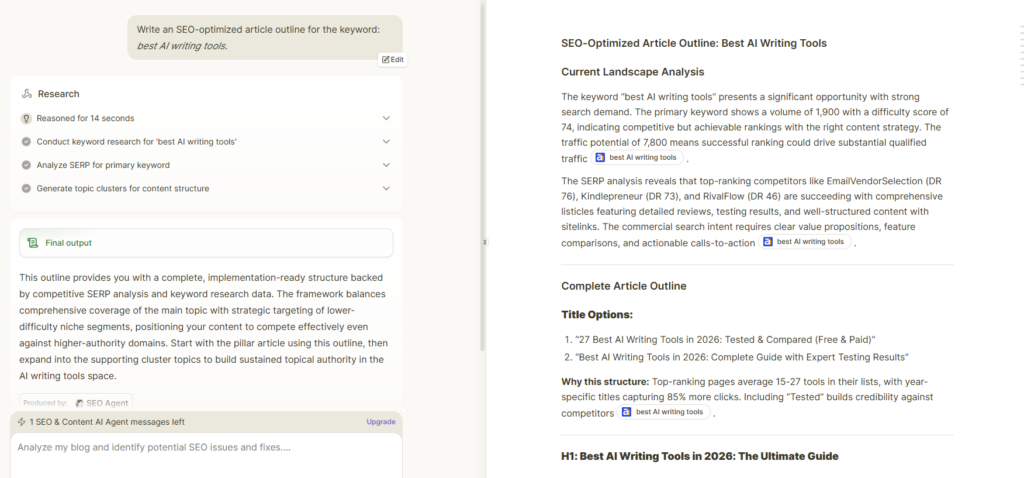
H2 / H3 Headings Quality
Headings are clear, descriptive, and highly scannable.
Excellent hierarchy (H2 → H3) that matches both user expectations and SERP structures.
Headings align well with comparison, evaluation, and decision-making intent.
Strong balance between informational and commercial sections (reviews, comparisons, FAQs).
Verdict: Excellent — on par with top-ranking affiliate/listicle pages.
Natural Keyword Usage
- Keywords are integrated strategically and logically within sections.
- Primary and secondary keywords are placed where users expect them (titles, reviews, FAQs).
- No obvious keyword stuffing; intent-based placement is clear.
Minor Improvement:
- Some keyword references feel slightly analytical/SEO-internal (e.g. volume/difficulty mentions) and should be removed in the final published version.
Verdict: Very strong and mostly natural; light cleanup will make it fully human.
Search Intent Understanding (Commercial Intent)
- Clear alignment with commercial investigation intent.
- Includes all critical conversion elements:
- Tool comparisons
- Pros & cons
- Pricing tiers
- “Best for” segmentation
- FAQs addressing buyer objections
- Free vs paid segmentation captures both early- and late-stage buyers.
Verdict: Excellent intent matching — optimized for affiliate conversions and CTR.
| Criterion | Score |
|---|---|
| H2 / H3 Headings | ⭐⭐⭐⭐⭐ (5 / 5) |
| Structure Logic | ⭐⭐⭐⭐⭐ (5 / 5) |
| Keyword Naturalness | ⭐⭐⭐⭐☆ (4.5 / 5) |
| Commercial Intent | ⭐⭐⭐⭐⭐ (5 / 5 |
3️⃣ Test: Product description
Prompt:
Write a persuasive product description for an AI writing tool for marketers.
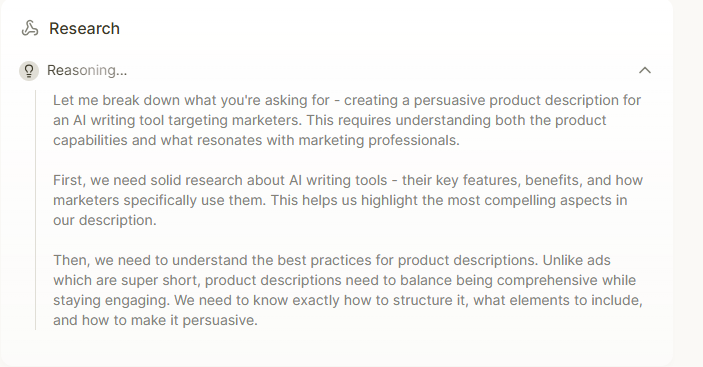
Sales-Oriented Writing Style
Pros
- Very strong problem–solution structure that immediately addresses a real marketing pain point (content bottlenecks, deadlines, scalability).
- Benefits are clearly prioritized over features (speed, consistency, performance, growth).
- Uses outcome-driven language (“scale your content,” “drive real engagement,” “amplify your results”) that aligns well with decision-makers.
- Social proof (real quote with metrics) significantly increases credibility and sales impact.
- Reads like a polished SaaS landing page rather than a generic AI tool description.
Cons
Could further sharpen emotional triggers by highlighting consequences of not using the tool.
A few phrases lean toward standard SaaS wording (“advanced AI technology,” “heavy lifting”), which slightly reduces distinctiveness.
Call to Action (CTA)
Pros
- CTA is clear, direct, and benefit-focused (“Start your 14-day free trial”).
- Low-friction offer reduces buyer hesitation.
- Positioned naturally at the end after trust and value are fully established.
- Reinforces social proof (“15,000 marketing teams trust…”).
Cons
Could introduce more urgency or risk reversal (e.g. “No credit card required,” “Cancel anytime”).
Only one main CTA; adding a secondary soft CTA earlier (e.g. “See how it works”) could increase conversions.
Specificity vs. Generic Messaging
Pros
- Excellent use of specific, concrete details:
- Measurable results (70% faster production, 40% better performance, 180% traffic growth).
- Named integrations (HubSpot, Mailchimp, WordPress).
- Exact feature descriptions and use cases.
- Clear differentiation from generic “AI writer” tools by focusing on marketing workflows.
- The testimonial feels believable and context-rich.
Cons
Could benefit from one brief micro-example (e.g. a sample output or mini use case).
| Criterion | Score |
|---|---|
| Sales Writing Style | ⭐⭐⭐⭐⭐ (5 / 5) |
| Call to Action (CTA) | ⭐⭐⭐⭐☆ (4.5 / 5) |
| Message Specificity | ⭐⭐⭐⭐☆ (4.5 / 5) |
4️⃣ Test: Social media post
Prompt:
Write a Facebook post promoting an AI writing tool for content creators.
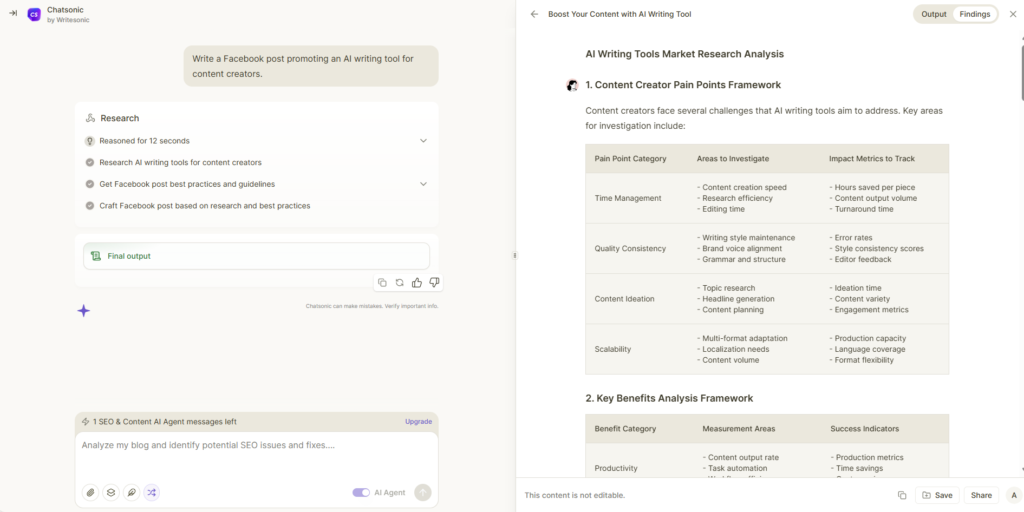
Tone (Does It Sound Human?)
Pros:
- Posts are conversational and relatable — use of emojis (😤, ⚡, 🤔) makes them feel casual and social-media native.
- Strong use of natural phrasing: “We’ve all been there,” “Your future self will thank you,” “Imagine having a writing partner that never gets tired.”
- Social proof and first-person examples (Variation 3) enhance authenticity.
- Questions and calls for engagement (Variation 5) sound genuinely human and community-focused.
Cons:
- Some lines feel slightly formulaic or “marketing-polished,” e.g., “Smart content creators have found the solution,” “Join thousands of creators who’ve already made the switch.” These are persuasive but hint at AI or copywriting structure.
- Could add more minor imperfections or playful phrasing to fully mimic a human casual post.
Overall: Very human-sounding, minor tweaks could make it feel even more conversational and less polished.
Length
Pros:
- Each variation is concise and fits social media norms (short paragraphs, 2–4 sentences).
- Variations provide enough context to explain benefits or pain points without overwhelming the reader.
- Each post is scroll-friendly, which is critical for Facebook.
Cons:
- Some variations (like Variation 2 and 3) are slightly longer; for Facebook, trimming 1–2 sentences could improve skim-readability.
- Could benefit from breaking up text with line breaks or emojis to further enhance scannability.
Overall: Good length for engagement, with room for minor tightening.
Engaging Hook
Pros:
- Variation 1: Opens with a relatable pain point — staring at a blank page — immediately connects with the target audience.
- Variation 2: Highlights productivity benefit and curiosity — “What would you do with 10 extra hours each week?”
- Variation 3: Starts with a real testimonial, immediately building credibility.
- Variation 4: Presents a problem-solution dynamic instantly — “You’re either spending too much time writing or not enough time perfecting your message.”
- Variation 5: Starts with a question to encourage community interaction — great for social engagement.
Cons:
- Hooks are strong overall; very minor adjustment could make Variation 4 more punchy by shortening the first sentence.
Overall: Excellent — all variations immediately capture attention and are well-tailored to the platform.
| Criterion | Score |
|---|---|
| Human Tone | ⭐⭐⭐⭐☆ (4.5 / 5) |
| Length | ⭐⭐⭐⭐☆ (4 / 5) |
| Engaging Hook | ⭐⭐⭐⭐⭐ (5 / 5) |
📊 The Final Writesonic Review
| Criterion | Score |
|---|---|
| Ease of use | ⭐⭐⭐⭐⭐ (5 / 5) |
| Content quality | ⭐⭐⭐⭐☆ (4.5 / 5) |
| SEO usefulness | ⭐⭐⭐⭐⭐ (5 / 5) |
| Speed | ⭐⭐⭐⭐☆ (4 / 5) |
| Value for money | ⭐⭐⭐⭐⭐ (5 / 5) |
Want to see how this tool compares to others?
Check our full comparison before you decide.

Check Other AI Writing Tool Tests
Read simple, honest reviews of popular AI writing tools. Compare features, prices, SEO help, and real writing results.
Writesonic Review
AI writing, SEO content, and marketing copy test.
Jasper Review
Is this popular AI writing tool still worth it?
Frase Review
AI content briefs, SEO help, and optimization test.
QuillBot Review
A real AI text test with no editing tricks.
Rytr Review
Simple AI writing tool for short content and ideas.
Simplified Review
AI writing, design, and social content in one place.
Scalenut Review
AI SEO writing platform for blogs and rankings.
Grammarly Pro Review
Grammar, tone, AI writing, and editing help tested.