You finally find a job you want.
Then the cover letter part appears.
And suddenly, your energy drops.
You already have a resume to fix. Maybe your LinkedIn needs work too. Maybe you are applying after work, late at night, tired, and trying to sound “professional” while your brain is already done for the day.
This is exactly why many people hate cover letters.
I understand it. I have seen it many times when testing AI for job search tasks. People often know they are a good fit, but they get stuck at the writing stage. They either write almost nothing, or they let AI create a letter that sounds cold, fake, and full of empty phrases.
The good news is this: AI can help a lot.
If you use it the right way, AI can help you write a cover letter faster, make it more personal, and keep the tone natural. In this guide, I will show you how to write a cover letter with AI step by step, so it still sounds human and still feels like you.
If you are building your whole job search system, also read Best AI Resume Builders in 2026. It will help you choose the right tools around your cover letter and resume workflow.
Why people struggle with cover letters
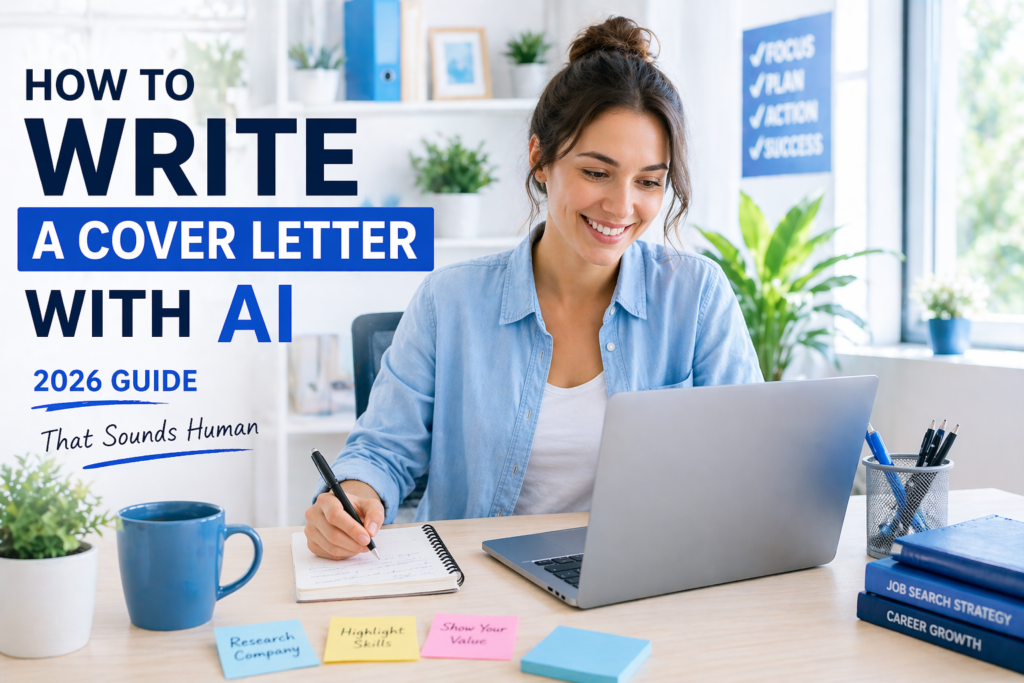
A cover letter looks simple, but it is not always easy.
You need to do a few things at the same time:
- show interest in the role
- explain why you fit
- sound professional
- not repeat your resume too much
- not sound too formal
- not sound like a robot
That is a lot.
Many people also make one of these mistakes:
- they use the same letter for every job
- they copy the job post too closely
- they write very general lines
- they let AI make everything sound fake
I have tested many AI writing outputs for career content, and this happens often. The first AI version usually needs help. It may be too generic, too polished, or too full of phrases that no real person would say.
That is why the process matters.
Can AI really help you write a better cover letter?
Yes, it can.
AI is very good at:
- organizing your ideas
- creating a first draft quickly
- helping you sound more clear
- tailoring the letter to the job
- improving weak sentences
- saving time when you apply to many jobs
But AI should not replace your real voice.
It should help shape your message, not invent a fake person.
That is the rule I always follow:
Use AI to make your writing clearer, not less real.
What a good AI-written cover letter should do
A strong cover letter should:
- sound like a person wrote it
- connect your background to the role
- show that you understand the job
- be specific, not vague
- feel warm, but still professional
- stay short and focused
A bad one usually sounds like this:
“I am thrilled to apply for this exciting opportunity at your esteemed company.”
This does not sound human. It sounds copied.
A better line could be:
“I am applying for this role because it matches the kind of work I do best: clear communication, organized support, and helping projects move forward.”
That feels more natural.
Before you start: what you need
Before using AI, prepare these things:
1. The job description
Copy the full job post. Do not use only the title.
2. Your resume or work history
AI needs real details to write something useful.
3. A few honest reasons you want the role
These can be simple:
- the work matches your skills
- you like the industry
- the role fits your experience
- you want to grow in that direction
4. One AI tool
You can use ChatGPT for this process. If you also want help with resume building, Rezi AI is a useful tool to explore. And if you want a better job search workflow, Teal can help you organize your applications.
Step 1: Understand what the employer really wants
Do not ask AI to write the cover letter first.
Start with the job ad.
This step helps more than people think. If you understand what matters most in the role, your letter becomes much easier to write.
Paste the job post into AI and ask it to find:
- the main tasks
- the most important skills
- the type of person they want
- the results they care about
Example
If the job post says:
- support customers by email
- manage a busy schedule
- keep records updated
- work well with different teams
Then the main themes are:
- communication
- organization
- accuracy
- teamwork
Now you know what your cover letter should highlight.
TIP: Ask AI:
“Read this job description and tell me the 3 most important things the employer wants from the right candidate.”
That one question gives you a much clearer direction.
Step 2: Pull your best matching experience
Now look at your own background.
Do not try to include everything.
A cover letter is not your full life story. It is a short message that shows why your experience fits this role.
Choose 2 or 3 details that match the job best.
Example
If you are applying for an admin role, useful details may be:
- calendar management
- email communication
- document organization
- customer support
- scheduling
If you are applying for a content role, useful details may be:
- blog writing
- editing
- SEO support
- content planning
- research
I often see people make the letter weaker by trying to mention too many things. More is not always better. Better is better.
TIP: Ask AI:
“Based on this job description and my experience, which 3 parts of my background should I mention in a cover letter?”
Step 3: Create a simple first draft with AI
Now you are ready for a first draft.
This is where AI saves time.
But do not use a vague prompt like:
“Write me a cover letter.”
That usually gives a very generic result.
Use a clearer prompt like this:
Prompt:
“Write a short cover letter for this job based on my experience and the job description below. Keep it natural, simple, and professional. Make it sound human, not overly formal. Focus on why I fit the role. Do not invent experience.”
This is much better because it gives AI:
- the job
- your background
- the tone
- the rules
What usually happens
The first draft is often useful, but not perfect.
That is normal.
Sometimes it is too formal.
Sometimes it repeats the resume.
Sometimes it uses phrases that sound polished but empty.
That is why you should treat AI as the first writer, not the final editor.
TIP: Ask for a letter under 250 words first. Short drafts are easier to improve.
Step 4: Remove fake-sounding phrases
This step matters a lot.
AI often loves phrases like:
- I am thrilled to apply
- esteemed company
- dynamic team
- fast-paced environment
- perfect fit for this position
These phrases are common, but they often feel cold and recycled.
I have tested career prompts that looked great at first glance, but when I read them out loud, they sounded like nobody would really say them.
Example
Too robotic:
“I am thrilled to submit my application for this exciting opportunity.”
More human:
“I am applying for this role because it matches my experience and the kind of work I enjoy most.”
Too robotic:
“My background makes me an ideal candidate.”
More human:
“My background in customer support and team coordination matches many of the needs in this role.”
The second version feels calmer and more believable.
TIP: After AI writes the draft, ask:
“Rewrite this cover letter so it sounds more human, less formal, and less generic.”
Step 5: Add one real reason you want the role
This makes a big difference.
Many AI letters sound empty because they talk only about the candidate. A stronger cover letter also shows why this job matters to you.
This reason does not need to be dramatic.
It can be simple:
- the role matches your current skills
- you enjoy this type of work
- you want to grow in this area
- the company’s work feels interesting to you
Mini example
Weak:
“I am very interested in this opportunity.”
Better:
“I am interested in this role because it combines communication, organization, and support work, which are the areas where I do my best work.”
That second line says something real.
Mini story
I once tested cover letter prompts that asked AI to sound “passionate” and “highly impressive.” The result looked polished, but it felt empty. When I changed the prompt and asked for one honest reason the person wanted the role, the whole letter became stronger.
TIP: Add one sentence that explains why this role fits you now, not just why you need a job in general.
Step 6: Make sure the letter does not repeat your resume too much
A cover letter should support the resume, not copy it.
That means:
- do not repeat every bullet point
- do not list all your skills again
- do not turn the letter into a second resume
Instead, do this:
- choose a few strong points
- explain them a little more
- connect them to the role
Example
Resume bullet:
“Managed email communication and appointment scheduling.”
Cover letter line:
“In my recent work, I handled email communication and scheduling tasks that required accuracy, quick updates, and strong organization.”
This works because it builds on the resume instead of copying it word for word.
TIP: Ask AI:
“Check this cover letter against my resume and remove anything that repeats too much.”
Step 7: Adjust the tone for the job type
Not every cover letter should sound exactly the same.
A letter for a startup content role may sound slightly more relaxed.
A letter for an office support role may sound more structured.
A letter for a nonprofit role may sound more mission-focused.
Mission-focused means connected to the purpose of the organization.
But even when the tone changes, the writing should still sound like a person.
Example
For a creative content role:
“I enjoy turning ideas into clear, useful content that people actually want to read.”
For an operations or admin role:
“I enjoy keeping work organized, supporting daily tasks, and helping teams stay on track.”
Same human tone. Different focus.
TIP: Ask AI:
“Adjust this cover letter for a [job type] role while keeping the tone natural and simple.”
Step 8: Check the opening and ending carefully
The first lines and last lines matter a lot.
If the opening is too weak, the whole letter feels flat.
If the ending is too formal, it can sound unnatural.
Better opening structure
- say you are applying
- mention the role
- give one real reason you fit
Example opening
“I am applying for the Customer Support Specialist role because it matches my experience in communication, problem solving, and helping customers in a clear and organized way.”
That works.
Better ending structure
- express interest
- keep it polite
- do not overdo it
Example ending
“Thank you for your time and consideration. I would be happy to speak more about how my background could support your team.”
This is simple and strong.
TIP: Avoid endings like “I eagerly await your favorable response.” They sound old-fashioned and stiff.
Step 9: Read it out loud and make final edits
This is the most human step of all.
Read the cover letter out loud.
When you do that, you will notice:
- long awkward lines
- repeated words
- fake-sounding phrases
- parts that do not sound like you
I always recommend this step.
Many people trust the screen too much. But your ears catch problems faster.
If a sentence sounds strange when you say it, rewrite it.
What to check
- does it sound like a real person?
- is it clear?
- is it honest?
- is it too long?
- is there anything vague?
Vague means not clear enough.
For example:
“I have many strong skills and a great passion for success.”
This is vague.
A better line:
“I bring experience in customer communication, scheduling, and keeping daily work organized.”
That is more useful.
TIP: Ask AI one final time:
“Review this cover letter for clarity, natural tone, and honesty. Show me any lines that sound robotic or vague.”
A simple AI cover letter workflow that works well
Here is the process in a short version:
| Step | What to do | What AI helps with |
|---|---|---|
| 1 | Read the job ad | Find the main needs |
| 2 | Choose your best matching experience | Focus on the right details |
| 3 | Create a short draft | Save time |
| 4 | Remove robotic phrases | Make it sound human |
| 5 | Add one real reason for the role | Make it more personal |
| 6 | Reduce resume repetition | Keep the letter useful |
| 7 | Adjust tone for the job type | Match the role better |
| 8 | Improve opening and ending | Make the structure stronger |
| 9 | Read out loud and edit | Final human check |
Best prompts to write a cover letter with AI
Here are some prompts you can copy and use.
Prompt 1: Understand the job better
“Read this job description and tell me the top 3 skills, tasks, and qualities the employer seems to value most.”
Prompt 2: Pick the right experience
“Based on this job description and my work history, which 2 or 3 parts of my background should I focus on in a cover letter?”
Prompt 3: Write the first draft
“Write a short cover letter for this job using my experience below. Keep it simple, natural, and professional. Make it sound human. Do not invent anything.”
Prompt 4: Make it less robotic
“Rewrite this cover letter so it sounds less formal, less generic, and more human.”
Prompt 5: Remove repetition
“Compare this cover letter with my resume and remove any parts that repeat too much.”
Prompt 6: Final quality check
“Review this cover letter for natural tone, clarity, honesty, and job match. Show me what to improve.”
What not to do when writing a cover letter with AI
Let’s keep this very practical.
Do not:
- ask AI to “impress recruiters” with big words
- use the same cover letter for every job
- copy the job description too closely
- let AI invent numbers or achievements
- leave robotic phrases without checking them
- make the letter too long
A cover letter is usually strongest when it is clear, personal, and focused.
Not dramatic. Not overloaded.
Just useful.
Is it okay to use AI for cover letters in 2026?
Yes. It is completely okay to use AI as a writing helper.
The important part is how you use it.
If you let AI do everything with no review, the result may sound fake.
If you use AI to save time, organize your ideas, and improve your message, it can be a very smart tool.
This is similar to using AI for resumes or LinkedIn. The tool helps, but your real voice and real experience still matter most.
If you also want to improve the rest of your career materials, read How to Optimize Your LinkedIn Profile with AI and Best AI Tools by Profession in 2026. These guides can help you build a stronger full application system.
Final thoughts
Writing a cover letter with AI does not have to mean writing a fake cover letter.
That is the key.
The best results happen when you use AI step by step. First understand the role. Then choose the best parts of your background. Then build a draft. Then remove the robotic parts. Then make sure it sounds like you.
That is how you get the speed of AI without losing the human side.
And in job applications, that human side still matters a lot.