Freelancers work hard. You have many tasks every day. Writing proposals, emails, blog posts, and social media content can take hours.
Good news: AI writing tools can help. They save time. They improve your writing. They give you ideas when you are stuck.
In this guide, you will find the best AI tools for freelancers in 2026. We also give tips and examples for each tool.
Why Freelancers Need AI
AI is not here to replace you. It is here to help.
Here’s why you should try it:
- Save time – write faster and finish tasks quickly
- Better quality – AI suggests better words and sentences
- More ideas – get inspiration when you feel stuck
- Work smarter – automate emails, social posts, and proposals
Tip: Use AI for the first draft. Then check and add your personal touch.

If you want to explore more tools for different jobs, check our full guide:
Best AI Tools by Profession in 2026
Top AI Writing Tools for Freelancers
Jasper AI
Use it for Blogs, Proposals, Emails, and Social Posts
What it can do:
Jasper AI is a powerful writing tool for freelancers. You can use it for:
- Blog posts – quick drafts or full articles
- Proposals – professional and persuasive client proposals
- Emails – follow-ups, introductions, or newsletters
- Social media posts – Instagram captions, LinkedIn posts, or Twitter threads
Works with WordPress and Notion:
Jasper can connect directly to WordPress. You can write a blog in Jasper and publish it instantly. It also works with Notion. You can plan, write, and organize your content in one place.
Choose a tone:
Jasper can write in different styles:
- Friendly – casual, easy to read, personal
- Professional – clear, serious, suitable for clients
- Creative – fun, catchy, or marketing-focused
Example:
You want a blog post about “Working from Home Tips.”
Type this into Jasper:
“Write a 500-word blog post about working from home for freelancers, friendly tone.”
In seconds, Jasper creates a full draft. It may include:
- Introduction
- 3–4 tips
- Short conclusion
You just need to tweak it. Add your personal examples or stories.
Extra Tips:
- Break it down: If you want a longer blog, generate sections separately. For example:
- First generate the introduction
- Then each tip
- Finally the conclusion
- Use Jasper for proposals: Type:
“Write a client proposal for a freelance web designer offering 5 pages website design, professional tone.”
You get a draft that is ready to customize and send. - Social posts: Ask Jasper:
“Write 5 LinkedIn post ideas about freelance productivity, friendly tone.”
You’ll get multiple options to post immediately.
Final Tip:
Always read and tweak the draft. AI is smart, but it’s not you. Add your examples, adjust the words, and make it sound personal. Your clients or readers will notice the difference.
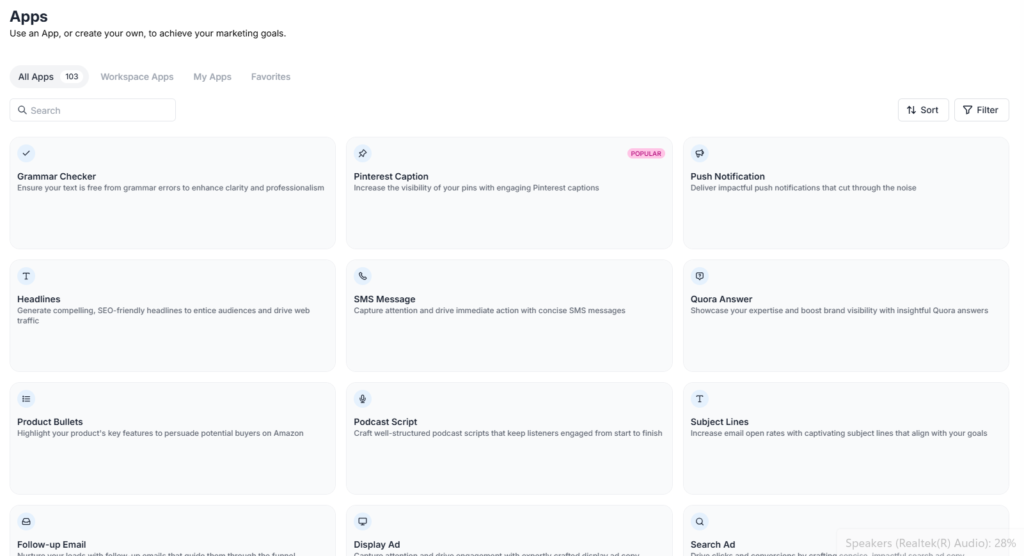
Want to learn more? Check out our Jasper tutorial or read the Jasper review for a full breakdown of the tool.
Writesonic
Best for Long Articles and SEO Content
What it can do:
Writesonic is a great AI tool if you want to write longer content. You can use it for:
- Blog posts – fast drafts or full articles
- SEO content – optimized for Google
- Multi-language content – write in English, Spanish, French, German, and more
Example:
You need a blog about “Freelance Productivity Tips.”
- Type this into Writesonic:
“Write a 700-word blog post about freelance productivity tips for beginners, professional tone.” - Writesonic creates a full outline + paragraphs.
- Introduction
- 3–5 tips or sections
- Conclusion
- You just edit it and add your personal examples or stories.
Extra Tips:
- Start with bullet points first:
Type: “Create 5 bullet points for a blog on freelance productivity.”
Then expand each bullet into a paragraph. This gives better structure and flow. - Use multiple prompts:
For example, generate the introduction first, then each tip separately, then the conclusion.
This makes the text more natural and easy to read. - SEO-friendly:
You can ask Writesonic to include keywords naturally. Example:
“Include these keywords: freelance productivity, time management, work from home.” - Multi-language content:
If your audience is international, Writesonic can create the same blog in Spanish or French. Then you just need to tweak it a little.
Pro Tip:
Don’t rely only on AI. Read the draft and add your personal voice. Add examples from your own experience. This makes your content unique and more valuable to readers.
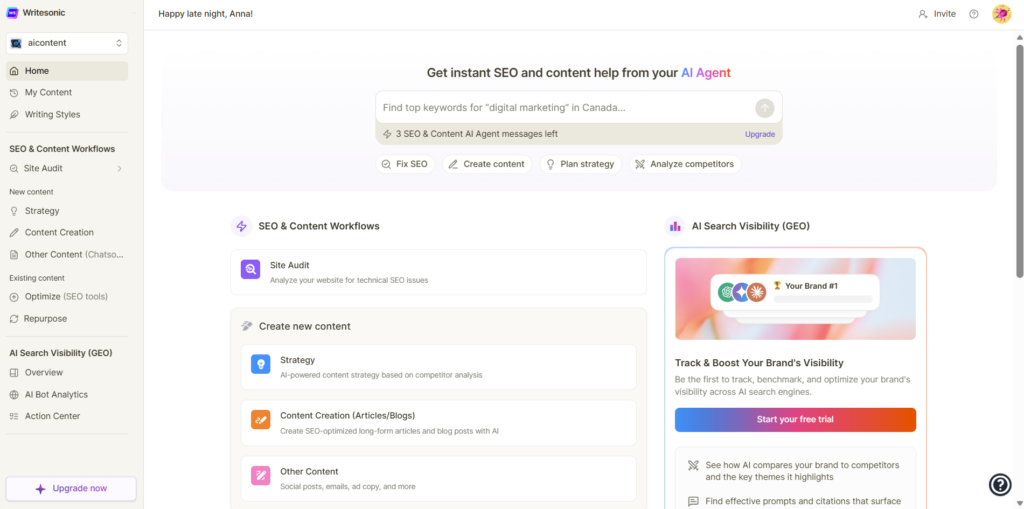
Want to learn more? Check out our Writesonic tutorial or read the Writesonic review for a full breakdown of the tool.
Grammarly
Perfect Your Writing
What it can do:
Grammarly is not a content generator like Jasper or Writesonic, but it is a must-have tool for freelancers. It helps you:
- Check grammar – fixes spelling mistakes, punctuation, and sentence structure
- Improve style – makes your writing clear and easy to read
- Adjust tone – friendly, professional, or casual
- Avoid plagiarism – checks if your text matches existing content
Why freelancers need it:
Even if AI writes your draft, it can make mistakes or sound unnatural. Grammarly makes your content polished and professional.
Example:
You asked Jasper AI to write a client proposal. The draft looks good, but:
- Some sentences are long
- Grammar mistakes appear
- Tone could be more professional
You run the text through Grammarly. It:
- Corrects mistakes
- Suggests better words
- Adjusts the tone to professional
- Makes it clear and easy to read
Now your proposal is ready to send confidently.
Extra Tips:
- Use Tone Detector:
- Grammarly shows if your text sounds friendly, formal, or confident.
- Example: Email to a new client → choose professional.
- Social post → choose friendly.
- Check Readability:
- Grammarly highlights long sentences.
- Break them into shorter sentences for easier reading.
- Combine with AI tools:
- First, generate a draft with Jasper or Writesonic.
- Then run it through Grammarly to polish and fix errors.
- Emails and proposals:
- Always check with Grammarly before sending important messages.
- Saves embarrassment and improves client trust.
Pro Tip:
Even the best AI tool cannot replace your human touch. Grammarly helps make your text professional, but your voice and examples make it unique.
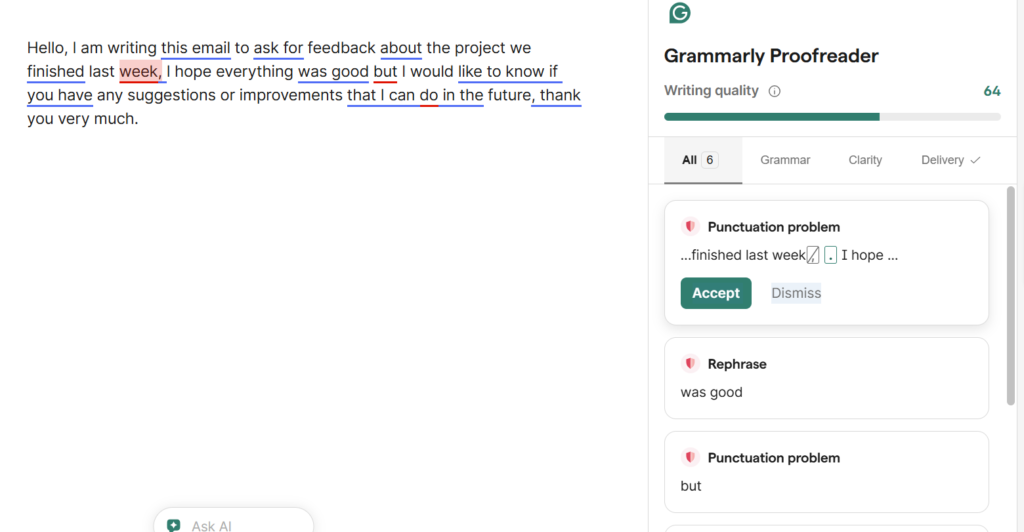
For a full overview, check our Grammarly review here and the step-by-step tutorial here on AIContent-Tools.
Rytr
Fast Tool for Notes, Emails, and Short Content
What it can do:
Rytr is a fast and easy-to-use AI writing tool. Freelancers love it for short content, like:
- Social media posts (Instagram, LinkedIn, Twitter)
- Emails and follow-ups
- Quick notes or ideas for blogs and articles
- Product descriptions or small marketing texts
Why it’s great:
- Very simple interface – you don’t need training
- Generates multiple options in seconds
- Works perfectly for daily quick tasks
Example:
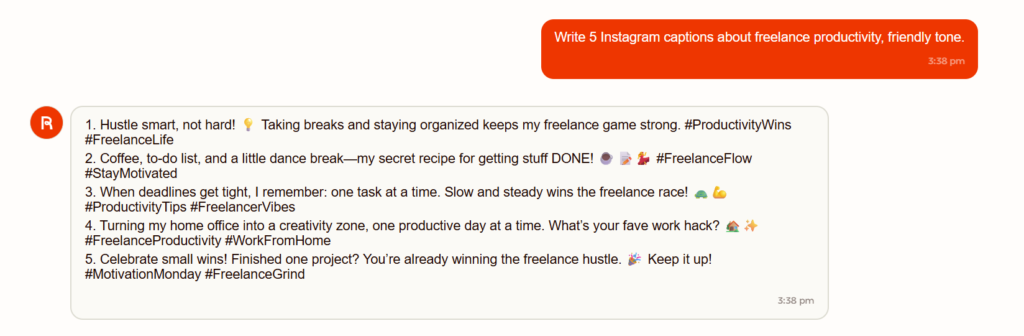
You need social media captions for a client’s post about freelance productivity.
- Type in Rytr:
“Write 5 Instagram captions about freelance productivity, friendly tone.” - Rytr instantly gives you 5 different options.
- You can pick the best one, edit slightly, and it’s ready to post.
Extra Tips:
- Combine Rytr with Canva:
- Use Rytr to generate text and Canva for images or graphics.
- Example: You have 5 captions and 5 matching graphics → ready-to-post content in minutes.
- Use Rytr for emails:
- Quick follow-ups, thank-you notes, or proposals.
- Example prompt: “Write a polite email to a client thanking them for a recent project, professional tone.”
- Experiment with tone:
- Friendly, professional, funny, or casual.
- Example: “Write 3 captions for LinkedIn about time management tips, professional tone.”
- Short notes or blog ideas:
- Example prompt: “Write 5 bullet points for a blog post about freelance productivity tips.”
- Then expand bullets using Writesonic or Jasper.
Pro Tip:
Rytr is fastest when you need multiple short pieces of content quickly.
Combine it with visual tools (Canva, Figma) for complete posts ready to publish.
Want to learn more? Check out our Rytr tutorial or read the Rytr review for a full breakdown of the tool.
How Freelancers Can Use AI Daily
1️⃣ Plan first – write a small outline before AI.
2️⃣ Generate content – use AI to create drafts fast.
3️⃣ Edit and personalize – make it sound like you.
4️⃣ Add visuals or links – complete your content.
5️⃣ Schedule posts or emails – automation saves time.
Example Tip:
If you spend 2 hours writing emails, AI can cut it to 30 minutes. That’s 1.5 hours saved every day!
A very practical next step is to build a simple content workflow. You can start with How to Plan Content with AI and then use How to Turn One Piece of Content into 10 Posts with AI to get more value from one client project or one blog post.
Extra Tips for Freelancers
- Combine tools: Jasper for blogs, Copy.ai for emails, Grammarly for corrections.
- Use templates: AI can create proposals, invoices, and contracts faster.
- AI is great for ideas: use it when you feel stuck.
- Keep your personal touch: clients like human voice. AI helps, but you decide final style.
Tip: Test 2–3 tools first. Find what works best for your workflow.
Conclusion
AI writing tools can help freelancers work faster, write better, and get more clients.
Start small. Use AI for drafts, emails, or social media. Then grow your workflow with more tools.
With the right AI tools, you can save hours every week. Spend more time on clients, projects, or even free time!