Executive Summary
“`htmlKoala.sh Tutorial 2026
Koala.sh Tutorial 2026: How to Create SEO Content Step by Step
Learn how to use Koala.sh to create SEO blog posts, outlines, and content drafts faster. This beginner-friendly tutorial shows the basic workflow, what to click, what to edit, and how to use Koala without publishing weak AI content.
Koala AI, also called KoalaWriter, is a web-based AI writing tool that helps you create SEO-focused articles from a simple keyword.
You do not need to install anything. You log in at Koala.sh, open the Writer, enter your topic, choose a few settings, and generate a blog post draft.
It can be very useful for bloggers, affiliate marketers, niche site owners, and beginners who want to create content faster.
Important note:
Koala can create a full article quickly, but you should still edit the draft, check facts, add your own examples, and make the content sound natural.

What is Koala AI?
Koala AI is an AI writing and chatbot tool for creating blog posts, SEO articles, and content drafts.
In simple words, you give Koala a keyword or topic, and it creates a structured article with headings, paragraphs, and optional extras.
For example, you can enter a keyword like:
best AI tools for Etsy sellers
Then Koala can generate a full draft around that topic.
This makes it useful if you publish many blog posts, tutorials, reviews, or affiliate articles.
If you are still comparing different AI writers, you can also read: Best AI Writing Tools in 2026.
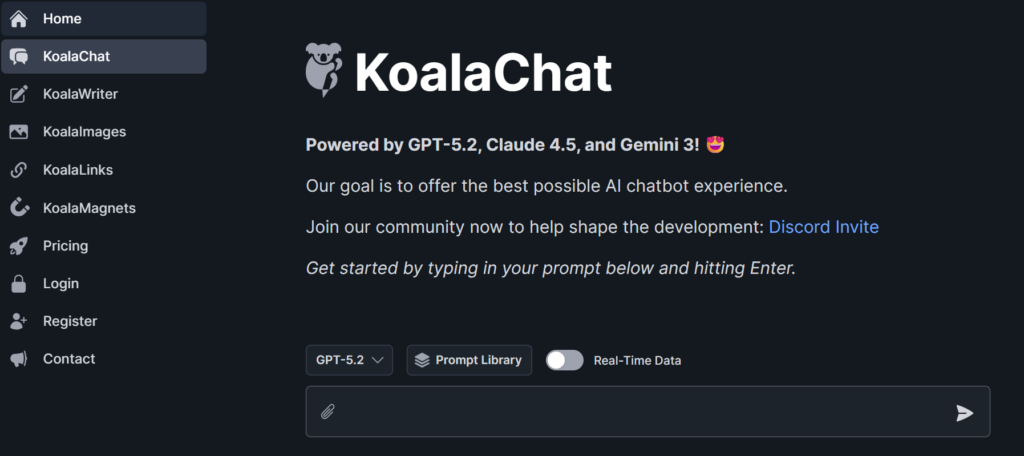
Add screenshot of the Koala.sh homepage or signup page here.
Website, free trial, and login
To start, go to the official Koala website: koala.sh.
From there, you can sign up or log in.
Koala usually offers free words for new users, so you can test the tool before choosing a paid plan. After the free words, you can upgrade if you need more content.
The tool works directly in your browser, so you can use it on Windows, Mac, Linux, or a laptop browser without installing software.
Basic setup:
- Go to Koala.sh
- Create an account
- Confirm your email if needed
- Log in to the dashboard
- Open KoalaWriter
Add screenshot of Koala login or account creation page here.
Main dashboard and menus
After you log in, you will see the Koala dashboard.
The dashboard gives you access to different tools. The most important ones are:
Writer
The main tool for creating blog posts and SEO articles.
Chat
An AI assistant for ideas, outlines, and short text help.
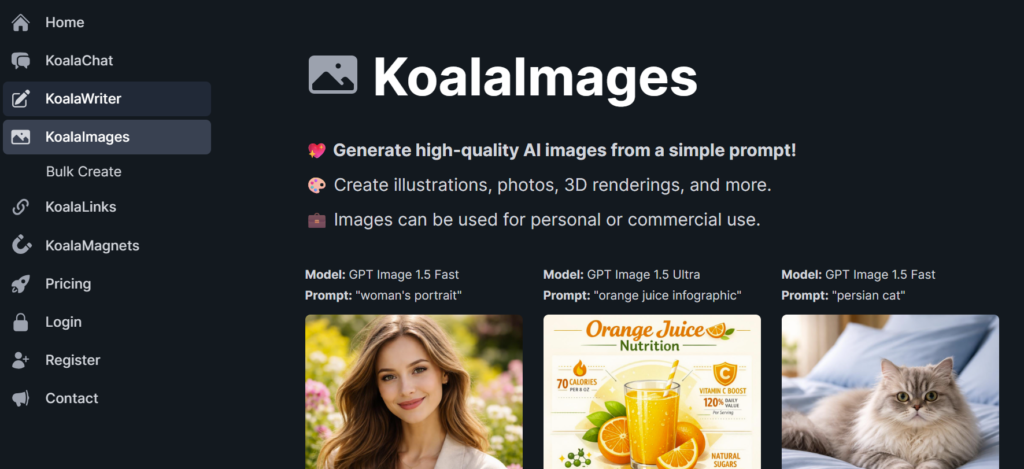
Images
A tool for creating images for your content.
Account
Your settings, word usage, and subscription details.
For this tutorial, the most important section is Writer.
Add screenshot of the main Koala dashboard here.
How to create your first article with Koala
Now let’s create a basic article.
The simple workflow looks like this:
Step 1: Open KoalaWriter
In the dashboard, click Writer.
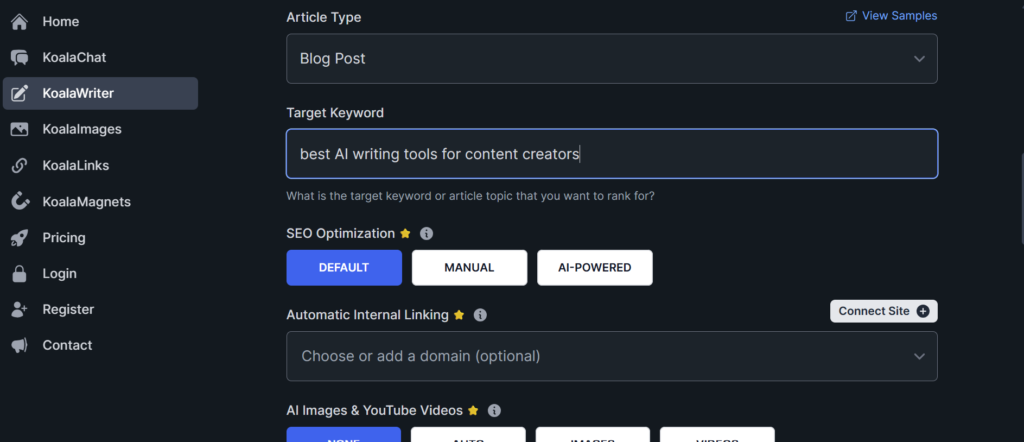
This opens the main Koala article editor. This is where you set your article type, keyword, model, tone, and other options.
Add screenshot of the Koala Writer screen here.
Step 2: Choose article type
For a normal blog article, choose Blog Post.
This is the best option for most beginners because it creates a standard article structure with headings and paragraphs.
Later, you can test other article types if Koala offers them in your account.
Step 3: Enter your target keyword
The target keyword is the main topic of your article.
Keep it clear and specific.
Too broad: AI tools
Better: best AI tools for Etsy sellers
Better: how to use AI to write blog posts
A specific keyword gives Koala a better direction.
Add screenshot of the Target Keyword field here.
Step 4: Adjust settings
Koala may give you several settings before generating the article.
You may see options like:
- AI model,
- article type,
- tone of voice,
- language,
- real-time data,
- citations,
- images,
- outline options.
If you are a beginner, do not overthink this.
Start with a simple blog post, friendly tone, and one clear keyword. You can test advanced settings later.
Add screenshot of Koala settings/model/tone options here.
Step 5: Click Write Article
When everything looks ready, click Write Article.
Koala will generate your draft. Depending on your settings and article length, this may take a little time.
When the draft is ready, you should see a complete article structure with headings and text.
Add screenshot of the Write Article button here.
Step 6: Review the generated draft
This is the most important step.
Do not publish the article immediately.
Read the draft and check:
- Does the intro sound natural?
- Are the facts correct?
- Are the headings useful?
- Does the article answer the search intent?
- Are there any repeated ideas?
- Can you add your own experience?
- Can you add internal links?
Koala gives you a draft. Your editing makes it useful.
Add screenshot of the generated article draft here.
How Koala helps with SEO content
Koala is built for SEO-style writing.
That means it can help with article structure, headings, related topics, and search-focused content.
But SEO content still needs human review.
A good SEO article should:
- answer the main question quickly,
- use clear headings,
- include examples,
- avoid fluff,
- link to related articles,
- include useful FAQs,
- be updated when information changes.
If you want to improve SEO and AI search visibility, read: How to Use AI for Content Creation.
Using Koala Chat
Koala also has a Chat tool.
You can use it like an AI assistant for smaller tasks.
For example, you can ask Koala Chat to:
- suggest blog ideas,
- create an outline,
- rewrite a paragraph,
- simplify a section,
- generate FAQs,
- write social posts from your article.
This is helpful when you do not need a full article, but you need quick content support.
Add screenshot of Koala Chat here.
Best practices before publishing Koala content
Koala can save time, but you should still treat the output as a first draft.
My quick editing checklist:
- Rewrite the intro in your own voice.
- Add one personal example.
- Check tool features and pricing.
- Remove repeated paragraphs.
- Add internal links.
- Add screenshots if it is a tutorial.
- Make the conclusion useful.
- Check the meta title and description.
This matters because raw AI content can sound generic.
If you struggle with that, read: Best AI Humanizer Tools and Tips.
Who should use Koala AI?
Koala can be useful for:
- bloggers,
- affiliate marketers,
- SEO writers,
- niche site owners,
- small business owners,
- content teams,
- beginners who want article drafts faster.
I would not use Koala as a complete replacement for writing.
I would use it as a strong drafting tool.
Pros and cons of Koala AI
Pros
- Easy to use
- Good for SEO article drafts
- Works in the browser
- Useful for bloggers and affiliate content
- Can save a lot of writing time
Cons
- Still needs editing
- Can sound generic if you do not personalize it
- Facts and pricing should be checked
- Not every generated article is ready to publish
- Advanced settings may feel confusing at first
Add screenshot of final generated article, Polish tool, or export screen here.
Ready to create content faster?
Koala can help you create SEO article drafts, outlines, and content ideas in minutes. Just remember to edit, fact-check, and add your own experience before publishing.
Try Koala.sh →Final thoughts
Koala AI is a useful tool if you want to create blog content faster.
It is especially helpful for SEO drafts, affiliate articles, tutorials, and niche blog posts.
But the best results come when you use Koala as a helper, not as the final writer.
Let Koala create the structure and first draft.
Then you add your own voice, examples, screenshots, internal links, and final edits.
That is how AI content becomes more useful, more natural, and more trustworthy.
FAQ – Koala.sh Tutorial
❓ What is Koala.sh used for?
Koala.sh is used to create blog posts, SEO articles, outlines, and content ideas with AI. You enter a keyword, and Koala generates a draft.
❓ Is Koala AI free to use?
Koala usually offers free words for new users, so you can test it before upgrading. Check the current Koala pricing page because plans can change.
❓ How do I create my first article in Koala?
Open KoalaWriter, choose Blog Post, enter your target keyword, adjust basic settings, and click Write Article. Then review and edit the draft.
❓ Can Koala write SEO-friendly content?
Yes. Koala is designed for SEO-style articles. It can help with structure, headings, and topic coverage. You should still check the output before publishing.
❓ Do I need writing skills to use Koala?
No, but writing and editing skills help. Koala can create the draft, but you should improve the article with your own examples, tone, and fact-checking.
❓ Can I edit the article after Koala generates it?
Yes. You can edit the text, add sections, remove weak parts, rewrite the intro, and add internal links before publishing.
❓ What is the difference between Koala Writer and Koala Chat?
Koala Writer creates full articles from a keyword. Koala Chat is more like an assistant for ideas, outlines, rewriting, and shorter text tasks.
❓ Should I publish Koala content without editing?
No. Always review, fact-check, personalize, and improve the article before publishing. Raw AI content can sound generic.