How to Get Traffic with AI Without Creating More Generic Content
AI can help you create faster. But traffic does not come from speed alone. It comes from useful content, clear search intent, strong titles, and a simple system you can repeat.
You can publish a lot of content and still get almost no traffic.
That is the painful part many beginners do not expect.
You work hard. You write posts. You make pins. You try social media. Then you open Google Search Console or analytics and see very little movement.
A few impressions. Maybe one click. Maybe nothing.
It can feel discouraging fast.
I know this feeling because traffic is not automatic just because you use AI. At first, AI feels exciting because it helps you create more content in less time. But after that first excitement, the real question appears:
How do I get people to actually see my content?
That is what this guide is about.
In this article, I will show you how to get traffic with AI step by step using a mix of SEO and social strategy. You will learn what to create, where to post it, how to use AI without sounding generic, and how to build a simple system that can bring more clicks over time.
If you are busy, starting from zero, or feeling like your content is invisible, this guide is for you.
Why most AI content gets no traffic
Let’s start with the truth.
AI can help you create content faster.
But fast content is not always traffic content.
A lot of beginners do this:
- ask AI for a topic
- copy the draft
- publish it
- hope Google or social media will send visitors
Usually, that is not enough.
Why?
Because traffic comes from fit, not only from speed.
Your content needs to fit:
- what people search for
- what people want to click
- what platforms like to show
- what your audience actually needs
AI can write clean sentences, but clean sentences are not enough. The content still needs a clear reason to exist. It needs a real audience, a useful angle, examples, and a next step.
The good news is this: you do not need a perfect system.
You just need a better one.
What “traffic” really means
Traffic simply means people coming to your content.
That traffic can come from:
- direct visits
- other websites
For most beginners, the two easiest long-term traffic paths are:
SEO traffic
SEO means search engine optimization. Simple meaning: making your content easier for Google to understand and show.
Social traffic
This means clicks from places like Pinterest, LinkedIn, Facebook, or other platforms where people discover your content.
The best beginner plan is usually not “SEO or social.”
It is SEO + one social support channel.
That gives you two chances to get seen.
Step 1: Pick one clear audience before you create content
This step sounds simple, but it changes everything.
Do not create for “everyone who likes AI.”
Pick one clear group.
Examples:
- beginner bloggers
- Etsy sellers
- freelancers
- job seekers
- social media managers
- teachers
- small business owners
Why is this important?
Because traffic grows faster when your content speaks to a real problem for a real person.
For example:
- a job seeker wants resume help
- an Etsy seller wants more clicks and sales
- a blogger wants traffic and easier content creation
- a freelancer wants clients
When you know the audience, your titles become better. Your examples become more useful. Your content becomes easier to click.
If you want inspiration for audience-based content, this pillar fits well:
Best AI Tools by Profession (2026 Guide) →
Step 2: Start with topics people already search for
This is one of the biggest traffic lessons.
Do not begin with the topic you think sounds smart.
Begin with the topic people already want.
That usually means:
- questions
- comparisons
- “how to” topics
- beginner guides
- problem-solving topics
- tool reviews
Stronger topic examples
- how to write LinkedIn posts with AI
- how to create Pinterest pins with AI
- best AI tools for Etsy sellers
- how to use AI to create a resume
- Jasper review
- Writesonic review
Weak beginner topic examples
- deep thoughts about AI content
- the future of creativity and AI
- why technology changes everything
- AI and the modern digital world
These broad topics may sound interesting, but they are often harder to rank for and harder to turn into traffic.
A better traffic topic usually has:
- a clear task
- a clear audience
- a clear result
That is why “how to” content works so well.
It helps with search intent. Search intent means the real reason behind the search. In simple words, it means what the user actually wants.
Step 3: Use AI to find content angles, not just drafts
AI is very useful here.
But do not only ask AI to write the article.
Ask it to help you think first.
You can use AI to find:
- title ideas
- beginner questions
- content gaps
- subtopics
- FAQ ideas
- angles for social posts
- supporting examples
Instead of asking:
Weak prompt: “Write an article about SEO.”
Ask better questions like:
- “What do beginners struggle with when trying to get traffic from Google?”
- “Give me 20 practical blog post ideas for Etsy sellers who want more traffic.”
- “What questions do job seekers ask before using AI resume tools?”
- “What is missing from most beginner articles about AI traffic?”
That kind of prompt gives you stronger material.
In my experience, AI becomes much more useful when it helps you find the shape of the content first. Then you can build a better article around real needs.
If you want to see tools that can support content workflows, start here:
Best AI Writing Tools in 2026 →
Step 4: Build around one strong keyword and a few support phrases
A keyword is the main search phrase you want the page to rank for.
Simple meaning: the phrase people type into Google.
For this article, the main keyword is:
Support phrases could be:
- AI traffic strategy
- AI SEO strategy
- get website traffic with AI
- social media traffic with AI
- AI content traffic tips
You do not need to repeat the main keyword too many times. That makes content sound strange.
Instead:
- use it in the title
- use it near the top
- use it in one or two headings
- use natural variations in the text
For example, if your main topic is “how to get traffic with AI,” you can also naturally say:
- use AI for traffic growth
- get more clicks with AI content
- AI content strategy for traffic
- AI SEO and social workflow
That sounds more human.
One mistake I often see is trying to rank one page for too many ideas at once. The page becomes messy and unclear.
One page should have one main goal.
Step 5: Create one article that is truly useful, not just long
Many beginners think more words mean more traffic.
Not always.
A long article with weak advice is still weak.
What matters more is:
- clear structure
- useful steps
- real examples
- easy reading
- helpful next actions
For example, if you write about getting traffic with AI, do not only say:
- use good keywords
- post on social media
- stay consistent
That is too general.
Say things like:
- create one main article, then turn it into 3 Pinterest pin ideas
- use LinkedIn to share one lesson from the article
- add internal links to tool reviews and related tutorials
- improve old titles if impressions are high but clicks are low
Very practical content often feels less “fancy,” but it is usually more useful. A simple article that gives the reader one clear action can be stronger than a long article full of general advice.
Step 6: Make SEO content first, then turn it into social content
This is one of my favorite beginner systems.
Instead of creating random social posts every day, create one useful article first.
Then turn that article into smaller pieces.
Example: you write one article called How to Get Traffic with AI.
Then you turn it into:
- 3 Pinterest pins
- 1 LinkedIn post
- 1 Facebook post
- 1 short email
- 3 hook ideas
- 1 checklist graphic
This is called repurposing.
Repurposing means using one piece of content in many ways.
This saves time and gives your main article more chances to get seen.
How to Turn One Piece of Content into 10 Posts with AI →
How to Create Pinterest Pins with AI →
This approach works well because the article becomes your main asset. Social posts then help bring attention back to it.
Step 7: Choose one social platform that matches your topic
You do not need every platform.
That is important.
Most beginners do better with:
- one main SEO channel: Google
- one support social channel: Pinterest, LinkedIn, or Facebook
Choose Pinterest if:
- your content is visual
- you write about blogging, Etsy, templates, digital products, or lifestyle-style topics
- you like evergreen traffic
Choose LinkedIn if:
- your content is for professionals
- you write about freelancing, careers, B2B, or business growth
- you want to build trust with your own voice
Choose Facebook if:
- your niche has strong groups
- your audience already spends time there
- you want to test simple engagement
A lot of traffic problems come from trying to do too much.
I have seen people create weak posts on five platforms instead of better posts on one.
Focus is usually stronger than noise.
How to Write LinkedIn Posts That Get Views Using AI →
Step 8: Use AI to improve titles and clicks, not only to write faster
Traffic does not start when Google ranks you.
Traffic starts when someone decides to click.
This is why titles matter so much.
AI can help you test:
- stronger blog titles
- Pinterest pin headlines
- LinkedIn opening lines
- better meta descriptions
- new hook variations
Compare these two titles:
Weak
AI Content Tips for Beginners
Stronger
How to Get Traffic with AI (2026 Step-by-Step SEO + Social Strategy)
Why is the second stronger?
- clear result
- clear audience level
- clear method
- current year
- easier promise
You can use AI to create 10 title options, then choose the clearest one.
This is also useful for tool review pages. Review pages often depend a lot on click quality because searchers are already comparing tools.
Step 9: Link your pages together so traffic can spread
This is a big one.
One page alone is weak.
A connected group of pages is stronger.
That is why internal linking matters so much.
Good internal links help:
- Google understand your site
- readers stay longer
- important pages get more support
- traffic move from one page to another
For example, this article can naturally link to:
- a pillar page
- tool reviews
- social how-to posts
- profession-specific content
Main guide: How to Get Traffic with AI
Links to:
This creates a traffic web, not just a lonely page.
I have seen many sites improve simply because they made internal links more intentional.
Step 10: Refresh pages that already show impressions
This is one of the most underrated traffic moves.
Not every traffic win comes from new content.
Sometimes the fastest win comes from improving a page that already has some visibility.
Look for pages that:
- have impressions but few clicks
- rank on page 2 or page 3
- have old titles
- have weak intros
- do not answer the search clearly enough
- need better internal links
Then improve:
- the title
- the intro
- the headings
- the examples
- the CTA
- the internal links
CTR means click-through rate. Simple meaning: how often people click when they see your page.
Before creating 10 new posts, check whether 2 older posts can be improved first. If a post already has impressions, Google has at least noticed it. That is worth improving.
Step 11: Use AI to build a simple weekly traffic system
Traffic grows better with a repeatable routine.
Here is a simple weekly plan for beginners:
Research one article topic. Use AI for reader questions, headings, angles, and title ideas.
Draft the article. Use AI for outline, first draft, FAQ ideas, and meta options.
Edit with human judgment. Add examples, transitions, links, and a stronger intro.
Create support content. Turn the article into Pinterest, LinkedIn, hooks, and summaries.
Publish and share. Watch impressions, clicks, saves, engagement, and time on page.
This system is simple on purpose.
Simple systems are easier to repeat.
Step 12: Track what works and do more of it
You do not need deep analytics at the start.
But you do need to observe patterns.
Watch things like:
- which titles get clicks
- which topics get impressions faster
- which posts bring people into your site
- which platform sends traffic more easily
- which content gets saved or shared
For example:
- Pinterest may work better for Etsy or blogging content
- LinkedIn may work better for career and freelance content
- Google may take longer, but often brings stronger long-term traffic
Sometimes one format surprises you.
A practical tutorial may do better than a review. A comparison may beat a general guide. A very specific long-tail topic may outperform a broad topic.
Long-tail means a longer, more specific keyword phrase.
Example: best AI tools for Etsy digital products is more long-tail than AI tools.
Those long-tail topics are often easier for newer sites.
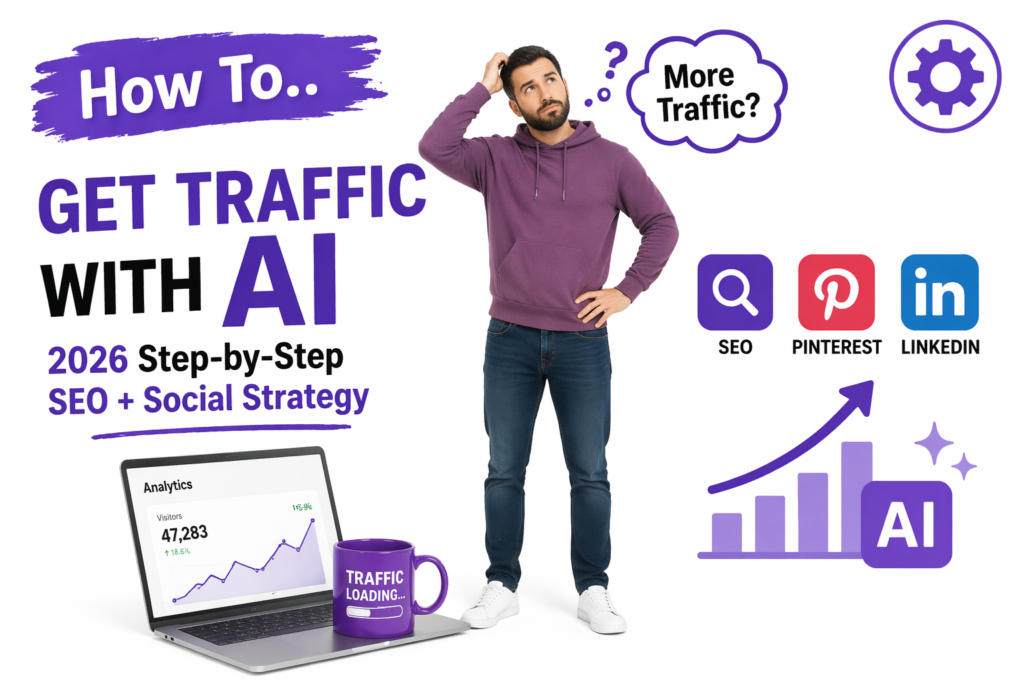
A simple SEO + social traffic model for beginners
You do not need 20 moving parts.
You need one useful page and a few smart support actions.
What usually does not work
Let’s keep this honest.
Publishing raw AI drafts with no editing
They may sound fine at first, but often feel too general. Add your own examples, opinion, structure, and internal links.
Writing broad topics with no real intent
You may create content, but not the kind people search for. Search intent matters more than sounding impressive.
Using too many platforms at once
This creates stress and weak execution. One support platform is enough at the beginning.
Ignoring old content
Sometimes your best traffic opportunity is already on your site. Older posts with impressions can be worth improving.
Posting social content with no destination
If your social post does not point to a useful article, the traffic system stays weak.
Chasing only trends
Trends can help, but evergreen content usually builds stronger long-term traffic. Evergreen means content that stays useful for a long time.
The pages that keep helping are usually clear, useful, and connected to a real content system. They are not always the most fancy pages. They are the pages that answer a real question well.
Final thoughts
If you want traffic with AI, do not think only about content quantity.
Think about fit.
Fit between:
- the audience
- the keyword
- the title
- the platform
- the next step
That is where traffic starts.
Use AI to research faster, plan better, draft faster, and repurpose smarter.
But keep the human part where it matters most: choosing the topic, making it clearer, adding experience, and making it truly useful.
Start with one audience. One article. One support platform. One simple routine.
Then improve what shows signs of life.
That is how traffic grows in a way that actually feels manageable.
FAQ
Yes, but not by itself. AI helps with research, structure, titles, repurposing, and workflows. But you still need a clear content strategy and human editing.
See the full AI content system →The best approach is usually both. SEO builds long-term traffic, while social media can bring faster visibility in the beginning.
Learn Pinterest traffic →It depends on your niche. Pinterest works well for evergreen and visual topics, while LinkedIn is strong for career, freelance, and professional content.
Learn LinkedIn growth →There is no fixed number. Some articles get impressions early, while others take time. Focus on quality, search intent, internal links, and improving pages that show early signs.
Learn content optimization →Do both. Updating pages with impressions but low clicks can often bring faster results than publishing new content from zero.
Learn how to analyze performance →Practical how-to guides, comparisons, reviews, and tutorials usually perform best because they match real search intent.
See example comparison content →That is normal. New sites need time. Focus on long-tail topics, helpful content, strong internal linking, and consistent updates.