Selling on Etsy sounds simple.
You make a product. You upload photos. You write a title, description, and tags.
But then you stop.
What should the title say?
Which keywords should you use?
How do you write a description that sounds helpful, not boring?
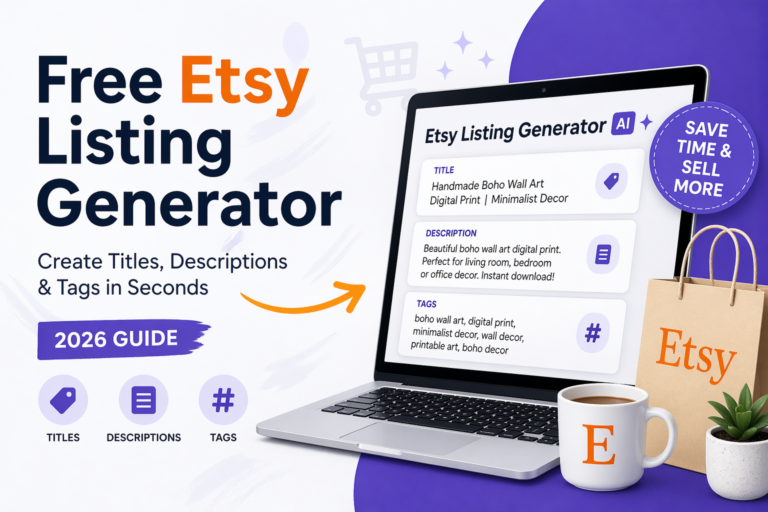
That is where a free Etsy listing generator can help.
With the right AI tool, you can turn one product idea into a full Etsy listing in seconds. You still need to check and edit the result, but you do not have to start from a blank page.
What Is an Etsy Listing Generator?
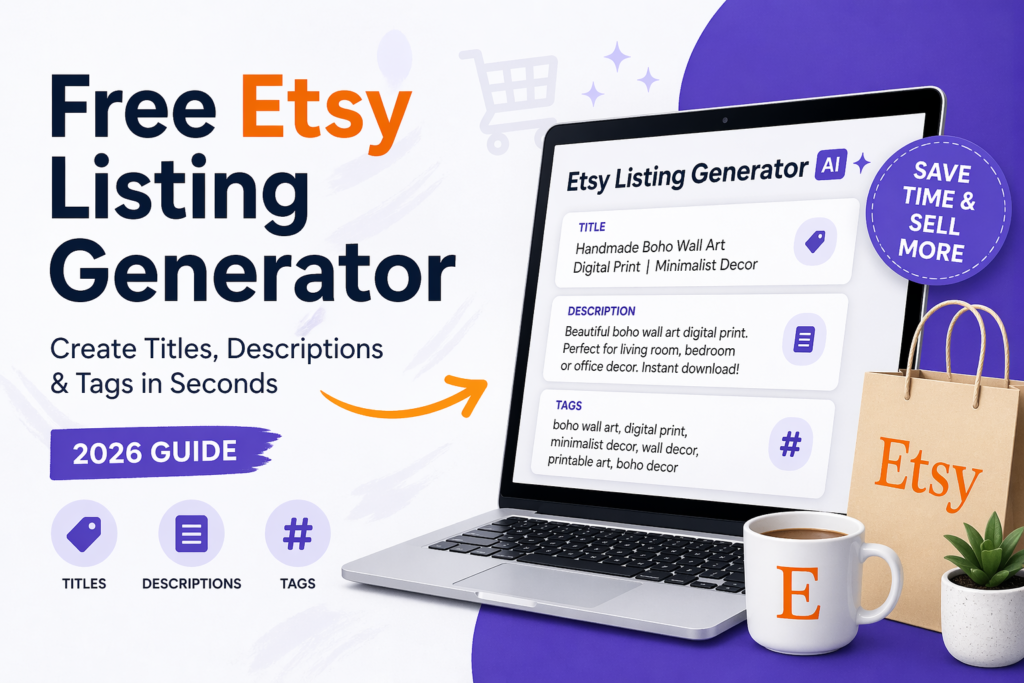
An Etsy listing generator is a tool that helps you create the main text for an Etsy product page.
It can help with:
- Etsy product titles
- Etsy descriptions
- Etsy tags
- keyword ideas
- product wording
- gift-focused phrases
You give the tool a simple product idea.
For example:
black cat mug for Halloween, gothic style, gift for cat lovers
Then the tool creates a listing draft.
A draft means a first version. You can edit it before publishing.
Why Etsy Sellers Need Better Listings in 2026
Etsy is crowded.
Many sellers offer mugs, printables, templates, jewelry, wall art, stickers, planners, and digital products.
Your product may be good, but buyers still need to find it.
That is why your listing text matters.
A strong listing should:
- explain what the product is
- include useful keywords
- sound clear and human
- help the buyer understand the value
- make the product feel like the right choice
AI does not replace your taste or product knowledge.
But it can help you write faster.
How the Free Etsy Listing Generator Works
The tool is simple.
You enter:
- Your product idea
- Who the product is for
- Product style or vibe
- Product type
- Main keywords
Then the tool creates:
- one Etsy-style title
- one product description
- Etsy tags
You can copy each section and paste it into your Etsy listing.
Example: From Simple Idea to Etsy Listing
Let’s say your product is:
printable weekly planner for busy moms, minimalist style
A good AI listing generator may create something like:
Title Example
Printable Weekly Planner for Busy Moms | Minimalist Digital Planner | Weekly Schedule Template
Description Example
Stay organized with this simple printable weekly planner made for busy moms. Use it to plan meals, tasks, appointments, and family routines in one easy place.
This minimalist planner is clean, simple, and easy to print at home.
Tags Example
weekly planner, printable planner, mom planner, digital planner, minimalist planner, weekly schedule, family planner
This is not the final version yet.
You should still improve it with your own product details.
But now you have a strong start.
What Makes a Good Etsy Title?
A good Etsy title should be clear first.
Do not only stuff keywords.
Keyword stuffing means adding too many keywords in a way that sounds strange.
Bad title:
Planner Printable Weekly Mom Digital Template Schedule Organizer Minimalist PDF
Better title:
Printable Weekly Planner for Busy Moms | Minimalist Digital Schedule Template
The better title is easier to read.
It still has keywords, but it sounds more natural.
What Makes a Good Etsy Description?
A good Etsy description should answer the buyer’s questions.
It should explain:
- what the product is
- who it is for
- what is included
- how the buyer can use it
- why it helps
Keep it simple.
Do not make the buyer work too hard.
A good structure is:
- Short benefit
- Product details
- What is included
- How to use it
- Helpful reminder
What Makes Good Etsy Tags?
Etsy tags help Etsy understand your product.
Good tags are usually:
- specific
- buyer-focused
- related to the product
- not too broad
For example, if you sell a printable nursery wall art, tags could include:
- nursery wall art
- printable nursery
- baby room decor
- kids wall art
- digital print
- boho nursery art
Avoid tags that are too general, like:
- gift
- art
- printable
They are too broad.
Best Products to Use With an Etsy Listing Generator
This tool works well for many Etsy product types, including:
- printables
- planners
- templates
- mugs
- T-shirts
- stickers
- posters
- wall art
- jewelry
- home decor
- digital products
- gift items
It is especially helpful when you have many similar products and need to write listings faster.
Should You Copy AI Text Directly?
You can, but it is better to edit it first.
AI gives you a draft.
You should add:
- real product details
- size
- material
- file type
- colors
- delivery information
- personal brand voice
- important buyer notes
For example, if your product is a digital file, say clearly:
This is a digital download. No physical item will be shipped.
AI may not know that unless you tell it.
How to Get Better Results From the Tool
The better your input, the better the result.
Weak input:
planner
Better input:
printable weekly planner for busy moms, minimalist style, helps organize meals, school tasks, and appointments
Strong input gives the AI more useful details.
Use this simple formula:
Product type + audience + style + use case + main keyword
Example:
printable budget planner for college students, clean modern style, helps track monthly expenses
Free Etsy Listing Generator vs Writing Manually
Writing manually gives you full control.
But it takes more time.
Using AI helps you move faster.
The best method is both:
- Use AI to create the first draft
- Edit the text yourself
- Add product details
- Check keywords
- Publish the final listing
This saves time without losing quality.
Common Mistakes to Avoid
Mistake 1: Using very short product input
If you only write “mug,” the result will be weak.
Give the tool more detail.
Mistake 2: Publishing without editing
AI can sound good but still miss important details.
Always check the result.
Mistake 3: Using tags that are too broad
Broad tags are harder to rank for.
Use specific tags when possible.
Mistake 4: Forgetting the buyer
Do not only write for Etsy search.
Write for the human buyer too.
Who Is This Tool Best For?
This free Etsy listing generator is helpful for:
- new Etsy sellers
- digital product sellers
- printable sellers
- handmade shop owners
- sellers with many products
- bloggers testing Etsy products
- small business owners
It is also helpful if English is not your first language and you want a clearer starting point.
Final Thoughts
A good Etsy listing can help your product look more professional and easier to understand.
You do not need to write everything from zero.
Use the free Etsy listing generator to create a first draft. Then edit it with your own details, product facts, and brand voice.
That is the best balance.
AI helps you move faster.
You make it real.
FAQ
❓ Is the Etsy Listing Generator free?
Yes. You can use the free Etsy listing generator to create listing ideas. Free limits may apply.
❓ Can AI write Etsy titles?
Yes. AI can help write Etsy-style titles, but you should still check the keywords and make sure the title matches your real product.
❓ Can AI write Etsy descriptions?
Yes. AI can create a first draft of your Etsy description. You should edit it and add real product details before publishing.
❓ Can AI generate Etsy tags?
Yes. AI can suggest Etsy tags, but you should review them and choose tags that truly match your product.
❓ Should I use AI text directly on Etsy?
It is better to edit AI text first. Add your own details, product facts, and natural voice.
❓ What is the best way to use an Etsy listing generator?
Use it for a first draft. Then improve the title, description, and tags before publishing.