Get Started with Teal
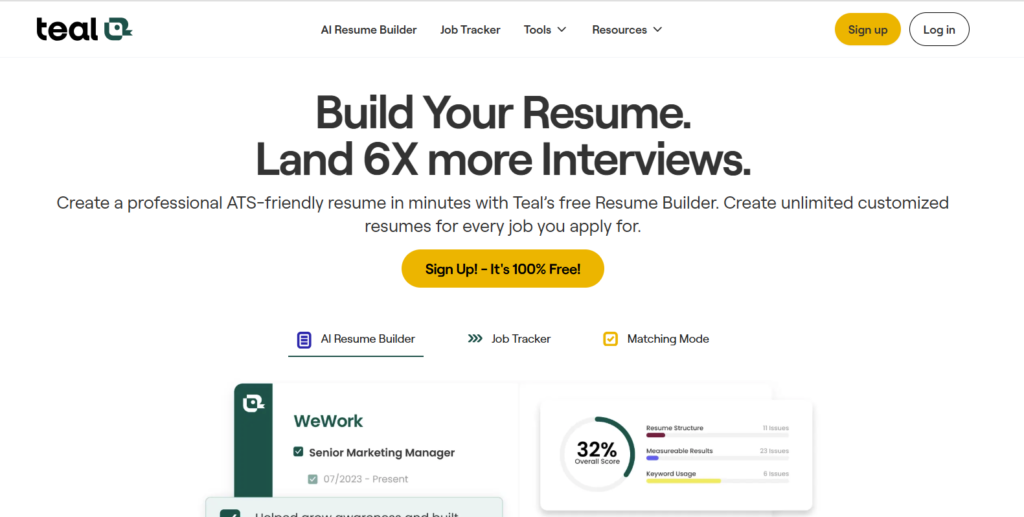
You can find Teal at www.tealhq.com. First, you need to sign up for a free Teal account. You can also log in with Google if you have an account. It is very fast and easy.

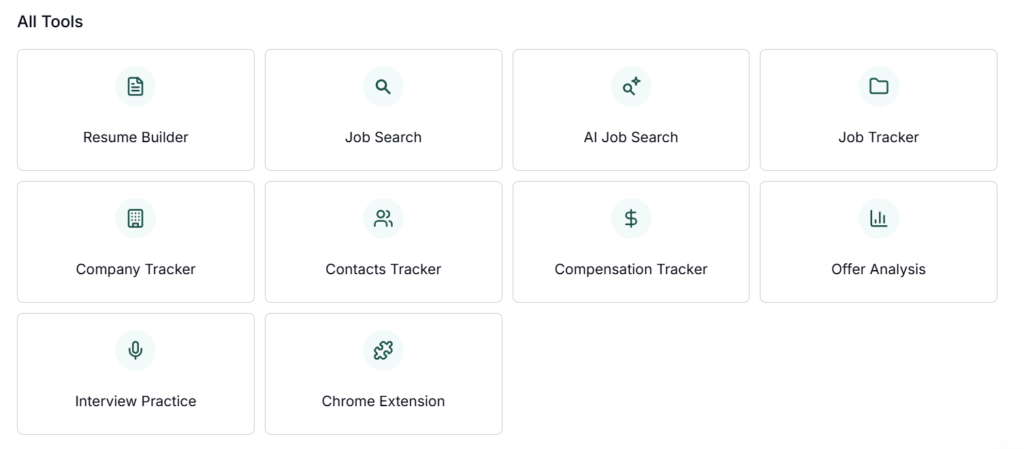
Once you are in, you will see the dashboard. This is the main page of Teal. It has many tools in one place:
- Resume Builder – Here you can make your resume. For example, you can add your education, work experience, and skills.
- Job Tracker – This helps you keep track of jobs you apply for. You can write the company name, position, and application date.
- Career Organizer – You can plan your career goals and tasks. For example, “Learn new skill” or “Apply for 5 jobs this week.”
Try clicking each tool. Play around and see what each one does. For example, open the resume builder and add your first job. Then check the job tracker and add a company you want to apply to.
Teal is made to help you stay organized. It saves time and makes your job search easier.
Explore the Main Tool Window
After you open your resume in Teal, you will see the main tool window. On the left side, there is a menu with all the important options:
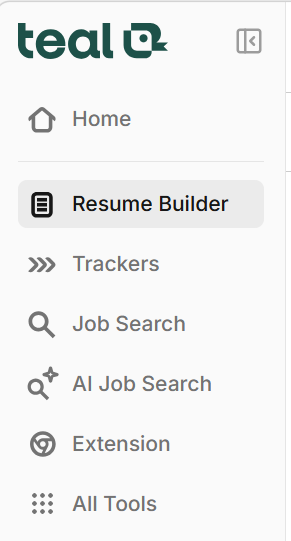
- Home – This is the main page. You can see an overview of your resume and recent activity.
- Resume Builder – Here you can edit your resume. Add jobs, education, skills, and other details. You can also download your resume when it is ready.
- Trackers – Keep track of your applications and tasks. You can write which company you applied to, the position, and the date.
- Job Search – Search for new jobs directly in Teal. You can look for jobs by title, location, or company.
- AI Job Search – Let Teal suggest jobs for you using AI. It helps you find positions that match your skills.
- Extension – This is a tool you can use in your browser to save jobs from other websites directly into Teal.
- All Tools – See all extra Teal tools in one place. For example, templates, guides, or planning tools.
Try clicking each option to see what it does. For example, open Trackers and add a job you want to apply for. Then go to AI Job Search and look at suggested positions.
Teal’s menu is made to help you find everything quickly. You never need to search for tools — they are all on the left side.
Build or Upload Your Resume
- Create a new resume from scratch or import an existing one.
- Use clean, ATS-friendly formatting for best results.
- Add sections like experience, education, skills, and certifications.
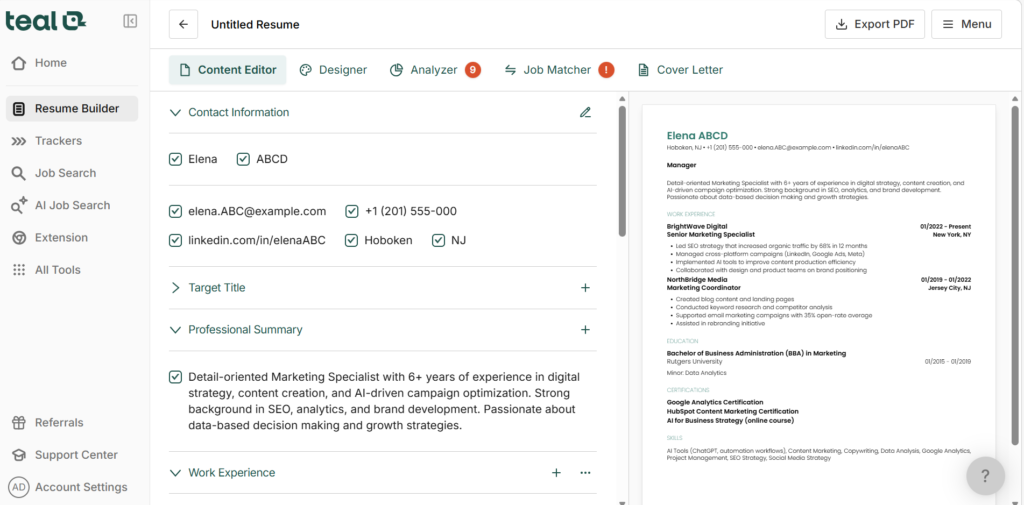
Customize Your Resume for Job Applications
When you apply for a job, it is important to tailor your resume to that position. Teal can help you do this easily.
- Paste the job description
Copy the text from the job ad and paste it into Teal. For example, if the job is “Marketing Assistant,” copy the list of required skills and responsibilities. - Match keywords
Teal will highlight keywords from the job description. For example, words like “social media,” “campaigns,” or “content creation.” Make sure these keywords appear in your resume. This helps your resume get noticed by ATS (Applicant Tracking Systems). - Use Teal’s suggestions
Teal can suggest changes to improve your resume. For example, it might say:
- “Add more action verbs, like ‘created’ or ‘managed’.”
- “Include measurable results, like ‘Increased social media engagement by 20%.’”
- Create a version for each job
Every job is different. Make a separate resume for each position. Don’t send the same resume to every company. For example:
- Job A – Highlight project management skills.
- Job B – Highlight writing and communication skills.
By customizing your resume, you increase your chances of getting an interview. Teal makes this process fast and simple, so you can focus on applying to more jobs.
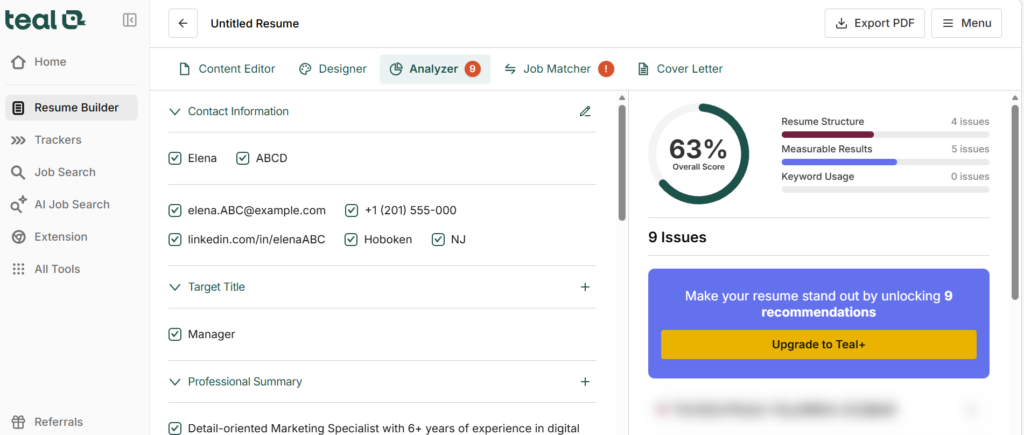
Track Your Job Applications
Keep every job application organized and never lose track of your progress with Teal’s comprehensive job tracker.
- Centralized Dashboard: View all your applications in one place. See which roles you’ve applied to, the companies, and the current status at a glance.
- Add Detailed Notes: Record interview dates, recruiter contacts, application feedback, or any insights about the company. Having all this information in one spot keeps you prepared for every next step.
- Set Deadlines & Reminders: Never miss an application deadline or follow-up email. Teal allows you to schedule reminders so you stay proactive throughout your job search.
- Track Progress Over Time: Monitor your progress with visual timelines and status updates. Identify which applications need attention and where you’re making the most progress.
- Personalized Follow-ups: Create tailored follow-up messages directly from your tracker. Increase your chances of standing out to recruiters by being timely and professional.
- Filter & Search Applications: Quickly filter by company, role, or status. Find any application instantly without scrolling through endless spreadsheets or emails.
- Integrated With Your Resume: Link each application to the version of your resume you submitted. This helps you customize future applications based on what worked best.
With Teal, your job search becomes organized, efficient, and fully manageable—so you can focus on landing the right opportunity instead of juggling spreadsheets and reminders.
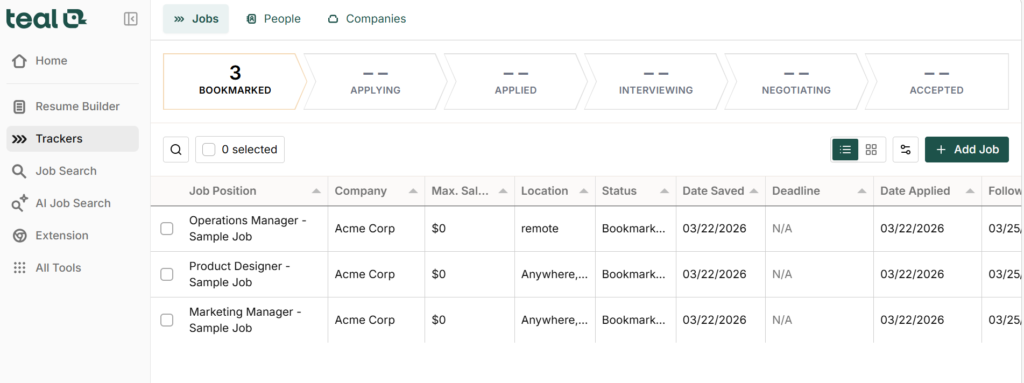
Organize Your Job Search
Stay on top of your career hunt by keeping all your materials and insights in one easy-to-access location.
- Centralized Storage: Store your resumes, cover letters, portfolio links, and application notes in a single platform. No more digging through emails or multiple folders.
- Folders & Tags for Easy Sorting: Organize your applications by industry, role type, company, or priority level. Quickly locate the right documents for any opportunity.
- Quick Access Anytime: Open any resume version, cover letter draft, or interview notes in seconds. Perfect for last-minute applications or interview prep.
- Track Your Progress by Category: See which industries or roles you’ve focused on, which applications are pending, and where you need to follow up.
- Custom Labels & Filters: Tag applications as “high priority,” “follow-up needed,” or “interview scheduled” to maintain a clear workflow.
- Integrated Notes: Attach notes to each application—jot down recruiter tips, insights about company culture, or feedback from previous interviews.
- Sync Across Devices: Access your job search materials from anywhere—desktop, tablet, or mobile—so you never miss a beat.
With Teal, your job search isn’t just organized—it’s streamlined, actionable, and tailored to help you focus on what matters most: landing your next role.
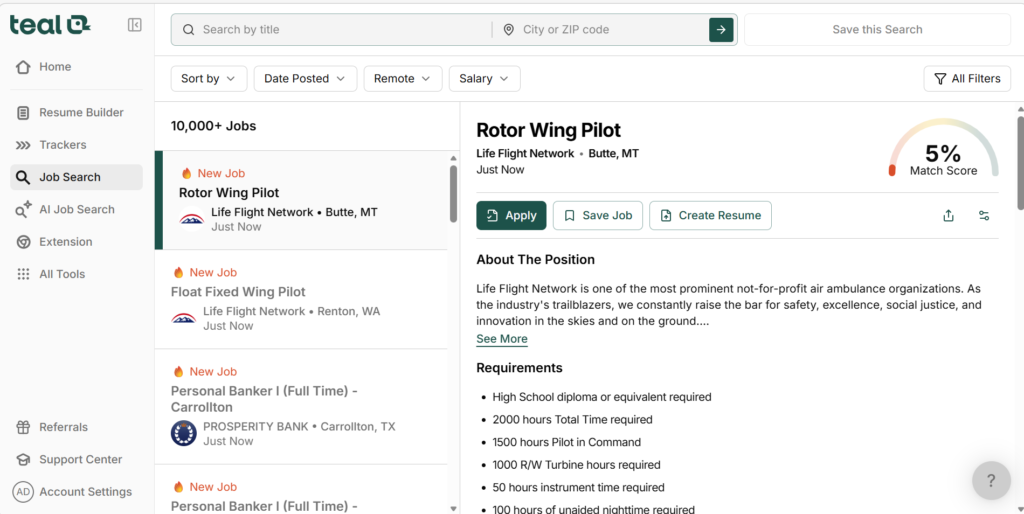
Tips & Tricks
Maximize your chances of landing interviews by keeping your application materials sharp and strategic.
- Regularly Update Your Resume: Every new skill, certification, or project counts. Keep your resume fresh so it reflects your most recent achievements and strengths.
- Leverage Teal’s Analytics: Track which resume versions perform best for different roles. See insights on recruiter engagement, keyword matches, and response rates to make data-driven improvements.
- Use AI Suggestions: Let Teal recommend edits for both resumes and cover letters. Improve phrasing, match keywords to job descriptions, and make your applications more compelling.
- Tailor Applications for Each Job: Avoid a “one-size-fits-all” resume. Customize your materials for each role using Teal’s suggestions to highlight the most relevant skills and experience.
- Optimize for ATS (Applicant Tracking Systems): Ensure your resume is formatted and keyword-optimized to get past automated screening systems. Teal can help identify missing keywords or phrases.
- Monitor Trends and Insights: See which industries or roles respond best to your applications and adjust your strategy accordingly.
- Keep a Feedback Loop: Use notes from interviews or recruiter responses to refine your future applications. Every bit of feedback can make the next application stronger.
With these tips and tools, Teal empowers you to work smarter—not harder—so your job search is strategic, efficient, and results-driven.
Resources & Support
Make the most of Teal’s tools with expert guidance and helpful resources whenever you need them.
- Step-by-Step Instructional Videos: Watch Teal’s video tutorials to learn how to create, optimize, and customize your resume. Each video walks you through every feature so you can use the platform confidently.
- Blog & Tutorials for Advanced Tips: Explore Teal’s blog for in-depth guides, career strategies, and insider advice on improving your job search, writing cover letters, and standing out to recruiters.
- Interactive Guides & Templates: Access ready-made resume and cover letter templates, along with tips for tailoring them to different industries or roles.
- Responsive Support Team: Contact Teal’s support for any questions—technical issues, resume advice, or application strategy. Get personalized help to keep your job search moving smoothly.
- Community & Networking Resources: Connect with other Teal users through forums or discussion groups to share tips, ask questions, and gain insights from peers.
- Regular Updates & Alerts: Stay informed about new features, AI enhancements, and resources so your job search strategy is always current.
- Self-Paced Learning: Access resources anytime, anywhere—learn at your own pace and revisit tutorials whenever you need a refresher.
With Teal’s resources and support, you’re never alone in your job search. Every tool, tip, and expert insight is just a click away, helping you stay organized, confident, and competitive.
Ready to Level Up Your Career?
Take charge of your job search and make every application count with Teal.
- All Your Career Materials in One Place: Keep your resumes, cover letters, notes, and application history organized and accessible anytime, anywhere.
- Apply Smarter: Use AI-powered suggestions and analytics to tailor your applications for each job and maximize your chances of getting noticed.
- Track Every Opportunity: Monitor deadlines, follow-ups, and application status at a glance so nothing slips through the cracks.
- Land More Interviews: With optimized materials and organized strategies, you’ll spend less time managing your job search and more time landing the right opportunities.
- Start for Free Today: No risk, no commitment—get started immediately and experience a smarter, more efficient job search.
✨ Take control of your career now and turn your job search into a results-driven journey.
Find the Best AI Resume Builder for You
Teal is a powerful tool for managing your job search and creating resumes.
But depending on your needs, you may want something different.
Some tools focus more on:
- resume design
- AI writing
- ATS optimization
That’s why it’s good to compare multiple tools before choosing one.
Read our full guide here:
Inside, you will find:
- top tools for different situations
- simple comparisons
- tips to choose the right tool
Choose smarter and improve your job search results.