Your LinkedIn profile is not just a resume.
It is your personal brand.
It shows who you are.
It shows what you can do.
And it shows what value you bring.
Recruiters often check LinkedIn before they contact you.
So your profile needs to be clear and strong.
In 2026, you do not have to do this alone.
AI can help you improve your profile faster and smarter.
For example, AI can help you:
- Write a better headline
- Improve your “About” section
- Add strong keywords for recruiters
- Turn job tasks into achievements
- Make your text more professional
Maybe your headline is simple, like:
“Marketing Specialist”
AI can help you change it to something stronger, like:
“Marketing Specialist | SEO & Content Strategy | Helping Brands Grow Online”
See the difference?
It is clearer.
It shows skills.
It shows value.
You can also use AI to rewrite your experience section.
Instead of writing:
“I managed social media accounts.”
You can write:
“I managed social media accounts and increased engagement by 35%.”
AI helps you improve your wording.
But you still stay in control.
Now let’s look at how you can optimize your LinkedIn profile with AI step by step.
Improve Your Headline
Your headline is very important.
It appears under your name.
It is one of the first things recruiters see.
Do not write only your job title.
For example:
“Accountant”
This is too simple.
Use AI to create better headlines.
Ask AI to help you write:
Keyword-rich headlines
Add important skills and tools.
This helps recruiters find you in search.
Example:
Instead of:
“Digital Marketer”
You can write:
“Digital Marketer | SEO | Content Strategy | Google Analytics”
Now your profile includes keywords.
Industry-focused positioning
Show which industry you work in.
Example:
- “Software Developer – FinTech”
- “HR Specialist – Tech Companies”
- “Sales Manager – B2B Solutions”
This makes your profile more specific.
Specific profiles look more professional.
Clear value statements
Show what results you bring.
Example:
Instead of:
“Project Manager”
You can write:
“Project Manager | Helping Teams Deliver Projects On Time and On Budget”
This tells people your value.
Example Prompt for AI:
“Rewrite my LinkedIn headline to highlight my skills in ___ and make it more attractive for recruiters.”
You can also try:
“Give me 5 professional headline options based on my experience in ___.”
Upgrade Your About Section
Your “About” section tells your story.
It is your chance to explain who you are.
Many people write very short or unclear text.
AI can help you improve it.
Use AI to:
✅ Tell your story clearly
For example:
- What do you do?
- What is your experience?
- What are your goals?
Example:
Instead of a short text, AI can help you write a clear summary of your career path.
Add measurable achievements
Numbers make your profile stronger.
Example:
❌ “Improved sales.”
✅ “Increased sales by 20% in one year.”
AI can help you turn simple sentences into achievement-focused statements.
Use stronger professional language
Sometimes we write too simple.
AI can help you sound more professional.
For example:
Instead of:
“I helped with marketing tasks.”
You can write:
“I supported marketing campaigns and improved customer engagement.”
Tip:
Always edit the AI text.
Make it sound natural.
It should sound like you.
Optimize Keywords for Recruiters
Recruiters use keywords to search on LinkedIn.
If your profile has the right keywords,
you have more chances to appear in search results.
You can use AI to:
Analyze a job description
Copy a job posting.
Paste it into AI.
Ask it to find important keywords.
Example keywords:
- Project management
- Data analysis
- SEO optimization
- Team leadership
Extract keywords
AI can show you which skills are most important.
Then you can add them to:
- Your headline
- Your About section
- Your experience section
Suggest improvements
AI can compare your profile with a job description.
It can tell you what is missing.
This helps improve visibility in LinkedIn search 🔎
Improve Experience Descriptions
Many people only list job duties.
For example:
“Responsible for customer service.”
This is not strong.
Instead, focus on results.
Use AI to:
Focus on results
Example:
“I managed customer support and improved response time by 30%.”
Add impact
Show what changed because of your work.
Example:
“I created a new content strategy that increased website traffic by 40%.”
Use action verbs
Strong verbs make your profile better.
Instead of:
“Did marketing tasks.”
Use:
- Led
- Developed
- Improved
- Increased
- Managed
- Created
💬 Example Prompt:
“Turn my job responsibilities into achievement-focused bullet points.”
Create Engaging Posts
LinkedIn is not only a profile.
It is also content.
Posting regularly helps build your personal brand.
AI can help you:
Write LinkedIn posts
For example:
- Share a work experience
- Share a lesson learned
- Share industry tips
Share insights
You can ask AI to help explain complex topics in simple language.
Example:
“Write a short LinkedIn post about productivity tips for remote workers.”
Build personal branding consistently
AI can help you stay active.
But your ideas and experience are still important.
Use AI as a helper.
Not as a replacement.
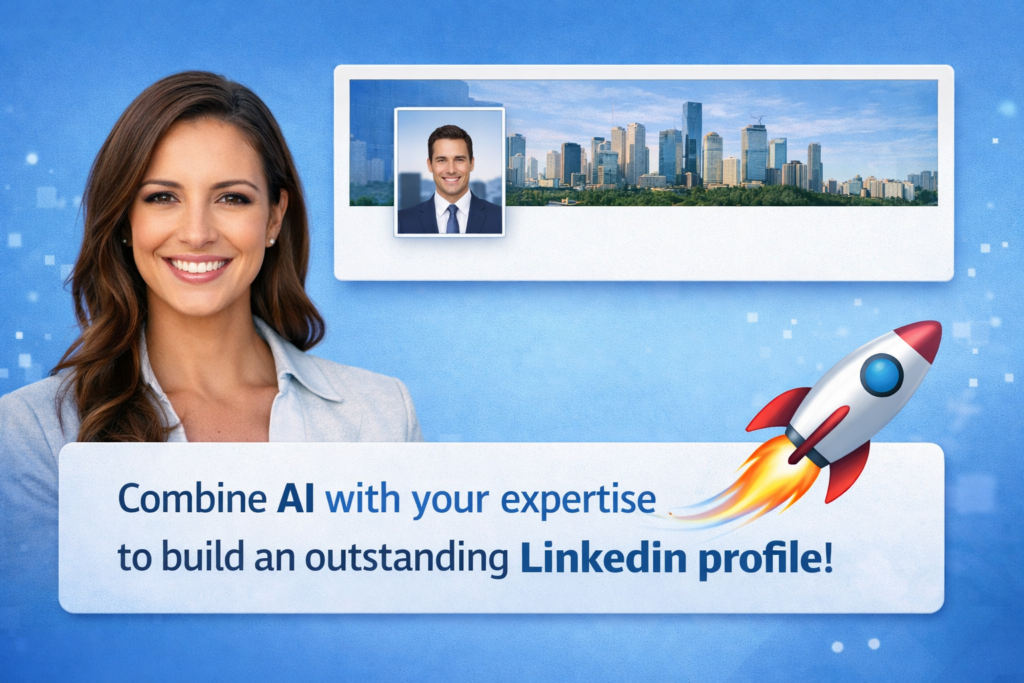
Improve Your Profile Photo and Banner
Your photo and banner are very important.
They are the first impression.
When someone visits your profile, they see your photo first.
Before they read anything.
This means your image must look professional.
Your Profile Photo
Business photos have rules.
Here are some simple guidelines:
- Use a clear, high-quality image
- Use good lighting
- Look at the camera
- Dress professionally
- Use a simple background
- Smile naturally
Avoid:
- Blurry photos
- Group photos
- Selfies in casual places
- Very dark images
Your photo should look clean and professional.
It should build trust.
If you do not have a good background, you can use AI tools.
For example, AI can:
- Remove the background
- Replace the background with a simple office-style background
- Improve image quality
- Make the photo clearer
- Adjust lighting
This can help you look more professional.
Your Banner (Cover Image)
Many people leave the banner empty.
This is a missed opportunity.
Your banner can show:
- Your profession
- Your skills
- Your industry
- Your personal brand message
For example:
- A simple background with your job title
- A short professional slogan
- Your main skills
- A clean design related to your industry
The banner should not be crowded.
Keep it simple.
Think of it as a visual summary of who you are.
💡 Important Reminder
Your photo and banner are not decoration.
They are part of your personal brand.
If they look professional,
your whole profile looks stronger.
If they look weak,
your profile may look less trustworthy.
AI can help you improve them,
but always make sure the final result looks natural and realistic.
Conclusion
Optimizing your LinkedIn profile with AI can save you time and help you improve your results.
AI can help you write a stronger headline, improve your About section, add the right keywords, and turn your experience into achievement-focused statements. It can also help you create better posts and build your personal brand consistently.
But remember — AI is a tool. You are the expert. Always review and edit the text so it sounds natural and authentic. And do not forget about the basics: a professional photo and a clean banner. They create your first impression.
When you combine your experience with smart AI support, your LinkedIn profile becomes stronger, clearer, and more attractive to recruiters.
Upgrade Your Resume with AI
Your LinkedIn profile is important.
But your resume still matters most.
Read our full guide:
Find the best tools to create a strong and professional CV.