Writing is a big part of student life. You write essays, reports, notes, and presentations. Sometimes it takes a lot of time. Sometimes it is hard to start.
AI writing tools can help. They can give ideas, help you write faster, and fix mistakes. They can also help with research by explaining topics and suggesting information. But remember: AI should help you, not replace your thinking. Always ask for sources and check them, because AI can sometimes give incorrect information. You can learn more about this in our guide about AI hallucinations:
In this guide I will show you five AI writing tools that many students use today. If you want to see a full list of the best AI writing tools for 2026, check out our pillar article here:
ChatGPT – The Most Flexible AI Writing Tool
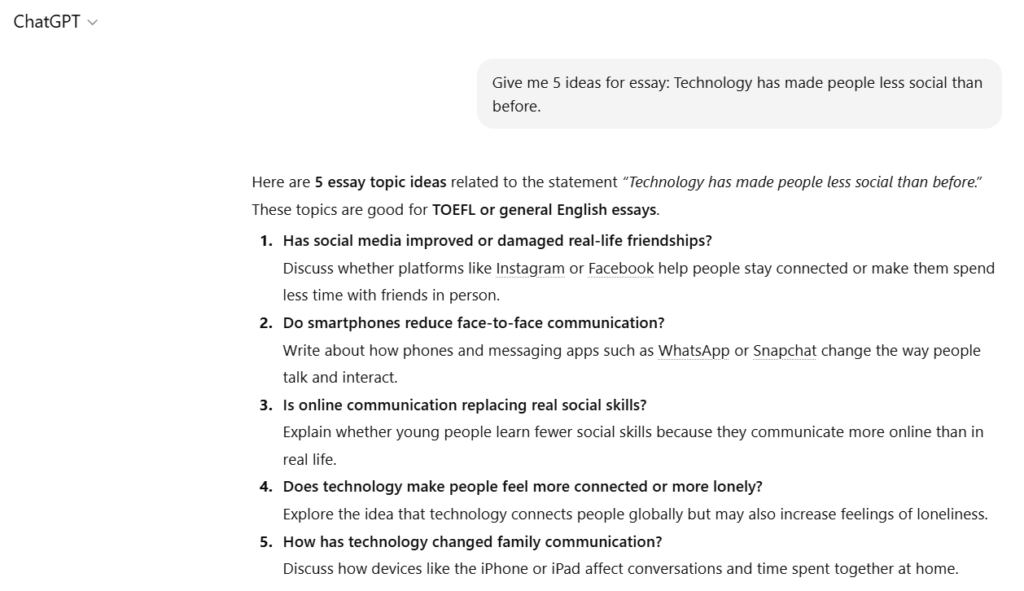
ChatGPT is one of the most popular AI writing tools today. It can help with many writing tasks.
You can ask it to help with:
- essay ideas
- outlines for papers
- summaries of topics
- explanations of hard subjects
For example, if you need to write an essay, you can ask ChatGPT to create a simple outline. Then you can write your own text using that structure.
Many students use it as a thinking partner when they feel stuck.
Best for:
- starting essays
- making outlines
- explaining topics
💡Tip:
ChatGPT is free to use, but it is better to create a free account and log in. When you are logged in, you can do more things. For example:
- save your conversations and come back to them later
- continue the same chat when working on a project
- upload files or text and ask questions about them
- generate images for presentations or school projects
- ask follow-up questions and build better answers step by step
This makes ChatGPT much more useful when you are studying or working on longer assignments.
Grammarly – Fix Grammar and Make Text Clear
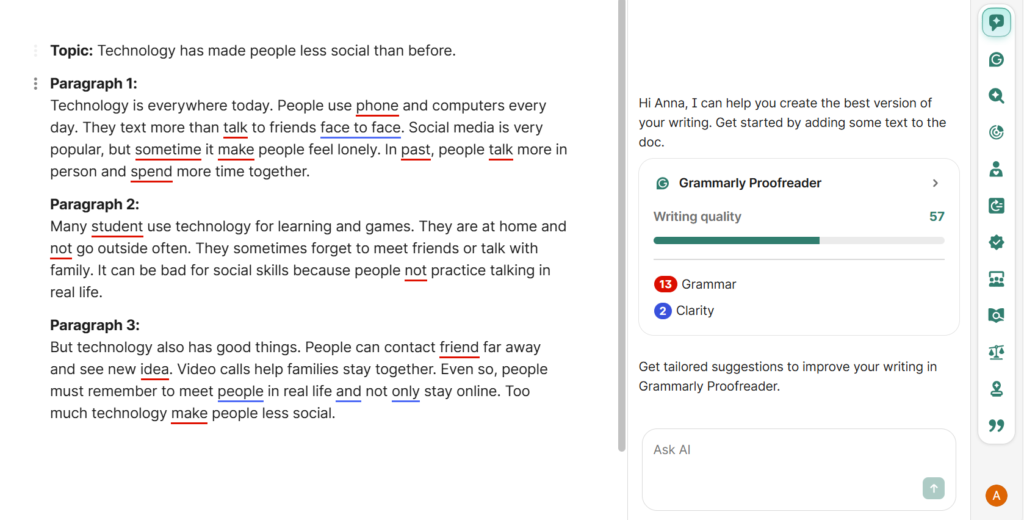
Grammarly is a tool that checks your writing.
It helps you fix:
- grammar mistakes
- spelling errors
- unclear sentences
It also suggests better words. This can make your writing sound more natural and professional.
Many students write their text first and then use Grammarly to polish the final version.
Best for:
- grammar checking
- improving sentence clarity
- final editing before submission
For students, the Grammarly free plan is enough for basic writing help. It checks spelling, grammar, and some simple punctuation, which is great for essays, notes, and emails. However, if you want advanced features like style suggestions, clarity improvements, tone detection, vocabulary enhancements, or plagiarism checking, you need to pay for the Premium plan. The free version is perfect to start, but Premium unlocks tools that help make your writing more professional and polished.
💡 Tip:
When you use Grammarly, don’t just accept every suggestion automatically. Read each suggestion carefully and decide if it fits your meaning and style. Sometimes Grammarly wants to change your words, but your original idea might be better.
Also, use the tone detector and clarity suggestions. They help your writing sound confident and easy to read, not just correct. For students, this is great for essays, emails to teachers, or reports — it makes your text look professional while keeping your own voice.
For a full overview, check our Grammarly review here and the step-by-step tutorial here on AIContent-Tools.
QuillBot – Simple Tool for Paraphrasing
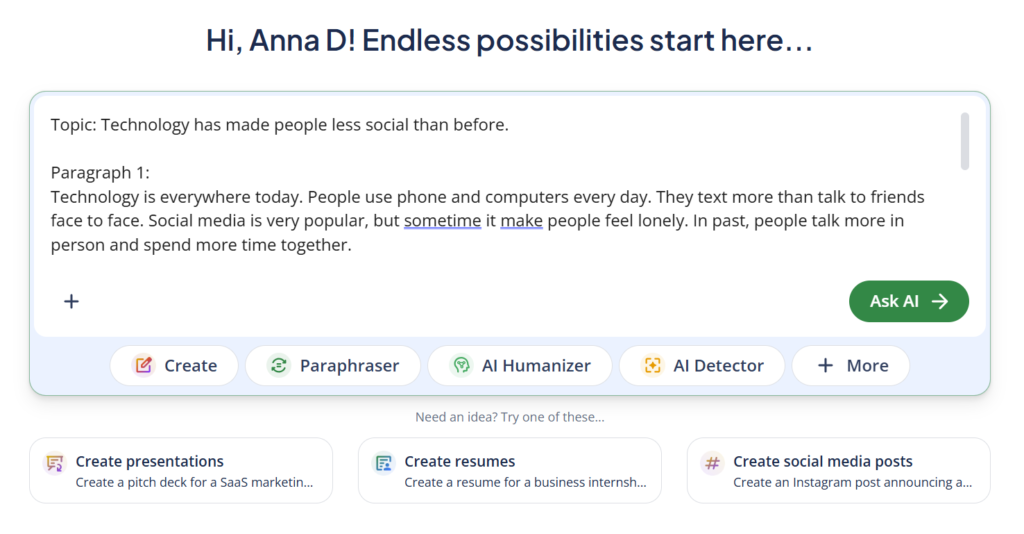
QuillBot is known for one main feature: paraphrasing.
Paraphrasing means rewriting a sentence using different words but keeping the same meaning.
This tool can help when:
- your sentence sounds strange
- you repeat the same words
- you want a smoother sentence
You paste your text and QuillBot suggests new versions.
Best for:
- rewriting sentences
- improving flow
- avoiding repeated words
For students, QuillBot has a free version that is quite useful for basic writing help. With the free plan you can:
- Paraphrase text (rewrite sentences in a different way)
- Use a few writing modes (like Standard or Fluency)
- Rewrite shorter pieces of text at a time
However, the free plan has limits — you can only paraphrase smaller sections and some advanced options aren’t available.
To get more features, you need the Premium plan. With Premium you can:
- Paraphrase larger text blocks at once
- Use all writing modes (like Creative, Formal, Shorten, etc.)
- Get better quality rewrites and more suggestions
- Access higher word limits for each task
Many students find the free plan fine for short paragraphs or quick rewrites, but if you work with long essays or lots of text, Premium makes the process faster and easier.
💡 Tip:
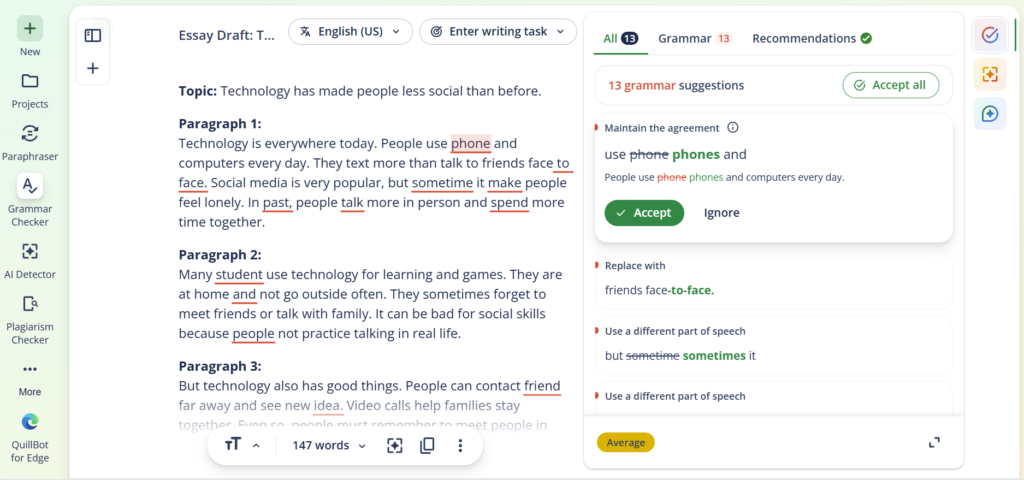
When using QuillBot, try different writing modes to see which one fits your text best. For example, use Fluency to make sentences smoother, Formal for essays, or Creative to make your writing more interesting.
Also, don’t rely on QuillBot alone — always read the output carefully. Sometimes the AI changes the meaning of a sentence slightly. Combine QuillBot with Grammarly to fix grammar and style after paraphrasing. This gives you polished and natural-sounding text.
Writesonic – Fast Tool for Draft Writing
Writesonic is good when you need to create text quickly.
You can use it to generate:
- article drafts
- short essays
- summaries
- ideas for topics
Students often use it to create the first draft. After that, they edit and improve the text.
AI drafts are not perfect, but they can save time when you do not know how to start.
Best for:
- first drafts
- quick writing ideas
- simple article writing
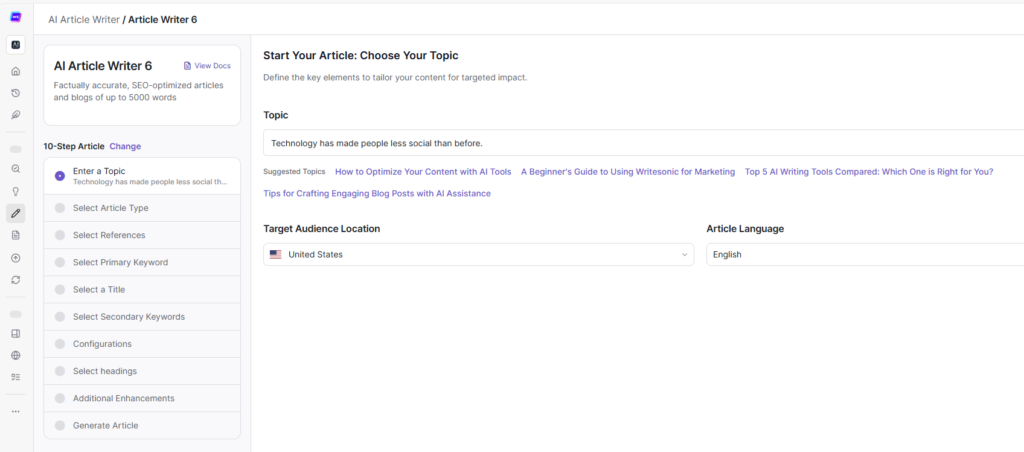
For students, Writesonic offers a free plan that is easy to start with. On the free plan, you get a limited number of words you can generate each month — usually enough for short paragraphs, quick ideas, or small writing tasks. This is great when you want to test the tool or when you only need help with one or two assignments.
If you need to write long essays, multiple pages, or many pieces of text, the free word limit can run out quickly. To get more, you need to upgrade to a paid plan. Paid plans give you much higher word limits, access to advanced templates, and features like long‑form writing support, priority processing, and more generation options. So the free version is good for basic use, but if you work on big projects or many assignments each month, paying for a plan makes Writesonic much more useful.
💡 Tip:
When using Writesonic, start with the short-form templates (like paragraph, summary, or idea generator) if you are a student. They are quick and give you good text to build on.
Also, always review and edit what the AI writes — it can give extra ideas or phrases, but your own voice makes the essay or report better. If you need longer essays, consider splitting the text into sections and generate each part separately. This helps keep the content clear and easier to edit.
Want to learn more? Check out our Writesonic tutorial or read the Writesonic review for a full breakdown of the tool.
Frase – Helpful Tool for Research
Frase is a bit different from the other tools.
It helps you understand a topic before writing.
Frase can:
- show common questions about a topic
- help organize sections of an article
- suggest ideas for headings
This is useful when you write longer papers or reports.
Best for:
- research
- planning articles
- building a clear structure
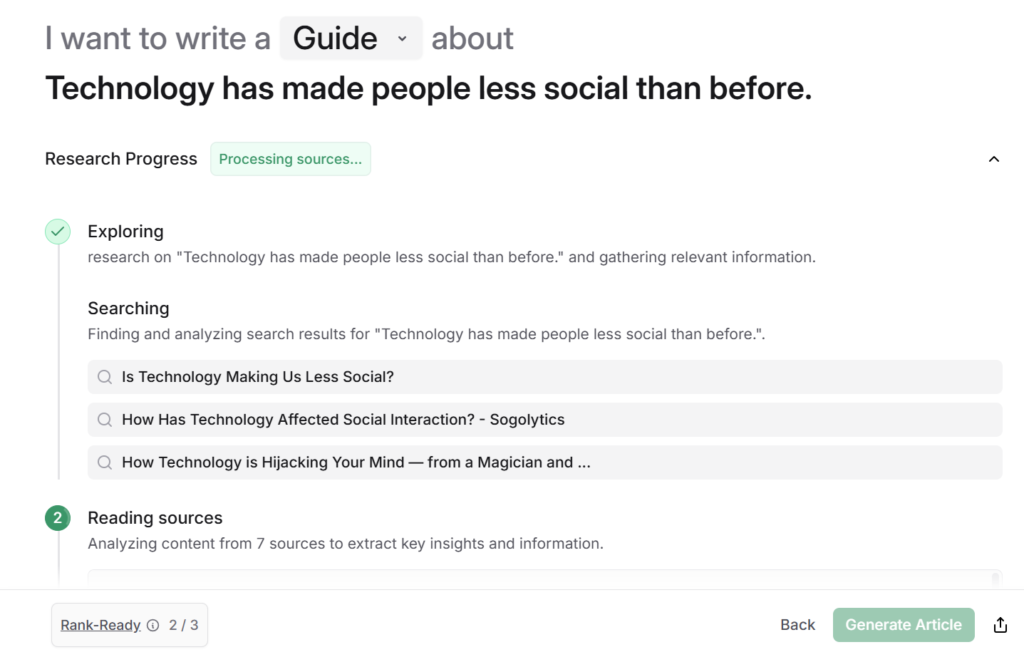
For most students, Frase doesn’t offer a large free plan like some other AI writing tools — but you can start with a free trial to test it and see if you like the features before paying. The free trial lets you explore research and writing tools without a credit card.
If you decide to pay, plans start from around $39–$49 per month for solo use. This gives you AI content tools plus the ability to analyze topics, create outlines, and start writing longer articles with SEO help.
The paid plans are designed more for people who do lots of writing or research, so the free trial is good for basic exploration — but if you’re working on many long papers or projects each month, you’ll likely need to upgrade to get enough content projects and AI assistance.
In short:
✔ Free trial: good for testing and a few tasks
✔ Paid plan: needed for regular long‑form writing, research tools, and project limits
💡 Tip:
When using Frase, start with the AI research and outline tools before writing. It can quickly show you common questions, key topics, and structure ideas for your essay or report.
Also, use it to break your work into sections. Generate one section at a time and then edit carefully. This helps keep your text organized and makes it easier to check grammar and clarity afterward.
For students, combining Frase with Grammarly or QuillBot is smart: Frase helps plan and structure, while the others polish your sentences.
How Students Can Use AI Writing Tools the Smart Way
AI tools work best when you use them step by step.
A simple process can look like this:
- Use ChatGPT to create an outline.
- Write your first draft.
- Use Writesonic if you need more ideas.
- Improve sentences with QuillBot.
- Fix grammar with Grammarly.
This way you stay in control of your work.
Final Thoughts
AI writing tools can make student life easier. They help you start faster, write clearer, and save time.
But the most important thing is still your own thinking and ideas.
Use AI as a helper. Not as a shortcut.
When used the right way, tools like ChatGPT, Grammarly, QuillBot, Writesonic, and Frase can become great study partners.