Google’s new AI Overviews show short answers at the top of search results. When an AI Overview appears, many people get the answer right away and don’t click any links. This means the click-through rate (CTR) – the percent of searchers who click your page – often falls. In this article, we explain in plain terms why CTR tends to drop with AI Overviews. We use clear examples, expert data, and practical tips to help site owners understand and adapt.

What is Click-Through Rate (CTR)?
CTR, or click-through rate, measures how many people click your link after seeing it in search results. For example, if 100 people see your page listed in Google and 5 people click it, your CTR is 5%. A high CTR means your result is attracting many clicks.
In normal Google search results, users click the blue links to visit pages. But when AI Overviews answer the query, that behavior changes. Understanding CTR helps site owners know how search changes affect traffic.
What are AI Overviews?
AI Overviews are Google’s new AI-powered answer boxes on search results. Instead of showing just a snippet from one website, Google’s AI Summary (Overview) writes a short answer using multiple sources. It looks like a big answer box at the top of the page, with links to “Learn more.”
Google’s goal is to help people find information quickly by giving a fast answer and links for details. That means searchers sometimes get what they need without clicking any normal result. Being featured as a source in an AI Overview can help a site’s visibility, but it does not guarantee clicks. (Google even notes that AI Overview clicks tend to be more engaged and lead to longer visits.)
Why CTR Drops When AI Overviews Appear
When an AI Overview shows up for a query, it often gives the answer right on the search page. This is the main reason CTR drops:
- Answers on the page: If users read the answer directly in the AI box, many won’t click a link. They got what they needed. For example, imagine you have the #1 ranking page for “how to clean a sofa.” If Google’s AI answers the cleaning steps in the Overview box, a lot of searchers will simply read that and skip the blue links. In this case, your page’s CTR can fall a lot.
- Less need to click: People want quick answers. When Google provides one, the incentive to click lowers. This especially hits “how to” or informational queries, where AI Overviews often appear. Many studies show that when an AI Overview is present, the CTR on organic results goes down. Google itself says AI Overviews are for helping users “understand a topic faster,” which means users might not need to click on any result.
- Competition with links inside the answer: Even if your page is cited in the AI Overview, that link competes with other parts of the answer. All the links in the AI box share one position. If users click in the Overview, they might click other sources, not yours, or not click at all.
These effects are strongest for informational queries (like “benefits of green tea” or “best study techniques”). If your site is just giving facts or tips, Google’s AI may answer from multiple sources, and clicks drop. CTR drops even for brand and commercial searches when AI Overviews show up.
On top of that, search behavior is changing overall. Recent data suggests users are clicking less even when AI Overviews are not present, possibly because they use tools like ChatGPT or social search before clicking. This broader trend can make CTR drops more severe for everyone.
What Studies and Data Tell Us
Industry studies confirm the big CTR drop with AI Overviews. For example:
- Seer Interactive study: Seer found that for informational queries that show AI Overviews, the average organic CTR fell from 1.76% to 0.61% (about a 61% drop) between mid-2024 and late 2025. In other words, only 0.61% of viewers clicked an organic result on those queries, compared to 1.76% before AI Overviews. Paid search ads on those queries also saw a big drop (from 19.7% to 6.34%). Seer notes that queries without AI Overviews also lost some clicks, but not as steeply – indicating AI Overviews played a major role.
- Ahrefs analysis: Ahrefs looked at 300,000 keywords and found that having an AI Overview was associated with about a 34.5% lower CTR for the top-ranking page, compared to similar queries without an AI Overview. This confirms that the top result gets many fewer clicks when the AI answer is there.
- Amsive Media study: In a large analysis of five industries, queries with AI Overviews saw an average CTR drop of -15.5%. Non-branded queries (general topics) were hurt most, with about a -20% drop. Even overlapping AI Overviews and Featured Snippets caused a huge -37% drop in CTR. Interestingly, purely branded searches (like exact company names) were less affected, and sometimes even saw a small boost in CTR when an AI Overview appeared.
The table below illustrates these differences. In one study, pages ranking in search had very low CTR if an AI Overview was present, especially if the page was not cited in that AI answer. In contrast, when there was no AI Overview, pages got higher CTR. (Note that actual CTR numbers vary by query and industry.)
| Search scenario | Typical Organic CTR |
|---|---|
| No AI Overview (normal search results) | ~1.4–1.6% |
| AI Overview present, your site cited | ~0.6–0.7% |
| AI Overview present, your site not cited | ~0.5% |
Table: Example of average organic CTR in different scenarios (from SEO studies). A lower percentage means fewer clicks. Pages cited by the AI Overview (second row) do better than those not cited, but both are lower than normal.
These numbers show a clear pattern: AI Overviews on a query tend to cut CTR sharply. Even if your page is cited (row 2), the CTR (about 0.7%) is still much less than a similar query without an AI answer (1.4%). When you aren’t cited (row 3), CTR can be even lower.
What Site Owners Can Do
The drop in clicks is worrying, but site owners can adapt. Here are some friendly tips and insights:
- Remember, you still rank in search: Google still includes your page in AI Overviews and in regular results. You just share space with the AI answer. Focus on high-quality content that answers user questions clearly. Google says to use the same SEO best practices as always – good content, site structure, and usability. This keeps you eligible for all features.
- Aim to be cited by the AI: If your content is especially clear and helpful, Google’s AI may use it as a source. Studies show that being cited in the AI Overview boosts your CTR compared to not being cited. For example, Seer found cited brands got about 35% more organic clicks than non-cited ones. Put your best answers and facts near the top of your pages to increase this chance.
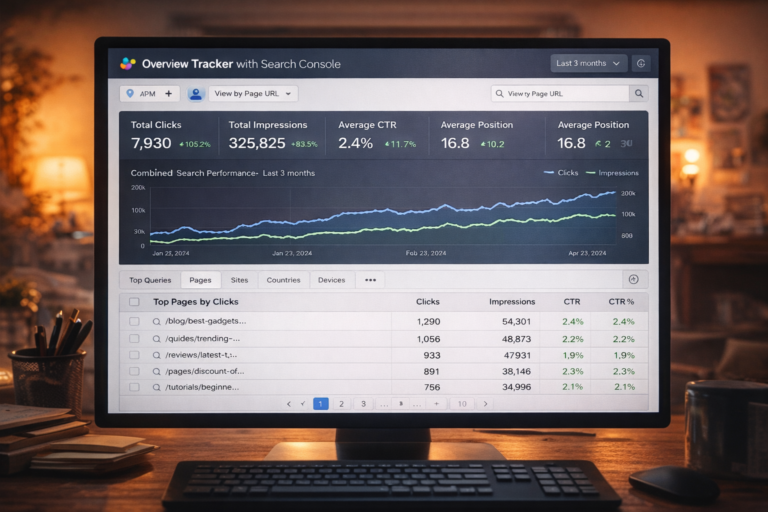
- Track the impact: Use Google Search Console to check your clicks, impressions, and CTR trends. Google counts clicks from AI Overviews as normal clicks, so you can see the effect on your traffic. Look for any big changes in queries or pages that might align with AI Overviews appearing. Specialized tracking tools (or the free template linked in the context articles) can help you know when AI answers are triggering.
- Measure value beyond clicks: Since clicks alone may fall, also look at other results: Are visitors who do click staying and converting? Google notes AI Overview clicks can be higher quality – users read more on your site. So pay attention to things like time on page or conversions, not just raw CTR.
- Focus on intent: Move toward queries where you can capture intent outside AI answers. For example, prioritizing commercial or branded keywords (which are less likely to trigger an AI Overview) can help. Amsive suggests focusing on high-intent, mid- to bottom-funnel searches, as those drives engagement even with AI answers around.
- Use featured snippets and other SEO features: AI Overviews are new, but featured snippets (the old answer boxes) still appear. In fact, the Amsive guide notes that getting a featured snippet can help maintain clicks, because people still click those more than the AI box. Well-optimized FAQ lists, numbered steps, and clear short answers can win both snippets and serve users.
In short, CTR drops are largely a result of search changing, not a flaw in your site. Google confirms no special tricks (like schema) are needed for AI Overviews – just good, clear content.
FAQ
❓ Why does my site’s CTR go down when Google shows an AI Overview?
A: Because the AI Overview gives an answer directly on Google, many users don’t click any links. They got what they needed from the answer box. This cuts down the number of clicks on your page. It’s especially true for informational queries where people just want the info (like “how to” questions).
❓ Are clicks from AI Overviews counted in Google Search Console?
A: Yes. If someone clicks your link in an AI Overview panel, Search Console counts it like a normal click. It also counts impressions when your link is visible (you may need to scroll to see it). However, Search Console won’t label these as “AI Overview clicks” specifically – they show up under normal search traffic.
❓ Does being cited in an AI Overview help me?
A: Definitely better than being ignored. Studies show that pages cited by the AI get more clicks than those that aren’t. For example, Seer found cited pages earned about 35% more organic clicks. While the CTR is still lower than no AI Overview, being in the answer box gives you a share of the voice.
❓ How do I know if AI Overviews are hurting my traffic?
A: Watch your Search Console data. A sudden drop in CTR on informational queries might match AI Overview triggers. The provided site suggests tracking keywords and checking SERPs for AI answers. Tools like the Google Search Console Performance report, plus an AI-Overview tracking tool, can tell you when AI answers appear so you can compare metrics.
❓ Should I add special schema or markup to appear in AI Overviews?
A: No special code is needed. Google says any page that follows basic SEO rules can appear in AI answers. Focus on clear content and good page structure. You can’t force being in an AI Overview, but you can prepare by writing helpful, well-organized answers on your pages.
Q: If CTR drops, should I worry? What should I focus on instead?
A: Don’t panic, but adapt. CTR may no longer be the only success metric. Experts suggest shifting to visibility and engagement metrics (like share of voice in AI results, conversions, etc.). Make sure to measure the quality of visits you still get. A small drop in clicks might be fine if the remaining traffic is more targeted and engaged.
❓ Will Google change AI Overviews if CTR stays low?
A: It’s hard to say. Google’s goal is to help users, and so far they see AI Overviews as a feature, not a bug. Even Google’s CEO has noted that including links in the Overview should raise CTR for those links. For now, accept that some queries will give answers on the page. Keep an eye on how search evolves, but focus on producing great content. Good content always finds its audience, even as Google’s format changes.