
Welcome to Etsy AI Lab.
Etsy AI Lab was created to help Etsy sellers save time, improve listings faster, and grow their shops more easily. The goal is simple — help you create better Etsy listings that can attract more views, more clicks, and hopefully more sales.
You do not need to be an SEO expert or professional copywriter. The app helps you step by step and makes many difficult parts easier to understand.
Think about it like a small Etsy workspace.
You can create listings, improve them, audit them, translate them, and keep everything in one place.
Dashboard
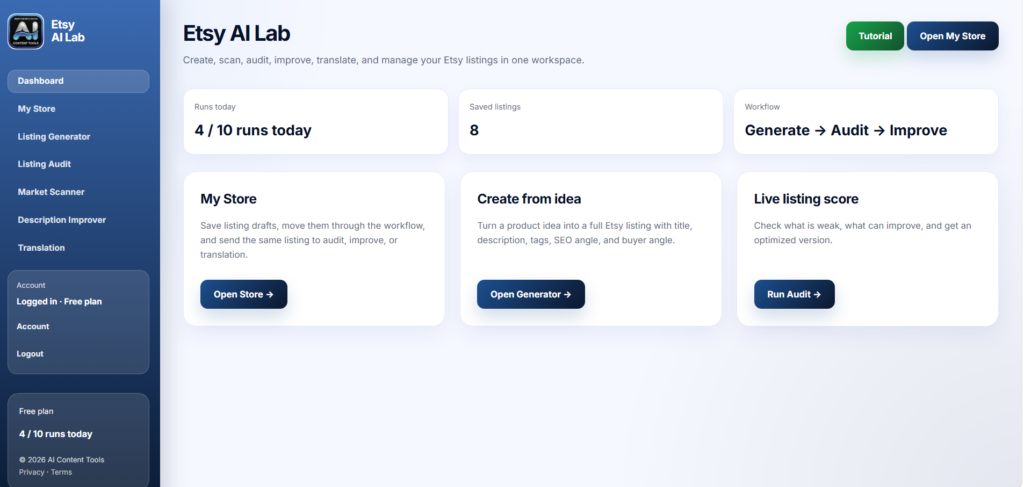
The Dashboard is your main home page.
Here you can quickly:
- open My Store
- create a new listing
- run an audit
- check your workflow
- see how many runs you used today
It is made to feel simple and clean, so you can move fast without getting lost.
Listing Generator
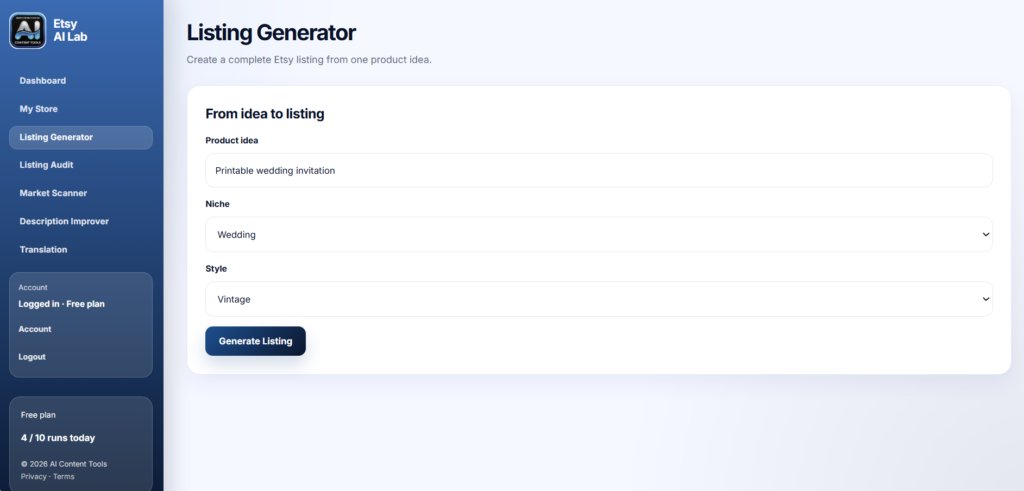
This is usually the first tool people use.
You start with only one product idea.
Example:
- printable wedding invitation
- crochet bag
- cat toy
- digital planner
Then choose:
- niche
- style
Click Generate Listing.
The AI creates:
- title
- description
- tags
- SEO angle
- buyer angle
This is very helpful when:
- you do not know how to start
- you feel stuck
- you want ideas faster
- you want a more professional Etsy listing
You can copy parts separately or save everything directly to My Store.
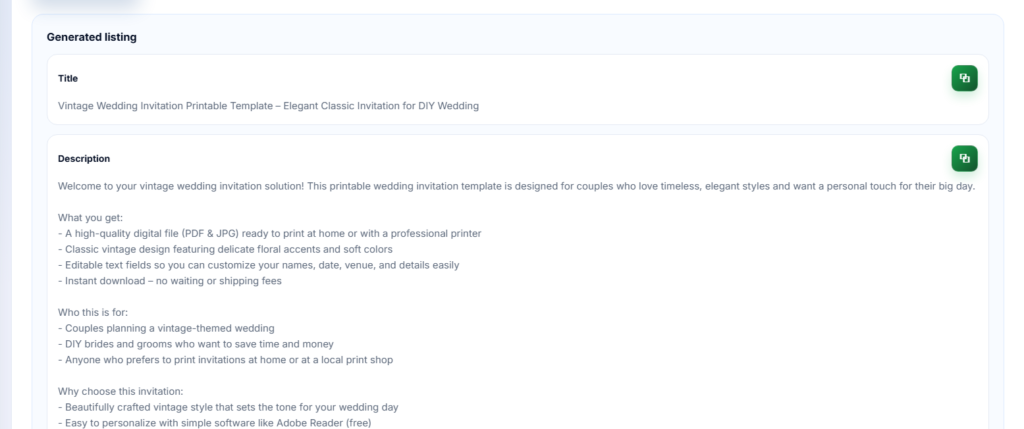
After the listing is generated, you will see several sections. Each part has a different purpose and helps you build a stronger Etsy listing.
Title
The title is made to be more Etsy SEO friendly.
The AI tries to combine important keywords with a natural style that still sounds readable for buyers.
A better title can help:
- improve Etsy search visibility
- attract more clicks
- explain the product faster
Description
The description explains the product in a clearer and more professional way.
The AI usually includes:
- product details
- benefits
- gift ideas
- buyer-focused language
- easy-to-read formatting
This helps your listing feel more complete and trustworthy.
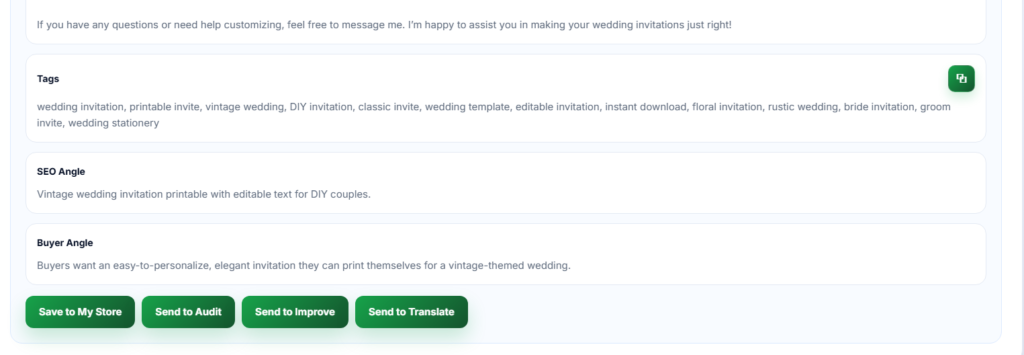
Tags
The tags section gives Etsy keyword ideas related to your product.
These tags are useful because Etsy search depends heavily on keywords.
Good tags can help your products appear in more searches.
You can:
- copy all tags
- edit them
- test different combinations later
SEO Angle
The SEO Angle explains the search strategy behind the listing.
It may focus on:
- trending keywords
- long-tail searches
- buyer intent
- seasonal traffic
- low competition ideas
This section helps you understand why certain keywords were chosen.
Buyer Angle
The Buyer Angle focuses more on emotions and customer interest.
For example:
- gift-focused
- cozy feeling
- luxury style
- handmade feeling
- practical everyday use
This part helps the listing sound more natural and appealing to real buyers, not only search engines.
Save or Continue the Workflow
After generating a listing, you can:
- save it to My Store
- send it to Audit
- improve the description
- translate it for another market
This makes the workflow much faster because you do not need to copy and paste everything manually between tools.
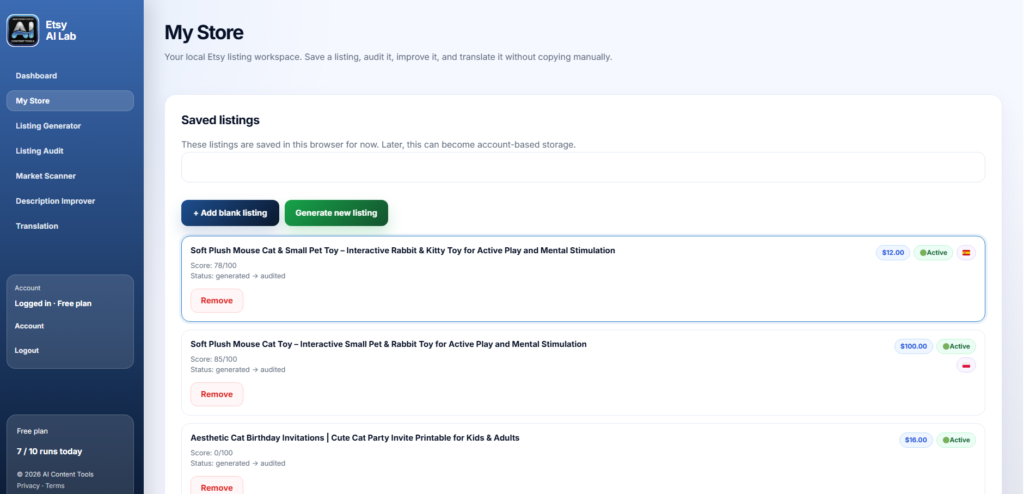
My Store
My Store is your Etsy Lab workspace.
Here you can:
- keep saved listings
- organize projects
- open older versions
- continue work later
- move listings between tools
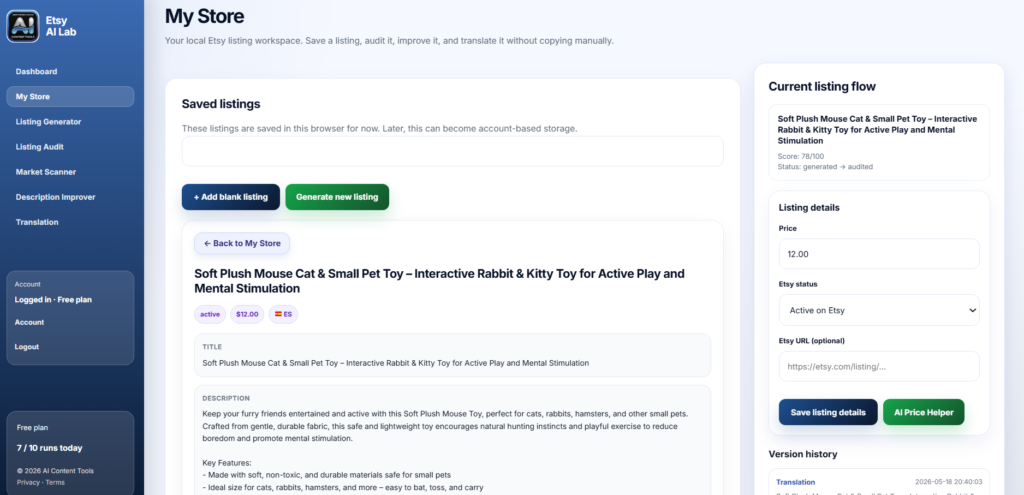
When you click a listing, you can:
- edit details
- add price
- add Etsy URL
- mark listing as active or draft
- open version history
This is useful because you do not lose your work while testing ideas.
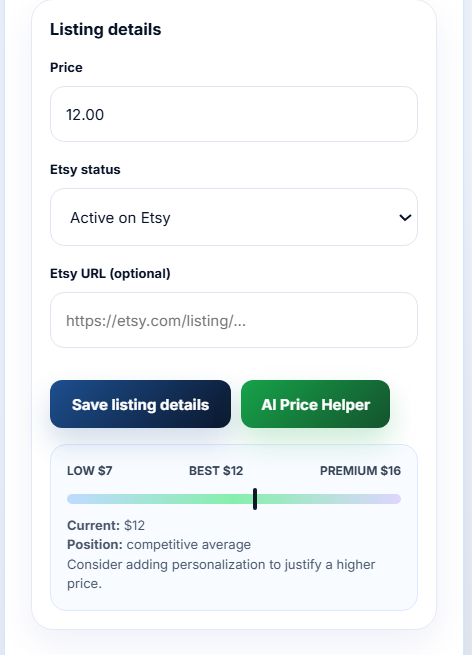
You can also use the AI Price Helper.
The AI Price Helper gives estimated pricing ranges based on your product type and listing information. It can help you:
- avoid pricing too low
- understand possible value ranges
- compare beginner and premium pricing ideas
- test better pricing strategies
This is especially useful for new Etsy sellers who are not sure how much they should charge for digital or handmade products.
This is useful because you do not lose your work while testing ideas.
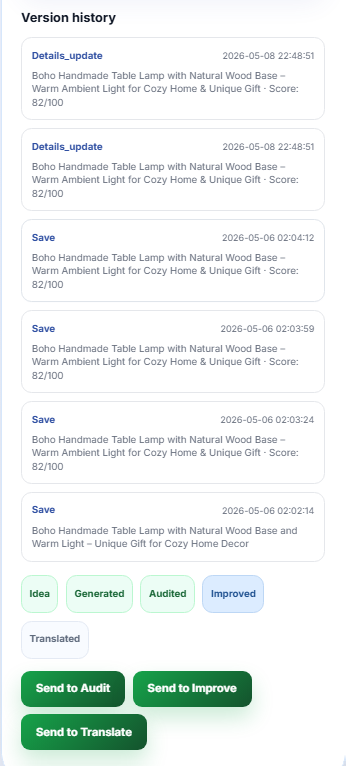
Version History
Etsy AI Lab also saves different versions of your listings inside Version History.
This is helpful because you can go back and compare older versions later instead of losing your previous work.
The history may include:
- generated versions
- audit versions
- improved descriptions
- translated versions
- saved edits
This makes it easier to test ideas and improve listings step by step.
For example, you can:
- compare old and new titles
- check how your description changed
- test different SEO styles
- keep multiple language versions
Version History is especially useful when you want to experiment without worrying about losing a good version of your listing.
Listing Audit
The Audit tool checks your Etsy listing and shows what can be improved.
Paste:
- title
- description
- tags
Then click Analyze Listing.
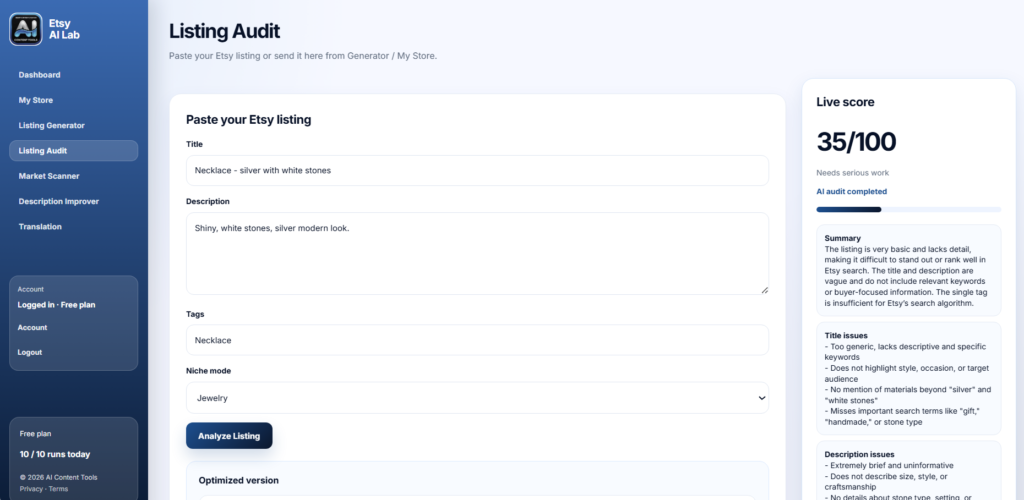
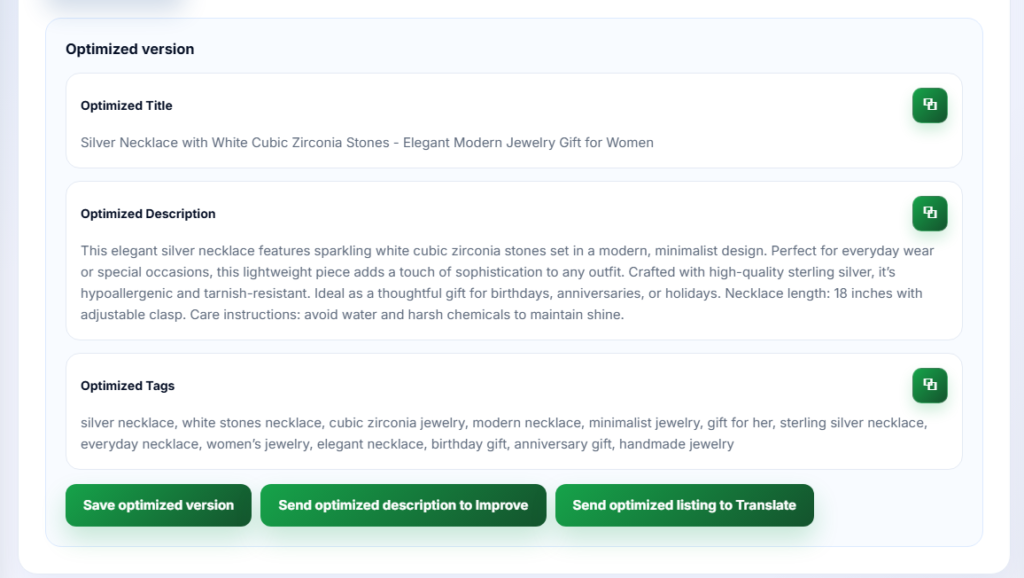
The system gives:
- live score
- weak points
- optimization ideas
- improved version
It helps you understand:
- why a listing may not rank
- why buyers may not click
- where keywords are weak
- where descriptions sound too generic
This is one of the best tools if you already have listings on Etsy.
Description Improver
Sometimes a listing is “okay” but sounds boring or too short.
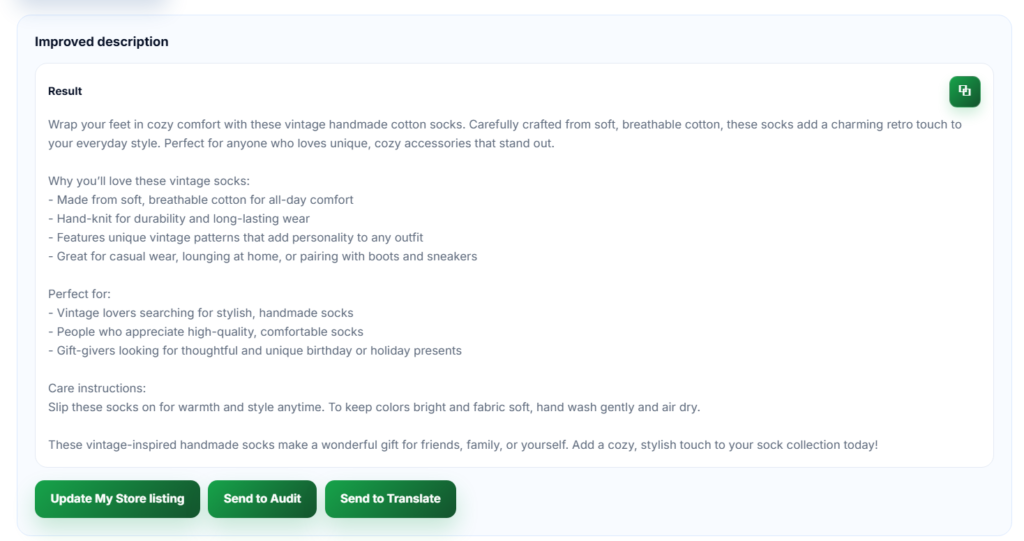
Description Improver helps with that.
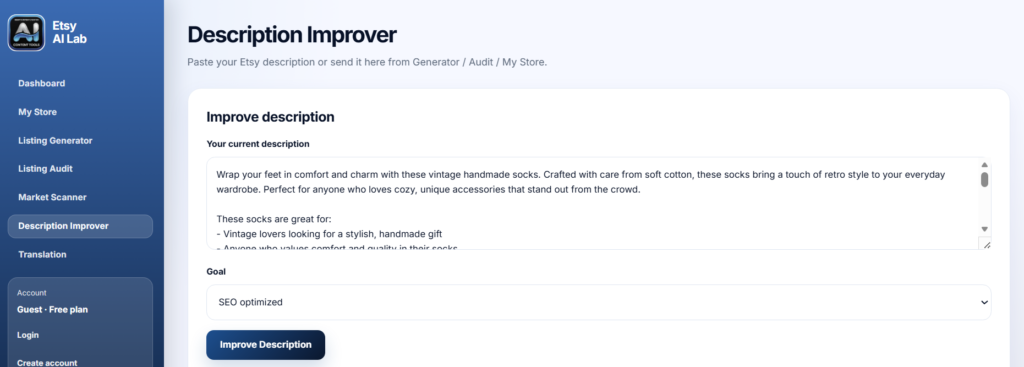
Paste your current description and choose a goal.
Example goals:
- more SEO
- more sales
- more emotional
- easier to read
- more natural
Then the AI rewrites the text in a better way.
This tool is very good for:
- older listings
- low-conversion listings
- handmade products
- digital products
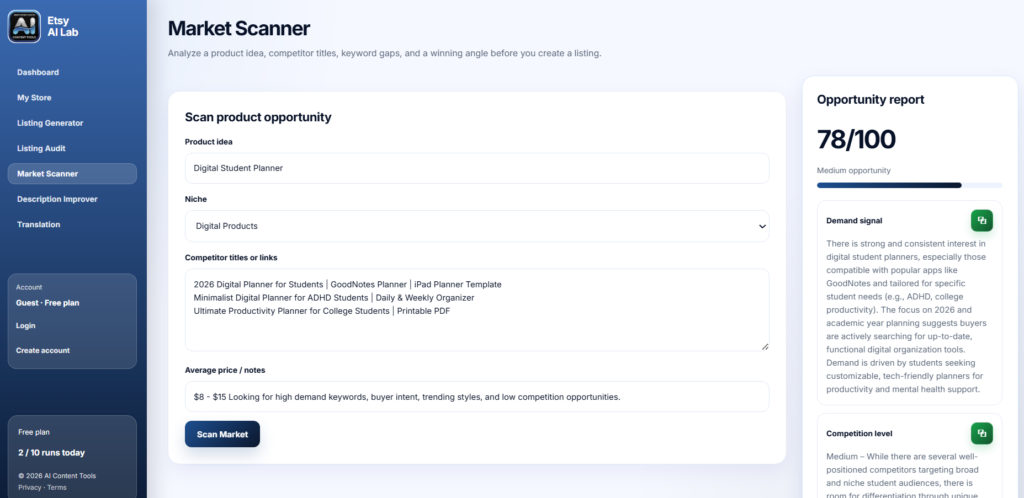
Market Scanner
This tool helps before creating a listing.
You can paste:
- product idea
- competitor titles
- competitor links
- pricing notes
Then Etsy AI Lab creates an opportunity report.
It shows:
- competition level
- possible keyword gaps
- pricing direction
- product angle ideas
This can help you avoid entering niches that are too crowded.
Translation
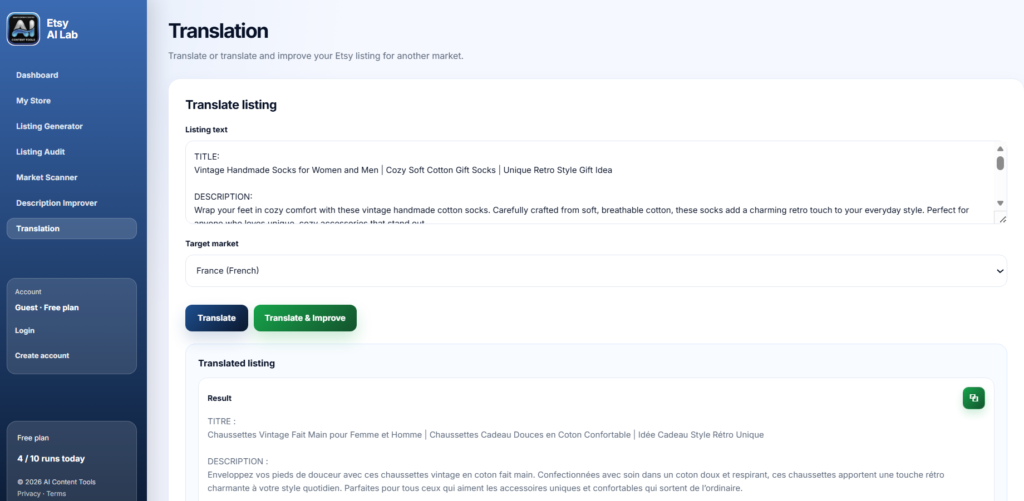
Translation helps you reach buyers in other countries.
Paste:
- title
- description
- tags
Choose target market:
- German
- French
- Spanish
- Polish
- Japanese
- and more
You can:
- translate only
- translate and improve
This is useful because direct translation is often not enough for Etsy SEO.
Different countries search in different ways.
Workflow Example
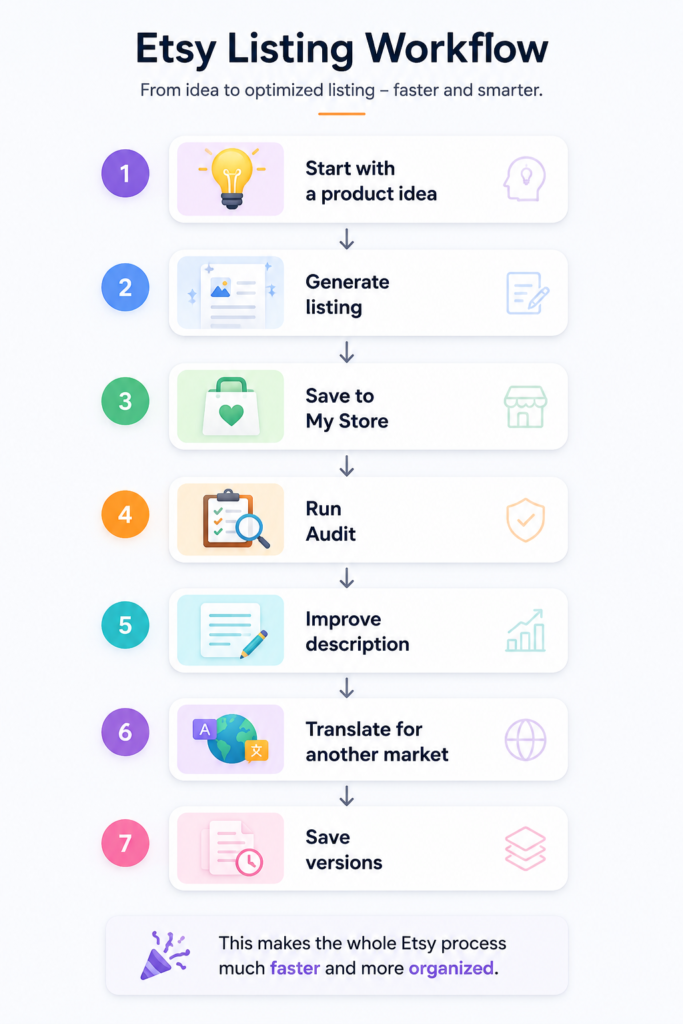
A very simple workflow could look like this:
- Start with a product idea
- Generate listing
- Save to My Store
- Run Audit
- Improve description
- Translate for another market
- Save versions
This makes the whole Etsy process much faster and more organized.
Free Plan
The free plan gives daily AI runs.
You can test the system before upgrading later.
This is helpful for:
- beginners
- new Etsy sellers
- people testing product ideas
- small shops
Final Tips
Do not trust AI blindly.
Always read your listing before publishing.
The best results usually happen when:
- you add your own product knowledge
- you adjust details
- you test different titles
- you keep improving older listings
Etsy AI Lab is not meant to replace your creativity.
It is here to help you move faster and make the hard parts easier.