AI Overviews are answers created by AI in Google Search.
They can reduce clicks on normal blue links. But they can also bring new visits if your page is shown as a source.
Because of this, SEO teams now need AI Overviews tracking. It should be a normal part of SEO reports.
This guide shows how to build an AI Overviews tracking workflow in 2026.
We focus on Search Console data and simple tools.
This guide is for people who already know basic Search Console. It helps you clearly measure how AI Overviews affect your traffic and visibility.
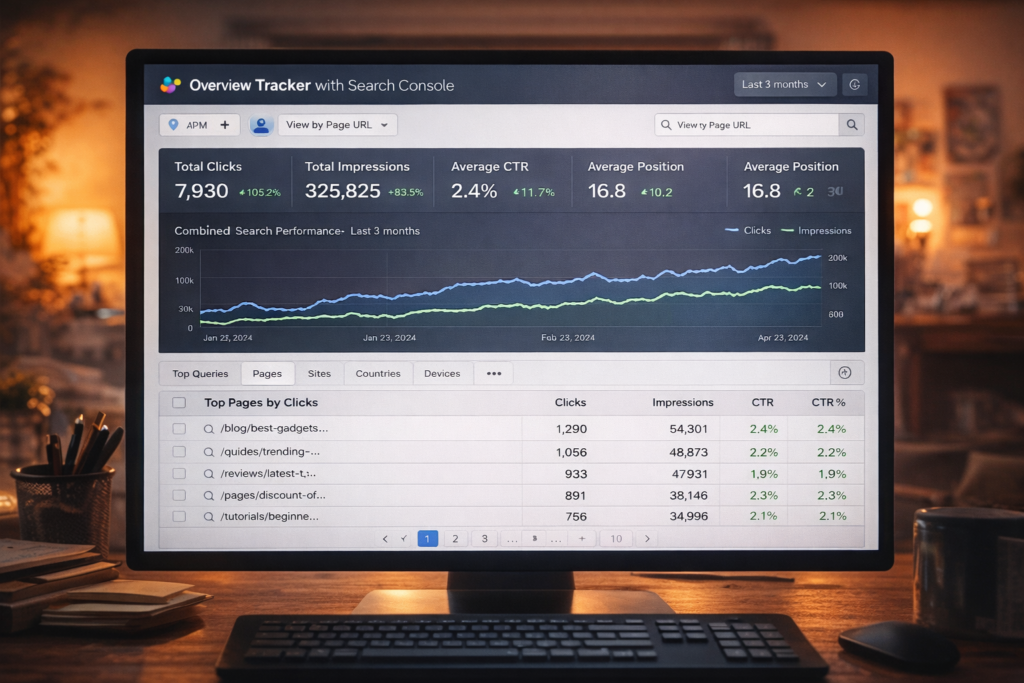
Key points to remember:
Search Console shows clicks and impressions from AI Overviews.
But your link must be visible to count. The user must scroll or expand the result.
AI Overviews count as one position. All links inside share the same position.
There are no special technical requirements to appear.
You do not need special schema.
You just need to be indexed and follow basic SEO rules.
Still, there is no guarantee your page will be included.
To track AI Overviews well, you need two types of data:
• What happened in Google (Search Console data)
• What the search results looked like (which keywords show AI Overviews, who is cited, and which pages appear)
Tools are important.
AI Overviews change often. They depend on the keyword, device, country, and time.
Many teams use AI Overviews tools. These tools find where AI Overviews appear and which sites are cited.
Then they combine this with Search Console data for better insights.
What Are AI Overviews
AI Overviews are an AI-generated “snapshot” shown in Google Search results. They aim to help users understand a topic faster by summarizing information and showing links to supporting pages on the web. Google describes them as a way to “take the work out of searching” by giving key info and links to go deeper.
From a site owner view, Google explains AI Overviews as an AI feature that surfaces relevant links and can show a wider and more diverse set of supporting pages than classic search. AI Overviews often trigger only when Google’s systems think they add value beyond classic results.
AI Overviews vs classic SERP features
AI Overviews can look like a bigger answer box. But it is not the same as a featured snippet.
A featured snippet usually pulls a short extract from one page. AI Overviews can blend information from multiple sources and show multiple citations/links. Google also connects AI Overviews to a broader AI experience called “AI Mode,” where users can go into a deeper conversation.
Why tracking AI Overviews is now a core SEO skill
AI Overviews can change your traffic shape in three common ways:
They can reduce clicks for informational queries because users may get answers directly on the SERP. Multiple industry studies in 2025–2026 report CTR drops on queries where AI Overviews appear.
They can create “citation visibility” (your brand and URL appear as a source). But visibility does not always mean strong traffic—some analyses show citations often underperform classic organic blue links for clicks.
They can still bring value visits. Google notes that clicks from SERPs with AI Overviews can be higher quality (users spend more time), so you should measure outcomes, not only clicks.
Where AI Overviews are available
Google says AI Overviews are being made available to more users, languages, and regions over time. The official help page lists many countries and languages where AI Overviews are “currently available,” and it also reminds that AI answers can be wrong.
This matters for tracking: your keyword set may behave differently across countries and languages, and your AI Overviews tracker should store the locale (country + language, and often device).
Quick example to make it real
Imagine you rank #1 for “how to clean a fabric couch.” If AI Overviews triggers and answers the steps directly, users may not click any result. But if your page is cited as a source in the AI Overview, you can still get clicks from that panel. Search Console counts those clicks as normal clicks.
What Can You Measure (Search Console)
Search Console is your most trusted baseline because it is first‑party Google data. Google confirms that sites appearing in AI features (including AI Overviews) are included in Search Console’s overall search traffic, in the Performance report under the “Web” search type.
But you must understand how measurement works, or you will misread the numbers.
How Search Console counts AI Overviews clicks, impressions, and position
Google’s documentation is very clear:
Click: Clicking a link to an external page in the AI Overview counts as a click.
Impression: Standard impression rules apply, but to count as an impression in an AI Overview, your link must be scrolled into view or expanded into view.
Position: An AI Overview occupies a single position in search results, and all links in the AI Overview get that same position.
Two practical consequences:
AI Overviews impressions are often “harder to earn” because visibility may require expand/scroll. So your AI Overview citation may exist but produce fewer impressions than you expect.
Average position can look “strange” because position is assigned at the element level (AI Overview box), not your classic organic rank.
Why Your Data Looks Wrong in Search Console
Many people think something is broken in Search Console.
They see lower CTR or strange positions and panic.
But in most cases, the data is correct. The search results have changed.
AI Overviews change how users interact with results.
Even if you rank #1, users may not click your page.
They can get the answer directly in the AI Overview.
This creates common situations:
• High impressions but low clicks
• Position 1 but less traffic
• CTR drops even when rankings stay stable
This does not always mean your SEO is worse.
It means the SERP is doing more work before the click.
That is why you should not judge performance only by CTR or position.
You need to combine Search Console data with real SERP analysis.
Metrics you can measure directly in Search Console
Search Console’s Performance report focuses on four main metrics: clicks, impressions, CTR, and average position.
You can break these down by dimensions like query, page, country, device, and date.
The table below maps practical AI Overviews tracking needs to Search Console fields.
| What you want to measure | Search Console metric(s) | Where to find it in Search Console | What it means for AI Overviews |
|---|---|---|---|
| Traffic trend on AI-sensitive queries | Clicks, Impressions, CTR | Performance → Search results → Queries | Shows demand + traffic, but does not tell you if AI Overviews triggered unless you add SERP detection data. |
| Page-level winners/losers | Clicks, Impressions, CTR, Position | Performance → Pages | Useful when AI Overviews starts citing different pages than before (join with your citation log). |
| Geo or device impact | Clicks, Impressions, CTR | Performance → add Country / Device filters | AI Overviews availability and behavior can vary by region and device, so segmenting matters. |
| “Visibility” proxy (zero-click risk) | Impressions, CTR | Performance overall + query segments | CTR drops can be a signal of more SERP answers, including AI Overviews, but you need SERP context to attribute. |
| Measuring AI Overview clicks/impressions rules | Click, Impression, Position definitions | Documentation-based interpretation | AI Overviews clicks count as clicks; impressions require expand/scroll; position is shared across links in the panel. |
What Search Console cannot answer alone
Search Console can tell you what happened (clicks, impressions), but it often cannot answer “why” without extra data.
Typical missing pieces:
Did AI Overviews trigger for this query today (yes/no)? Google says AI Overviews do not trigger for all queries, and they show only when systems think they help. That is a SERP observation, not a Search Console dimension in most workflows.
Which competitor URLs were cited in the AI Overview? Search Console is site-level, not competitor SERP capture.
What exact text did AI Overviews show? That is outside Search Console; you need a SERP archive or AI Overviews tracking tools.
How to export Search Console data for AI Overviews tracking
For a serious AI Overviews tracker, you usually need automated exports.
Search Console UI export works for small sites and manual reports. But for repeatable tracking, the top options are:
Search Analytics API (query your performance data; group by query/page/country/device/date; filter by search appearance if available for your case).
Bulk data export to BigQuery (daily export of Search Console performance data; excludes anonymized queries; built for large-scale analysis).
If you want near real‑time monitoring (for example, during major changes), Google also added hourly data support for the Search Analytics API (HOUR dimension + HOURLY_ALL dataState), with clear notes that hourly data may be partial.
Workflow śledzenia
A strong AI Overviews tracking workflow is a loop. You detect AI Overviews behavior in SERPs, connect it with Search Console performance, then act (content updates, internal linking, technical fixes, and topic expansion).
Google’s guidance for AI features says there are no special optimizations needed beyond normal SEO fundamentals, but AI Overviews and AI Mode may use a “query fan-out” technique (many related searches) to build the response. That means topical coverage matters.
Step-by-step tracking workflow
Start with a scope that is realistic. Most teams track 200–2,000 keywords first, then scale.
Define your goal and reporting level Decide what “success” means: more AI Overview citations, stable clicks, better conversions, or protecting high-value pages. Google recommends looking beyond clicks and measuring the value of visits (signups, sales, engaged sessions).
Build your tracked keyword set Use Search Console Queries to export: Top queries by impressions (visibility), Top queries by clicks (business value), Queries with falling CTR (risk). Then add strategic keywords (money pages, product queries, “how to” topics).
Because Search Console has privacy limits and may omit rare queries, your keyword set is never perfect. That is normal.
Detect AI Overviews presence and citations For each keyword (and for each country/device you care about), capture: Does AI Overviews appear (aio_present)? Is your domain cited? Which URL is cited? Optional: screenshot/HTML archive for auditing.
This is where most teams use AI Overviews tracking tools, because manual checking does not scale.
Join SERP detection with Search Console metrics Map by: keyword + country + device + date (and sometimes language). Then add Search Console clicks, impressions, CTR, position.
This lets you answer questions like: “When AI Overviews appears, do we lose CTR?” “When we are cited, do we offset the loss?” “How fast do citations rotate?”
Analyze with segments, not averages At minimum, segment by: Intent: informational vs commercial, Brand vs non-brand, Page type: blog vs category vs product, Device: mobile vs desktop, Country/language. This helps because AI Overviews triggers are not uniform, and studies show impact differs by query sets.
Turn findings into actions Typical actions that connect well with AI Overviews behavior: Add “fan-out coverage”: related subtopics and supporting sections, Improve “people-first” quality, evidence, and clarity, Strengthen internal linking to the best answer page, Upgrade page experience and content structure.
Repeat weekly, and audit monthly AI Overviews can change quickly. A weekly cadence is common for monitoring, with a monthly deeper review (content roadmap + experiments).
A practical note about “impression reality”
Because AI Overview impressions require expand/scroll visibility, “being cited” does not mean “being seen.” This is why many teams track: Citation presence (yes/no), and Estimated visibility tier (top of panel vs deep in expanded view). This interpretation follows Google’s documented rule that the link must be visible to count as an impression.
Tools
There is no single perfect stack. In 2026, most teams use:
Search Console (baseline truth for your clicks and impressions), plus
One AI Overviews tracking tool (SERP detection + citation capture), plus
A reporting layer (spreadsheets, BI, dashboards).
Below is a comparison of common AI Overviews tracking tools and platforms, with a focus on what matters for tracking and reporting.
Comparison table of AI Overviews tracking tools
Prices are “public pricing” where available and can change. If a vendor uses custom pricing, I mark it as “contact sales.”
| Tool | What it tracks for AI Overviews | Integrations / exports | Pricing (public, as of 2026‑03) | Best pros / key cons |
|---|---|---|---|---|
| Search Console | Clicks, impressions, CTR, average position for your site (AI Overviews clicks/impressions are included as part of Web search traffic). | UI export, Search Analytics API, BigQuery bulk export. | Free (Google product). | Pro: most trustworthy traffic baseline. Con: does not capture SERP layout, citations, or competitors. |
| Semrush | AI visibility toolkit tracks mentions/citations and AI visibility workflows; SEO toolkit can track SERP features (vendor positioning includes “Track AI Overviews”). | Exports and toolkit reporting; add-ons for more capacity. | SEO plans start around $139.95/mo; AI Visibility Toolkit starts at $99/mo. | Pro: combines SEO + AI visibility data in one vendor ecosystem. Con: add-ons can raise cost (domains/prompts). |
| Ahrefs | SERP feature filtering + AI citations workflows; Brand Radar provides AI responses visibility and sources; guidance for tracking AI Overviews mentions/citations. | API endpoints exist for Brand Radar AI responses; exports in platform. | Public plans: ~$129/mo Lite to ~$1,499/mo Enterprise. | Pro: strong SEO dataset + practical AI citations approach. Con: some AI visibility features may vary by plan and module. |
| Similarweb | Rank Tracker detects which keywords trigger AI Overviews; platform also positions AEO / AI visibility suites (varies by package). | Support docs + platform exports; pricing often via custom package. | Custom package / contact sales (official pricing page). | Pro: strong competitive intelligence + keyword trigger visibility. Con: pricing and access can be less transparent; packages vary. |
| SISTRIX | AI Overviews keyword filters + citation visibility + SERP archive of AI Overviews contents (including sources). | Toolbox reporting and exports. | Public pricing starts at 119€/month (packages vary). | Pro: clear AIO filters + SERP archive; strong for monitoring in supported markets. Con: feature depth depends on country coverage and your keyword set. |
| seoClarity | Enterprise AI Overviews tracking at scale (keyword impact, visibility reports, competitor insights, snapshot of AIO content). | Enterprise reporting options; packaging is flexible/custom. | Pricing page exists; many packages are custom. | Pro: deep enterprise AIO modules and research. Con: cost and onboarding are enterprise-level. |
| OtterlyAI | Daily prompt monitoring across AI Overviews and other AI platforms; tracks brand reports, mentions, citations; exports + Looker Studio connector on higher plans. | Exports; Looker Studio connector listed on plans. | Public pricing: ~$29/mo Lite, ~$189/mo Standard, ~$489/mo Premium (monthly). | Pro: simple, prompt-based monitoring, fast setup, strong for “GEO” workflows. Con: prompt limits can be a constraint at scale. |
| BrightEdge | Enterprise AI visibility solution (AI Catalyst) tracking presence and sentiment across AI engines including AI Overviews; pricing is contact sales. | Enterprise dashboards and workflows. | Contact sales (no public pricing). | Pro: enterprise governance + cross-platform AI visibility. Con: cost is usually high; not for small teams. |
| Conductor | AI Search Performance tracks AI visibility across engines, mentions/citations, sentiment, competitor market share; also offers AI Overviews analysis and visibility features. | Enterprise workflow integration; pricing ranges and plans scale with need. | Plans scale; pricing is typically custom. | Pro: strong workflow integration for content teams. Con: enterprise buying cycle and cost. |
How to pick tools using a simple decision rule
If your main goal is “measure impact on our site,” start with Search Console exports + a lightweight SERP detector (prompt/keyword based).
If your main goal is “find where competitors are being cited,” you need a tool that captures citations and keeps a SERP archive (or at least extracts cited URLs).
If your main goal is “enterprise governance + brand sentiment across AI engines,” enterprise platforms focus on cross-engine visibility and reporting workflows.
How to Get into AI Overviews
You do not “apply” to AI Overviews. Google’s official site-owner guidance says:
There are no additional requirements to appear in AI Overviews (or AI Mode), and no special optimizations needed. Normal SEO best practices still apply.
To be eligible as a supporting link in AI Overviews, your page must be indexed and eligible to appear in Google Search with a snippet (technical requirements). There are no extra technical requirements beyond normal Search eligibility.
Also: meeting requirements does not guarantee indexing or serving. Google is explicit that indexing and serving are not guaranteed.
So the real question is: How do you maximize your chance to be cited?
Eligibility checklist
Make sure your page can be crawled and indexed:
Do not block key URLs in robots.txt (and do not block via CDN rules). Return HTTP 200 for indexable pages. Avoid accidental noindex. Confirm canonicalization is correct. Ensure your primary content is available as text (not only images).
When you fix or launch content, verify it in Search Console and request crawling when needed (normal SEO process).
Content best practices that align with Google’s AI guidance
Google’s advice for AI experiences is very “classic SEO,” but it becomes more important because AI Overviews are trying to answer complex questions.
Focus on unique, valuable content for people Google says their systems aim to prioritize helpful, reliable, people-first content, and they recommend making content that fulfills people’s needs (not content made to manipulate rankings).
Provide a great page experience Even great content can fail if the page is hard to use. Google recommends avoiding clutter and making main info easy to find, across devices.
Cover the topic deeply (think “fan-out”) Google says AI Overviews (and AI Mode) may use “query fan-out” (many related searches across subtopics). This is a big hint: pages that cover the topic and its subquestions often match what the AI system is building.
Support text with images and videos when it helps Google recommends supporting text with high‑quality images and videos, especially because search is becoming more multimodal.
Use structured data correctly (but do not expect “AI schema”) Google states you do not need special schema.org markup to appear in AI Overviews, and you should make sure structured data matches visible content.
Controlling your content in AI Overviews
AI Overviews are a core Search feature and cannot be turned off by users (though users can use the “Web” filter to show only web links after searching).
For site owners, Google says controls are still the same as Search. If you want to limit what is shown from your pages, use preview controls like nosnippet, data-nosnippet, max-snippet, or noindex. More restrictive settings can limit how your content appears in AI experiences.
Be careful: “hiding” snippets can reduce your visibility and weaken your ability to be cited at all.
A simple “AI Overviews ready” content pattern
For pages you want cited:
Put the best direct answer near the top (short, clear). Then add deeper sections that answer related questions (fan-out coverage). Add a short “why trust this” block (author, experience, sources, update date). Use clear headings, tables, and steps when needed. Link to supporting pages on your site (strong internal linking).
Template + reporting
This section gives you reporting system you can run every week.
Recommended report KPIs
Most teams track AI Overviews with two KPI groups: “SERP reality” and “performance outcome.”
SERP reality KPIs (from your tracker tool / SERP archive) AI Overviews trigger rate: % of tracked keywords that show AI Overviews. Citation rate: % of AI Overviews keywords where your domain is cited. Citation URL share: which pages get cited most. Citation churn: citations gained/lost week over week (SERP volatility).
Performance outcome KPIs (from Search Console) Clicks on the tracked keyword set. Impressions on the tracked keyword set. CTR change when AI Overviews is present vs not present (requires join). Average position trend (with caution, because AI Overview position logic is element-based).
Industry studies also suggest citations can correlate with better CTR than “AIO present but not cited,” but they warn this is not proof of causation. Use this as a directional signal, not a guarantee.
Sample weekly report
Below is a sample structure you can copy into a doc, email, or dashboard note.
Summary
Week: 2026‑W13
Property: example.com (Domain property)
Locales tracked: US mobile + US desktop + UK mobile
Headline: AI Overviews presence increased on our tracked informational keywords. We lost citations on a cluster of “how to” queries, and CTR dropped mainly on mobile. We gained citations on two comparison queries, but clicks did not increase much—likely because impressions require expand/scroll visibility in AI Overviews.
KPI snapshot
| KPI | This week | Last week | WoW change | Notes |
|---|---|---|---|---|
| AI Overviews trigger rate | 48% | 44% | +4 pp | Based on tracked keyword set. |
| Citation rate (our domain) | 12% | 15% | -3 pp | Lost citations in two topic clusters. |
| Search Console clicks (tracked set) | 9,420 | 9,980 | -5.6% | Segment shows most loss on mobile. |
| Search Console CTR (tracked set) | 1.1% | 1.2% | -0.1 pp | CTR drops are common on AIO queries in industry datasets. |
Biggest losses (action list)
Cluster: “cleaning + care” Top queries lost citations: [list 10 queries] Likely cause: competitor pages updated with clearer step-by-step + stronger internal linking. Actions: Update our main guide (add quick answer + updated steps + new images). Add internal links from related articles. Re-check indexability and canonical. Run citation check again in 7 days.
This action style matches Google’s advice: focus on unique value, page experience, technical access, and clear content.
Biggest wins (protect them)
Cluster: “comparison + vs” We earned 2 new citations. Actions: Add “last updated” date and improve supporting sections. Add FAQ block for common follow-ups. Measure conversions from these visits (Google says AIO clicks can be higher quality).
Conclusion
AI Overviews are changing how search works.
Clicks are not the only metric anymore. Visibility, citations, and user quality matter more than before.
If you want to understand what is really happening, you need to combine two things:
Search Console data and real SERP observation.
There is no perfect tool or single metric. But with the right workflow, you can see patterns, react faster, and protect your most important pages.
Start simple. Track a small keyword set. Then improve your system step by step.
The teams that learn this now will have a strong advantage in 2026 and beyond.
FAQ – AI Overviews Tracking
❓What are AI Overviews in Google Search?
AI Overviews are AI-generated summaries shown at the top of Google results. They combine information from multiple sources and include links to websites.
❓Does Search Console show AI Overviews data?
Yes, but not directly. Search Console includes clicks and impressions from AI Overviews in the standard “Web” report. You cannot filter them separately in most cases.
❓Why is my CTR dropping with AI Overviews?
When AI Overviews appear, users often get answers directly in search results. This reduces clicks, especially for informational queries.
❓How can I track AI Overviews properly?
You need two data sources:
Search Console (performance data) and SERP tracking (to detect AI Overviews and citations).
❓Do I need special schema to appear in AI Overviews?
No. Google says there are no special technical requirements. You only need to follow standard SEO best practices.
❓ What increases my chances of being cited in AI Overviews?
Clear answers at the top, strong topic coverage, helpful content, and good internal linking can improve your chances.
❓Are clicks from AI Overviews valuable?
Yes. Google suggests these clicks can be higher quality because users are more engaged and spend more time on the page.
❓How often should I track AI Overviews?
Weekly tracking is recommended. AI Overviews change often, so regular monitoring helps you react faster.