
I expected Scalenut to be another AI writing tool.
That was not my first impression after opening it.
Instead, I found a large SEO and AI visibility platform with dashboards for brand monitoring, prompts, citations, competitors, content optimization, keyword research, audits, backlinks, AI detection, and article writing.
At first, I felt overloaded by the amount of data.
Some of these reports may be useful when you manage a website at a more advanced level. But as a normal site owner, I was not always sure which number I should care about first.
Then I moved to Scalenut’s AI Article Writer, and my experience changed. The writing workflow felt much more comfortable, the steps made sense, and the article it created looked reasonably good as a first draft.
I also tested the AI Humanizer, Brand Monitor, and several Marketing Copywriter templates. The results were mixed — which is exactly why Scalenut needs more than a simple “good” or “bad” verdict.
My quick take: Scalenut makes the most sense to me as an SEO/content platform, not simply an AI writer. Its long-form writing workflow was pleasant to use, while some of the analytics felt like more than a beginner needs. The Humanizer produced a clear before-and-after result in my test. Facebook and LinkedIn copy were less convincing.
What Is Scalenut?
Scalenut combines AI writing with SEO research, content optimization, AI visibility monitoring, and other tools for growing website content.
This means the platform feels very different from a simple tool where you open a chat box and ask AI to write something.
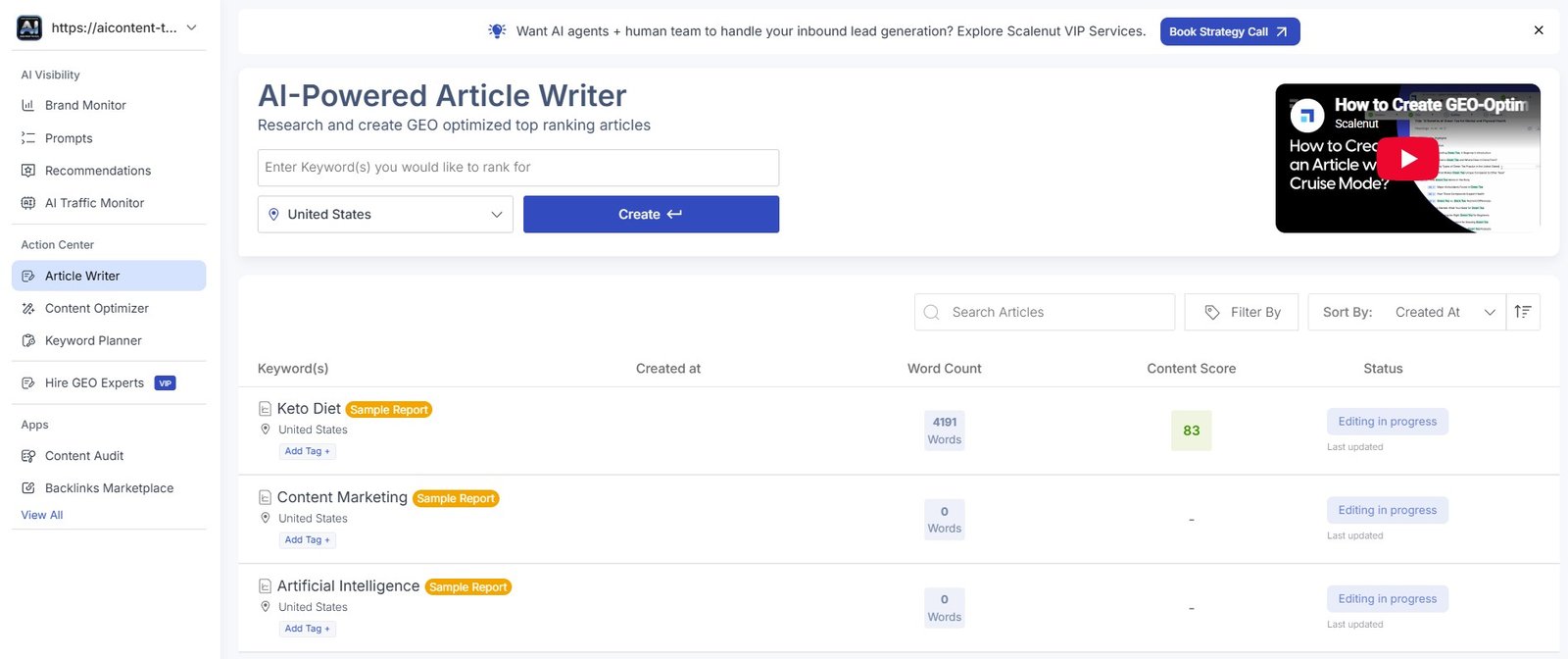
You can use Scalenut for long-form articles, but the platform also includes tools for content optimization, keyword planning, brand visibility, AI detection, content auditing, backlinks, and smaller marketing copy templates.
That range can be an advantage if you want many SEO functions in one platform.
It can also be the reason Scalenut feels complicated when you first open it.
How I Tested Scalenut for This Review
I completely changed the way I tested Scalenut for this updated review.
Instead of asking it for a few random pieces of AI text, I explored the actual platform and documented the workflows with screenshots.
I created a complete beginner article about Etsy product descriptions, from keyword research to the finished draft.
See my full AI Writer test →I tested AI-written text before and after Scalenut’s Humanizer.
See my 81% → 15% Humanizer test →I used AIContent-Tools as the test brand and checked visibility, competitors, prompts, citations, and AI responses.
See my Brand Monitor test →I tested Facebook copy, LinkedIn headlines, and an educational question-answer template.
See my Marketing Copywriter test →This matters: I am not rating Scalenut only from its feature list. The opinions below come from using these different parts of the platform and looking at the actual outputs.
My First Impression: Scalenut Felt Overwhelming
This is probably the most important thing to know if you are new to Scalenut.
The platform gives you a lot of information.
For example, the Brand Monitor area can show visibility scores, rankings, themes, prompts, executions, competitor mentions, citations, Query Fanouts, sentiment, and citation share.
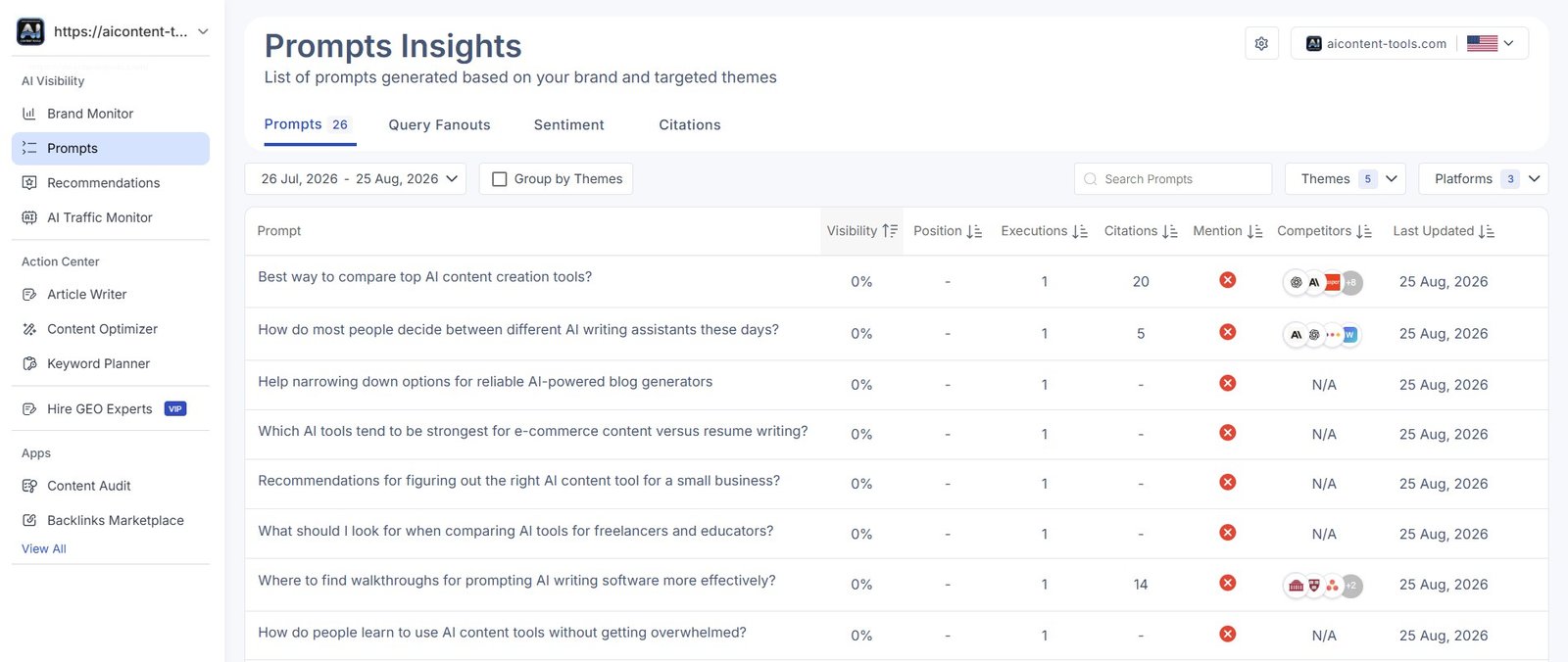
I can see why advanced SEO teams, agencies, or larger websites may want this level of analysis.
But beginners may open a dashboard like this and wonder:
What am I actually supposed to do with all these numbers?
My advice for beginners: do not try to use every Scalenut feature at once. Start with the Article Writer. Learn the basic content workflow first. Move into AI visibility and deeper SEO reports only when you have a reason to use them.
Scalenut Brand Monitor Was Powerful — But Very Data-Heavy
I tested Scalenut’s AI visibility tracking using AIContent-Tools itself.
During setup, Scalenut generated themes and prompts related to our site.
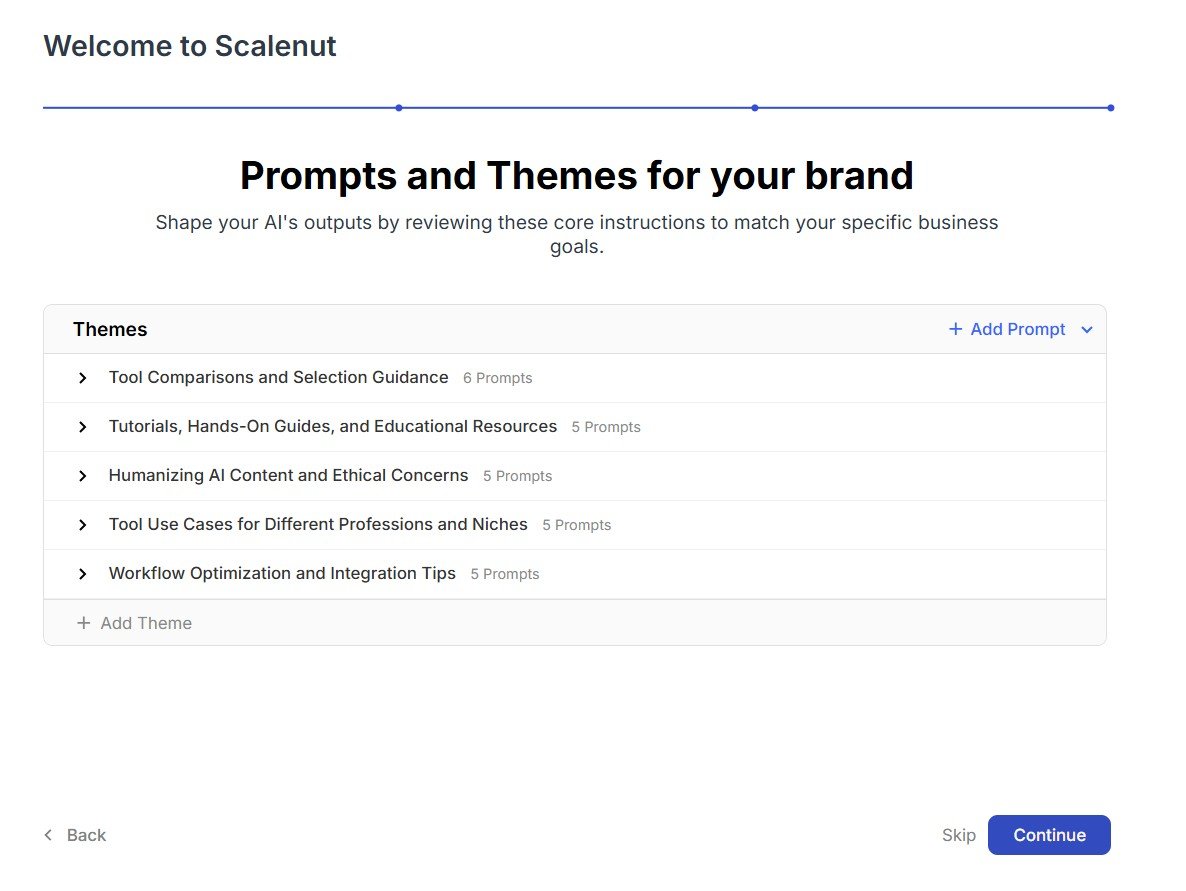
Then it scanned AI platforms for brand visibility.
The result was not good for us.
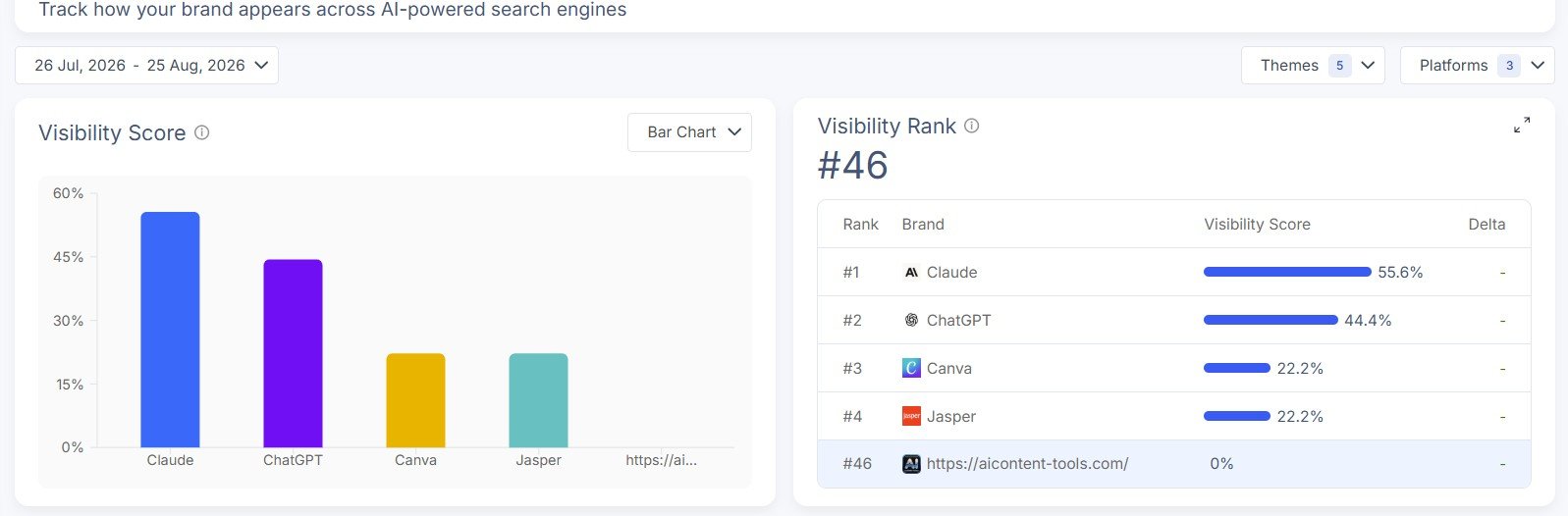
Our test result: AIContent-Tools had 0% visibility and rank #46 in the initial report shown during my test.
I actually prefer seeing a poor result to seeing a dashboard that tries to make everything look successful.
It gave us a baseline.
The visibility heatmap also made competitor differences easier to understand.
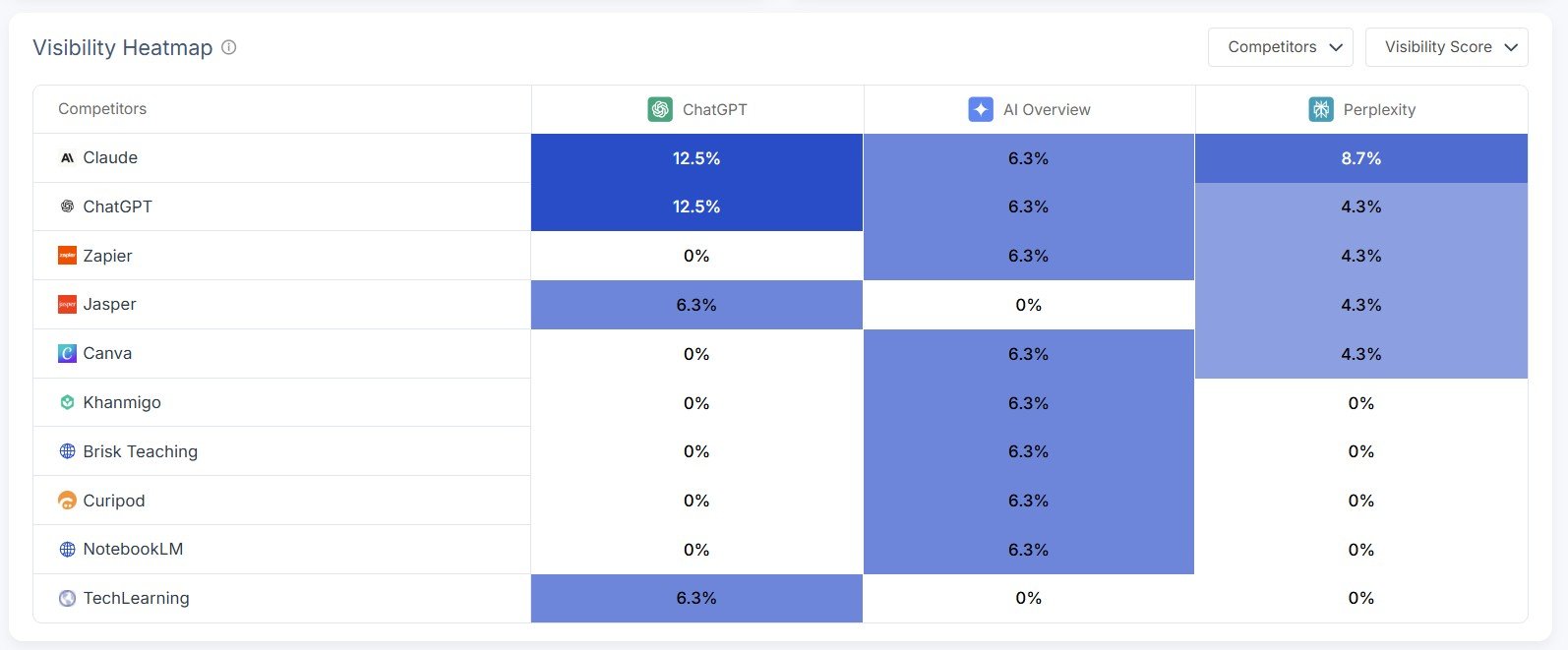
Scalenut goes much deeper than this. It can also show individual AI responses and citation sources.
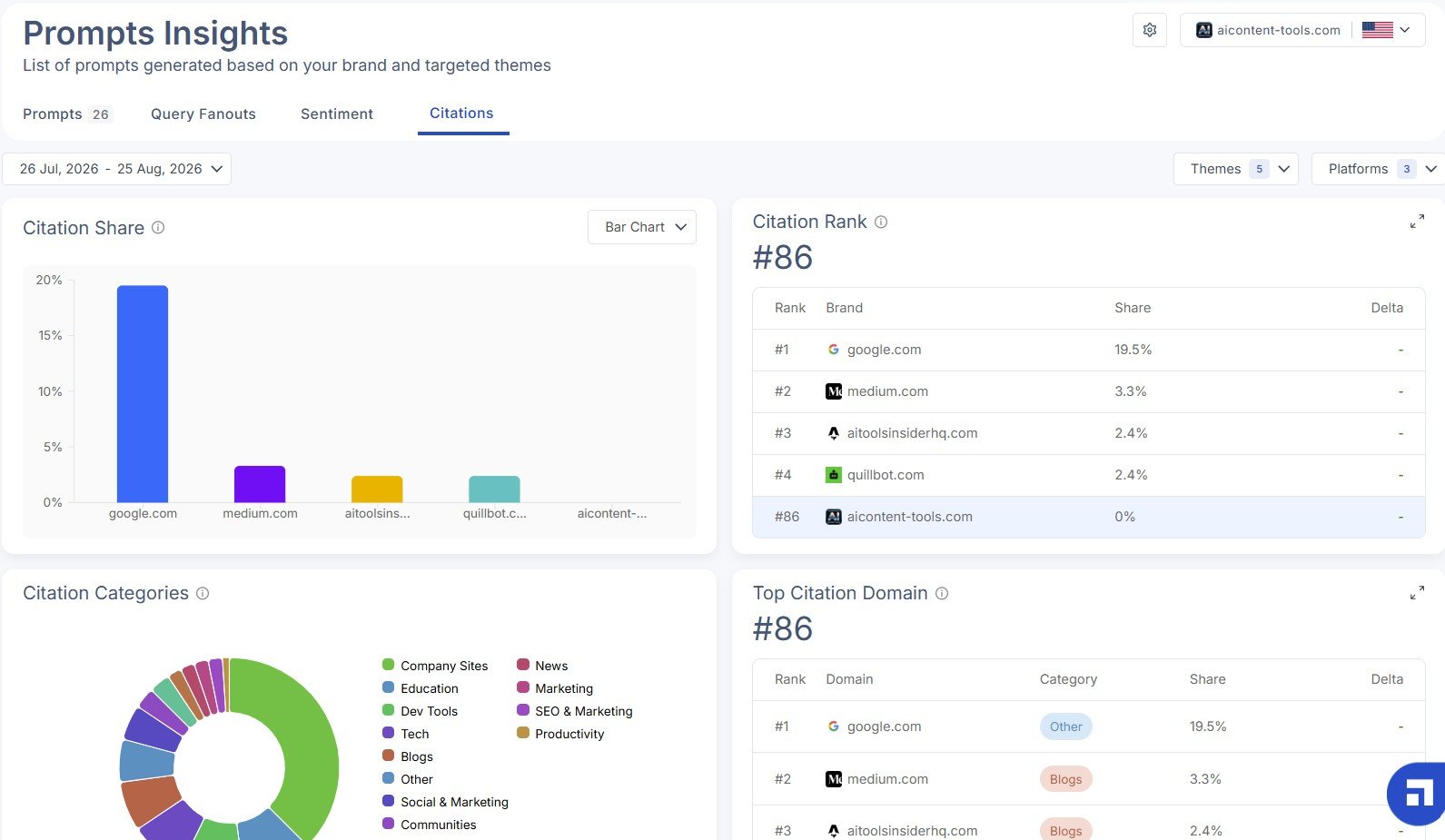
In that citation report, AIContent-Tools showed 0% citation share and rank #86.
I cover the prompts, Perplexity response, Query Fanouts, sentiment analysis, and citation data in much more detail in my Scalenut Brand Monitor review.
Then I Tried the AI Article Writer — And Liked Scalenut More
The Article Writer changed my impression of the platform.
Instead of looking at another large analytics dashboard, I had a clear workflow to follow.
I started with a keyword and location.
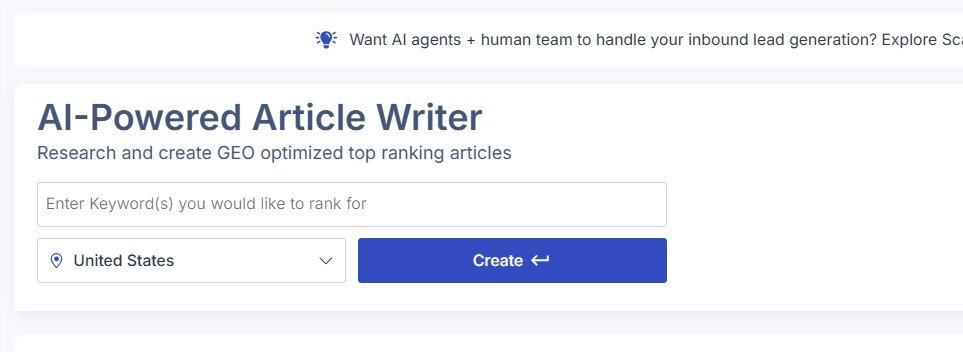
Scalenut then researched competitors and related terms before moving into the writing process.
I could give it detailed instructions about the article.
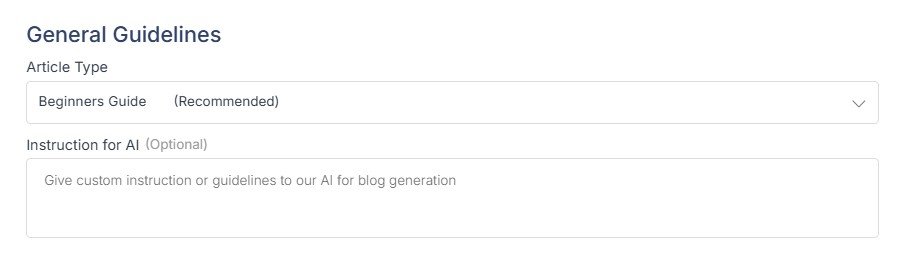
This part felt much more natural to me.
I could understand what each step was doing and why I needed it.
The Outline Workflow Was One of the Better Parts
Before writing the full draft, Scalenut generated an outline.
It also let me compare that structure with outlines from top-ranking pages.
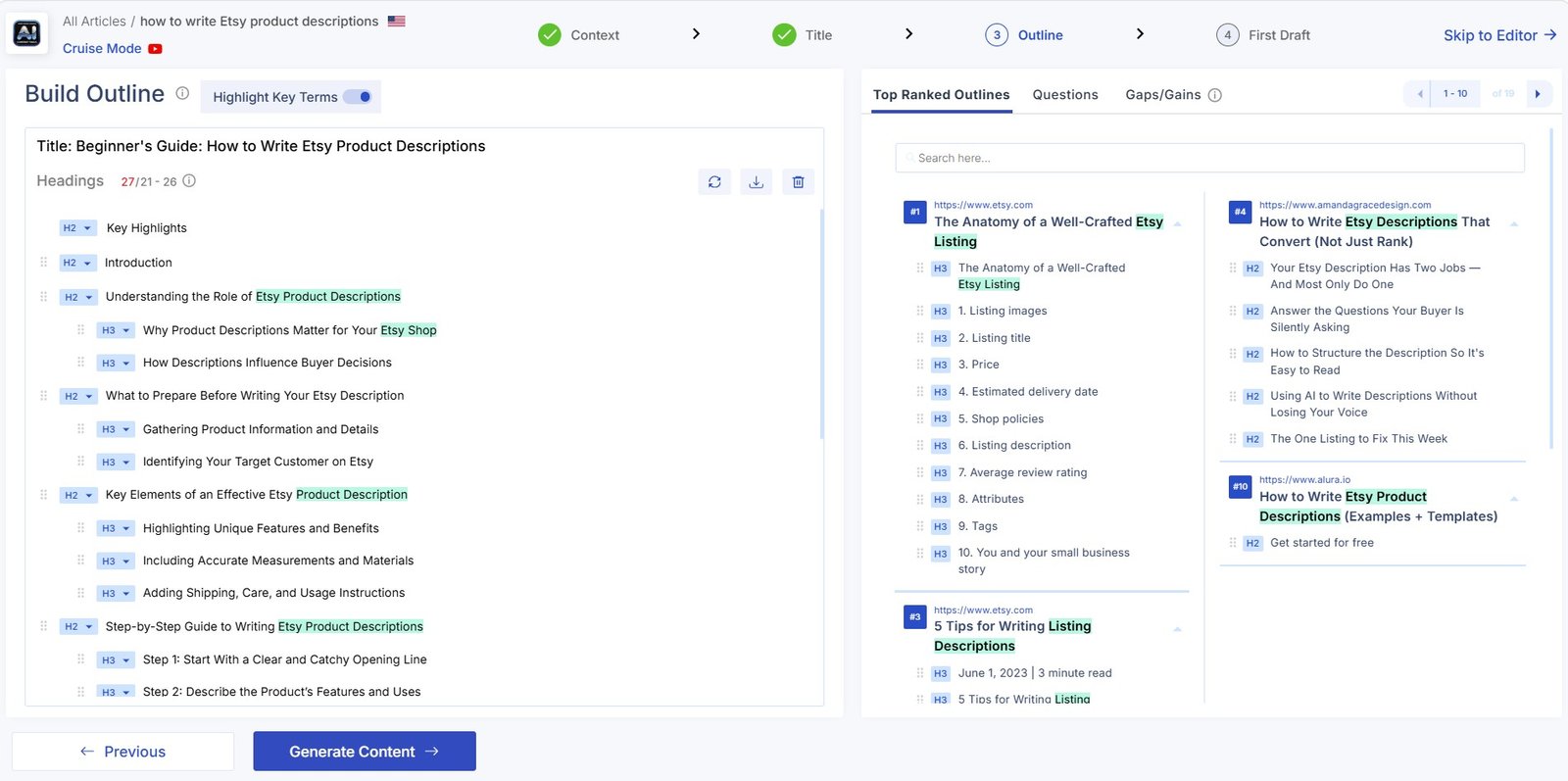
I like having this information before generation rather than trying to repair the structure after the whole article is written.
But I would still edit the outline manually.
My view: competitor research should help you understand what readers expect. It should not turn every article into a copy of the same structure already ranking.
What Was the Generated Article Like?
Scalenut completed the full draft and opened it inside the editor with a Content Score.
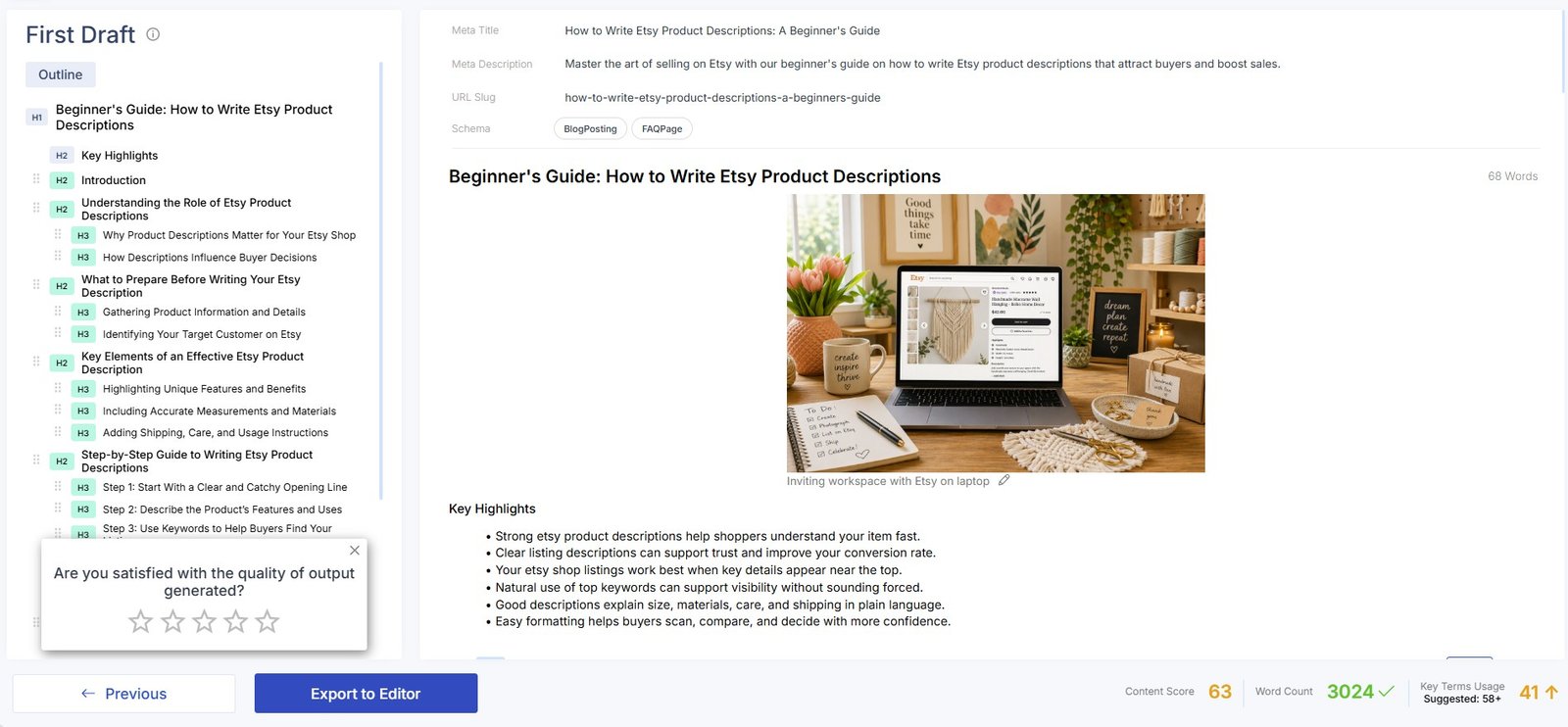
My overall impression of the text was positive.
It looked like a reasonable first draft and the process of creating it was pleasant.
That does not mean I would publish the article without editing.
I would still check facts, improve examples, remove generic sections, and add original experience or evidence.
But this was the point where Scalenut started making more sense to me.
My Article Writer verdict: the writer was one of the strongest parts of Scalenut I tested. The workflow felt more useful and easier to understand than the large analytics dashboards.
You can see the complete workflow with more screenshots in my Scalenut AI Writer review.
The Content Score and Research Tools Are Useful — With Limits
Scalenut does not stop when the draft is generated.
The editor includes optimization recommendations and a Content Score.
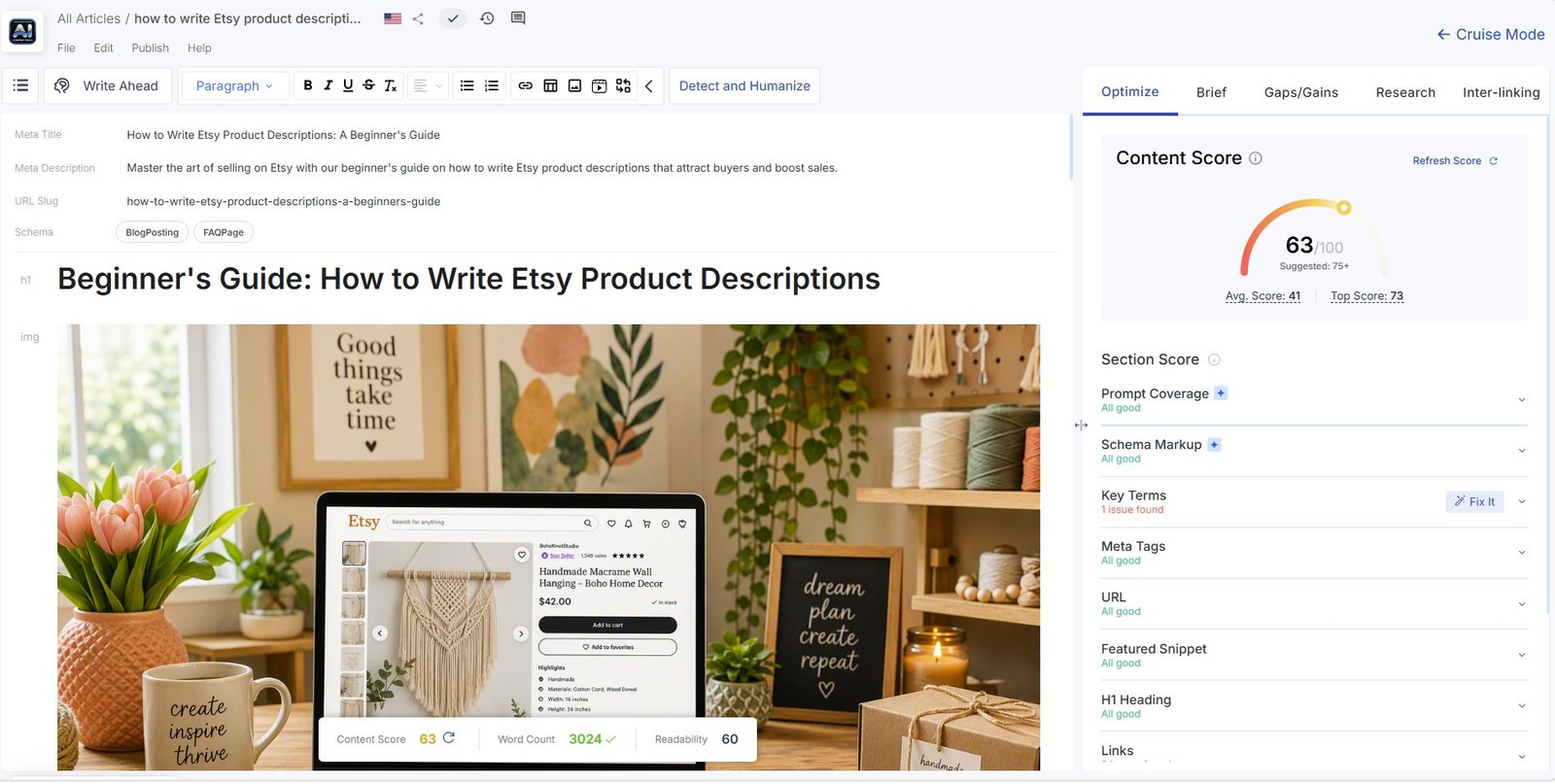
It can also identify possible missing topics using Gaps/Gains.
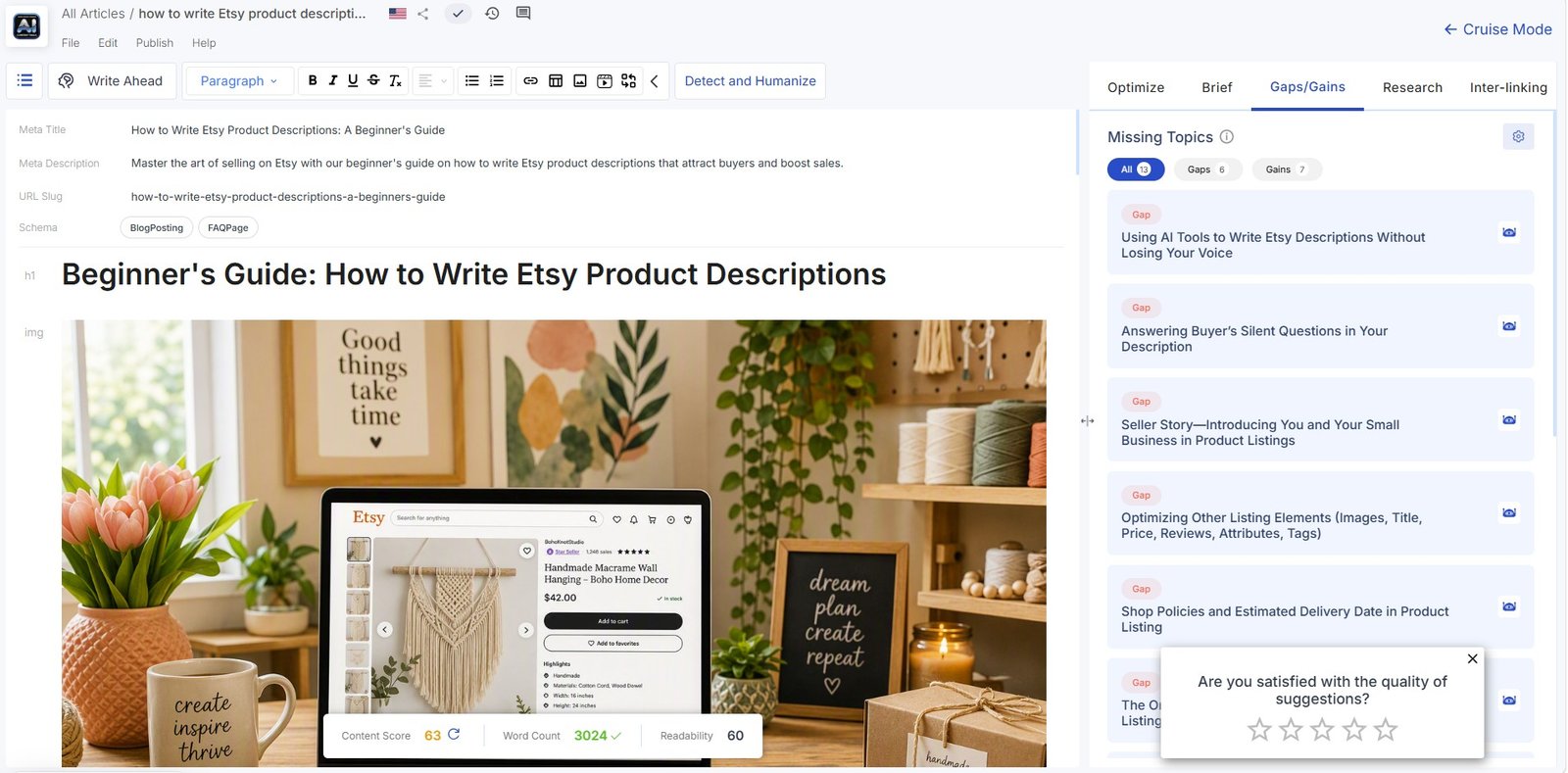
Scalenut also provides key terms, competitor pages, related questions, statistics, and more detailed Content Brief data.
This is useful research.
But I would not chase every recommendation.
A higher Content Score does not guarantee better content or better Google rankings. It cannot tell you whether your experience is original, whether every claim is accurate, or whether readers will genuinely find the article useful.
Scalenut AI Humanizer: My 81% → 15% Test
Detect & Humanize was much simpler than the SEO dashboards.
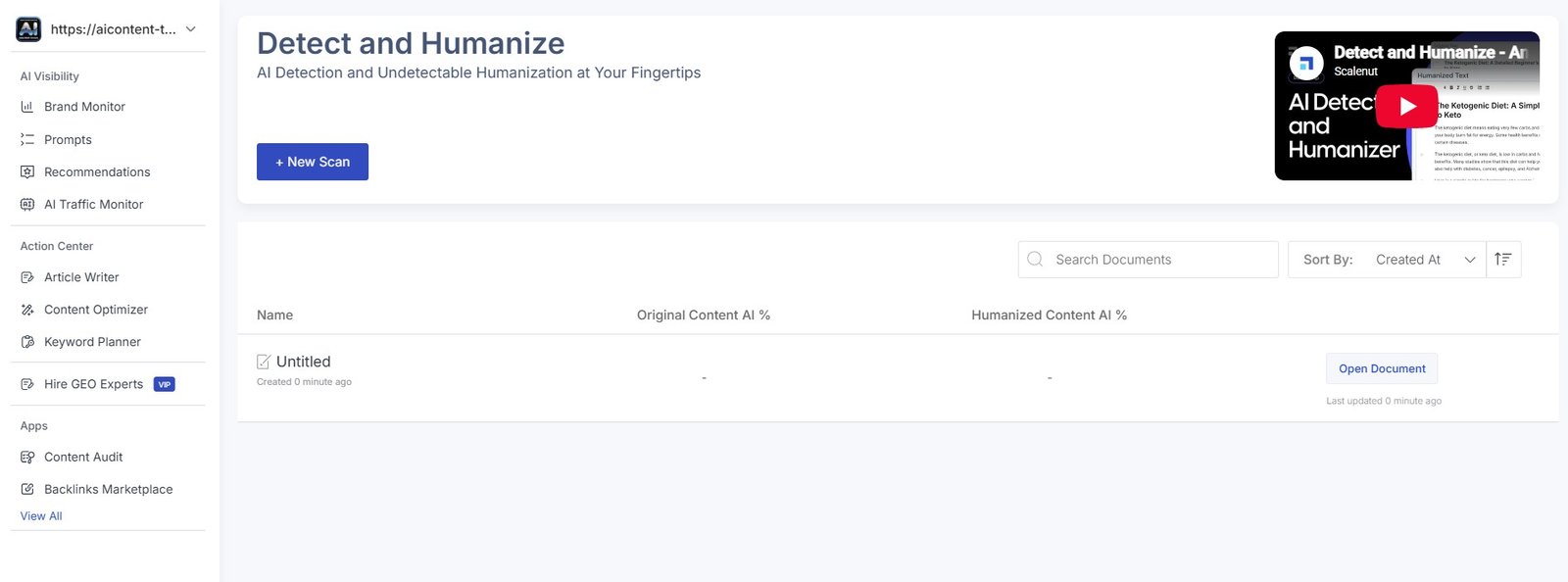
I first tested the original sample.
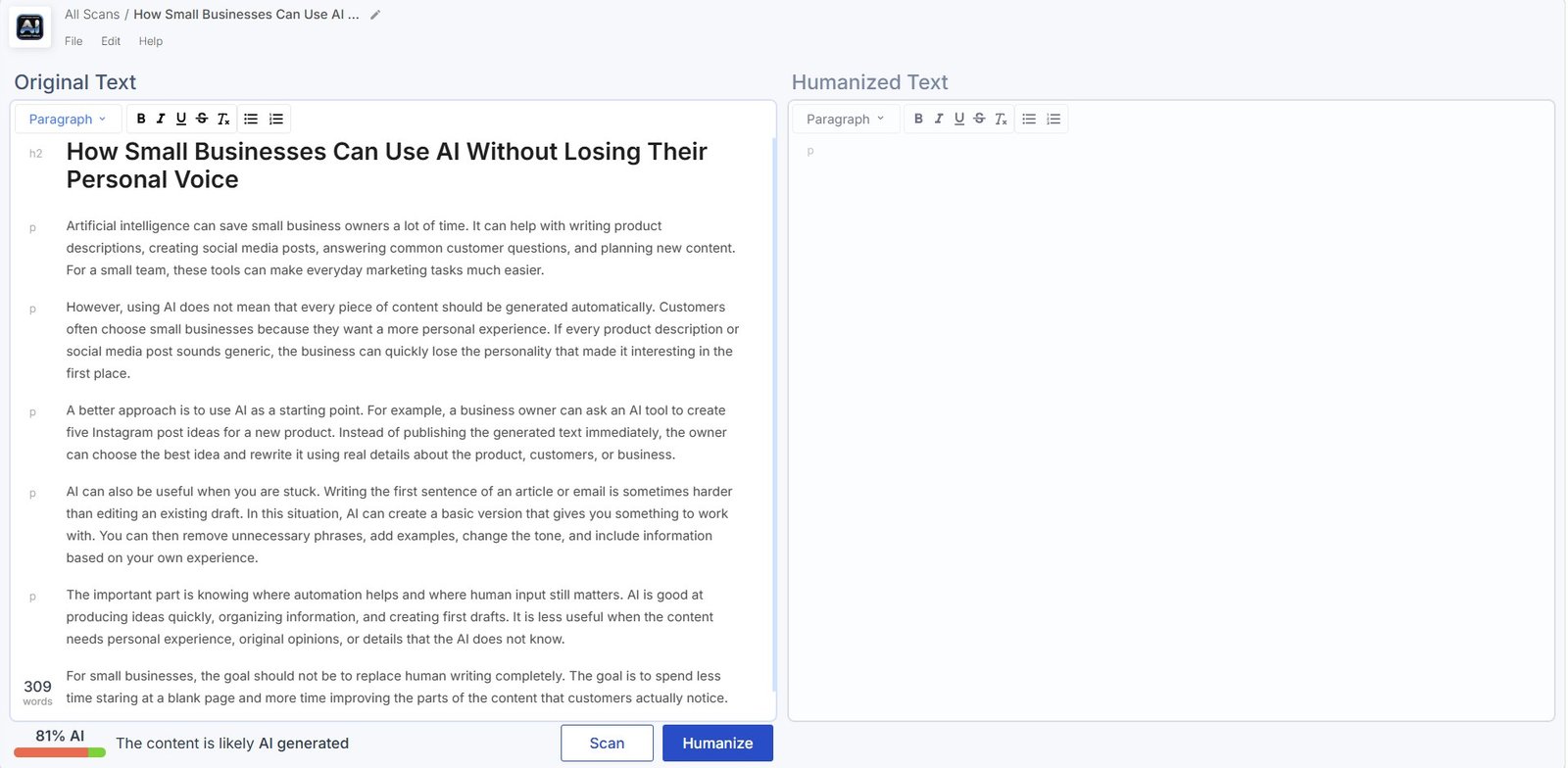
Then I used Scalenut’s Humanizer.
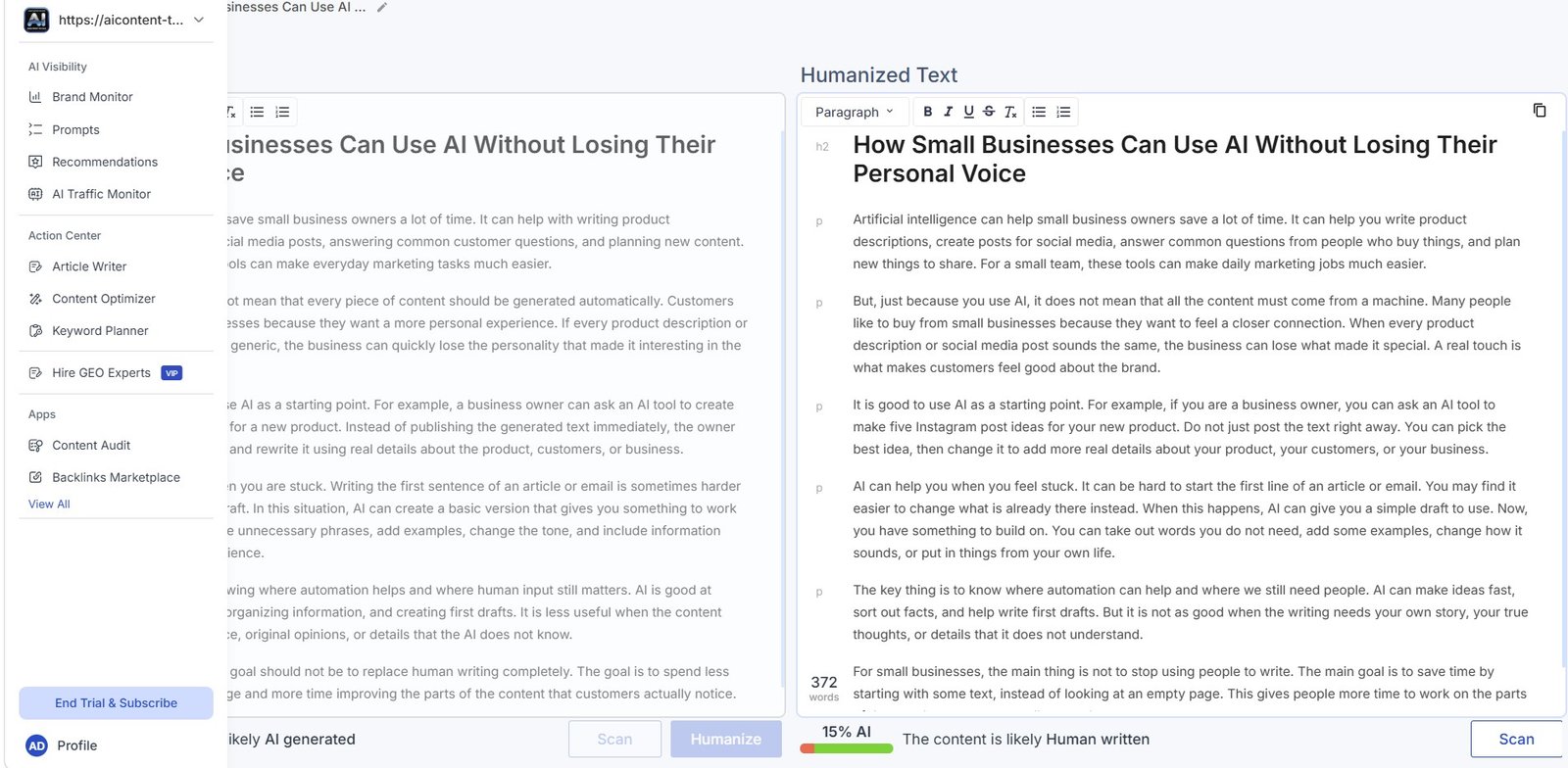
Before: 81% AI
After Humanize: 15% AI
That is a large change.
But the correct interpretation is important.
This test shows that the rewrite reduced the score in Scalenut’s own detector. It does not prove that every other AI detector would return the same result.
I also care more about whether the rewritten text is clear and useful than whether it reaches a particular AI percentage.
See the full experiment in my Scalenut AI Humanizer review.
You can also compare this type of workflow with the tools in my Best AI Humanizer Tools guide.
Marketing Copywriter Was More Mixed
Scalenut also includes many smaller AI templates for marketing and short-form content.
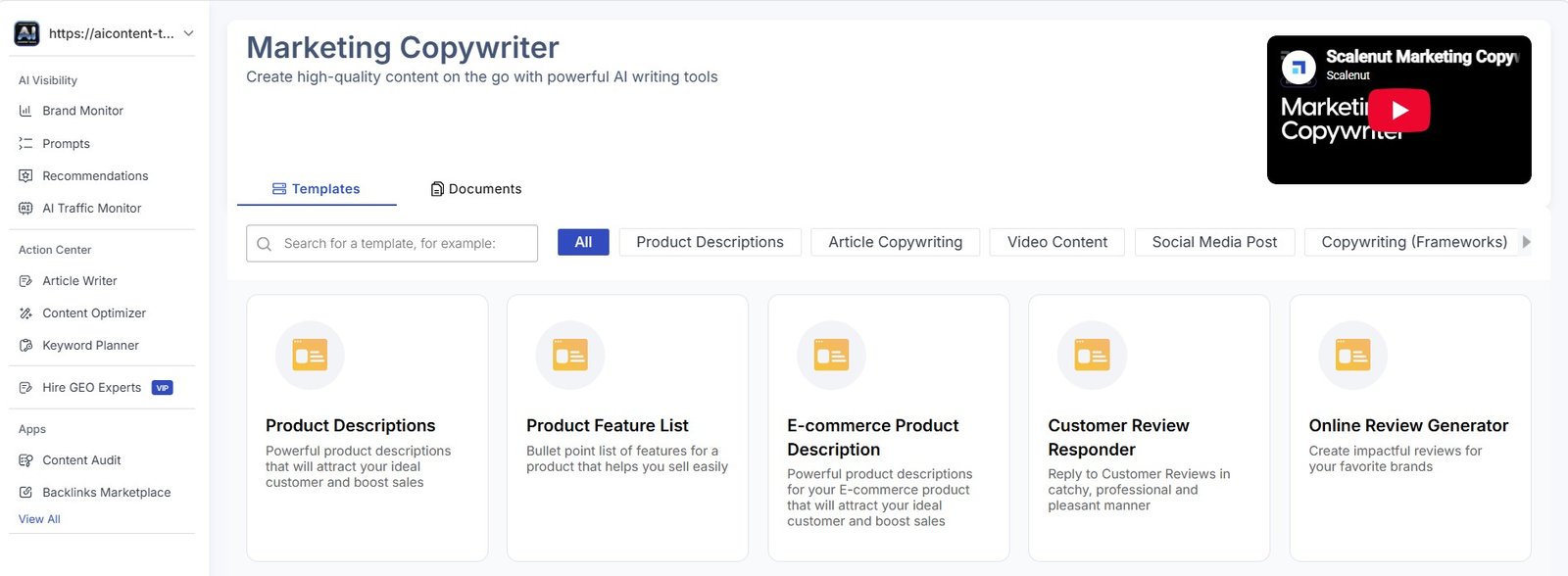
I tested Facebook Primary Text, an Answer a Question template, and LinkedIn headlines.
The Facebook tool generated several variations.
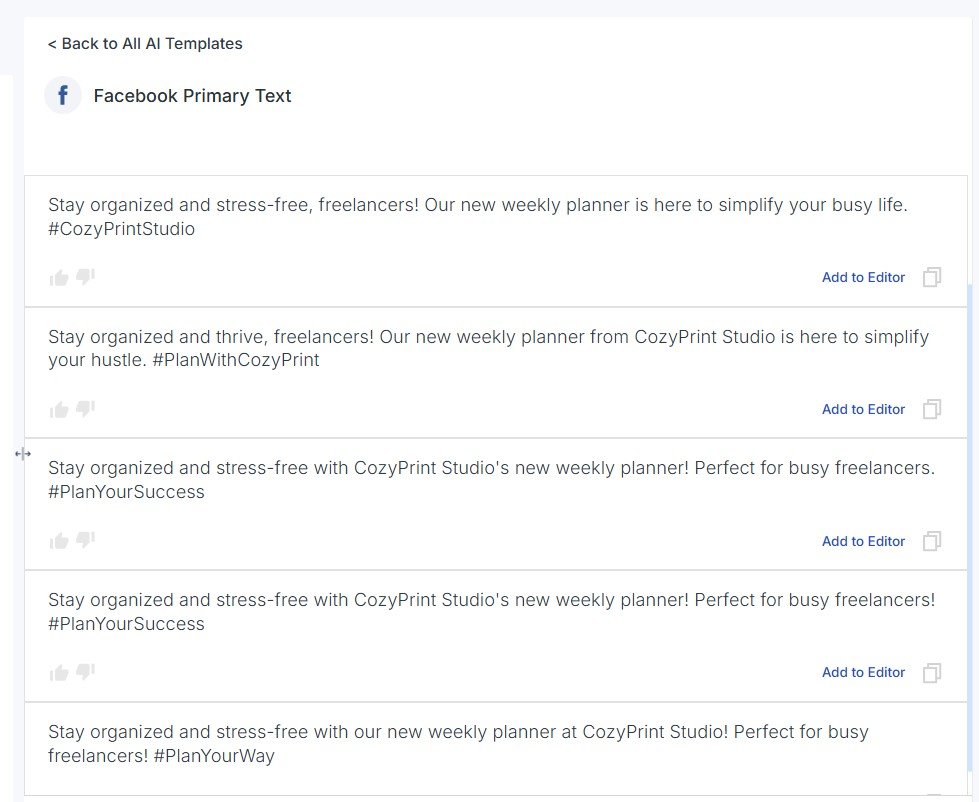
This was one of the weaker results for me.
The versions felt too similar. Some differences came from small wording changes and hashtags rather than genuinely different creative ideas.
The Question-Answer Template Was Better
I had a better experience when I asked Scalenut how to improve Etsy product descriptions without keyword stuffing.
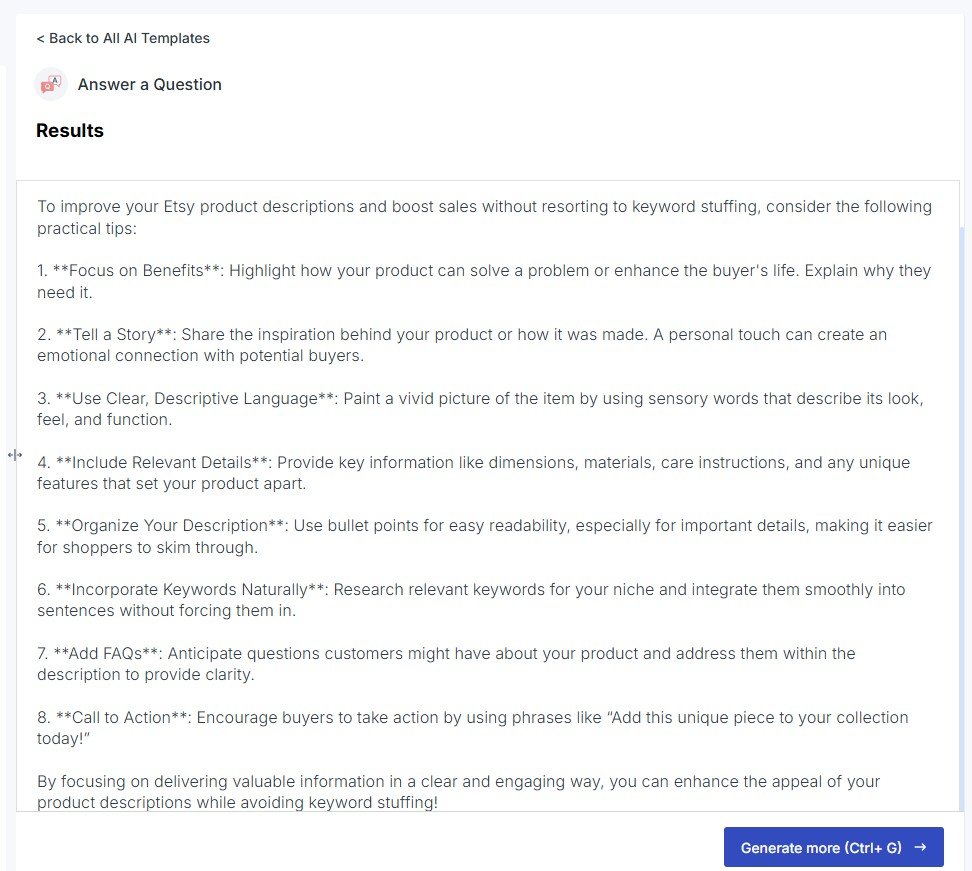
The result covered areas such as product benefits, details, formatting, keywords, FAQs, and calls to action.
I would still verify any Etsy-specific advice before publishing it, but this output gave me a reasonable starting structure.
The LinkedIn Results Felt Strange
The LinkedIn Text Ads Headline template was less convincing.
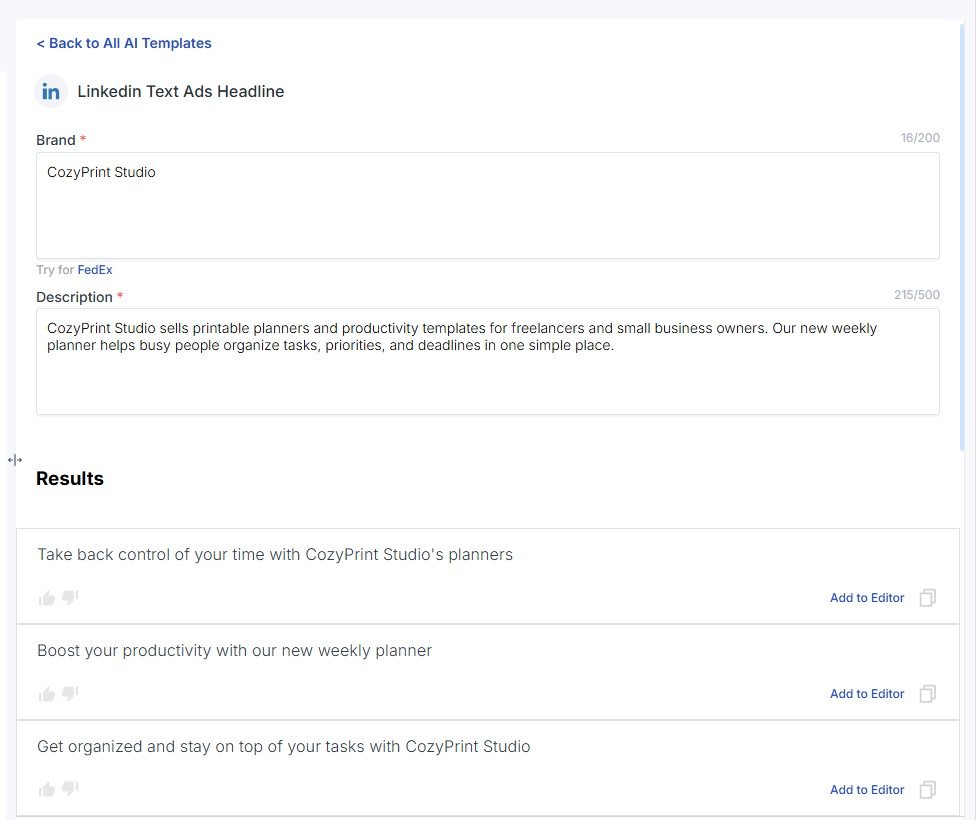
The tool generated the requested headlines, but the outputs felt strange to me and I would rewrite them before using them in a real campaign.
This is why I would not review Scalenut only from its Article Writer. The long-form writer gave me a good impression. The smaller Facebook and LinkedIn templates were less consistent.
See all three short-form tests in my Scalenut Marketing Copywriter review.
What Other Tools Are Inside Scalenut?
I explored several other areas even when I did not have enough evidence for a full standalone review.
Content Optimizer

This looks useful for improving existing content, but I would want a proper before-and-after optimization test before giving it a separate verdict.
Keyword Planner

Again, this fits the idea that Scalenut is trying to support a larger content strategy rather than only generate text.
Content Audit

I reached the setup stage, but I did not complete a full website audit during this test.
Because of that, I am not going to pretend I tested the quality of its recommendations.
Backlinks Marketplace

I explored the marketplace interface, but I did not purchase a backlink. So this review does not judge backlink quality or results.
This is an important distinction in my review: some features were fully tested, while others were only explored. I do not want to turn a screenshot of a dashboard into a claim that the feature works well.
What I Liked About Scalenut
What worked for me
- The Article Writer has a clear and structured workflow.
- Competitor research happens before the full draft.
- You can give detailed article instructions.
- Title and outline research are built into the process.
- The generated article looked reasonable as a first draft.
- Content Score, Gaps/Gains, questions, and research remain available while editing.
- The Humanizer produced a strong before-and-after result in my test.
- Brand Monitor can show detailed AI visibility and citation data.
What I didn’t like
- The platform initially felt overwhelming.
- There are many statistics and dashboards to understand.
- Some features feel more suitable for advanced SEO work than beginners.
- Facebook variations were too similar.
- The LinkedIn results felt strange to me.
- A high Content Score can still encourage people to focus too much on numbers.
- Not every feature received a full real-world test.
Is Scalenut Easy to Use?
This needs a more nuanced answer than simply “yes.”
| Part of Scalenut | My experience |
|---|---|
| AI Article Writer | Quite pleasant once I started the workflow. The steps made sense. |
| Detect & Humanize | Very simple and direct. |
| Marketing Copywriter | Easy to use, but output quality was mixed. |
| Brand Monitor | Much more complex because of the amount of data. |
| Advanced SEO tools | Potentially useful, but beginners may need time to understand what matters. |
So I would describe Scalenut as easy to operate in some areas, but not necessarily easy to understand as a whole platform.
Is Scalenut Good for Beginners?
It depends on what the beginner wants to do.
If you want to create an SEO article, I think the Article Writer is manageable. Scalenut guides you through the process.
If you open Brand Monitor and try to understand every visibility, citation, prompt, competitor, and sentiment metric on day one, it can feel like too much.
If you are completely new to AI writing tools and want something simpler, compare Scalenut with other options in my Best AI Writing Tools guide.
You can also read my Scalenut tutorial if you want a simpler overview of where the main tools are located.
Who I Think Scalenut Is Best For
Based on my tests, Scalenut makes the most sense for:
- bloggers who publish SEO-focused content regularly;
- website owners who want research and AI writing in one place;
- freelance SEO writers;
- content teams;
- agencies;
- SEO professionals who want competitor and optimization data;
- brands that want to monitor visibility inside AI-generated answers.
I think it makes less sense for someone who mainly wants:
- a simple AI chat;
- occasional short posts;
- creative writing;
- a very lightweight beginner tool;
- only Facebook or LinkedIn copy.
Scalenut vs a Simple AI Chatbot
I would not compare Scalenut with ChatGPT only on the quality of one generated paragraph.
The bigger difference is the workflow.
| Scalenut | Simple AI chatbot |
|---|---|
| Structured around SEO/content workflows | Structured around conversation and prompts |
| Competitor and SERP research | You normally organize research separately |
| Content Scores and optimization tools | Usually no dedicated SEO scoring system |
| Brand visibility and citation monitoring | Not normally a built-in monitoring workflow |
| Keyword planning and audits | Usually requires extra tools or manual work |
| Can feel complex | Usually easier for quick tasks |
This is why I would not say “Scalenut is better than ChatGPT.”
They solve different problems.
Scalenut vs Simplified
Scalenut and Simplified are also very different once you use them.
Scalenut feels much more focused on SEO, research, optimization, and AI visibility.
Simplified puts more emphasis on an all-in-one creative workflow that includes writing, design, and social media tools.
If you are choosing between them, see my full Simplified vs Scalenut comparison.
You can also read my updated Simplified review to see how differently that platform felt in testing.
My Scalenut Test Results at a Glance
| Feature | What I tested | My result |
|---|---|---|
| AI Article Writer | Full Etsy product descriptions article | Good overall experience. The draft looked reasonable and the workflow was pleasant. |
| Humanizer | Before-and-after AI detection test | 81% AI before → 15% AI after in Scalenut’s detector. |
| Brand Monitor | AIContent-Tools visibility | 0% visibility and rank #46 in the initial report. |
| Citations | AIContent-Tools citation report | 0% citation share and rank #86 in the report shown during the test. |
| Facebook template | CozyPrint Studio promotional text | Usable, but generated variations felt too similar. |
| Answer a Question | Etsy product description advice | More useful and structured than I expected. |
| LinkedIn headlines | CozyPrint Studio headline test | The output felt strange to me and needed rewriting. |
Is Scalenut Worth It?
I would make this decision based on which part of Scalenut you actually need.
If you only want AI to write occasional paragraphs or social posts, the platform may be more than you need.
If you regularly create SEO articles and want research, competitor data, outlining, writing, optimization, and AI visibility tools in one place, Scalenut becomes much more interesting.
The Article Writer is the feature that made the platform click for me.
Brand Monitor adds something different for more advanced users.
The Humanizer is a useful extra.
The short-form Marketing Copywriter would not be my main reason to choose Scalenut.
My Final Verdict
Scalenut is stronger as an SEO content platform than as a simple AI writer
My experience with Scalenut changed as I moved through the platform.
At first, I felt overloaded. There were many dashboards, statistics, rankings, prompts, citations, competitors, and SEO analyses.
I can see why those tools may be useful for advanced website management, SEO teams, and brands tracking AI visibility. But I would not call the whole platform simple for a beginner.
Then I tested the Article Writer.
That workflow felt much better. The research stages were clear, I could give detailed instructions, review titles and outlines, generate the article, and continue working with optimization data inside the editor.
The generated text also looked reasonably good to me as a first draft.
The Humanizer gave me one of the clearest measurable results from the test: 81% AI before and 15% AI after humanization in Scalenut’s detector.
My experience with short-form copy was weaker. Facebook versions were repetitive, and the LinkedIn headlines felt strange.
So my verdict is not that every Scalenut feature is excellent.
I would recommend looking at Scalenut mainly if you care about serious SEO content workflows, long-form articles, optimization, competitor research, or AI visibility. If you only need quick AI writing, a simpler tool may be a better fit.
Explore My Full Scalenut Tests
See the full Etsy article workflow from keyword research to the finished draft.
Read the AI Writer test →See the complete before-and-after 81% → 15% AI experiment.
Read the Humanizer test →See our 0% visibility result, prompts, competitors, citations, and AI responses.
Read the Brand Monitor test →See the Facebook, LinkedIn, and Answer a Question outputs.
Read the Marketing Copywriter test →Use the tutorial if you want a simpler beginner overview of the platform.
Open the Scalenut tutorial →Compare Scalenut with other AI writing and SEO platforms I tested.
Compare AI writing tools →FAQ
Is Scalenut good for AI writing?
I liked Scalenut’s long-form Article Writer. The workflow includes research, instructions, titles, outlines, generation, and optimization. I would still edit the generated draft before publishing it.
Is Scalenut good for SEO?
SEO is one of the main reasons I would consider Scalenut. The platform includes competitor research, related terms, Content Scores, optimization suggestions, keyword planning, and other search-focused tools.
Is Scalenut easy for beginners?
The Article Writer and Humanizer are relatively easy to follow. Brand Monitor and some of the advanced SEO dashboards can feel much more complicated because they contain a lot of data.
Does Scalenut have an AI Humanizer?
Yes. In my test, the original sample scored 81% AI in Scalenut’s detector. After using Humanize, the rewritten version scored 15% AI. This does not mean every detector would return the same result.
Can Scalenut track AI visibility?
Scalenut’s Brand Monitor tracks prompts, mentions, competitors, AI responses, and citations. In my initial test, AIContent-Tools showed 0% visibility and rank #46.
Is Scalenut good for Facebook and LinkedIn posts?
My results were mixed. The Facebook generator worked, but several outputs felt too similar. The LinkedIn headlines were less convincing and I would rewrite them before use.
Can I publish a Scalenut article without editing?
I would not. I would check factual claims, verify statistics and sources, remove generic wording, improve examples, and add original experience or evidence before publishing.
Who should use Scalenut?
I think Scalenut fits bloggers, SEO writers, content teams, website owners, agencies, and brands that want a structured content workflow and deeper search or AI visibility data.