Most AI writing tools let you choose a tone such as friendly, professional or casual. Frase Brand Voice goes much further. It lets you build a reusable writing profile using source documents, audience information, positioning, voice rules, personas, linking instructions and CTA guidance.
We opened the Brand Hub, created a Brand Voice profile and went through the real configuration screens to see how much control Frase actually gives you.
In this review, I will show you what Frase can learn, what you still need to configure yourself, and whether Brand Voice is useful enough to matter in a real content workflow.
Try FraseAffiliate disclosure: this is an affiliate link. I may earn a commission if you sign up through it, at no extra cost to you.
Frase Brand Voice is much more detailed than a simple tone selector. The strongest part is how many different instructions can be saved in one profile. You can combine source material, audience information, positioning, voice rules, personas and content guidelines.
The downside is that this also makes setup more complicated. If you only need “friendly but professional,” this can feel like too much. It makes more sense for people publishing content regularly and trying to keep many articles consistent.
What Is Frase Brand Voice?
Frase Brand Voice is a reusable profile that gives Frase more information about how your business should communicate.
Instead of adding the same writing instructions to every prompt, you can build those rules into the profile and use them again when creating content.
What surprised me during the test was the amount of information Frase separates into different parts.
Business context
Frase can store information about the company, site, niche and business model.
Audience
You can define who the content should speak to and choose audience personas.
Writing style
Voice characteristics and tone changes can be defined for different situations.
Content rules
You can also control linking behavior and CTA guidance.
First, Frase Builds a Brand Profile
Before we even reached the detailed writing rules, Frase had a broader Brand Hub profile for the website.
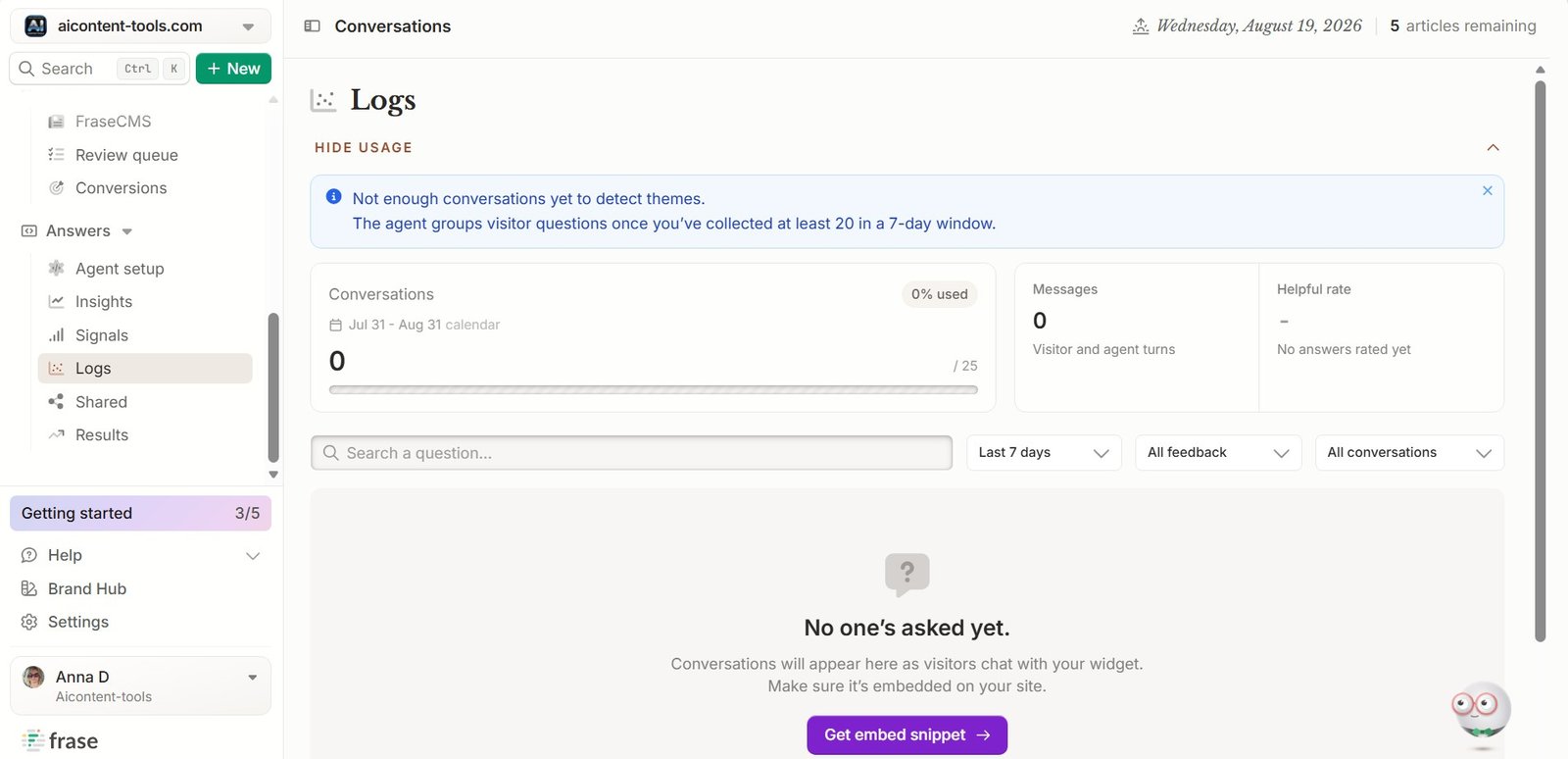
This profile gives the AI background information about the company. That is useful because voice is not only about choosing between casual and formal.
A content tool should ideally understand:
- what the business does,
- what topics it covers,
- who its readers are,
- how the company positions itself,
- what type of content it publishes.
Frase tries to keep these pieces together instead of making you explain them again inside every article prompt.
Audience Signals Add More Context
Brand Hub includes audience and content signals that help Frase understand the site’s readers and subject area.
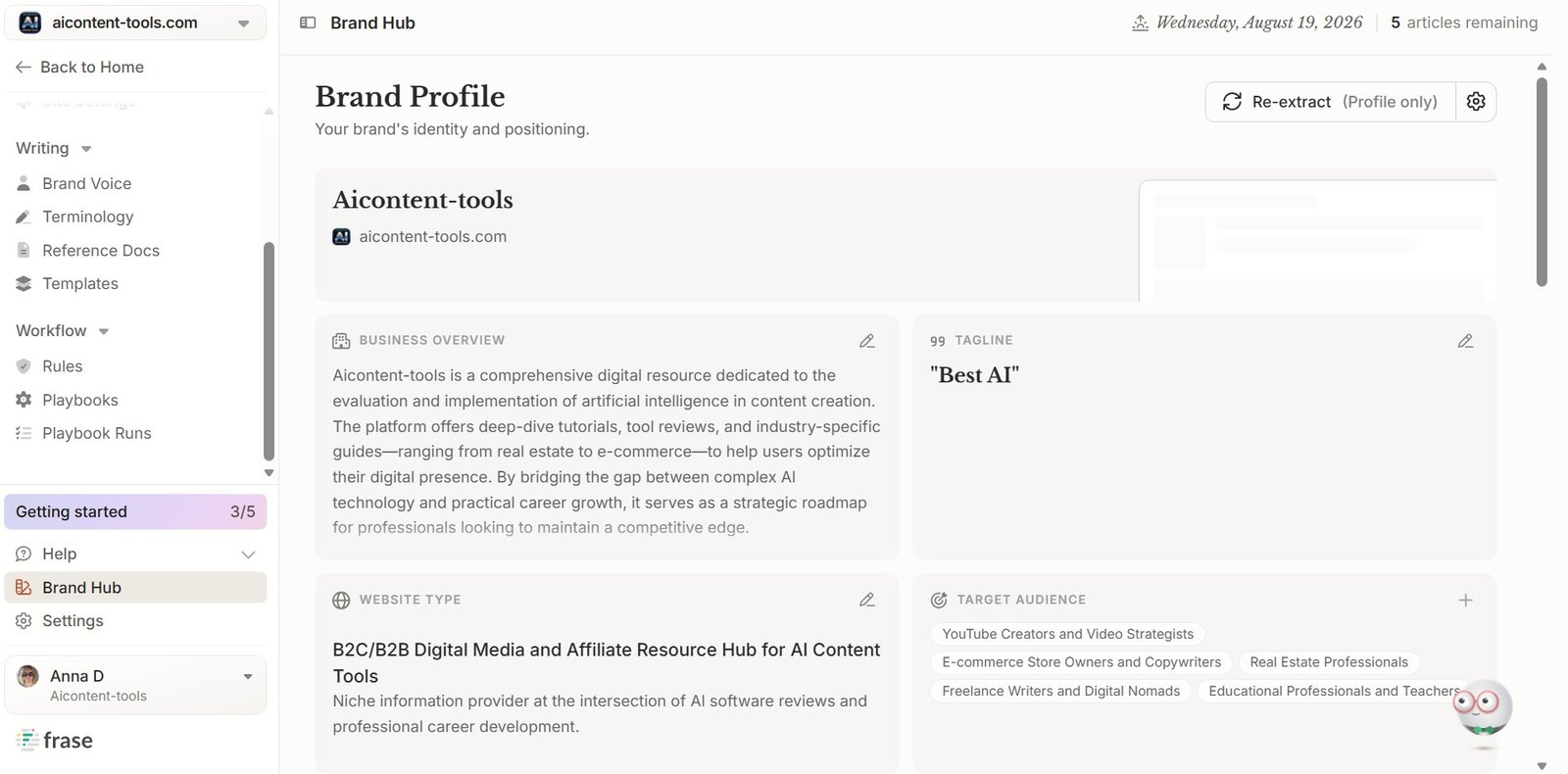
I like that Frase separates who you are writing for from how the writing should sound.
Those are not the same thing.
For example, “friendly” content for an experienced SEO professional may still use technical language. Friendly content for a person using AI for the first time needs much simpler explanations.
Frase Also Uses Competitor Matching Criteria
We also found competitor matching controls inside Brand Hub.
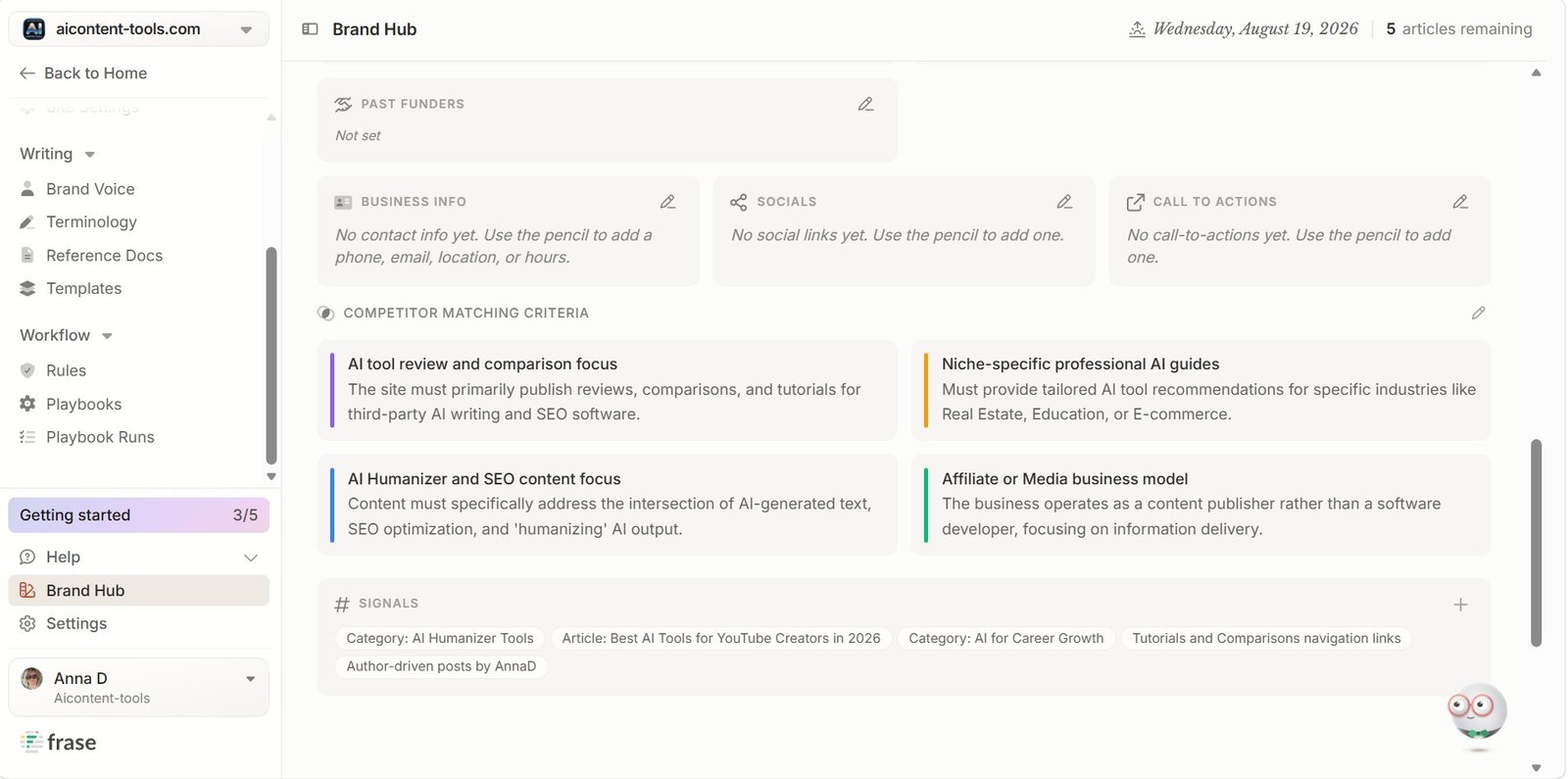
This is not directly a writing-style control, but it shows how Brand Voice connects with the rest of Frase.
The tool is not only asking: How should this sentence sound?
It is also trying to understand: What kind of brand is this, and where does it fit?
Creating a Frase Brand Voice Profile
The more interesting part starts when you create the actual Brand Voice profile.
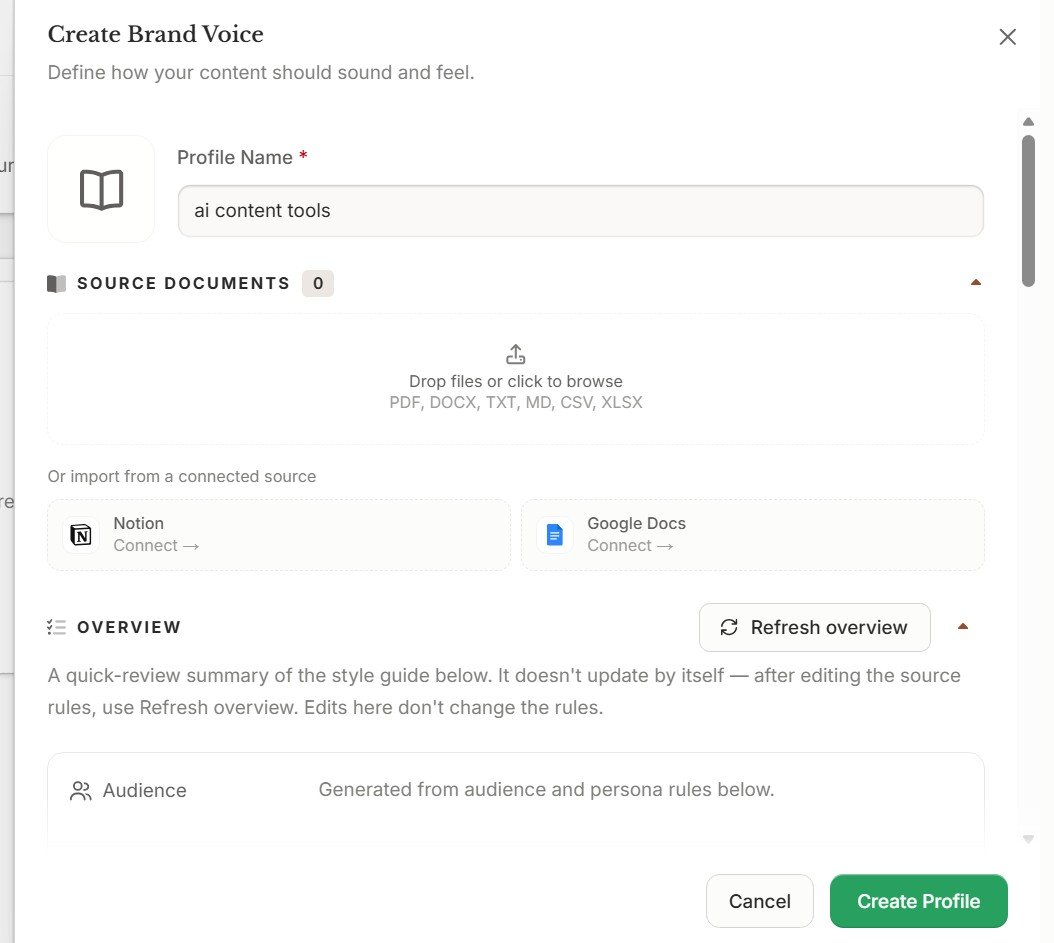
Frase lets you use source material instead of describing your entire style with a few adjectives.
This is a much better approach than writing:
“Use a friendly, helpful and professional tone.”
That instruction is too vague. Thousands of completely different writing styles could fit it.
A real sample can show Frase things such as:
- average sentence length,
- how often you use contractions,
- whether explanations are simple or technical,
- how directly you speak to the reader,
- how you structure examples,
- how promotional or neutral the writing feels.
Choose Your Source Documents Carefully
If you give Frase an old article you no longer like, you may teach the profile exactly the habits you are trying to remove.
I would use a small number of strong examples rather than a large collection of mixed-quality writing.
Audience and Positioning Can Be Defined Inside the Profile
Frase does not stop at source documents.
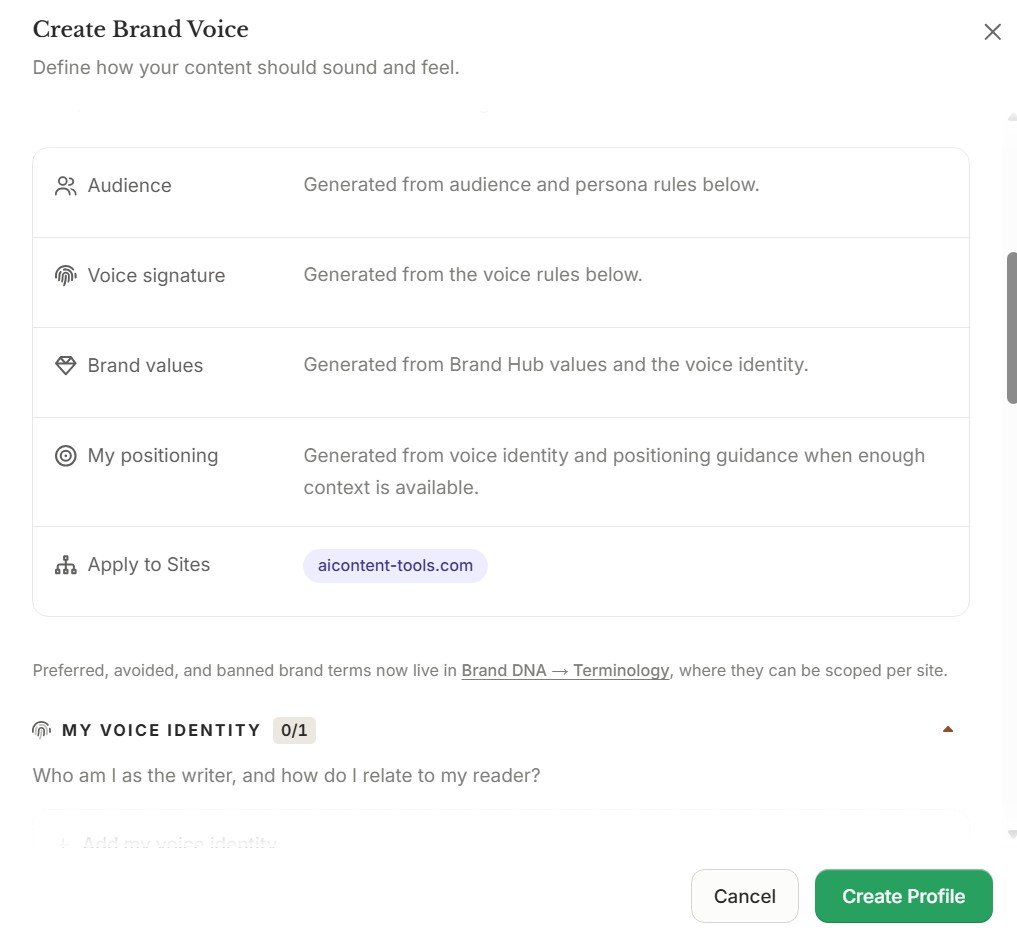
This gives you another layer of control over how the AI interprets your writing style.
| Setting | Why it matters |
|---|---|
| Audience | Helps Frase understand who needs to understand the content. |
| Positioning | Explains how the brand should present itself in the market. |
| Site assignment | Connects a profile to the correct website or project. |
This is especially useful if you work with several sites or brands. One universal voice profile is rarely correct for everything.
Voice Rules Go Beyond “Friendly” or “Professional”
Next, Frase lets you define more detailed voice characteristics.
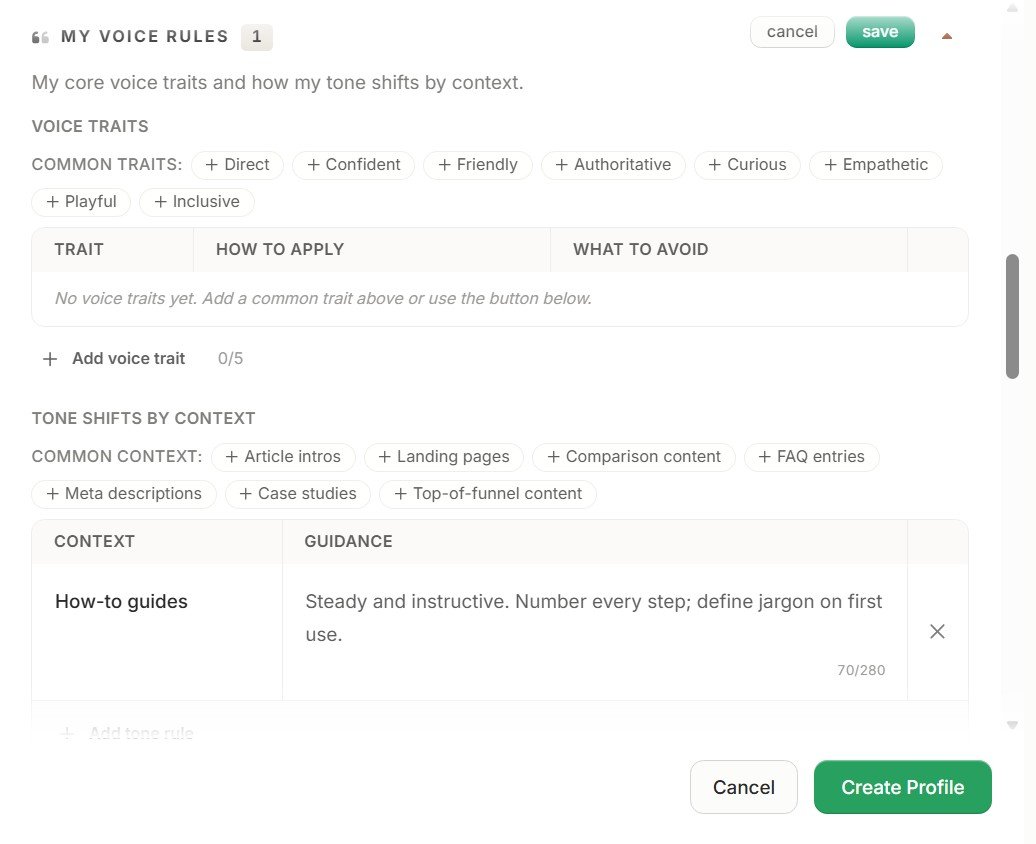
The interesting part here is that tone does not have to remain identical across every type of content.
That makes sense.
A brand can have one recognizable voice while still changing the tone slightly for:
- a beginner tutorial,
- a product review,
- a landing page,
- a comparison article,
- a help document.
Frase Includes Ready-Made Audience Personas
We also found a persona selector inside the Brand Voice builder.
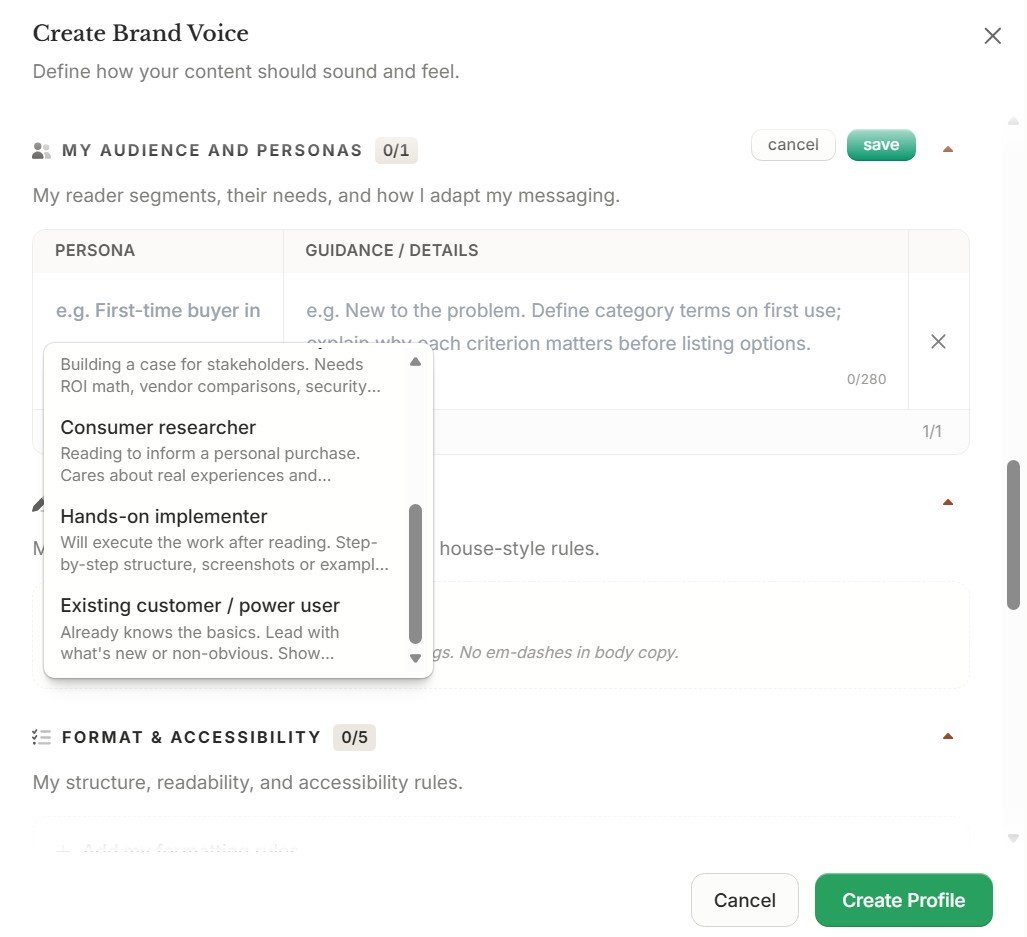
Personas can be useful when one brand writes for several reader types.
For example, the same software company may create:
- a beginner guide for a first-time user,
- a technical article for an experienced marketer,
- a decision page for a small-business owner.
The main brand voice can remain recognizable while the level of detail and language changes for the audience.
Linking Rules Are Built Into Brand Voice
This was one of the settings I did not expect to see inside a Brand Voice feature.
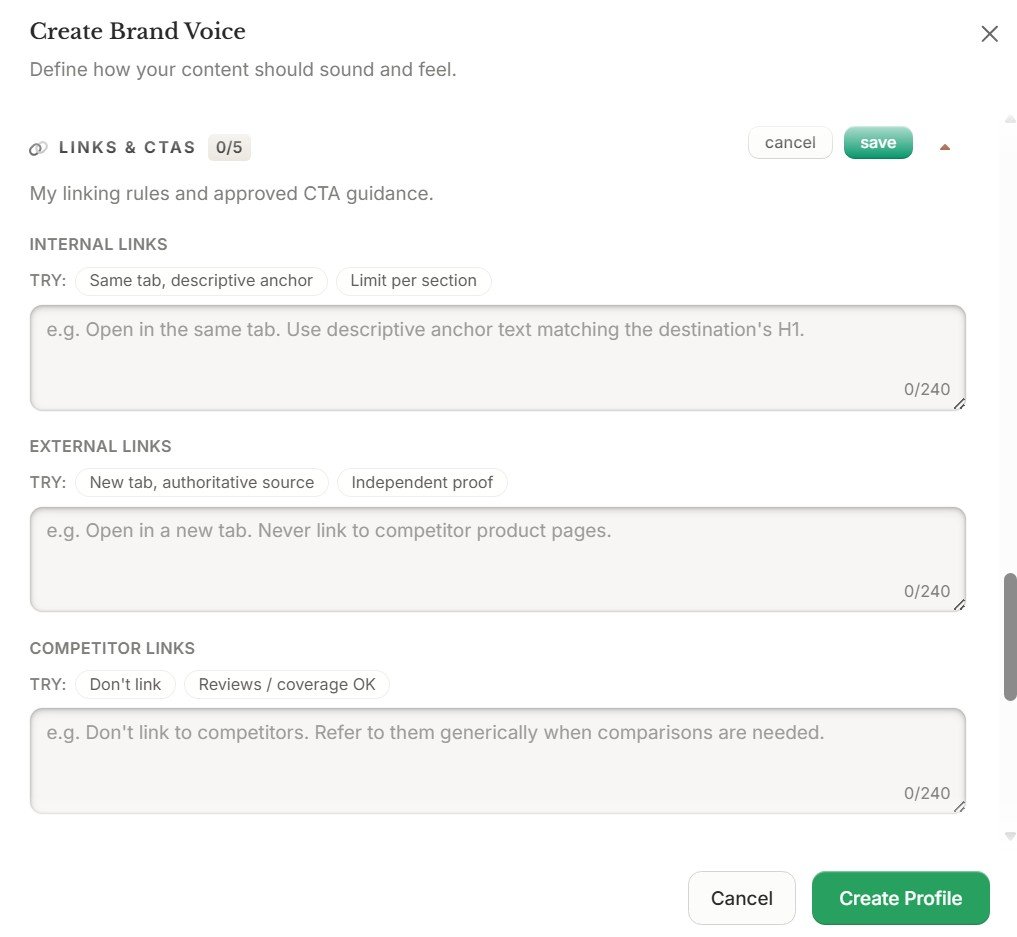
The profile can include rules for:
- internal links,
- external links,
- call-to-action language.
This is important because brand consistency is not only about sentence style.
Two articles can sound similar while behaving very differently if one contains aggressive CTAs everywhere and the other stays educational.
The Finished Brand Profile Is Easy to Review
Once the profile is created, Frase gives you an overview of the main brand information.
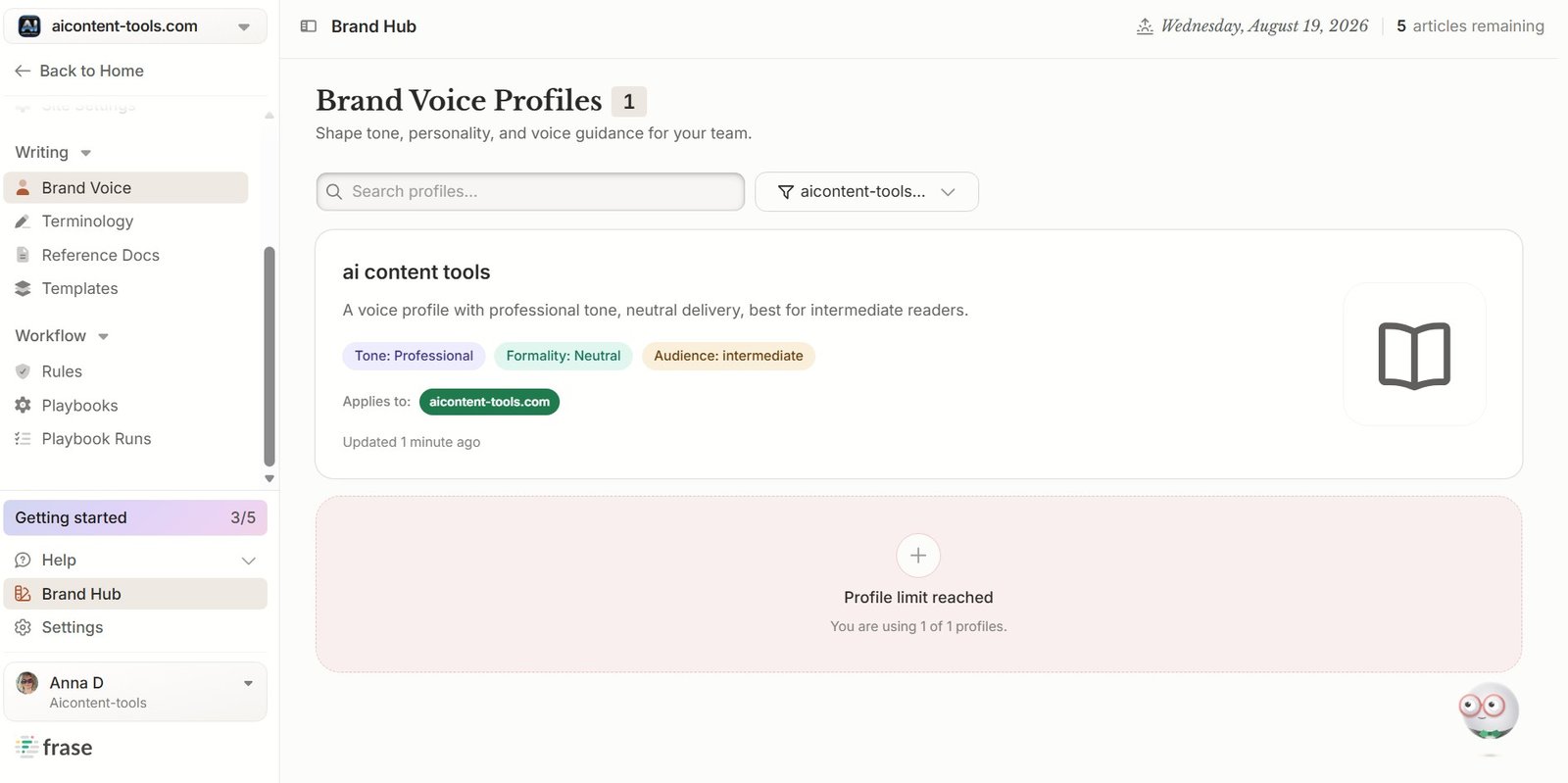
I like having the information visible in separate sections because it makes the profile easier to audit.
If generated content starts sounding wrong later, you can return here and inspect the instructions instead of guessing what the AI was told.
Does Frase Actually Learn Your Writing Style?
I would describe it slightly differently.
Frase gives you a strong system for modeling and controlling your writing style.
It can use source material and it can store a lot of detailed information around the brand. But I would not think of it as a magic system that reads one article and suddenly becomes an exact copy of you.
The quality of the result still depends heavily on the profile you build.
| What Frase can do | What it cannot guarantee |
|---|---|
| Use source documents as style guidance | Perfectly reproduce every detail of your personal writing |
| Store audience information | Know every reader automatically |
| Define voice and tone rules | Make every AI sentence sound natural |
| Change tone by content type | Remove the need for editing |
| Store CTA and linking rules | Decide the best marketing strategy for you |
What I Like About Frase Brand Voice
1. It Is More Than a Tone Selector
The biggest advantage is depth.
Frase does not reduce brand voice to three adjectives. It combines business information, source documents, audience, positioning, personas and content rules.
2. Source Documents Give the AI Real Examples
Showing an AI how you write is usually more useful than trying to describe everything manually.
3. Tone Can Change by Context
I like that Frase recognizes that a tutorial and a landing page may require different tones while still belonging to the same brand.
4. It Includes Practical Content Rules
Linking and CTA guidance make the profile more useful for real publishing, especially if several people create content for the same site.
What I Do Not Like
1. Setup Can Feel Complicated
There are many fields and concepts.
If you only create one article a month, you may wonder whether spending time building a detailed profile is worth it.
2. More Settings Mean More Ways to Configure It Badly
A detailed system is only useful when the instructions are good.
Conflicting source documents, vague positioning or badly chosen personas can make the output less consistent rather than more consistent.
3. You Still Need to Edit AI Content
Brand Voice can guide the AI, but it does not remove the need for a human review.
We saw the same pattern in our broader Frase writing tests. A draft can perform well on SEO or topic-coverage metrics and still need stronger experience, examples and editorial judgment.
Who Should Use Frase Brand Voice?
Good fit
- content teams,
- agencies,
- businesses publishing frequently,
- sites with a clearly defined audience,
- brands using AI across many articles.
Probably too much
- very occasional AI users,
- people creating one-off content,
- users who only need a simple tone instruction,
- anyone unwilling to spend time configuring the profile.
How I Would Set Up Frase Brand Voice
If I were creating a new profile from scratch, I would not fill every field as quickly as possible.
I would use this order:
- Choose your best source material. Use content that represents how you want to write now.
- Define one clear primary audience. Do not try to write for everyone.
- Check positioning. Make sure Frase understands what makes the brand different.
- Set the main voice rules. Keep them specific and easy to understand.
- Add tone shifts only where useful. Do not create ten variations unless you really need them.
- Configure links and CTAs. Keep promotional behavior consistent with the site.
- Generate a real article. Do not judge the profile only from the settings screen.
- Review the output and adjust the profile. Treat Brand Voice as something you refine over time.
Frase Brand Voice vs a Normal AI Prompt
| Normal prompt | Frase Brand Voice | |
|---|---|---|
| Reusable | Usually no | Yes |
| Source documents | Possible, but manual | Built into the profile workflow |
| Audience settings | Written manually | Stored in the profile |
| Positioning | Written manually | Separate configuration |
| Tone shifts | Needs another instruction | Can be configured by context |
| Linking rules | Needs to be repeated | Can be stored |
| CTA guidance | Needs to be repeated | Can be stored |
For one article, a good prompt may be enough.
The real value of Brand Voice appears when you repeatedly create content and do not want to explain the same brand rules every time.
How Brand Voice Fits Into the Full Frase Workflow
Brand Voice is more useful when you combine it with the rest of the platform.
A typical Frase workflow can look like this:
Brand context → Research → Outline → AI Writer → Brand Voice → SEO/GEO optimization → Improve → Publish
Frase Improve Content Review →
Frase SEO Optimization Review →
Frase Brand Voice Review: Final Verdict
Frase Brand Voice is one of the more complete brand-control systems we found inside the platform.
The strongest part is not one individual feature. It is the way Frase combines several types of guidance in one reusable profile:
- source documents,
- business information,
- audience signals,
- positioning,
- voice rules,
- contextual tone changes,
- personas,
- internal and external linking rules,
- CTA guidance.
That makes it much more useful than simply choosing “professional” from a tone menu.
But there is a tradeoff. The profile needs real setup work. Better controls do not automatically produce better content if the instructions and source material are weak.
Want to Test Frase Brand Voice Yourself?
Create a real profile with your own source material and test it on an article you already know how you want to sound. That is a much better test than judging Brand Voice from the settings page alone.
Try FraseAffiliate disclosure: the Frase link above is an affiliate link. I may receive a commission if you purchase through it, at no extra cost to you.
Frase Brand Voice FAQ
Can Frase learn my writing style?
Frase can use source documents and detailed brand settings to guide generated content toward your preferred style. I would still describe it as a controlled Brand Voice system rather than a perfect copy of your personal writing.
Can I upload writing samples to Frase Brand Voice?
In our test, the Brand Voice creation workflow included source-document options. The quality of those samples matters, so I recommend using content that closely represents the style you want to keep.
Can Frase use different tones for different content?
Yes. We found contextual tone controls in the Brand Voice profile, allowing the broader brand style to change depending on the type of content.
Does Frase Brand Voice include audience settings?
Yes. Our Brand Hub and Brand Voice screens included audience information, positioning settings and audience personas.
Can I control internal links with Frase Brand Voice?
We found dedicated guidance for internal links, external links and CTAs inside the Brand Voice configuration.
Is Frase Brand Voice worth setting up for one article?
Probably not for most users. Its main advantage is reusability. The more content you create under the same brand, the more useful a detailed reusable profile becomes.
Does Brand Voice remove the need to edit AI content?
No. Brand Voice gives the AI better instructions, but I still recommend checking tone, facts, examples, links and the final article manually before publishing.