Most LinkedIn posts do not fail because the idea is bad. They fail because the first line is weak.
AI can help you write better LinkedIn posts, but only when you use it for ideas, hooks, structure, and editing — not as a copy-paste machine.
Writing on LinkedIn can feel strange at the beginning.
You write something.
You post it.
You wait.
And then… almost nothing happens.
I know that feeling. When I started testing AI for social posts, I thought the tool would solve everything. It did not.
The problem was not only the AI.
The problem was the structure.
My posts were too general, too safe, and too much like mini blog articles. That is not how LinkedIn works.
LinkedIn is fast. People scroll quickly. Your first line needs to stop them. Then your post needs one clear idea, short lines, and some real feeling.
In this guide, I will show you how to use AI to write LinkedIn posts that have a better chance of getting views, comments, and engagement.
Step 1: Start with One Clear Idea
Before you use AI, stop for a moment.
Ask yourself one simple question:
Not five ideas.
Not a full article.
One idea.
Examples:
- I tested AI tools for writing.
- Most people use AI wrong on LinkedIn.
- I wasted time before learning how to prompt AI better.
- AI posts fail when they have no personal experience.
- A strong hook matters more than a perfect ending.
Now give that idea to AI.
Give me 5 LinkedIn post ideas about using AI for content writing. Keep each idea focused on one clear message.
AI may give you ideas like:
- why AI content feels robotic
- how I fixed my AI writing
- mistakes beginners make with AI
- why prompts matter more than tools
- how to turn one idea into several posts
Pick one.
Only one.
When I tested LinkedIn-style AI posts, the weakest posts usually had too many ideas. They tried to teach everything at once. The stronger posts were simple: one clear message, one small story, one easy takeaway.
Tip: One idea equals one strong message. If your post tries to cover too much, people will scroll away.
Step 2: Create a Strong Hook
The first line is the most important part of a LinkedIn post.
If the hook is weak, people will not read the rest.
AI can help you write hooks, but you need to guide it.
Write 10 LinkedIn hooks about AI writing mistakes. Make them short, curious, and slightly surprising.
Weak hook:
Better hooks:
I wasted 3 hours using AI the wrong way.
Nobody tells you this about AI writing.
You can feel the difference.
The better hooks create curiosity.
They make people want to read the next line.
My opinion: A good LinkedIn hook does not need to be dramatic, but it cannot be boring. Safe first lines usually disappear in the feed.
Step 3: Use AI to Build the Post Structure
Now you have:
- one idea
- one hook
Now ask AI to build the structure.
Write a LinkedIn post about AI writing mistakes. Use simple language, short lines, one personal moment, and a clear ending question.
AI may give you something like this:
They focus on speed, not quality.
This leads to generic content.
That is okay, but it still feels basic.
Now make it more human:
They try to write faster.
But the result feels empty.
I did the same at the beginning.
Then I changed one thing.
I stopped asking AI for full posts.
I started asking for ideas, hooks, and angles.
Big difference.
Have you tried using AI this way?
This feels much more natural.
It has rhythm.
It has a small story.
It has a clear point.
Step 4: Add Personal Experience
This is what makes LinkedIn posts stronger.
People do not connect with generic AI text.
They connect with real moments.
Even small ones.
AI version:
Better version:
Now it feels real.
It sounds like a person.
Not a software description.
Tip: If your post has no “I”, no opinion, and no small story, it may feel cold.
Real Example: How I Would Improve an AI LinkedIn Post
AI version:
AI tools can help professionals create better LinkedIn content by improving structure, generating ideas, and saving time.
Better human version:
I used to think AI would write LinkedIn posts for me.
It didn’t.
At least not well.
The posts were clear, but they had no feeling.
Now I use AI for ideas and hooks.
Then I add my own experience.
That small change makes the post sound like me.
This is the difference between AI text and useful AI-assisted writing.
Step 5: Keep Sentences Short and Easy
LinkedIn is not a blog post.
People scroll fast.
So your post needs space.
Short lines are easier to read.
Bad version:
Better version:
But only if you use it the right way.
Simple.
Readable.
Better for scrolling.
Tip: If a sentence feels long, split it. Simple usually wins on LinkedIn.
Step 6: Use AI to Generate Variations
This is one of my favorite uses of AI for LinkedIn.
Do not write only one version.
Write three.
Rewrite this LinkedIn post in 3 different styles: personal story, practical tip, and strong opinion.
Same idea.
Different angles.
Example:
- I wasted time using AI.
- Most people use AI wrong.
- This is why your AI content does not work.
Each version can become a different post.
What surprised me: Sometimes the second or third version is much better than the first one. AI is useful because it helps you test angles quickly.
Step 7: Add a Simple Call to Action
Do not end your post in silence.
Ask something small.
Good questions:
- What do you think?
- Do you use AI like this?
- Have you tried this before?
- What would you add?
- Do you prefer AI for ideas or full drafts?
Do not overcomplicate it.
A simple question is usually enough.
Tip: If you want comments, make the question easy to answer.
Step 8: LinkedIn Post Examples You Can Use
Here are a few simple styles you can adapt.
Most AI content sounds the same.
I noticed this after testing different tools.
Everything looked correct.
But nothing felt real.
Then I stopped asking AI to write. I started asking it to help me think.
I wasted 3 hours using AI.
Not because the tool was bad.
Because I used it wrong.
I expected perfect content.
Now I use AI for ideas, structure, and hooks.
You do not need perfect LinkedIn posts.
You need simple posts.
Clear message.
Short lines.
One idea.
I tested AI for LinkedIn posts.
First results?
Too long.
Too generic.
Then I added my own voice. Big difference.
Tip: Save posts that perform well. Study the pattern. Then create your own version.
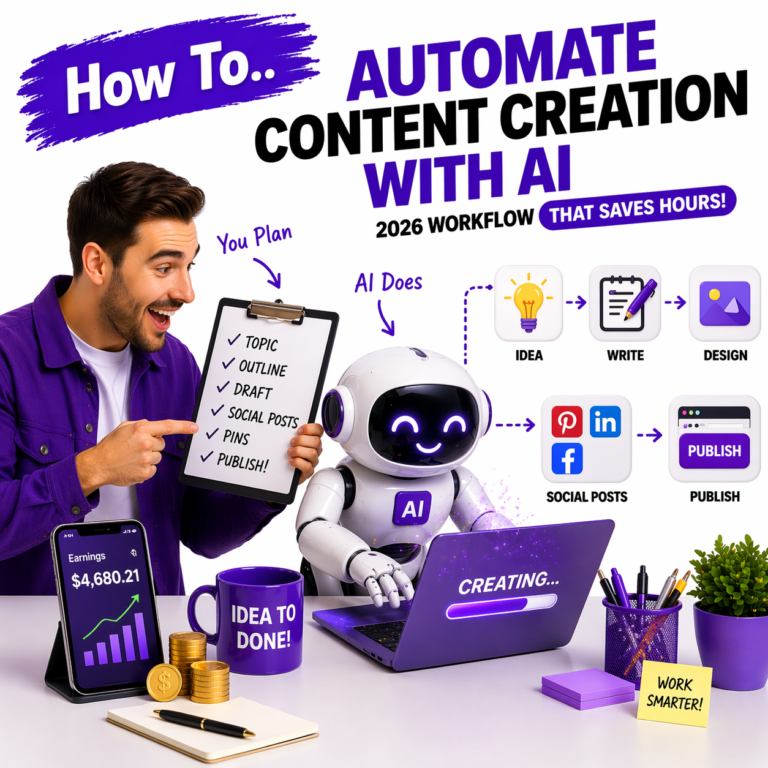
Step 9: Use a Simple AI Workflow
You do not need a complicated system.
Use this:
This is simple, but effective.
AI helps you move faster.
You make the post feel real.
My opinion: Speed matters, but clarity matters more. A fast post with no clear point will not help you much.
Step 10: Tools You Can Use
You do not need many tools.
Too many tools can slow you down.
Start with simple tools:
- ChatGPT for ideas, hooks, and drafts
- Jasper for structured writing workflows
- Grammarly for grammar and clarity
If you want to compare more AI writing tools, check this guide:
Common Mistakes When Using AI for LinkedIn Posts
This usually sounds generic. Always add your own voice, opinion, or example.
If the first line is boring, people will not read the rest.
One post should usually have one clear message.
People connect with stories, not polished generic advice.
What I Would Do Today
If I were starting LinkedIn content with AI today, I would keep it very simple.
I would not try to sound like a big influencer.
I would focus on:
- one niche
- one clear audience
- one idea per post
- short hooks
- personal examples
- 3–5 posts per week
I would use AI for the first 50% of the work.
Ideas.
Hooks.
Variations.
Structure.
But I would write or edit the final version myself.
That is where the post becomes human.
Quick Comparison: Weak Post vs Strong Post
| Weak LinkedIn Post | Strong LinkedIn Post |
|---|---|
| Starts with a generic sentence | Starts with a hook that creates curiosity |
| Too many ideas | One clear message |
| Long paragraphs | Short, easy lines |
| Sounds like AI | Sounds like a person with experience |
| No ending question | Simple call to action |
Final Thought
You do not need perfect writing to get views on LinkedIn.
You need a clear idea.
Simple words.
A strong first line.
And some real feeling.
AI can help you move faster.
But your voice is what makes people stop and read.
That is the part you should not outsource.
Want to turn LinkedIn posts into a content system?
LinkedIn posts can be more than random updates. You can use them to test ideas, build authority, and send people back to your longer content.
FAQ
For beginners, posting 3–5 times per week is enough. Consistency matters more than posting many times and then disappearing.
AI can create strong drafts, hooks, and ideas, but you should edit the final post and add your own experience. Copy-paste AI posts usually feel generic.
Common reasons include a weak hook, long paragraphs, too many ideas, no clear point, or content that feels too generic.
Short to medium posts often work well, but clarity is more important than length. A useful 8-line post can perform better than a long, unfocused one.
Simple posts, personal stories, strong hooks, useful lessons, and clear messages usually work best because they are easy to read and easy to relate to.