AI writing tools can make you feel incredibly productive.
You type one prompt. A few seconds later, you have an introduction, headings, examples, and maybe even a complete article.
It feels like the difficult part is finished.
But this is exactly where many beginners make their first big mistake.
The real skill is not generating text. The real skill is knowing what to keep, what to remove, what to check, and what only you can add.
I have seen this again and again while testing AI writing tools. A first draft can look surprisingly professional. It has clean headings. The grammar is good. The sentences sound confident.
Then I read it carefully.
There is repetition. The examples are weak. Some facts need checking. The introduction says a lot without really saying anything. And sometimes the AI sounds extremely sure about information that is simply wrong.
That does not mean AI writing tools are bad.
It means you need to use them as tools — not as automatic publishing machines.
In this guide, I will show you the beginner mistakes that matter most and, more importantly, how to fix them.
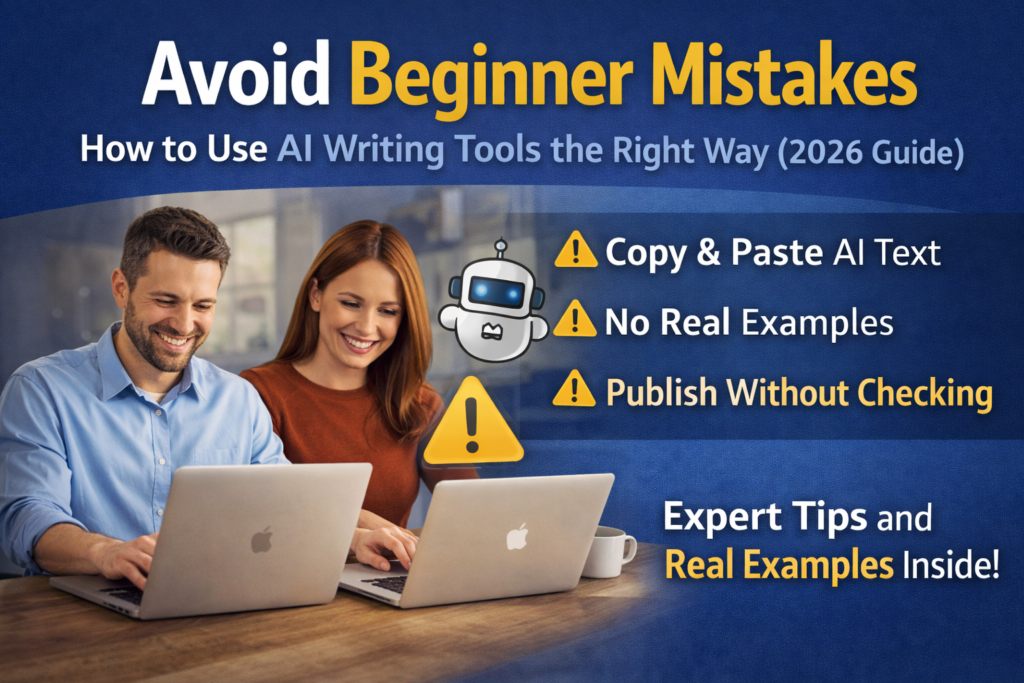
1. Copying AI Text and Publishing It Immediately
This is probably the most common beginner mistake.
The workflow looks like this:
Prompt → Generate → Copy → Publish.
Fast? Yes.
Good idea? Usually not.
The first AI draft is often only a starting point. It may be grammatically correct, but correct grammar is not enough to make useful content.
AI often chooses the safest possible wording. That is why completely different tools can produce text that feels strangely similar.
“AI writing tools can help businesses improve productivity, streamline workflows, and create high-quality content more efficiently.”
There is nothing technically wrong with that sentence.
But what did you actually learn?
Almost nothing.
“AI can give me a 1,500-word draft in minutes. The problem is that I may spend another 30 minutes removing repetition, checking facts, and replacing generic advice.”
Now there is something real to think about.
What I would change before publishing any AI draft
- Remove sentences that only repeat the heading.
- Delete empty introductions.
- Replace vague claims with specific examples.
- Add your own experience or opinion.
- Check facts, prices, dates, and product features.
- Read the article as a human reader, not as its creator.
2. Asking AI to Write About Something You Do Not Understand
This mistake is more dangerous.
If you understand your topic, AI mistakes are easier to notice.
If you do not understand the topic, bad information can look completely reasonable.
Imagine asking AI to explain a software feature you have never used. The answer sounds professional, so you publish it.
But the feature moved six months ago. Or it works differently now. Or it only exists on a more expensive plan.
You may never notice.
AI can write a wrong answer in exactly the same confident style as a correct answer.
This is one reason I prefer testing tools instead of only asking AI to describe them. When possible, open the product. Click the feature. Run a test. See what happens.
Your article instantly becomes more useful because now you can explain what you actually saw.
3. Using AI as a Search Engine Without Checking the Source
AI tools can help with research, but I would not treat an AI answer as a final source.
Especially when the information can change.
This includes:
- prices,
- free plans,
- trial periods,
- software features,
- limits,
- laws and regulations,
- statistics,
- dates,
- technical requirements.
AI models may use old information. They may misunderstand a page. They may even create a detail that sounds believable but is not real.
A better research habit
Ask AI to help you discover what needs research.
Then verify important information using the original source.
For example, if you are writing about a software subscription, check the official pricing page instead of trusting a price generated in the draft.
If you want to understand why AI sometimes creates incorrect information, read my guide:
Can You Trust AI Answers? What AI Hallucinations Mean →
4. Trying to Sound “Professional”
This one surprised me when I first started working with AI-generated content.
Many prompts ask for something like:
“Write a professional, detailed, comprehensive article.”
AI listens.
Sometimes too well.
You get sentences full of words such as:
- leverage,
- robust,
- comprehensive,
- navigate,
- landscape,
- realm,
- delve,
- streamline,
- transformative.
One of these words is not a problem.
Ten of them on one page can make a simple tutorial sound like a corporate report.
“This methodology enables content creators to leverage sophisticated AI capabilities to facilitate a more streamlined content production workflow.”
“This method helps you create content faster with AI.”
The second version is not less intelligent.
It is simply easier to understand.
5. Making Every Sentence the Same Length
Simple writing does not mean every sentence must be short.
This can create another problem.
AI writes fast. AI writes clearly. AI writes content. AI saves time. AI helps businesses.
After a while, it sounds like a robot giving instructions.
Good writing has rhythm.
Some sentences are short.
Others can be longer because an idea needs more explanation, context, or an example.
Then you use a short sentence again.
That feels natural.
This is also why I do not recommend blindly using commands such as “make every sentence under 15 words.” Readability is useful, but extreme rules can make writing worse.
6. Giving AI a Weak Prompt and Blaming the Tool
Sometimes the AI output really is bad.
But sometimes the problem started with the prompt.
Compare these two requests.
Write an article about AI writing.
Write a beginner-friendly section explaining why AI drafts should be fact-checked before publishing. Use simple English, give one realistic example from a software review, avoid marketing language, and keep the section under 250 words.
The second prompt gives AI a job.
It defines:
- the audience,
- the purpose,
- the topic,
- the style,
- the example,
- the length.
You do not need a giant 500-word prompt every time.
But AI usually performs better when it knows what you actually want.
For practical prompt examples, see:
Best Prompts to Make AI Sound Human: Real Examples →
7. Asking for a Full Article Too Early
This is a mistake I think many people make because AI makes the process so easy.
You have an idea.
You immediately ask:
“Write a complete 2,000-word article.”
Now AI makes dozens of decisions for you.
It decides what matters. It chooses the structure. It chooses the examples. It decides how much space each topic receives.
And if the direction is wrong, you now have 2,000 words of the wrong article.
I prefer a slower start
- Define the question the article should answer.
- Decide who the reader is.
- Create the outline.
- Remove sections that are not needed.
- Add topics based on your own experience.
- Only then generate the first draft.
It may feel slower.
Usually it saves time later.
8. Adding Keywords Until the Article Sounds Strange
You do not need to remind Google what your article is about in every paragraph.
If your topic is “AI writing tools for beginners”, you do not need this phrase 35 times.
“The best AI writing tools for beginners help beginners use AI writing tools when choosing the best beginner AI writing tools.”
No human talks like this.
Write clearly about the topic and related terms will appear naturally.
Google’s current guidance also focuses on useful, original, people-first content rather than pages made mainly to manipulate search rankings.
You can read Google’s own guidance here:
Google Search guidance on generative AI content →
9. Writing Without Knowing Search Intent
Before writing, ask one simple question:
Why did this person search for this?
It changes everything.
| Search | Reader probably wants |
|---|---|
| What is AI writing? | A simple explanation |
| Best AI writing tools | A comparison and recommendations |
| Frase review | Real tests, strengths, weaknesses, price, and verdict |
| How to use ChatGPT | Instructions and examples |
| Jasper vs Frase | A direct comparison |
If someone wants instructions and you give them 1,500 words of history before the first step, the article may be technically complete but practically useless.
Give readers what they came for.
Then add useful context.
10. Explaining Everything but Showing Nothing
This is one of my biggest problems with generic AI content.
It explains.
And explains.
And explains some more.
But where is the evidence?
If you tell me an AI tool is “easy to use,” show me what makes it easy.
If you say it creates great product descriptions, show me one.
If you say a feature saves time, explain what it replaced in your old workflow.
“AI can improve Etsy SEO by generating optimized tags.”
“I asked AI for 20 Etsy tag ideas. Several were useful, but others were too broad, such as ‘gift idea’. I would never publish the complete list without checking every tag.”
That is not only more interesting.
It teaches the reader how to think.
For more examples aimed at sellers, see:
Best AI Tools for Etsy Sellers (2026 Guide) →
11. Believing More Content Automatically Means More Traffic
AI creates a dangerous temptation.
If you can create one article quickly, why not create ten?
Or fifty?
The problem is that publishing became easy, but getting attention did not.
A weak page does not become strong because you have 100 other weak pages next to it.
I would rather improve one important article by adding:
- a real test,
- better screenshots,
- clearer examples,
- updated information,
- a stronger comparison,
- better internal links,
- a clearer answer to the search question.
That creates something another website cannot reproduce simply by entering the same prompt.
And that is becoming more important as AI makes basic information extremely easy to generate.
12. Trusting AI’s Product Recommendations Too Easily
This deserves its own section.
Ask AI:
“What is the best AI writing tool?”
You will probably get a nice list.
But what does “best” mean?
Best for bloggers?
Best for SEO?
Best for a beginner?
Best under $20?
Best for someone writing 50 product descriptions?
There is rarely one best tool for everyone.
That is why comparisons need criteria.
This turns a generic recommendation into something useful.
13. Forgetting That AI Tools Change
This is especially important in 2026.
AI software can change very quickly.
A tutorial can be correct when you publish it and outdated a few months later.
Buttons move.
Features disappear.
New models arrive.
Free plans change.
Usage limits change.
Companies completely redesign their dashboards.
This creates an important job that AI cannot fully do for you:
maintenance.
Go back to important articles.
Check the links. Check the screenshots. Check the prices. Check whether the workflow still works.
An old article does not always need a complete rewrite. Sometimes five accurate updates make it useful again.
14. Removing Your Personality Because AI Sounds “Better”
This mistake is subtle.
You write something yourself.
Then you ask AI to “improve” it.
The grammar becomes cleaner.
The paragraph becomes smoother.
But something disappears.
You.
Your unusual example becomes a generic example. Your direct sentence becomes formal. Your opinion becomes neutral.
After enough editing, your article could have been written by anyone.
I do not want AI to remove every imperfect sentence if those sentences make the text feel real.
Good editing should improve clarity.
It should not erase personality.
If this is something you struggle with, read:
Beginner’s Guide to Writing With AI Without Losing Your Voice →
15. Treating AI Like an Employee Who Already Knows Your Business
AI does not automatically know:
- who your readers are,
- what your readers already know,
- which products you actually tested,
- what you believe,
- which examples matter to your audience,
- which information should not be included.
You have to provide context.
Think about working with a new assistant.
If you only say “write something about AI”, you should not expect perfect results.
AI needs direction too.
The Simple Test I Use: Could Another Site Publish This?
Here is one question I really like.
If the answer is yes, I probably need to add more.
Maybe I need:
- my own test,
- a screenshot,
- a stronger opinion,
- a real example,
- a comparison,
- a failure,
- a result I did not expect.
This is where human input matters most.
AI is excellent at producing information that looks complete.
Your job is to make it worth reading.
My AI Writing Workflow for Beginners
You do not need a complicated system.
This is the workflow I recommend when you are starting.
Step 1: Decide what the reader needs
Do not start with the prompt. Start with the reader.
What question should this page answer?
Step 2: Research the topic yourself
Open important sources. Test the product when possible. Collect facts before asking AI to turn them into polished prose.
Step 3: Ask AI for an outline
Do not automatically accept it.
Remove boring sections. Add questions the AI missed. Change the order if it does not make sense.
Step 4: Generate the first draft
This is where AI saves a lot of time.
But remember: draft means draft.
Step 5: Cut weak text
Look for repetition, long introductions, empty conclusions, and sentences that sound impressive but teach nothing.
Step 6: Add something only you can add
Your test. Your screenshot. Your example. Your opinion. Your mistake. Your result.
This is often the most valuable part of the article.
Step 7: Check important facts
Never assume a confident sentence is a correct sentence.
Step 8: Read it from the visitor’s point of view
Forget that you wrote it.
Would this article actually answer your question?
Step 9: Publish
Do not wait forever for perfection.
Useful and published is better than perfect and unfinished.
Step 10: Come back later
Watch what changes. Update information. Improve examples. Add new tests when you have them.
AI Writing: What AI Should Do and What You Should Do
| AI is good at | You should control |
|---|---|
| Generating ideas | Choosing which ideas matter |
| Creating first drafts | Deciding what deserves publication |
| Rewriting sentences | Protecting your voice |
| Creating outlines | Understanding user intent |
| Summarizing information | Checking important facts |
| Generating examples | Adding real experience |
| Working quickly | Thinking carefully |
One More Important Point: Google Does Not Simply “Ban AI Content”
This topic creates a lot of confusion.
The simple version is this:
Using AI does not automatically make content bad or against Google’s rules.
Google says creators should focus on accuracy, quality, relevance, and useful content for people.
The problem starts when automation is used to create large amounts of unoriginal content mainly to manipulate search rankings.
So I would not ask:
“Can Google detect that I used AI?”
I would ask:
“Did I create something worth finding?”
That is a much better question.
Official source:
Google Search’s Guidance on Generative AI Content →
You can also read:
AI Content Optimization: How to Format Content for AI Search →
A Quick Beginner Checklist Before You Publish
Before publishing an AI-assisted article, ask:
- Does the article answer one clear question?
- Did I remove obvious AI filler?
- Did I check important facts?
- Are prices and product features current?
- Did I add my own examples?
- Did I add real experience where possible?
- Does the introduction get to the point?
- Can a beginner understand the language?
- Are headings useful?
- Is anything repeated?
- Does the article sound like me?
- Does it provide something beyond information AI can generate in five seconds?
If the answer is yes to most of these, you are in a much better position.
Final Thoughts: AI Should Make You Faster, Not More Generic
The biggest beginner mistake is not using AI.
It is expecting AI to do the thinking for you.
AI writing tools are incredibly useful.
They can help you beat the blank page. They can organize messy ideas. They can suggest structures, rewrite weak sentences, create variations, and give you a first draft much faster than starting from zero.
I use AI because of that speed.
But speed is only one part of good content.
You still need judgment.
You need to know when a paragraph is boring. You need to notice when an example feels fake. You need to check claims that matter. And you need to add something a machine does not have: your actual experience.
That is where the useful content starts.
AI gives you a draft.
You give the draft a reason to exist.
So do not worry about creating a perfect article with one perfect prompt.
Start with something imperfect.
Test it.
Edit it.
Question it.
Add your own knowledge.
Then improve it again.
That is a much better way to learn AI writing.
If you are completely new to AI writing tools, start here:
What Is AI Writing? Simple Explanation for Beginners →
Frequently Asked Questions
What is the biggest AI writing mistake beginners make?
Publishing the first AI-generated draft without checking or improving it. A first draft may look polished but still contain repetition, weak examples, outdated information, or generic advice.
Should I rewrite everything AI generates?
No. Keep the useful parts. Rewrite sections that sound generic, unclear, repetitive, or different from your normal voice. The goal is not to change every word. The goal is to improve the article.
How do I make AI-generated content sound more human?
Use simpler language, mix sentence lengths, remove unnecessary phrases, add specific examples, and include your own opinions and experience.
Can I trust facts generated by AI?
Do not automatically trust important facts. Verify prices, dates, statistics, product features, technical information, and other claims that could cause problems if they are wrong.
Does Google penalize AI-generated content?
Not simply because AI was used. Google’s guidance focuses on useful, accurate, original, people-first content. Using automation to create large amounts of low-value content mainly to manipulate rankings can violate Google’s spam policies.
Is it better to publish more AI articles?
Not automatically. Publishing more pages only helps if those pages are useful. One detailed article with original examples and real testing can be more valuable than many generic articles.
How long should I spend editing AI content?
There is no perfect number. A short post may need only a few minutes. A detailed review may need much more because you have to test features, verify facts, add screenshots, and improve examples.
Should beginners use AI to write complete articles?
Yes, but it is often easier to work in stages. Start with the goal and outline. Then create the draft, edit it, add your own information, and fact-check before publishing.
Can AI replace a writer?
AI can replace some writing tasks. It can generate drafts, headlines, ideas, summaries, and rewrites very quickly. But decisions about accuracy, audience, experience, usefulness, and final quality still need human judgment.
What should a beginner learn first?
Learn how to give clear instructions, recognize weak AI output, check important facts, and edit the result. Prompting is useful, but evaluating the answer is even more important.