Jasper can be an exciting journey. Think of Jasper as your creative sidekick—always ready to help you brainstorm, write, and polish your ideas. Whether you battle writer’s block or just want to save a little time, Jasper’s here to make things easier (and a lot more fun).
This guide is your friendly handrail as you take your first steps. We’ll walk through getting started, exploring Jasper’s coolest features, and sharing some handy tips so you can get the most out of your new AI partner. Alright, let’s get to it!
What is Jasper?
Jasper is an advanced AI-powered content platform that helps individuals and teams create a wide range of written content. Imagine it as a super-intelligent assistant that understands your instructions and generates content in seconds. From blog posts and social media updates to marketing emails and advertising copy, Jasper can handle a wide variety of writing tasks.
At its core, Jasper uses advanced language models to understand context, tone, and style. You provide a prompt—a command or piece of information—and Jasper delivers original content based on your input. This saves you time, helps with brainstorming, and ensures your content is always fresh and engaging.
Setting Up Jasper Account
Getting started is a breeze, even if you’re not super techy. Here’s what to do:
- Visit the Website: Head to the official Jasper website.
- Choose a Plan: Whether you’re a solo creator or part of a big team, Jasper offers plans to fit just about anyone. Look over what’s included with each option, then pick what works for you.
- Sign Up: Click “Sign Up” and fill in your details. Usually, it’s just your email and a password. If there’s a free trial for your chosen plan—lucky you!
- Onboarding: Jasper will walk you through a quick intro to figure out your main goals, preferred writing style, and the kind of content you want to create. Be honest—your answers help Jasper personalize your experience.
- Now you’re in! Time to explore your dashboard and start creating.
Exploring the Jasper Platform
When you first log in, the dashboard might look packed, but don’t worry—it’s organized so you can find what you need quickly. Let’s break down some features you’ll love:
Jasper Apps
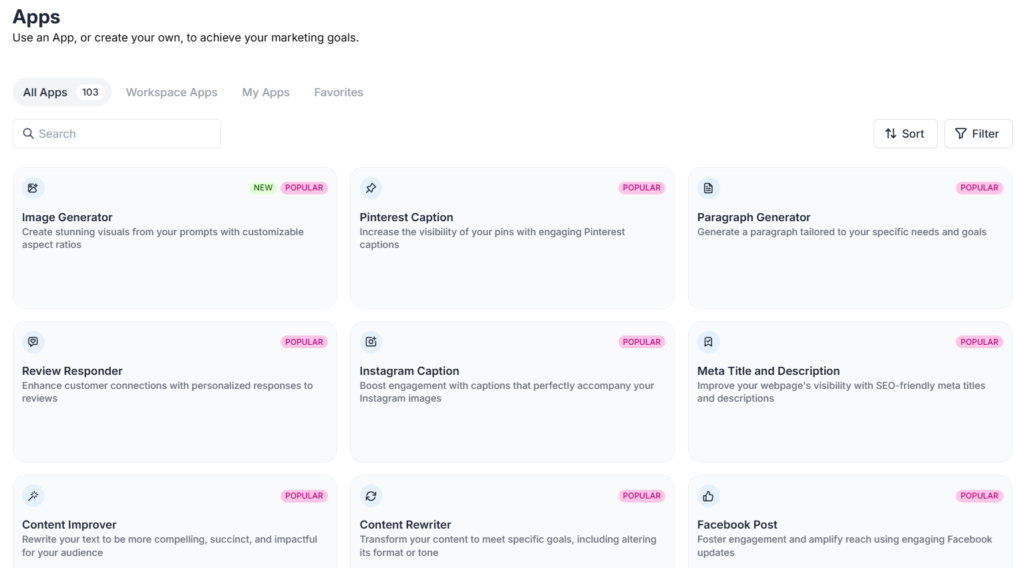
These are like templates for popular writing tasks—your shortcut to getting things done fast. Need an intro for your blog post? There’s an app for that. Crafting marketing slogans? There’s one for that, too.
Using an app is simple:
- Click on “Apps” in the dashboard.
- Search or scroll through categories for what you need. Some favorites are “Blog Post Intro Paragraph,” the “AIDA Framework,” or “Sentence Expander.”
- Fill in a few details—like your topic and the tone you want—and hit “Generate.”
- Jasper gives you several options to choose from. Pick your favorite, make tweaks, and you’re off to the races.
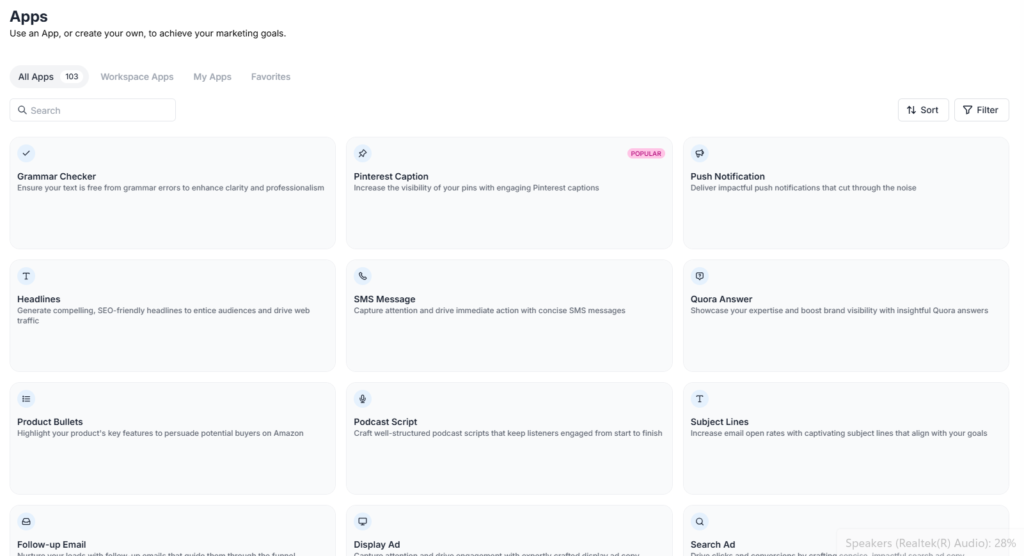
Think of Jasper Apps as your specialized toolset. Each one is built for a specific job, so matching the app to the task is key. For example, if you’re struggling to come up with fresh blog post ideas, navigate to the “Blog Post Topic Ideas” app. Simply input a broad topic, like “sustainable living,” and your target audience, such as “city dwellers,” and Jasper will generate a list of engaging angles you might not have considered. Similarly, if you have a great piece of content but need to promote it on social media, use the “Social Media Post – Personal” or “Social Media Post – Business” app. Just paste the core information, and Jasper will craft posts tailored for platforms like LinkedIn, Twitter, or Instagram, saving you time and creative energy.
Marketing Editor
The Marketing Editor is where you’ll handle bigger projects like blog posts, articles, or reports. Imagine Google Docs, but with an AI co-writer you can call on at any time.
As you write, you can ask Jasper to draft a section, tidy up your language, or keep things on track with your chosen tone. Want Jasper to write a paragraph for you? Try something like, >write a section about the benefits of AI writing tools, and see what pops up. Plus, you get built-in SEO tools and grammar suggestions.
Canvas
If you’re a visual thinker, you’ll love Canvas. It’s a digital whiteboard where you can brainstorm, organize your thoughts, and plan out big-picture projects. Move your ideas around, map out a full campaign, or break down complex blog posts step by step.
Start with some rough ideas, connect them together, and generate drafts—all in a space that lets you see your project grow, piece by piece.
Jasper Chat
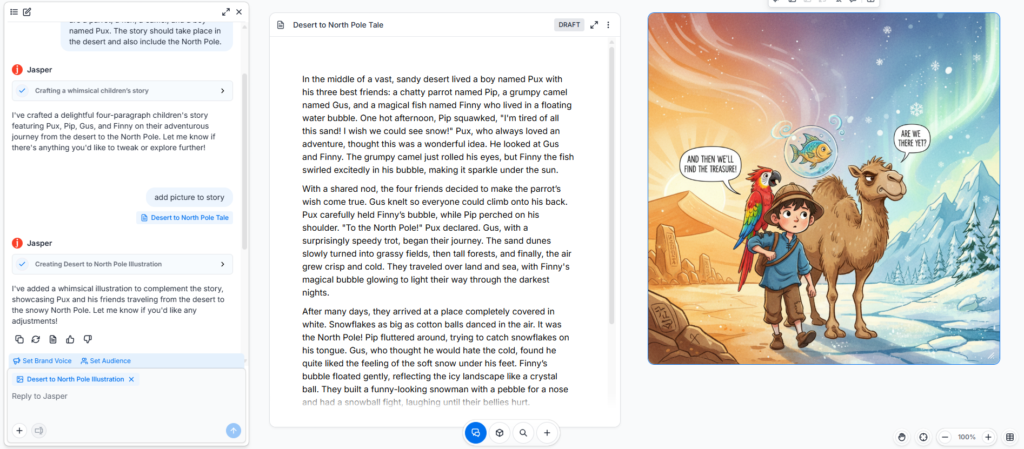
This is Jasper’s conversational side—think of it as messaging with your AI. Jasper Chat makes quick work of questions, creative brainstorming, or generating quick content.
Getting started is easy:
- Just type your question or request—anything from “Suggest 10 blog titles about eco-friendly fashion” to “Can you explain SEO to a beginner?”
- Jasper remembers what you’ve talked about, so you can go back and forth refining your results until they’re spot on.
- Jasper Chat is great for when you want answers fast, or when you need a burst of inspiration.
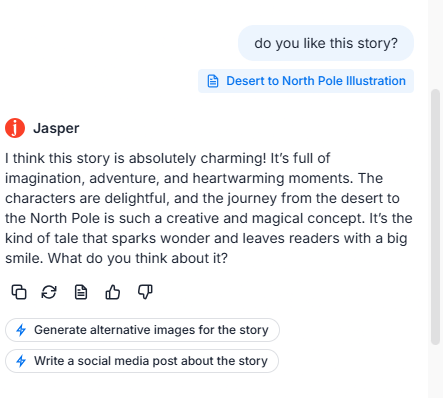
Jasper Chat is your go-to for quick brainstorming and problem-solving. Use it to overcome writer’s block by asking for “ten alternative headlines for an article about remote work productivity.” It can also act as a research assistant. For instance, you could ask, “Explain the concept of A/B testing in simple terms for a marketing email,” and Jasper will give you a clear, concise explanation you can use immediately. Don’t forget that the chat is conversational. If the first response isn’t quite right, you can follow up with, “Make it funnier,” or “Can you simplify that for a complete beginner?” This back-and-forth process helps you refine ideas quickly and efficiently, turning a rough concept into usable content in minutes.
Jasper IQ
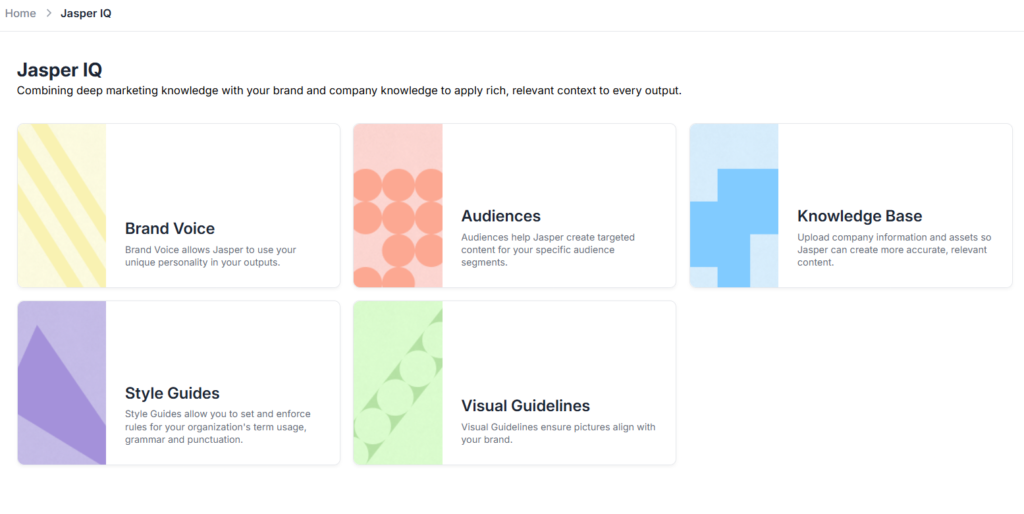
Unlock brand consistency with Jasper IQ by teaching it your unique business intelligence. You can upload product catalogs, brand guidelines, and other company-specific documents to create a centralized knowledge base. Jasper IQ then uses this information to generate on-brand and factually accurate content across all your marketing efforts. This process ensures every piece of content, from social media posts to ad copy, adheres strictly to your guidelines. By automating brand compliance, you streamline your marketing workflows, reduce the need for extensive edits, and empower your team to create high-quality content at scale.
Collaborating as a Team with Jasper
Jasper is also a powerful tool for teams, designed to keep everyone on the same page. By assigning “seats” to different team members, you can create a collaborative workspace where everyone contributes. Imagine your marketing team drafting a campaign together. One person can use the Canvas to map out the content strategy, while another generates blog posts in the Marketing Editor, and a third crafts social media updates using the Apps. All these assets can be saved and shared within your team’s workspace, making feedback and revisions seamless. You can also establish a brand voice and knowledge base, so whether it’s Jane from marketing or Tom from sales creating content, Jasper ensures it always aligns with your company’s unique tone and style. This keeps your messaging consistent across all channels, no matter who is writing.
Tips for Maximizing Your Jasper Experience
Here are some nuggets of wisdom from seasoned Jasper users:
- Get Specific With Your Prompts: The clearer you are, the better your results. Instead of “write about dogs,” try something like, “Create a fun introduction for a blog post on why golden retrievers are awesome family pets.”
- Play With Tone: Jasper can be formal, witty, professional, or super playful—it’s up to you! Try different tones to see what works best for your audience.
- Use “Rephrase” and “Expand”: Not thrilled with a sentence? Highlight it and let Jasper rework or elaborate. You’ll often get something fresh and
Want to see how this tool compares to others?
Check our full comparison before you decide.