“I need a platform that lets me run side-by-side comparisons and see token costs—any recommendations?”
You are not the only one asking this. Many users want to compare AI models before choosing a tool. They want to see real output, real quality, and real cost.
The problem is simple. Most tools show only one model. You cannot compare results easily. And you often do not understand how much you really pay.
In this guide, I will show you the best platforms that let you:
- compare AI models side by side
- understand token costs
- choose the right tool faster
Why Side-by-Side Comparison Matters
From real testing, different AI models give very different results.
One model can be:
- more creative
- more accurate
- cheaper
- faster
If you test only one tool, you miss this difference.
Side-by-side comparison solves this problem. You can run the same prompt and see which model performs better.
What Are Token Costs (Simple Explanation)
Token cost means how much you pay for using AI.
You do not pay per article. You pay for:
- input (what you write)
- output (what AI generates)
This is counted in “tokens”.
Simple idea:
- short text = low cost
- long text = higher cost
Different models have different prices. That is why comparison tools are important.
What to Look For in a Comparison Platform
Before choosing a tool, check these features:
- side-by-side output
- multiple AI models
- token or usage cost tracking
- speed and ease of use
- export or copy results
The best tools combine all of these.
Best Platforms for AI Comparison and Token Costs
1. OpenAI Playground
This is one of the most powerful tools for testing AI.
You can:
- test different models
- adjust settings
- see token usage
It is more technical, but very accurate.
Best for:
- advanced users
- testing prompts
- understanding costs
2. Poe
Poe is simple and very useful.
You can:
- compare multiple AI models
- switch between them fast
- test the same prompt
It is easy to use and good for quick comparisons.
Best for:
- beginners
- fast testing
- daily use
3. Perplexity AI
Perplexity is focused on answers and research.
You can:
- compare answers
- see sources
- test accuracy
It does not show full token costs, but it helps compare quality.
Best for:
- research
- accuracy testing
4. Claude
Claude is known for long and detailed outputs.
You can:
- test large prompts
- compare quality vs other models
Some platforms integrate Claude for comparison.
Best for:
- long content
- deep analysis
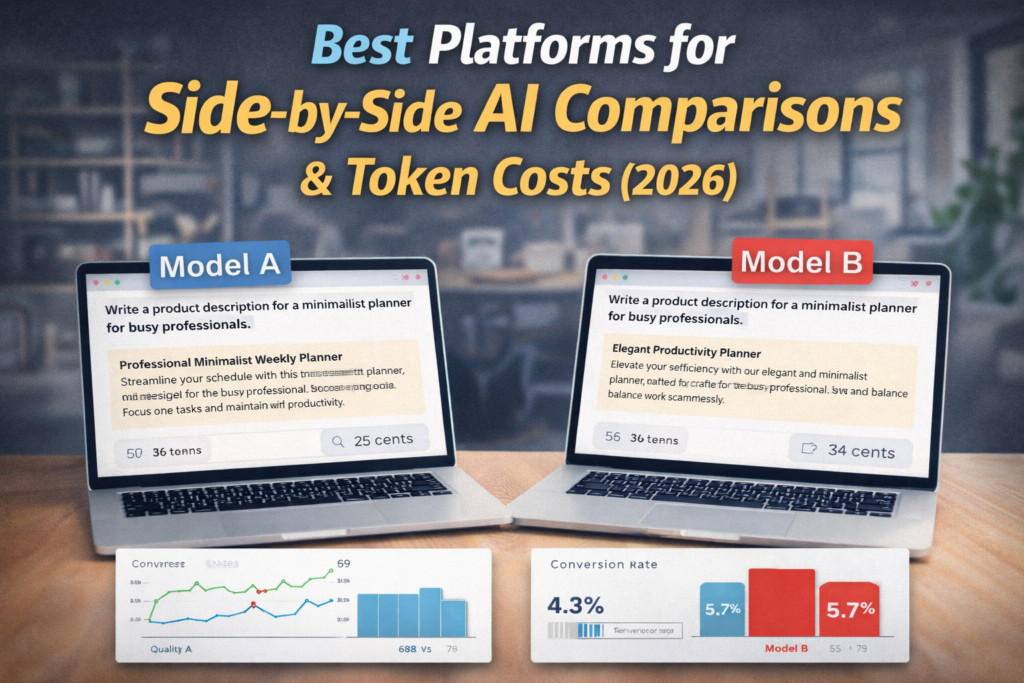
Real Example: Same Prompt, Different Results
Let’s say you use this prompt:
“Write a product description for a minimalist planner for busy professionals.”
Model A:
- short
- simple
- low cost
Model B:
- longer
- more emotional
- higher cost
Both are correct. But one may convert better. The other may be cheaper.
This is why comparison matters.
How to Compare AI Models Step by Step
Step 1
Choose a comparison platform
Step 2
Write one clear prompt
Step 3
Run it on different models
Step 4
Compare:
- quality
- tone
- length
Step 5
Check cost (if available)
Step 6
Choose the best option
This process takes only a few minutes.
Why Simple Comparisons Are Not Enough
Many users compare tools like:
- ChatGPT vs Claude
- Jasper vs Writesonic
This is useful, but limited.
If you want full control, you should use platforms that let you:
- test prompts directly
- compare outputs
- check costs
If you also want full tool comparisons, see your other guides like:
Best AI Writing Tools in 2026 (Complete Guide)
Pro Tips From Real Testing
Use the same prompt for all models. This gives fair comparison.
Do not look only at quality. Look at cost too.
Sometimes a cheaper model is good enough.
Use longer prompts. They show bigger differences.
Test multiple times. One result is not enough.
Common Mistakes to Avoid
Testing different prompts on each model. This is not fair.
Ignoring token costs. This can become expensive.
Choosing the most advanced model every time. It is not always needed.
Not editing the output. AI still needs human touch.
Final Thoughts
Finding the right AI tool is not easy.
But when you use comparison platforms, the decision becomes simple.
You can see real results. You understand real costs. And you choose the best option for your needs.
This saves time and money.
What to Do Next
If you want to go further and choose the best AI tools for your needs, do not stop here.
Start with this full guide:
Best AI Writing Tools in 2026 – Complete Guide
You will see real tests, comparisons, and results for the most popular tools.
If you want to compare tools directly, check these next:
Writesonic Review (2026): Real Test Results
Jasper Review (2026): Is It Still Worth It?
Frase Review (2026): SEO Content Tool Explained
These guides show real outputs and help you understand which tool is best for your case.
And if you want to improve AI results even more, read this:
Best AI Prompts (Real Examples That Work)
FAQ
❓ What is the best platform to compare AI models
Tools like OpenAI Playground and Poe are very popular for this.
❓ Can I see token costs in these tools
Some tools show exact usage. Others give only estimates.
❓Why do AI models give different results
Each model is trained differently and has different strengths.
❓ Should I always choose the best model
Not always. Sometimes cheaper models are enough.
❓ What is a token in simple words
It is a small part of text used to calculate cost.
❓ Are comparison tools free
Some are free. Some have paid features.
❓ How many models should I test
At least two or three for a good comparison.
❓ Is this useful for beginners
Yes, especially tools like Poe.
❓ Can I use this for business decisions
Yes, it helps choose the best tool for your budget.
❓ Does better quality always mean higher cost
Often yes, but not always. That is why testing matters.