Blogging is not only writing anymore. A blogger needs ideas, outlines, SEO, images, editing, social posts, and a clear plan for traffic.
AI tools can help with all of this, but they should not replace your voice. The best blogging workflow is still human + AI: AI saves time, and you add experience, examples, opinions, screenshots, and trust.

Blogging takes more time than many beginners expect.
You need to find topics, check search intent, write drafts, edit the text, create images, publish the post, promote it, and then check if anyone actually clicks.
This is why AI tools are useful for bloggers.
But I do not think bloggers should use AI to publish generic articles without editing. That is the fastest way to make a blog look like every other AI site.
If you want to explore more AI tools for different jobs, you can also read the full guide:
What Bloggers Actually Need AI For
A blogger does not need one magic AI tool.
A blogger needs a small workflow.
My Simple AI Blogging Workflow
Step 1: Find the topic.
Use AI to brainstorm ideas, but choose the one that fits your website cluster.
Step 2: Check the intent.
Ask what the reader really wants: learn, compare, buy, fix, or create?
Step 3: Build the outline.
Use AI to create structure, then remove boring or repeated sections.
Step 4: Write the draft.
Let AI help, but do not publish the first version.
Step 5: Add experience.
Add what you tested, what you noticed, what worked, and what you would avoid.
Step 6: Optimize for SEO.
Use SEO tools to improve coverage, but keep the text readable.
Step 7: Create images and social posts.
Turn one article into Pinterest pins, LinkedIn posts, Facebook posts, and maybe an email.
Best AI Writing Tools for Bloggers
AI writing tools are useful when you need ideas, outlines, drafts, rewrites, titles, introductions, or social posts.
But they are not all the same. Some are flexible. Some are better for marketing. Some are better for short copy.
ChatGPT
ChatGPT is one of the most flexible AI tools for bloggers. You can use it to find blog post ideas, create outlines, write draft sections, rewrite text, explain difficult topics, create titles, and repurpose one article into social posts.
I like ChatGPT because it can adapt to many blogging tasks. But the result depends heavily on your prompt.
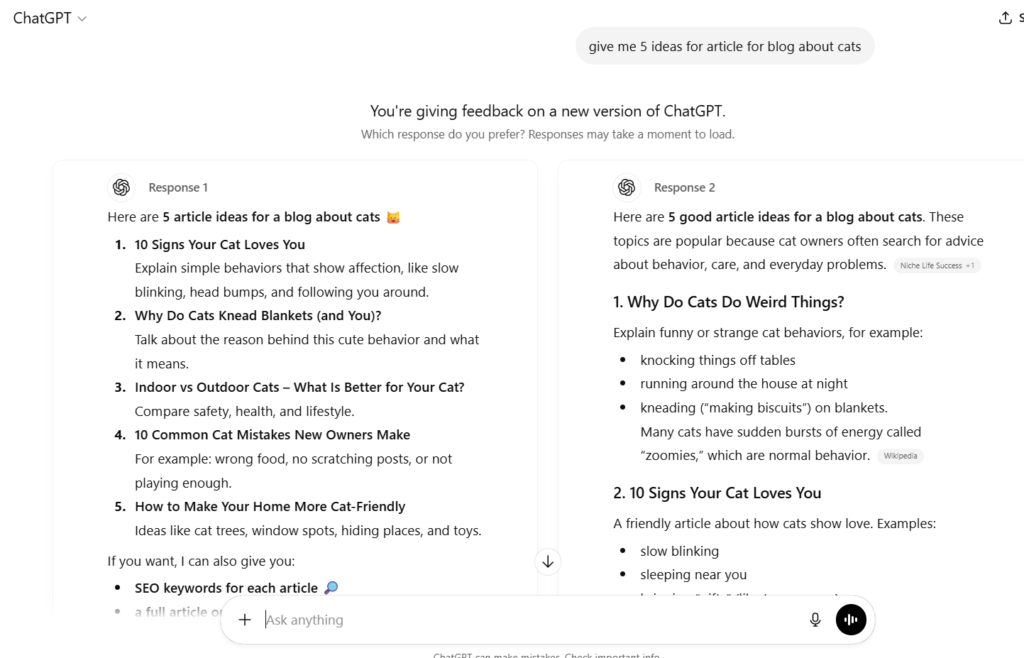
I like ChatGPT most when I already know what I want. If the prompt is lazy, the output usually feels generic. If I give it my blog style, examples, and a clear goal, the result is much better.
Jasper AI
Jasper is useful for bloggers who write a lot of marketing content. It has templates for blog posts, product descriptions, emails, ads, and social media.
For bloggers, Jasper can be helpful when you need structured content and marketing-style copy.
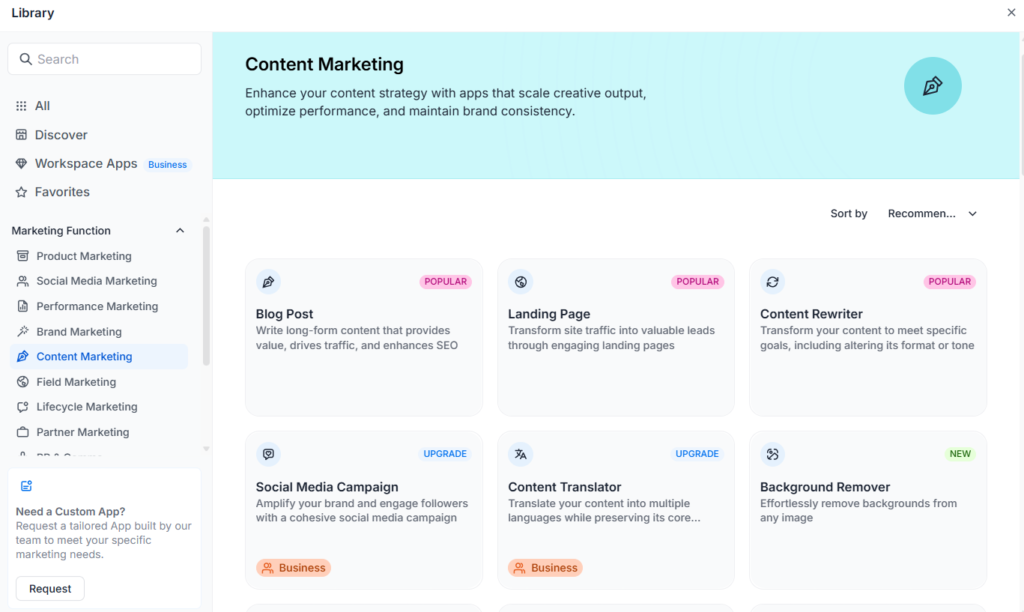
I would use Jasper for specific sections, not for a full post without editing. It can help with intros, headlines, product descriptions, and campaign copy. The final blog post still needs a human voice.
Copy.ai
Copy.ai is useful for short content. Bloggers can use it for headlines, introductions, product blurbs, email ideas, and short social posts.
It is simple and beginner-friendly, but I would not use it as the only tool for long SEO articles.
I would not choose Copy.ai as my only blogging system for long articles. But it can be helpful when you need quick copy, title ideas, or short sections.
Writesonic
Writesonic is good for bloggers who want help with structured drafts and SEO-style content. It can create outlines, blog sections, long-form drafts, and marketing copy.
It can save time, especially when you need a starting structure for a new article.
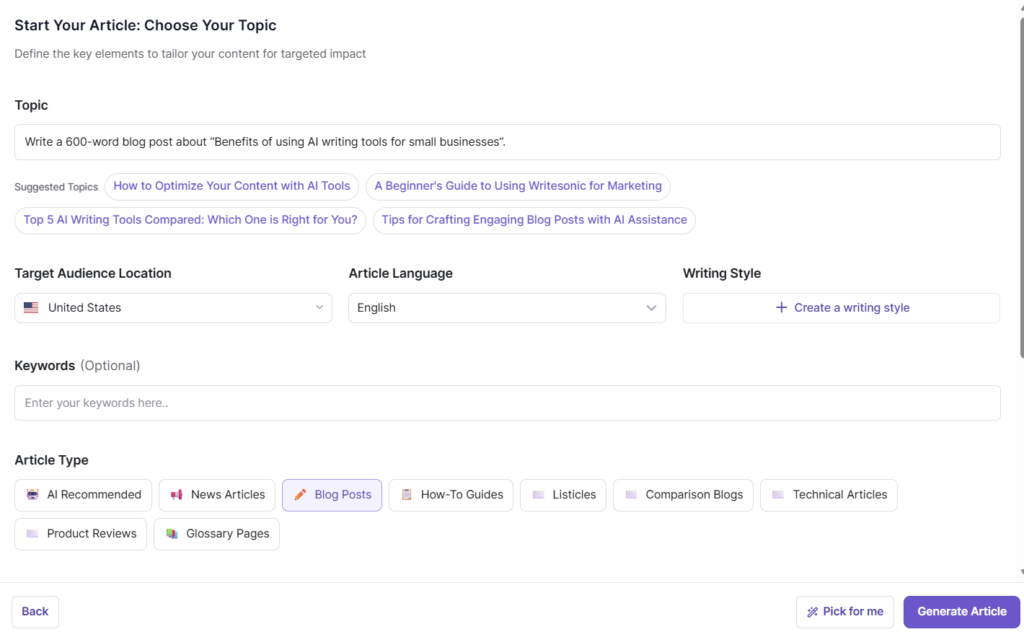
The best way to use Writesonic is to create a structured draft first, then rewrite the parts that sound too polished or too generic. Add your own examples before publishing.
Rytr
Rytr is simple and affordable. It is good for bloggers who need help with small sections, rewrites, captions, and quick ideas.
It is not the most advanced AI writer, but it can be useful if you want something lightweight and easy to use.
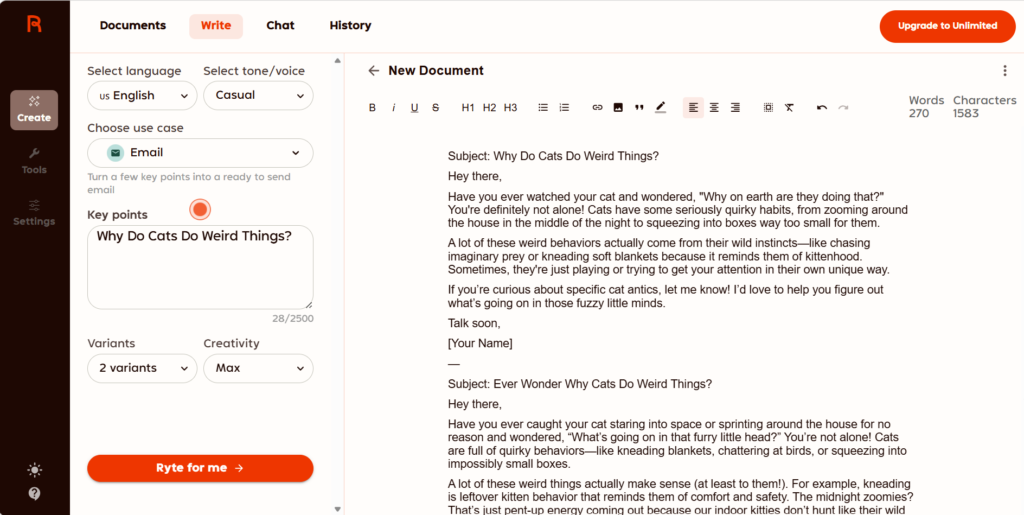
I see Rytr more as a lightweight assistant than a full blogging system. It is useful when you need a fast start, but I would still edit every paragraph.
Best AI SEO Tools for Bloggers
Writing is only one part of blogging. If nobody finds the article, the post may not help your business.
AI SEO tools help you understand what top-ranking pages cover, what questions people ask, and what your article may be missing.
Do not follow SEO tool suggestions blindly. If you add every keyword and every suggested heading, your article can start sounding unnatural. Use the tool as a guide, not as the boss.
Surfer SEO
Surfer SEO helps bloggers optimize articles for search engines. It analyzes top-ranking pages and gives suggestions for keywords, headings, content length, and structure.
It can be very helpful after your first draft is ready.
I would use Surfer after writing the first draft. This helps improve the article without letting the tool control the whole writing process.
NeuronWriter
NeuronWriter gives your article a content score. It also suggests keywords and topics to include.
This can help you plan an article before writing or improve it after the first draft is ready.
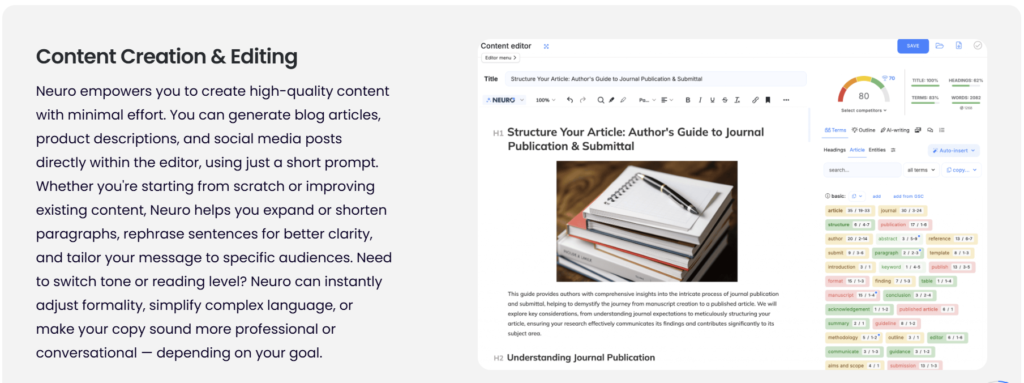
I would use NeuronWriter before writing to plan the article, then again after writing to check if the post covers the topic well.
Frase
Frase is useful for research and content briefs. It can analyze search results and help you see what competitors include.
For bloggers, this is useful because research often takes longer than writing.
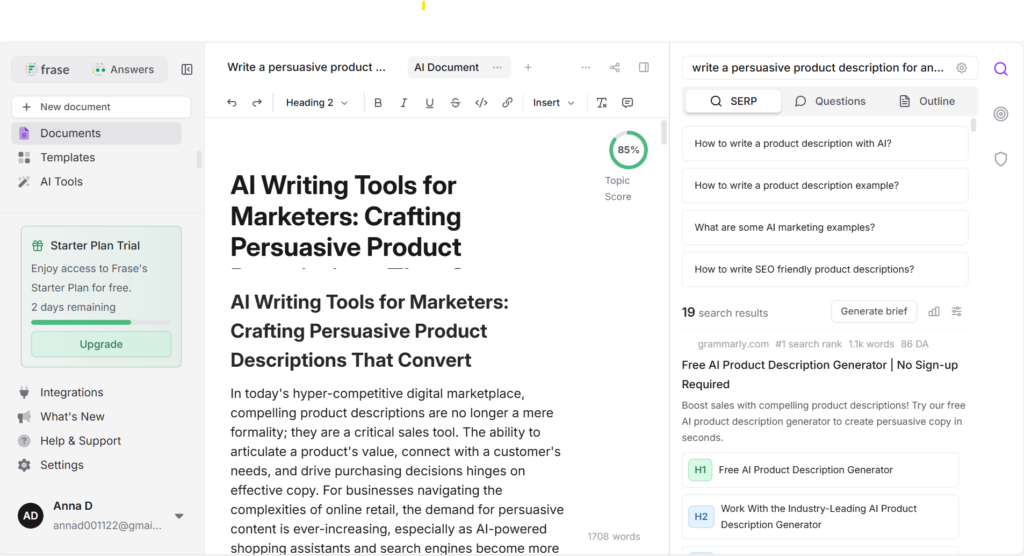
I like Frase for planning. It saves time before writing because you can see common questions, headings, and topic gaps faster.
Best AI Image Tools for Bloggers
Images make blog posts more interesting. They also help readers understand the content better.
For bloggers, images are not only decoration. They can become featured images, Pinterest pins, social graphics, tutorial visuals, and brand assets.
Canva AI
Canva is one of the easiest design tools for bloggers. It includes templates for featured images, Pinterest pins, social posts, presentations, and simple graphics.
You can also use Canva to resize graphics for different platforms, remove backgrounds, and keep a consistent visual style.
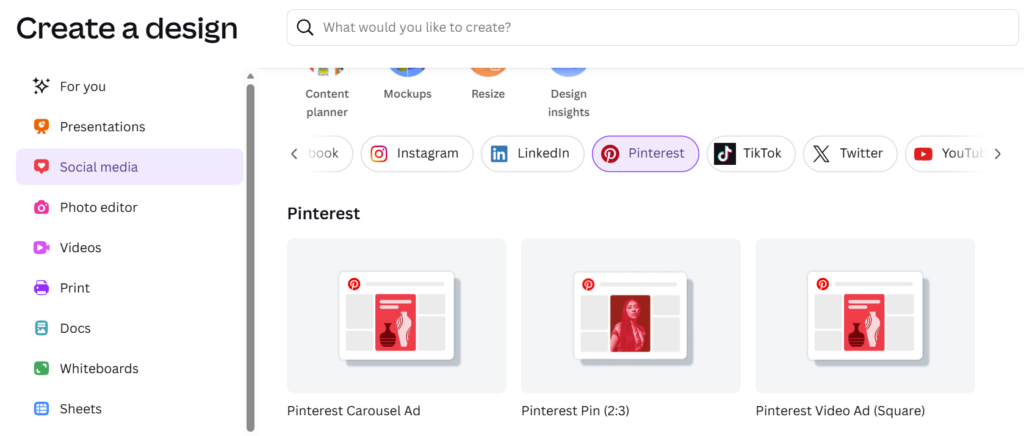
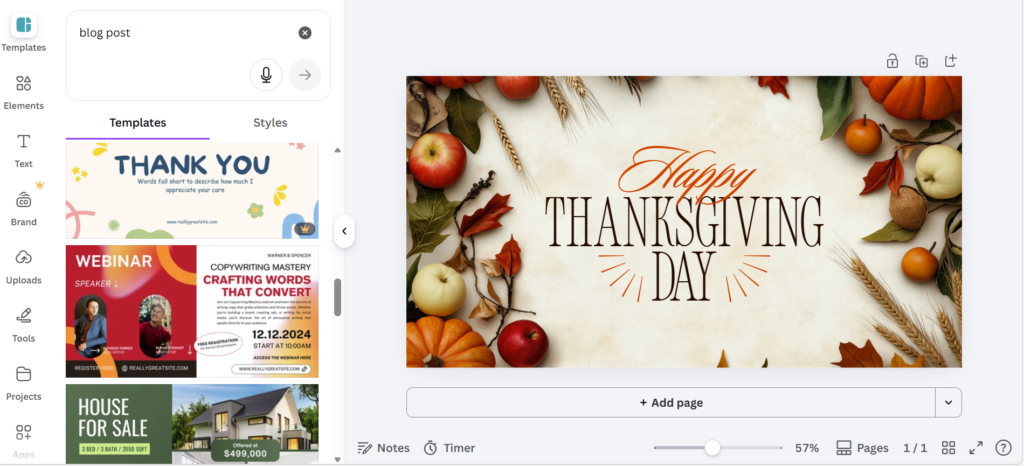
My favorite Canva use for bloggers is Pinterest. Create 3–5 pins for every important article. Change the title, colors, or layout slightly. This increases the chance that one of the pins will perform well and bring traffic to your blog.
Leonardo AI
Leonardo AI is useful when you want custom images and illustrations that do not look like basic stock photos.
You write a prompt, and the tool creates an image based on your description. It can also generate multiple versions, so you can choose the one that fits your blog best.
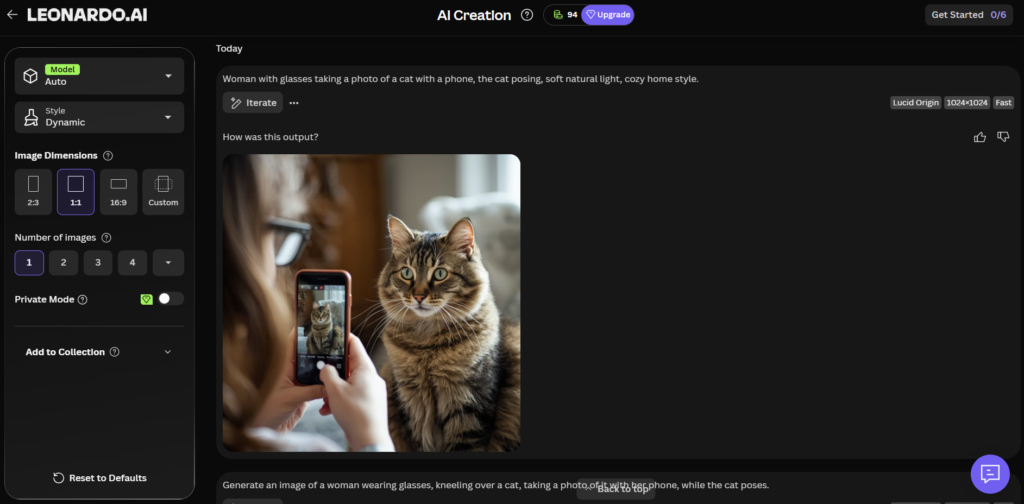
Leonardo is best when you give it a very clear prompt. Describe the subject, style, lighting, mood, and colors. Vague prompts usually create vague images.
Grok
Grok can be useful for fast creative images and short visual ideas. It can also create short AI videos, which may help with social content.
I like it for quick experiments, but it can sometimes be stubborn. If the image is not right, you usually need to change the prompt and try again.
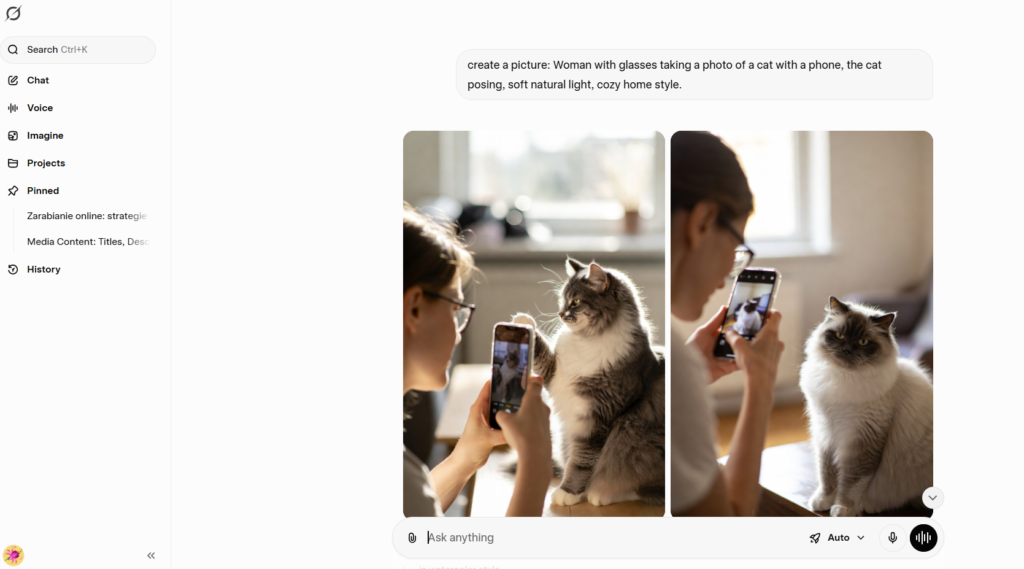
If you want an image, ask for it directly in the chat. If you use the “Imagine” option, Grok may generate a short video instead of a picture.
Which Tool Should a Blogger Choose First?
If you are a beginner, do not start with too many tools.
Start with one writing tool, one SEO tool, and one design tool.
How to Use AI Without Making Your Blog Sound Generic
This is the most important part.
AI can help you write faster, but it can also make your content sound flat if you do not edit it.
Before publishing AI-assisted content, add:
- Your own opinion
- A real example
- A mistake you made or noticed
- A screenshot if it helps
- A comparison table
- A clear recommendation
- Internal links to related articles
- A next step for the reader
A generic AI article says, “AI tools help bloggers save time.”
A better article says, “I use AI to create the first outline, but I rewrite the introduction myself because AI intros often sound too polished and boring.”
That second version feels more real.
Common Mistakes Bloggers Make With AI
The first draft is usually a starting point, not the final article.
Every article should support a clear topic cluster.
You need to know which pages get impressions, clicks, and low CTR.
A high content score does not always mean the article is helpful.
A strong post is weaker if it is not connected to related guides.
Traffic should lead somewhere: tools, reviews, email, or products.
How This Fits Into the AI Tools by Profession Cluster
This article should not sit alone.
It belongs inside the bigger “AI tools by profession” cluster. That cluster helps readers choose tools based on their real job or situation.
Read next in this cluster
FAQ About AI Tools for Bloggers
Can AI write full blog posts?
Yes, AI can create a full draft, but I would not publish it without editing. Add personal experience, examples, better structure, and fact-checking.
What is the best AI tool for beginner bloggers?
ChatGPT is usually the easiest starting point because it can help with ideas, outlines, drafts, rewriting, and social posts. Add an SEO tool later when you start publishing regularly.
Do bloggers still need SEO tools?
Yes. AI writing tools help create text, but SEO tools help you understand search intent, content gaps, headings, and related topics.
Can AI content rank in Google?
AI-assisted content can perform if it is helpful, original, edited, accurate, and useful for readers. Thin generic AI content is much weaker.
Final Thoughts
AI tools can make blogging faster, but they do not remove the need for real thinking.
The best blogger workflow is not “AI writes everything.”
The better workflow is this: AI helps you start faster, organize ideas, improve SEO, create images, and repurpose content. Then you add your voice, experience, examples, screenshots, and judgment.
That is what makes the article useful.
And useful content has a much better chance of being indexed, read, shared, and trusted.